
- 対象年齢4+
- カテゴリ仕事効率化
- 開発元Patrick Busch
- 言語英語ほか1言語
- サイズ27.3 MB
App Storeの公式ページにリンクしています
Download.orgはCtrl+All+Dataのファイルを一切ホストしていません。ボタンを押すと、Patrick Buschが公開しているApp Storeのアプリページが開きます。ページの最終確認:2026/11/14。
スクリーンショット

概要
開発元はこのテキストをお使いの言語で提供していません。
If you have ever looked at your phone/tab/watch, and felt like everything you need is scattered all over the place, you will
probably get very excited knowing what this app is trying to do for you.
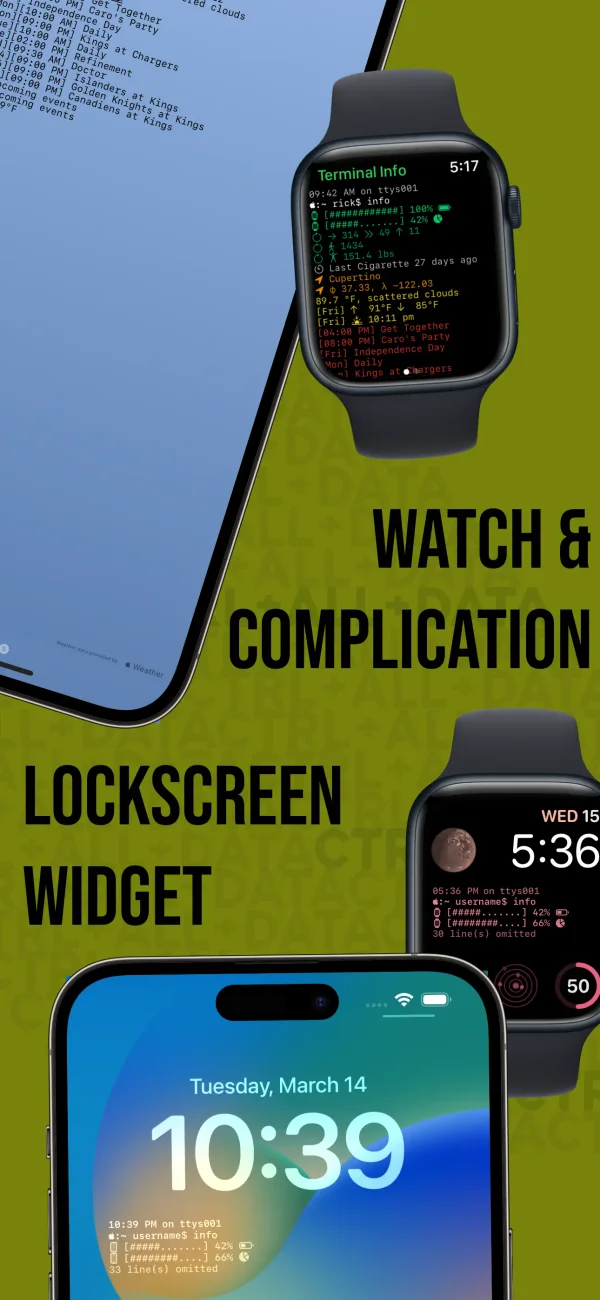
The Ctrl+All+Data app brings all the important things together in a single screen that feels a little like an old terminal window. It
sounds simple and honestly that is the main fact of this app. You open it and the information is at your disposal, almost like a tiny
command line that knows what you want before you think about it.
You don’t have to go thorough different apps and widgets to see your battery percentage, how much space you have, or your
timer and schedules. It’s all there in a simple, yet highly effective interface.
The layout will show your battery, your calendar events, the weather around you, and your reminders. It will also show your
fitness numbers such as steps, move, exercise and stand. The app will quietly pull your location and display the city, coordinates
and temperature. It ends up feeling like a personal dashboard created for someone who prefers text over icons. If you like things
clean and fast, you will probably smile when you see it the first time.
** All Your Information in One Place:
The main screen of the app collects all your daily essentials and line them up in one simple screen, in a readable flow without any
fancy and destructive animation or noisy colors. Every data will appear instantly. You also have the freedom to choose which
modules stay active.
** Device Info Module:
You can see everything about your device such as battery percentage and storage at once. You won’t have to go to the settings
of your iPhone or iPad to check on the storage every time you need to know how much storage is left.
** Weather and Location:
It will take only one glance to see your location and weather with city, temperature, sky condition and other coordinates. The
information will update on its own, so you will not need to change anything manually.
** Calendar and Reminders:
If you are looking for a tool that allows you to see all your upcoming events and tasks at one single glance, this app is for you. The
idea is to eliminating the need to jump between apps just to check what is coming next. It works well when you are rushing or
when you glance at your device during a busy hour.
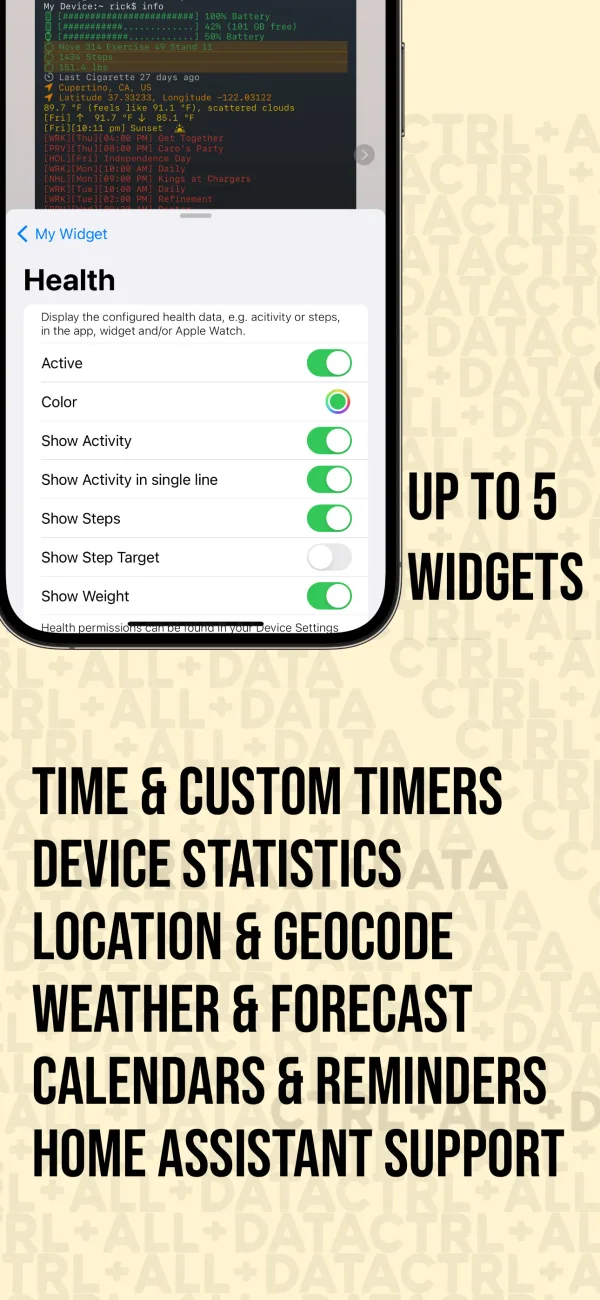
** Health and Activity
You’ll be amazed to see how good your daily activity numbers look in a plain text style. Steps, move, exercise and stand all will
appear in one straight line. If you track your health and activity regularly, this will probably make you real happy.
** All Timers in One Place:
This app will allow you to set up to five timers per widget. This will come really handy when you are cooking or working on
multiple tasks and need simple countdowns without opening another app.
** Freedom of Customization
You can adjust choose different modules, rewrite your prompt header and arrange things in a way that feels more personal. It
gives you the tools and you decide how the layout should behave, without trying to be too clever.
** Works Everywhere
Whether you have an iPhone, or iPad, or Apple Watch and Apple Vision Pro, this app will work perfectly. Your settings sync
through iCloud, keeping things consistent. The Apple Watch version comes with complications so you can check your information
quickly.
** Home Assistant Integration
If you are someone who frequently uses Home Assistants, you can connect and place your devices inside the terminal view. It
will become one more line in your flow, and make things even more handy.
新機能
バージョン 5.2.1 · 2026/9/22
Fix for Crash in About View
アプリのプライバシー
このアプリのデータの取り扱いについて、Patrick BuschがApp Storeで申告している内容です。
-
ユーザーに関連付けられないデータ
収集される場合がありますが、ユーザーの識別情報には関連付けられません。
- ID
- 使用状況データ
- 診断
プライバシーの取り扱いは、ご利用の機能やお客様の年齢などに応じて異なる場合があります。
情報
- 販売元
- Patrick Busch
- カテゴリ
- 仕事効率化
- バージョン
- 5.2.1
- 更新日
- 2026/9/22
- リリース
- 2021/6/30
- サイズ
- 27.3 MB
- 必要条件
- iOS 18.0以降
- 対象年齢
- 4+
- 価格
- ¥300
- 言語
- 英語, ドイツ語
- 著作権
- © 2021-2026 Patrick Busch
こちらもおすすめ
-
 uWeb Server2仕事効率化
-
 SynergyXR仕事効率化
-
 AI Voice Notes : NotePilot仕事効率化
-
 Quick Notes - CaptureBrain dump thoughts & ideas
-
 iCalc - 電卓と数学ボット基本 |科学 |金融
-
 AI Note Taker – VoicePen仕事効率化
-
 MindNode: Mind Map & Outlineアイデア出し&整理計画
-
 Bots - AIチャットボット&アシスタント写真加工・写真を動かす・画像から動画生成・イラスト作成
-
 Left - 残り時間ウィジェットカウントダウン・習慣・人生
-
 Bluebird 集中タイマー ポモドーロ勉強も仕事も、ひとつずつ前へ