- 対象年齢4+
- カテゴリヘルスケア/フィットネス
- 開発元John Mallonee
- 言語英語
- サイズ11.1 MB
App Storeの公式ページにリンクしています
Download.orgはCustom Running Intervalsのファイルを一切ホストしていません。ボタンを押すと、John Malloneeが公開しているApp Storeのアプリページが開きます。ページの最終確認:2026/11/17。
スクリーンショット
概要
開発元はこのテキストをお使いの言語で提供していません。
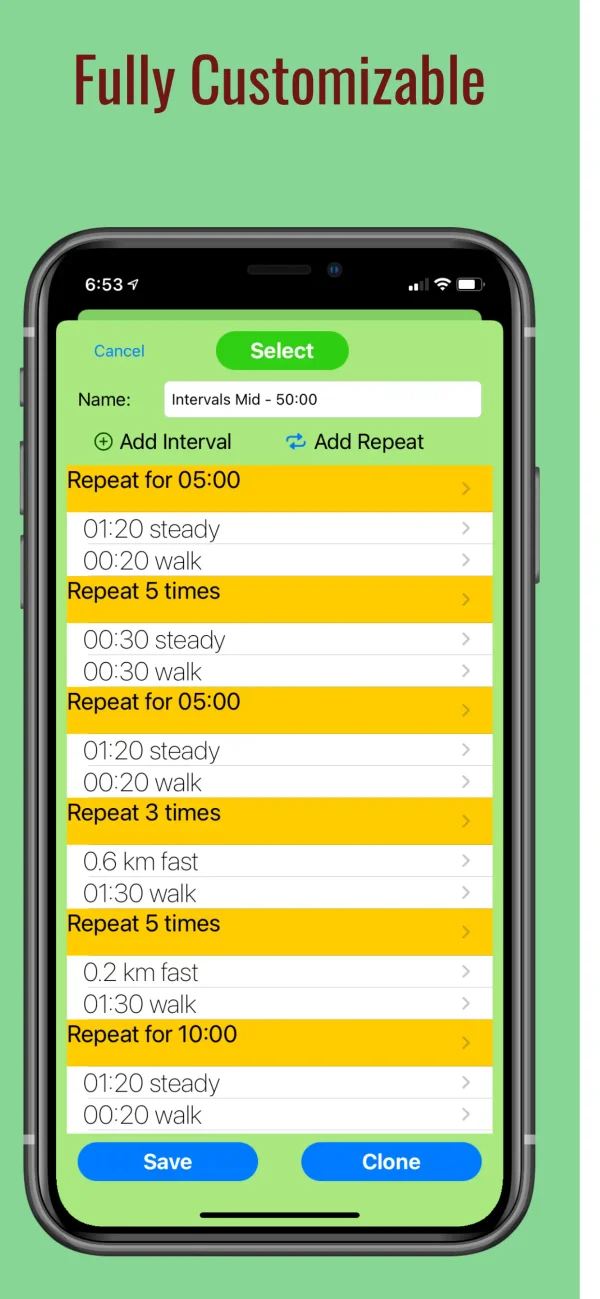
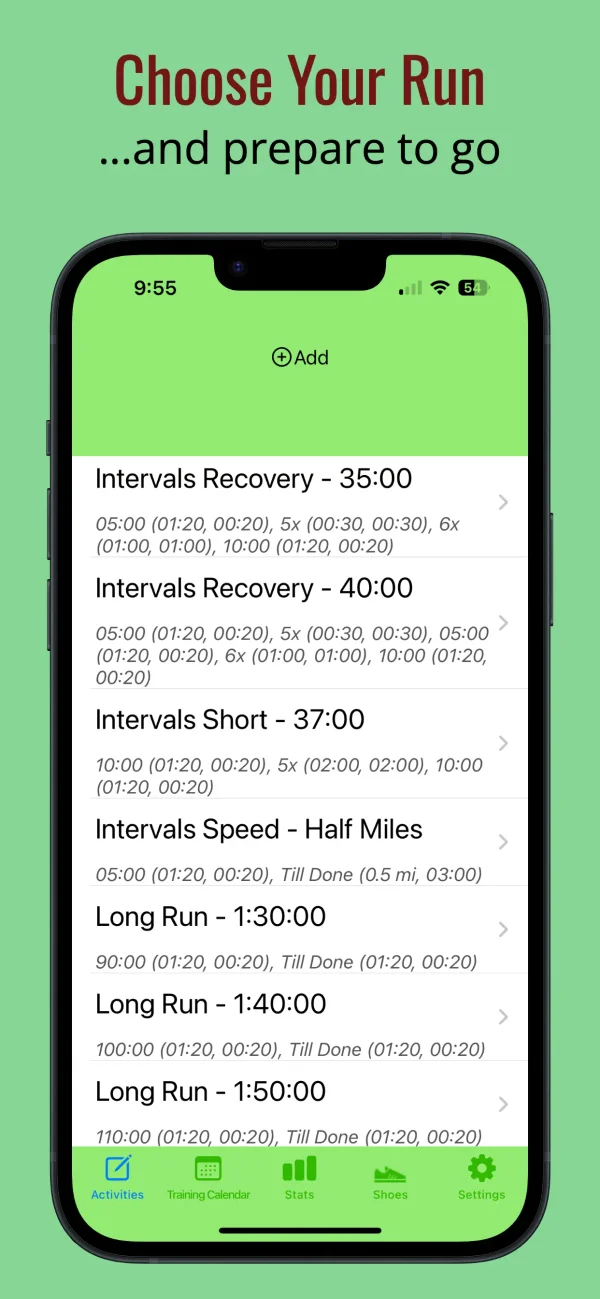
This is a flexible custom interval timer and training scheduler with historical analysis, and you are the only one who has access to your data! As a runner, I’ve had challenges finding a running timer that can manage my more involved interval combinations. Custom Running Intervals allows you to build variable activities with repeatable blocks of intervals. Intervals can be by time or by distance with 3 intensities - walk, steady, and fast. You can repeat your intervals a specific or indefinite number of times, for a defined amount of time, or for a given distance. With an inexpensive upgrade, you can create as many combinations of repeatable sets in the variations you choose, build a training plan on a calendar, see results of past runs, and export results to other apps. Also, your data is only available to you - even I can’t see it. Your data will only exist on your phone, or in your own iCloud storage if you choose. If you save your data to iCloud (by default), you can view the results on any other iPhone or iPad that shares the same iCloud account.
Features:
1. Configurable intervals - distance (miles, kilometers), time (hours, minutes, seconds).
2. Configurable repeat blocks of intervals - # of times (or until stopped), distance, time.
3. Clone activities (use an existing activity - repeats and intervals - as a basis to create a similar activity).
4. Apple Watch monitoring and control and heart rate (iPhone app must be started).
5. Configurable settings.
6. Audio cues by voice, tone, or both (in Settings).
7. Pause, Resume, or Stop an activity, Skip repeat blocks.
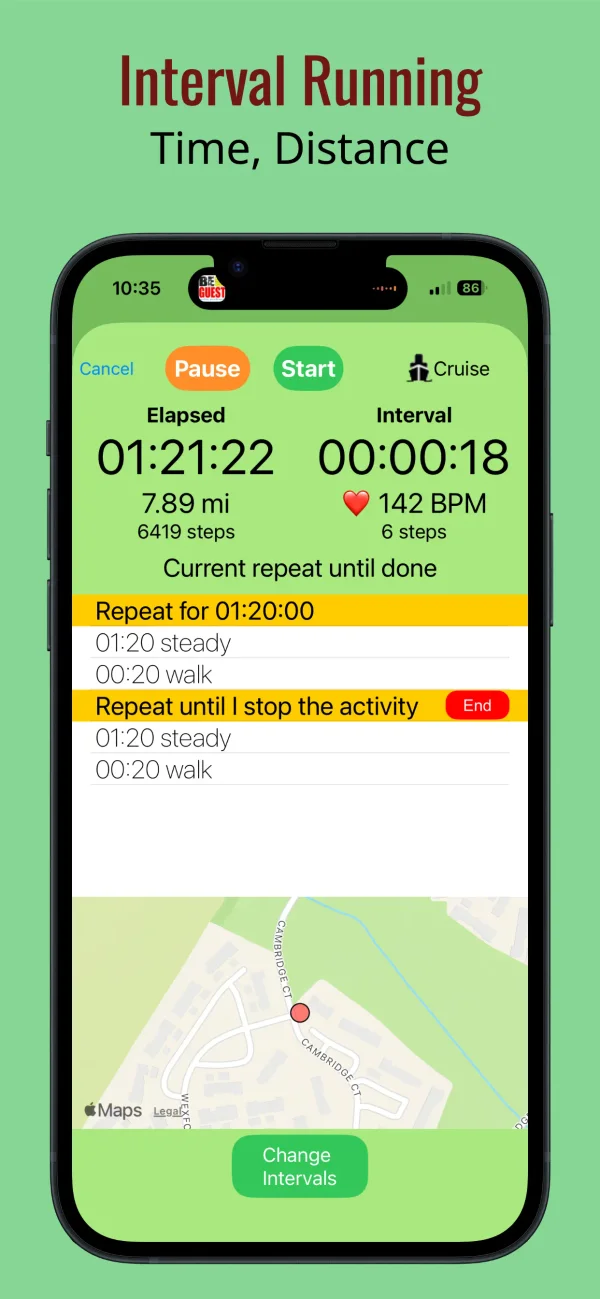
8. View current elapsed time, distance, interval progress, overall pace.
9. End an in-progress repeat block (and proceed to the next).
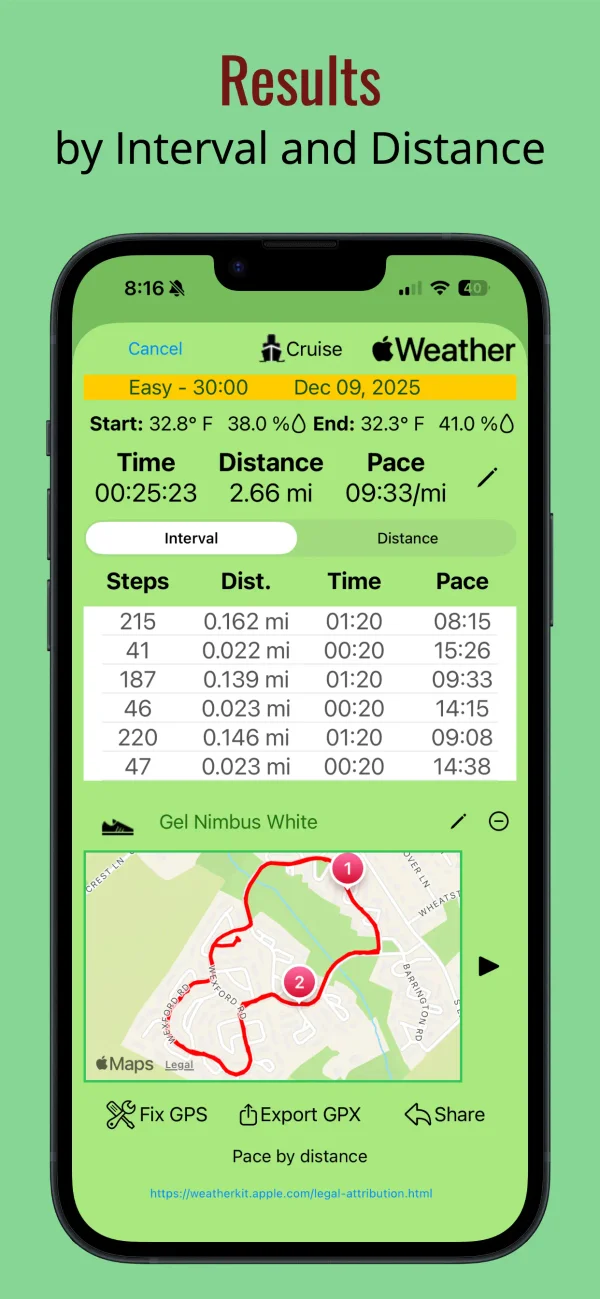
10. Results by interval and repeat block, as well as default distance unit (each mile or kilometer).
11. Results (including steps, time, distance, and pace) available immediately after run.
12. Map view to verify GPS location prior to starting run.
13. Map view of running route in results including markers by mile/kilometer and pauses.
14. Helpful on-screen guide when creating first activity and configuring.
15. Activities and results stored in iCloud for synchronization across devices and data loss prevention.
Apple Watch
If you have an Apple Watch, you can also start, pause, and stop an activity in progress from the watch. NOTE: the Apple Watch app (included with your iPhone download) communicates with the iPhone app, so the app must be started on both the watch and phone to use the watch app.
Apple Watch Features:
1. View existing activity configurations.
2. Start an activity (if iPhone app is started).
3. Pause, Resume, or Stop an activity.
4. View current elapsed time, distance, interval progress, overall pace.
5. End an in-progress repeat block (and proceed to the next).
Available Full Features (In App Purchase)
1. Configure an activity with multiple repeat blocks for more complex intervals (standard version allows one repeat block)
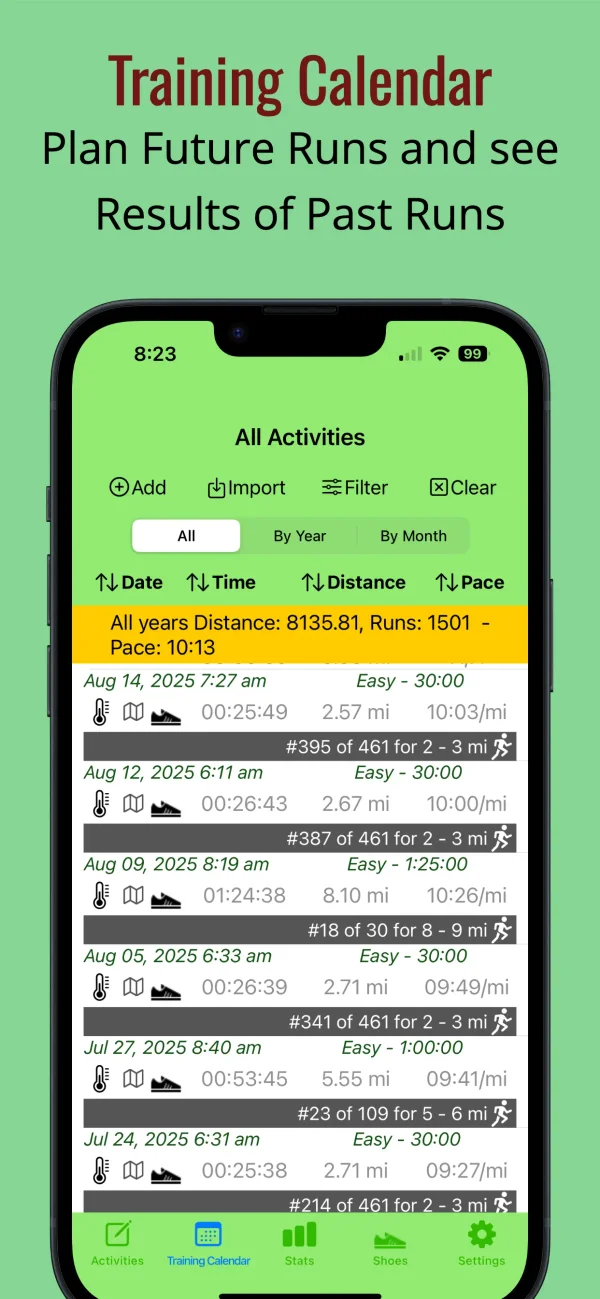
2. Add planned training runs on a Training Calendar for a selected custom interval (free version allows up to 5).
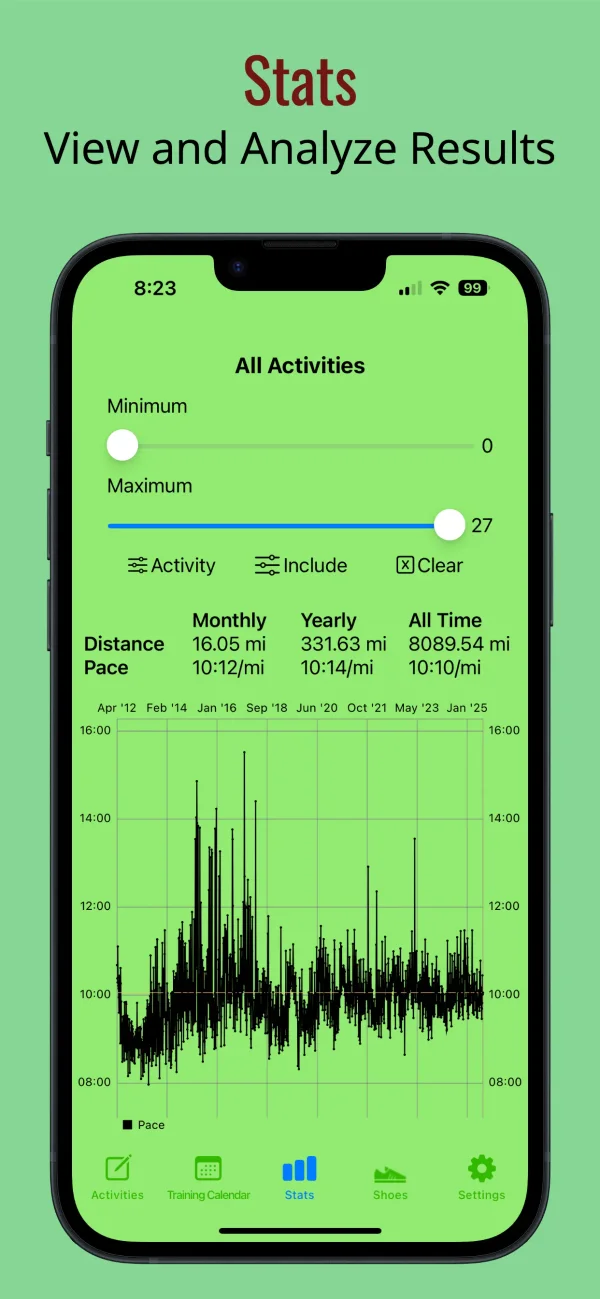
3. View and filter a graph of your pace over time for activities (free version allows up to 5 past runs).
4. View the results of your runs on the Training Calendar including a map of the route. weather conditions, elevation, pace, and heart rate.
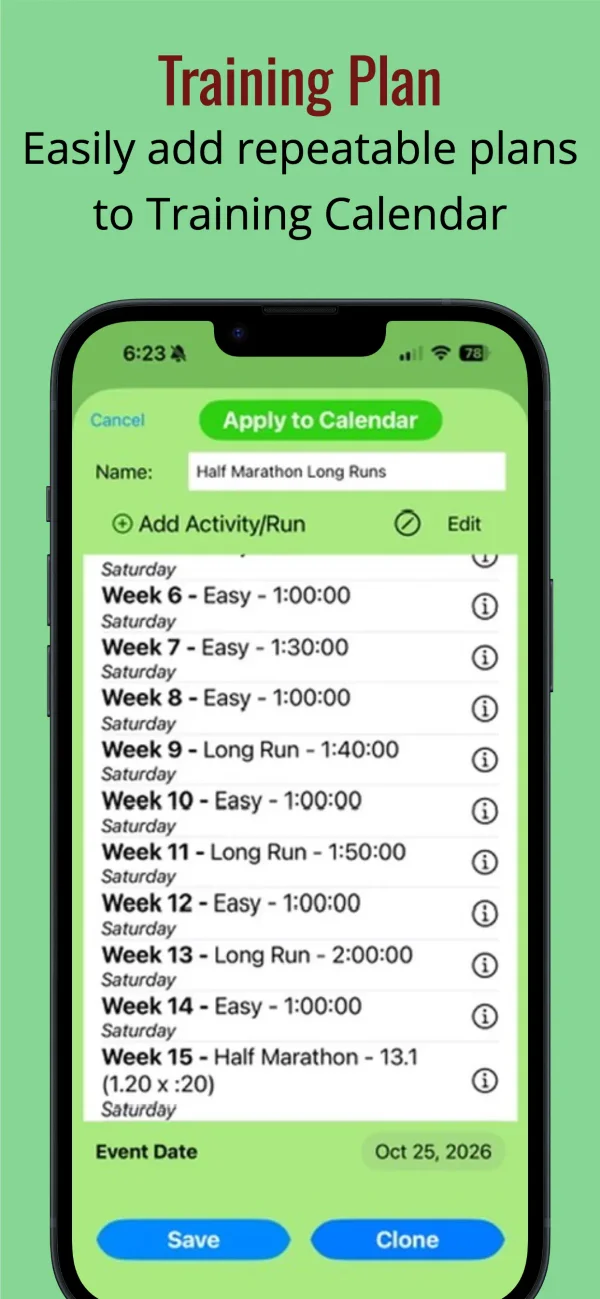
5. Create repeatable training plans to easily add planned runs to the Training Calendar.
6. Sort your past results by date, total time of run, distance, and pack.
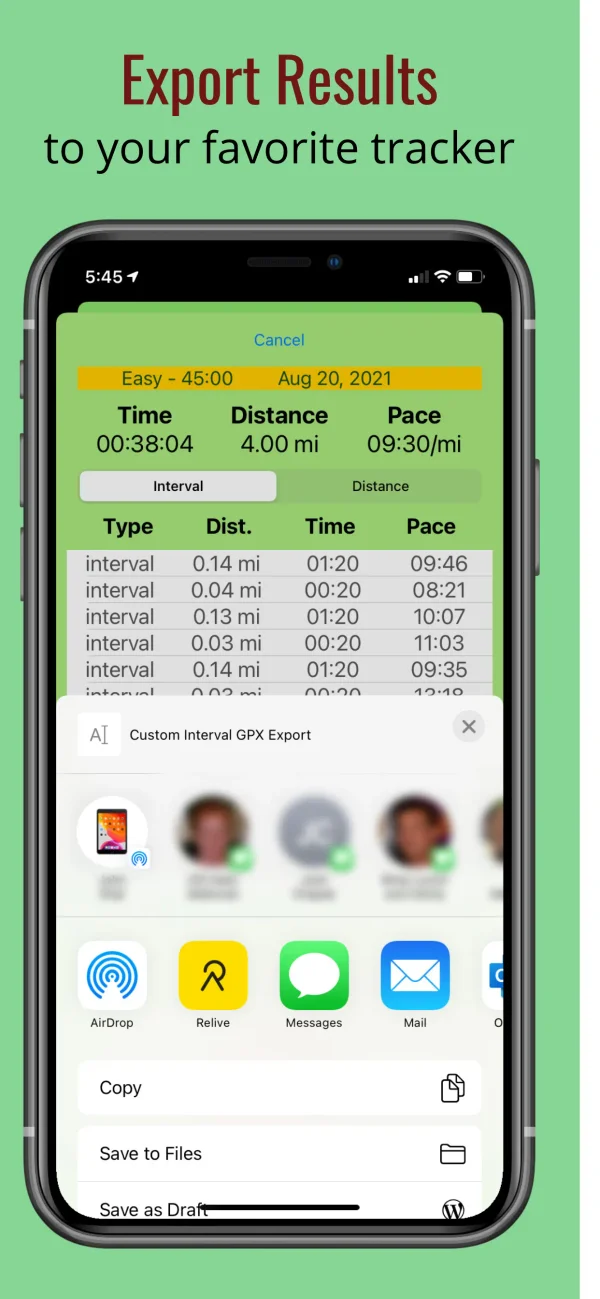
7. Export your results (current or history) in GPX format for importing to other trackers.
8. Fix GPS for anomalies.
9. Import results in GPX format from any tracker app.
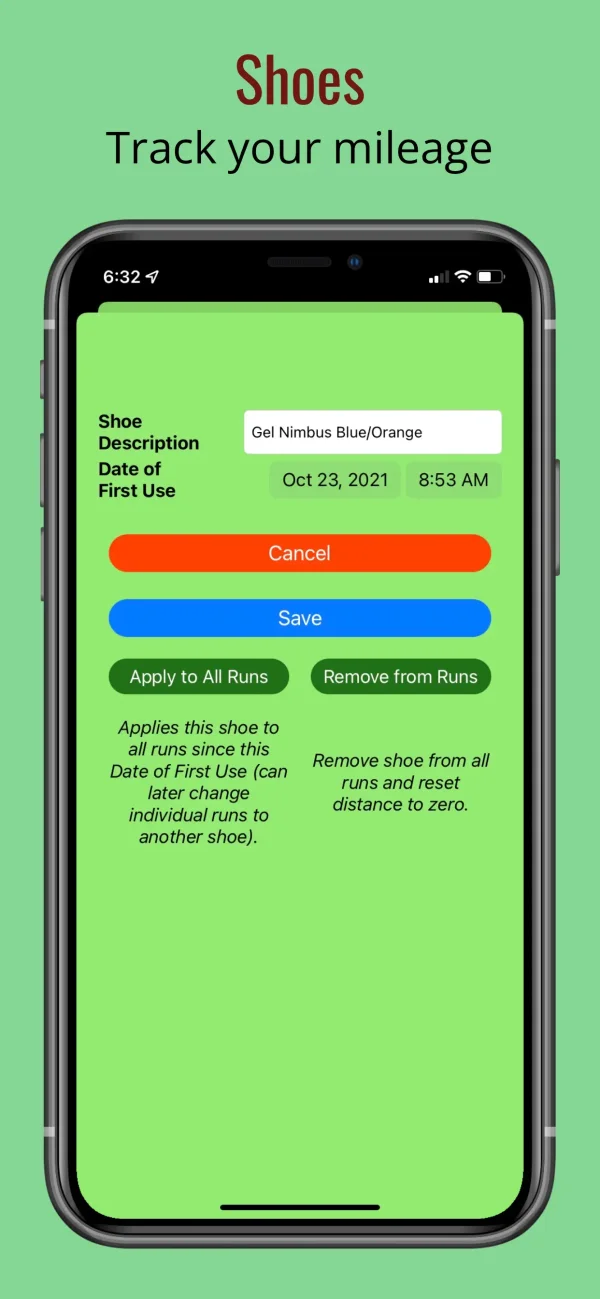
10. Track miles run on your pairs of shoes.
11. Manually enter results for a run if you forget to track.
12. Manually edit the time and distance for a run.
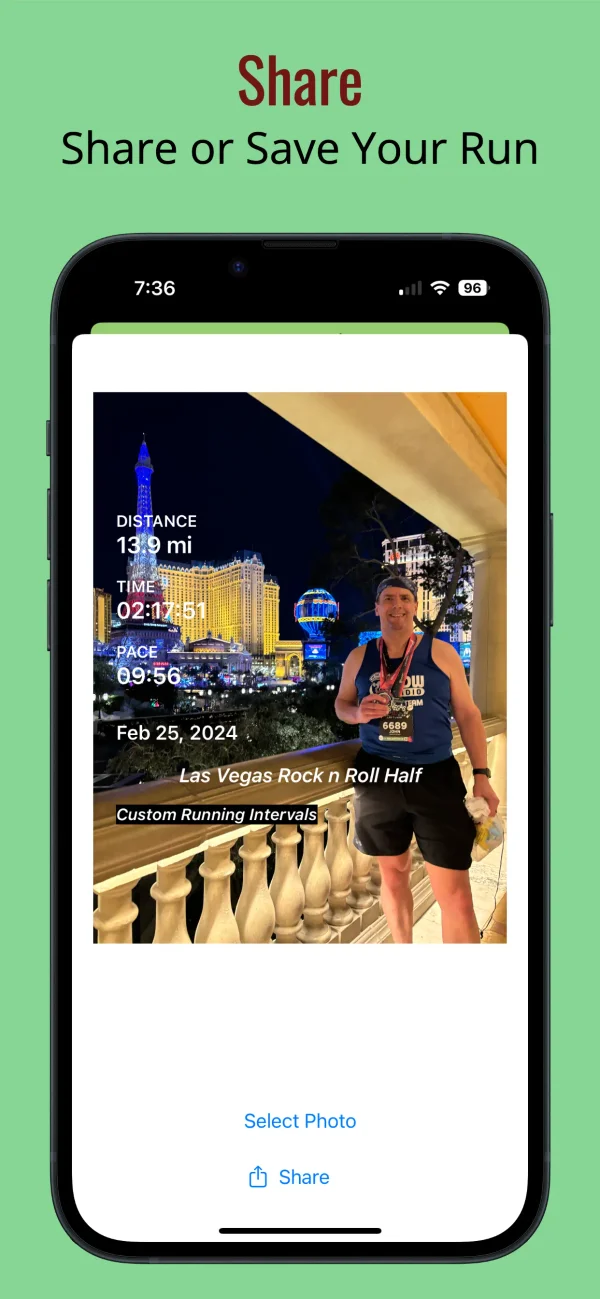
13. Share a run with photo to social media and other apps.
14. Track a run on a cruise ship.
新機能
バージョン 2.6.1 · 2026/7/31
There were 3 bug fixes:
1. Cruise Runs - Pausing when running in cruise mode stopped distance updates which caused incorrect distance and pace in the results.
2. Results - Adding notes to a run incorrectly marked the run as 'Manually Edited' which is only intended to represent manual changes to time or distance.
3. Watch - Starting a run from the watch would use the incorrect Activity type if the Activities screen was not displayed on the phone app. For example, if the Training Calendar screen was displayed, the bug occurred.
アプリのプライバシー
このアプリのデータの取り扱いについて、John MalloneeがApp Storeで申告している内容です。
-
データの収集なし
開発元はこのアプリからデータを収集しません。
プライバシーの取り扱いは、ご利用の機能やお客様の年齢などに応じて異なる場合があります。
情報
- 販売元
- John Mallonee
- カテゴリ
- ヘルスケア/フィットネス
- バージョン
- 2.6.1
- 更新日
- 2026/7/31
- リリース
- 2020/11/16
- サイズ
- 11.1 MB
- 必要条件
- iOS 16.0以降
- 対象年齢
- 4+
- 価格
- 無料
- アプリ内課金
- あり
- 言語
- 英語
- 著作権
- © 2026 John Mallonee
こちらもおすすめ
-
 Runs and Fartleks - IntervalUpヘルスケア/フィットネス
-
 Fartlek: Interval Run Timerヘルスケア/フィットネス
-
 Running Interval Timer Trackerヘルスケア/フィットネス
-
 Fartlek Interval Trainerランニングタイマーと分析
-
 RUN interval - Running Timerヘルスケア/フィットネス
-
 Interval Timer: Run Walk, HIITRunning Workouts & Training
-
 Yollo - インターバルタイマー、ラン/ウォーク時間設定ランニング初心者におすすめのアプリ
-
 HIIT: Simple interval timerヘルスケア/フィットネス
-
 RunKit: Custom Running Workoutヘルスケア/フィットネス
-
 Runmeter ランニングGPSトラッカーペース、インターバル&マラソン