
- 対象年齢4+
- カテゴリ旅行
- 開発元iMobileCode
- 言語英語ほか11言語
- サイズ37.7 MB
App Storeの公式ページにリンクしています
Download.orgはDashmetricsのファイルを一切ホストしていません。ボタンを押すと、iMobileCodeが公開しているApp Storeのアプリページが開きます。ページの最終確認:2026/11/18。
スクリーンショット



概要
開発元はこのテキストをお使いの言語で提供していません。
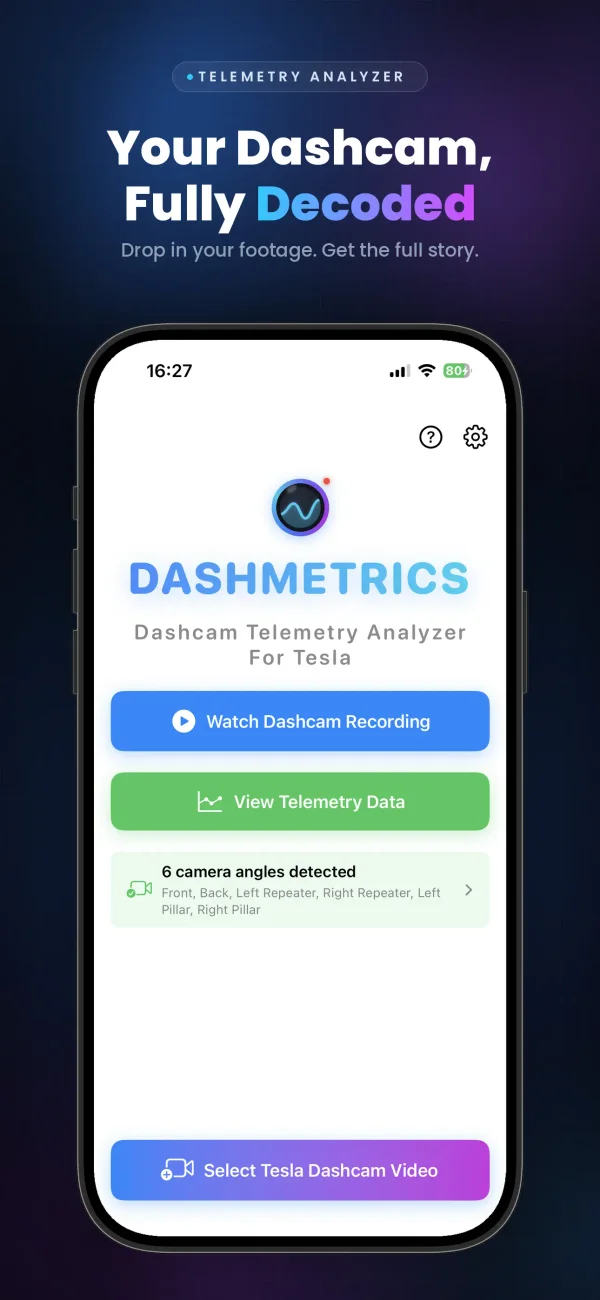
Your Tesla already records everything. Dashmetrics makes that footage actually useful.
Import your Sentry Mode and Dashcam clips and watch your drive come alive with real telemetry: speed, GPS position, heading, steering, gear and pedal input, all pulled straight from the footage and rendered on top of the video. Whether you are documenting an incident for insurance, reviewing a close call, reporting a pothole or just sharing a great drive, you get a clean, professional result in a few taps.
WHAT YOU CAN DO
View every camera angle from your Sentry and Dashcam recordings in one place
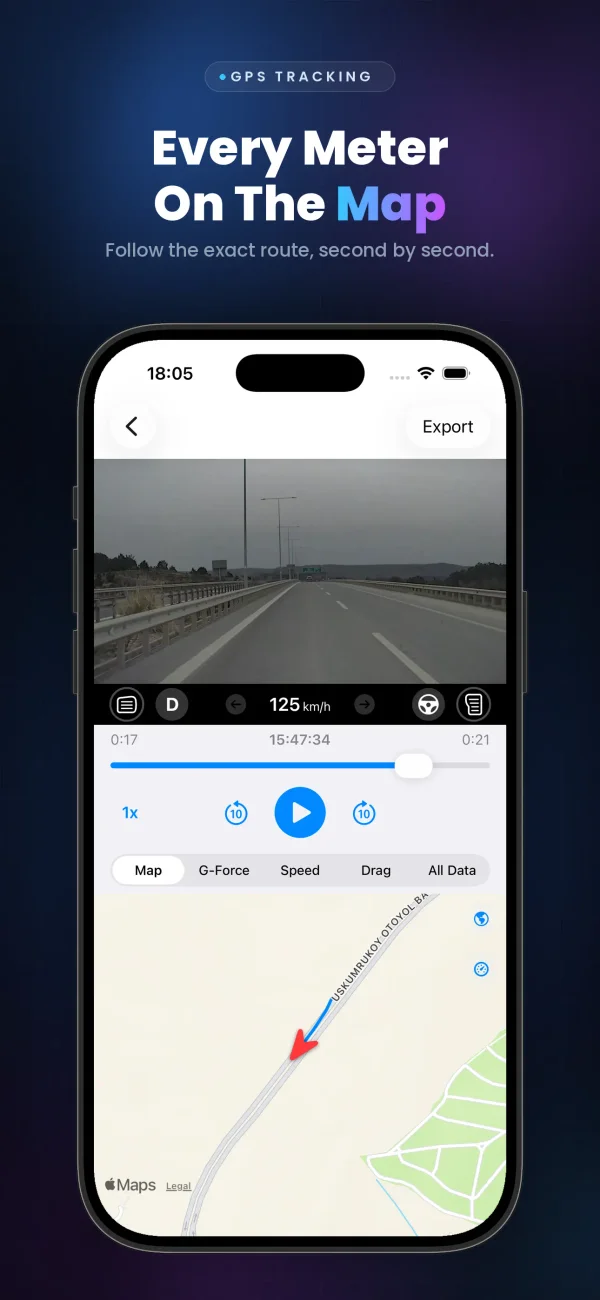
Follow the exact route on a map, second by second
See speed, average and top speed on an interactive graph
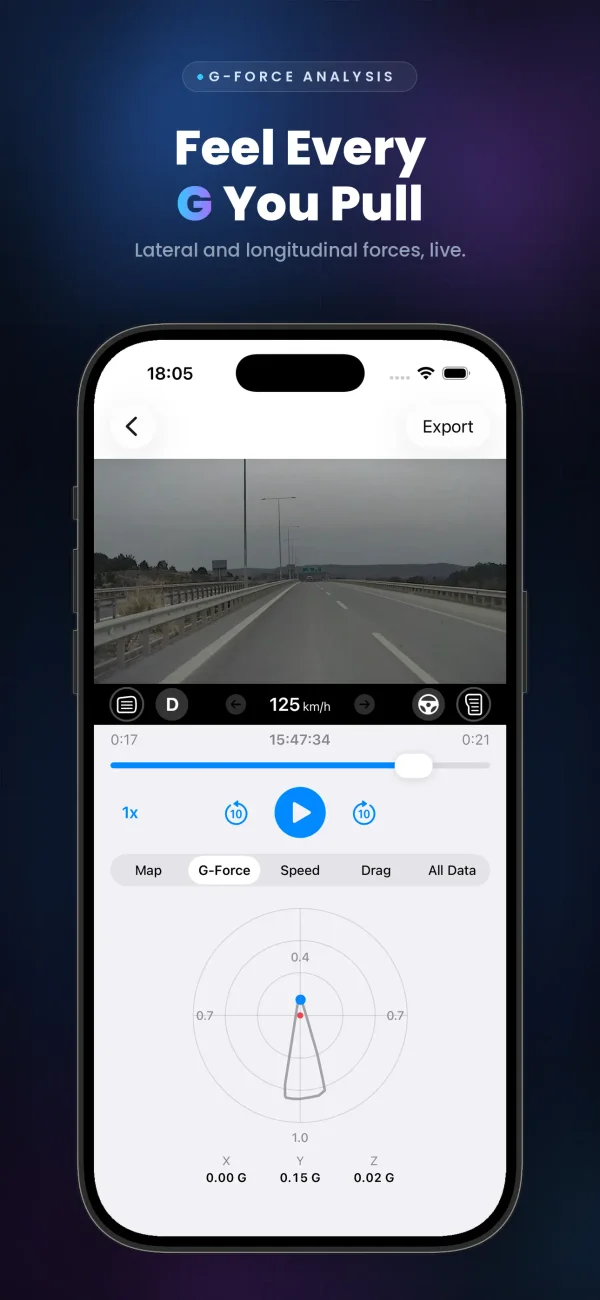
Read lateral and longitudinal G-force as you drive through every corner
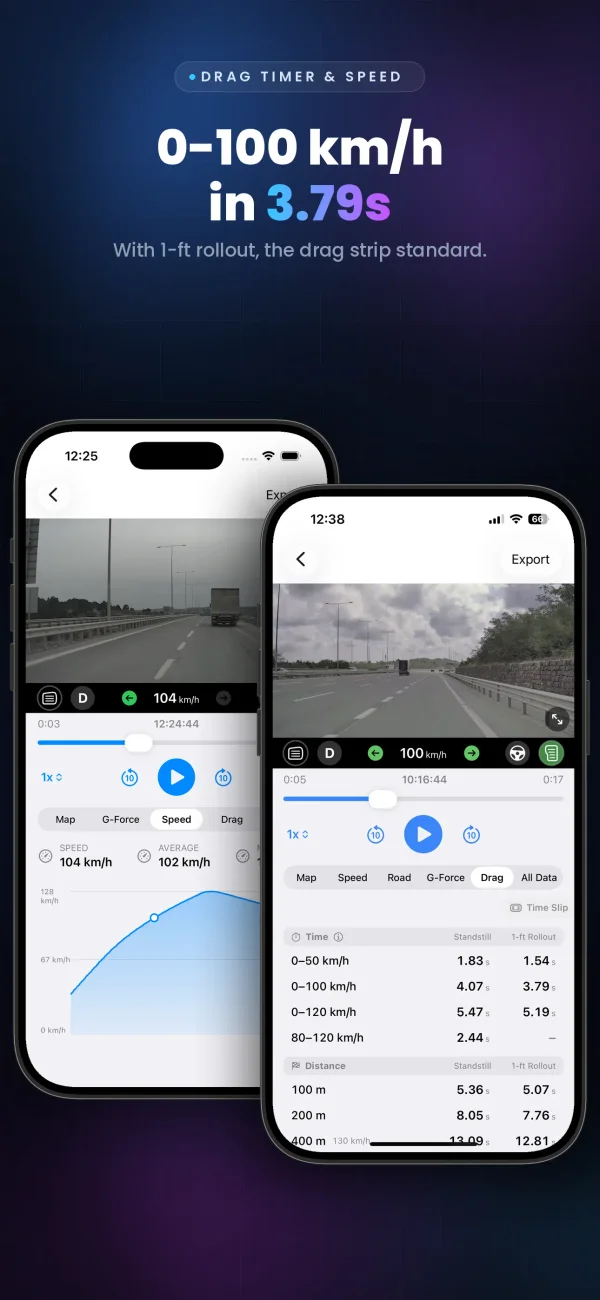
Get automatic 0-50, 0-100, 0-120 and 80-120 km/h acceleration times
Browse the full telemetry log, frame by frame, and export it as CSV
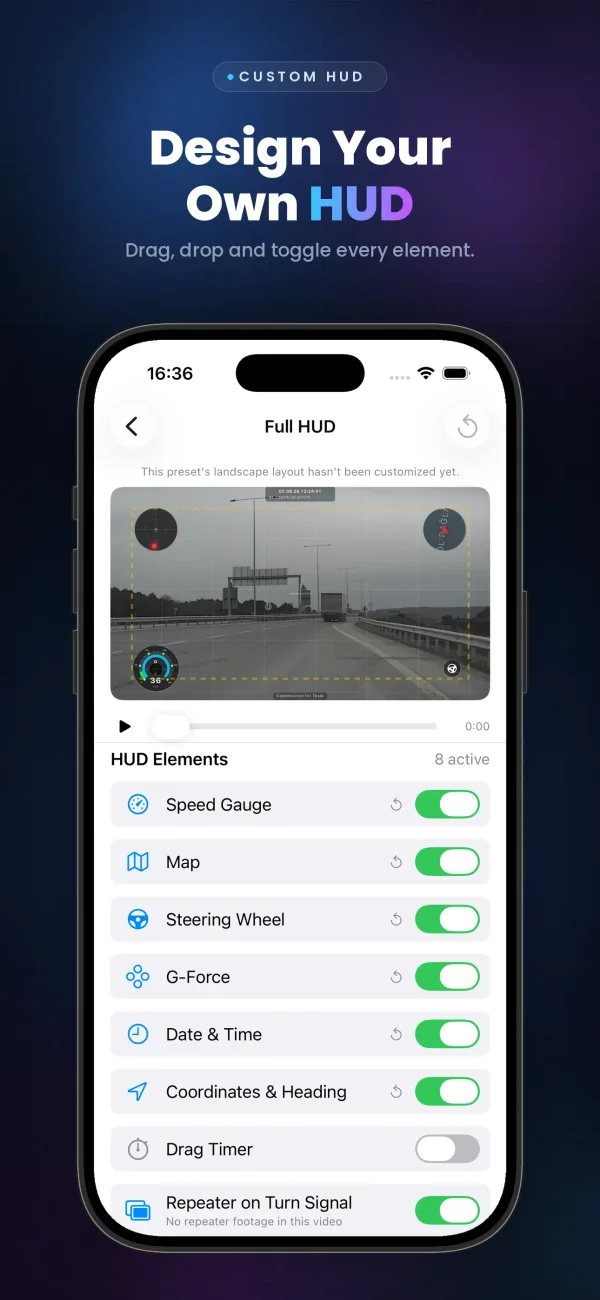
Overlay real data on your footage: speed gauge, map, steering, G-force, coordinates and timestamp
Build your own HUD: toggle, place and restyle every single element
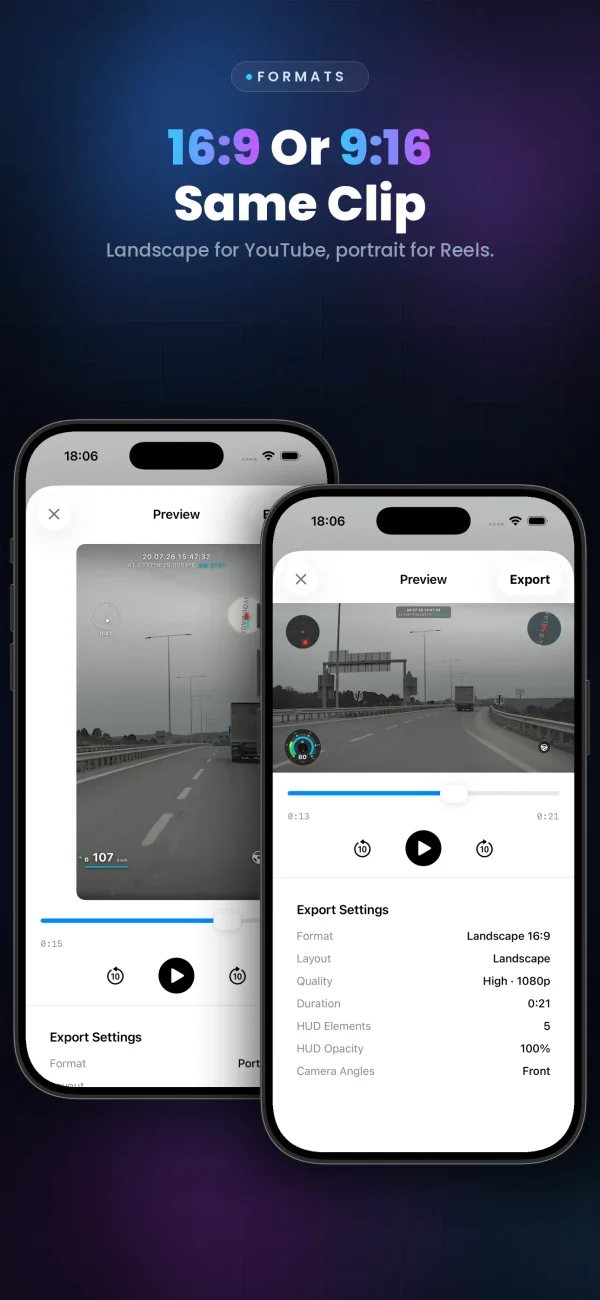
Export in landscape 16:9 or portrait 9:16, up to 4K
ROAD QUALITY ANALYSIS
Your telemetry already knows how rough the road was. Dashmetrics turns it into something you can use.
Every clip gets an automatic road score from the vertical acceleration already in its telemetry. Nothing to mount, nothing to set up.
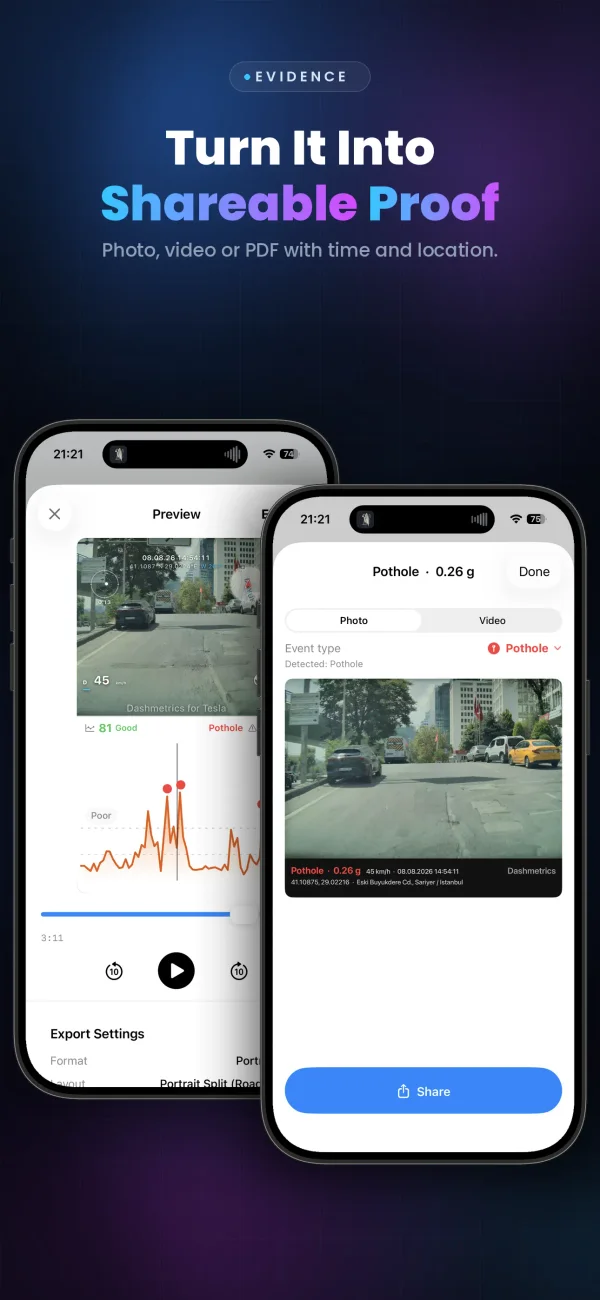
Potholes and speed bumps are pinned on the chart and the map with the time, speed and coordinates. Add one by hand or correct its type whenever the detector gets it wrong.
Sustained broken pavement is marked as a range rather than a point: where it starts, how far it runs and how bad it is.
Share a photo, a video or a PDF of any finding with its address, coordinates and time, or export the whole drive as a report.
BUILT FOR REAL MOMENTS
Accidents and near-misses happen without warning. When they do, you need the full picture fast: what speed you were doing, exactly where it happened, and footage that speaks for itself. Dashmetrics turns your recordings into clear, timestamped evidence you can hand to your insurer, your municipality or share with confidence.
MADE FOR TESLA OWNERS
Designed specifically for Tesla Sentry Mode and Dashcam files. No cables, no desktop software, no complicated setup. Bring your clips in and start analyzing right on your phone. Everything runs on device.
FREE TO START
Browse your clips, explore telemetry and preview overlays for free. Upgrade any time to export without a watermark, in full quality, with every HUD template, road report and customization unlocked.
Download Dashmetrics and see your drive like never before.
Dashmetrics offers the following options to unlock full access:
Weekly access (auto-renewable)
Annual access (auto-renewable)
Lifetime access (one-time purchase)
Payment will be charged to your Apple Account at confirmation of purchase. Auto-renewable subscriptions renew automatically unless canceled at least 24 hours before the end of the current period. Your account will be charged for renewal within 24 hours prior to the end of the current period. You can manage or cancel your subscription in your Apple Account settings after purchase. The one-time Lifetime purchase is not a subscription and does not renew.
Terms of Use (EULA): https://www.apple.com/legal/internet-services/itunes/dev/stdeula/
新機能
バージョン 1.0.2 · 2026/9/5
Sample drives — try the app before you have a clip
Don't have a Tesla recording at hand? The app now ships with real dashcam footage: a 0–100 launch, a City Drive and a Multi‑Camera sample While a sample is open, every Premium feature is unlocked so you can see exactly what the app does.
A real drag strip in the Drag tab
Acceleration is now measured the way a track does it: 0–100 and 0–60 alongside distance marks (60 ft, 1/8 mile, 1000 ft, 1/4 mile) with trap speeds, in both Standstill and 1‑ft Rollout timing.
Shareable time slip
Turn your best quarter mile into a drag‑strip ticket you can post: Distance or Time format, your own car or plate label, your choice of timing convention, and a preview of the exact image before you share.
One by one multi‑camera export
Instead of a grid, you can export each camera full screen, one after another, in the order you choose — each camera with its own trim, and a preview that plays the passes back to back.
V1.0.1:
Road Quality Analysis is here.
Automatic road score. Every clip is scored from the vertical acceleration already in its telemetry. Nothing to mount, nothing to set up.
Potholes and speed bumps, pinned. Impacts are marked on the chart and the map with the time, speed and coordinates. Add one by hand or correct its type whenever the detector gets it wrong.
アプリのプライバシー
このアプリのデータの取り扱いについて、iMobileCodeがApp Storeで申告している内容です。
-
ユーザーのトラッキングに使用されるデータ
他社のアプリやウェブサイトを横断してユーザーをトラッキングする目的で使用される場合があります。
- ID
- 使用状況データ
- 診断
-
ユーザーに関連付けられないデータ
収集される場合がありますが、ユーザーの識別情報には関連付けられません。
- ID
- 使用状況データ
- 診断
プライバシーの取り扱いは、ご利用の機能やお客様の年齢などに応じて異なる場合があります。
情報
- 販売元
- iMobileCode
- カテゴリ
- 旅行
- バージョン
- 1.0.2
- 更新日
- 2026/9/5
- リリース
- 2026/8/13
- サイズ
- 37.7 MB
- 必要条件
- iOS 18.6以降
- 対象年齢
- 4+
- 価格
- 無料
- アプリ内課金
- あり
- 言語
- 英語, オランダ語, フランス語, ドイツ語, イタリア語, 日本語, 韓国語, ノルウェー語 (ブークモール), ポルトガル語, 簡体字中国語, スペイン語, トルコ語
- 著作権
- © iMobileCode