
Datum: Timestamp Camera GPS
Photo Proof: Time Stamp & Map
iPhone, iPod touch向けに設計
無料 · アプリ内課金
- 対象年齢4+
- カテゴリ写真/ビデオ
- 開発元Anthonin Cocagne
- 言語英語ほか1言語
- サイズ52.3 MB
App Storeの公式ページにリンクしています
Download.orgはDatum: Timestamp Camera GPSのファイルを一切ホストしていません。ボタンを押すと、Anthonin Cocagneが公開しているApp Storeのアプリページが開きます。ページの最終確認:2026/11/12。
スクリーンショット

概要
開発元はこのテキストをお使いの言語で提供していません。
Proof of when and where, stamped on every photo.
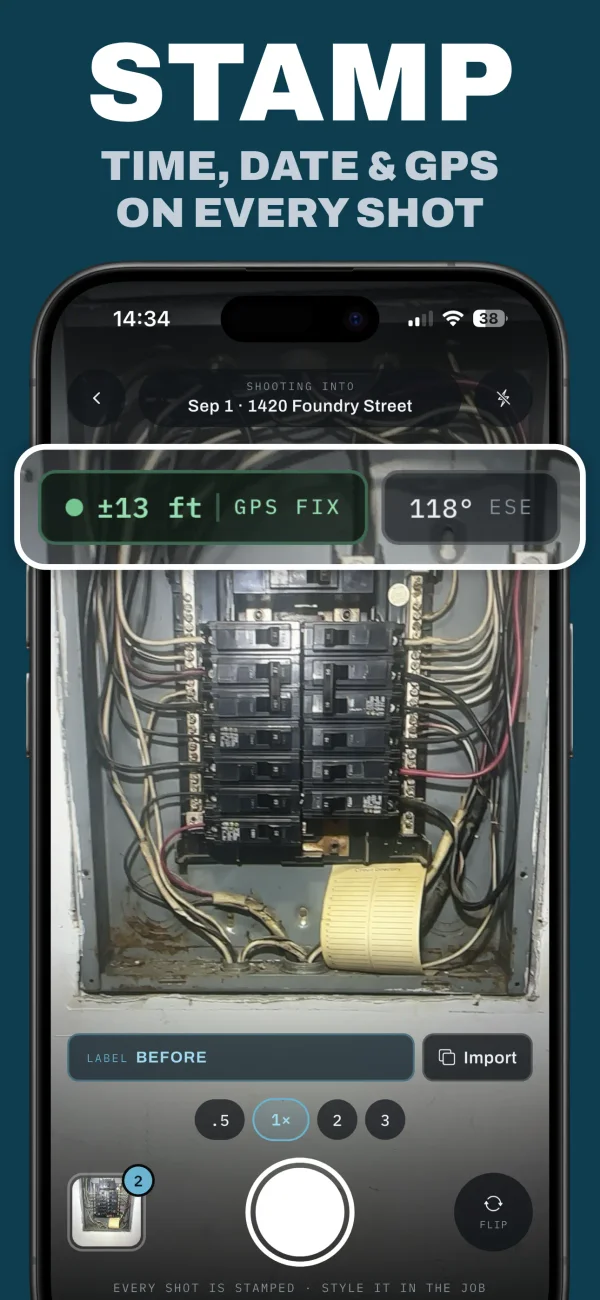
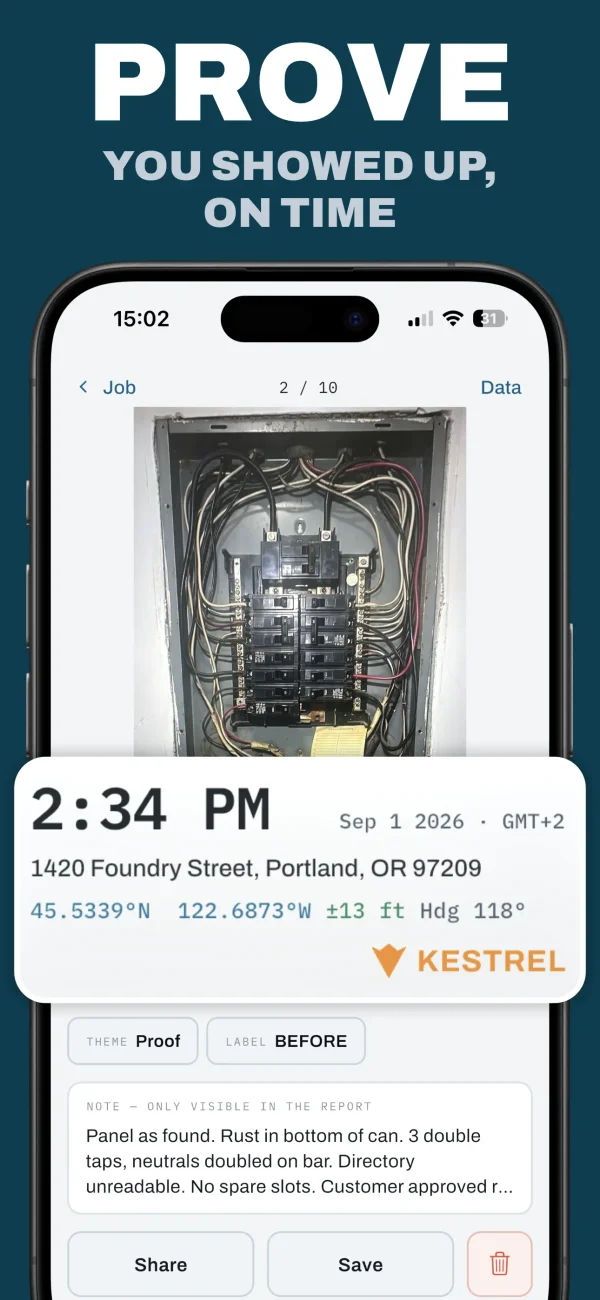
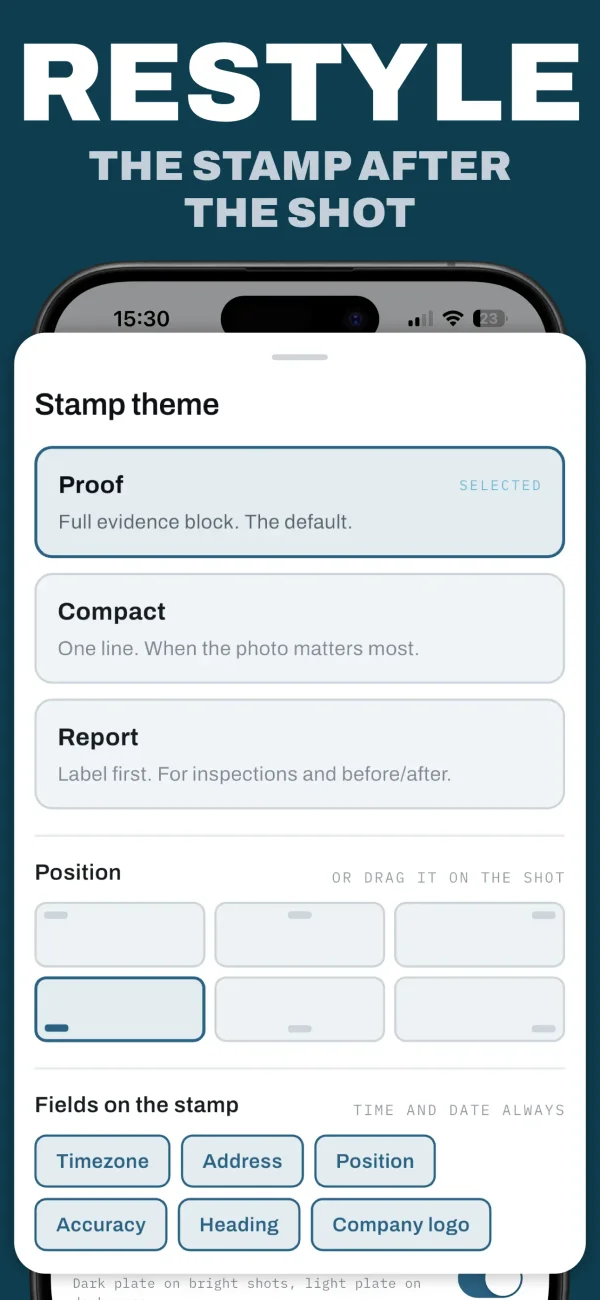
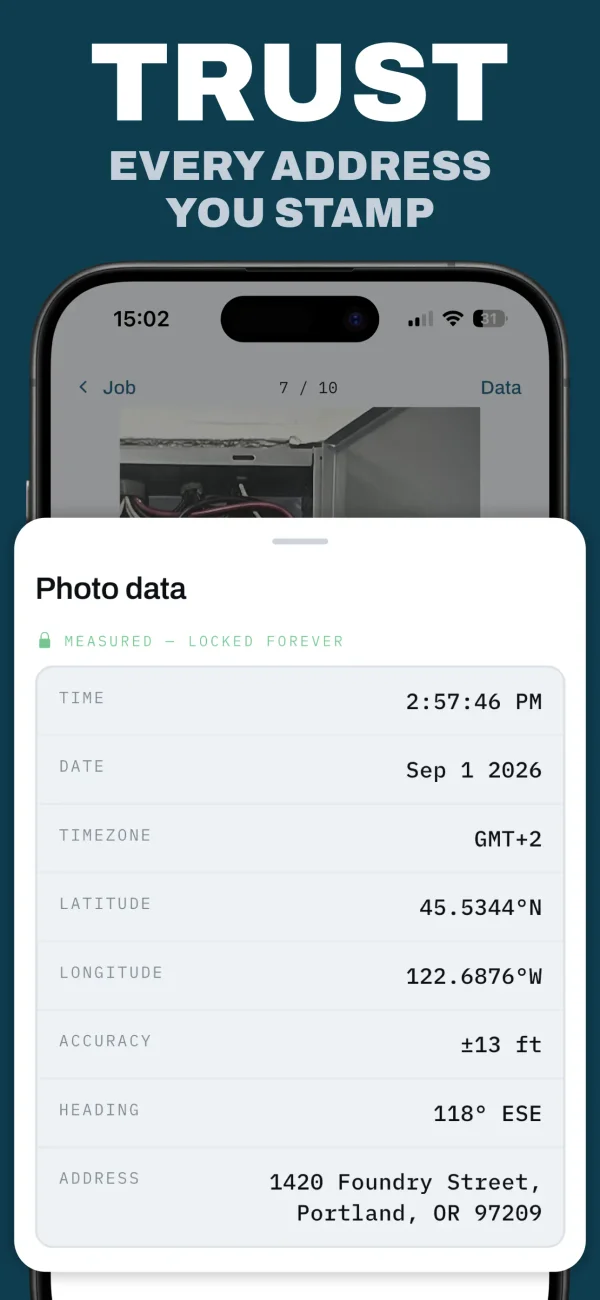
Datum is a timestamp and GPS camera for people who document work. Every shot is stamped with the time, the date and time zone, the street address, the GPS coordinates, the accuracy of the fix and the compass heading, all measured at the moment the shutter fired.
WHAT GETS STAMPED
- Time, date and time zone, so a photo still reads correctly wherever it was taken.
- Street address, geocoded from your location at capture.
- Latitude and longitude, with GPS accuracy in meters and the compass heading. This is the line that separates a nice photo from a photo that answers questions.
- Your company name and logo, set once (Pro).
MEASURED IS LOCKED, AUTHORED IS YOURS
The time, the coordinates, the accuracy and the heading are measured by your iPhone, and the app gives you no way to edit them. What you write, the label on the stamp and the note on a photo, stays yours to change at any time. Datum records what the device measured and will not let you move it. It does no network verification and claims no legal certification.
THE STAMP IS NEVER BURNED IN
Your original photo is kept exactly as the sensor wrote it. The stamp is composed on top at the moment the photo is shown, shared or exported. That is what lets you reposition it, restyle it, or apply a new look to an entire job weeks after the visit, without ever altering the original file.
BUILT FOR SPEED ON SITE
- Volume buttons fire the shutter, so it works with gloves on.
- Camera Control support on iPhone 16 and later.
- No review screen after a shot. Frame, fire, keep moving.
- An honest GPS accuracy chip, green, amber or red, so you know what the fix is worth before you rely on it.
- A high-contrast dark interface that stays readable in direct sun.
JOBS AND PDF REPORTS
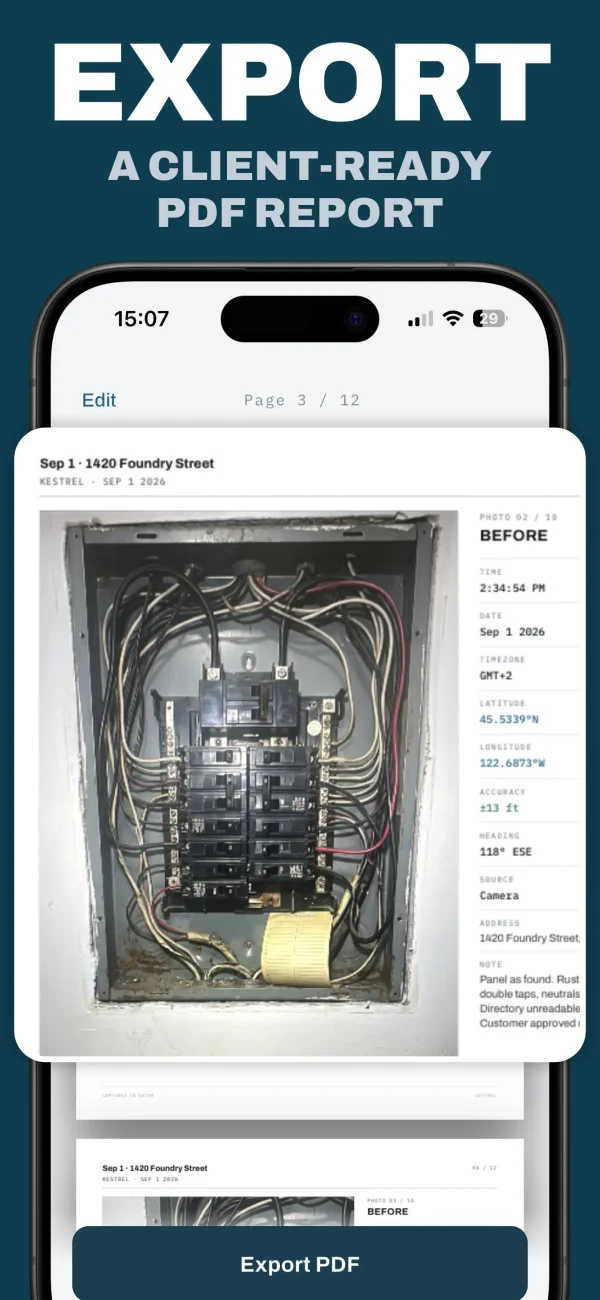
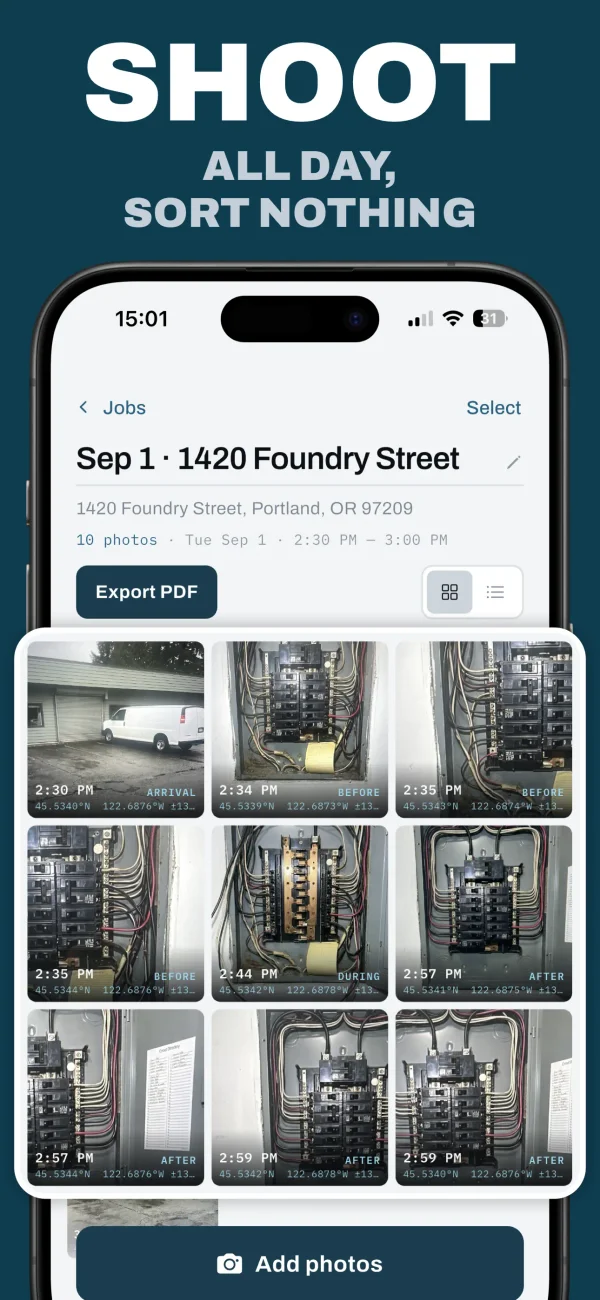
Photos group into jobs, one visit to one site. A job names itself from the date and the street it started on. When you are done, export the whole job as a PDF report with the photos, your labels and notes, and a map page showing where each shot was taken. Send it before you leave the site.
WE NEVER READ YOUR PHOTO LIBRARY
Datum never asks for access to your photos. To bring an existing picture into a job you use the system picker, which hands over only the image you chose. The app sees nothing else. Imported photos are marked as imported in the report, and when a file carries no location we show the date alone rather than invent a position.
WORKS WHERE THE SIGNAL DOES NOT
No account, no sign-in, no server. Everything stays on your iPhone. If an address cannot be looked up on site, Datum falls back to the last known address, then to raw coordinates. The shot is never blocked and never delayed.
FREE AND PRO
Free: unlimited stamped photos, one active job, the Proof stamp theme, notes and imports, and one watermarked PDF export.
Pro: unlimited jobs, all three stamp themes, unlimited PDF reports with no watermark, and your company logo on every photo.
WHO IT IS FOR
Plumbers, electricians, HVAC and roofing crews, property inspectors, insurance adjusters, surveyors, delivery drivers, landlords running move-in and move-out. Anyone who has ever needed to show when and where a photo was taken.
Privacy Policy: https://anthopak.dev/datum/privacy-policy.html
Terms of Use: https://www.apple.com/legal/internet-services/itunes/dev/stdeula/
新機能
バージョン 1.1.0 · 2026/10/6
- Added the ability to hide timestamps from PDF exports
- Added auto-suggestions for previously used labels within the same job
アプリのプライバシー
このアプリのデータの取り扱いについて、Anthonin CocagneがApp Storeで申告している内容です。
-
ユーザーに関連付けられないデータ
収集される場合がありますが、ユーザーの識別情報には関連付けられません。
- 位置情報
- 連絡先情報
- ユーザーコンテンツ
- ID
- 使用状況データ
- 診断
プライバシーの取り扱いは、ご利用の機能やお客様の年齢などに応じて異なる場合があります。
情報
- 販売元
- Anthonin Cocagne
- カテゴリ
- 写真/ビデオ
- バージョン
- 1.1.0
- 更新日
- 2026/10/6
- リリース
- 2026/9/8
- サイズ
- 52.3 MB
- 必要条件
- iOS 15.6以降
- 対象年齢
- 4+
- 価格
- 無料
- アプリ内課金
- あり
- 言語
- 英語, フランス語
- 著作権
- © 2026 Anthonin Cocagne
こちらもおすすめ
-
 Field Camera & Coordinates写真/ビデオ
-
 GPS Camera - Photo Stamp写真/ビデオ
-
 MapTag Camera - GPS Camera写真/ビデオ
-
 Photo Stamp: Date & LocationDate & location stamps
-
 GPS Map Camera: GPS Stamp写真/ビデオ
-
 Timestamp Camera: LokmiGPS・地図・住所 · 広告なし
-
 GEO: Timestamp GPS Map Camera写真/ビデオ
-
 PoseMetric写真/ビデオ
-
 GPS Camera: Photo Proof写真/ビデオ
-
 ProTune AI Camera写真/ビデオ