- 対象年齢4+
- カテゴリ写真/ビデオ
- 開発元Odeon Software Inc.
- 言語英語
- サイズ101.8 MB
App Storeの公式ページにリンクしています
Download.orgはDirectorMonitorのファイルを一切ホストしていません。ボタンを押すと、Odeon Software Inc.が公開しているApp Storeのアプリページが開きます。ページの最終確認:2026/11/14。
スクリーンショット


概要
開発元はこのテキストをお使いの言語で提供していません。
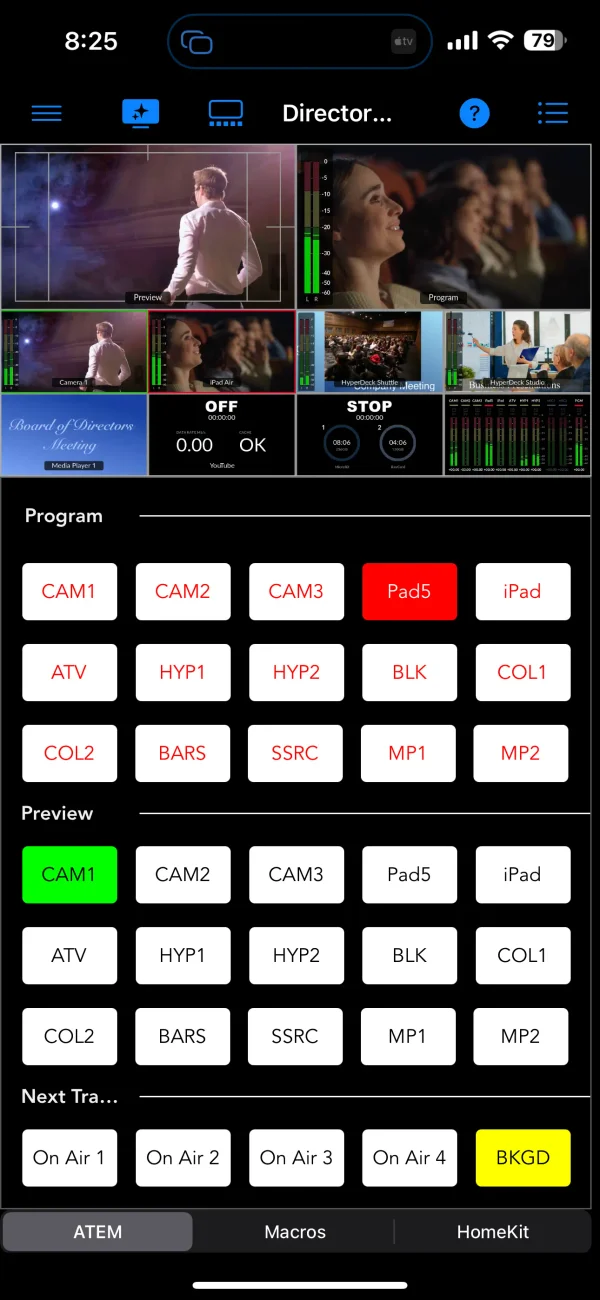
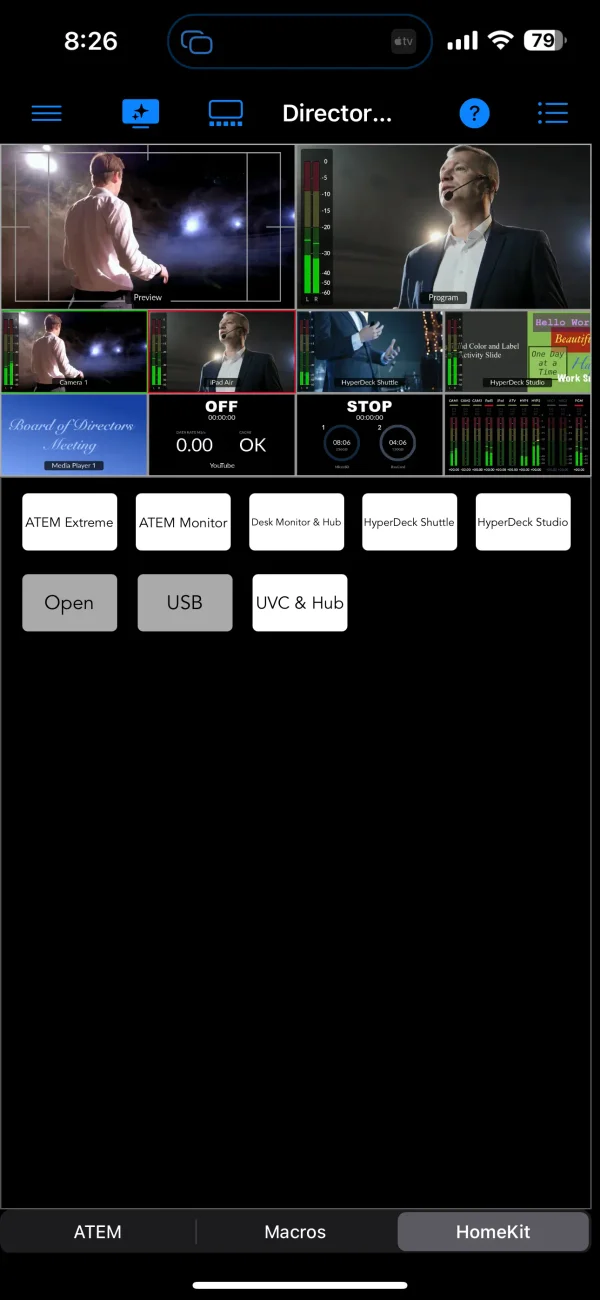
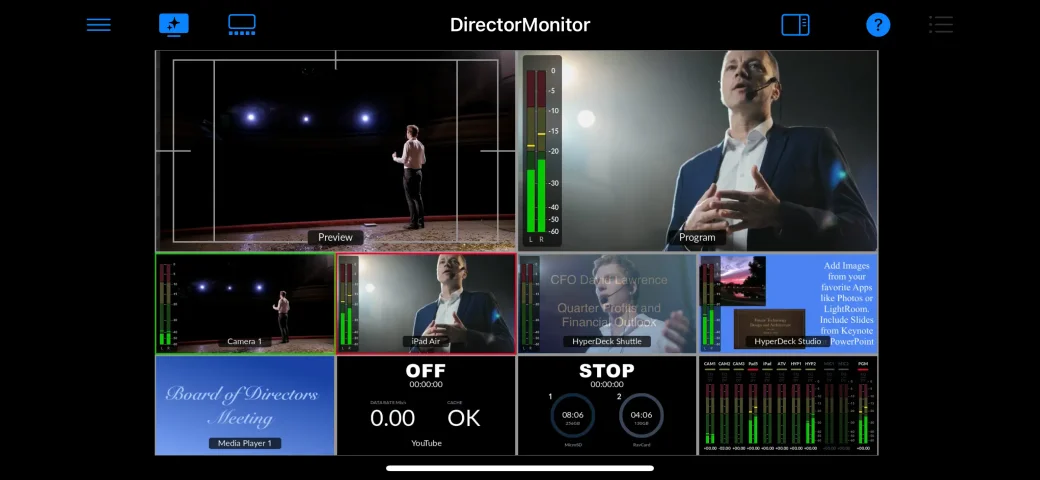
Introducing DirectorMonitor. The all in one solution for monitoring and controlling your BlackMagic Design ATEM Mini video switcher. Paired with the Accsoon SeeMo video capture terminal or other UVC device including HDMI Capture Cards to view the ATEM's MultiView, Program / Preview out or any HDMI video Source.
Primary features include:
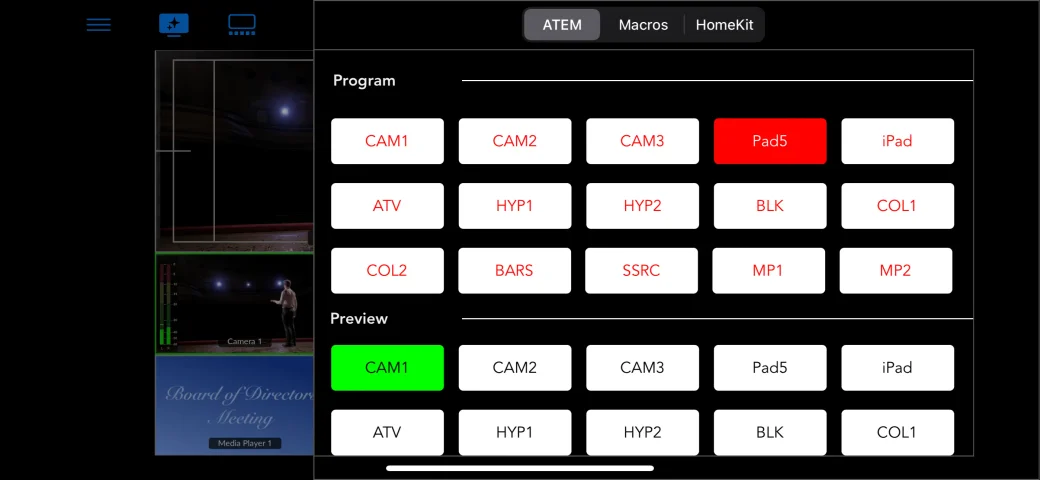
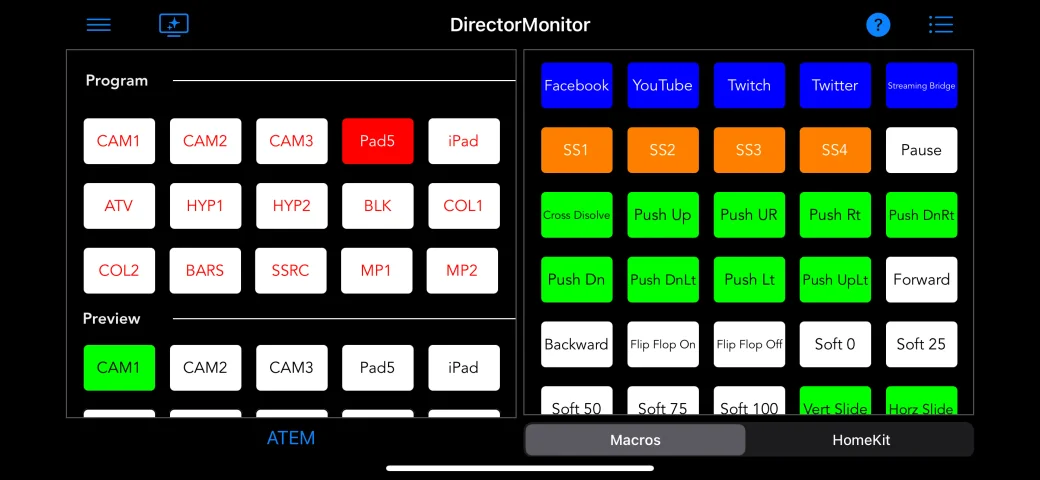
- Control of ATEM Mini's primary control buttons.
- Control of ATEM Mini's macro buttons.
- Viewing any 1080p video source using the Accssoon SeeMo video capture terminal or connect to any HDMI Capture Card
- The Video In is configured to recognize the ATEM Mini's MultiView to enable the following push button controls
- Tap the MultiView pane to select the current Preview
- Tapping the current Preview a second time selects it as the Program
- Tapping the Preview pane performs a Cut with the Program
- Tapping the Program pane performs an Auto transition with the Preview
- Tapping the upper half of the Media pane performs the same Preview and Program actions as the other sources
- Tap the lower left or the lower right of the Media pane to select the previous or next images of the Media pool, respectively.
- Tapping the Live Stream or Recording Panel toggle each feature on or off.
- DirectorMonitor give full access to turning HomeKit switch on and off
- Display the Video In source at full screen and access the ATEM, Macro and HomeKit Buttons from a Sliding Panel.
- Reorder and / or hide sections of the ATEM Control Buttons
- Fully compatible with Split View, Slide Over and Stage Manager to fulfill your Multitasking needs.
- Display any two panels in wide screen or a single pane if the App is setup to be taller than it is wide.
- Customizable Control board for adding specific ATEM, Macro and HomeKit buttons in the order you wish. This also includes special purpose Action Buttons that can perform multiple operations include ATEM, Macro, HomeKit, Media Pool Selection, Apple Shortcut functions as well as special Application commands.
- Configure and select up to three ATEM Minis. Each may have its own Customizable Control Board.
- Display the Video In as a system wide Picture in Picture display to multitask with any iPad or iPhone App.
- Access The ATEM's Storage to preview videos directly on the iPad or iPhone. Also perform video management by deleting from storage or copying videos to the device's Files App.
- Configure up to four BlackMagic Design HyperDeck to control primary playback features in addition to video playback and video management.
- Run DirectorMonitor on a Mac.
Note for optimal results the additional hardware of an ATEM Mini video switcher and a Accsoon SeeMo video capture terminal are advised.
For details on the BlackMagic Design ATEM Mini video switchers
https://www.blackmagicdesign.com/products/atemmini
For details on the Accsoon SeeMo
https://accsoonusa.com/accsoon-seemob-ios-hdmi-adapter-black/
新機能
バージョン 1.75 · 2026/6/24
Bug fixes and performance improvements. External Camera fixes.
アプリのプライバシー
このアプリのデータの取り扱いについて、Odeon Software Inc.がApp Storeで申告している内容です。
-
データの収集なし
開発元はこのアプリからデータを収集しません。
プライバシーの取り扱いは、ご利用の機能やお客様の年齢などに応じて異なる場合があります。
情報
- 販売元
- Odeon Software Inc.
- カテゴリ
- 写真/ビデオ
- バージョン
- 1.75
- 更新日
- 2026/6/24
- リリース
- 2023/5/17
- サイズ
- 101.8 MB
- 必要条件
- iOS 17.6以降
- 対象年齢
- 4+
- 価格
- 無料
- アプリ内課金
- あり
- 言語
- 英語
- 著作権
- © Odeon Software 2023, All Rights Reserved.