
- 対象年齢4+
- カテゴリ仕事効率化
- 開発元Hong Lam Nguyen
- 言語英語
- サイズ3.0 MB
App Storeの公式ページにリンクしています
Download.orgはDocs Scan - PDF Scannerのファイルを一切ホストしていません。ボタンを押すと、Hong Lam Nguyenが公開しているApp Storeのアプリページが開きます。ページの最終確認:2026/11/17。
スクリーンショット
概要
開発元はこのテキストをお使いの言語で提供していません。
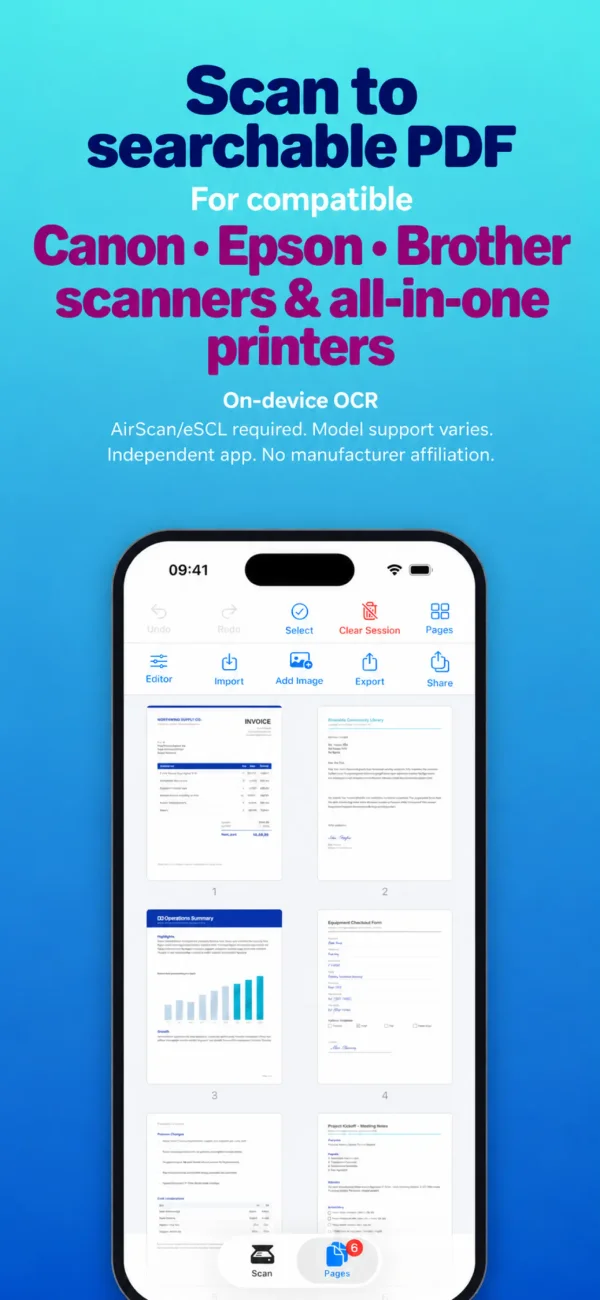
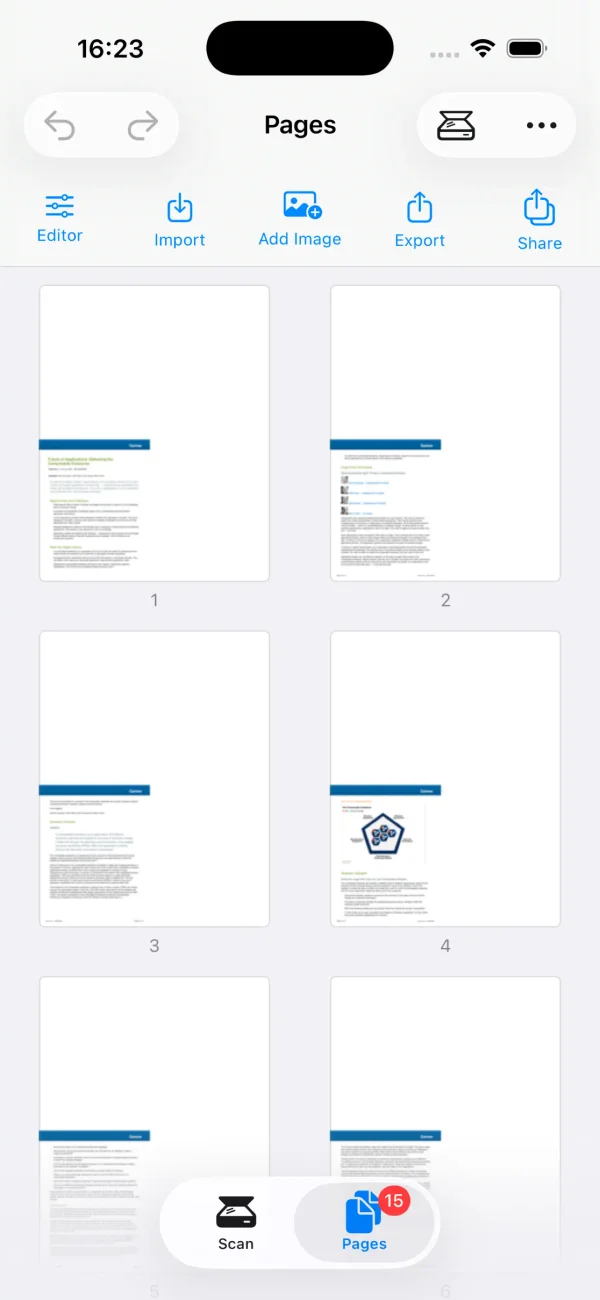
Docs Scan is a fast, fully native document scanning app for the Mac. It talks directly to your scanner, cleans up the results, recognises the text on-device, and exports exactly the file you need. Docs Scan turns scans and imported documents into organized, searchable PDFs. Create multi-page files, reorder pages, and run OCR on-device while keeping your documents private.
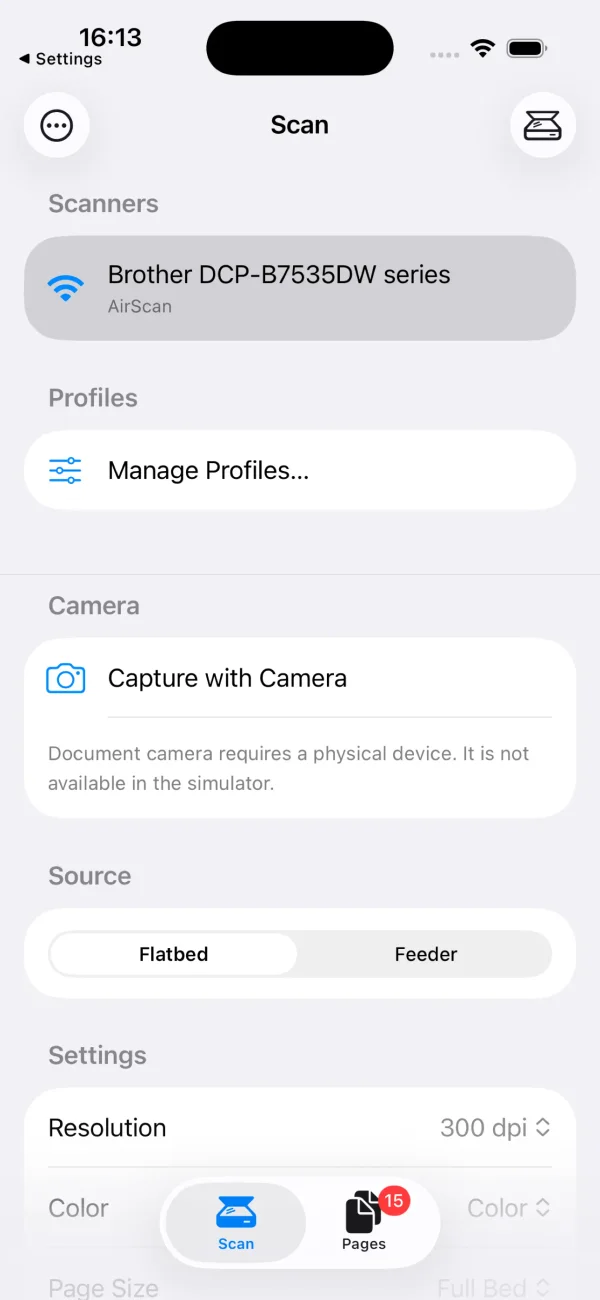
WORKS WITH YOUR SCANNER
• Support scanner from Canon, Brother, HP, Epson, Fujitsu, and more.
• Network scanners over AirScan/eSCL — discovered automatically on your local network
IMPORT AND ORGANIZE
• Import PDFs and images from Files
• Create multi-page documents
• Reorder, rotate, duplicate, and delete pages
• Combine imported pages into one PDF
SEARCHABLE PDFS
• Run OCR using Apple's Vision framework
• Create PDFs with selectable and searchable text
• Process documents on-device
EDIT AND EXPORT
• Crop, rotate, deskew, and clean up pages
• Export PDF documents
• Share through the iOS and iPadOS share sheet
PRIVATE BY DESIGN
• No account required
• No analytics
• No cloud document storage
• Documents remain on your device
Scan, organize, and find your documents faster with Docs Scan - PDF Scanner.
新機能
バージョン 1.0.2 · 2026/10/31
fix ocr
アプリのプライバシー
このアプリのデータの取り扱いについて、Hong Lam NguyenがApp Storeで申告している内容です。
-
データの収集なし
開発元はこのアプリからデータを収集しません。
プライバシーの取り扱いは、ご利用の機能やお客様の年齢などに応じて異なる場合があります。
情報
- 販売元
- Hong Lam Nguyen
- カテゴリ
- 仕事効率化
- バージョン
- 1.0.2
- 更新日
- 2026/10/31
- リリース
- 2026/8/18
- サイズ
- 3.0 MB
- 必要条件
- iOS 17.0以降
- 対象年齢
- 4+
- 価格
- 無料
- 言語
- 英語
- 著作権
- © 2025 FDrop
こちらもおすすめ
-
 Print to PDF写真・ファイルをPDFに変換
-
 WordをPDFに変換 - DOCX変換DocとDocxをPDFに変換
-
 PDF Maker - 写真をPDFに変換画像・JPGをPDF化 スキャナー
-
 BestTV - Live Stream Player仕事効率化
-
 Herio Ai - Smart Assistant仕事効率化
-
 ShareMe - All File Sharing仕事効率化
-
 myHQ: Coworking Spaces仕事効率化
-
 ScrapUncle - Sell Scrap Online仕事効率化
-
 Trace:予定のパーソナルAI OS・カレンダー話すだけで予定もタスクも整理、検索もするエージェント
-
 Cloud Ai: Chatbot Agent Assist仕事効率化