- 対象年齢4+
- カテゴリ仕事効率化
- 開発元雄志 夏
- 言語英語ほか1言語
- サイズ130.8 MB
App Storeの公式ページにリンクしています
Download.orgはDonera: Screen Time Controlのファイルを一切ホストしていません。ボタンを押すと、雄志 夏が公開しているApp Storeのアプリページが開きます。ページの最終確認:2026/11/12。
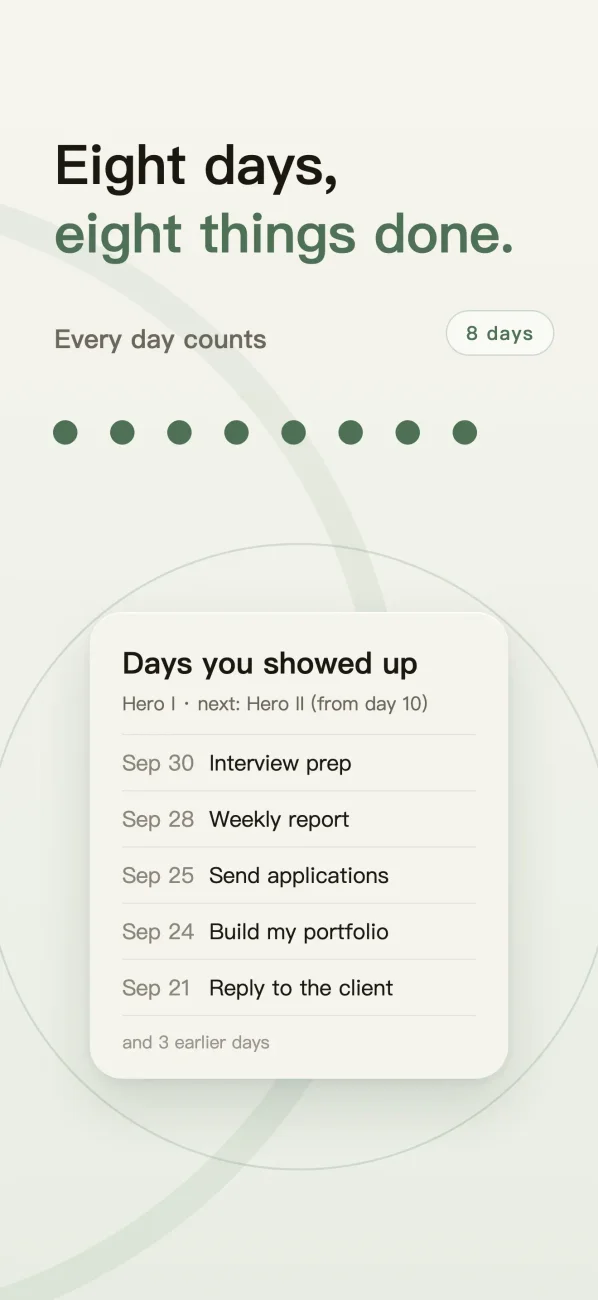
スクリーンショット


概要
開発元はこのテキストをお使いの言語で提供していません。
Most of us don't struggle with knowing what to do. We struggle with starting — because the phone is always easier.
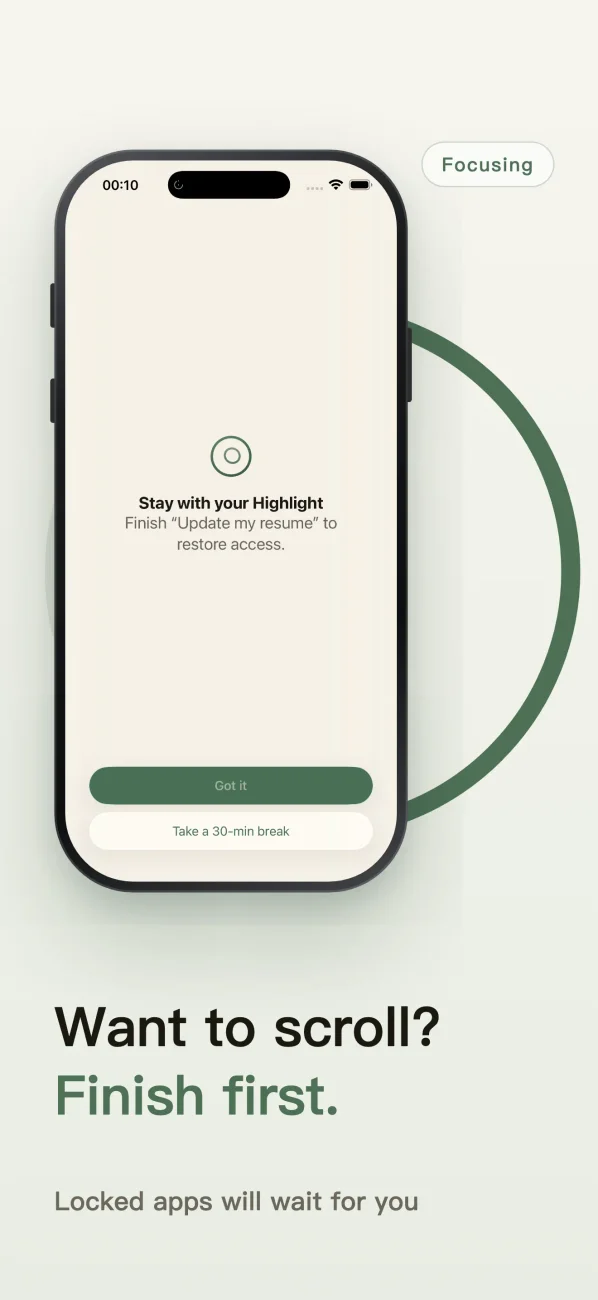
Donera flips the order: finish today's one important thing first. Until then, your distracting apps stay locked.
HOW IT WORKS
1. Pick one Highlight — the single task that matters most today.
2. Choose the apps that steal your attention. Donera locks them.
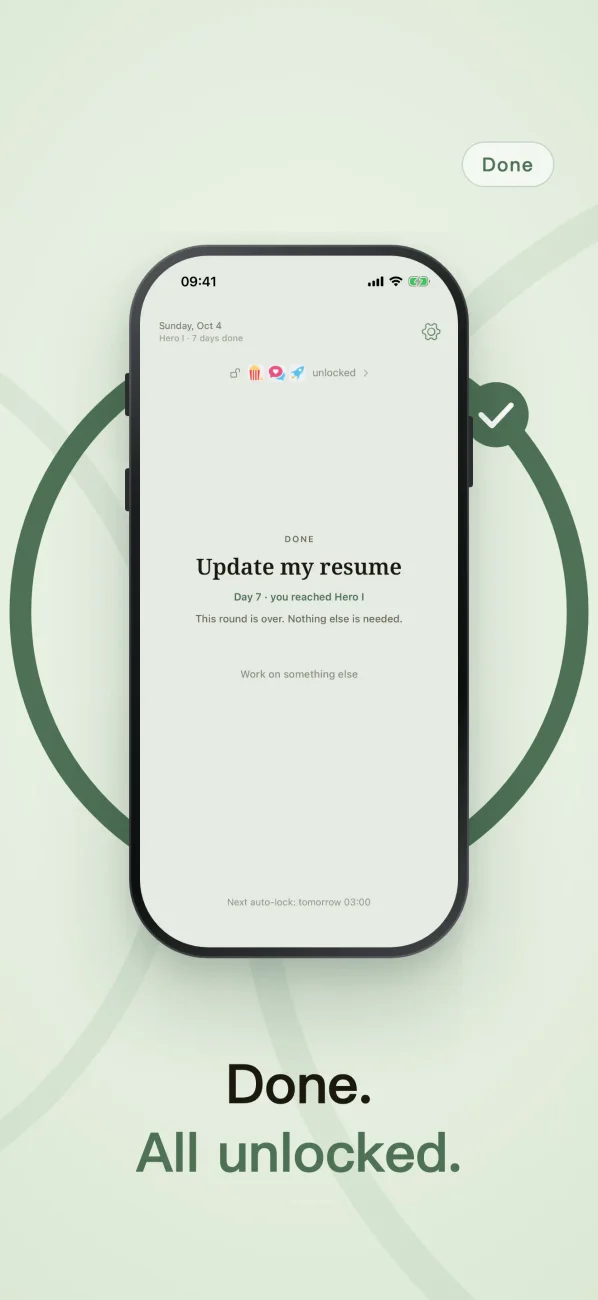
3. Hold to finish. Your apps unlock, and the day is closed.
WHY IT WORKS
• One thing a day. Your home screen shows only this one — no lists, no counts, no overwhelm.
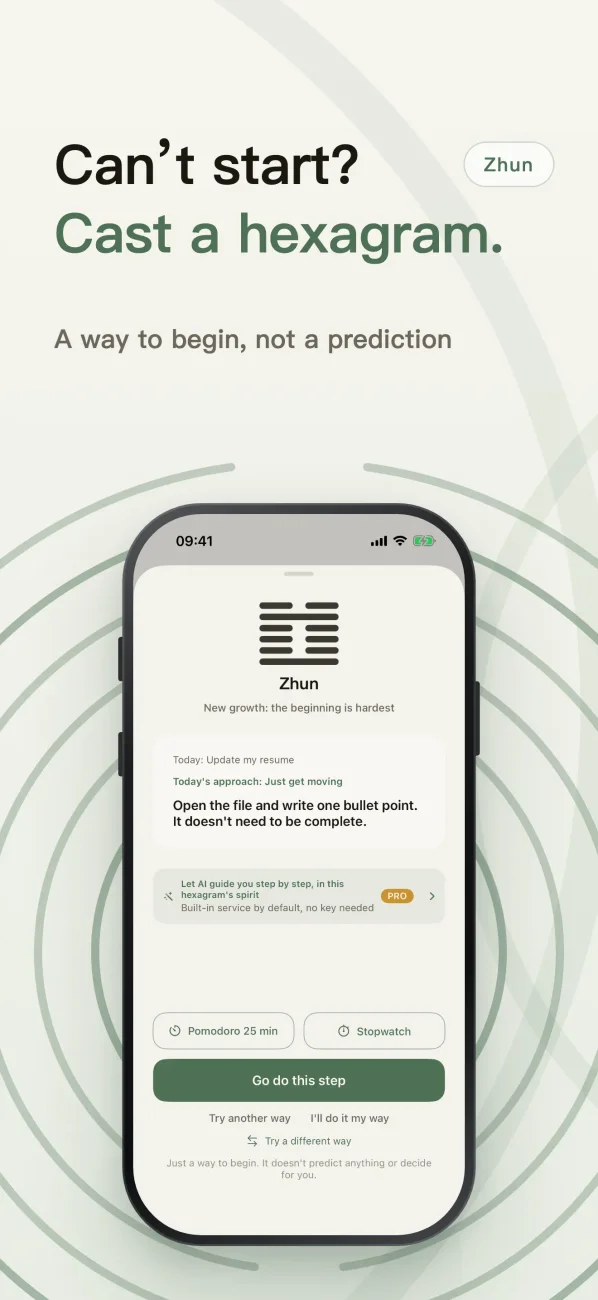
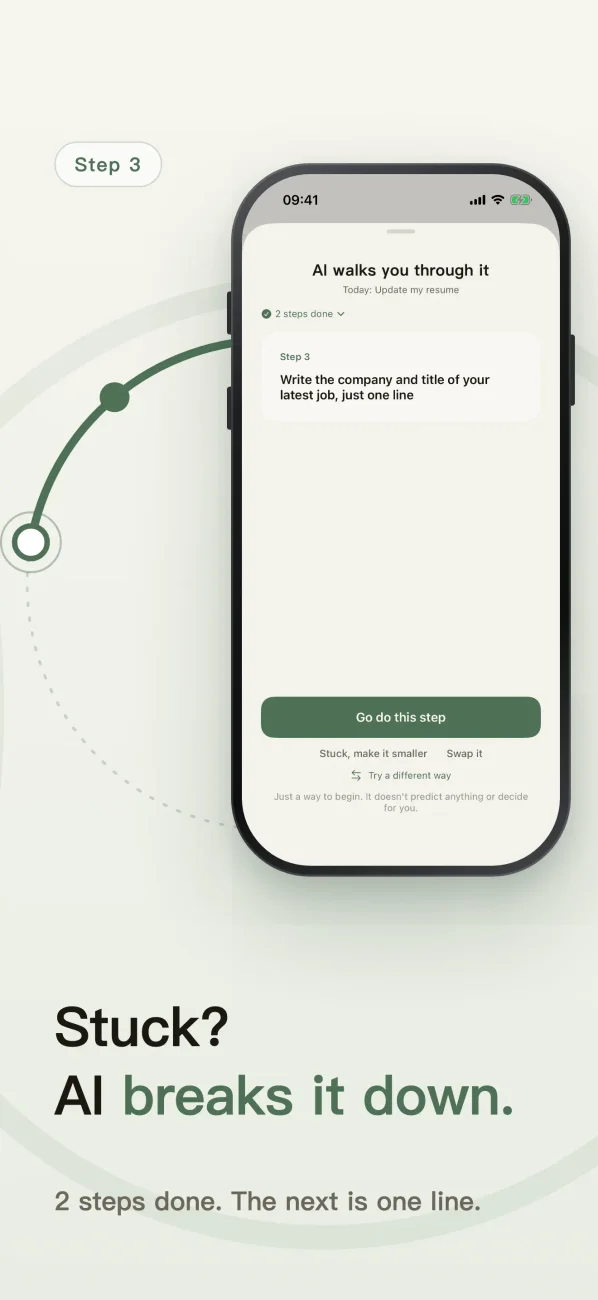
• A way to start. Know what to do but can't move? Cast a hexagram for a tiny opening move, or just ask for the simplest first step. Or let AI break the task into steps and hand you the next one each time you finish.
• Pick a time to start. Set when you'll begin; Donera reminds you right then.
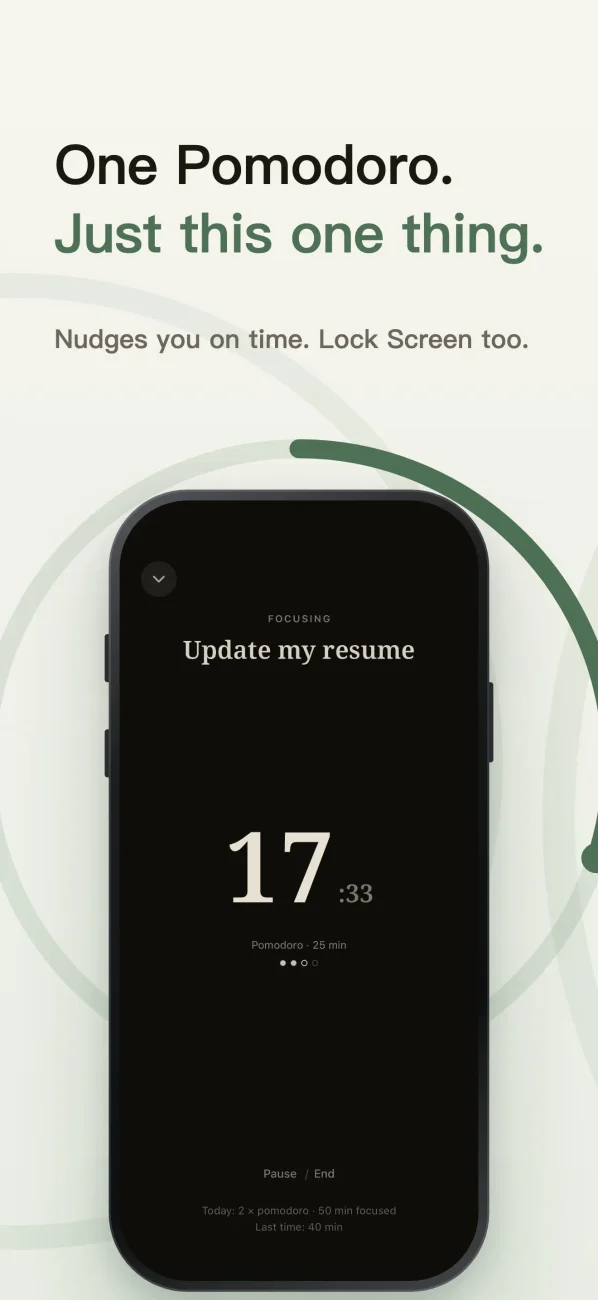
• Focus timer. Pomodoro or stopwatch, full screen and dark, with breaks — and it shows on your Lock Screen and Dynamic Island.
• Review. See where your days slip — which things keep getting moved, and what time of day you actually finish — and get one small thing to try tomorrow from AI.
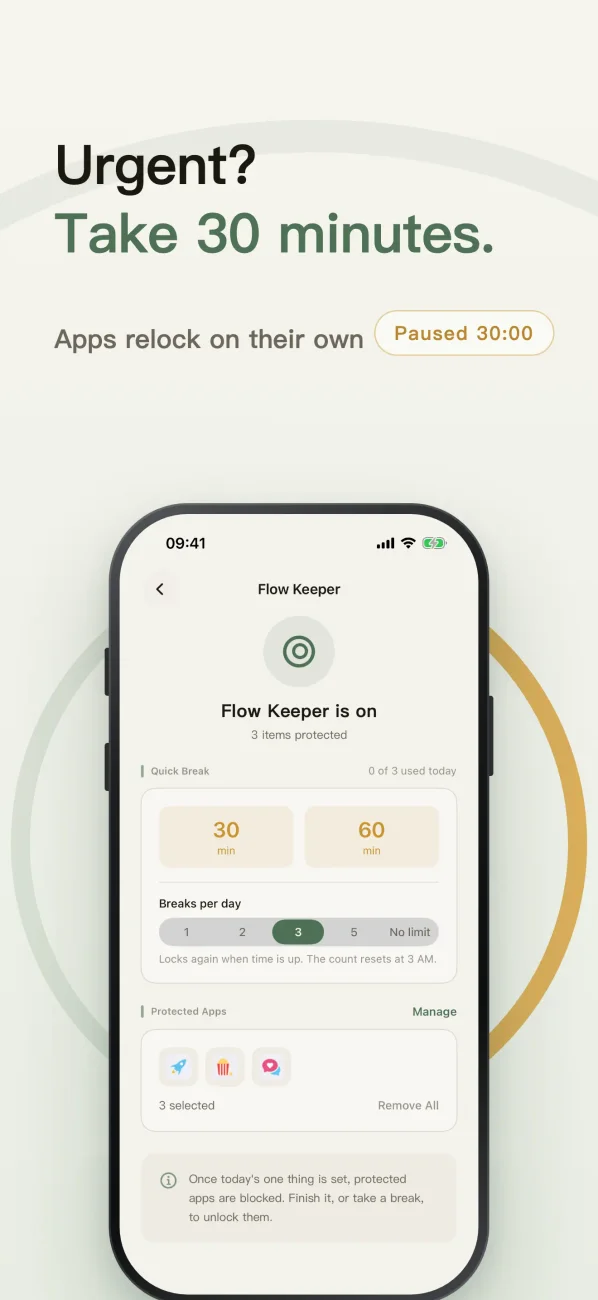
• Blocking that holds you to your word. Built on Apple's Screen Time framework — no VPN, and nothing leaves your device.
• Something urgent? Open it anytime. Take a 30 or 60 minute break, as many per day as you allow yourself — or unlock on purpose, with nothing recorded and no guilt trip.
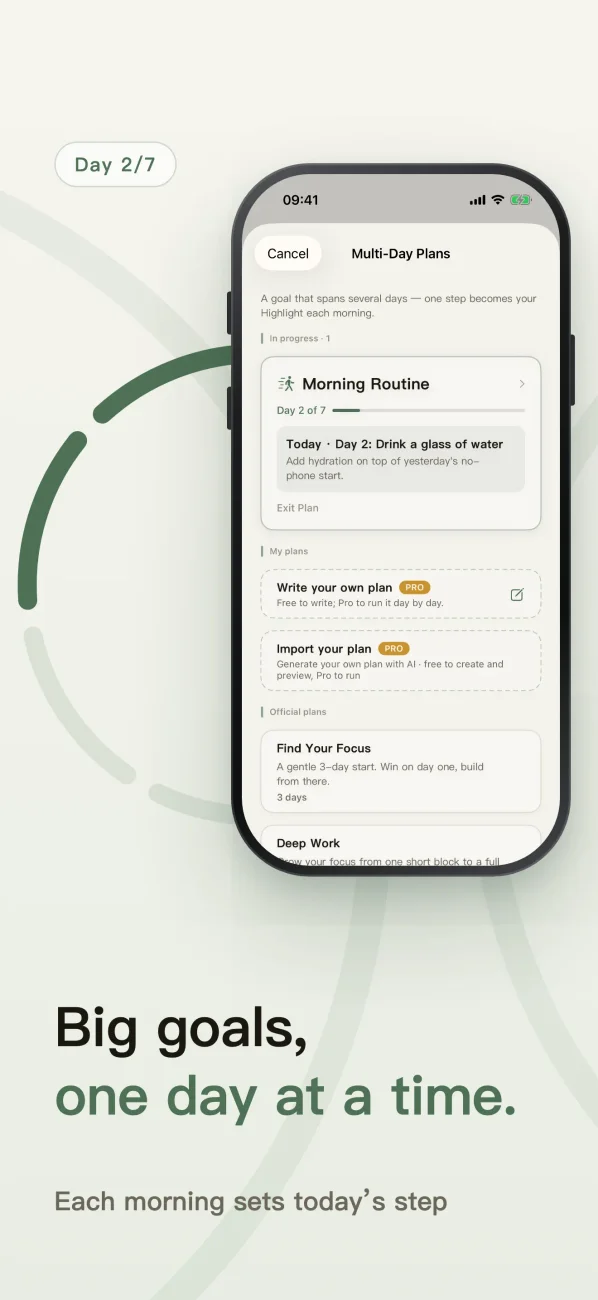
• Multi-day plans. Split a goal into days; each morning the next step becomes your Highlight. Write your own (fill every day at once with "Same every day"), copy an official plan and make it yours, or let AI draft one.
• Ranks. Finished days add up — from Mortal to Eternal — and every rank has stages along the way, so a step up is never far off. Ranks only ever go up; a missed day never drops you. Four built-in systems, with ranks and stages you can rename.
• Widget and Live Activity. Today's one thing, in sight on your Home and Lock Screen.
AI is built into Pro — no API key needed. Prefer your own key? That works too.
DESIGNED FOR QUIET
Warm paper, ink, and serif type. No tags, folders, or dashboards. No guilt.
Your tasks stay on your device.
Donera doesn't ask you to become disciplined. It simply helps you begin more easily — and finish with more care.
新機能
バージョン 3.2.2 · 2026/11/4
3.2.2
- What's on your mind: say everything that's in your head; get today's one thing with a first step, and the rest put away for later
- Rest days: plan a day off, or one every week — that day nothing locks, carries over or reminds you
- After a couple of days you loosened and didn't come back, the choices get softer: take 15 minutes, do just 5, or move it to tomorrow
- AI steps: "Another way" offers three different ways to do the step — tap one, or add a short hint about how you work
アプリのプライバシー
このアプリのデータの取り扱いについて、雄志 夏がApp Storeで申告している内容です。
-
ユーザーに関連付けられないデータ
収集される場合がありますが、ユーザーの識別情報には関連付けられません。
- 診断
プライバシーの取り扱いは、ご利用の機能やお客様の年齢などに応じて異なる場合があります。
情報
- 販売元
- 雄志 夏
- カテゴリ
- 仕事効率化
- バージョン
- 3.2.2
- 更新日
- 2026/11/4
- リリース
- 2024/2/6
- サイズ
- 130.8 MB
- 必要条件
- iOS 17.0以降
- 対象年齢
- 4+
- 価格
- 無料
- アプリ内課金
- あり
- 言語
- 英語, 簡体字中国語
- 著作権
- Copyright © 2024 belyenochi
こちらもおすすめ
-
 Unurge: block app & Screentime仕事効率化
-
 AppTime: Screen Time Control仕事効率化
-
 LeavePhone | Less Screen Time仕事効率化
-
 禅定空間:集中と習慣ポモドーロタイマーとアプリ制限
-
 もう見ないニャアプリをブロックしてスマホ断ち、時間を決めて集中、依存しない
-
 FocusVow - Focus & Lock Apps仕事効率化
-
 Sassy Parrot - Stop Scrolling仕事効率化
-
 RockFocus - 集中タイマー・時間記録勉強・仕事の時間管理とスマホ依存対策
-
 BlotzTask-ADHD Time Manager仕事効率化
-
 DrillLock - スマホ制限・アプリ制限決めた時間はSNSと動画をロック。解除は1日3回