
- 対象年齢4+
- カテゴリグラフィック/デザイン
- 開発元Tyler Thompson
- 言語英語
- サイズ42.5 MB
App Storeの公式ページにリンクしています
Download.orgはDraftly CADのファイルを一切ホストしていません。ボタンを押すと、Tyler Thompsonが公開しているApp Storeのアプリページが開きます。ページの最終確認:2026/11/23。
スクリーンショット
概要
開発元はこのテキストをお使いの言語で提供していません。
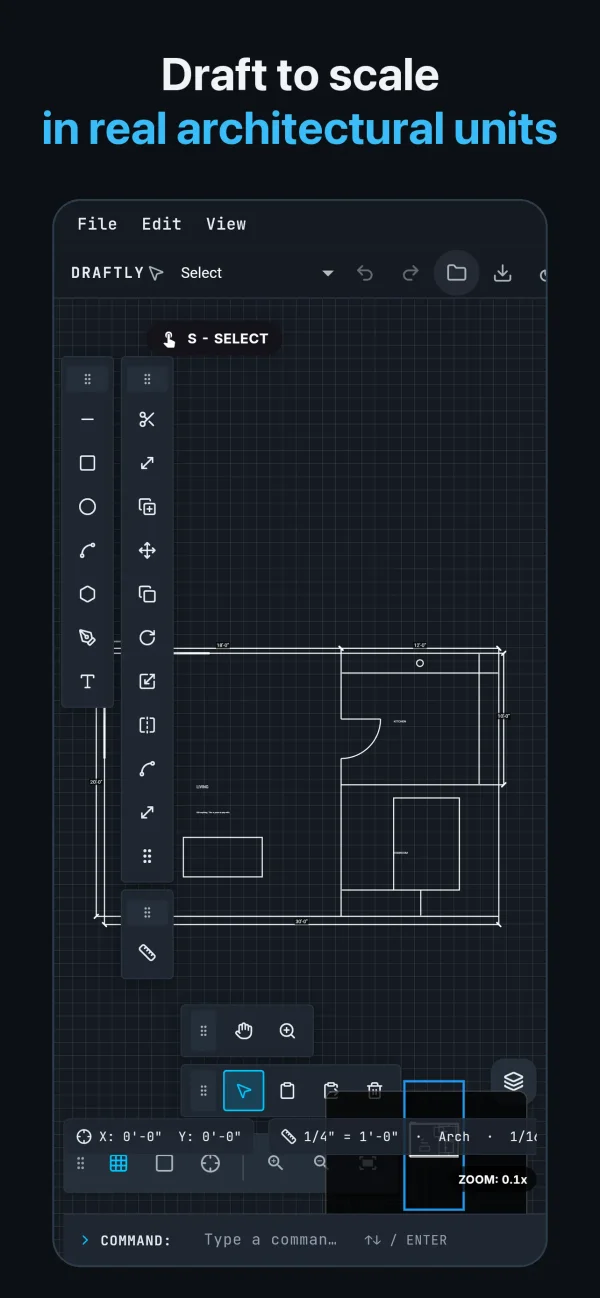
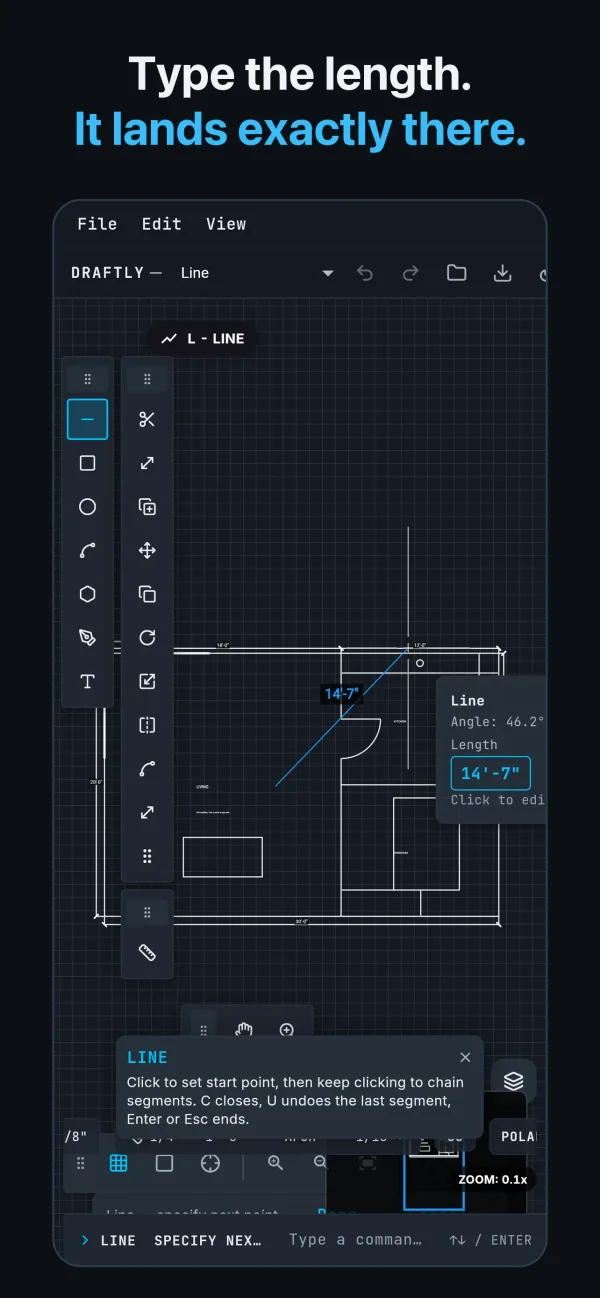
2D drafting with a real command line. Type L, TR, O, MI or F, enter exact distances, and snap to endpoints, centers, tangents and intersections.
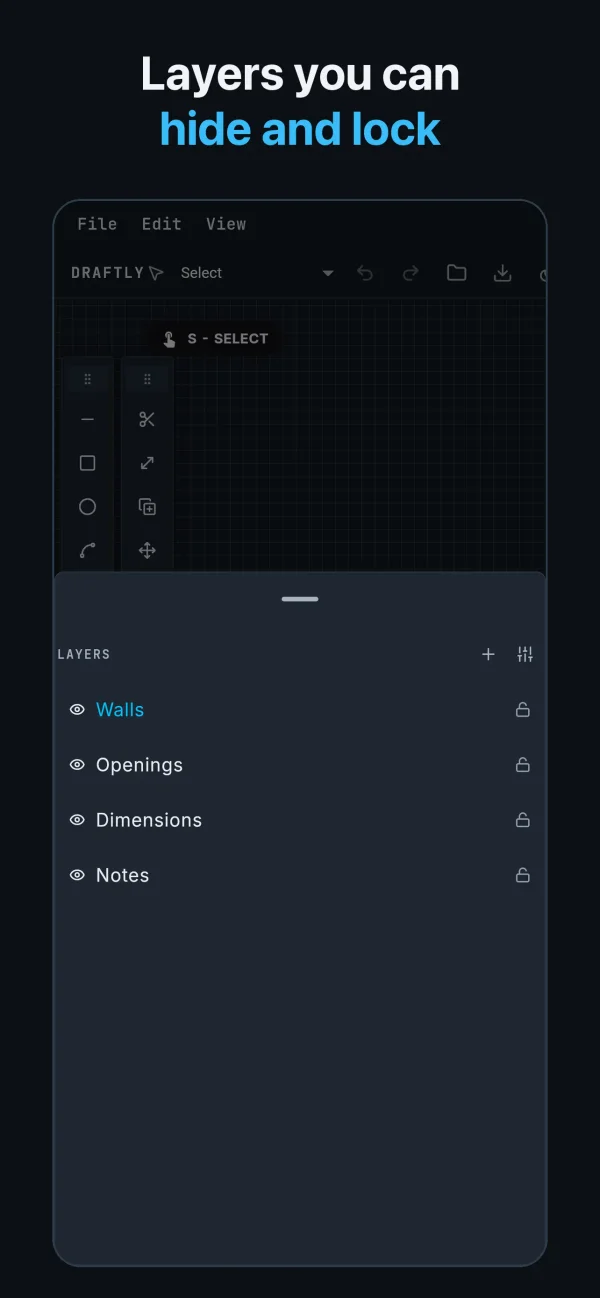
Layers that lock and freeze, aligned dimensions, and PDF plotted to scale with a title block. DXF import and export with Pro.
Free to draw with no account. The same drawings open in the web app at draftlycad.com.
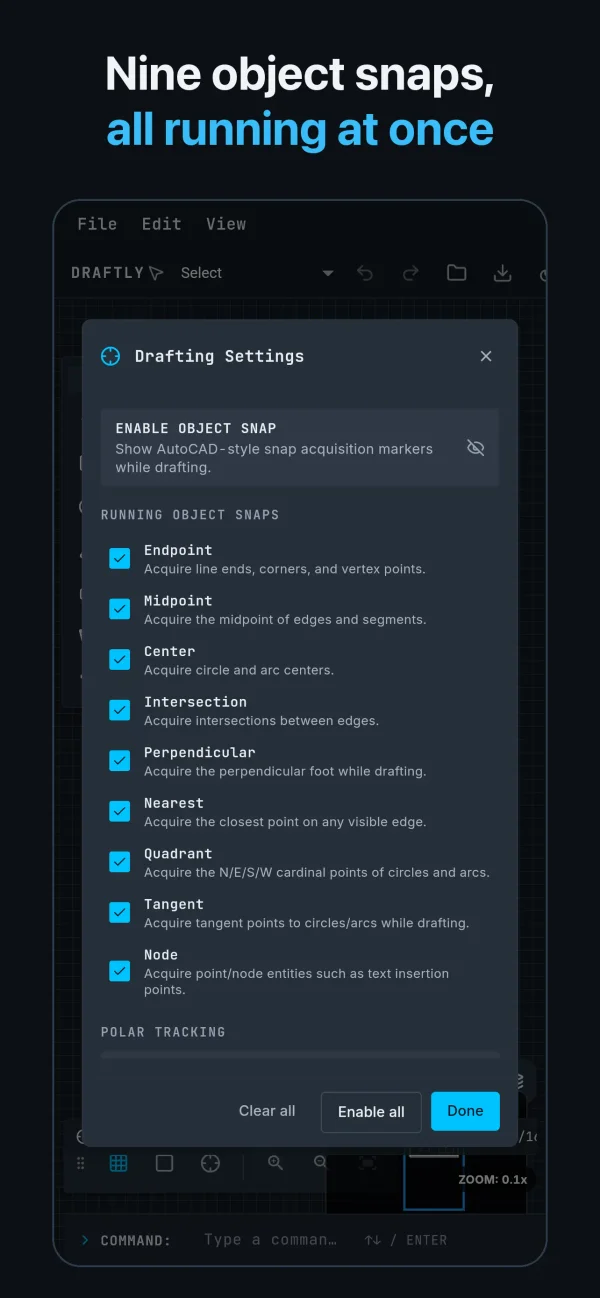
Draftly is 2D CAD for iPad and iPhone, built by Tyler Thompson, a drafter. It isn't a sketching app with a ruler bolted on: nine running object snaps, polar tracking, dynamic input and real architectural units, then export to PDF or SVG, or DXF for whatever CAD tool the rest of the job uses.
FEATURES
• Line, rectangle, circle, polygon, arc, bezier, dimension, and text tools
• Nine running object snap families: endpoint, midpoint, center, intersection, perpendicular, nearest, quadrant, tangent, node
• Polar tracking with configurable angle increments (5°, 10°, 15°, 18°, 22.5°, 30°, 45°, 90°)
• Dynamic input HUD that floats with the cursor at every zoom level
• Architectural unit input — type 8'-3 1/2" or 2500mm directly
• Status-bar units chip — switch format / scale / precision in one tap
• Command line with typed command aliases and suggestions
• Relative polar coordinate input — type @ with a distance and angle
• Transparent zoom and pan that preserve mid-tool draft state
• Ortho lock (horizontal/vertical constraint)
• Configurable grid with real-world scale (imperial and metric)
• Layers with visibility, lock and freeze controls
• PDF plots at 1:1, 1:50 or 1:100 with border, title block and scale note
• Full undo/redo (up to 100 steps)
• Copy, paste, cut, and delete elements
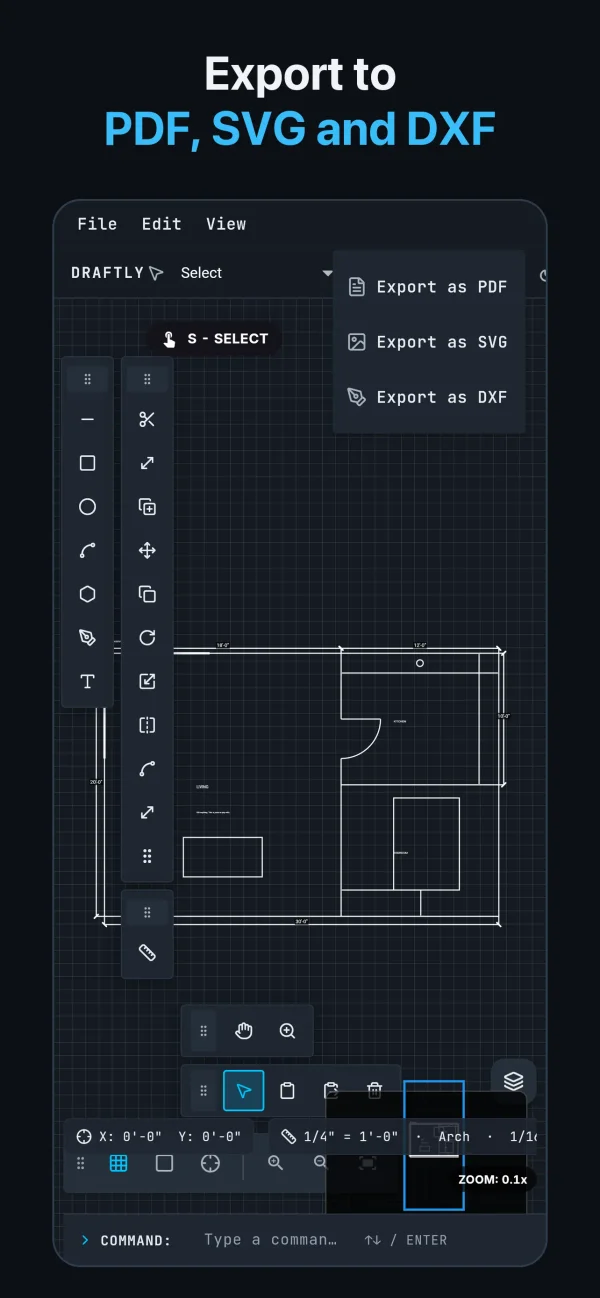
• Export to PDF and SVG; DXF import and export with Pro (DWG via the free ODA File Converter)
• Save and load .drft project files (readable JSON)
• Dark mode support
• Customizable crosshair cursor (7 styles, 4 sizes, opacity control)
WHAT IT DOESN'T DO
No native DWG, no 3D, no BIM, and no blocks or hatch yet. It's a 2D drafting tool and it does that one job properly.
PRO
• Unlimited layers (free tier: 5 layers)
• Watermark-free PDF and SVG export
• DXF interop — export and import
Questions or a drawing that won't import: hello@draftlycad.com
Terms of Use (EULA): https://www.apple.com/legal/internet-services/itunes/dev/stdeula/
Privacy Policy: https://draftlycad.com/privacy/
新機能
バージョン 1.0.13 · 2026/11/17
Pro now starts with a 14-day free trial if your Apple Account is eligible. If you've had the trial or a Draftly subscription before, the paywall shows the regular price and no trial.
New accounts open on a sample floor plan, with a short card that walks you to your first PDF export.
Fewer unexpected "sign in again" prompts: the app renews a refused sign-in before its next check.
アプリのプライバシー
このアプリのデータの取り扱いについて、Tyler ThompsonがApp Storeで申告している内容です。
-
ユーザーに関連付けられたデータ
収集され、ユーザーの識別情報に関連付けられる場合があります。
- 購入
- 連絡先情報
- ユーザーコンテンツ
- ID
- 使用状況データ
- 診断
プライバシーの取り扱いは、ご利用の機能やお客様の年齢などに応じて異なる場合があります。
情報
- 販売元
- Tyler Thompson
- カテゴリ
- グラフィック/デザイン
- バージョン
- 1.0.13
- 更新日
- 2026/11/17
- リリース
- 2026/9/23
- サイズ
- 42.5 MB
- 必要条件
- iOS 15.0以降
- 対象年齢
- 4+
- 価格
- 無料
- アプリ内課金
- あり
- 言語
- 英語
- 著作権
- © 2026 Tyler Thompson
こちらもおすすめ
-
 DrafterPro 2D CAD & DWG Editorグラフィック/デザイン
-
 4iCADグラフィック/デザイン
-
 PlanEditor: 3D間取りスキャンLiDARで部屋を測る・間取り・設計
-
 CADSketchグラフィック/デザイン
-
 BuildCAD - Design & DWG Viewerグラフィック/デザイン
-
 DepthGraverグラフィック/デザイン
-
 Matzes CADグラフィック/デザイン
-
 FoldForm: CAD for 3D Printingグラフィック/デザイン
-
 Q3D Scanグラフィック/デザイン
-
 Cogwright: 2D & 3D Design CADグラフィック/デザイン