Liri AI - AI Image & Video
20+ AI tools, image & video
iPhone, iPod touch向けに設計
無料 · アプリ内課金
- 対象年齢12+
- カテゴリエンターテインメント
- 開発元SOULLINK AI PTE. LTD
- 言語簡体字中国語
- サイズ39.5 MB
App Storeの公式ページにリンクしています
Download.orgはLiri AI - AI Image & Videoのファイルを一切ホストしていません。ボタンを押すと、SOULLINK AI PTE. LTDが公開しているApp Storeのアプリページが開きます。ページの最終確認:2026/11/28。
スクリーンショット


概要
開発元はこのテキストをお使いの言語で提供していません。
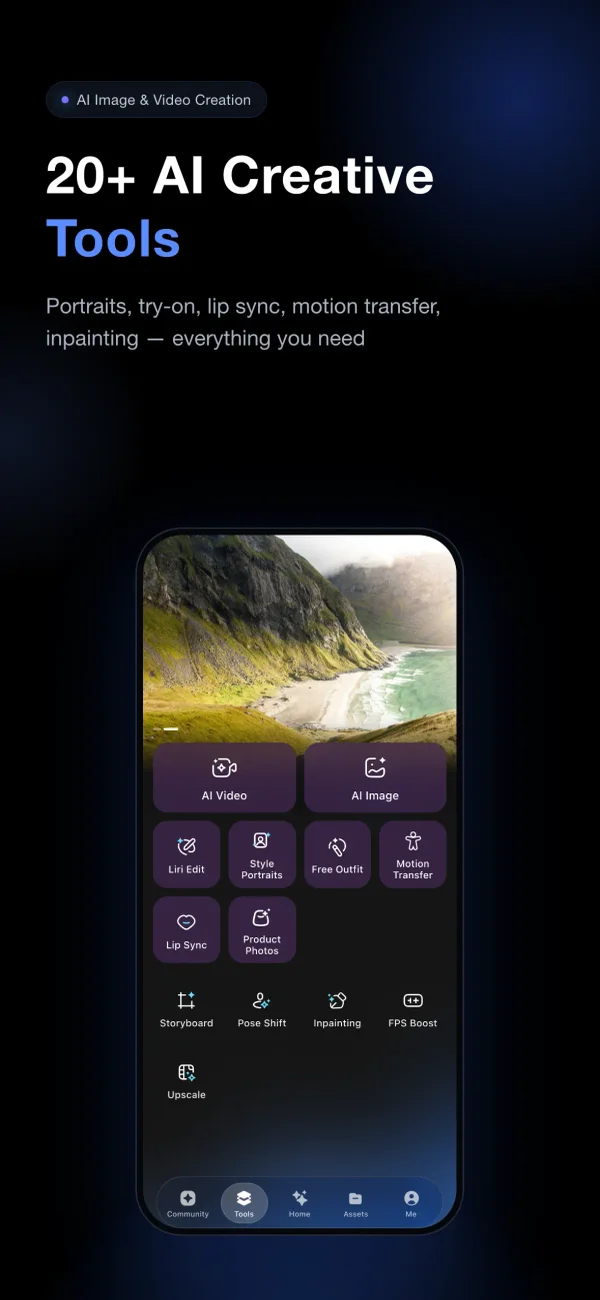
Liri AI is a pocket toolbox for AI image & video creation. Text-to-image, image-to-image, and image-to-video, plus 20+ creative tools — portraits, outfit swaps, digital humans, lip sync, motion transfer — all on your phone, from idea to final piece.
From a single line to your first image
Open "Generate" and choose text-to-image, image-to-image, or image-to-video. Describe the scene you want, or upload a reference image. Switch models, aspect ratios, resolution, and duration; batch generation offers multiple quality tiers.
20+ creative tools for every need
Portraits & editing: Liri Edit tweaks expressions, makeup, hair color, and lighting in one tap; style portraits generate stylized shots from a reference image; reference blending fuses two images to faithfully recreate your idea; LoRA refine and LoRA text-to-image batch-produce images with style models.
Outfits & e-commerce: the virtual fitting room swaps outfits naturally; quick change and free styling replace garments and looks; e-commerce product photos, posters, and white-background images — all your product visuals in one place.
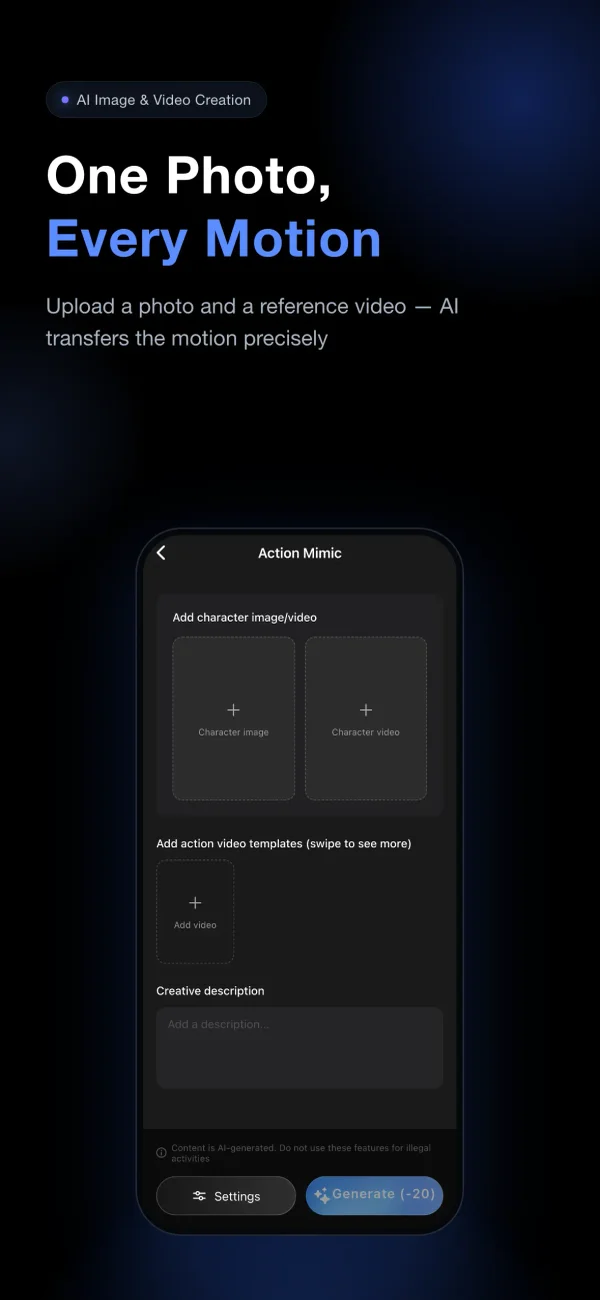
Video creation: digital humans make photos talk with precise lip sync; image animation brings still photos to life; motion transfer replicates moves from a reference video; Veo3 video generation supports multi-shot storytelling; video upscaling and frame-rate enhancement restore old footage.
Local & scene edits: inpainting repaints masked or boxed areas; scene compositing cuts out subjects and drops them into new scenes; pose transformation and multi-action generation rebuild body postures; style storyboards generate multi-angle panels in one tap; makeup transfer swaps in a whole new makeup style.
Works, community & sharing
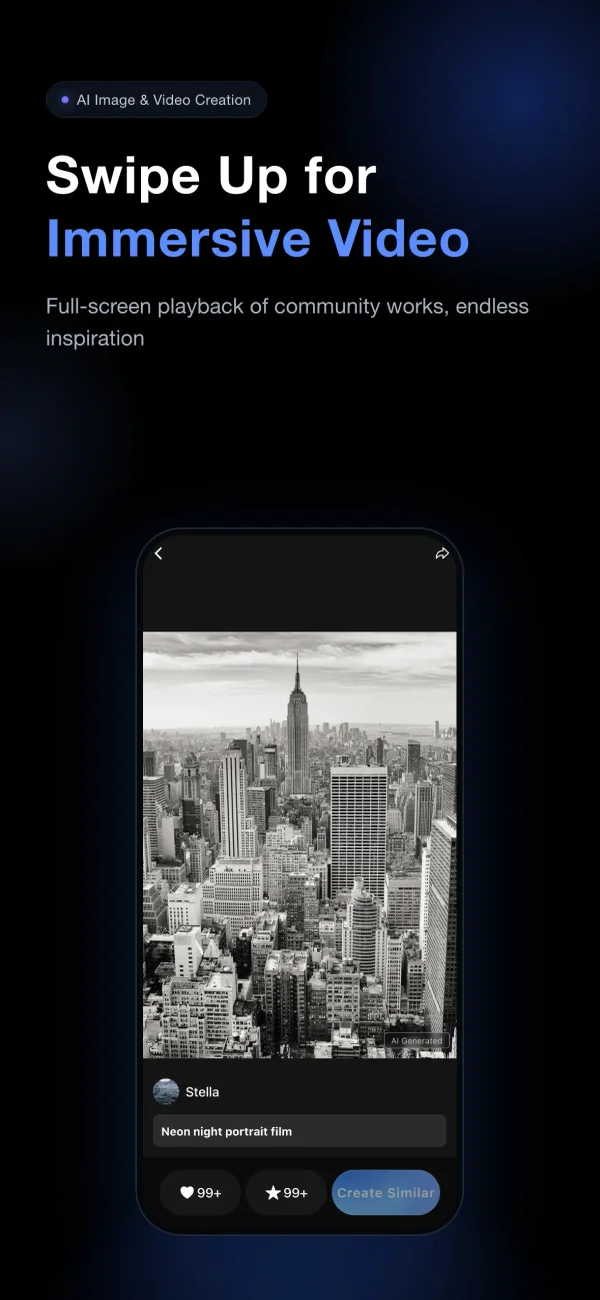
"Assets" keeps every generation — download or re-edit anytime. In "Community", browse, like, and save other creators' works, and use "Create Similar" to reuse their prompts and settings. Share straight to Instagram, Facebook, and TikTok.
Membership & points
Basic, Standard, and Premium tiers unlock higher-quality models, priority generation, concurrent tasks, agent collaboration, removal of the Liri watermark, and bonus points. Points are spent on model calls and can also be bought as point packs. Membership daily points expire the same day; points from one-time purchases stay valid for two years.
Subscription notice
Membership is a monthly auto-renewable subscription. Payment is charged to your Apple ID account upon confirmation. Unless auto-renewal is turned off at least 24 hours before the end of the current billing period in Settings → Apple Account → Subscriptions, the subscription renews automatically. Upgrades take effect immediately: the remaining days of the current period are charged at the price difference, and the next renewal is billed at the new tier's price. If a free trial is offered, any unused trial period expires once you purchase. Restore Purchases is at Profile → Membership Center.
Liri AI is an AI image & video creation tool. It does not provide medical, diagnostic, or treatment-related features. Material you upload (including face images) is used only for the AI generation and editing features you choose — never for identity verification, advertising, or building biometric profiles, and your face is not scanned or tracked in the background. You can delete works in the app, or delete your account via Settings → Delete Account; we will delete or anonymize the related information within 15 business days.
Terms of Use (EULA): https://www.apple.com/legal/internet-services/itunes/dev/stdeula/
新機能
バージョン 2.0.11 · 2026/11/27
Here is the English version of the update log for Xiao Ling Li 2.0.11:
Xiao Ling Li 2.0.11 Update
New Features
• Launched the LingLi G2.6 all-in-one editing model, now supporting PNG / GIF output formats.
• Added the SeeDream 5.5 model, supporting text-to-image and image-to-image generation.
• Added the SeeDance 2.5 Flash model to Immersive Video.
• Works and assets now support video preview playback, featuring automatic muted playback upon viewing.
• Comprehensive upgrade to the asset selector: unified quantity limits, blocked duplicate selections, and smoother drop-down and dragging experiences.
• Added a "Recent Uploads" entry for one-click access to frequently used historical assets.
• Optimized the system album: allows browsing photos by album, with clearer covers and easier category navigation.
• Added discount tags and "new" badges to the model list.
Optimizations & Bug Fixes
• Fixed issues with black screen flickering during video preview loading, transparent overlays in preview pop-ups, and slow cover loading.
• Fixed sliding jitter in the asset pop-up layer, accidental closure caused by full-screen drop-downs, and UI jumping during switching.
• Fixed occasional loss of drafts and asset references in the generation panel.
• Fixed blurry covers and abnormal display in the category list of the system album.
• Fixed abnormal cursor behavior and adjusted the order of generation clarity options.
アプリのプライバシー
このアプリのデータの取り扱いについて、SOULLINK AI PTE. LTDがApp Storeで申告している内容です。
-
データの収集なし
開発元はこのアプリからデータを収集しません。
プライバシーの取り扱いは、ご利用の機能やお客様の年齢などに応じて異なる場合があります。
情報
- 販売元
- SOULLINK AI PTE. LTD
- カテゴリ
- エンターテインメント
- バージョン
- 2.0.11
- 更新日
- 2026/11/27
- リリース
- 2026/10/12
- サイズ
- 39.5 MB
- 必要条件
- iOS 15.0以降
- 対象年齢
- 12+
- 価格
- 無料
- アプリ内課金
- あり
- 言語
- 簡体字中国語
- 著作権
- Copyright © 2026 SOULLINK AI PTE. LTD. All rights reserved.