- 対象年齢4+
- カテゴリライフスタイル
- 開発元HTD
- 言語英語
- サイズ59.1 MB
Duetaは現在App Storeで入手できない可能性があります
前回の確認時、ストアのページにアクセスできませんでした。リンク先は引き続きApp Storeの公式ページです。
スクリーンショット
概要
開発元はこのテキストをお使いの言語で提供していません。
Dueta Whole-House Audio
Take complete control of every room in your home with the Dueta app. Designed exclusively for Dueta whole-house audio systems, the Dueta app combines intuitive everyday operation with powerful administrative controls, making it easy for every member of the family to enjoy music and TV audio in their own way.
Initial Setup
The initial, one-time setup typically takes less than a minute to connect the app to your system. If your router configuration prevents automatic system detection, the app provides a simple manual setup process that only needs to be completed once. After the initial setup, future connections are nearly instantaneous.
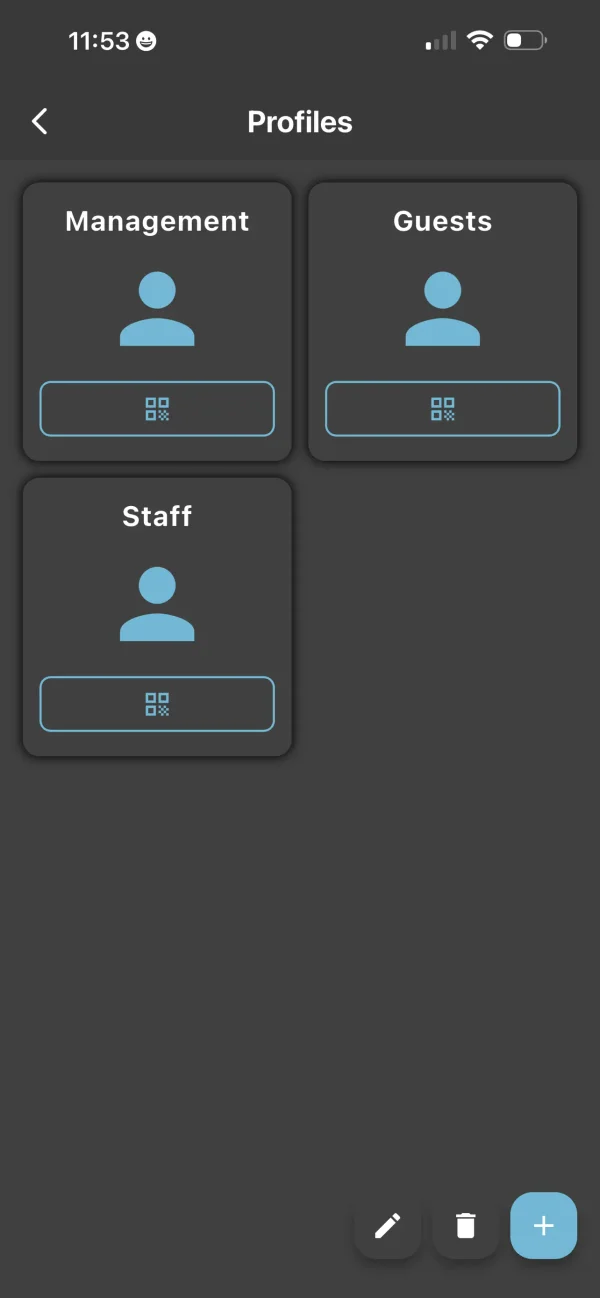
Administrator Control & User Profiles
The Dueta app gives Administrators complete control over the system, while making it simple to create personalized experiences for family members and guests.
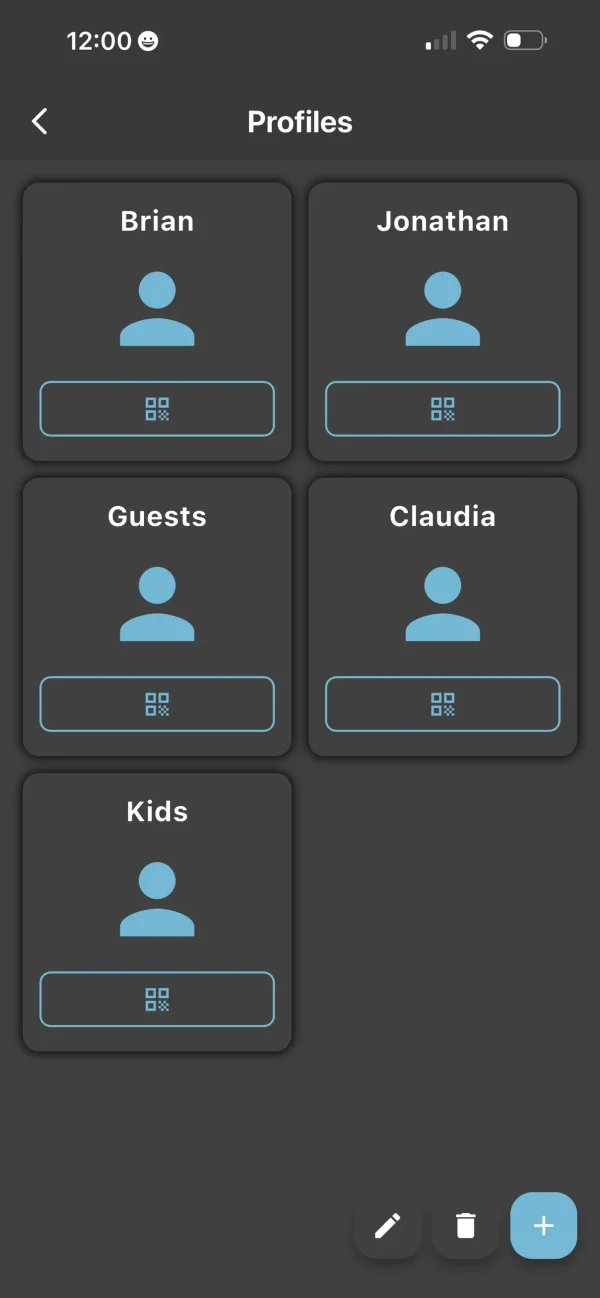
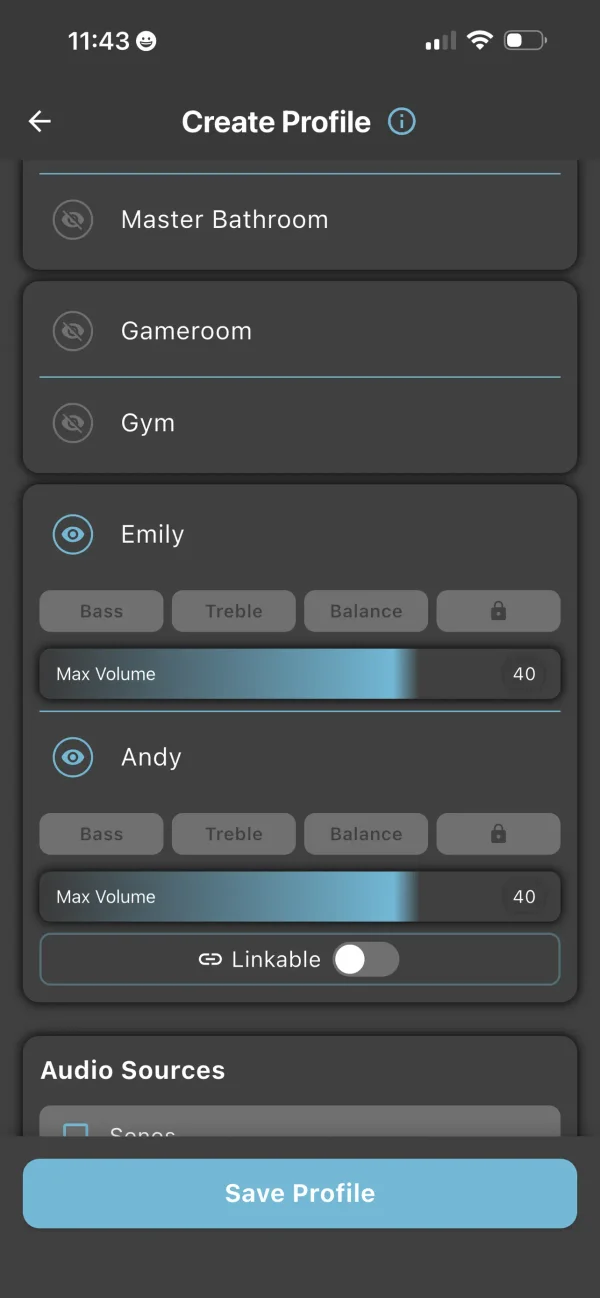
Create and securely share user profiles.
Restrict access to specific rooms, audio sources, maximum volume levels, and treble and bass controls.
Create dedicated profiles for individuals, children, guests, vacation homes, or rental properties.
Administrator controls also open the system for use in offices, restaurants, and other retail establishments.
Home Page
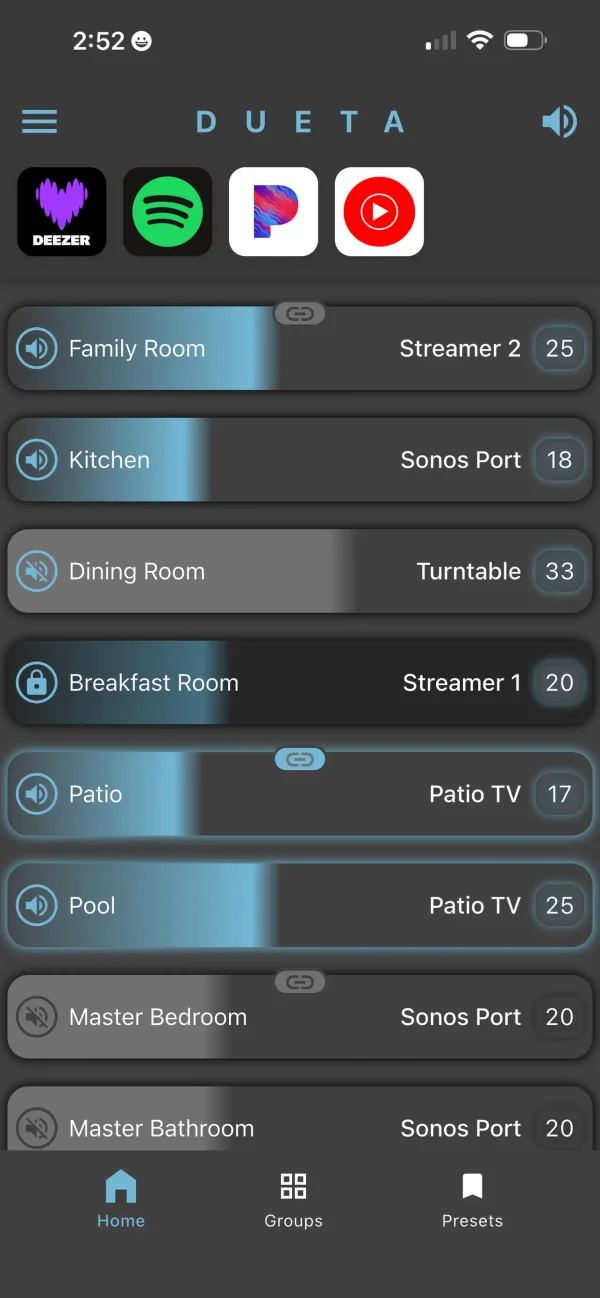
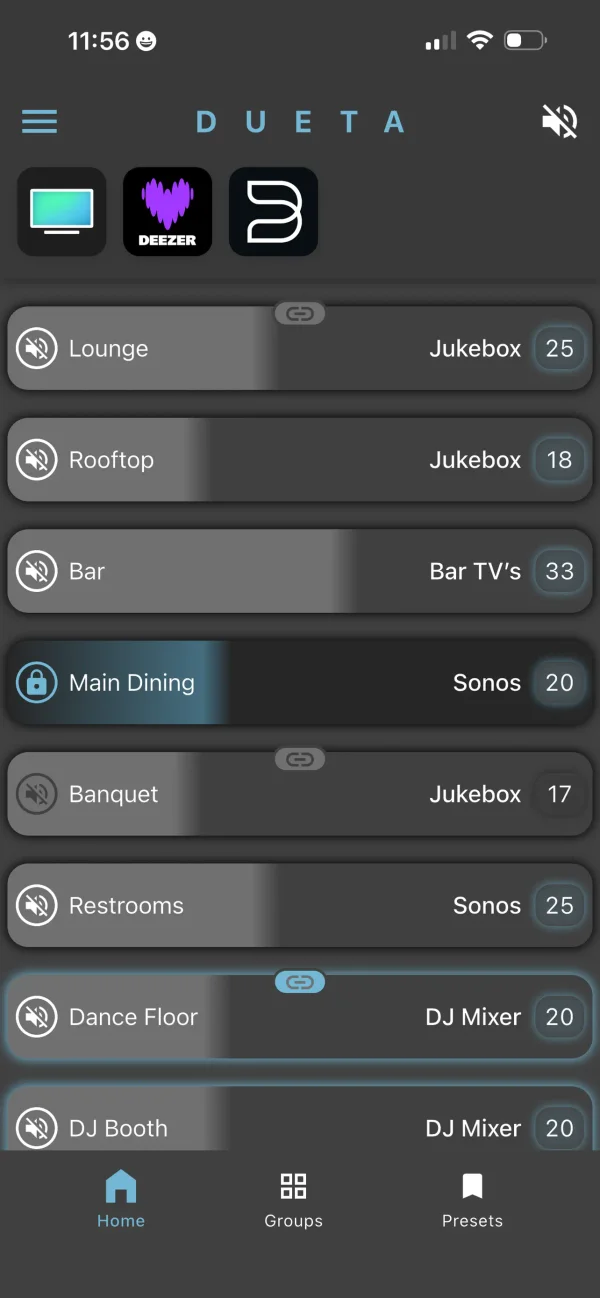
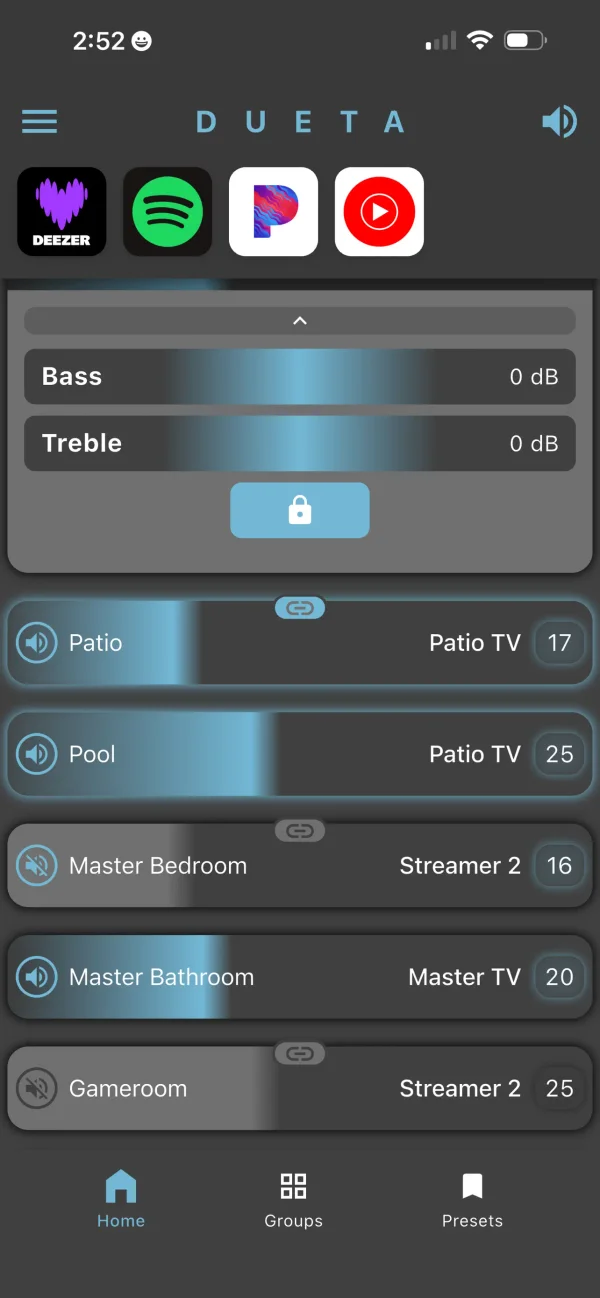
Monitor and control every room from a single page or press and hold any room name for additional controls. Features include:
Power individual rooms on or off.
Independently select sources and adjust volume for every room.
Quickly link and unlink paired A/B rooms.
Enable Room Lock to prevent unauthorized or accidental changes to a room's settings.
Adjust Treble and Bass "on the fly" or keep this feature only available to the Administrator.
Mute or unmute the entire home with one tap.
Power off the entire home with one tap.
Power on every room to its previous setting with one tap.
Power on every room to a common source with one tap.
Groups
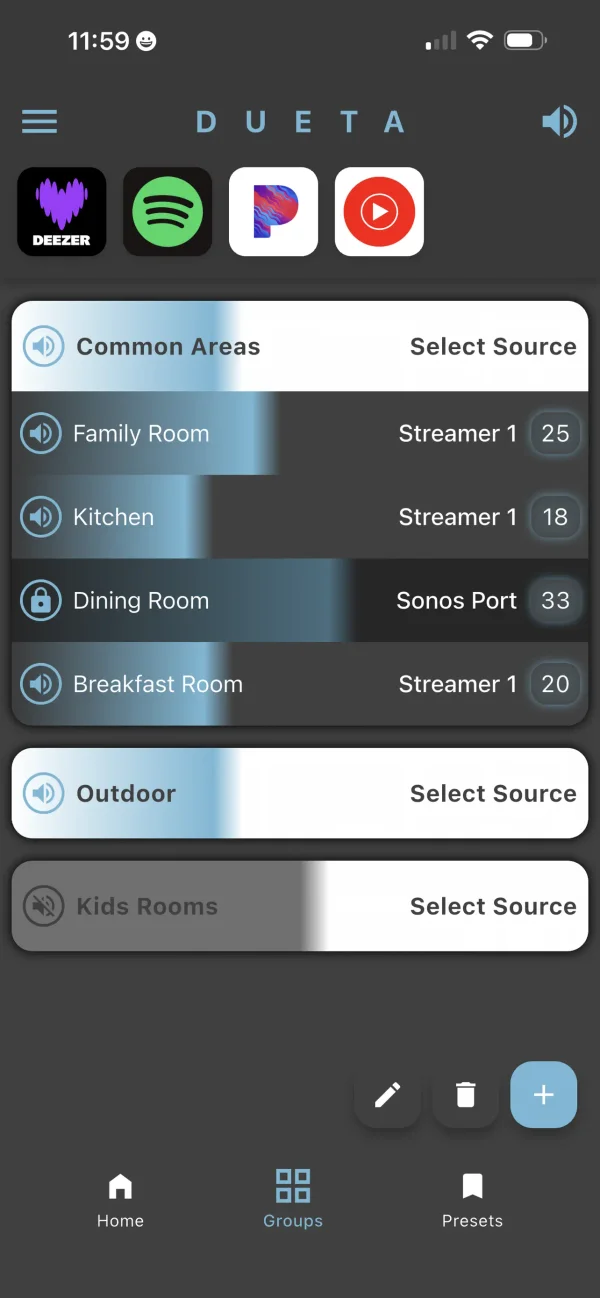
Create and save custom groups of rooms for quick access to:
Select a common source.
Adjust multiple rooms together using relative volume control.
Set a common volume.
Presets
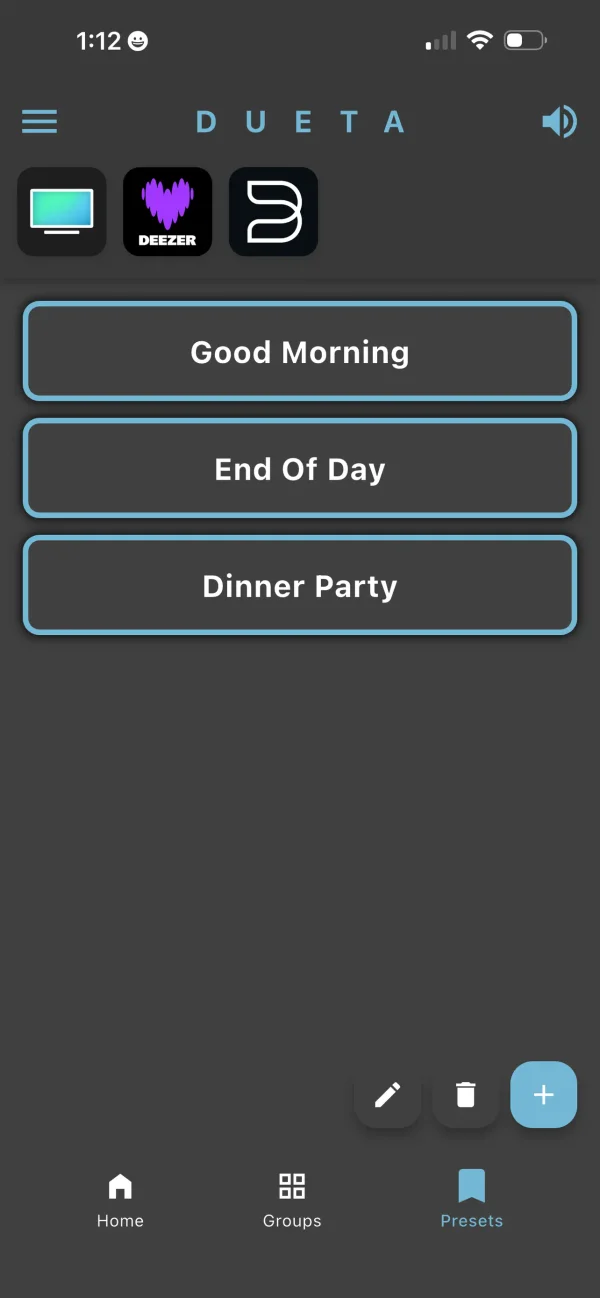
Save your favorite listening experiences and recall them instantly with a single tap. The following settings are saved for each room in your Preset:
Power On/Off
Source selection
Volume level
Room Lock On/Off
App Shortcuts
Add shortcuts to your favorite audio apps for quick switching between the Dueta app and popular streaming services.
Compatible with services such as Spotify, Apple Music, Pandora, Amazon Music, and many more when used with a compatible music streamer.
Learn more: https://www.htd.com/streamers
Built to Grow With You
Dueta works with virtually any audio source, including TVs, music streamers, Bluetooth receivers, and other analog and digital audio devices. As your entertainment system evolves, your Dueta system evolves with it.
Universal Device Support
Portrait mode
Landscape mode
Please Note
The Dueta app is exclusively for Dueta systems. It is not compatible with HTD Lync 6 / Lync 12 or HTD MC-66 / MCA-66 systems.
新機能
バージョン 1.0.2 · 2026/9/1
Improvements to controlling more than one system.
Easily switch between multiple saved profiles.
Improvements to reconnecting to existing systems.
Groups and Presets are saved even if you log out and back in.
Shortcuts are saved when switching between systems or profiles.
Added clarification when connecting to a new system.
Color themes can be unique for different systems and profiles.
Other minor bug fixes and improvements.
アプリのプライバシー
このアプリのデータの取り扱いについて、HTDがApp Storeで申告している内容です。
-
データの収集なし
開発元はこのアプリからデータを収集しません。
プライバシーの取り扱いは、ご利用の機能やお客様の年齢などに応じて異なる場合があります。
情報
- 販売元
- Home Theater Direct, Inc.
- カテゴリ
- ライフスタイル
- バージョン
- 1.0.2
- 更新日
- 2026/9/1
- リリース
- 2026/8/24
- サイズ
- 59.1 MB
- 必要条件
- iOS 15.0以降
- 対象年齢
- 4+
- 言語
- 英語
- 著作権
- © 2026 HTD