- 対象年齢4+
- カテゴリ写真/ビデオ
- 開発元Robert Engels
- 言語英語
- サイズ2.2 MB
App Storeの公式ページにリンクしています
Download.orgはEasy Panoのファイルを一切ホストしていません。ボタンを押すと、Robert Engelsが公開しているApp Storeのアプリページが開きます。ページの最終確認:2026/11/18。
スクリーンショット
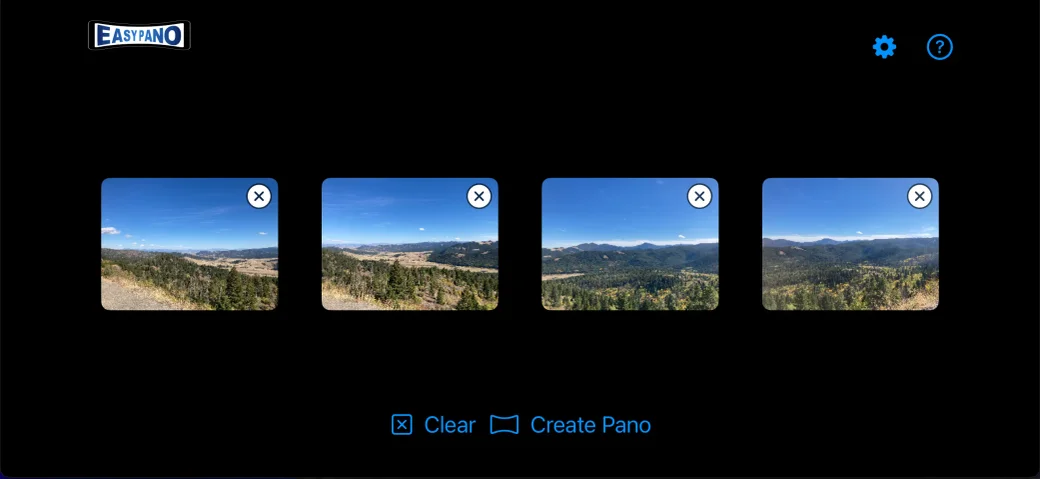
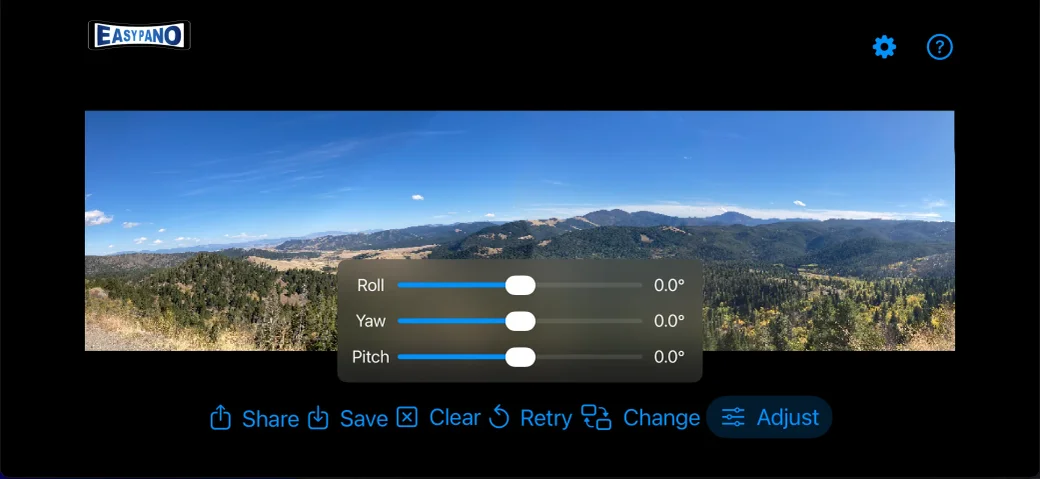
概要
開発元はこのテキストをお使いの言語で提供していません。
Create seamless wide-angle photos with professional-grade precision.
Why struggle with the standard camera panorama mode? EasyPano is faster, easier, and more forgiving. Instead of a steady-handed sweep, simply take a few photos and let our Metal-accelerated SIFT algorithm do the heavy lifting. The result is higher resolution, less distortion, and total control over your final image.
UNIVERSAL USE CASES
● Real Estate Professionals: Capture entire rooms in high detail. Use "Pannini" or "Homography" modes to keep architectural lines straight and perspectives natural.
● Large Group Social Photos: Never leave anyone out of the frame again. Perfect for family reunions or weddings. EasyPano avoids the facial distortion found in standard ultra-wide lenses.
● Travelers and Explorers: Turn breathtaking landscapes into massive vistas. Our Cylindrical projection reduces edge distortion for high-fidelity scenery.
● Architectural Photographers: Maintain straight vertical lines while capturing the full scale of a building or interior design.
POWERFUL FEATURES
● Better Than Camera Panoramas: No more stuttering or failed panoramas because you moved too fast. Take individual high-quality shots and stitch them perfectly.
● Multiple stitching modes: Panorama, Group Photo, Interior and Screenshots.
● Pro-Level Blending using seam finding.
● Metal-Accelerated Performance: Enjoy lightning-fast processing and live updates. Changing any setting triggers an automatic re-stitch.
● In-App Guided Camera: Use the built-in level bar and sequence guide to capture perfect frames every time.
EXTENSIONS AND WORKFLOW
● Share from Photos: Launch EasyPano directly from the iOS or macOS Photos app. Select your photos, tap the Share icon, and choose 'Create Panorama'. On OSX, share to the 'EasyPano' app.
● Filesystem Access: Full support for the Files App (iOS) and Finder (macOS). Import from external drives, iCloud, or local folders.
● Drag and Drop: Easily reorder your images into the required Left-to-Right sequence after importing if auto-arrangement fails.
BASIC USAGE AND TIPS
1. Source Your Photos: Import from your library, use the in-app camera, or share directly from the Photos app.
2. Order Matters: Ensure your photos are arranged from Left to Right. Drag and drop to reorder before tapping "Create Pano."
3. The Perfect Capture: Maintain a 30% overlap between shots. Keep zoom and flash settings consistent across the sequence. Try to keep the camera level.
4. Refine and Export: If a stitch has artifacts, simply tap Retry. Once satisfied, save to your Photos or share via the system share sheet.
PRO TIPS
○ Use the proper mode for the best results! See the Help text in the app for details.
○ When sourcing from the camera, try to maintain the same position with minimal camera movement. Try to ensure the level indicator is green in both directions for the best results.
○ The Retry Advantage: Our algorithm uses advanced math with slight randomness. If a stitch isn't perfect, a quick Retry can often fix alignment artifacts instantly.
Download EasyPano today and start seeing the bigger picture.
新機能
バージョン 1.1 · 2026/8/4
Easier to use buttons. Dedicated Save, and Save to Photos functions.
アプリのプライバシー
このアプリのデータの取り扱いについて、Robert EngelsがApp Storeで申告している内容です。
-
データの収集なし
開発元はこのアプリからデータを収集しません。
プライバシーの取り扱いは、ご利用の機能やお客様の年齢などに応じて異なる場合があります。
情報
- 販売元
- Robert Engels
- カテゴリ
- 写真/ビデオ
- バージョン
- 1.1
- 更新日
- 2026/8/4
- リリース
- 2026/3/17
- サイズ
- 2.2 MB
- 必要条件
- iOS 16.6以降
- 対象年齢
- 4+
- 価格
- ¥300
- 言語
- 英語
- 著作権
- © Copyright 2026 EOLCoder Inc