- 対象年齢4+
- カテゴリ仕事効率化
- 開発元Yasir Dorazahi
- 言語英語ほか2言語
- サイズ9.4 MB
App Storeの公式ページにリンクしています
Download.orgはeDraftのファイルを一切ホストしていません。ボタンを押すと、Yasir Dorazahiが公開しているApp Storeのアプリページが開きます。ページの最終確認:2026/11/23。
スクリーンショット
概要
開発元はこのテキストをお使いの言語で提供していません。
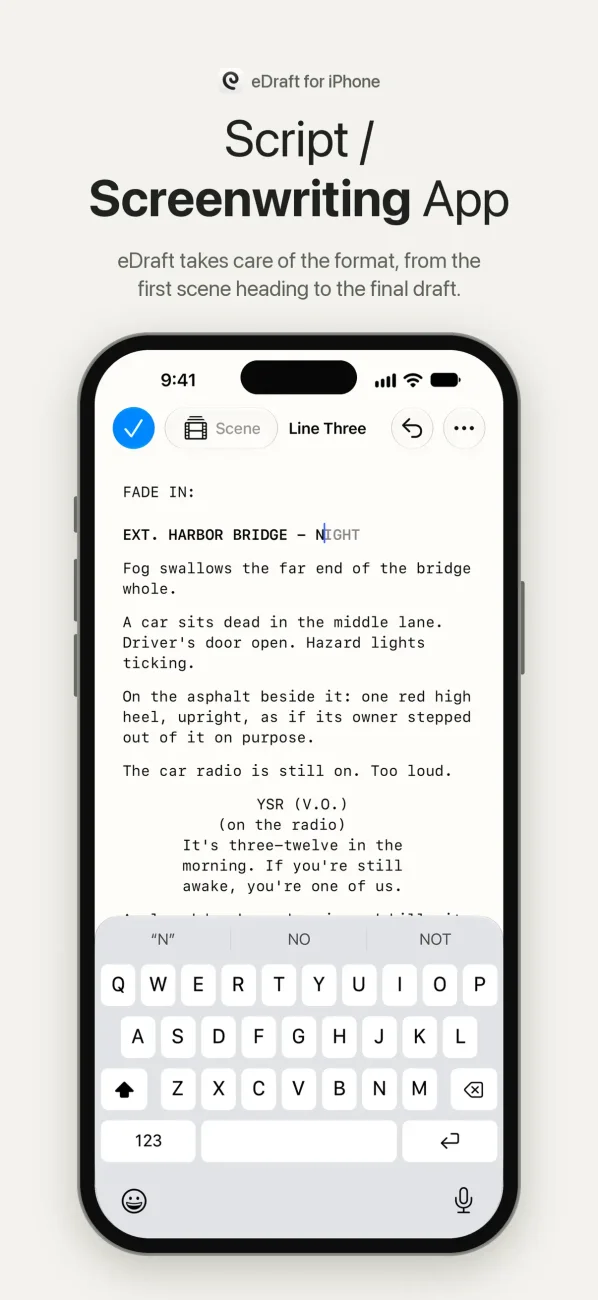
eDraft is a screenwriting app for iPhone and iPad. It formats your screenplay as you type, opens and saves Final Draft (.fdx) and Fountain scripts, and exports a PDF, so you can stay with the story. New in 2.3: eDraft and its help are now available in Spanish, and on iPad eDraft shows your script on pages when there is room.
WRITE
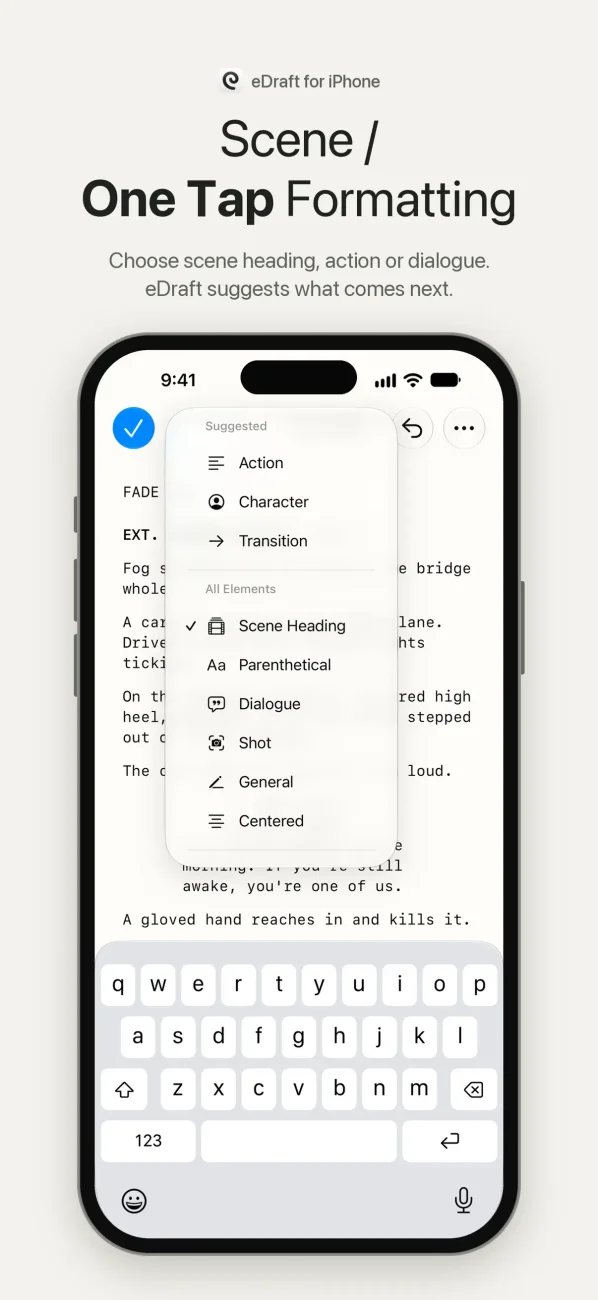
• Scene headings, action, characters, dialogue, parentheticals and transitions are formatted for you.
• Choose the element from the bar above your script.
• Accept writing suggestions as you type. In German, eDraft knows INNEN. and AUSSEN. and suggests TAG, NACHT, MORGEN, ABEND and DÄMMERUNG. In Spanish, eDraft suggests DÍA, NOCHE, AMANECER, ATARDECER, MAÑANA and TARDE.
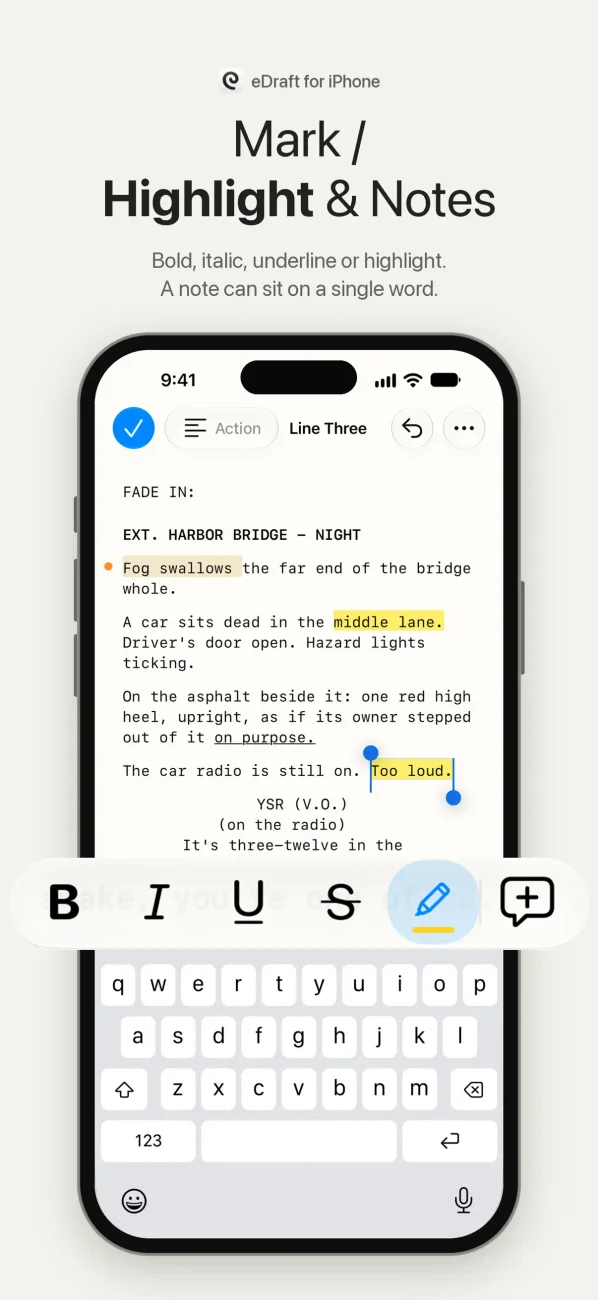
• Add bold, italic, underline, strikethrough and highlights.
• Switch between reading and writing with one tap.
NOTES
• Add notes to any passage.
• Everyone whose name is on a note gets a colour of their own – on the page, in the notes sheet and in the Navigator. Choose your colour in Settings.
• Give notes labels such as "Rewrite". In the Navigator, tap a name or a label to see only the notes that match.
IDEAS
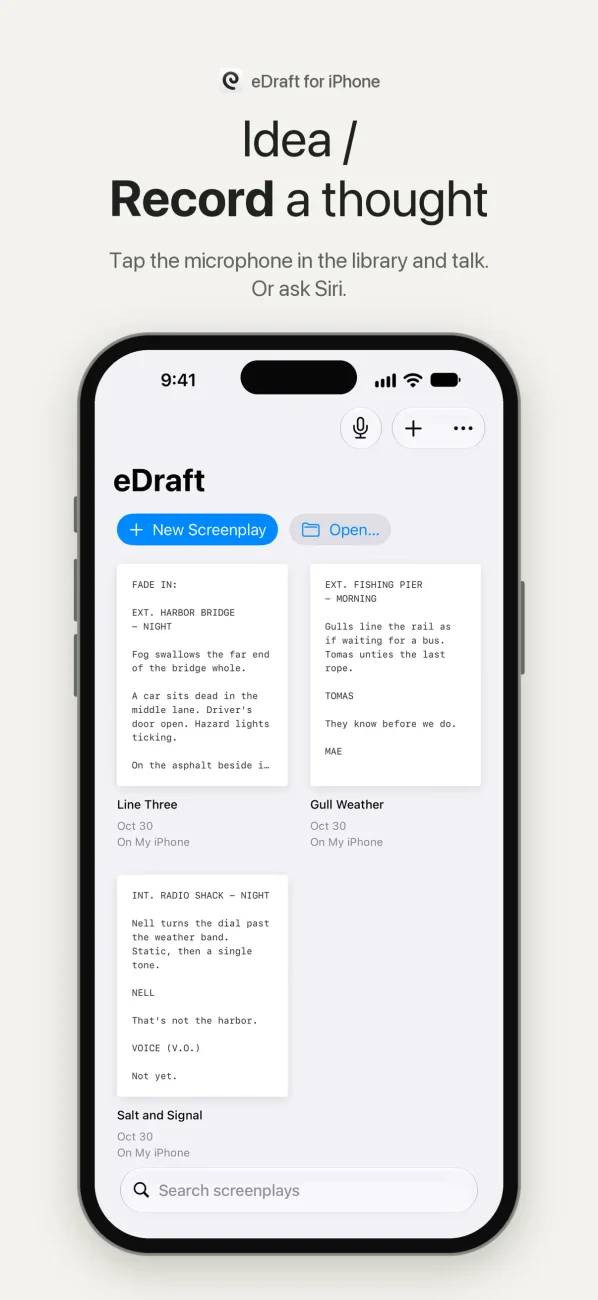
• Tap the microphone in the library and say what is on your mind. eDraft keeps the recording. When your iPhone supports it, eDraft also writes down the words – in German when your iPhone is German.
• Say "innen Küche, Tag" and eDraft offers the scene heading INNEN. KÜCHE - TAG.
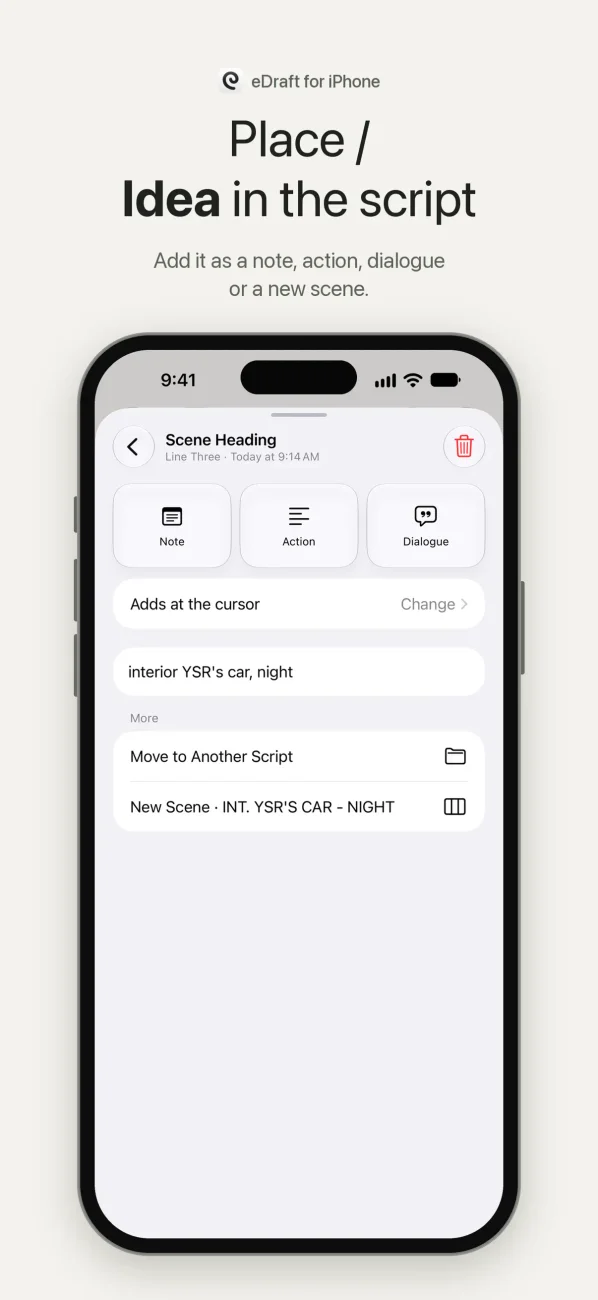
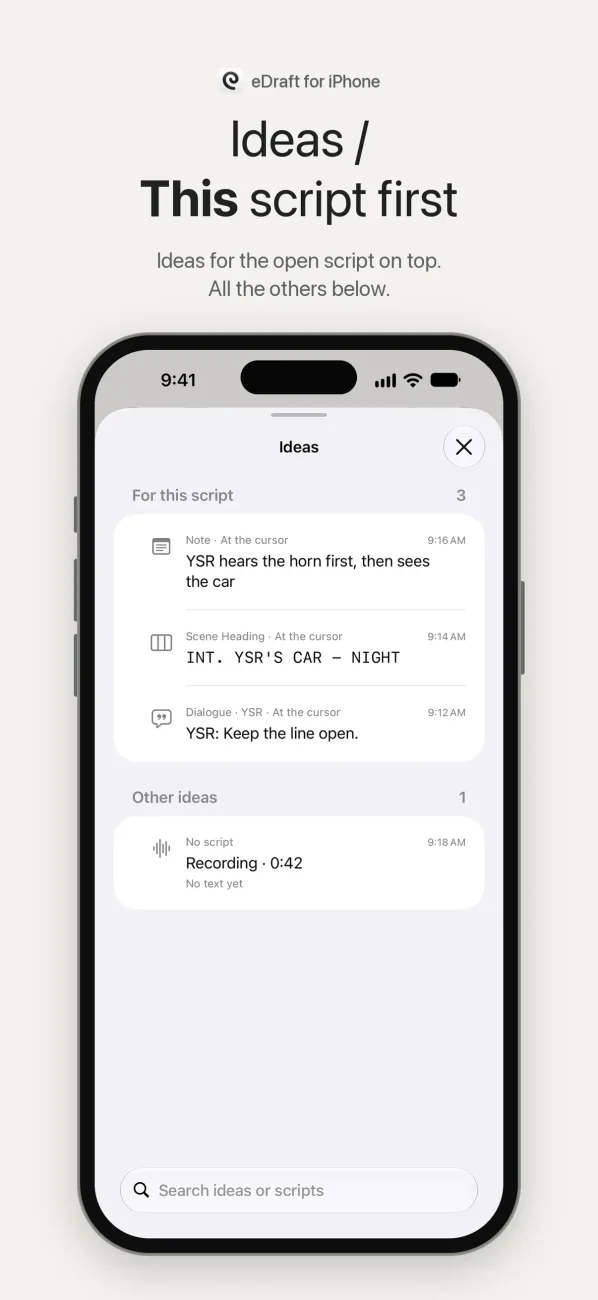
• Open Ideas from the script's menu (•••). Play the recording, then place the idea as a note, action, dialogue or new scene – at the cursor or into a scene. You can undo a placement in the open script.
• Your ideas reach your Mac through iCloud. Without iCloud, they stay on your iPhone.
• Ask Siri: "Add an idea in eDraft". The shortcut is also in the Shortcuts app.
FIND YOUR WAY
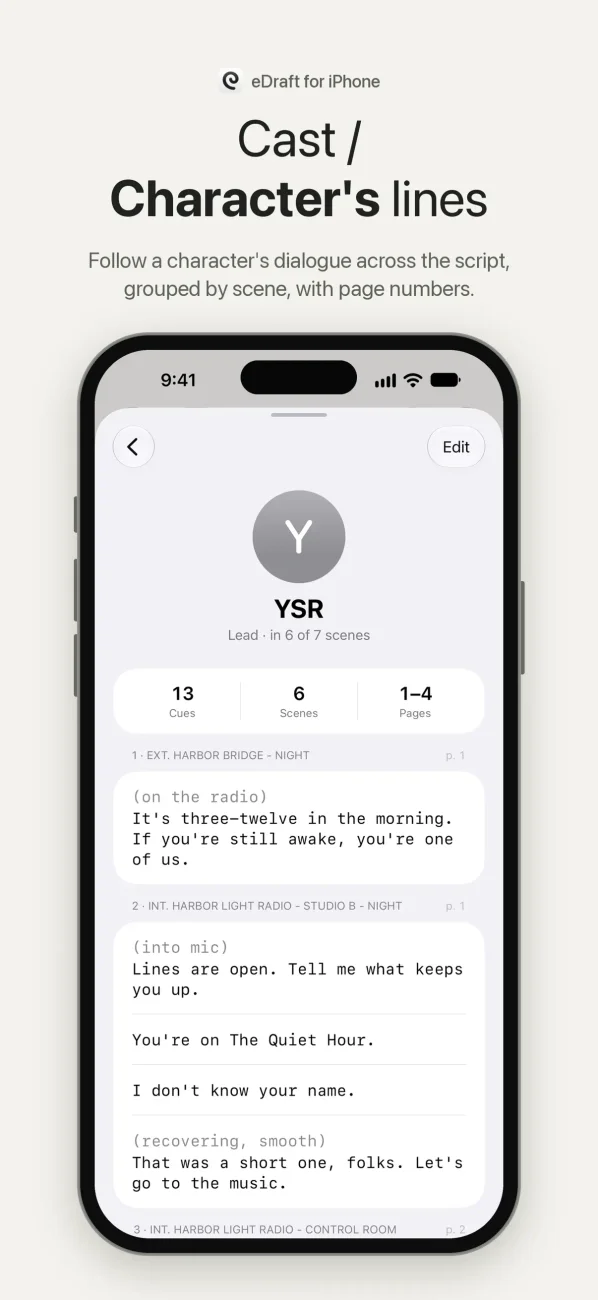
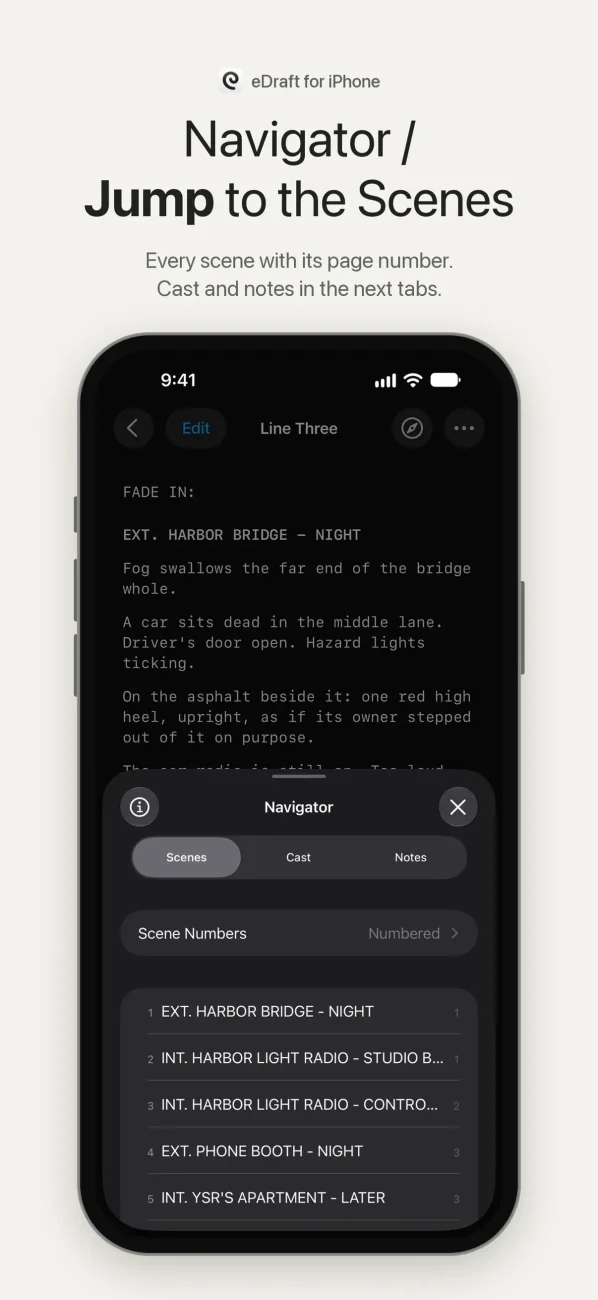
• Use the Navigator to move between scenes, see your cast, and review notes.
• Create a title page. The title stays as you type it; the PDF and print show it in capitals.
REVISIONS
• Mark a draft when you send your script out. From then on, an asterisk marks each line that has changed – in the PDF and in print too.
ACCESSIBILITY
• As you write, VoiceOver says the kind of line, such as Action or Character, and a note mark says whose note it is.
• For Voice Control, buttons and rows carry the words shown on them, such as a script's name in the library.
YOUR FILES
• Your scripts are files you own, on your iPhone or in iCloud Drive.
• Open Final Draft (.fdx), Fountain and eDraft files from Files, Mail, Messages or AirDrop, and keep them in their own format. When you save a Final Draft file, notes by other people keep their names, and title page changes stay in the file.
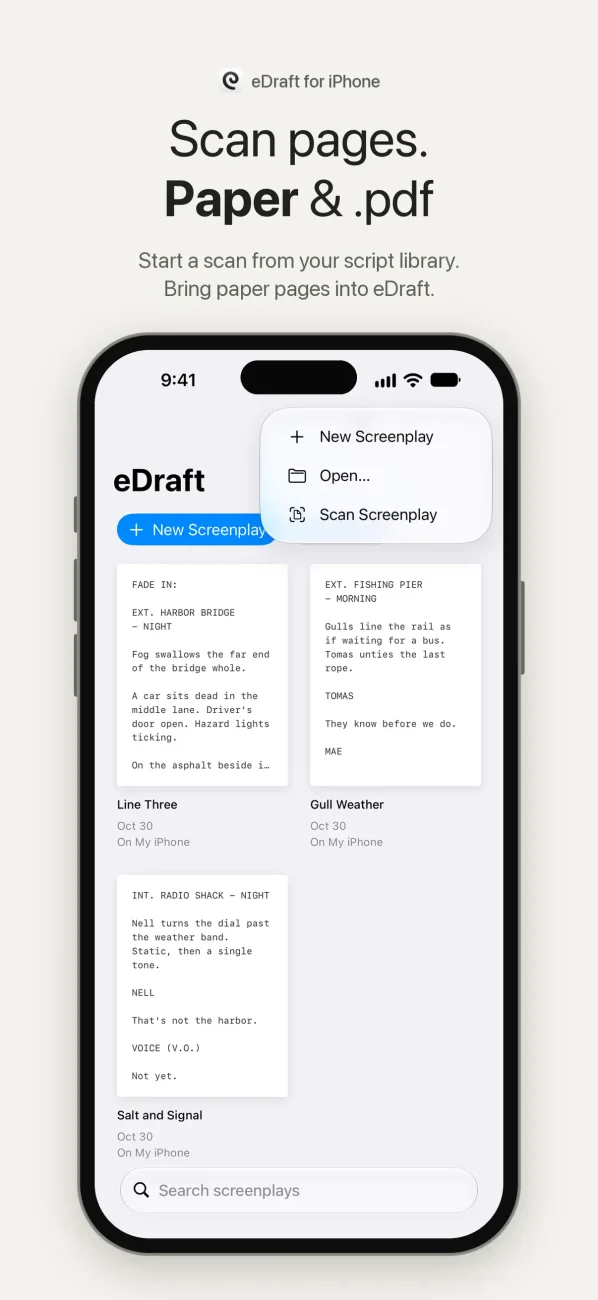
• Scan paper pages, or import a PDF or a photo, to turn them into a screenplay you can edit. Scene numbers are kept, and CONTINUED lines are dropped.
• Page Words: an eDraft script can print (MEHR) and (FORTS.) in German, or (MÁS), (CONT.) and OMITIDA in Spanish, instead of (MORE) and (CONT'D).
• Choose the paper size: US Letter or A4. In Germany, Austria, Switzerland, Liechtenstein and Luxembourg, eDraft starts on A4.
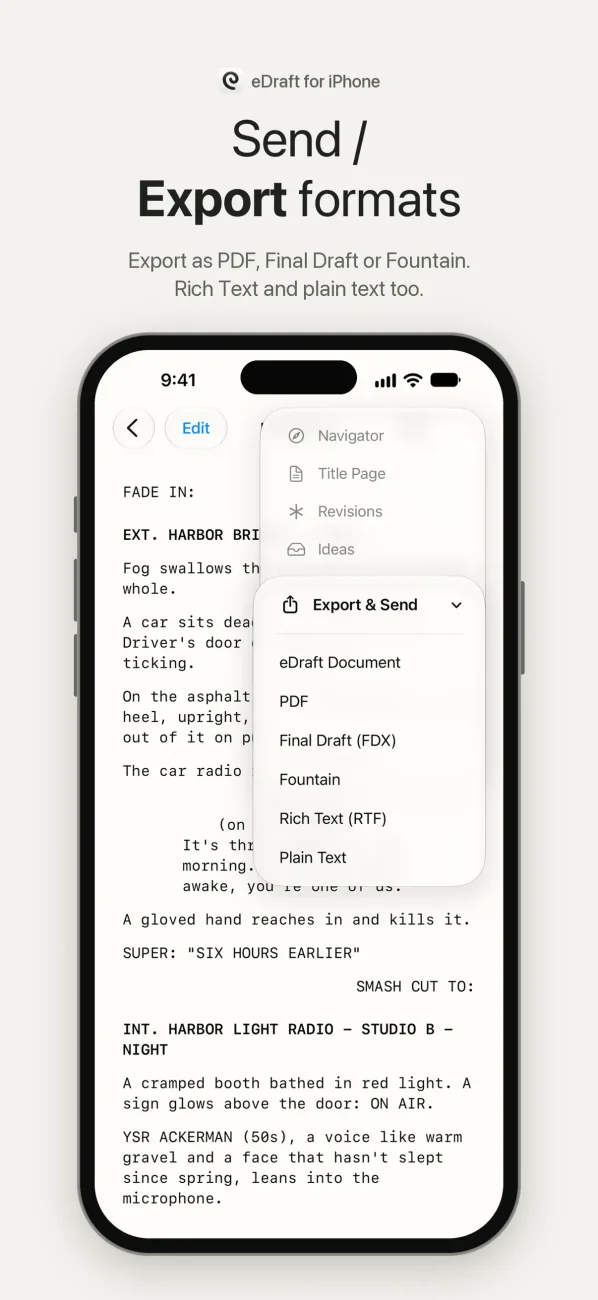
• Export an eDraft document, PDF, Final Draft file, Fountain, rich text or plain text, or print.
PRIVATE
• No account and no sign-in.
• eDraft collects no data and never sends your scripts to us. Recordings and scripts stay on your devices and, if you use iCloud, in your own iCloud.
新機能
バージョン 2.3 · 2026/11/19
eDraft 2.2 comes to iPad.
While you read a script, your ideas are now one tap away, and every scene in the Navigator has a menu of its own.
• eDraft now runs on iPad, in portrait and landscape. The library uses the full width of the screen.
• Ideas: while you read a script, the Ideas button is now at the top, beside the Navigator button. A badge counts the ideas for this script that you have not opened yet.
• While you read, tap the microphone at the bottom right to record an idea. It is filed for the script you are reading and for the scene at the top of the screen.
• Scenes: touch and hold a scene in the Navigator to select, copy, duplicate or delete it, or to add a note to it. In a Final Draft script, you can also omit a scene there and restore it. A Final Draft script with scene numbers has Omit Scene in place of Delete Scene. Omit, Restore, Duplicate and Delete are one step each for Undo.
• Details, in the same menu, shows a scene's length, running time, word count, characters and notes.
• While you read, the page now runs to the bottom edge of the screen.
• In Settings > Notes, you now choose the colour of your notes from a menu that shows each colour with its name.
• Note colours: Blue has a new shade. On the Dark Page, Purple, Pink, Indigo and Cyan have new shades too.
• In the library, the More menu now has one row to switch between the list and the gallery.
• In a script, the More menu no longer has Reading Mode. To stop writing, tap the checkmark, as before.
• Further refinements and fixes.
アプリのプライバシー
このアプリのデータの取り扱いについて、Yasir DorazahiがApp Storeで申告している内容です。
-
データの収集なし
開発元はこのアプリからデータを収集しません。
プライバシーの取り扱いは、ご利用の機能やお客様の年齢などに応じて異なる場合があります。
情報
- 販売元
- Yasir Dorazahi
- カテゴリ
- 仕事効率化
- バージョン
- 2.3
- 更新日
- 2026/11/19
- リリース
- 2026/10/8
- サイズ
- 9.4 MB
- 必要条件
- iOS 26.0以降
- 対象年齢
- 4+
- 価格
- 無料
- 言語
- 英語, ドイツ語, スペイン語
- 著作権
- © 2026 eDraft. All rights reserved.