- 対象年齢4+
- カテゴリ仕事効率化
- 開発元Rene DeAnda
- 言語英語ほか29言語
- サイズ75.5 MB
App Storeの公式ページにリンクしています
Download.orgはEmber: Markdown Notesのファイルを一切ホストしていません。ボタンを押すと、Rene DeAndaが公開しているApp Storeのアプリページが開きます。ページの最終確認:2026/11/15。
スクリーンショット


概要
ノートは、わが家のように感じられるべきです。
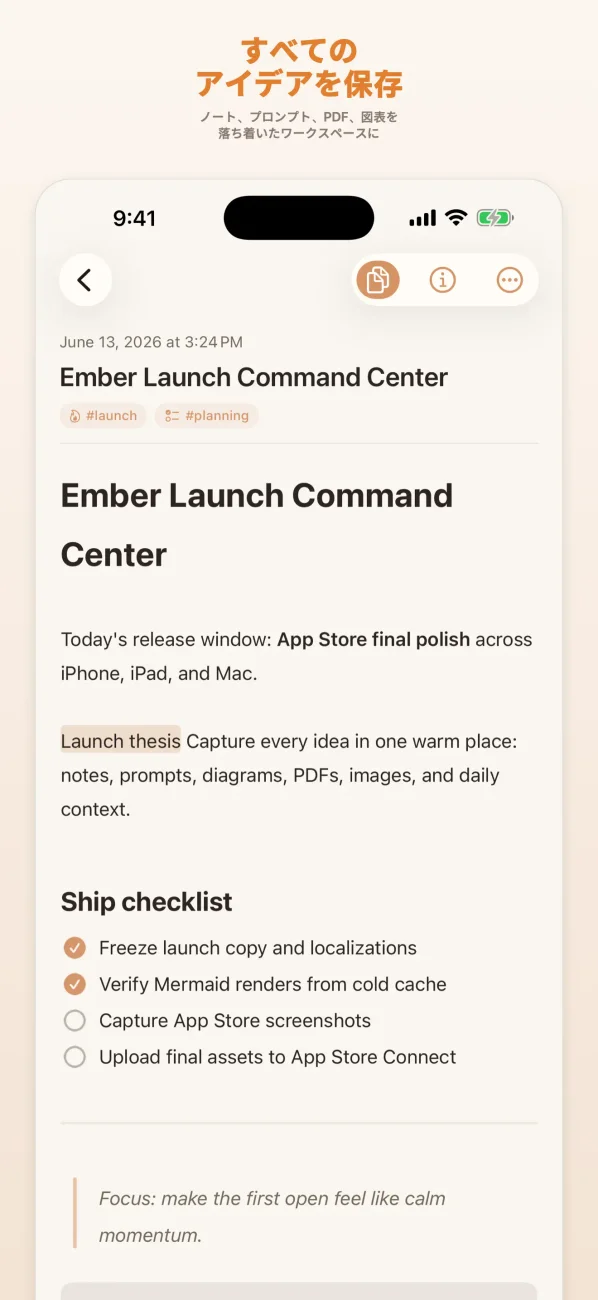
Emberは、考えるための暖かく速い場所です。Markdownノート、PDF、図表、音声メモ、そして再利用できるプロンプトの保管庫まで、すべてがiPhone、iPad、Macで同期する落ち着いたワークスペースにまとまります。
リッチなMarkdownで書く
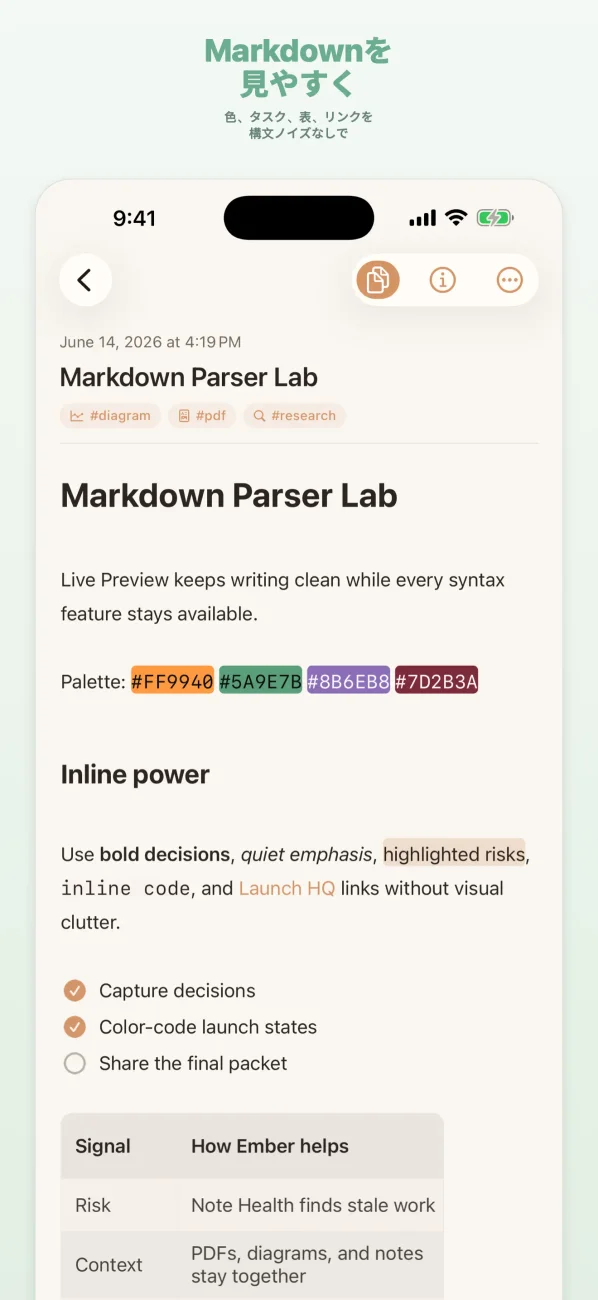
本物の書式を備えたライブエディタ。見出し、表、タスクリスト、リンク、ハイライト、脚注、コードを、入力に合わせて表示し、決して邪魔をしません。箇条書き、番号、チェックボックスも自然で軽やかです。
テキストだけではない
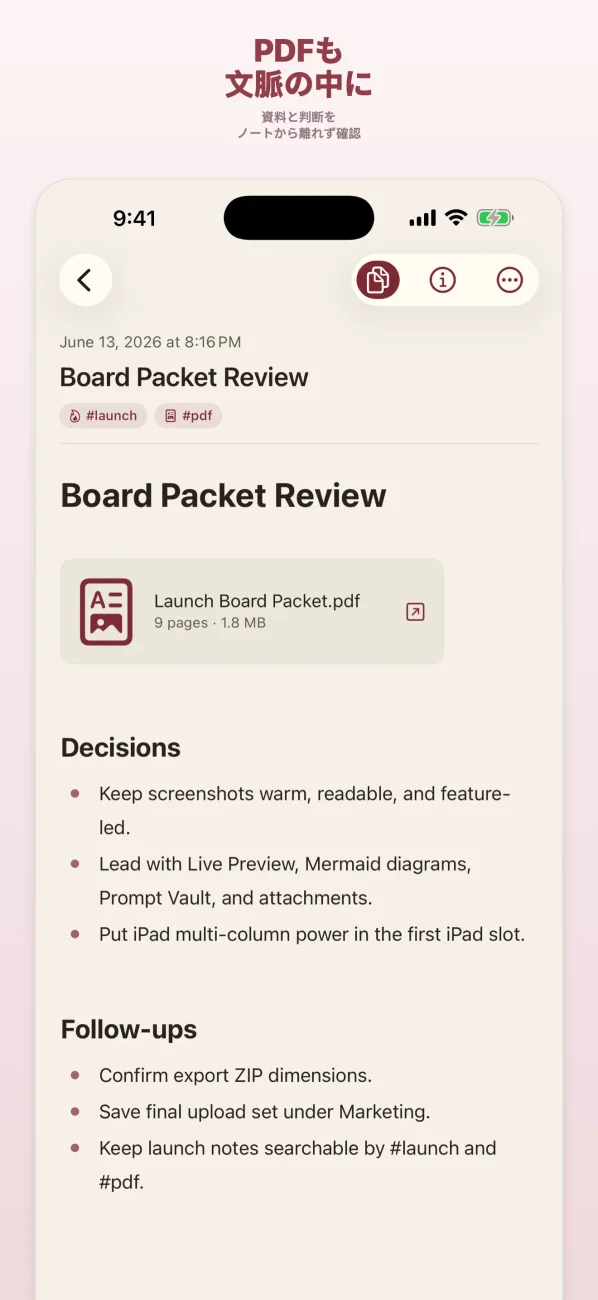
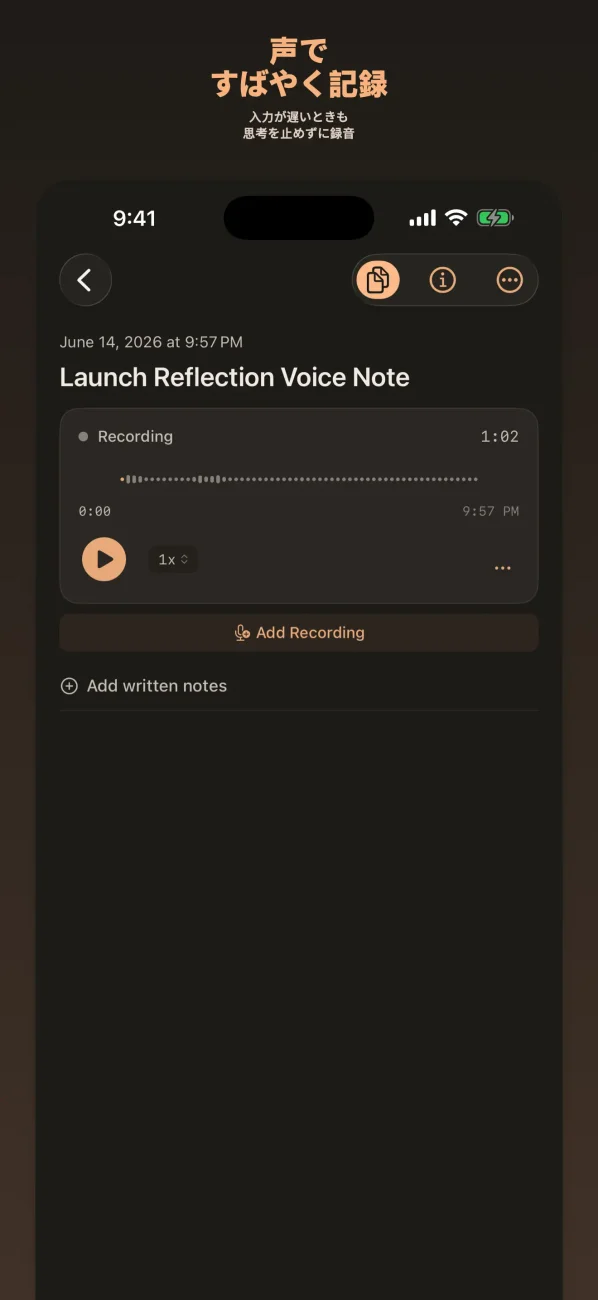
PDF、画像、図表、音声メモをそのままインラインに。参照資料が文章のそばに置かれ、一つの考えに関するすべてが一か所にまとまります。
プロンプトの保管庫
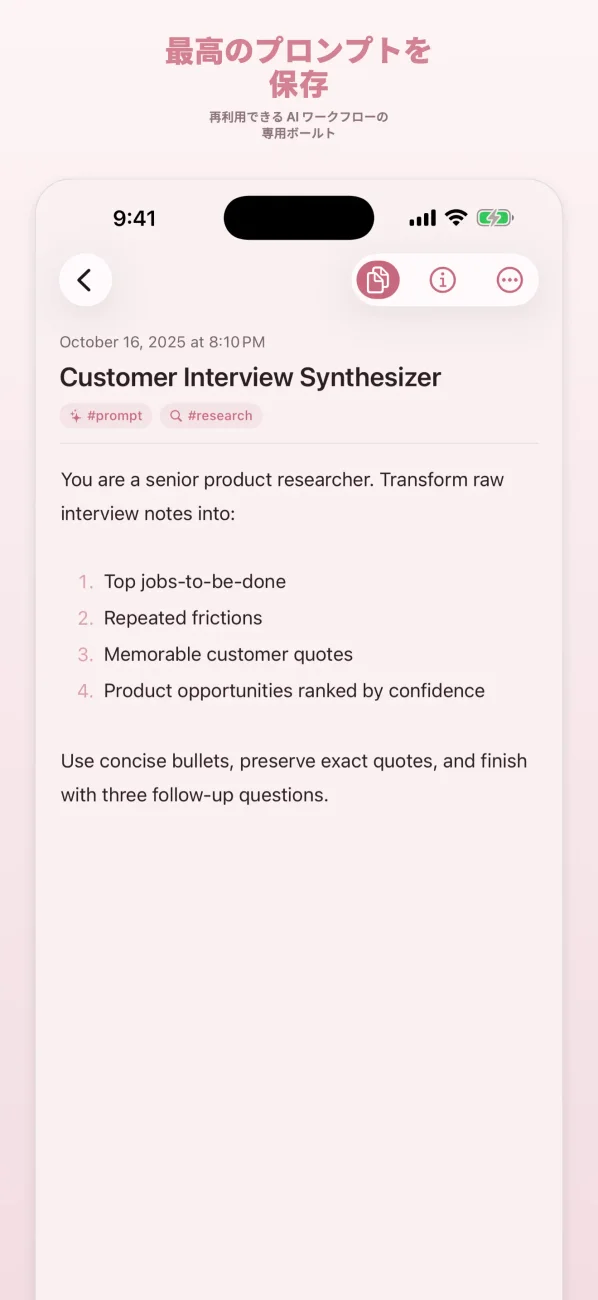
執筆、調査、計画で繰り返し使うプロンプトを、専用のPrompt Vaultに保管。整理され、検索でき、必要なときにワンタップです。
整理され、速いまま
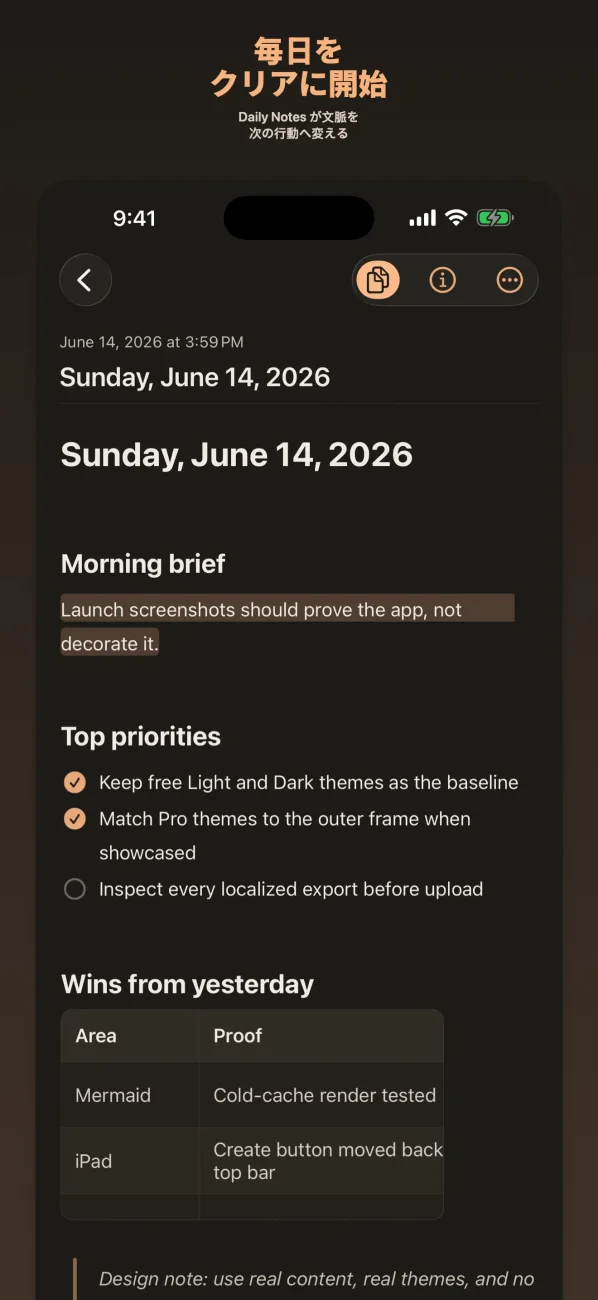
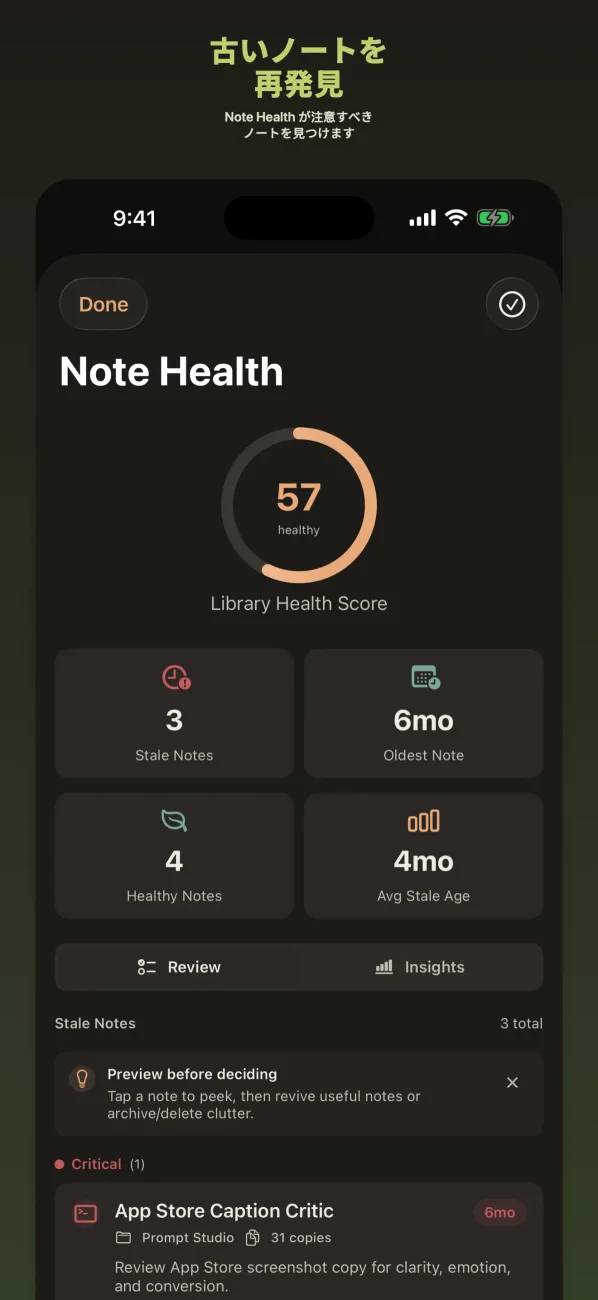
Daily Notes、フォルダ、タグ、スマートフィルター、ピン留めで整い、即時検索が探した瞬間に何でも見つけます。
どこでもあなたのもの
EmberはiPhone、iPad、Macでネイティブに動作し、任意のプライベートiCloud同期、ウィジェット、どこからでも取り込めるShare Extensionを備えます。
無料で始められる
ノート、PDF、プロンプト、添付を完全なエディタで取り込めます。無料で、アカウントも不要です。
Ember Pro
高度なテーマと代替アイコン、執筆と整理のプレミアム機能、より深いPrompt Vaultのツールを、サブスクリプションまたは買い切りで解放します。
設計からプライベート
アカウントなし。広告なし。あなたの言葉を売りません。ノートはあなたのデバイスとあなた自身のiCloudに留まります。
あなたの思考に居場所を。Ember Notesをダウンロード。
利用規約とプライバシー
利用規約(EULA):https://www.apple.com/legal/internet-services/itunes/dev/stdeula/
プライバシーポリシー:https://embernotes.app/privacy
新機能
バージョン 1.2.0 · 2026/10/10
What’s New in Ember 1.2.0:
* Connect ideas with @mentions and inline #tags, including nested tags, autocomplete, and easy navigation between related notes.
* Organize your notes with unlimited basic tags, improved tag management, and smarter ways to rename, merge, and find related content.
* Find more with improved search inside images and PDFs, including matching text, attachment names, and page references.
* Get started faster with separate note and prompt templates, plus 18 ready-to-use prompts for everyday tasks.
* New portrait widgets for iOS 27, with improved layouts, richer note previews, and quicker access to your notes.
* Initial Siri AI integration for iOS 27, available in beta on supported devices and languages, with clearer Siri, Shortcuts, and Spotlight settings.
* Enjoy a better Daily Notes experience with easier actions, an improved calendar, and simpler ways to revisit archived entries.
* Create and edit tables more naturally, with improved formatting, scrolling, and reliable Undo and Redo.
* Enjoy improved editing for images, PDFs, checklists, links, and other rich Markdown content, including smoother navigation between notes.
* Numerous refinements to performance, stability, themes, folder management, and overall editing reliability.
アプリのプライバシー
このアプリのデータの取り扱いについて、Rene DeAndaがApp Storeで申告している内容です。
-
ユーザーに関連付けられないデータ
収集される場合がありますが、ユーザーの識別情報には関連付けられません。
- ID
- 使用状況データ
プライバシーの取り扱いは、ご利用の機能やお客様の年齢などに応じて異なる場合があります。
情報
- 販売元
- Rene DeAnda
- カテゴリ
- 仕事効率化
- バージョン
- 1.2.0
- 更新日
- 2026/10/10
- リリース
- 2026/7/15
- サイズ
- 75.5 MB
- 必要条件
- iOS 26.0以降
- 対象年齢
- 4+
- 価格
- 無料
- アプリ内課金
- あり
- 言語
- 英語, カタロニア語, クロアチア語, チェコ語, デンマーク語, オランダ語, フィンランド語, フランス語, ドイツ語, ギリシャ語, ヒンディー語, ハンガリー語 ほか18言語
- 著作権
- © 2026 Rene DeAnda