- 対象年齢4+
- カテゴリビジネス
- 開発元Capricorn Identity Services Pvt. Ltd.
- 言語英語
- サイズ946.0 KB
App Storeの公式ページにリンクしています
Download.orgはeSign Digitalのファイルを一切ホストしていません。ボタンを押すと、Capricorn Identity Services Pvt. Ltd.が公開しているApp Storeのアプリページが開きます。ページの最終確認:2026/11/13。
スクリーンショット


概要
開発元はこのテキストをお使いの言語で提供していません。
Sign Anything, Anytime, from Anywhere — Securely with Aadhaar.
Welcome to eSign.digital, your all-in-one app to legally sign documents using your Aadhaar — no paperwork, no USB tokens, and no office visits. With eSign.digital, you can instantly sign PDF documents from your mobile phone in a few taps. It's simple, safe, and legally valid under the Indian IT Act.
This app is powered by Capricorn Identity Services Pvt. Ltd., a licensed Certifying Authority by the Government of India.
Key Features
Instant Aadhaar eSign:
Use your Aadhaar to sign documents instantly with multiple secure authentication methods:
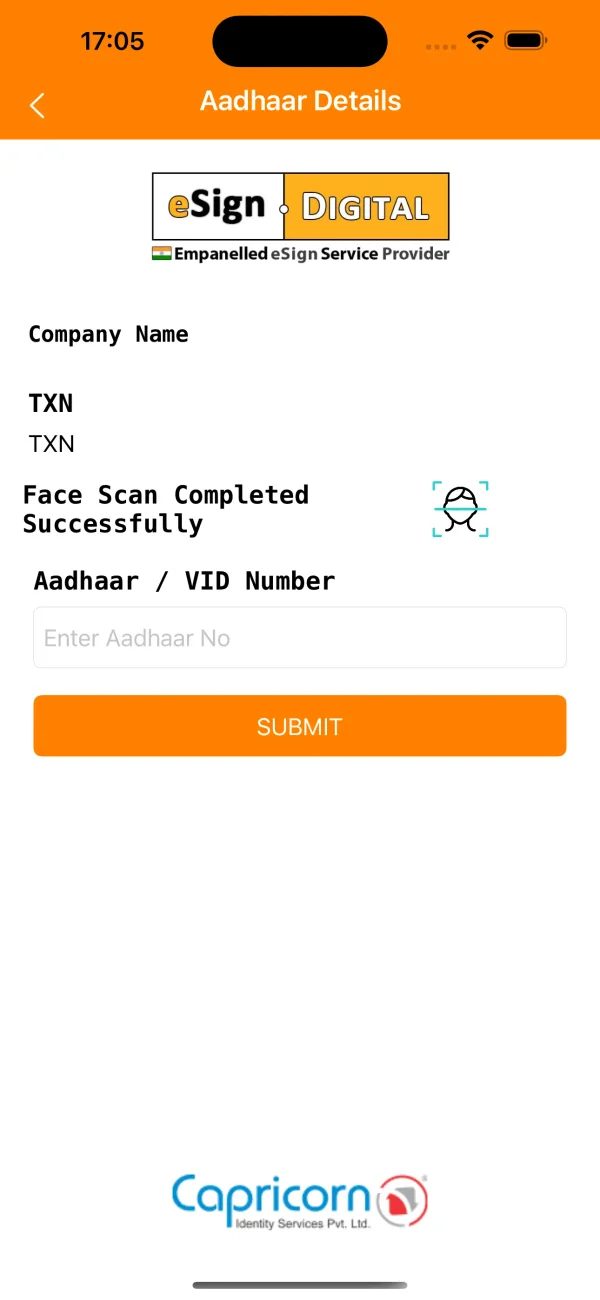
* Aadhaar Face Authentication
Simple Document Upload:
Easily upload PDF files from your device. Select, sign, and save within seconds.
Legal Validity Guaranteed:
All signatures through eSign.digital are fully valid under Sections 3 & 5 of the Indian Information Technology Act, 2000.
Track & Manage Documents:
Get real-time status, notifications, and audit trails for all signed documents.
Prerequisites
To use the eSign.digital app for signing documents, please ensure you have the following:
* Your Aadhaar Number
* A mobile phone.
* If using Face Authentication:
1. The Aadhaar FaceRD application must be installed and properly configured on your mobile device
No smart card, USB token, or paper documents required — just your Aadhaar and the necessary device depending on the authentication method you choose.
Fast and Paperless:
No scanning, printing, or couriering. Go 100% digital and save time and effort.
How It Works
1. Download & Register:
Open the app and choose your preferred signing mode.
2. Upload Your Document:
Select the PDF document you want to sign.
3. Select a Signing Mode:
Use Aadhaar Face Authentication to securely sign your documents.
4. Verify & Sign:
Complete Aadhaar authentication and place your signature.
5. Download or Share:
Save the signed document to your device or send it instantly.
Who Should Use eSign.digital?
* Individuals: For signing rental agreements, affidavits, job offers, and more.
* Students: For admissions, applications, and declarations.
* Professionals & Freelancers: Sign contracts, proposals, or invoices.
* Enterprises: Streamline employee onboarding, vendor agreements, etc.
* Banks & Finance Teams: Speed up KYC, loan forms, and account openings.
* Sales Teams: Close deals faster with digital document workflows.
Why Choose the Capricorn Customer App?
* Legally Binding – Your signature is 100% valid in Indian courts.
* Aadhaar-based – No need to create separate IDs. Just use your Aadhaar.
* Easy to Use – A clean interface made for everyone — no technical skills required.
* Affordable & Accessible – Pay per document. No subscription required.
* Safe & Private – We use top-grade encryption and secure Aadhaar authentication.
新機能
バージョン 1.0.1 · 2026/8/27
We've made eSign.Digital even more secure and reliable!
- Improved RD Service detection
- Security and stability improvements
- Bug fixes and performance improvements
Keep signing securely, anytime, anywhere.
アプリのプライバシー
このアプリのデータの取り扱いについて、Capricorn Identity Services Pvt. Ltd.がApp Storeで申告している内容です。
-
データの収集なし
開発元はこのアプリからデータを収集しません。
プライバシーの取り扱いは、ご利用の機能やお客様の年齢などに応じて異なる場合があります。
情報
- 販売元
- CAPRICORN IDENTITY SERVICES PRIVATE LIMITED
- カテゴリ
- ビジネス
- バージョン
- 1.0.1
- 更新日
- 2026/8/27
- リリース
- 2025/7/24
- サイズ
- 946.0 KB
- 必要条件
- iOS 17.5以降
- 対象年齢
- 4+
- 価格
- 無料
- 言語
- 英語
- 著作権
- © CAPRICORN IDENTITY SERVICES PRIVATE LIMITED