- 対象年齢4+
- カテゴリ仕事効率化
- 開発元LyXeoN
- 言語英語ほか1言語
- サイズ38.4 MB
App Storeの公式ページにリンクしています
Download.orgはEstratum: Second Brainのファイルを一切ホストしていません。ボタンを押すと、LyXeoNが公開しているApp Storeのアプリページが開きます。ページの最終確認:2026/11/28。
スクリーンショット
概要
開発元はこのテキストをお使いの言語で提供していません。
SAVE WITHOUT ORGANIZING. FIND BY ASKING.
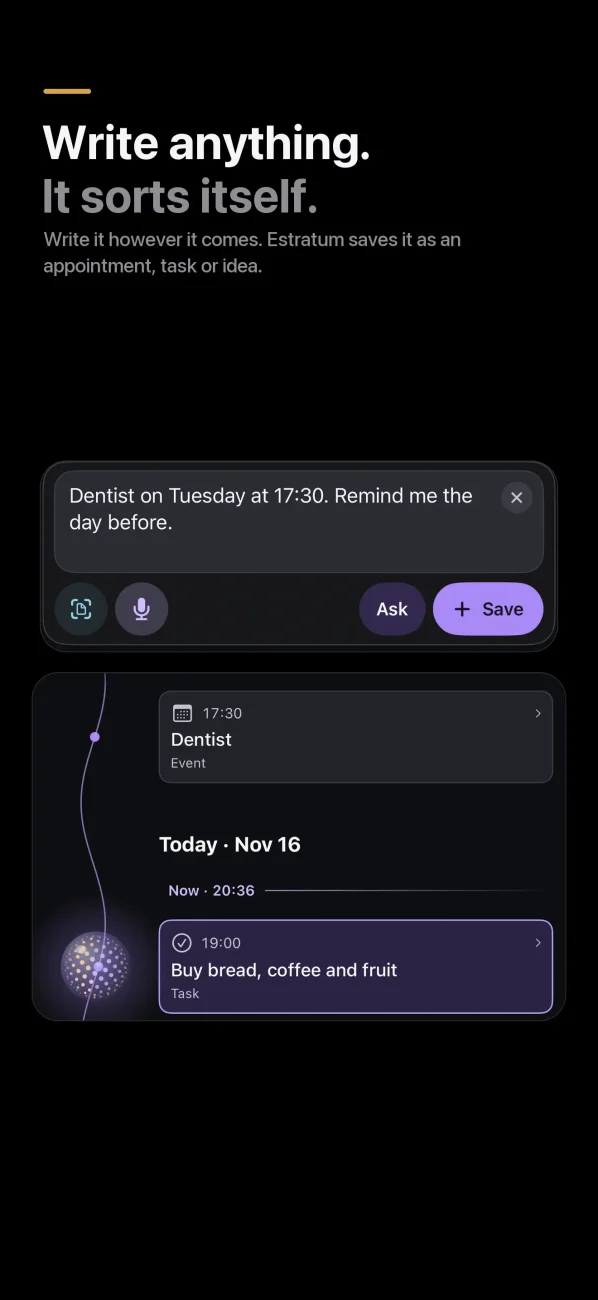
An idea, an appointment, something to do. Write it however it comes and get on with your day. Estratum organizes your notes, tasks and appointments with AI and helps you find them in your own words. No folders to prepare. No need to remember where you put everything.
YOUR MEMORY, WITH ON-DEVICE AI
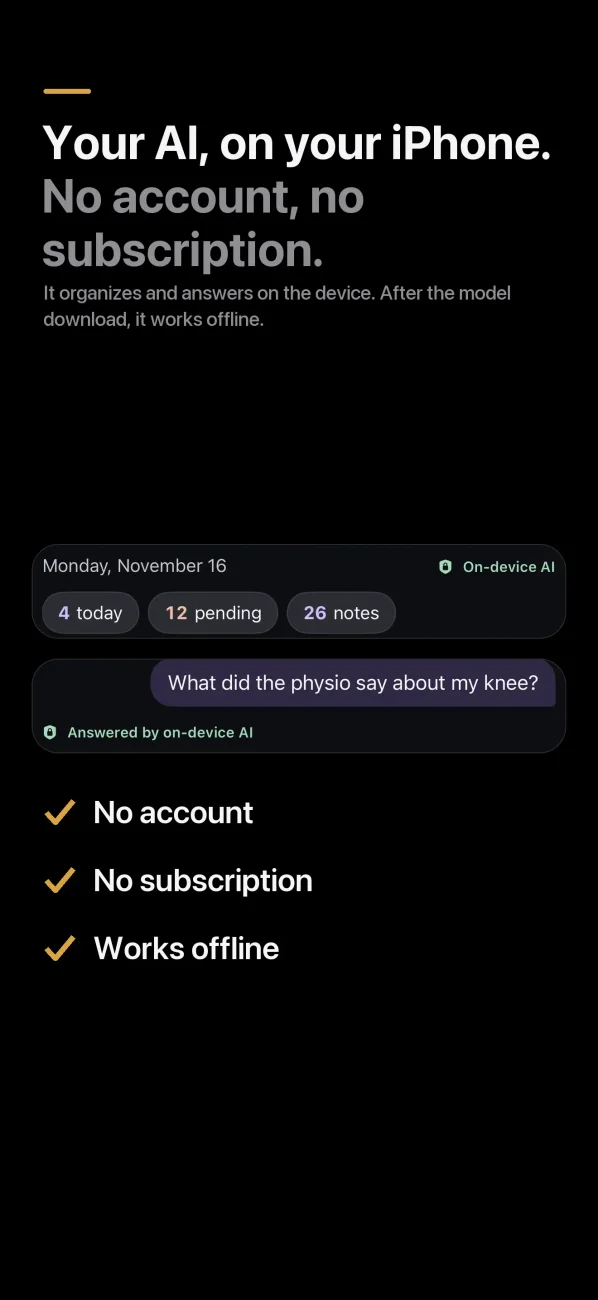
Organize, search and get answers on your device. After the model download, local mode works offline without sending your notes to an AI server. No Estratum account, tokens or per-query fees for local AI.
SAVE NOW. ASK LATER.
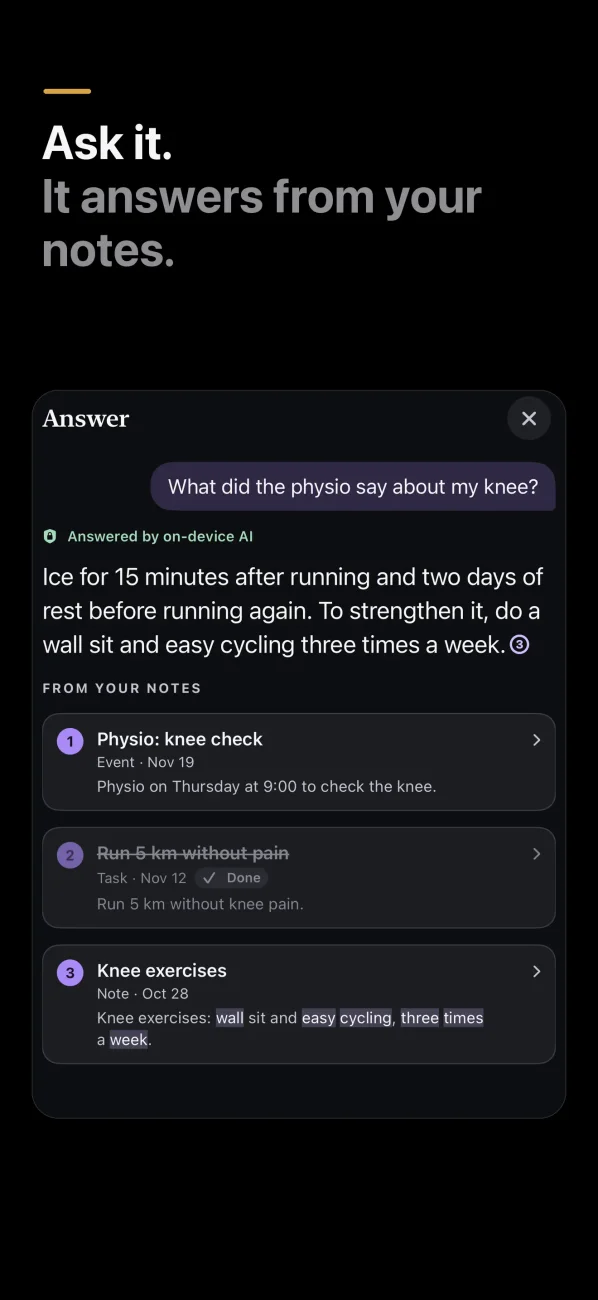
Write or dictate a note. Later, ask “What did we decide about Atlas?” or “What do I have tomorrow?”. Search by meaning helps you find it even with different words. Open the related notes to check the context behind the answer.
FROM PAPER TO SEARCHABLE NOTES
Photograph a document, review the recognized text and confirm. A printed appointment, receipt or set of instructions becomes something you can find by asking, rather than a forgotten photo.
YOUR DAY, IN VIEW
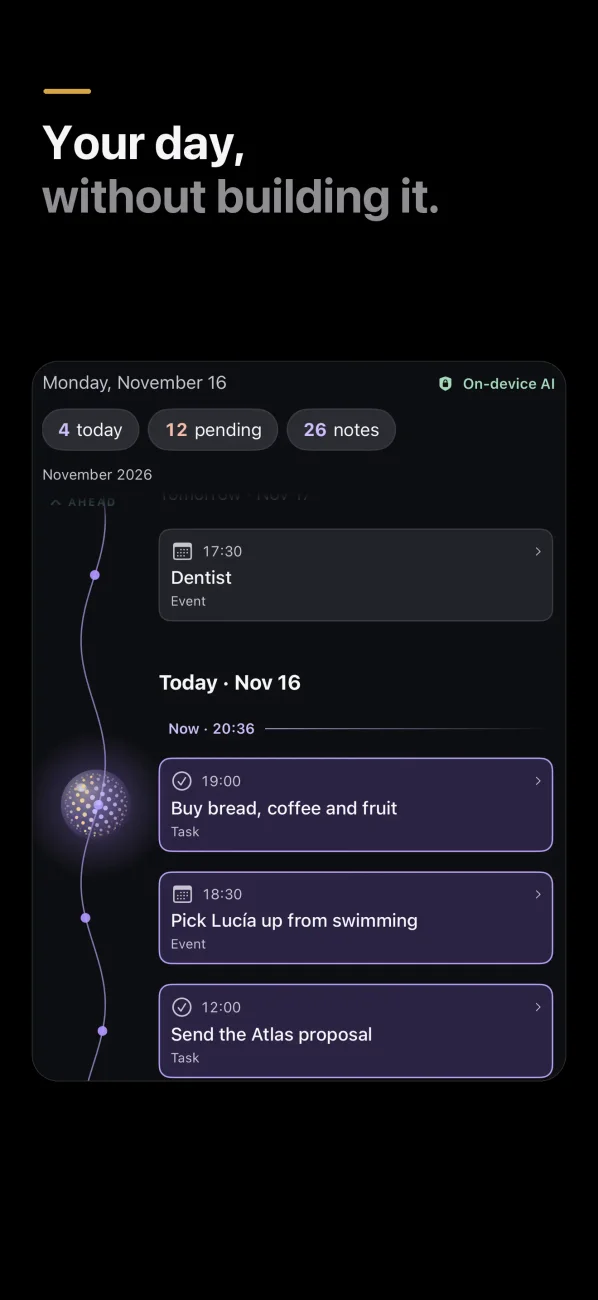
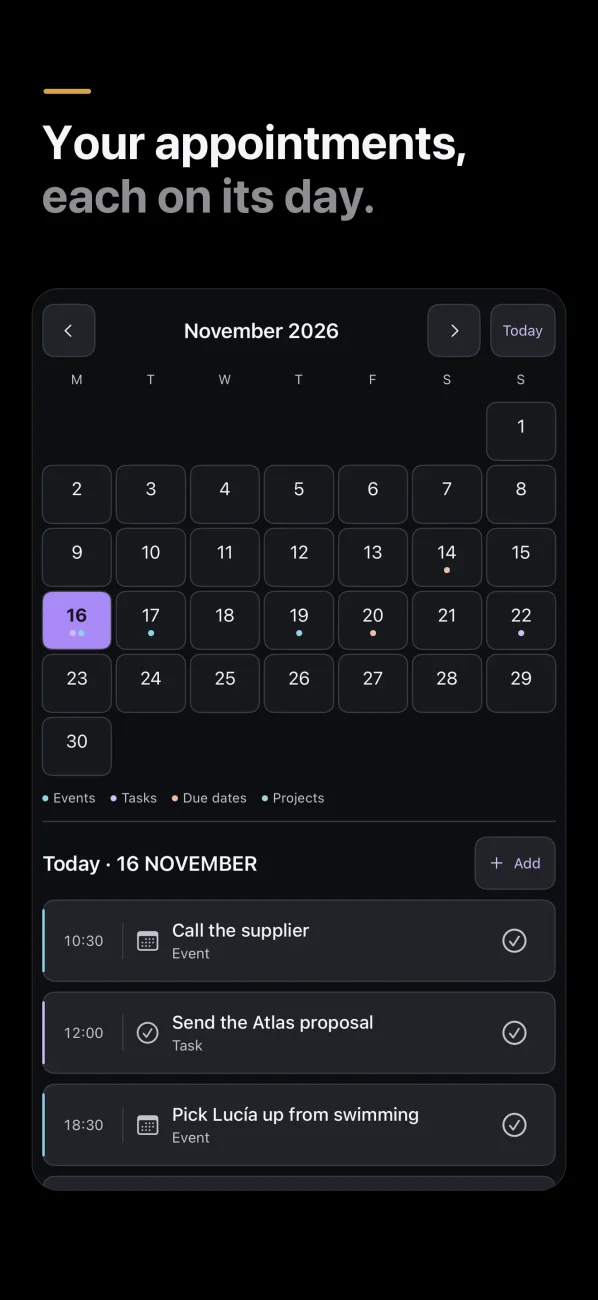
See appointments, tasks and deadlines in a timeline and calendar. Write repeating dates naturally, including yearly birthdays. Basic reminders keep track of what you saved; with Pro, smart reminders choose a useful lead time for the type of information.
SEE HOW IDEAS CONNECT
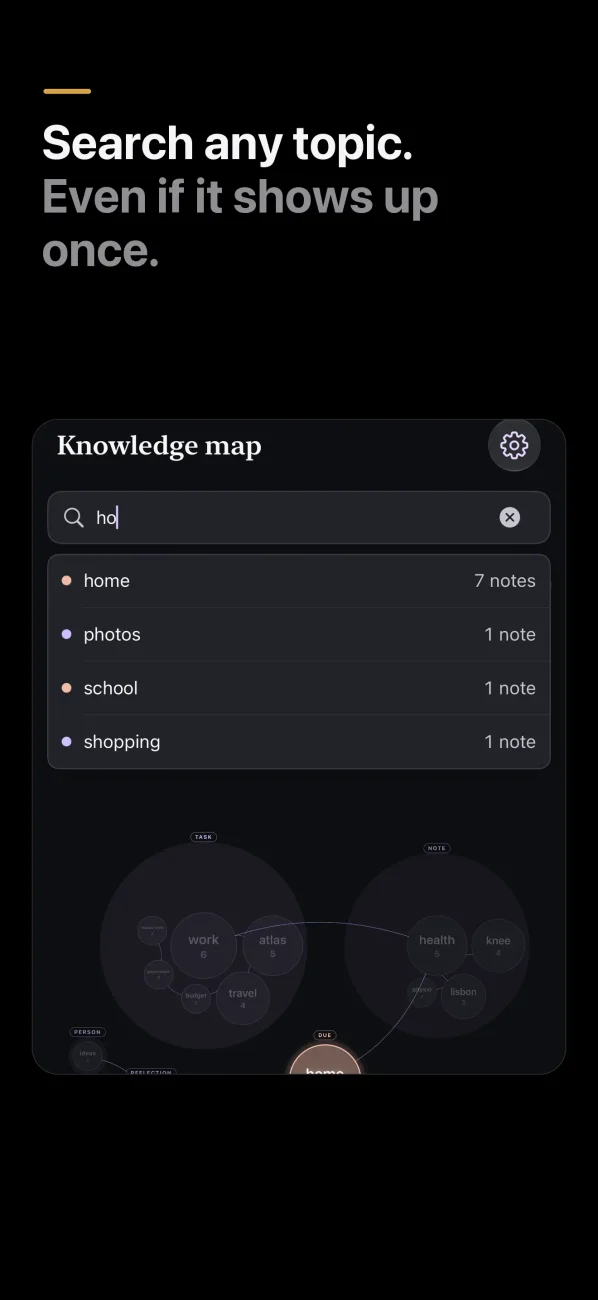
With Pro, explore your notes in the Knowledge Map. Tap a topic to highlight others that share notes and open their content. The Diary gives you another way to revisit what you have saved.
SIRI AND APPLE WATCH, TOO
Capture with Siri or Shortcuts without finding the app first. With Estratum Pro, dictate notes from Apple Watch and check your full upcoming agenda on your wrist. Watch captures reach your phone for organization there. Siri and dictation depend on Apple.
BRING THE NOTES YOU ALREADY HAVE
Import Markdown (.md) files, including from a folder of notes, with dates and tags. Choose which ones to process with Estratum AI.
IPHONE, IPAD AND IPHONE DUO
Light or dark mode. On iPad and an open iPhone Duo, write while consulting your information. Notes shows list and detail together; Calendar pairs the month with your agenda. Fold or switch displays and the layout adapts while keeping your draft.
SYNC ONLY IF YOU NEED IT
Optional, free iCloud sync brings your notes between iPhone and iPad. Records are encrypted on your device before leaving; the key syncs through your iCloud Keychain. Turn sync off or delete its cloud copy without deleting local notes. Document photos and AI models are not synced.
FREE TO START. PRO WITHOUT A SUBSCRIPTION.
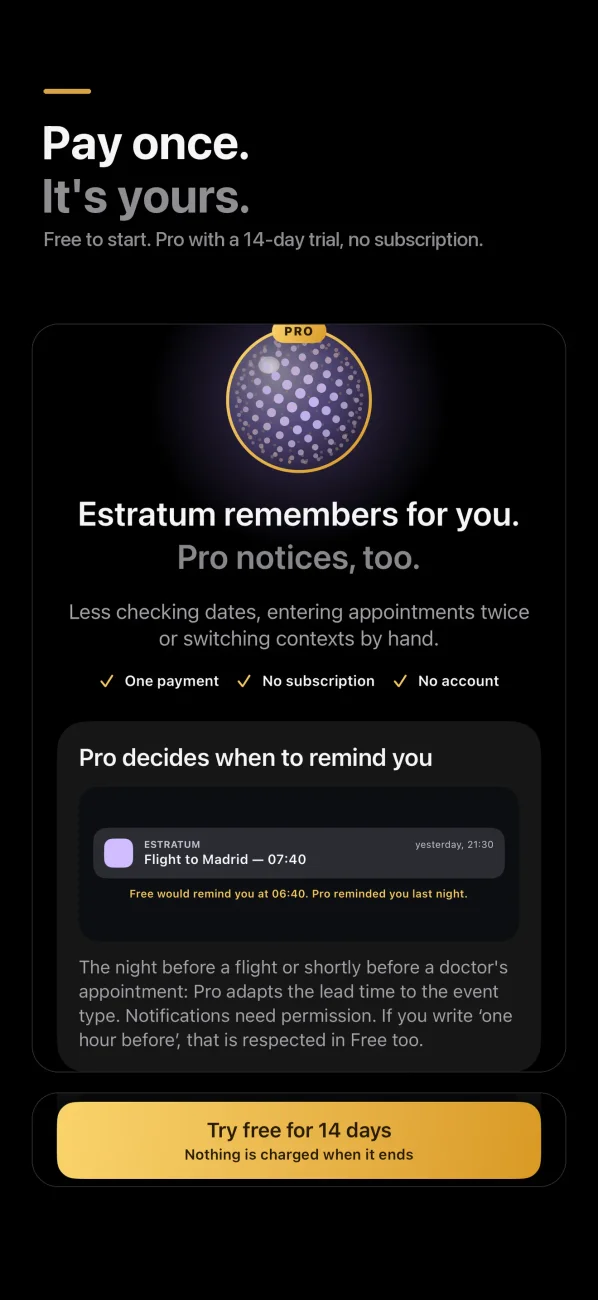
Free includes unlimited saves, 7 questions per week, basic reminders and the same AI as Pro. Pro adds unlimited questions, Knowledge Map, Diary, Apple Watch, smart reminders, Apple Calendar integration and automatic Home/Work switching with the relevant permissions.
Try Pro free for 14 days. Nothing is charged when it ends. The full unlock is a separate one-time purchase, not an Estratum subscription.
YOUR INFORMATION. YOUR CHOICES.
No ads or selling your data. Apple Private Cloud Compute and external providers are optional, consented cloud choices, not local processing. External providers need your own API key and may charge their own fees.
Qwen requires a download and at least 6 GB RAM. Apple's on-device model depends on system availability. Without a local engine, you can configure an external provider.
Estratum does not diagnose or treat health conditions. Available in English and Spanish.
Write it down. Estratum takes care of the order.
新機能
バージョン 1.5.1 · 2026/11/27
· Start without downloading the Estratum model. You can download it later from Settings.
· Edit notes with Save and Cancel at the top, away from the keyboard and easier to tap.
· Swipe a note to mark it done. On iOS 27, you can also do this in Map, Calendar and Past Appointments.
· When you scan a medical appointment, Estratum checks the text before adding a specialty to the title.
· In portrait on iPad, the Map title stays visible.
アプリのプライバシー
このアプリのデータの取り扱いについて、LyXeoNがApp Storeで申告している内容です。
-
ユーザーに関連付けられたデータ
収集され、ユーザーの識別情報に関連付けられる場合があります。
- ユーザーコンテンツ
- 検索履歴
プライバシーの取り扱いは、ご利用の機能やお客様の年齢などに応じて異なる場合があります。
情報
- 販売元
- bruno pardini lobo
- カテゴリ
- 仕事効率化
- バージョン
- 1.5.1
- 更新日
- 2026/11/27
- リリース
- 2026/9/2
- サイズ
- 38.4 MB
- 必要条件
- iOS 18.0以降
- 対象年齢
- 4+
- 価格
- 無料
- アプリ内課金
- あり
- 言語
- 英語, スペイン語
- 著作権
- © 2026 Bruno Pardini