
- 対象年齢4+
- カテゴリユーティリティ
- 開発元Martin Stockzell
- 言語英語
- サイズ4.6 MB
App Storeの公式ページにリンクしています
Download.orgはEVLogのファイルを一切ホストしていません。ボタンを押すと、Martin Stockzellが公開しているApp Storeのアプリページが開きます。ページの最終確認:2026/11/23。
スクリーンショット
概要
開発元はこのテキストをお使いの言語で提供していません。
EVLog is a native iPhone client for your own TeslaMate server. It reads the data your instance has already collected — drives, charges, statistics, battery health — and gives it an interface built for the phone, rather than a dashboard squeezed onto a small screen.
It talks only to servers you run yourself. It never connects to Tesla, there is no account to create, no service in between, and nothing leaves your network.
Until a server address is in place the app runs in a built-in demo — three weeks of example data — so you can try every screen before you point it at your own server. A switch in Settings takes you back to the demo any time.
OVERVIEW
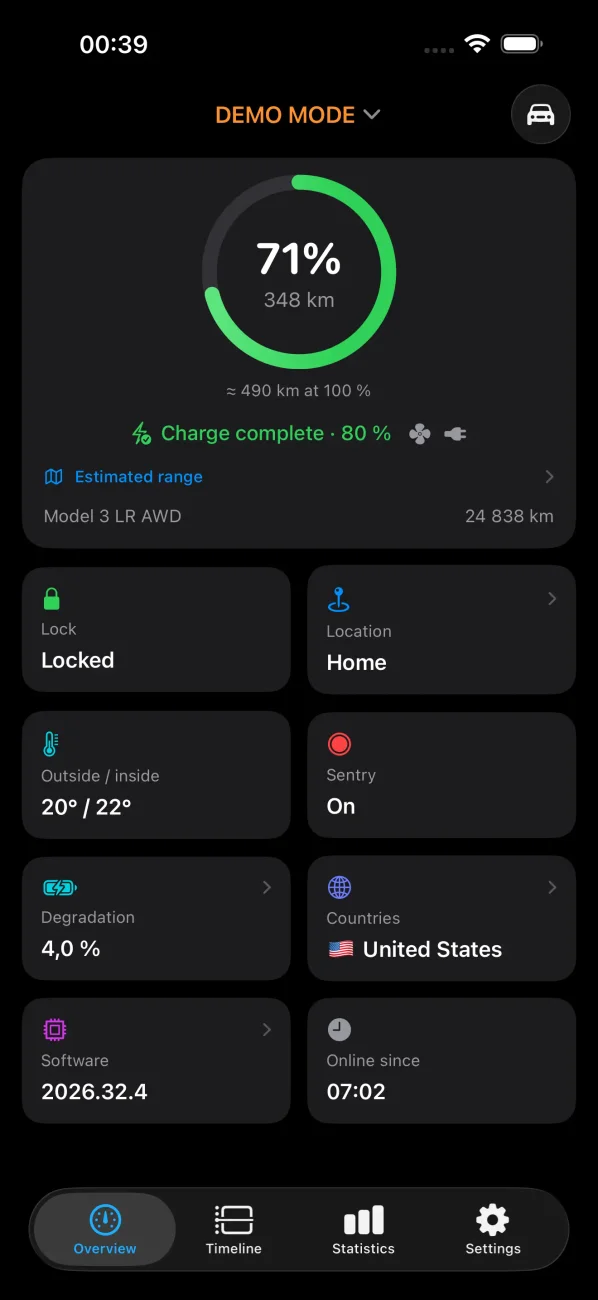
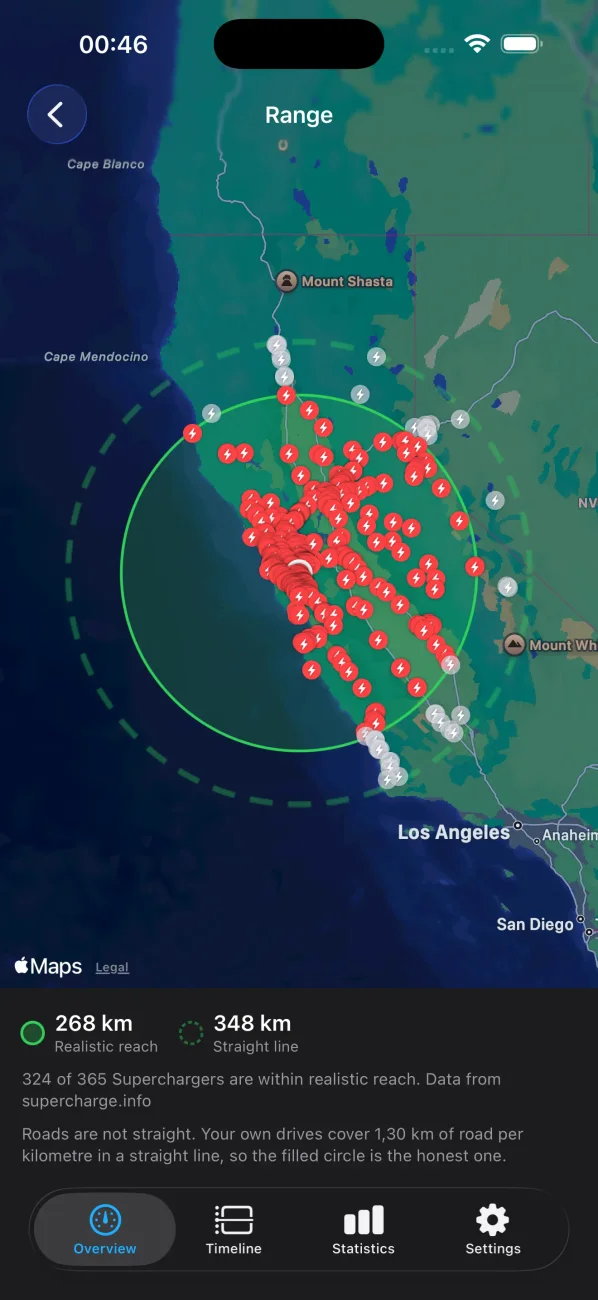
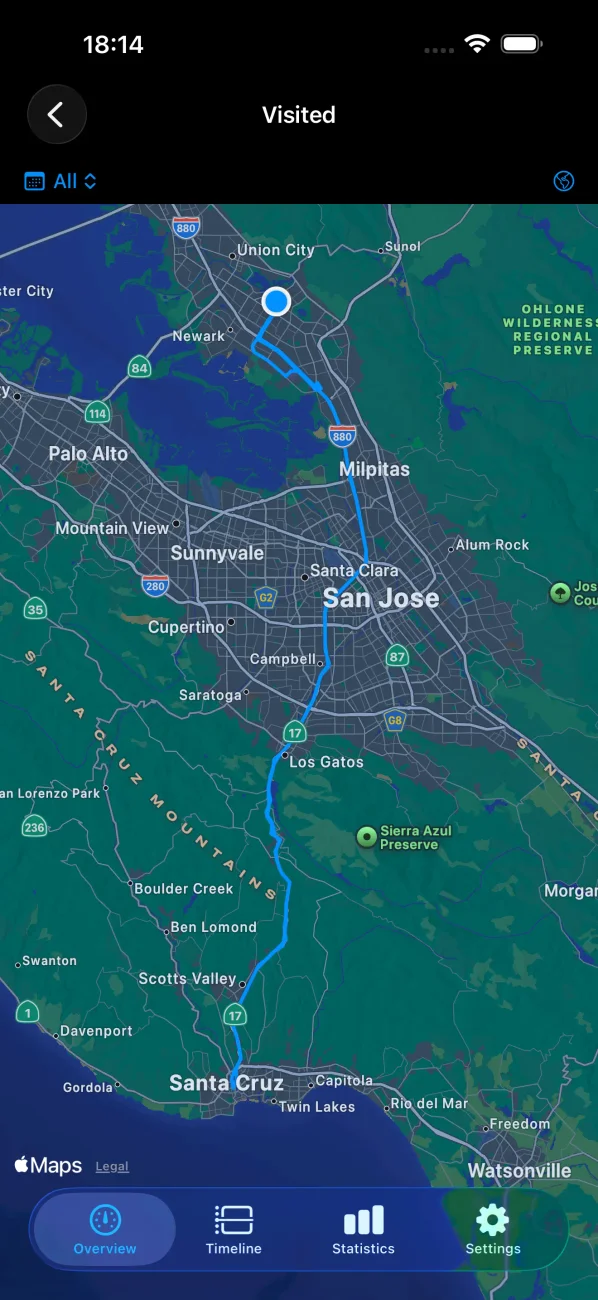
Battery ring with range, what the cable is doing right now, TeslaMate's own status glyphs — preconditioning, the battery heater, open doors and windows, tyre pressure and more — plus lock state, Sentry, location, inside and outside temperature, degradation, the countries the car has driven in, software version, and how long ago the car was last heard from. Degradation opens a battery page: capacity against mileage, charge by charge, and how long the pack has sat at each charge level. The car's name opens a spec sheet: model, VIN, efficiency, and with a Tessie key the car's own configuration. From here you reach a map of every place the car has been over any period you choose, on a plain map or satellite imagery, and a range map showing how far the current charge takes you — using a detour factor from your own trips.
TIMELINE
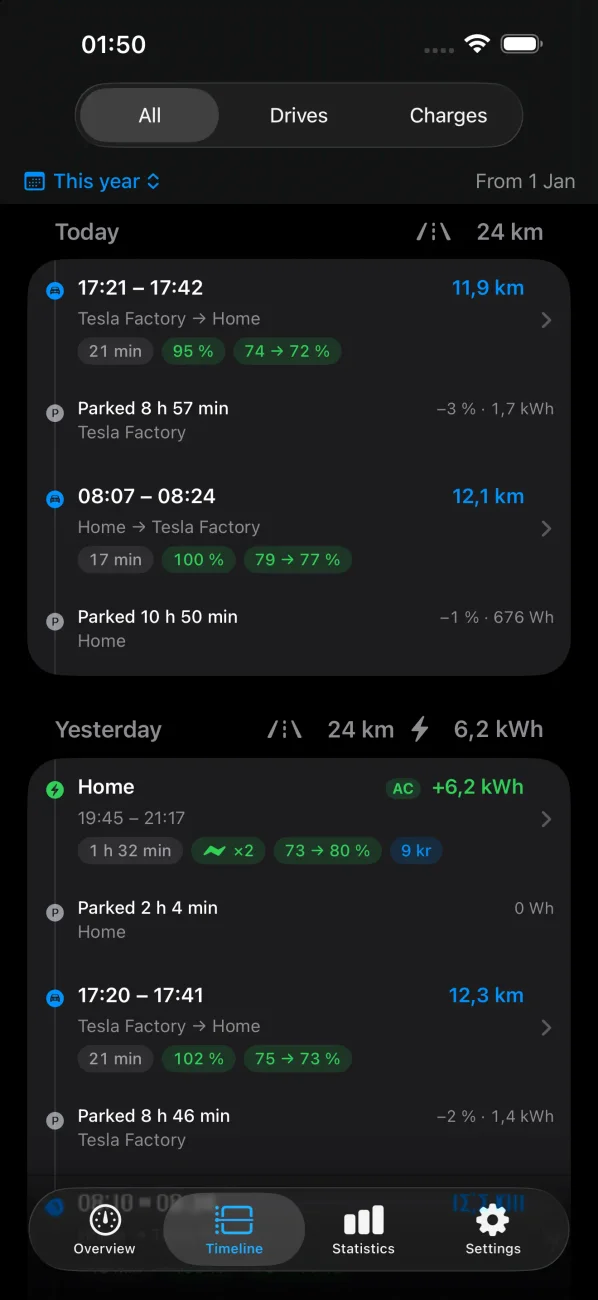
Drives, charges and the parking in between, as one flow per day, going back as far as you choose: the last week, the last month, this year or everything. A parked row says how long the car stood and what it cost the battery. When the odometer shows the car moved while nothing was logged, the row says so instead of pretending the car stood still. Software updates get a row of their own. Swipe inside a drive or a charge to step through the day without going back to the list.
DRIVES
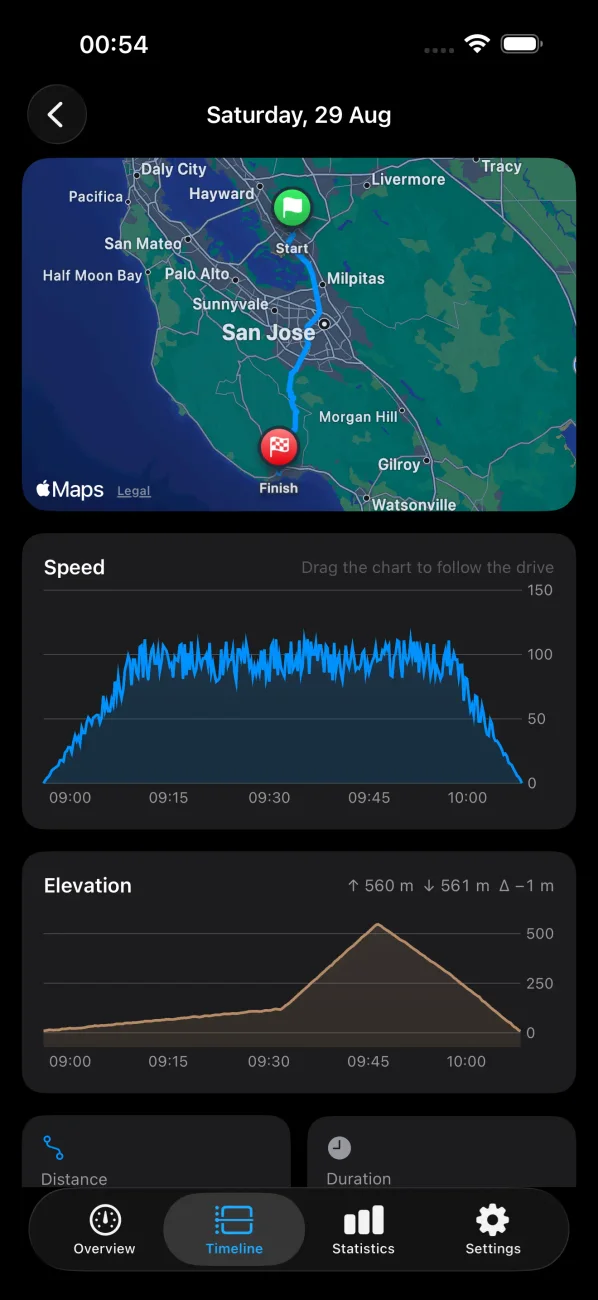
The route on a map, a speed graph you can drag along to follow the car through the trip, the elevation profile beneath it, energy and regen, consumption, and efficiency as a percentage of rated consumption. Drives where the battery heater ran are marked.
CHARGES
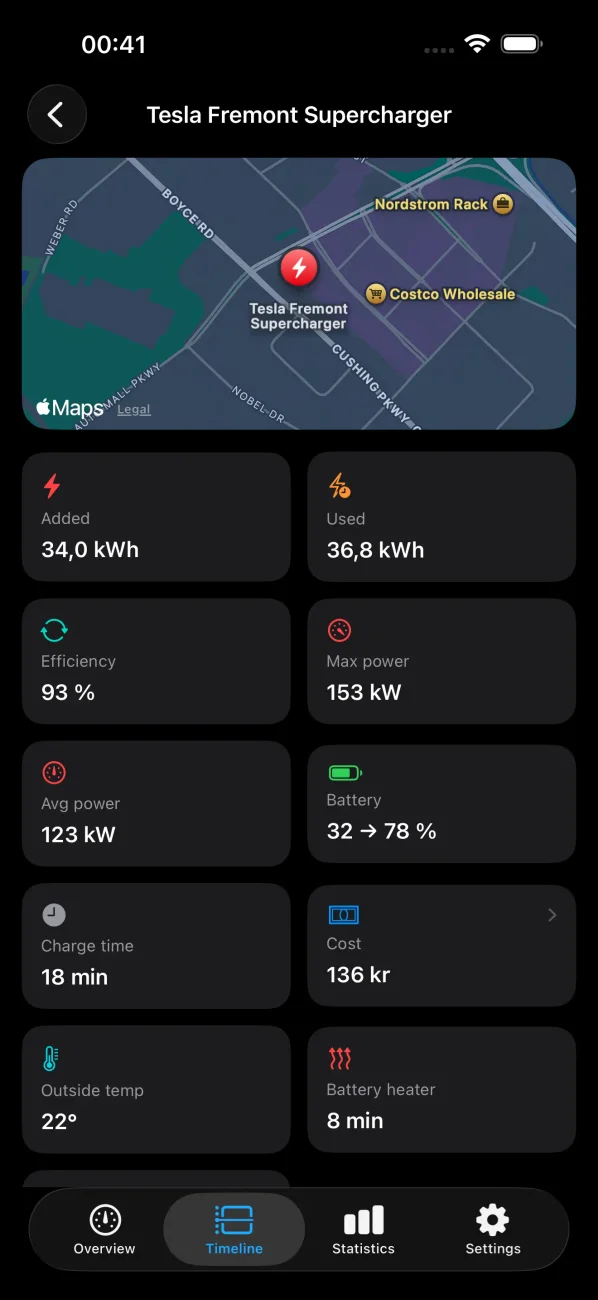
AC and DC told apart, the charging curve with a readout under your finger, added and used energy, average and peak power, cost, and what the battery heater and cabin climate drew while the car charged. A card names what set the pace: the charger, a cold battery, the heater, or a DC start above half full. A car left plugged in across several charging processes is shown as one charge. Costs TeslaMate never receives from Tesla can be filled in from Tessie, if you use it.
STATISTICS
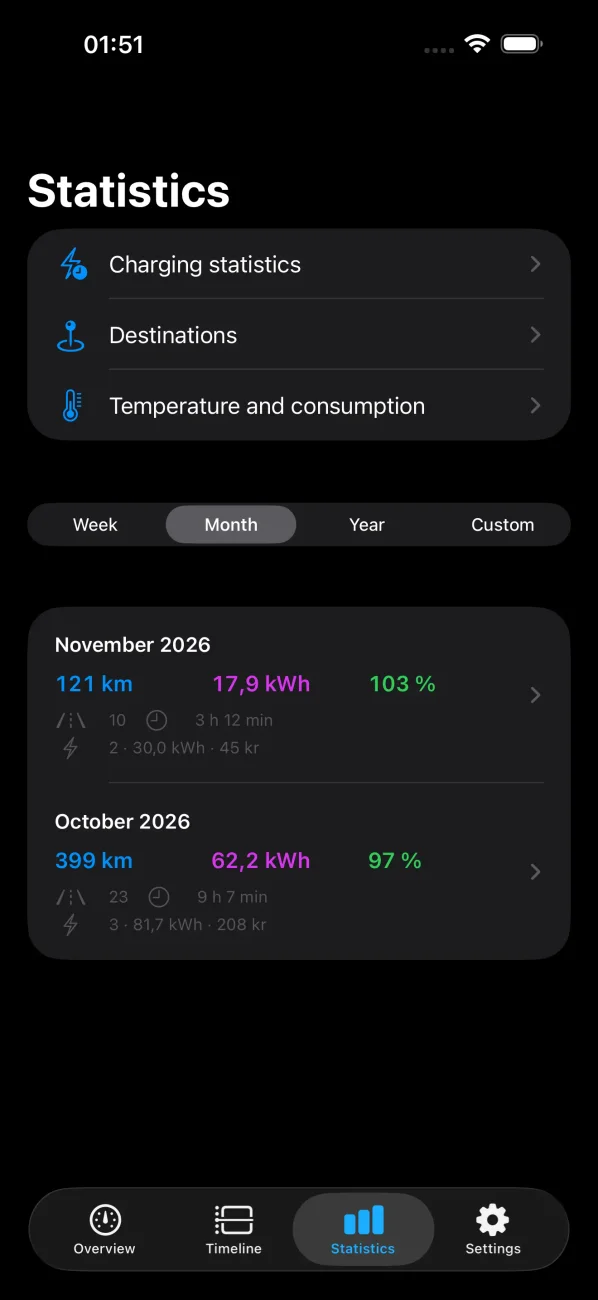
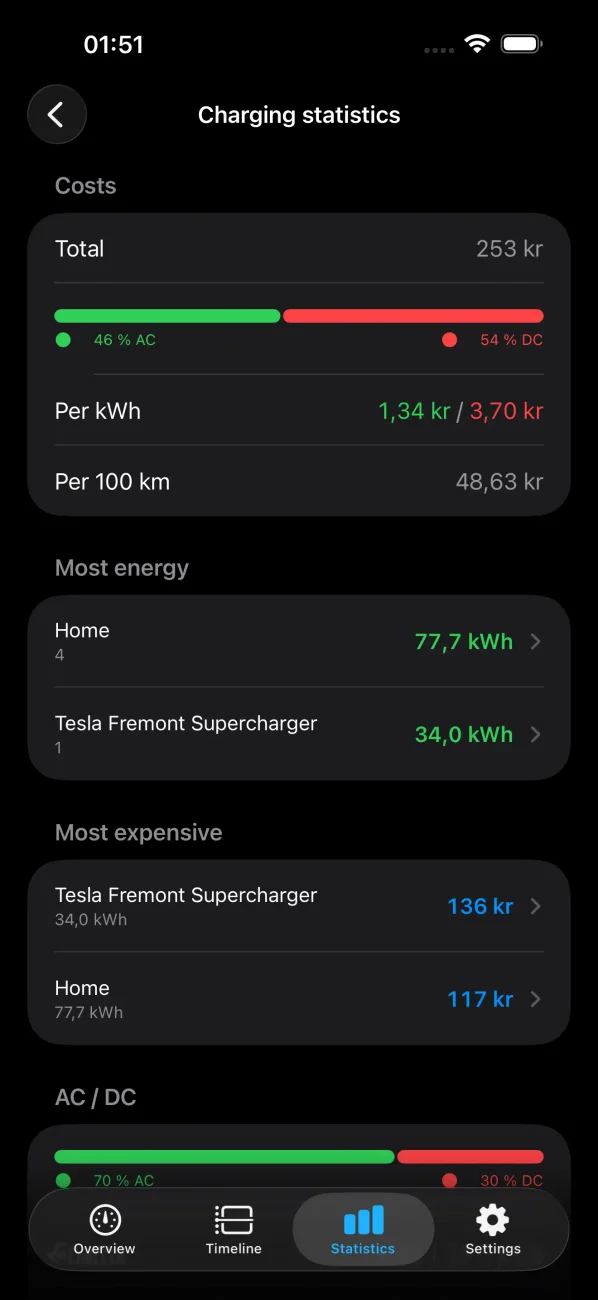
Week, month, year or any span of days you pick, each against the one before and a year earlier, drilling down to a single day and its drives. Charging statistics with what charging costs in all, per kWh and per 100 km, top locations, AC/DC split, and a weekday-by-hour heat map. Destinations: where the car goes most often and where it covers the most distance, each opening into the drives behind it, weekdays against weekends, and a heat map of when you drive. Temperature and consumption: consumption grouped by outside temperature, the coldest fifth of your driving against the warmest.
FREE AND OPEN SOURCE
No ads, no in-app purchases, no analytics. The source is on GitHub under the MIT licence.
WHAT YOU NEED
Nothing, to look around — the built-in demo needs no server at all. For your own data:
• A running TeslaMate instance
• teslamateapi reachable from your phone
• Optionally Grafana, for the visited-places map, battery health and a few queries the API does not expose
• Optionally a Tessie API key, only to fill in costs TeslaMate never records
Light and dark, km or miles, °C or °F, costs in your own currency.
This project is an unofficial community tool and is not affiliated with, endorsed by, or supported by the official TeslaMate project.
新機能
バージョン 3.6 · 2026/11/20
What's new
• Distance and temperature have a setting each, so miles and °C can go together.
• Tap a week, month or year in Statistics to see its distance and energy against the period before and the same one a year earlier.
Bug fixes
• A phone set to the UK now shows temperatures in °C from the start, not °F.
Full story: https://evlog.martinstockzell.se/changelog/
アプリのプライバシー
このアプリのデータの取り扱いについて、Martin StockzellがApp Storeで申告している内容です。
-
データの収集なし
開発元はこのアプリからデータを収集しません。
プライバシーの取り扱いは、ご利用の機能やお客様の年齢などに応じて異なる場合があります。
情報
- 販売元
- Martin Stockzell
- カテゴリ
- ユーティリティ
- バージョン
- 3.6
- 更新日
- 2026/11/20
- リリース
- 2026/8/21
- サイズ
- 4.6 MB
- 必要条件
- iOS 18.0以降
- 対象年齢
- 4+
- 価格
- 無料
- 言語
- 英語
- 著作権
- © 2026 Martin Stockzell