
- 対象年齢4+
- カテゴリ仕事効率化
- 開発元MUSTAFA GOZHAMAM
- 言語英語ほか1言語
- サイズ9.5 MB
App Storeの公式ページにリンクしています
Download.orgはEyle: App Blocker & Focusのファイルを一切ホストしていません。ボタンを押すと、MUSTAFA GOZHAMAMが公開しているApp Storeのアプリページが開きます。ページの最終確認:2026/11/14。
スクリーンショット
概要
開発元はこのテキストをお使いの言語で提供していません。
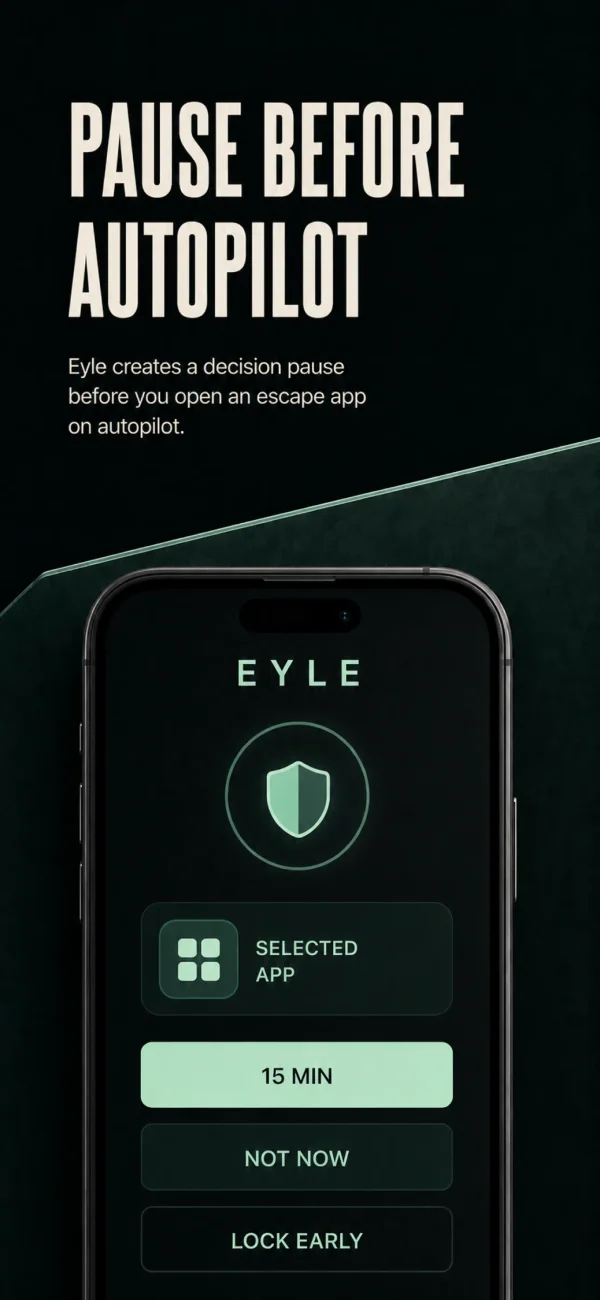
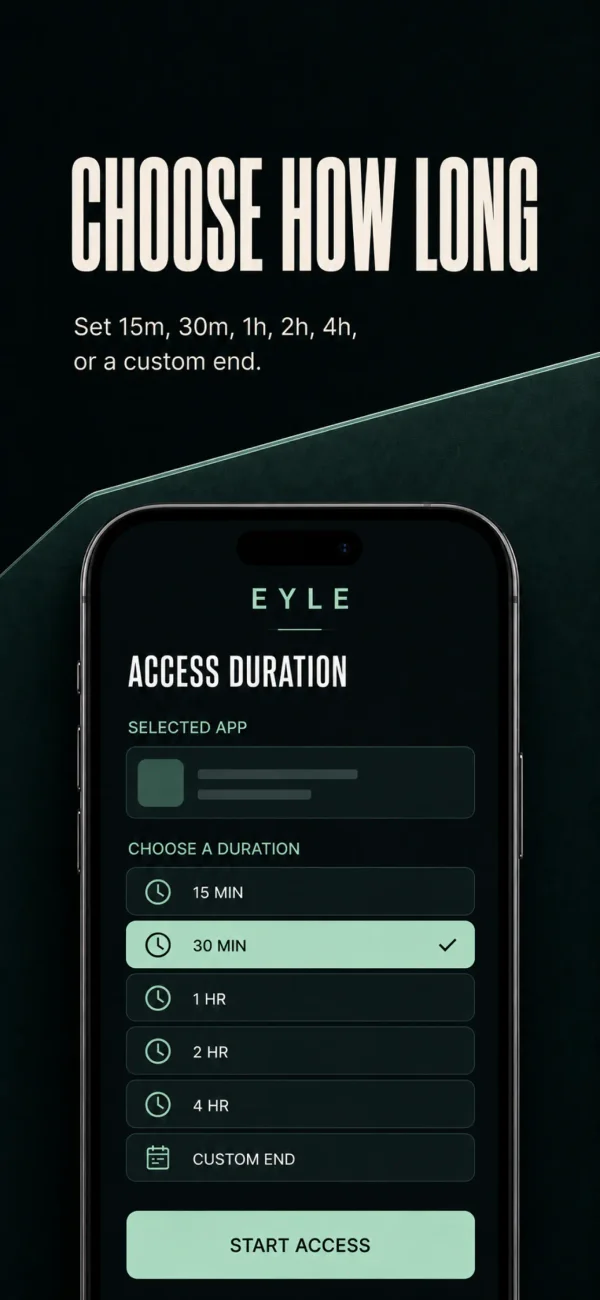
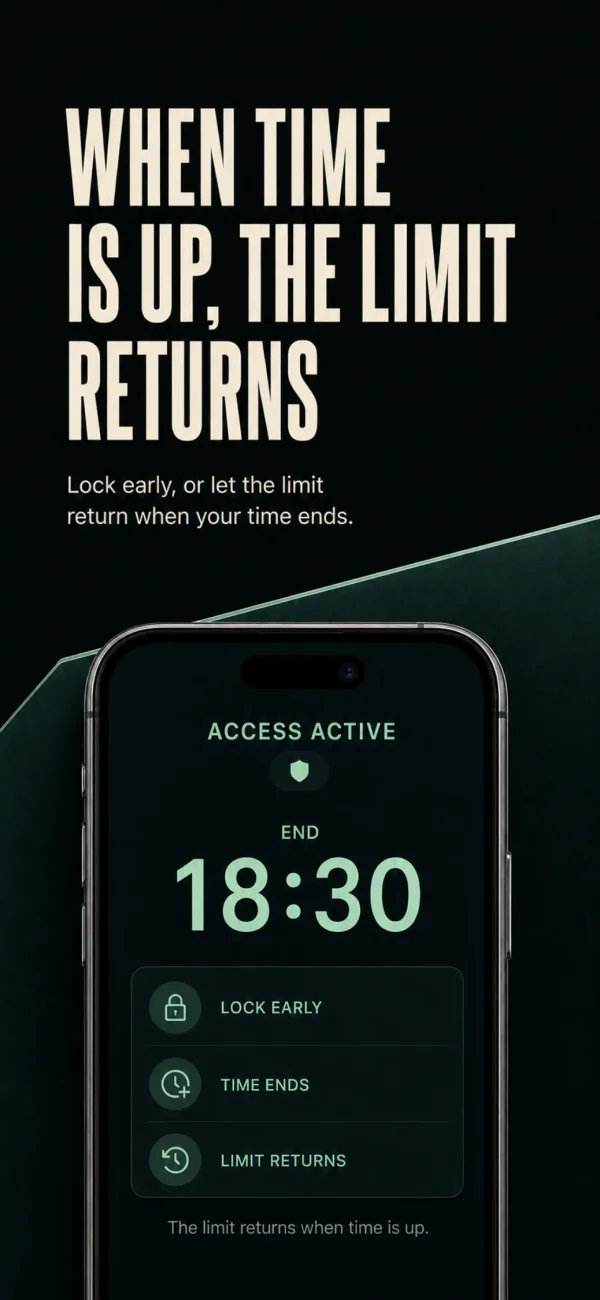
Eyle does more than block distracting apps. It creates a short decision pause when you open an app on autopilot. If you genuinely need it, take timed access to only the app you choose; when time is up, the access limit returns automatically.
PAUSE, DECIDE, RETURN
Most tools either block everything or only count time. Eyle adds a deliberate decision point: do you want to continue, or return to what you actually meant to do?
LIMIT THE APPS YOU CHOOSE
Use Apple's FamilyActivityPicker to select apps, categories, or web domains. Eyle applies access limits only to your selections through Apple Screen Time.
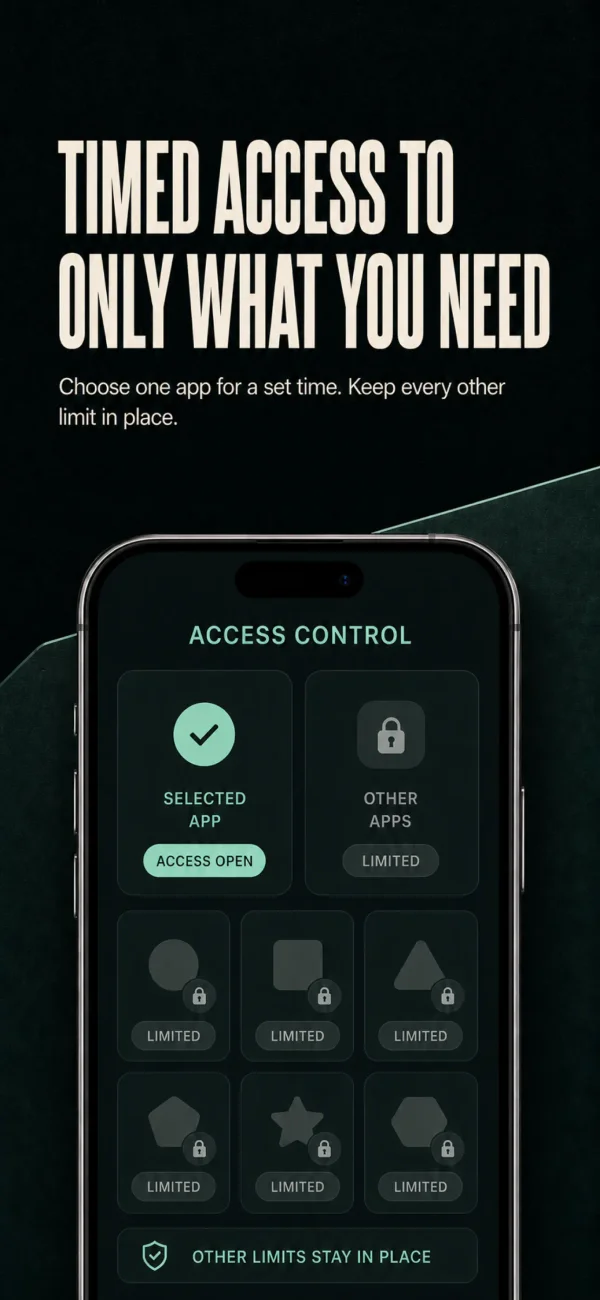
TIMED ACCESS TO ONE APP
Even when several apps are limited, you can temporarily open only the app you need while every other limit stays in place. When time expires, full protection returns automatically.
RETURN TO YOUR FIRST REAL-WORLD STEP
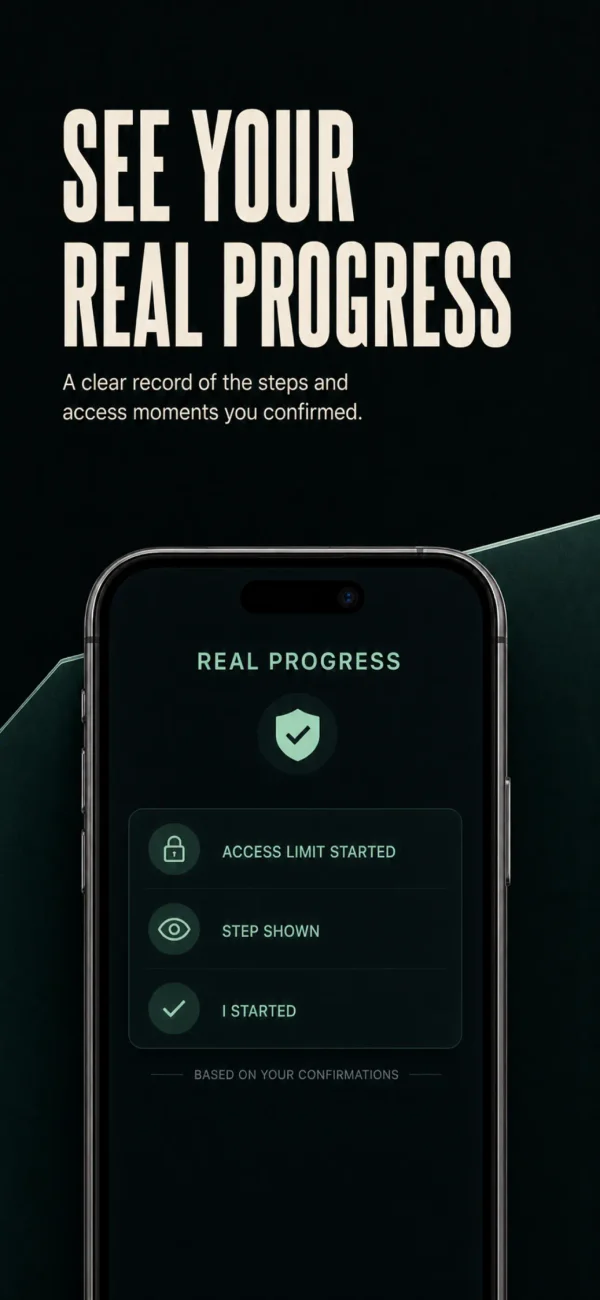
While calm, define one goal and three practical steps. After the decision pause, start the first step, make it smaller if needed, and honestly record whether you began. Eyle never assigns progress or focus time that you did not confirm.
FREE AND PRO
Your first three app limits are free. Pro unlocks new app limits, full return history, and unlimited online plan generation when you opt in. Emergency access and restoring an active limit early are never paywalled. Apple's purchase sheet shows the current price, period, and any offer available to you.
PRIVACY
Eyle does not read messages, contacts, or the content of selected apps. Screen Time selections stay on your device as Apple opaque tokens. The core flow needs no account or internet connection. Online plans run only with your explicit consent.
Privacy: https://webora.team/eyle/privacy
Terms: https://webora.team/eyle/terms
Subscription rules: https://webora.team/eyle/subscription-rules
新機能
バージョン 1.2 · 2026/7/22
In this update:
• The free-use allowance no longer resets after reinstalling the app
• Return screens and product language are clearer
• Estimated focus time is gone; progress now shows only starts you confirm
• The progress screen is easier to understand
アプリのプライバシー
このアプリのデータの取り扱いについて、MUSTAFA GOZHAMAMがApp Storeで申告している内容です。
-
ユーザーに関連付けられないデータ
収集される場合がありますが、ユーザーの識別情報には関連付けられません。
- 購入
- ユーザーコンテンツ
- ID
プライバシーの取り扱いは、ご利用の機能やお客様の年齢などに応じて異なる場合があります。
情報
- 販売元
- MUSTAFA GOZHAMAM
- カテゴリ
- 仕事効率化
- バージョン
- 1.2
- 更新日
- 2026/7/22
- リリース
- 2026/7/16
- サイズ
- 9.5 MB
- 必要条件
- iOS 17.0以降
- 対象年齢
- 4+
- 価格
- 無料
- アプリ内課金
- あり
- 言語
- 英語, トルコ語
- 著作権
- © 2026 Mustafa Gözhamam
こちらもおすすめ
-
 Plano: 月間カレンダー&タスク管理予定・リマインダー・天気・手書き手帳
-
 Planbound: Time Block Planner仕事効率化
-
 Whittle スクリーンタイムを減らす・スマホ依存毎週8%ずつ、使いすぎ対策と時間管理
-
 Stillock: アプリブロックと集中スクリーンタイムを制限し集中
-
 Odak: SNS・アプリブロッカー気が散る前にひと呼吸
-
 Lock - Screen Time Control仕事効率化
-
 why? – スクリーンタイムスクロール前に、ひと呼吸
-
 FocusCard: スクリーンタイムを稼ぐ歩く・読むでアプリが開く
-
 Fryze - スクリーンタイム管理アプリをブロックして集中
-
 集中タイマー・スマホ依存対策・スクリーンタイムAI・アプリ制限・時間管理・ポモドーロ · Mute