- 対象年齢4+
- カテゴリ旅行
- 開発元BARNKSFORTE TECHNOLOGIES LIMITED
- 言語英語
- サイズ204.0 MB
App Storeの公式ページにリンクしています
Download.orgはFAAN VPassのファイルを一切ホストしていません。ボタンを押すと、BARNKSFORTE TECHNOLOGIES LIMITEDが公開しているApp Storeのアプリページが開きます。ページの最終確認:2026/11/23。
スクリーンショット


概要
開発元はこのテキストをお使いの言語で提供していません。
Make airport identity verification simpler, faster, and more seamless.
vPass is a biometric passenger registration app that allows travelers to complete their identity registration before arriving at FAAN airports across Nigeria.
Register your identity, complete your biometric enrollment, and use your vPass registration for onboarding and biometric verification at the airport.
FEATURES
Digital Passenger Registration
Complete your passenger identity registration securely from your mobile device before your journey.
Biometric Enrollment
Register your facial biometrics as part of your vPass passenger profile.
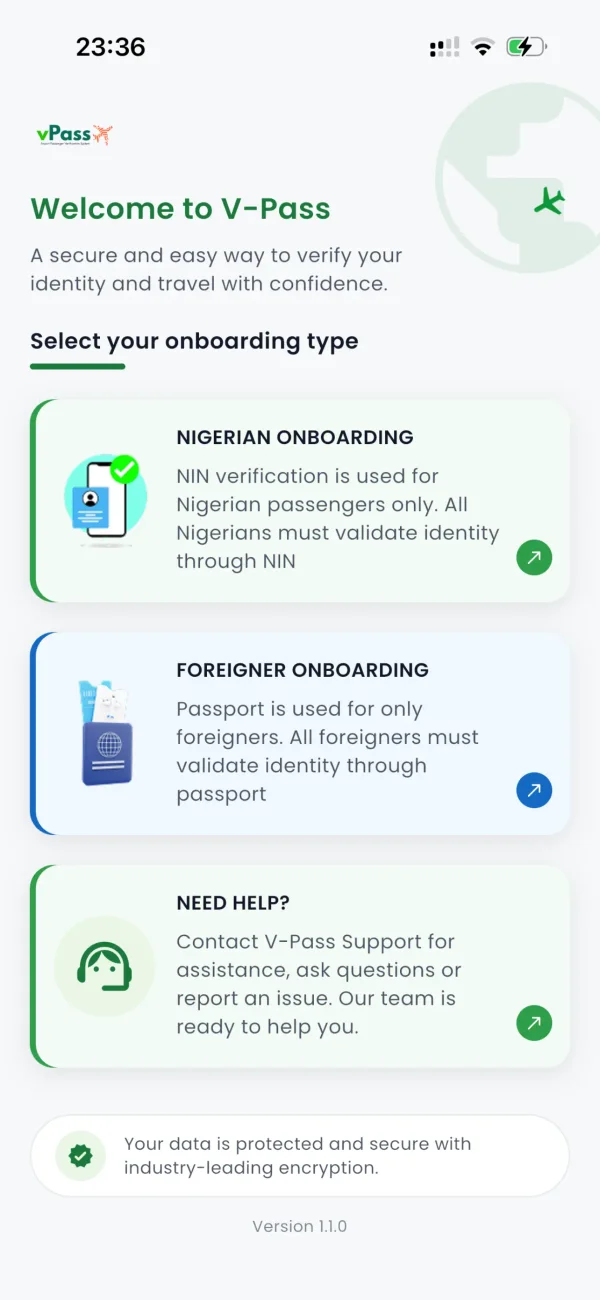
NIN Registration for Nigerian Passengers
Nigerian citizens can register using their National Identification Number (NIN) and facial biometrics.
Passport Registration for Foreign Passengers
Foreign travelers can register using their international passport and facial biometrics.
Airport Onboarding
Your completed vPass registration is used to onboard you at FAAN Airports across Nigeria.
Biometric Verification
Once onboarded, your registered facial biometrics can be used to verify your identity at all airport touchpoints.
Secure Identity Registration
vPass helps connect your verified identity to your passenger profile for a more secure and seamless airport experience.
WHY VPASS?
1. Register Before You Travel
Complete your identity registration before arriving at the airport.
2. Simple and Digital
Complete the registration process conveniently through your mobile device.
3. One Registration, Smoother Verification
Your completed registration helps simplify the onboarding and verification process at FAAN airports.
4. Built for Nigerian Air Travel
VPASS is designed to support a more seamless biometric passenger experience across FAAN airports.
5. Less Repetition
Reduce the need for repeated identity checks as you move through airport touchpoints.
HOW IT WORKS
1. Download the vPass App
2. Create Your Account
Register and provide the required information to begin your vPass enrollment.
3. Register Your Identity
Nigerian passengers provide their NIN, while foreign passengers provide their international passport details.
4. Complete Your Biometric Enrollment
Follow the steps in the app to capture and register your facial biometrics.
5. Complete Your vPass Registration
Review your information and complete the registration process.
6. Visit the vPass Onboarding Point
At the airport, you can also use the onboarding kiosk to register and complete biometric verification.
7. Verify and Continue Your Journey
Once onboarded, use biometric verification at airport touchpoints and enjoy a more seamless passenger experience.
ELIGIBILITY
Passengers travelling through FAAN Airports across Nigeria.
Nigerian Passengers
• Valid NIN
• Facial biometric enrollment
Foreign Passengers
• Valid international passport
• Facial biometric enrollment
新機能
バージョン 1.3.3 · 2026/11/14
This update includes improvements to face capture, and overall app stability.
アプリのプライバシー
このアプリのデータの取り扱いについて、BARNKSFORTE TECHNOLOGIES LIMITEDがApp Storeで申告している内容です。
-
ユーザーに関連付けられたデータ
収集され、ユーザーの識別情報に関連付けられる場合があります。
- 連絡先情報
-
ユーザーに関連付けられないデータ
収集される場合がありますが、ユーザーの識別情報には関連付けられません。
- ID
プライバシーの取り扱いは、ご利用の機能やお客様の年齢などに応じて異なる場合があります。
情報
- 販売元
- BARNKSFORTE TECHNOLOGIES LIMITED
- カテゴリ
- 旅行
- バージョン
- 1.3.3
- 更新日
- 2026/11/14
- リリース
- 2026/11/10
- サイズ
- 204.0 MB
- 必要条件
- iOS 15.6以降
- 対象年齢
- 4+
- 価格
- 無料
- 言語
- 英語
- 著作権
- Copyright © 2026 vPass Limited. All Rights Reserved.