File manager - Document Editor
File Storage - file explorer
iPhone, iPad, iPod touch向けに設計
無料 · アプリ内課金
- 対象年齢4+
- カテゴリユーティリティ
- 開発元Bhalala Hiren Bharatbai
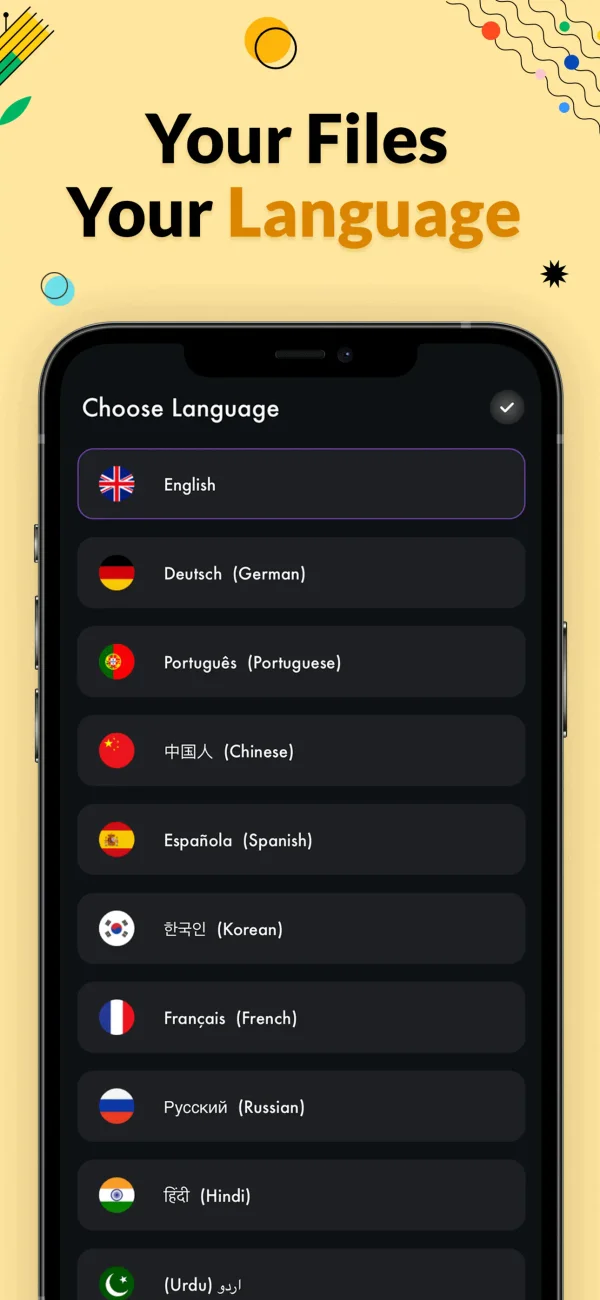
- 言語英語ほか16言語
- サイズ107.0 MB
App Storeの公式ページにリンクしています
Download.orgはFile manager - Document Editorのファイルを一切ホストしていません。ボタンを押すと、Bhalala Hiren Bharatbaiが公開しているApp Storeのアプリページが開きます。ページの最終確認:2026/11/12。
スクリーンショット



概要
開発元はこのテキストをお使いの言語で提供していません。
File Manager File explorer Pro is most powerful file Viewer for User.
With File Manager You can easily manage your files and folders on
your device, Network-attached storage. Main Storage
Internal Storage you can manage all files and folders on both your
storage and iCloud.
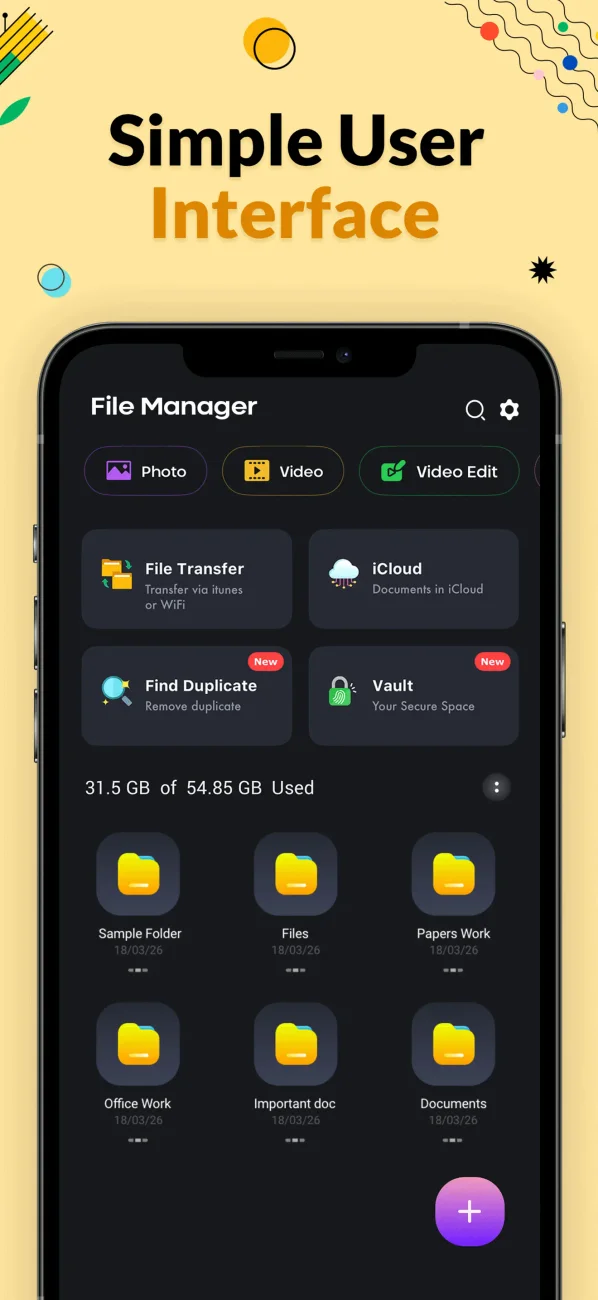
You can find how many files & apps you have on your device at a glance
immediately after opening File manager. It supports every file management
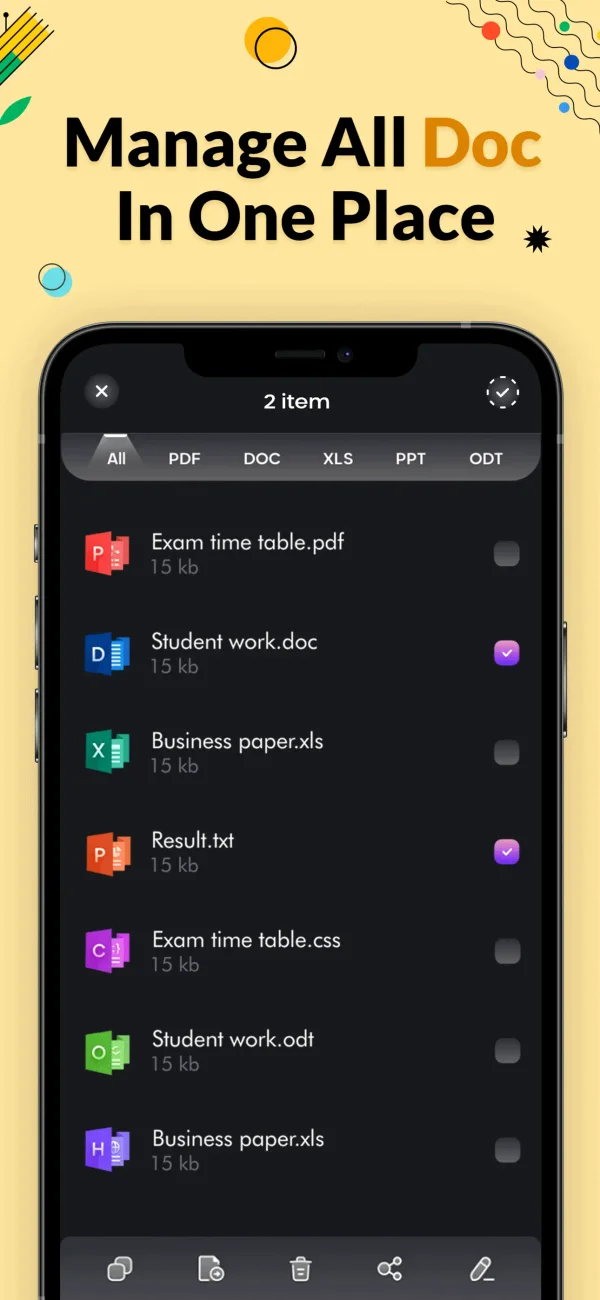
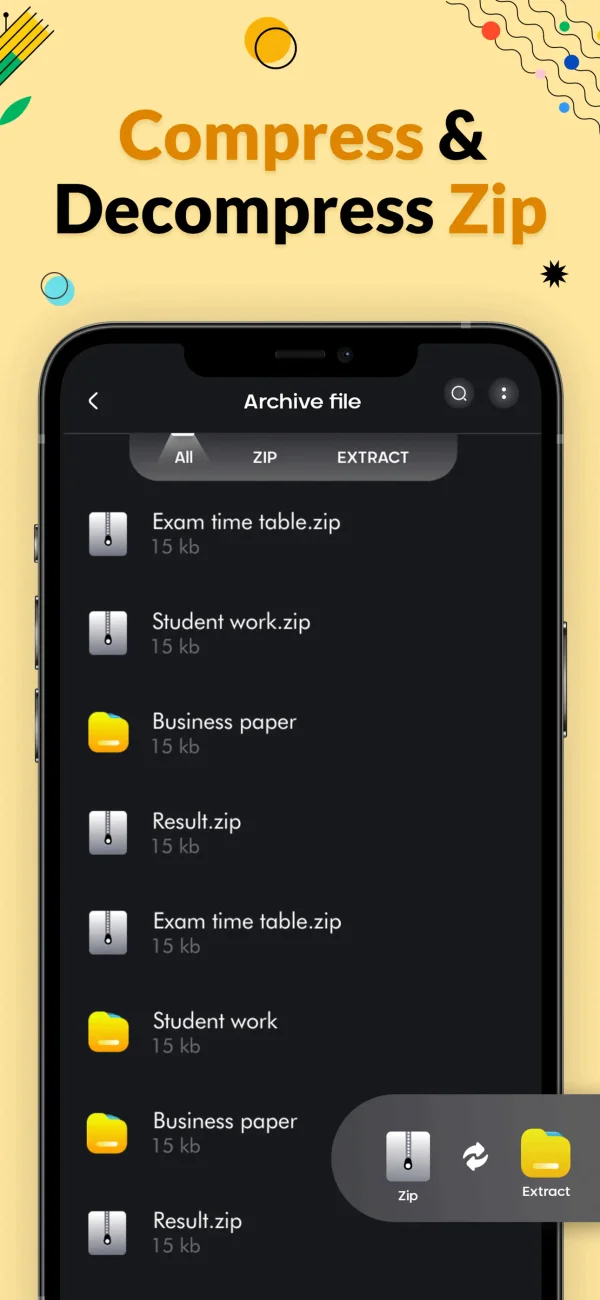
actions File explorer like open, search, navigate directory, copy and paste, cut, delete,
rename, compress, decompress, transfer, download. File Manager Plus supports
media files and major file formats including app.
File Manager File explorer Attractive material Design UI/UX is a Light & smooth,
Simple & clean, Multi themes support. Browse files easily by category right from File Manager’s
home screen: images, videos, music, applications, downloaded.
Manage FIle is to Easy and Powerful File View/Manage for Devices.
you also get a Process Manager and
Backup Manager included within as a bonus. File Commander - File Manager - File Viewer,
Supports Media Files and Major File Formats.
SD File Manager will transfer content between internal storage, usb flash
drive, and cloud storage.
This is a dual-pane Manager, there are two folders shown at same time, and
common operation such as copying files are done from one pane to another
and file manager shows folder hierarchy in a tree view for clear orientation
and fast switching to other location. File Manager Features Open Source, File explorer Pro
light and smooth and based on Material Design guidelines.
file management actions (open, search, navigate directory, copy and paste, cut, delete, rename, compress, decompress, transfer, download, bookmark, and organize). File storage supports media files and major file formats
Full-Featured File Storage Tool
Find powerless to manage tons of files on your mobile device? Try File Manager , see and manage all files, apps, videos and photos downloaded on your local device. Search and erase unused items to free up more space with this document manager tool.
Storage analysis : You can analyze local storages to clean up useless files. You can find out which files take up the most space used File storage.
• Internal image viewer / Internal music player/ Internal text editor : You can choose to use built-in utilities for faster and better performance.
Features
- Search and share files
- Basic features like cut, copy, delete etc. easily accessible
- Images: You can manage image and picture files in your storages. Image preview is available.
- Audios: You can manage all music and sound related files.
- Videos: You can manage all video files in your device.
[File Manager Pro Subscription]
- With a File Manager Pro Unlimited subscription, you have access to all features and App Passcode, Keep folder private etc.
advertisements will be removed automatically.
- File Manager Pro subscription is billed weekly, monthly or annually at the rate corresponding to the selected plan. In addition, a one-time payment will be offered if needed, which is not one of the subscription plan.
- Payment will be charged to iTunes Account at confirmation of purchase.
- Subscription automatically renews unless auto-renew is turned off at least 24-hours before the end of the current period.
- Account will be charged for renewal within 24-hours prior to the end of the current period, and identify the cost of the renewal.
- Subscriptions may be managed by the user and auto-renewal may be turned off by going to the user's Account Settings after purchase.
- Any unused portion of a free trial period, if offered, will be forfeited when the user purchases a subscription to that publication, where applicable.
[Terms of Use]
https://skyinfotechdeveloper.com/FileManager_TermsOfUse.html
[Privacy Policy]
https://skyinfotechdeveloper.com/FileManager_PrivacyPolicy.html
新機能
バージョン 1.0.18 · 2026/7/10
• PDF Tools: Easily Merge or Split your PDF files.
• Converter: Quickly convert images into PDF format.
• Compression: Reduce file size with optional password protection.
• Optimizations: Performance improvements and bug fixes for a smoother experience.
アプリのプライバシー
このアプリのデータの取り扱いについて、Bhalala Hiren BharatbaiがApp Storeで申告している内容です。
-
ユーザーのトラッキングに使用されるデータ
他社のアプリやウェブサイトを横断してユーザーをトラッキングする目的で使用される場合があります。
- 使用状況データ
-
ユーザーに関連付けられたデータ
収集され、ユーザーの識別情報に関連付けられる場合があります。
- 連絡先情報
- 使用状況データ
- 診断
-
ユーザーに関連付けられないデータ
収集される場合がありますが、ユーザーの識別情報には関連付けられません。
- 位置情報
- ユーザーコンテンツ
- 使用状況データ
プライバシーの取り扱いは、ご利用の機能やお客様の年齢などに応じて異なる場合があります。
情報
- 販売元
- Bhalala Hiren Bharatbai
- カテゴリ
- ユーティリティ
- バージョン
- 1.0.18
- 更新日
- 2026/7/10
- リリース
- 2020/2/11
- サイズ
- 107.0 MB
- 必要条件
- iOS 15.6以降
- 対象年齢
- 4+
- 価格
- 無料
- アプリ内課金
- あり
- 言語
- 英語, アラビア語, オランダ語, フランス語, ドイツ語, ギリシャ語, ヒンディー語, 日本語, 韓国語, ポルトガル語, ロシア語, 簡体字中国語 ほか5言語
- 著作権
- © Photo Lab
こちらもおすすめ
-
 ファイル マネージャー - ファイル マスター ドキュメントファイルマネージャー ダウンロード ファイルダウンロード
-
 ES file explorerユーティリティ
-
 My Files - All File Managerユーティリティ
-
 iFiles - ファイルマネージャーエクスプローラーPDFスキャナー&メディアプレーヤー
-
 EZ File Explorer - Zip Unzipユーティリティ
-
 File Manager & Documentsユーティリティ
-
 Any: File Explore & Viewerユーティリティ
-
 MT Browser - File Manager, IDMユーティリティ
-
 ファイルマネージャー, ファイル ブラウザー,ファイルアプリドキュメント ダウンロード: クラウド フォルダ: zip
-
 File Hub by imoreappsAV Player, AI Transcription