
- 対象年齢4+
- カテゴリナビゲーション
- 開発元Hubert GIRAUD
- 言語英語
- サイズ274.1 MB
App Storeの公式ページにリンクしています
Download.orgはFlight Opsのファイルを一切ホストしていません。ボタンを押すと、Hubert GIRAUDが公開しているApp Storeのアプリページが開きます。ページの最終確認:2026/11/15。
スクリーンショット




概要
開発元はこのテキストをお使いの言語で提供していません。
Main functions:
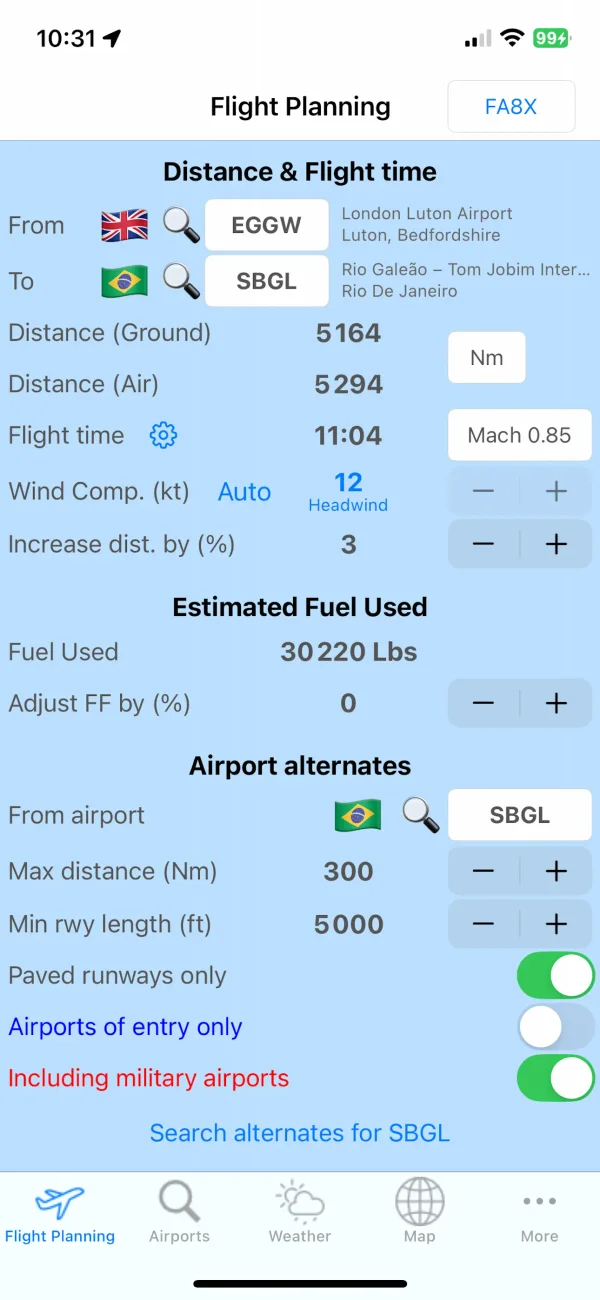
• Distance, flight time and estimated fuel used computation
It will be based on the following parameters:
- Mach number or TAS
- ISA deviation
- Distance factor to compensate great circle distance
- Manual Wind component (Flight Ops Standard)
- Automatic Historical average wind component (Flight Ops Pro)
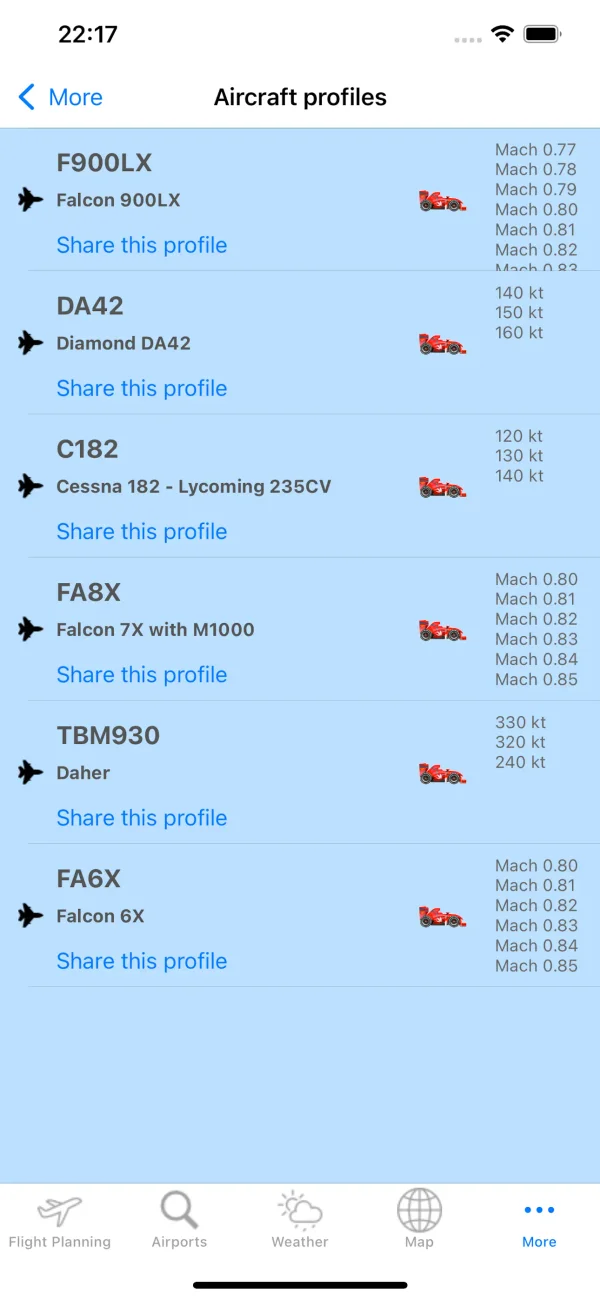
• Aircraft Profiles
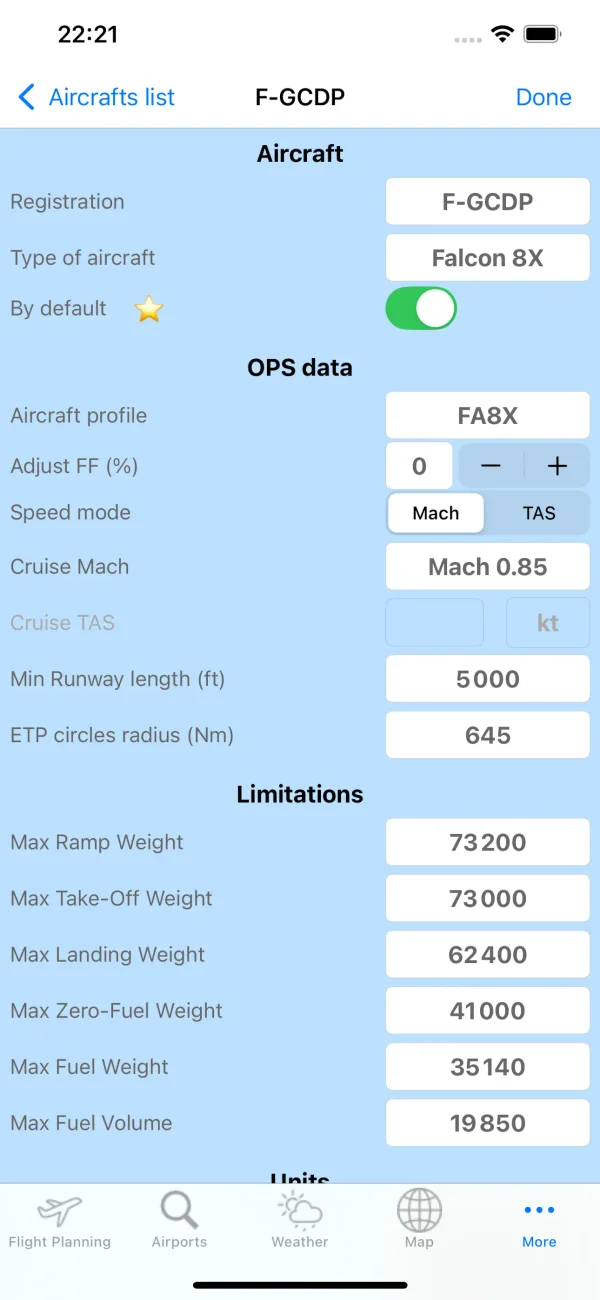
You can easily create and manage your aircraft profiles, setting the following:
- Fuel used depending on distance flown. It can be set for as many distance values as you wish. The more you indicate, the more accurate will be your result! Of course, it can be done for any Mach or TAS
- Structural weight limitations
- ACN/PCN values
In a single tap, you can even share these profiles via Airdrop, email, WhatsApp, Wechat, Dropbox...
An example of aircraft profile with full instructions is provided in the app
• Alternate airports finder
It’s based on the following parameters:
- Distance from destination
- Minimum runway length
- Paved runways or not
- Airports of entry or not
- Including military airports or not
They will be automatically sorted by ascending distance from destination airport
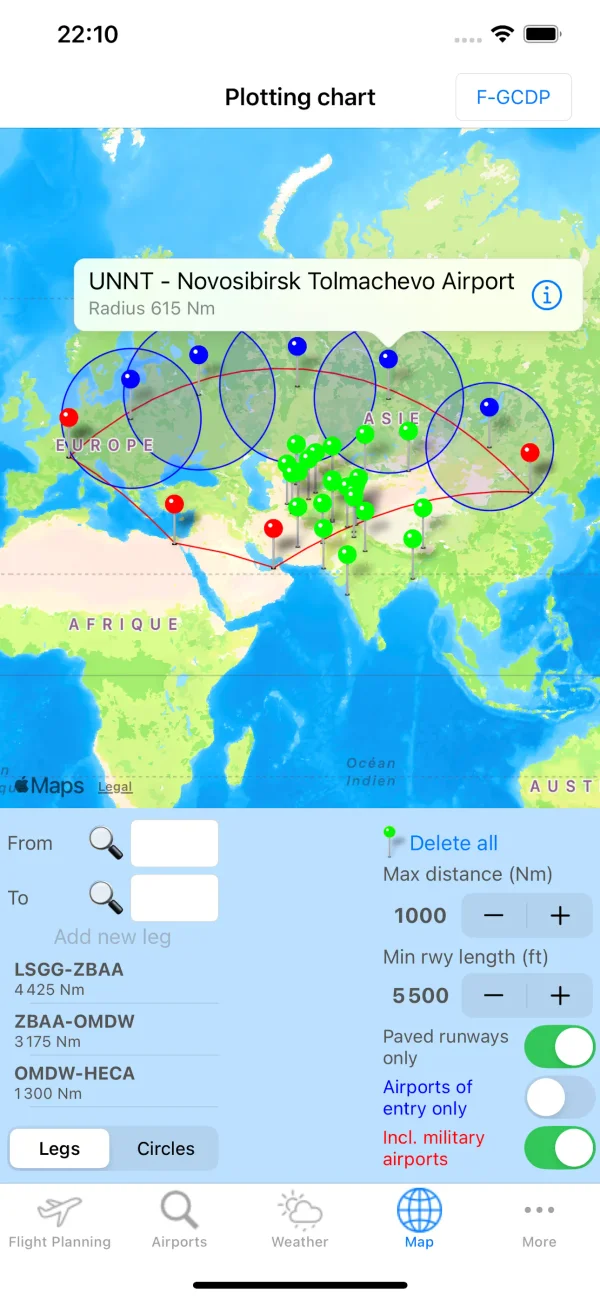
• Plotting map
On this map you can plot:
- Great circle routes between airports
- ETP circles based on a specific radius
- By a long push on the map you can display all airports around, making easy and fast the selection of ETP airports. As for alternates search, this selection is based on same parameters (see above)
• Airports database
- You can search in the database and retrieve any airport(s) based on the following parameters:
ICAO code, IATA code, airport name or city name
- Database can be updated (Flight Ops Pro)
• Fuel uplift module
You can use your aircraft limitations or use the "Free mode".
If you fly different birds, your aircrafts limitations can be stored in the database.
Therefore, no need to remember the max fuel weight or volume nor your maximum ramp weight!
Based on your aircraft limitations, you can easily compute the fuel quantity required.
Just enter desired uplift fuel volume, fuel weight or your desired aircraft ramp weight and Flight Ops will compute other numbers at once!
It considers all common units:
- Weight: Lbs and Kg
- Volume: Liters, US Gal, Imp Gal
- Density: Kg/L, Kg/US Gal, Kg/Imp Gal, Lbs/L, Lbs/US Gal, Lbs/Imp Gal
You cannot get the fuel density from the fueler?
Now you can retrieve it from the fuel temperature and can even select the type of fuel (Jet or Gasoline).
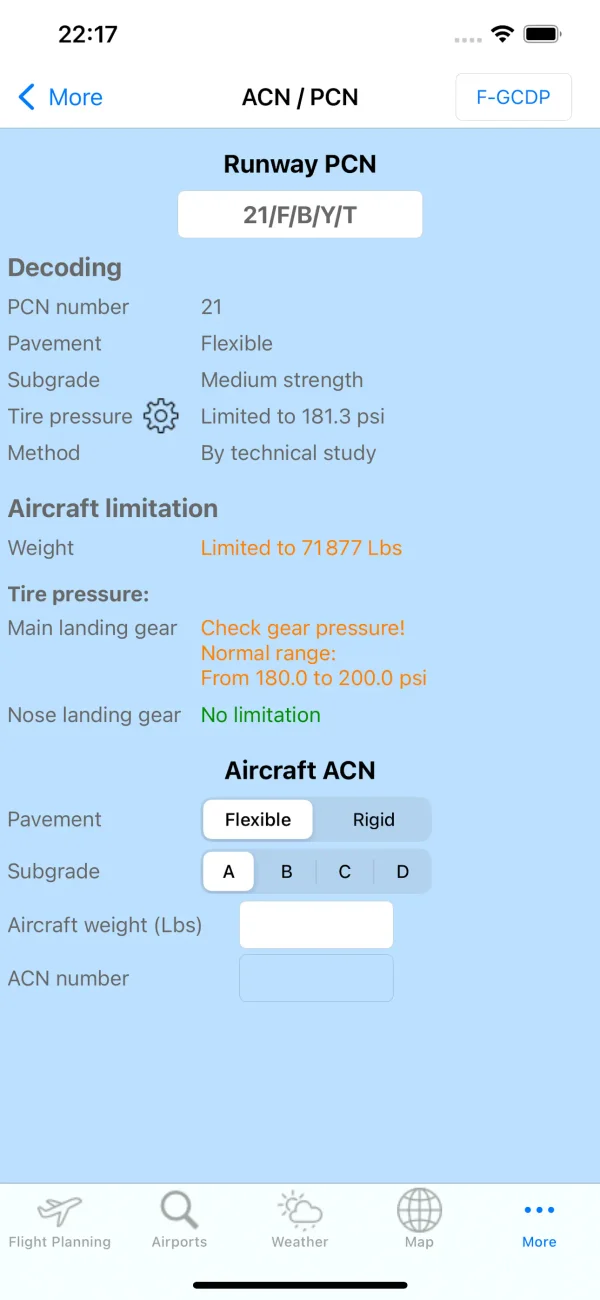
• ACN / PCN
Based on a PCN number, Flight Ops will decode and display a full description.
If you have at least 1 aircraft in your database, it will provide your limitation(s) if any:
- Aircraft weight
- Main Landing Gear tire pressure
- Nose Landing gear tire pressure
If you indicate your aircraft weight, Flight Ops will compute your ACN.
Of course, all these ACN values can be set through your aircraft profiles.
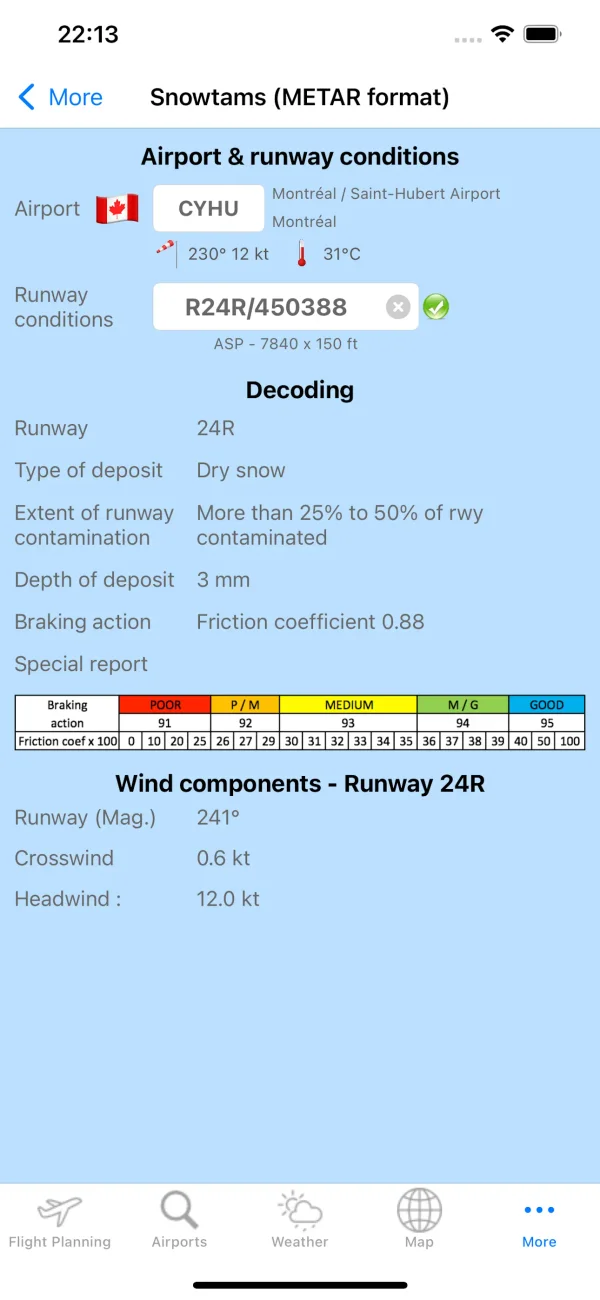
• SNOWTAM decoding (METAR format)
Just make a copy paste of any SNOWTAM or simply use the wheel. You will then get:
- Full decoding
- Wind components based on the related runway
• Weather and airports information
- You can build your own favorite airports list to check weather status at a glance
- For any airport, you can get the latest METAR and/or TAF (if available)
- Based on current wind speed and direction, Flight Ops will display all runways with corresponding wind components
• Distance calculator
To calculate the distance and True bearing between 2 latitudes/longitudes waypoints.
• Last Minute Change
Based on the Weight & Balance Load Sheet computed for your flight, grab your iPhone/iPad and compute your Last Minute Change data if necessary.
Indicate your new payload, adding or removing pax & cargo and update your fuel values if required.
Flight Ops will then calculate revised weights and centers of gravity for ZFW, TOW and LDW.
Terms of Use :
https://www.apple.com/legal/internet-services/itunes/dev/stdeula/
Privacy Policy :
https://www.flight-office.com/flightops.pdf
新機能
バージョン 5.0.7 · 2026/4/6
Bug fixes
General interface improvements
アプリのプライバシー
このアプリのデータの取り扱いについて、Hubert GIRAUDがApp Storeで申告している内容です。
-
データの収集なし
開発元はこのアプリからデータを収集しません。
プライバシーの取り扱いは、ご利用の機能やお客様の年齢などに応じて異なる場合があります。
情報
- 販売元
- Hubert GIRAUD
- カテゴリ
- ナビゲーション
- バージョン
- 5.0.7
- 更新日
- 2026/4/6
- リリース
- 2016/9/12
- サイズ
- 274.1 MB
- 必要条件
- iOS 16.6以降
- 対象年齢
- 4+
- 価格
- 無料
- アプリ内課金
- あり
- 言語
- 英語
- 著作権
- Copyright 2016-2025 © Hubert GIRAUD