
- 対象年齢4+
- カテゴリ仕事効率化
- 開発元Muhammad Thaqif Baseri
- 言語英語
- サイズ7.3 MB
App Storeの公式ページにリンクしています
Download.orgはFloatdesk: VR Virtual Monitorsのファイルを一切ホストしていません。ボタンを押すと、Muhammad Thaqif Baseriが公開しているApp Storeのアプリページが開きます。ページの最終確認:2026/11/12。
スクリーンショット

概要
開発元はこのテキストをお使いの言語で提供していません。
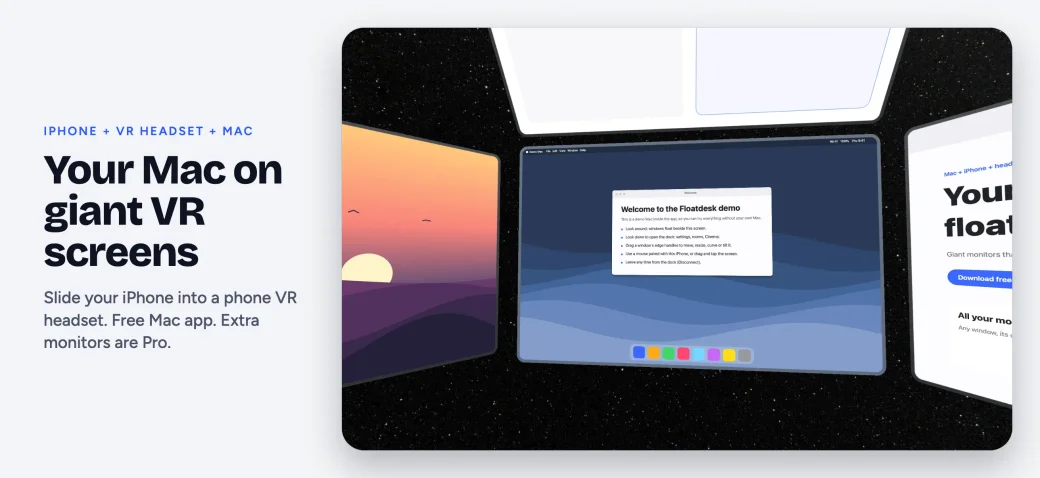
Floatdesk turns the iPhone you already own into a spatial workspace for your Mac.
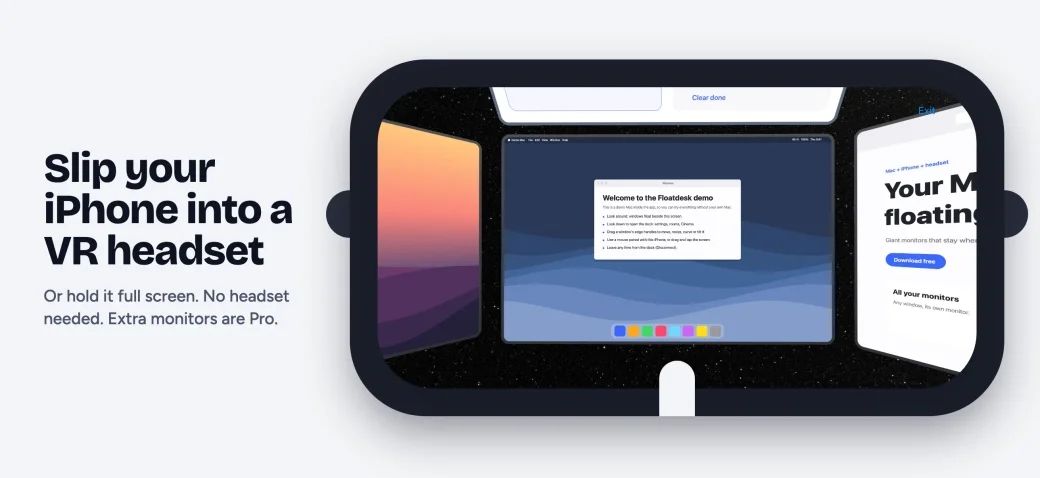
Slide your iPhone into a phone VR headset, and your Mac appears on a giant monitor floating in front of you. No headset? Use it full screen in your hand: turn the iPhone to look around.
YOUR MAC, FLOATING AROUND YOU
• Your Mac screen on a big, sharp monitor in front of you
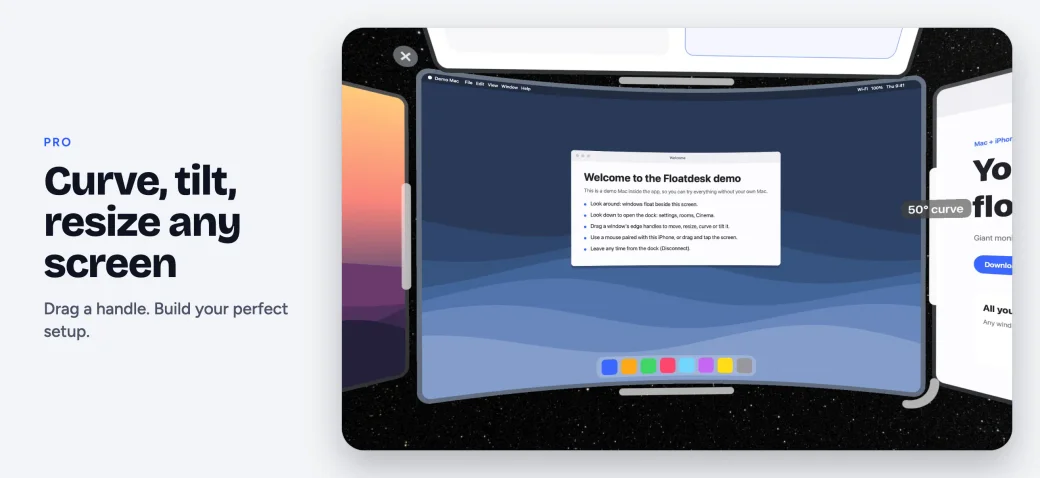
• Pro: any Mac window as its own monitor: put a browser left, your editor right, notes above
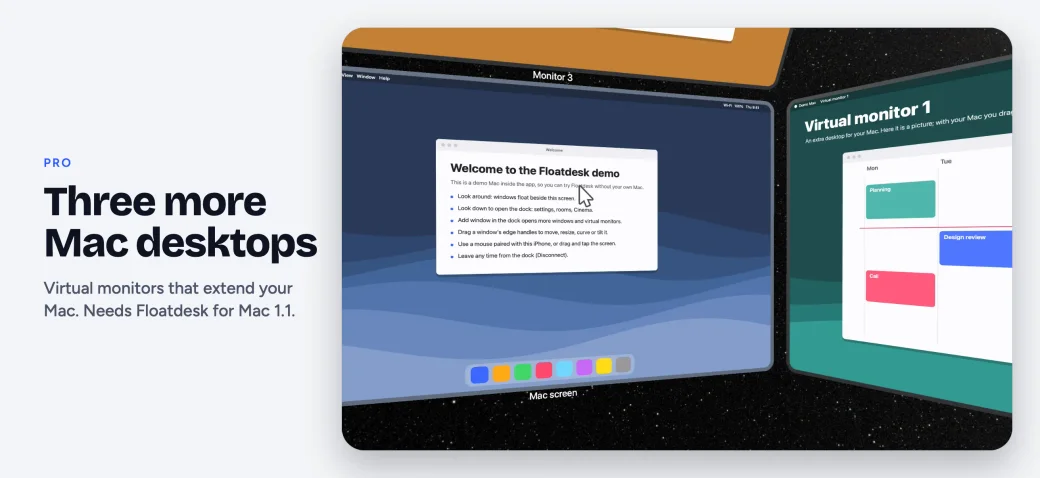
• Pro: up to 3 virtual monitors: new Mac desktops that extend your screen, and windows drag from one to the next (needs Floatdesk for Mac 1.1)
• Pro shows up to 4 screens at once: your Mac screen plus 3 windows or virtual monitors
• Arrange them flat or around you, and move and resize them with a look and a drag. Pro adds curve and tilt
• A 3D cursor that glides across every screen
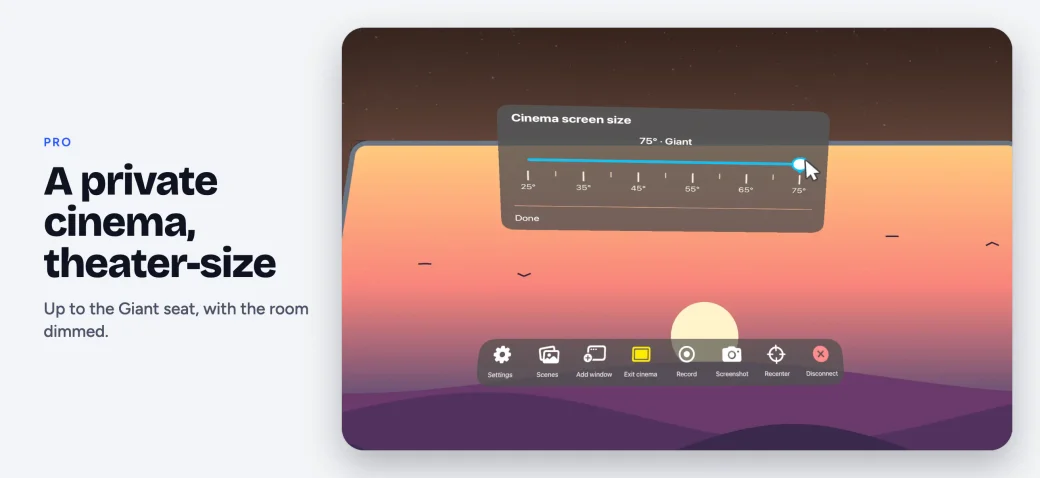
CINEMA
• Turn your monitor into a large screen at Living room size
• Pro: bigger seats up to Giant, with the room dimmed and the screen's edges glowing
WORK ANYWHERE
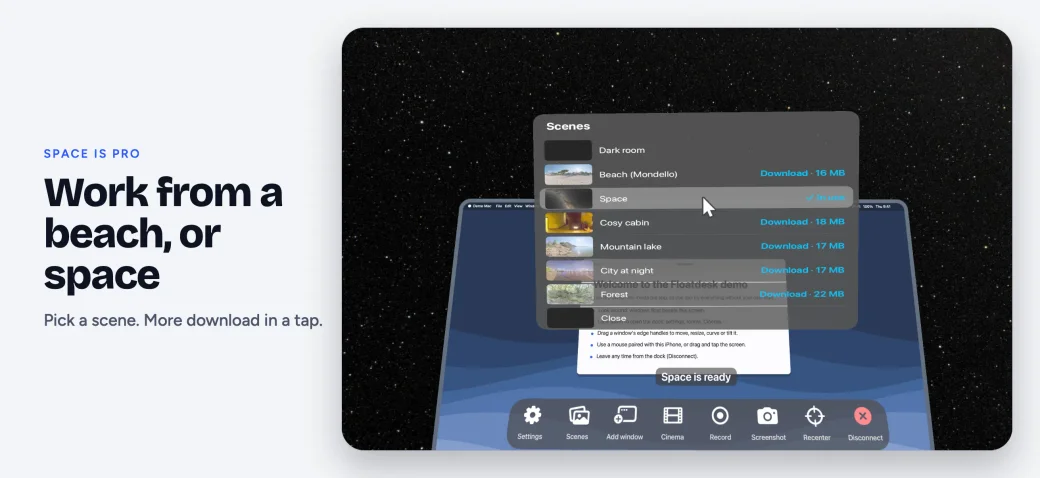
• Pick a room: a beach, a cabin, a lake, a forest, a city at night. Pro room: Space
• Pro: spatial audio, where each window panel's sound comes from where it floats
• Record stabilized videos and screenshots of your view, saved to Photos
PRIVATE BY DESIGN
• Your Mac and iPhone talk directly over your own Wi-Fi, encrypted, after you pair them in person by scanning a code
• Your screen and input never go through a server. No account, no sign-in, no data collected
HOW IT WORKS
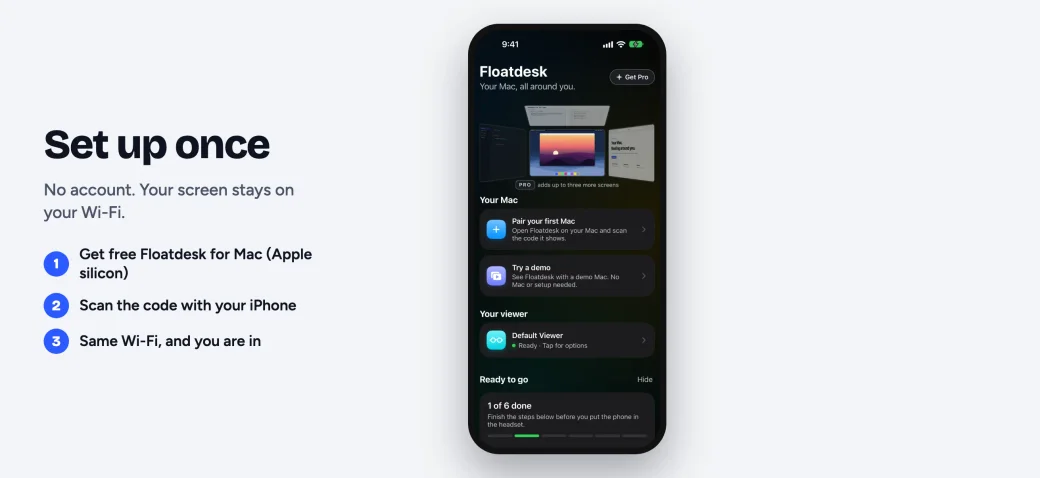
1. Install the free Floatdesk for Mac from floatdesk.app (Apple silicon Mac, macOS 14 or later)
2. Scan the code on your Mac with your iPhone
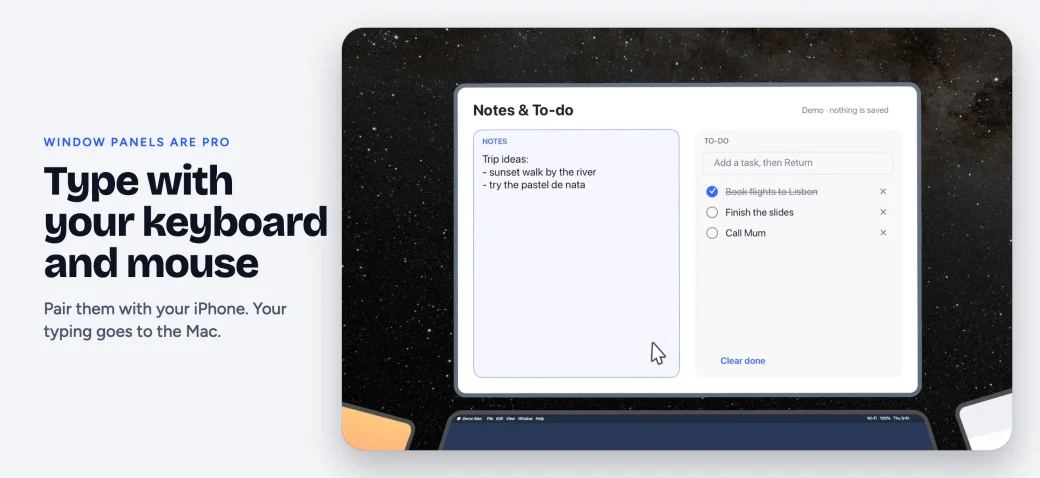
3. Pair a Bluetooth mouse and keyboard with your iPhone, put on the headset, and work
TRY IT WITHOUT A MAC
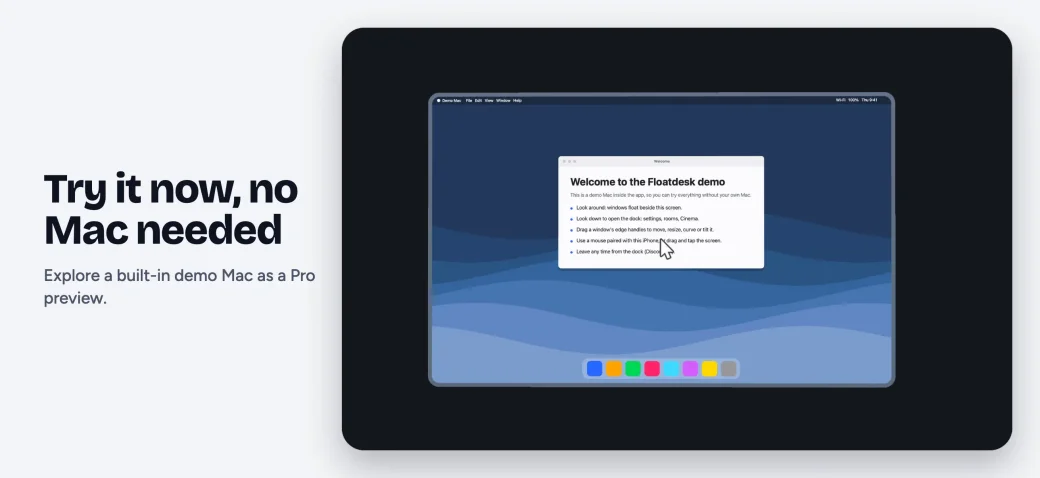
Tap "Try a demo" to explore a built-in demo Mac as a Pro preview: add windows and virtual monitors, type notes, look around, and open Cinema. Dragging windows between monitors needs a real Mac.
FREE AND PRO
Free: your Mac screen as one monitor, free rooms, Cinema at Living room size, recording and screenshots.
Floatdesk Pro adds windows as extra monitors, up to 3 virtual monitors that extend your Mac desktop, the Space room, bigger Cinema seats up to Giant, curve and tilt, sharper quality, spatial audio, 1080p recording, and smooth motion: 120 Hz in a headset on iPhones with a 120 Hz screen while the phone stays cool (your Mac stays at 60 Hz). Pro is available as a monthly subscription, a yearly subscription with a free trial for new subscribers, or a one-time Founders purchase.
Subscriptions renew automatically unless cancelled at least 24 hours before the end of the current period. Manage or cancel them in your Apple Account settings.
Terms of Use: https://floatdesk.app/terms
Privacy Policy: https://floatdesk.app/privacy
Requires an iPhone with iOS 17 or later, and a Mac with Apple silicon running macOS 14 or later on the same Wi-Fi network.
新機能
バージョン 1.1.0 · 2026/11/10
Virtual monitors (Pro): add up to three extra Mac desktops beside your screen. They extend your Mac like real displays, so you can drag windows from one to the next with the 3D cursor. Needs Floatdesk for Mac 1.1.
Window panels stay put: a Mac window you open as a panel no longer jumps to the front on your Mac's screen. Your Mac screen panel is now always shown, so it can no longer be hidden. Needs Floatdesk for Mac 1.1.
A new Home: a picture of your monitors that moves as you tilt the iPhone.
In the headset: Volume and Brightness sliders, so you no longer need to reach the iPhone. Brightness goes back when you leave.
Easier to start: you can connect without setting up a viewer first. Keyboard shortcuts have their own page, and you set one by pressing the keys.
Support: Settings > Help > Support, with diagnostics you choose to share and connection stats.
Founders reminder: opt in on the plans page or in Settings and Floatdesk reminds you a few days before Founders leaves sale. Off unless you turn it on.
Also: smoother streaming that uses less of your Mac, panels out of view rest, panels are labelled while they load, and the demo Mac stays connected while you type.
アプリのプライバシー
このアプリのデータの取り扱いについて、Muhammad Thaqif BaseriがApp Storeで申告している内容です。
-
データの収集なし
開発元はこのアプリからデータを収集しません。
プライバシーの取り扱いは、ご利用の機能やお客様の年齢などに応じて異なる場合があります。
情報
- 販売元
- Muhammad Thaqif Baseri
- カテゴリ
- 仕事効率化
- バージョン
- 1.1.0
- 更新日
- 2026/11/10
- リリース
- 2026/11/9
- サイズ
- 7.3 MB
- 必要条件
- iOS 17.0以降
- 対象年齢
- 4+
- 価格
- 無料
- アプリ内課金
- あり
- 言語
- 英語
- 著作権
- © 2026 Muhammad Thaqif Baseri
こちらもおすすめ
-
 Pintaz Scan仕事効率化
-
 ParkedChat仕事効率化
-
 InfiniteX2P Pro — Desktop Mode仕事効率化
-
 デスクトップモード OS: ProDocktive外部ディスプレイマルチタスク, ミラーリング, PC,OS
-
 Kinopio仕事効率化
-
 XeOS: 外部ディスプレイデスクトップ マルチタスク プロフルスクリーンデスクトップモード TV, AR/VR/3D
-
 Forms – for Google FormsCreate & Manage Forms
-
 Daily Report App仕事効率化
-
 DeNet: Private Cloud Storage仕事効率化
-
 Habit Tracker - HabitGenius気分日記と支出管理・ポモドーロタイマー・集中・目標