Floaty: Lock Screen Essentials
To-Dos, Train & Flight Tickets
iPhone, iPad向けに設計
無料 · アプリ内課金
- 対象年齢4+
- カテゴリ仕事効率化
- 開発元景江 雷
- 言語英語ほか1言語
- サイズ26.6 MB
App Storeの公式ページにリンクしています
Download.orgはFloaty: Lock Screen Essentialsのファイルを一切ホストしていません。ボタンを押すと、景江 雷が公開しているApp Storeのアプリページが開きます。ページの最終確認:2026/11/19。
スクリーンショット
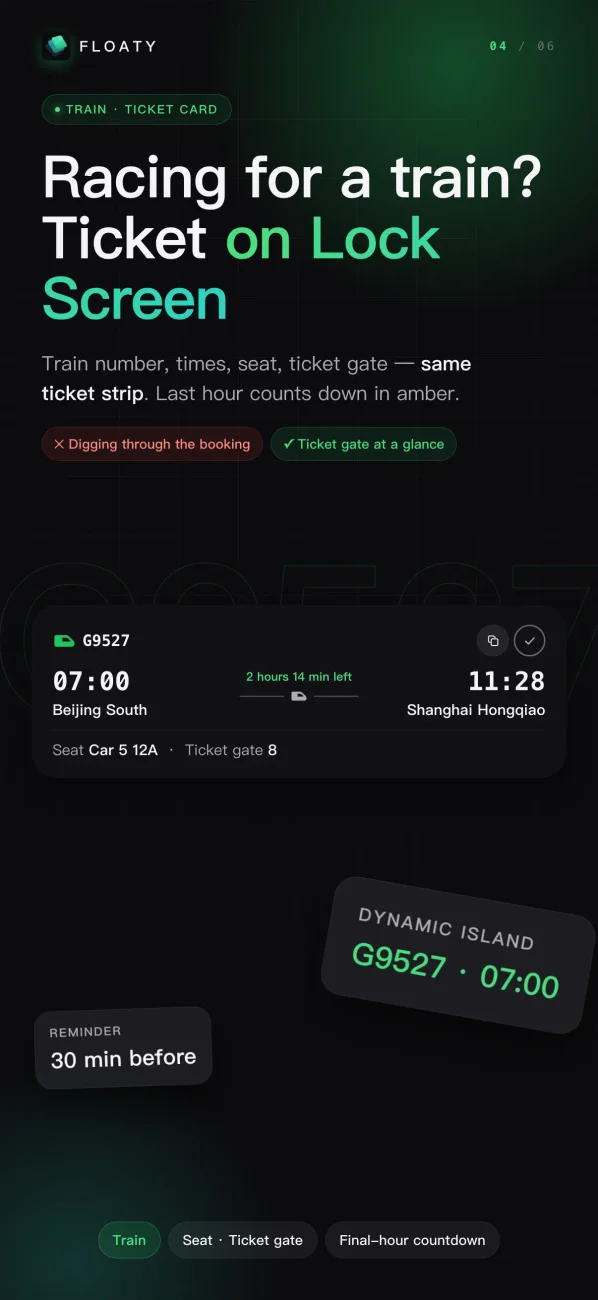


概要
開発元はこのテキストをお使いの言語で提供していません。
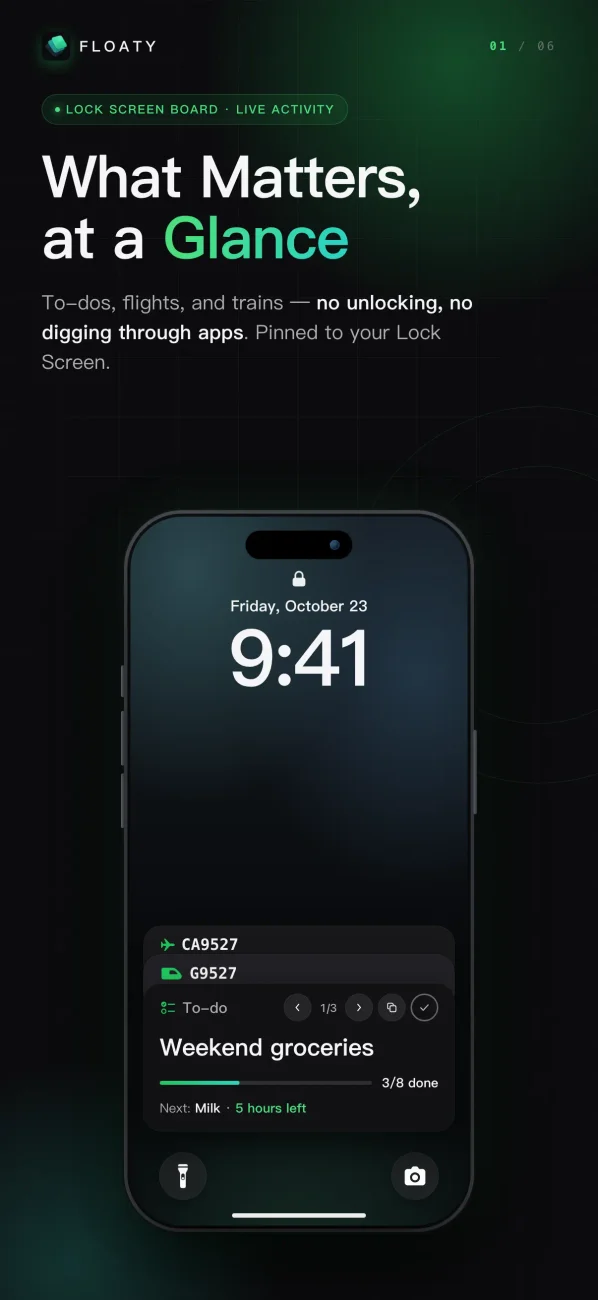
What Matters, at a Glance.
Your grocery list is buried in an app somewhere. Your seat and gate are in a booking screenshot. The code for the pickup locker is sitting in a text you can't find. When the moment comes, none of it is ever at hand.
Floaty keeps the next thing you need on your Lock Screen. No unlocking, no hunting through apps—just lift your phone to see it, and get it done right there.
ONE BOARD FOR EVERYTHING THAT MATTERS NOW
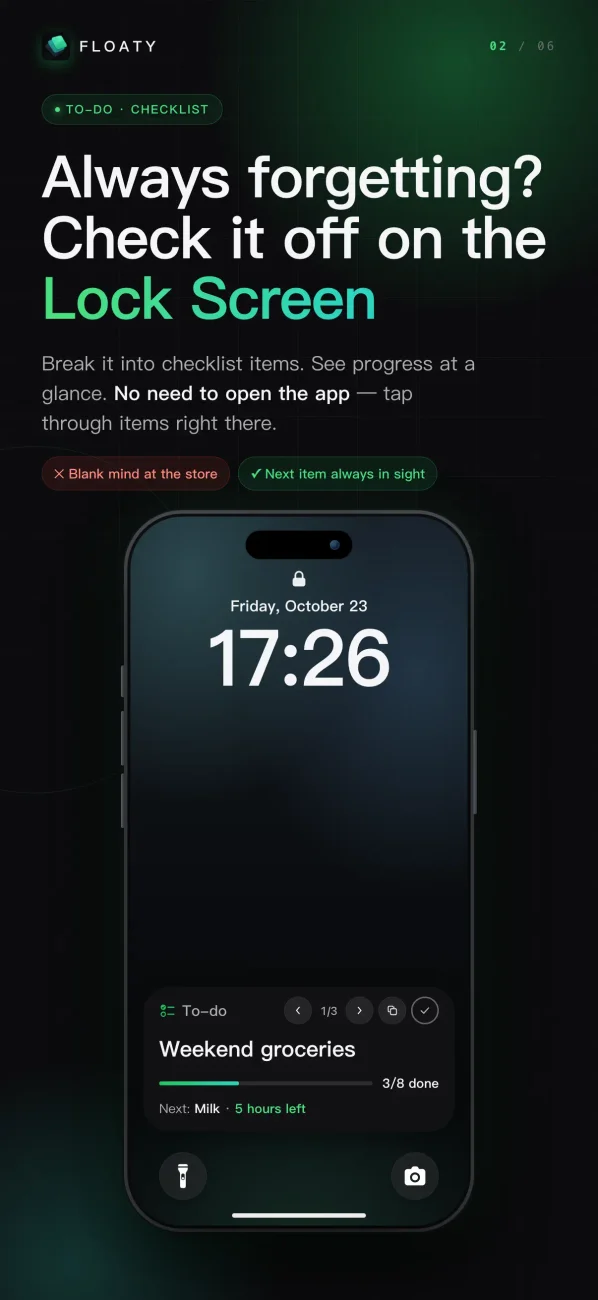
• To-dos: Your headline plus checklist progress; check items off as you go, and finishing the last one completes the whole to-do
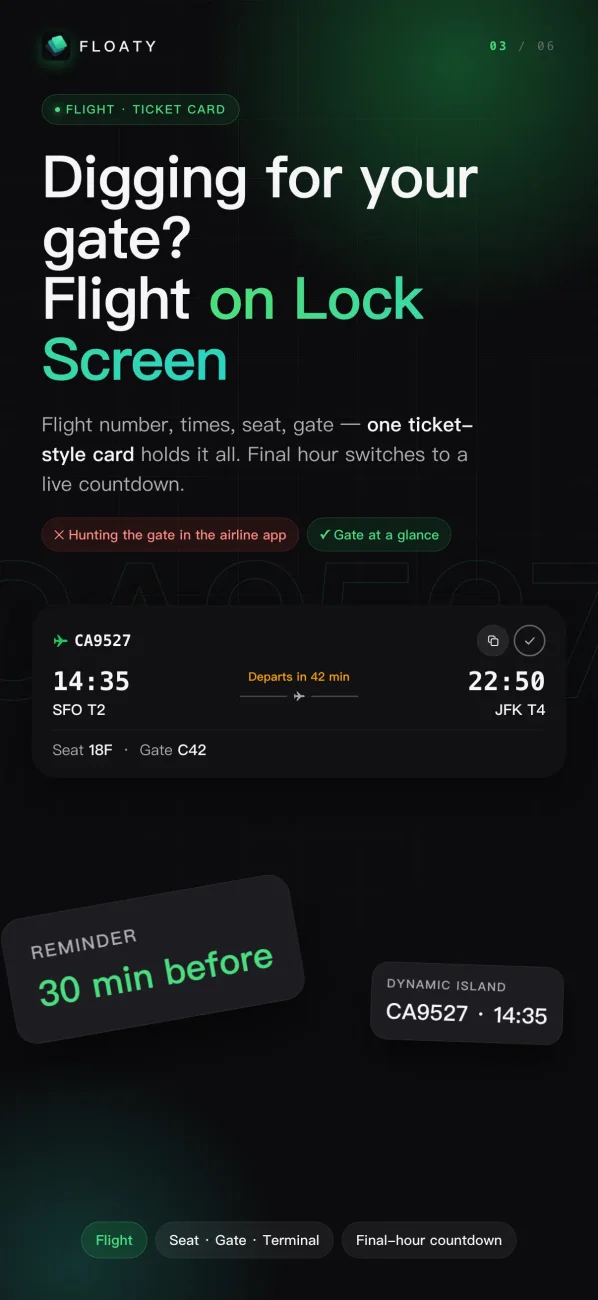
• Flights: Flight number, terminals, seat and gate in a clean, ticket-style layout—no more digging through booking screenshots
• Train tickets: Train number, departure and arrival, seat and gate, all on one ticket-style card
• Package & locker codes: Grouped by pickup place so you see every code at once—big and readable when you walk up
Tap through items right on the Lock Screen and mark them done with a tap. Finish one, and the next one floats into view.
AUTO-ADD FROM TEXTS, NOTIFICATIONS, AND EMAIL (PRO)
No more copying codes and trip details by hand. Shortcuts automations hand your texts, notifications, and emails to Floaty, and anything matching your templates automatically becomes a to-do, a trip, or a locker code on your Lock Screen—without opening the app just to look them up. The rules are yours: full-text and regex templates—you decide what gets recognized and what it turns into.
LOCK SCREEN, DYNAMIC ISLAND, HOME SCREEN, AND WATCH
• Live Activity: Your item stays on the Lock Screen; anything with a deadline or departure switches to a highlighted countdown in its final hour
• Dynamic Island: Departure time, checklist progress, or your locker code in the compact view
• Home Screen widget: Page through and complete items without opening the app
• Apple Watch: A Smart Stack card you can check at a glance—and complete with a tap
SHOW BY TIME OR PLACE
• Show on the Lock Screen only after a time you set—for example, after 6 p.m. when you’re heading home
• Show only near a place you choose—for example, when you’re close to the pickup point
LAYERED REMINDERS. THOROUGH, NEVER NAGGING.
• To-dos and pickup codes: Set a reminder time, a heads-up before the deadline, and a deadline alert, each on its own
• Trips: Get reminded 15, 30, or 60 minutes before departure, and again at departure time
• Overdue and departed items are flagged in red. Overdue to-dos and pickup codes can be pushed by 1, 3, or 8 hours, to the end of the day 1, 3, or 7 days out, or to any time you pick
PRIVATE BY DESIGN
Your data lives only on your device. Texts, notifications, and emails are recognized entirely on-device—no AI, no cloud processing, nothing uploaded to a server. No accounts. No ads. No tracking.
FLOATY PRO
Every type can be added manually for free, with full use of the Lock Screen board, Dynamic Island, Home Screen widgets, and reminders. Floaty Pro unlocks Auto-Add: automatic adding from texts, from notifications, from emails, and from your own Shortcuts automations. Subscriptions auto-renew and can be cancelled anytime in App Store subscription settings; the Lifetime option is a one-time purchase that unlocks Pro forever. By purchasing, you agree to our Terms of Use and Privacy Policy.
Stop hunting through apps for the one thing you need right now.
Download Floaty. Your essentials, at a glance.
Terms of Use: www.apple.com/legal/internet-services/itunes/dev/stdeula/
新機能
バージョン 1.1.0 · 2026/11/18
- Added the function of grouping pickup codes by address.
- Bug fixes and improvements.
アプリのプライバシー
このアプリのデータの取り扱いについて、景江 雷がApp Storeで申告している内容です。
-
データの収集なし
開発元はこのアプリからデータを収集しません。
プライバシーの取り扱いは、ご利用の機能やお客様の年齢などに応じて異なる場合があります。
情報
- 販売元
- 景江 雷
- カテゴリ
- 仕事効率化
- バージョン
- 1.1.0
- 更新日
- 2026/11/18
- リリース
- 2026/11/17
- サイズ
- 26.6 MB
- 必要条件
- iOS 17.0以降
- 対象年齢
- 4+
- 価格
- 無料
- アプリ内課金
- あり
- 言語
- 英語, 簡体字中国語
- 著作権
- © 2026 Floaty.
こちらもおすすめ
-
 Yike: To-Do List, Task Planner仕事効率化
-
 四象限ToDo - アイゼンハワーマトリクス重要度×緊急度の4象限タスク管理
-
 AiZIP - AI時代の圧縮ファイルのワークベンチ解凍のあとが、本当のはじまり
-
 SnipMark:スクショ撮影・注釈・圧縮画面キャプチャを加工して一括書き出し
-
 iFieldSurvey仕事効率化
-
 Little Things: Task Breakdown仕事効率化
-
 Remind & Record仕事効率化
-
 Mote: Lock Screen Notes仕事効率化
-
 Wristen - 一日中録音・文字起こし話したことを、手首が覚えている
-
 iScript: intelligent Script仕事効率化