- 対象年齢4+
- カテゴリファイナンス
- 開発元RP Solutions
- 言語英語
- サイズ14.5 MB
fmVendorは現在App Storeで入手できない可能性があります
前回の確認時、ストアのページにアクセスできませんでした。リンク先は引き続きApp Storeの公式ページです。
スクリーンショット


概要
開発元はこのテキストをお使いの言語で提供していません。
fmVendor lets authorized farmers market vendors accept benefit program payments right at their stand. Scan a coupon or a shopper's QR code, confirm the amount, and get paid.
WHO IT'S FOR
fmVendor is for farmers, farm stands, and other market vendors authorized to accept payments from nutrition benefit programs, such as the WIC and Senior Farmers Market Nutrition Programs (S/FMNP). Login credentials are issued only to authorized vendors set up in TPS. Employees of those vendors sign in with role-based access.
TAKE PAYMENT
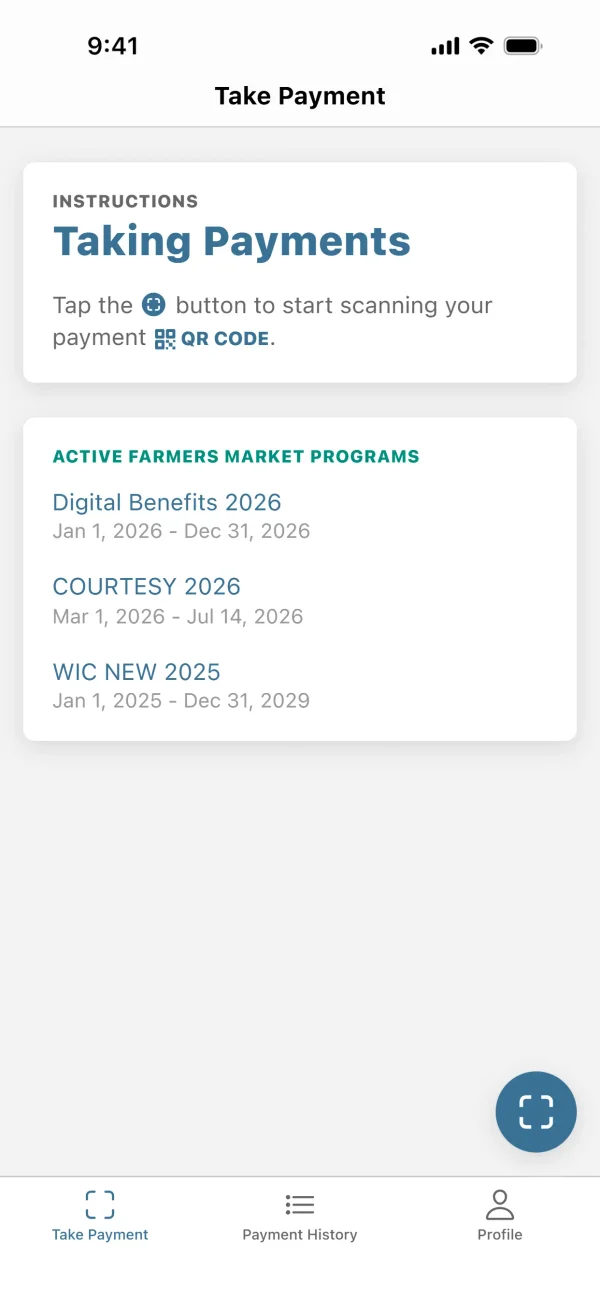
• Paper coupons: scan the QR code on each coupon with your iPhone or iPad camera. Scan several in a row and see the running total before you finish.
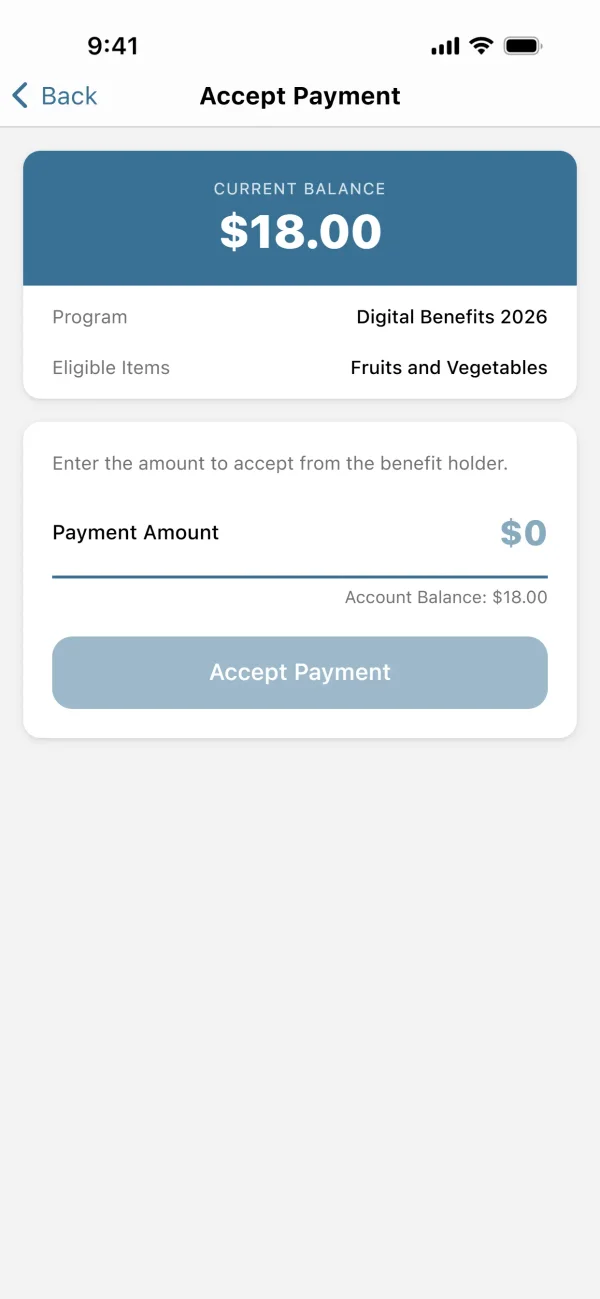
• Digital benefits: scan the shopper's QR code to see their balance and program, enter the amount, and the shopper confirms with their 4-digit PIN.
• Code won't scan? Type in the 6-character code instead.
GET PAID
Payments you capture are uploaded to the TPS servers, where they are processed and paid directly to your account.
PAYMENT HISTORY
• See each day's sales with daily totals
• Look up a coupon by its code
• Reconcile at the end of the market day
• Open your full dashboard on TPS
ALSO INCLUDED
• See which programs you can accept right now
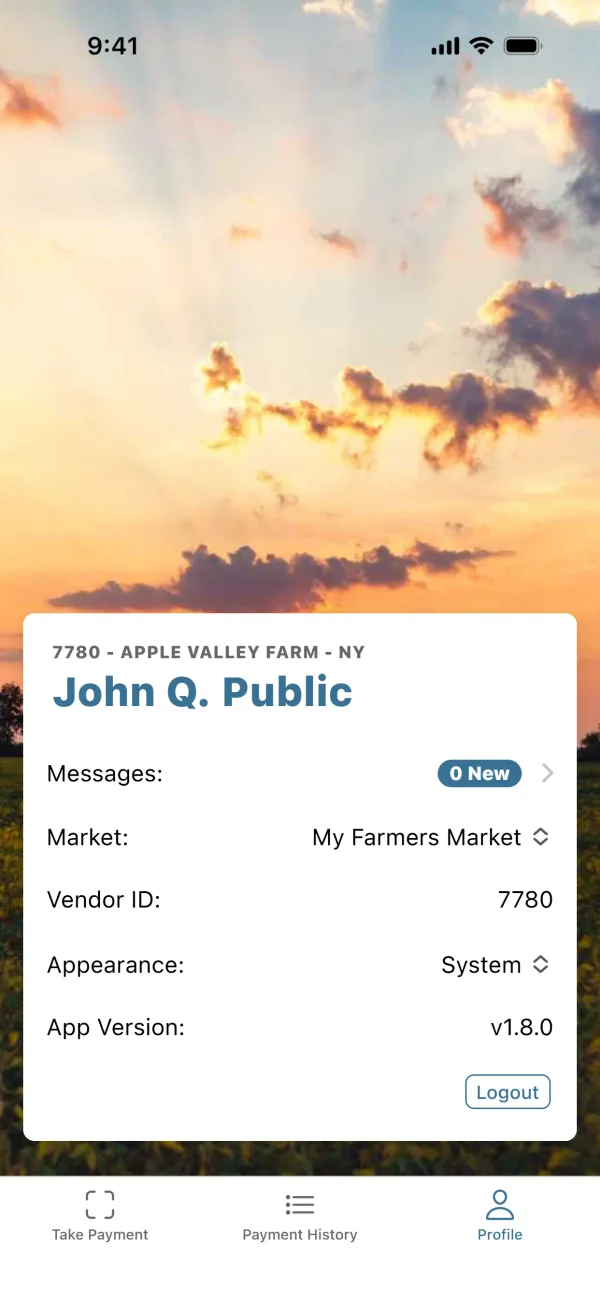
• Choose your market location if you sell at more than one market
• Read messages sent to you
• Works on iPhone and iPad, in light or dark appearance
新機能
バージョン 1.9.0 · 2026/11/11
This update makes fmVendor more accessible and makes sure every payment is recorded at the right market.
ACCESSIBILITY
• VoiceOver: buttons and icons now have clear names, every screen has a heading, and VoiceOver announces when the scanner starts and stops.
• After each coupon scan, VoiceOver reads the number of coupons and the running total.
• Accept Payment: balance messages are read aloud as they change, and the PIN sheet and wrong-PIN messages are announced.
• Keyboard and switch users now see a clear focus ring on buttons, tabs, and lists.
• Improved color contrast throughout, in both light and dark appearance.
• The scan hint no longer pulses when Reduce Motion is on.
MARKET SELECTION
• If you sell at more than one market, you now need to choose a market before scanning. Previously, closing the market prompt without choosing one could stop coupon scans from working with no message.
• If your market list can't be loaded (for example, with no internet connection), the app now asks you to retry instead of continuing without a market.
• If a coupon can't be processed, you'll hear the error sound and see a message, and scanning picks up again.
OTHER IMPROVEMENTS
• Clearer titles on the "QR Code Lookup Failed" and "Payment Not Accepted" alerts
• A Take Payment button in Payment History when you have no history yet
• Fixed the side menu briefly appearing next to the sign-in screen on iPad
アプリのプライバシー
このアプリのデータの取り扱いについて、RP SolutionsがApp Storeで申告している内容です。
-
ユーザーに関連付けられたデータ
収集され、ユーザーの識別情報に関連付けられる場合があります。
- ID
プライバシーの取り扱いは、ご利用の機能やお客様の年齢などに応じて異なる場合があります。
情報
- 販売元
- RP Solutions Inc
- カテゴリ
- ファイナンス
- バージョン
- 1.9.0
- 更新日
- 2026/11/11
- リリース
- 2023/5/23
- サイズ
- 14.5 MB
- 必要条件
- iOS 15.0以降
- 対象年齢
- 4+
- 言語
- 英語
- 著作権
- © 2026 RP Solutions