- 対象年齢4+
- カテゴリ仕事効率化
- 開発元James Gray
- 言語英語
- サイズ17.6 MB
App Storeの公式ページにリンクしています
Download.orgはFocusPass: App Blockerのファイルを一切ホストしていません。ボタンを押すと、James Grayが公開しているApp Storeのアプリページが開きます。ページの最終確認:2026/11/12。
スクリーンショット



概要
開発元はこのテキストをお使いの言語で提供していません。
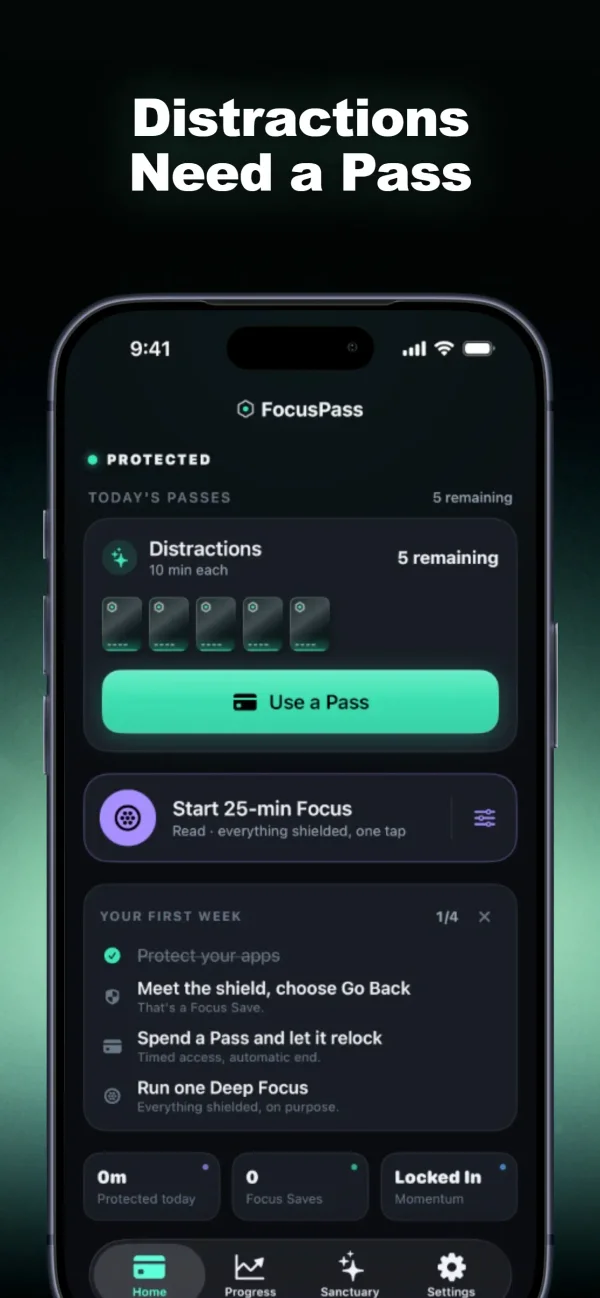
Your distracting apps need a Pass. FocusPass blocks the apps you choose and lets you deliberately request short periods of access when you actually need them. When the Pass ends, the app locks again on its own.
PROTECT. CHOOSE. RETURN.
BLOCK THE DISTRACTIONS
Pick apps, whole categories or websites with Apple's own Screen Time picker. Opening one shows a native shield: PROTECTED. You chose to protect this app.
CHOOSE BEFORE OPENING
Every shield offers two choices. GO BACK and return to what you were doing, or USE A PASS. Pick a length (for example 5, 10 or 15 minutes) and an optional reason like Reply, Post, Check something or Research, as a note to yourself.
AUTOMATICALLY RELOCK
The relock is scheduled with iOS before the app opens, so protection resumes when the Pass ends even if FocusPass is closed. End a Pass early anytime. An optional Reset Window stops one Pass from turning into three.
EVERY GO BACK COUNTS
Each time you choose Go Back at a shield, FocusPass records one Focus Save. It counts the choice honestly, with no invented minutes and no guesses about what you did next.
BUILD RULES FOR YOUR ROUTINE
• Wallets: a daily Pass plan for a group of apps
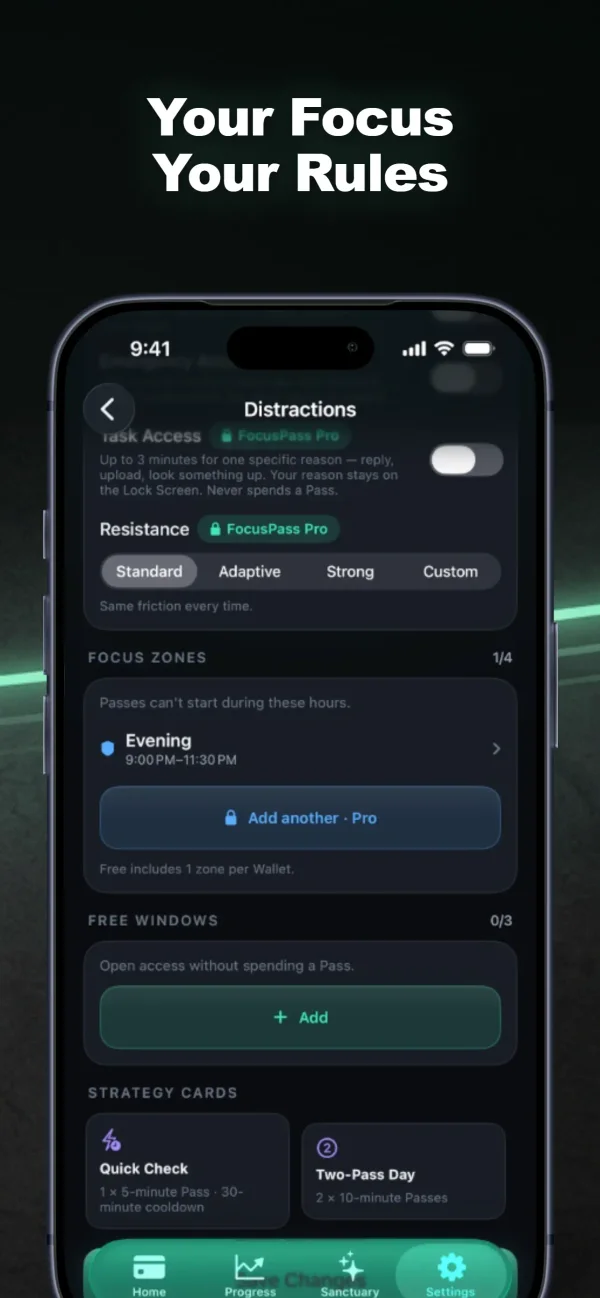
• Focus Zones: protected hours for Work, Study, Evening or Sleep
• Task Access: up to 3 minutes for one specific task when you're out of Passes. It never spends a Pass and it's limited so it can't become a loop
• Essentials: apps you must always reach stay available
PROTECT YOUR DEEP FOCUS
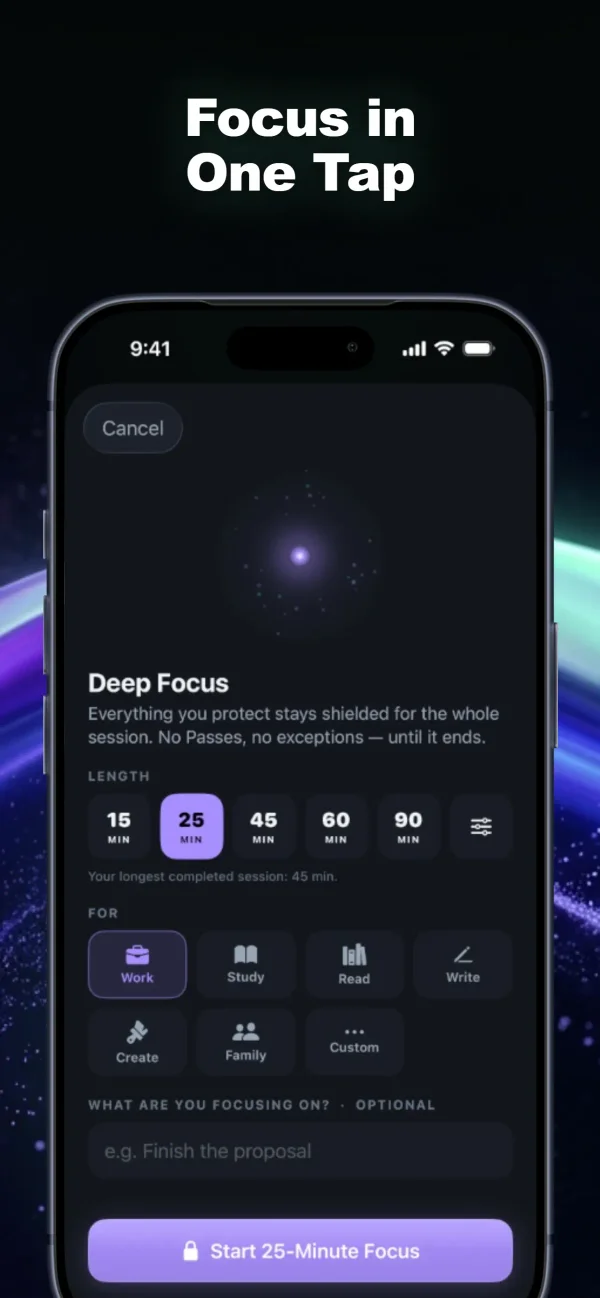
Start a 25, 45, 60 or 90-minute session from Home, Siri, Apple Watch or a widget. Protected apps stay shielded, and the timer appears in a Live Activity and the Dynamic Island. Focus Rescue gives a short, once-per-session exit for something truly essential.
UNDERSTAND YOUR DISTRACTIONS
A Pass heatmap shows when you reach for your apps. When there's enough data, FocusPass points out one pattern, like "Most of your Passes happen after 9 PM", and offers a fix you control, like an Evening Zone. Weekly Review, Focus Saves by day and Pass reflections are all calculated on your device.
OPTIONAL PROGRESS
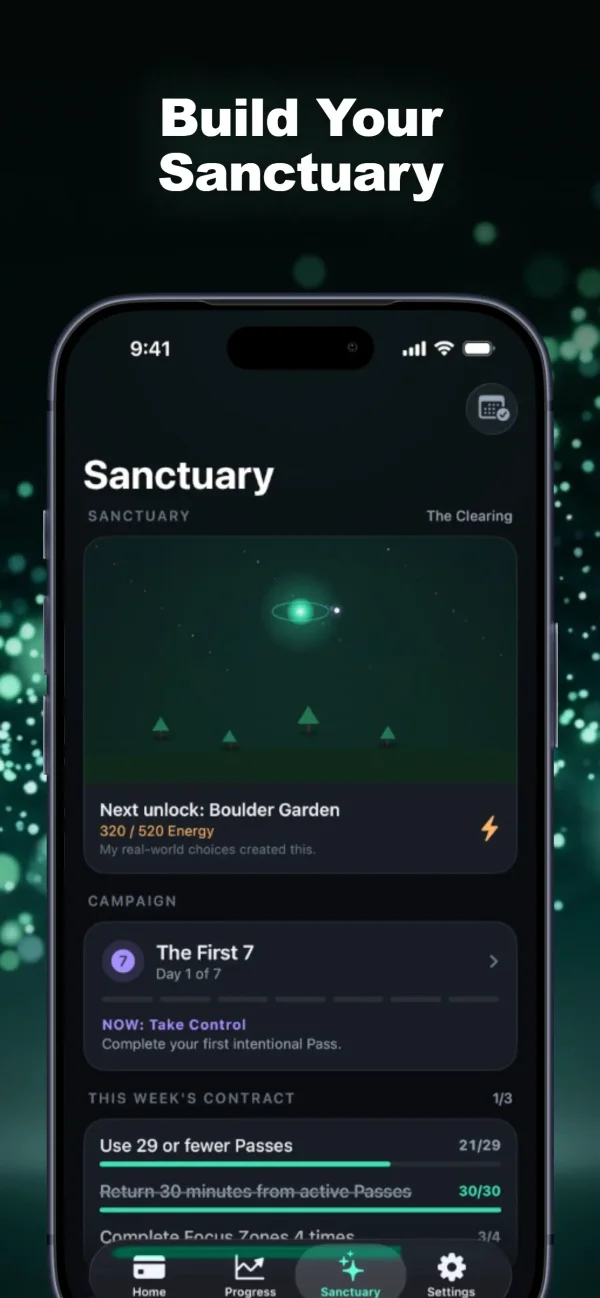
Momentum, missions and a calm Sanctuary grow from real recorded actions. One off day never erases your progress, and nothing can be bought to skip ahead.
YOUR FOCUS. YOUR CONTROL.
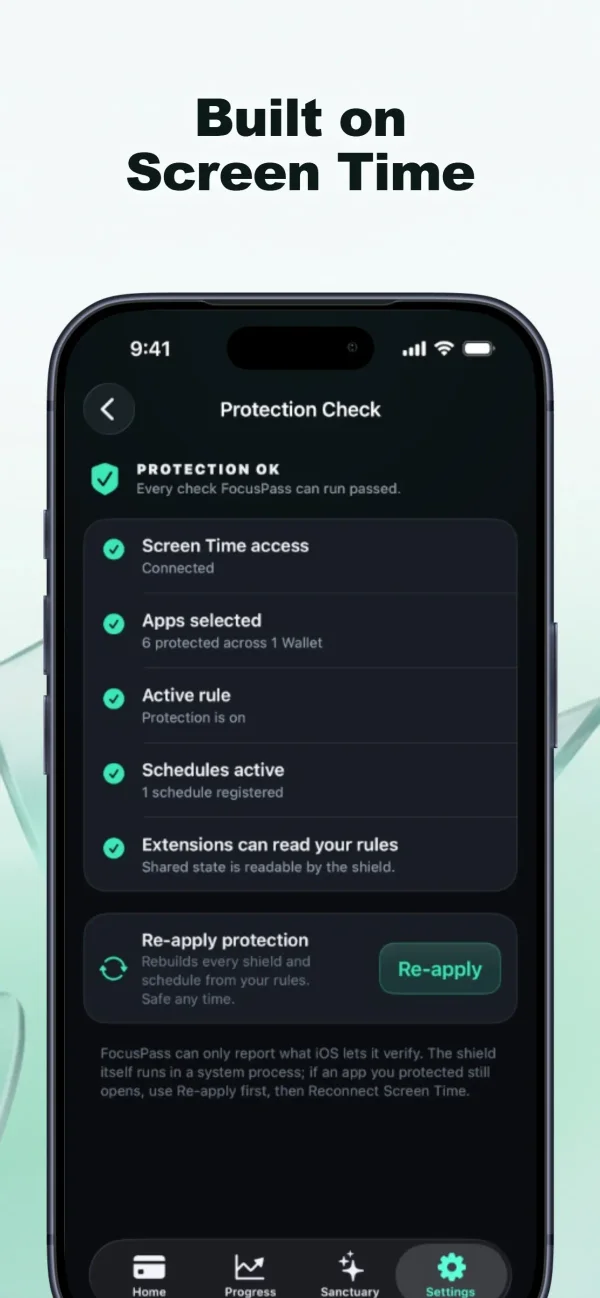
Turn Off All Protection always works and is never locked behind a purchase or streak. Protection Check shows exactly what's working and how to fix what isn't. Uses Apple's Screen Time frameworks. If a parent or organization manages Screen Time, their settings come first.
PRIVATE BY DESIGN
No account. No ads. No analytics SDKs. Your rules and history stay on your device, and Apple keeps your app selections opaque, even to FocusPass. Purchases are validated through Apple and RevenueCat using an anonymous ID.
FREE AND PRO
Free is useful forever: native shields, Go Back and Focus Saves, timed Passes, automatic relocking, one Wallet, one Focus Zone, one Deep Focus session a day, 7-day insights, Momentum and missions.
FocusPass Pro adds more Wallets with exact custom rules, more Focus Zones, Free Windows and Rule Profiles, Task Access, Adaptive Resistance, unlimited Deep Focus, full history and premium Pass materials. Pro never sells a way around your own rules.
Works on iPhone and iPad with iOS 18 or later. The Apple Watch app shows your status and focus timer; blocking always happens on your iPhone.
FocusPass Pro is an auto-renewing subscription, billed monthly or yearly. The yearly plan includes a free trial for eligible new subscribers. Prices appear in your local currency before purchase. Payment is charged to your Apple ID and renews unless cancelled at least 24 hours before the period ends. Manage or cancel anytime in Settings > Apple ID > Subscriptions.
Terms: https://ifocuspass.rork.app/terms.html
Privacy: https://ifocuspass.rork.app/privacy.html
新機能
バージョン 2.2 · 2026/10/14
• Terms, Privacy and Support links in the app now open the correct pages.
• Onboarding respects Reduce Motion with gentle fades instead of sliding screens.
• Refined the trust icons on the welcome and upgrade screens.
• Stability and polish.
アプリのプライバシー
このアプリのデータの取り扱いについて、James GrayがApp Storeで申告している内容です。
-
ユーザーに関連付けられないデータ
収集される場合がありますが、ユーザーの識別情報には関連付けられません。
- 購入
プライバシーの取り扱いは、ご利用の機能やお客様の年齢などに応じて異なる場合があります。
情報
- 販売元
- James Gray
- カテゴリ
- 仕事効率化
- バージョン
- 2.2
- 更新日
- 2026/10/14
- リリース
- 2026/8/5
- サイズ
- 17.6 MB
- 必要条件
- iOS 18.0以降
- 対象年齢
- 4+
- 価格
- 無料
- アプリ内課金
- あり
- 言語
- 英語
- 著作権
- © 2026 James Gray. All rights reserved.
こちらもおすすめ
-
 Apper: Save Apps as Ideasアプリ更新の追跡とアイデア保存
-
 Think Peepal: Focus & Plant仕事効率化
-
 NextUp: Client Meeting Notes仕事効率化
-
 Intention: Focus & Screen Time仕事効率化
-
 Focus it: Pomodoro Study Timer仕事効率化
-
 Friction°: App Blocker & Focus仕事効率化
-
 Pact: スクリーンタイム・スマホ依存対策・使用時間制限アプリ制限・SNS制限・アプリロック・集中
-
 Focus Management Timer App仕事効率化
-
 Calume - Time tracker仕事効率化