Folio: Markdown+RST+Code+PDF
Read, Edit & Create Documents
iPhone, iPad, Mac向けに設計
無料 · アプリ内課金
- 対象年齢4+
- カテゴリ開発ツール
- 開発元BlueTao LLC
- サイズ12.9 MB
App Storeの公式ページにリンクしています
Download.orgはFolio: Markdown+RST+Code+PDFのファイルを一切ホストしていません。ボタンを押すと、BlueTao LLCが公開しているApp Storeのアプリページが開きます。ページの最終確認:2026/11/24。
スクリーンショット
概要
開発元はこのテキストをお使いの言語で提供していません。
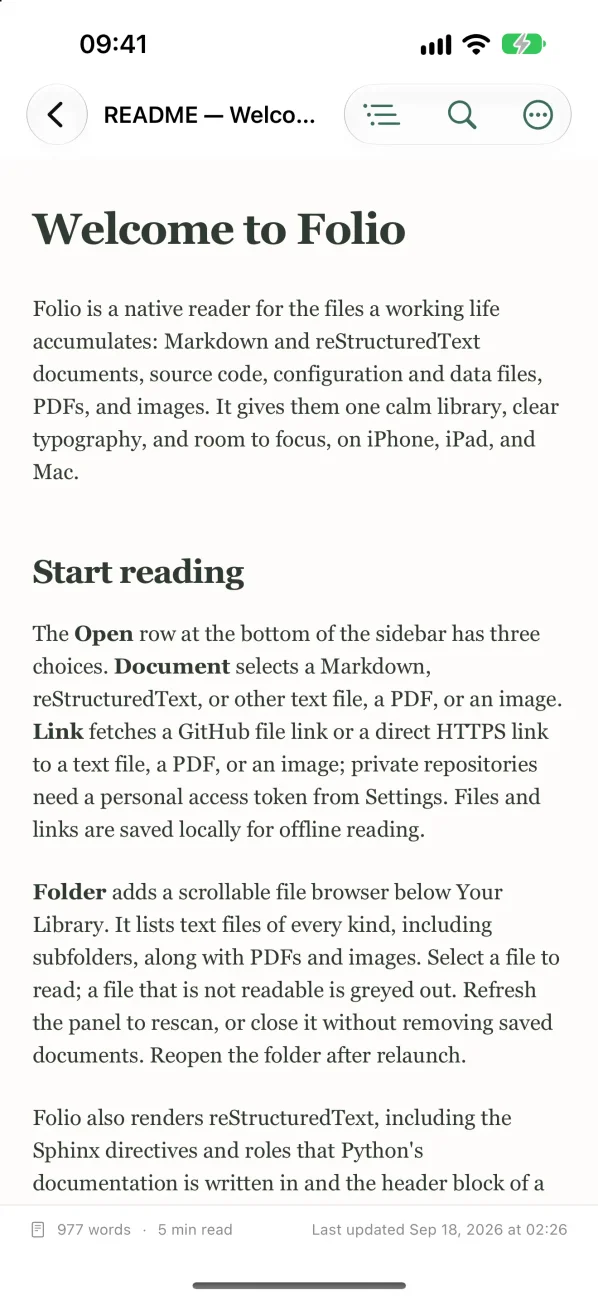
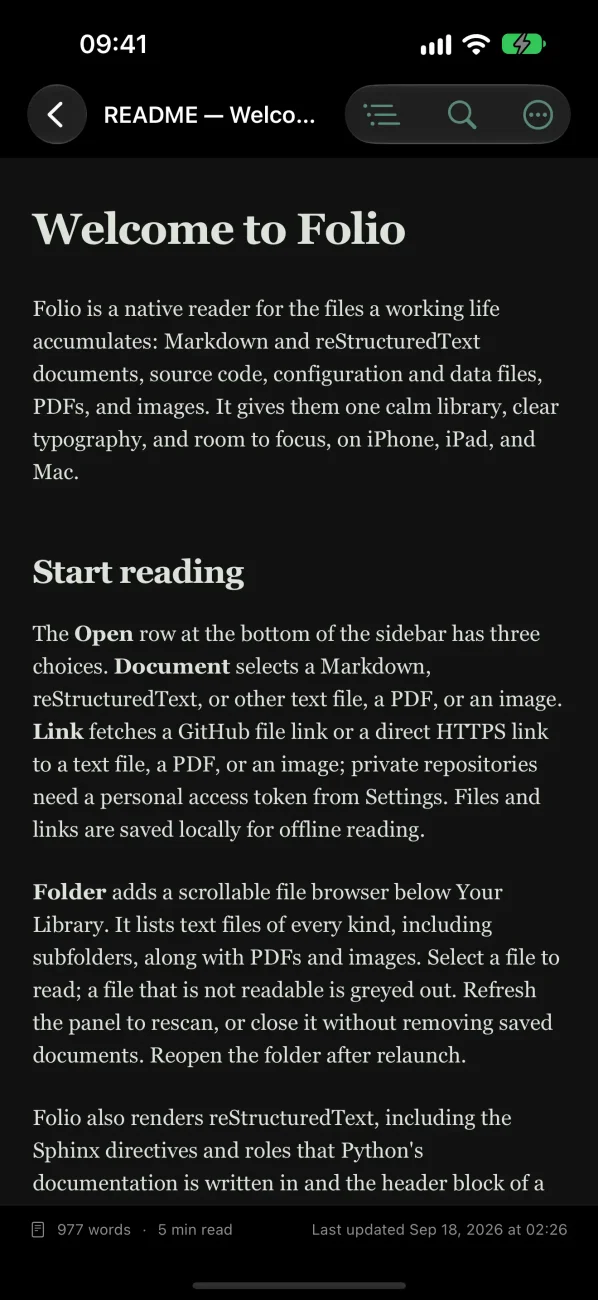
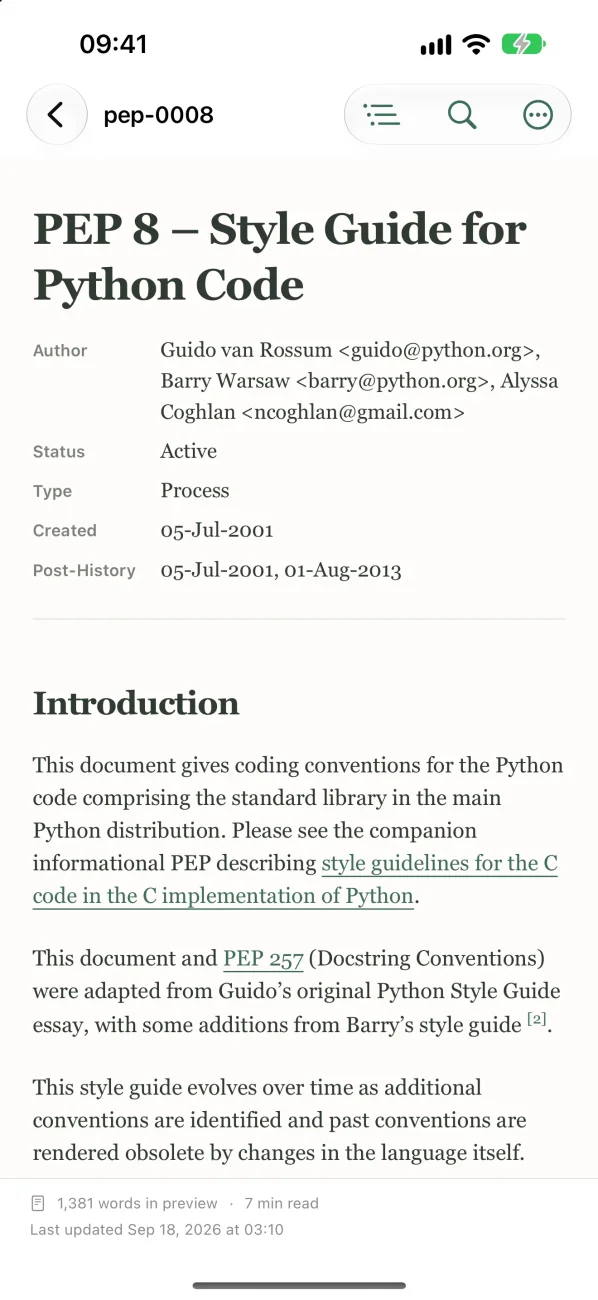
Folio is a small, native reader and editor for the files a working life accumulates: Markdown notes and READMEs, reStructuredText and Sphinx documentation, source code, configuration and data files, PDFs, and images. It gives them one calm library, clear typography, and room to focus, on iPhone, iPad, and Mac.
READ MARKDOWN THE WAY IT WAS MEANT TO LOOK
Headings, lists, tables, task lists, blockquotes, code blocks, links, and images render on a page designed for reading, in light or dark, with serif or sans-serif type, and with text size, line spacing, and page width under your control. Equations in TeX notation render offline. Diagrams written in Mermaid are drawn offline too. An outline jumps between headings, Find highlights every match, Show Source reveals the document's own text at the place you were reading, and Share offers the source file or a PDF of the page. The HTML that READMEs use for badges, centered logos, and collapsible sections renders too. reStructuredText files render the same way, with the Sphinx signatures, version notes, and cross-references of Python's own documentation.
EVERY TEXT FILE, EXACTLY AS WRITTEN
JSON, YAML, TOML, XML, HTML, CSS, shell scripts, Makefiles, logs, diffs, and source code in any common language open verbatim, with line numbers, and with tabs, indentation, and long lines preserved. Code is colored by language, with three schemes and six editable colors, or no coloring at all if you prefer.
EDIT WHAT YOU READ
With Folio Plus, edit the text files on your device: Markdown, reStructuredText, JSON, YAML, TOML, XML, HTML, CSS, shell scripts, Makefiles, and source code, colored as you type, with indentation that follows the language, matching brackets, and Find and Replace. New starts a file of your own, of any of those types, wherever you choose, and a document opened from a link can be saved as a copy to edit. Folio saves a moment after you stop typing, first to a new file in its own Edits folder so your edits survive quitting, then to the original or a new file once you choose. Line endings, permissions, and the file itself stay as they were. Restore Original puts a file back exactly as it was before Folio first saved over it.
PDFS AND IMAGES, WITHOUT LEAVING THE APP
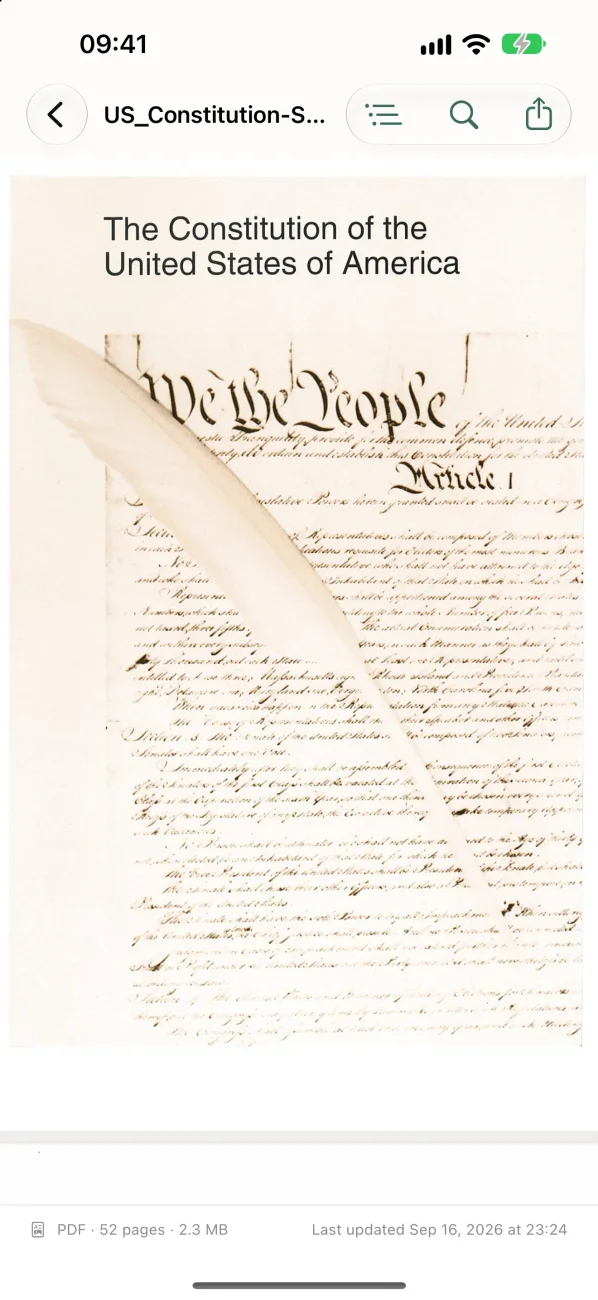
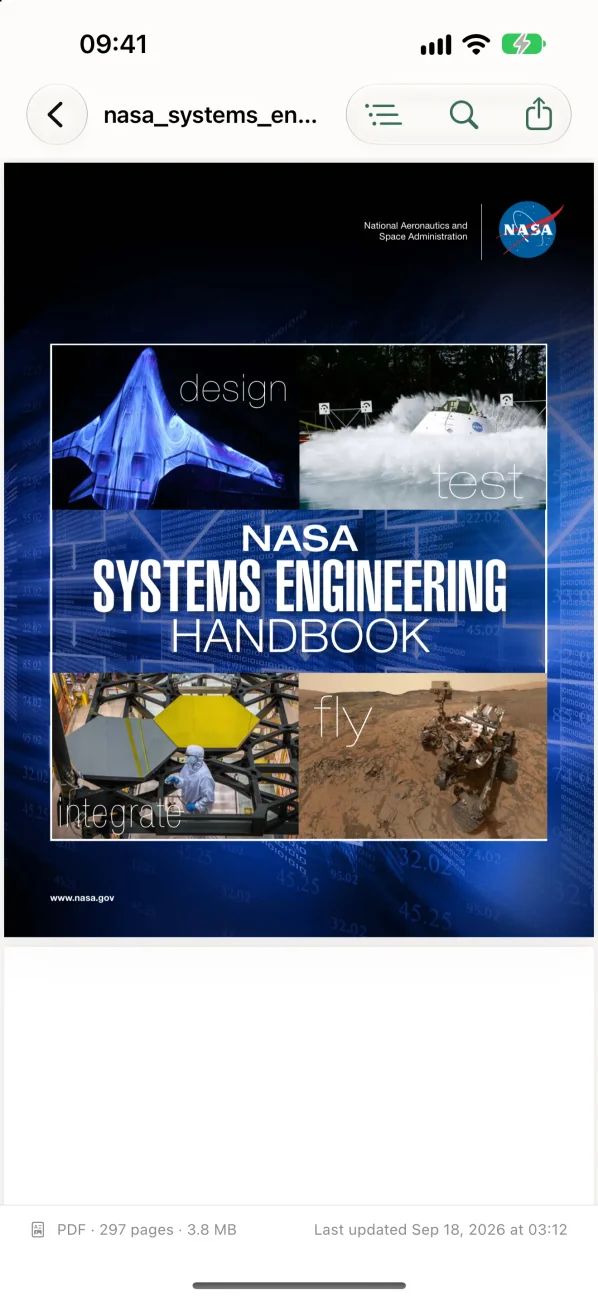
PDFs open with their own outline and Find. JPEG, PNG, HEIC, GIF, TIFF, WebP, BMP, and AVIF images fit the screen and zoom smoothly. Both are viewed from your files where they are; only one opened from a link is downloaded and kept.
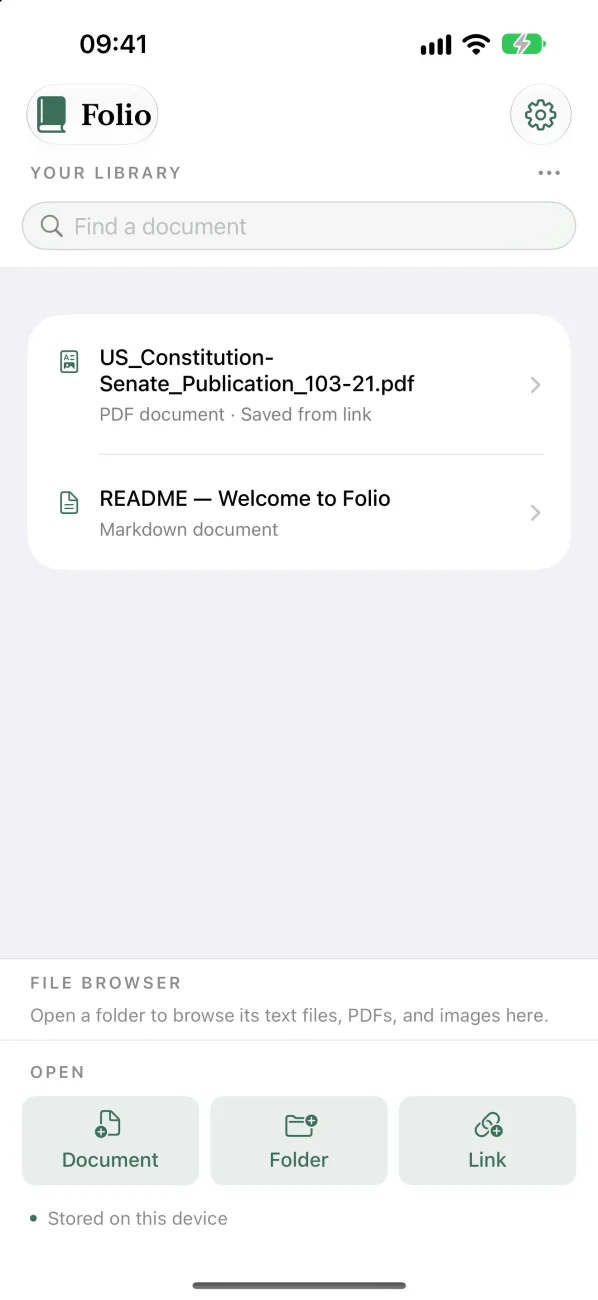
FILES, FOLDERS, AND LINKS
Open a document, browse a whole folder, drop a file into the window, or paste a link; a document opened from a folder shows the pictures stored beside it. GitHub file links and direct HTTPS links to text, PDFs, and images are saved for offline reading, and text is refreshed while you read. Private repositories work with a personal access token that stays in your device's Keychain.
YOURS, AND ONLY YOURS
There is no account, no analytics, no advertising, and no upload service. Documents, edits, bookmarks, and settings stay on your device. A single switch stops documents from loading images from the web.
FREE TO BEGIN, SIMPLE TO UNLOCK
Read complete text documents up to 10 KB for free, and view PDFs and images without limit. Folio Plus, a one-time purchase or a yearly subscription, unlocks larger documents, editing, Export PDF, and, on Mac, Print, and supports Family Sharing.
Subscriptions are charged to your Apple Account at confirmation and renew automatically unless canceled at least 24 hours before the end of the current period. Manage or cancel them in your Apple Account settings. Privacy Policy: https://folio.bluetao.com/privacy/ Terms of Use: https://www.apple.com/legal/internet-services/itunes/dev/stdeula/
Requires iOS 17, iPadOS 17, or macOS 14 or later.
新機能
バージョン 1.2.2 · 2026/11/23
Fixes that protect your work, and steadier reading.
• In Markdown, a code block labelled sh, bash, toml, swift, or one of many other languages no longer keeps the editor from saving what you type after it, and documents with one no longer open blank in the editor. If you edited such a document, check that it holds what you typed.
• Saving into a file is safer: Folio notices a change another app is saving at that moment through the system, as sync services do; a full disk usually stops a save before the file's own text is touched, and one cut short is found and asked about; and a file moved to the Trash or replaced by a link is left alone.
• While you edit, Folio saves at least every few seconds, even if you never pause, and finishes saving when you leave the editor or quit.
• Folio asks before saving over a change another app made, also when you come back to edits made earlier, and a document is edited in one window at a time, so two windows can't overwrite each other.
• A damaged library file is recovered as far as possible, with a copy kept, instead of being replaced.
• A text document that changes while you read it keeps your place, and Done Editing returns you to where you were.
• On iPhone, a document reopened from the library shows changes to its file, your edits, and pictures from a folder you just allowed, and an open PDF or image reloads when its file changes. Files in folders you gave Folio are followed when another app replaces them to save.
• Symbols written with an asterisk, such as u*, v*, stay as written instead of turning italic.
• Word counts and reading times are right for Chinese and Japanese.
アプリのプライバシー
このアプリのデータの取り扱いについて、BlueTao LLCがApp Storeで申告している内容です。
-
データの収集なし
開発元はこのアプリからデータを収集しません。
プライバシーの取り扱いは、ご利用の機能やお客様の年齢などに応じて異なる場合があります。
情報
- 販売元
- BlueTao LLC
- カテゴリ
- 開発ツール
- バージョン
- 1.2.2
- 更新日
- 2026/11/23
- リリース
- 2026/10/1
- サイズ
- 12.9 MB
- 必要条件
- iOS 17.0以降
- 対象年齢
- 4+
- 価格
- 無料
- アプリ内課金
- あり
- 著作権
- © 2026 BlueTao LLC