- 対象年齢4+
- カテゴリミュージック
- 開発元Morgan Rai
- 言語英語
- サイズ3.4 MB
App Storeの公式ページにリンクしています
Download.orgはFractal Studioのファイルを一切ホストしていません。ボタンを押すと、Morgan Raiが公開しているApp Storeのアプリページが開きます。ページの最終確認:2026/11/22。
スクリーンショット
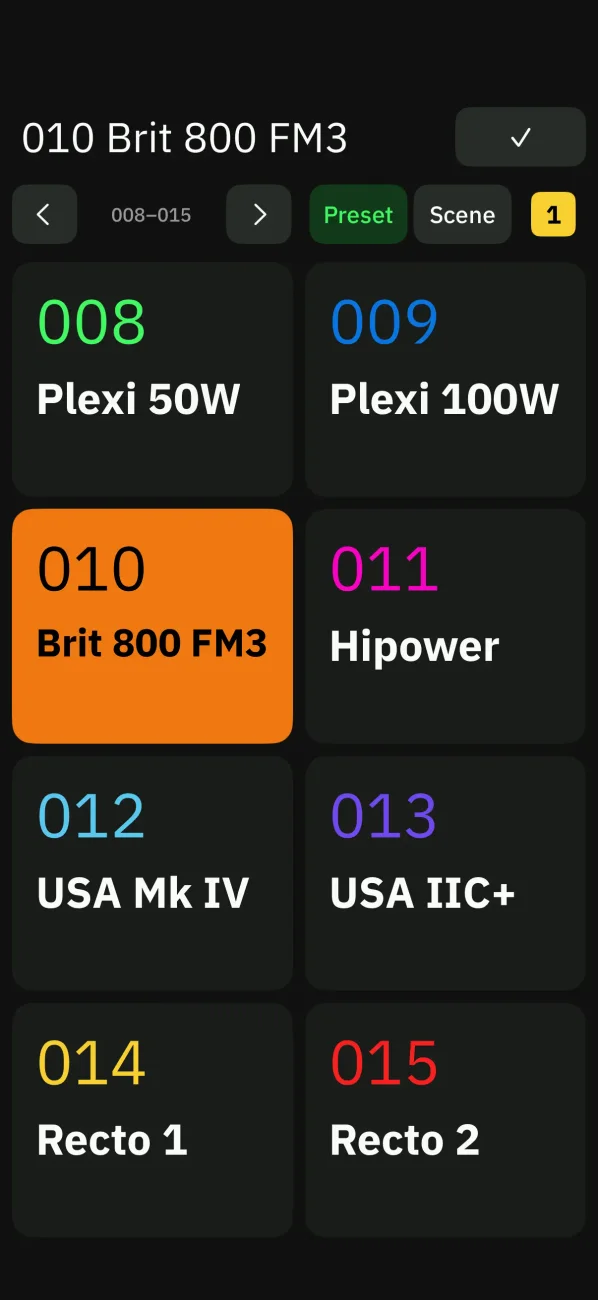
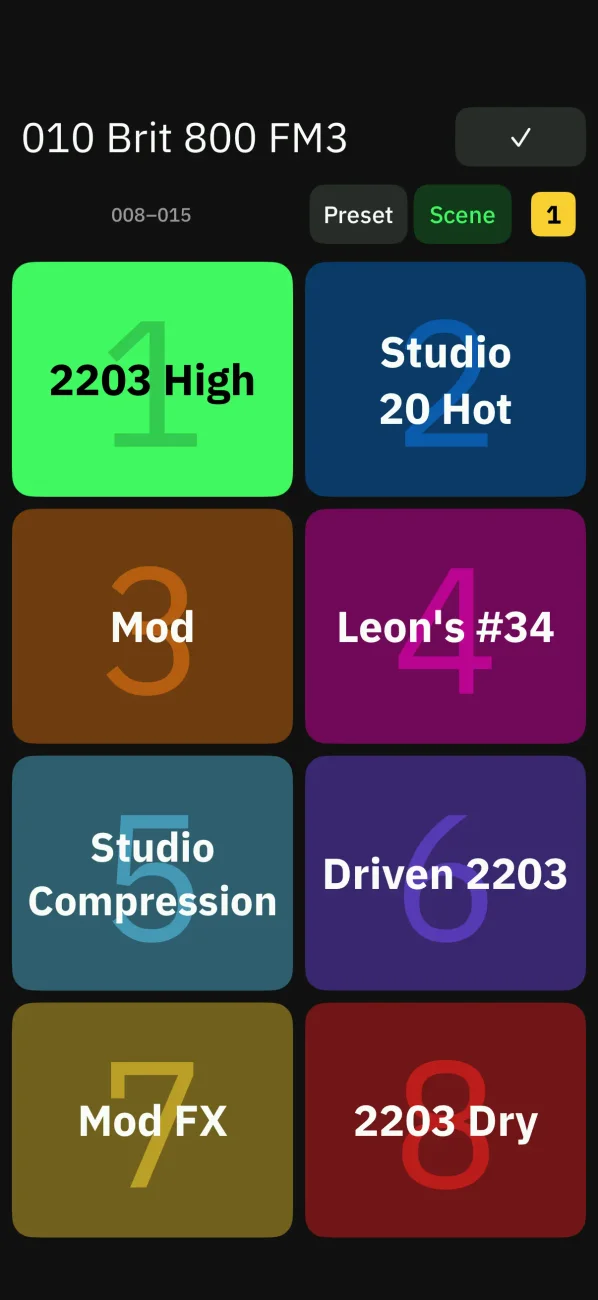
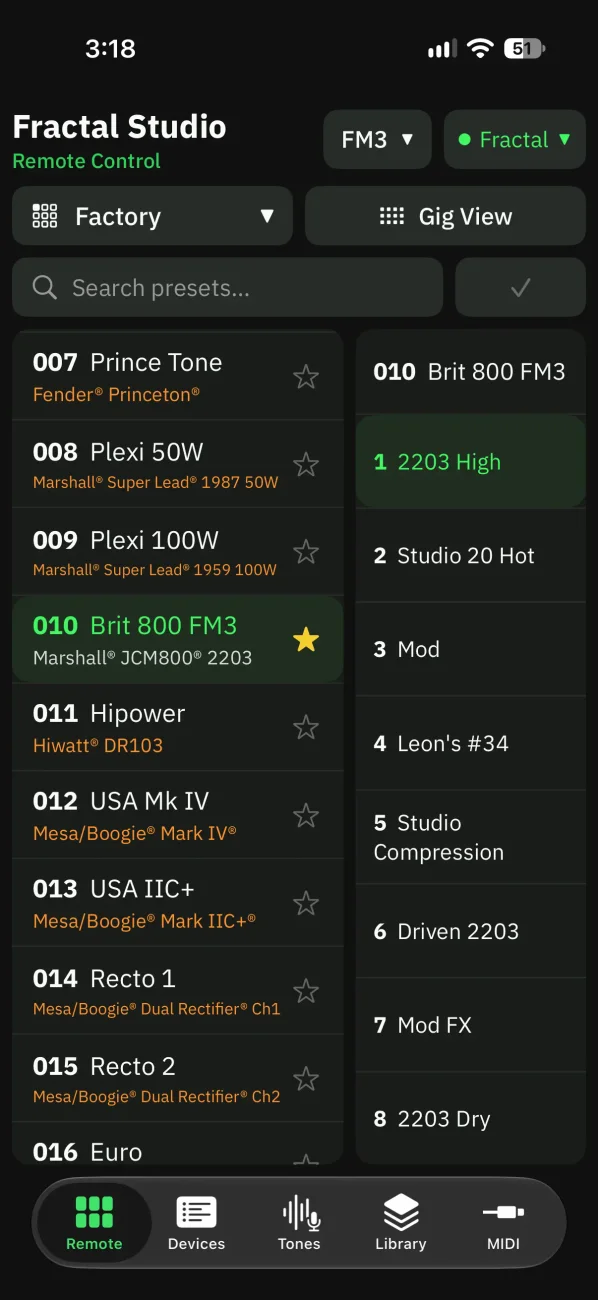
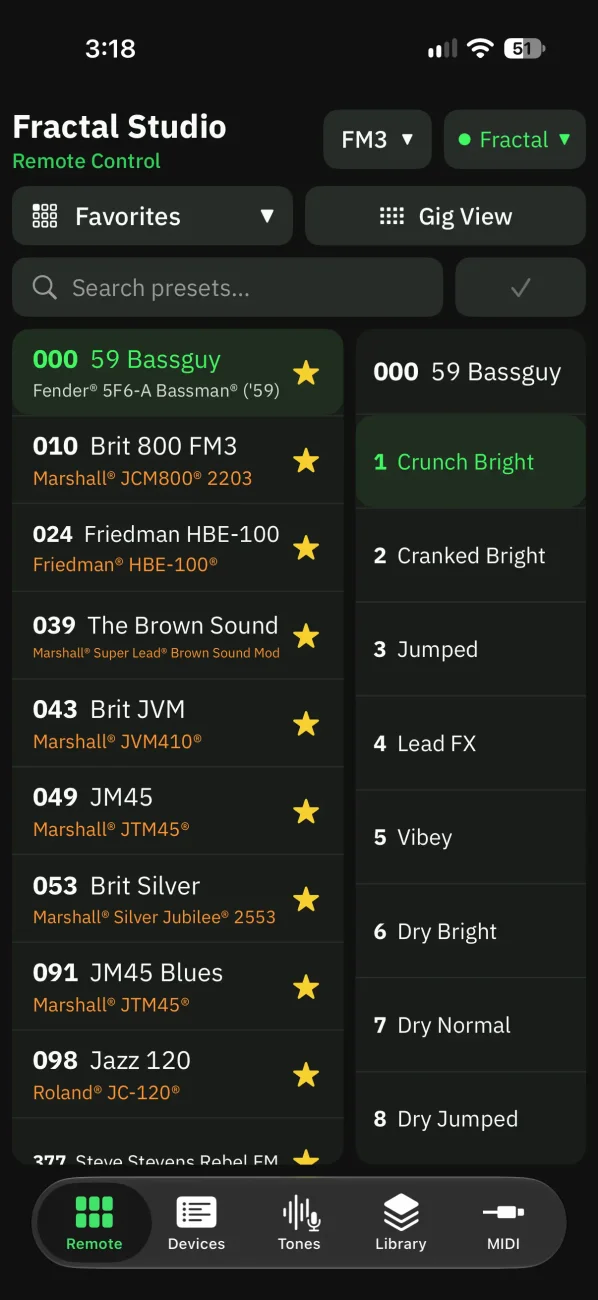
概要
開発元はこのテキストをお使いの言語で提供していません。
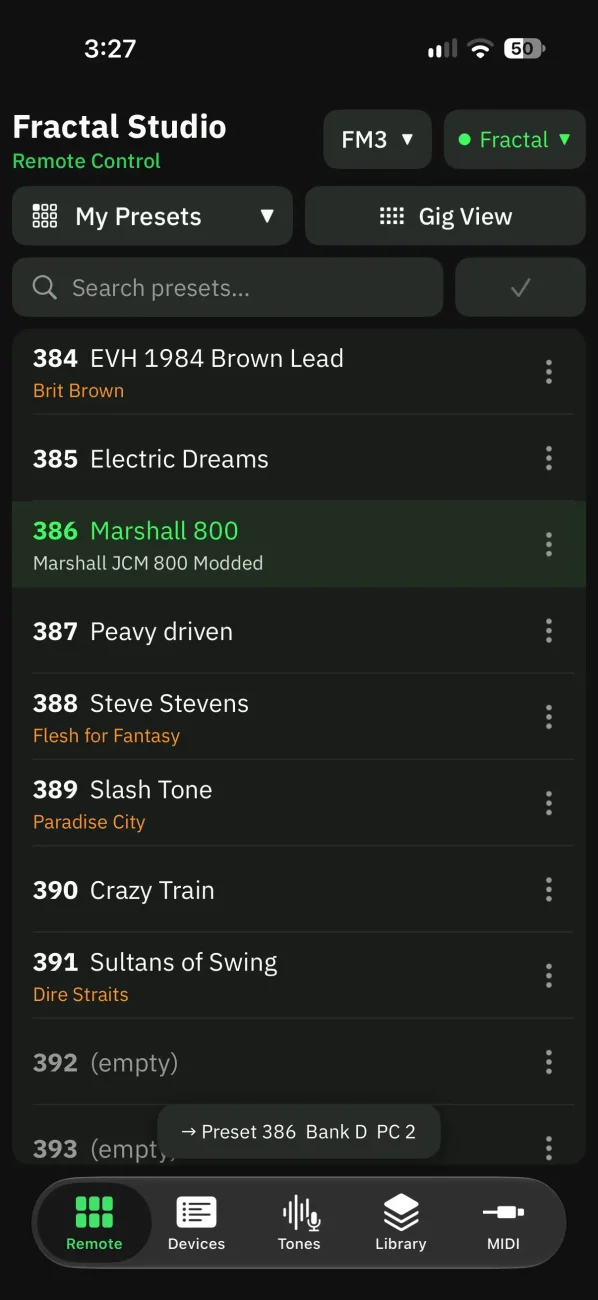
Fractal sounds incredible - now it has the interface to match. Fractal Studio is a companion app that gives your Fractal a modern, easy-to-read interface on your iPhone or iPad. Browse and recall presets, switch scenes, and see your own preset and scene names, all on a clean dark screen built for the stage.
A BETTER INTERFACE
• A big, clear preset list with the amp each one is based on
• A scene panel beside the list, so you see all eight scenes at once
• A sidebar for Factory, Favorites and My Presets
• Search by name, amp or number
• Built for iPad and iPhone Duo as well as iPhone
YOUR PRESETS AND SCENES, STRAIGHT FROM YOUR FRACTAL
• Your own presets (384 and up) show up in My Presets with the names stored on the unit, and empty slots stay out of the way
• See the real name of every scene in Gig View and the scene list
• Save or rename a preset or scene on the unit and the app keeps up, with nothing to type in twice
• Needs a MIDI connection that goes both ways (see Note)
REMOTE CONTROL
• Recall any preset with a tap, and switch scenes in one more
• Send presets and scenes straight from the app
• Works with the FM3, FM9 and Axe-Fx III
• A green “Fractal” or red “No Device” light shows if your unit is connected
WIRELESS CONTROL (PRO)
• Plug one device into your Fractal, then control it from any other device on your iCloud. Pick a preset or scene on your phone and the unit follows within moments
• Open Gig View or switch to Scene view on one device and your other devices follow
• No extra cables or hardware. Keep Fractal Studio open on the plugged-in device
GIG VIEW (PRO)
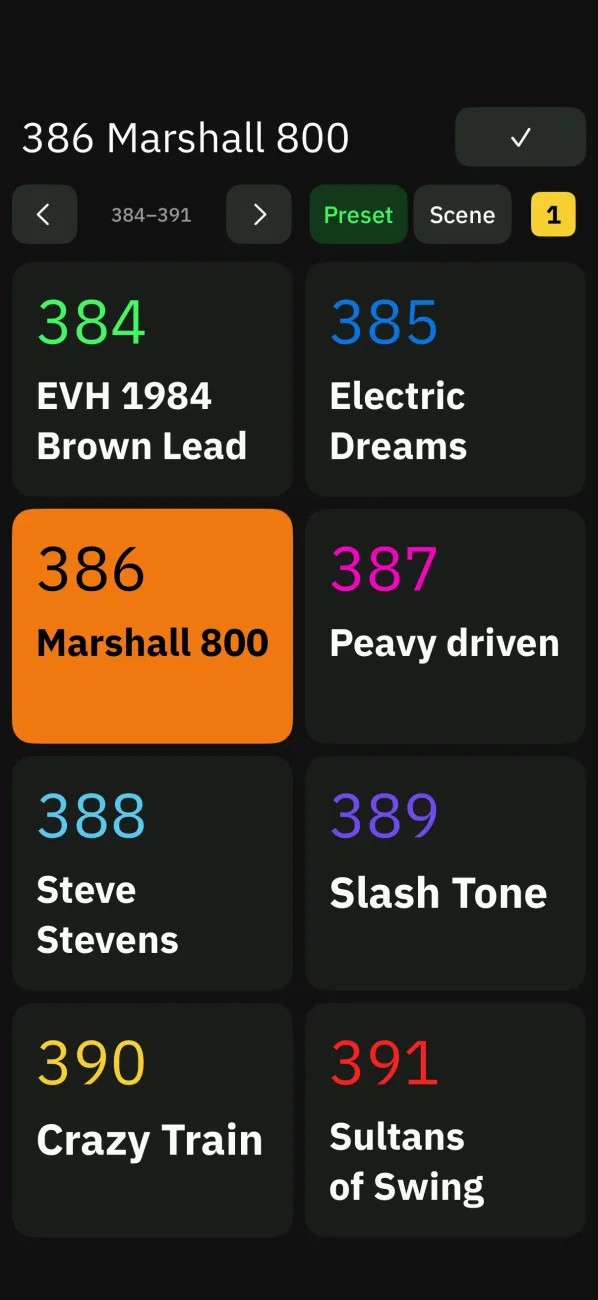
• Big preset tiles you can hit without looking, in portrait or landscape
• Tap Scene to switch scenes, with big, readable names
• Step through banks with a tap
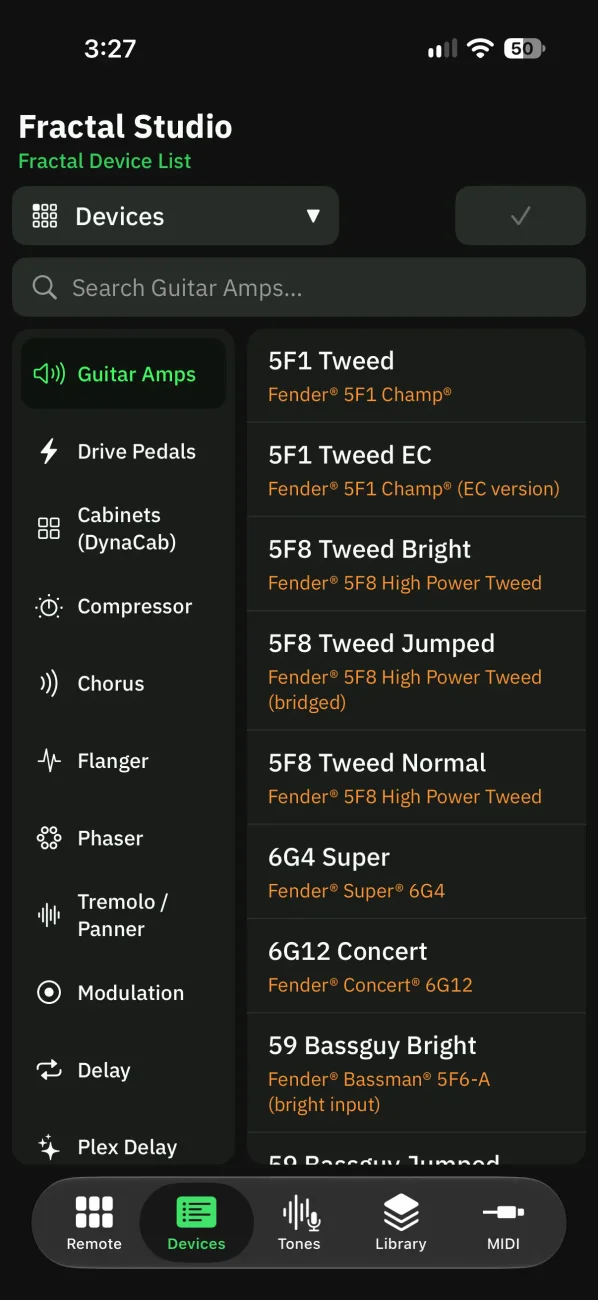
DEVICE DIRECTORY
• Search every amp, drive, cab and effect
• See the real-world gear each one is based on
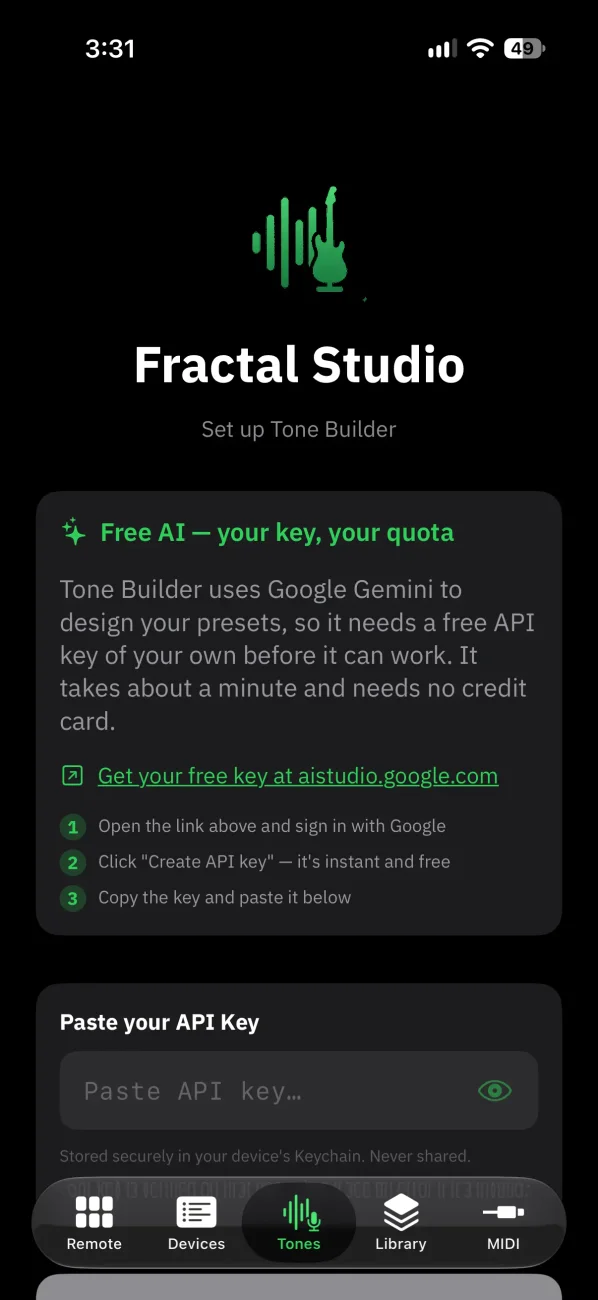
AI TONE BUILDER
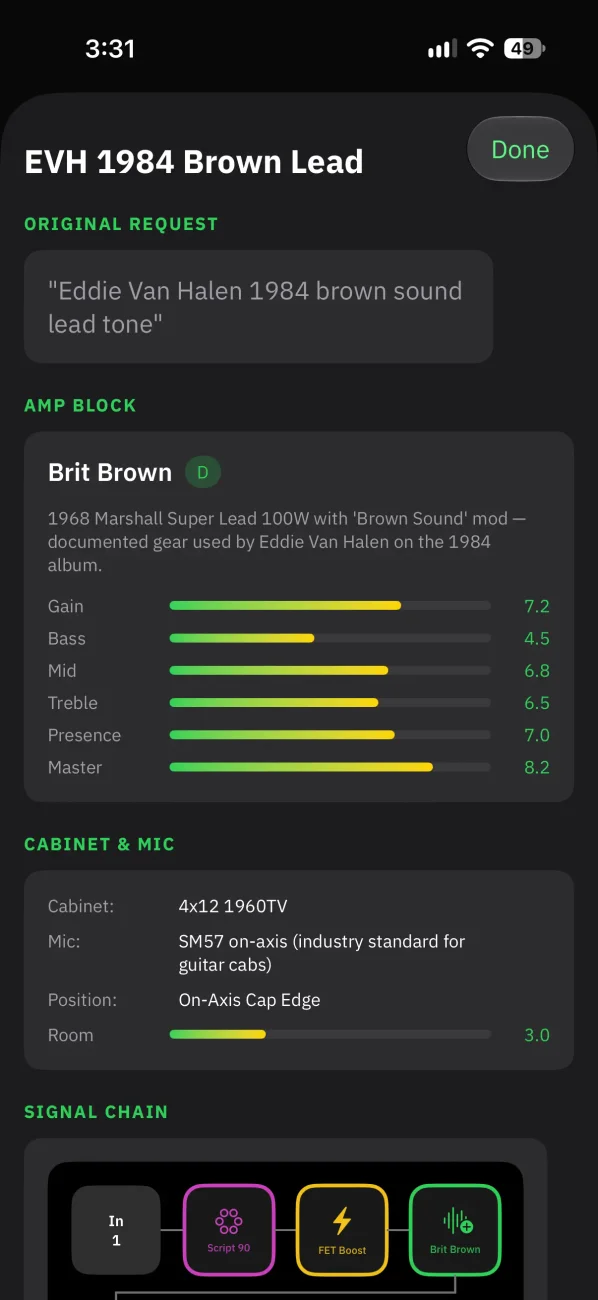
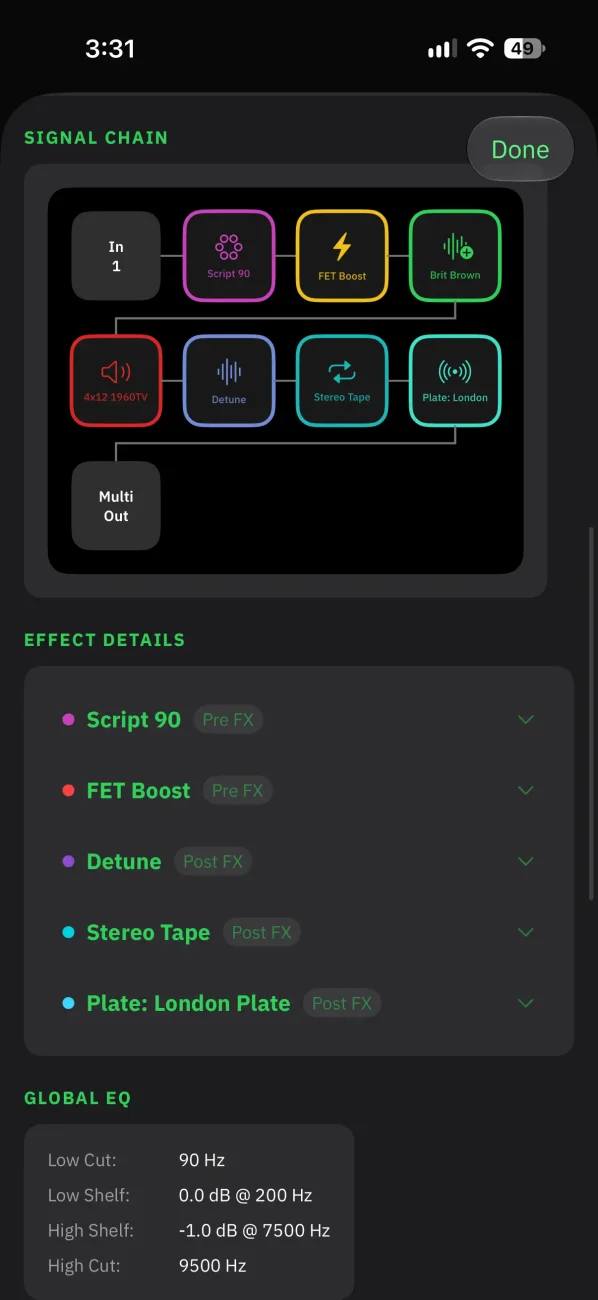
• Describe a sound, whether it’s an artist, a song, a decade or a vibe, and get a full tone to dial in
• Works with your own free Google Gemini key (aistudio.google.com). A short guided setup walks you through it, and the key stays in your Keychain
ICLOUD SYNC (PRO)
• Your tones, favorites, preset and scene names and current selection follow you across iPhone and iPad, so a device with no cable still shows your names
FREE, WITH PRO WHEN YOU WANT IT
• Try everything free for 7 days
• Remote control, My Presets, the device directory, MIDI and Tone Builder stay free
• Pro is a one-time purchase, no subscription. It unlocks Wireless Control, Gig View, iCloud sync and unlimited saved tones and favorites
NOTE
• Fractal Studio is independent and not affiliated with or endorsed by Fractal Audio Systems
• The FM9 and Axe-Fx III connect by USB. The FM3 connects through a MIDI interface or adapter on its 5-pin MIDI ports. Wire both MIDI In and MIDI Out so the app can read your names. With only MIDI In you can still control the unit
新機能
バージョン 4.0 · 2026/11/20
• Bug fixes
アプリのプライバシー
このアプリのデータの取り扱いについて、Morgan RaiがApp Storeで申告している内容です。
-
データの収集なし
開発元はこのアプリからデータを収集しません。
プライバシーの取り扱いは、ご利用の機能やお客様の年齢などに応じて異なる場合があります。
情報
- 販売元
- Morgan Rai
- カテゴリ
- ミュージック
- バージョン
- 4.0
- 更新日
- 2026/11/20
- リリース
- 2026/8/23
- サイズ
- 3.4 MB
- 必要条件
- iOS 18.6以降
- 対象年齢
- 4+
- 価格
- 無料
- アプリ内課金
- あり
- 言語
- 英語
- 著作権
- © (c) 2026