- 対象年齢4+
- カテゴリファイナンス
- 開発元干 张
- 言語簡体字中国語ほか1言語
- サイズ7.4 MB
App Storeの公式ページにリンクしています
Download.orgはFreeGridのファイルを一切ホストしていません。ボタンを押すと、干 张が公開しているApp Storeのアプリページが開きます。ページの最終確認:2026/11/12。
スクリーンショット
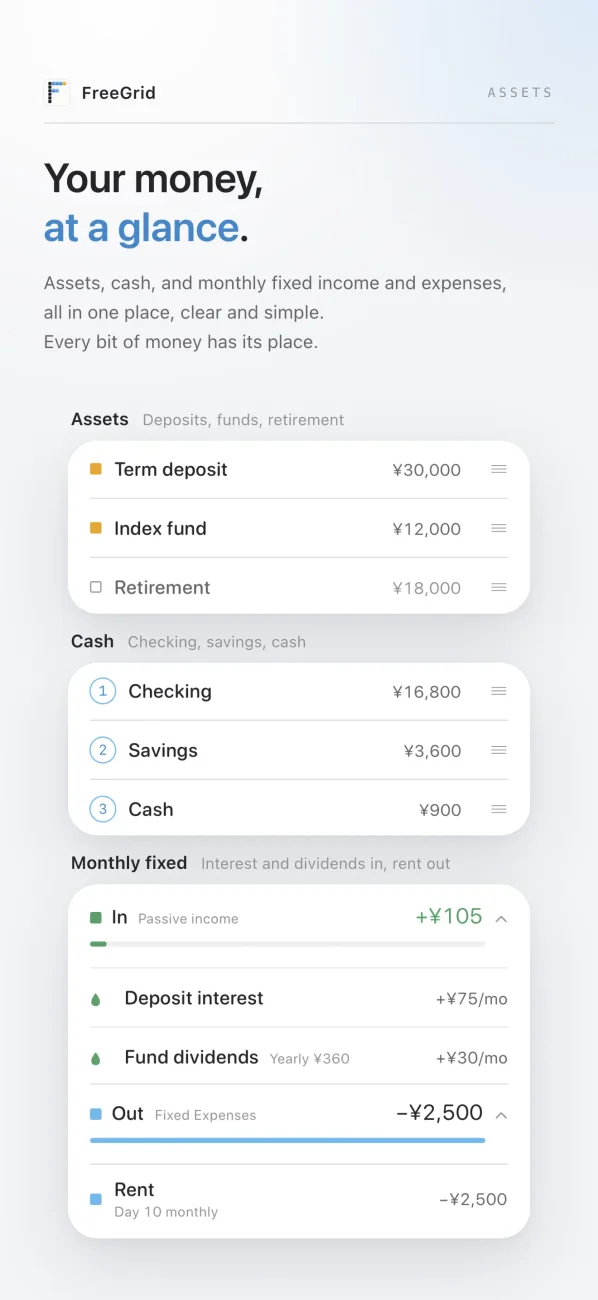
概要
開発元はこのテキストをお使いの言語で提供していません。
Most money apps tell you how much you spent. FreeGrid shows you what it cost.
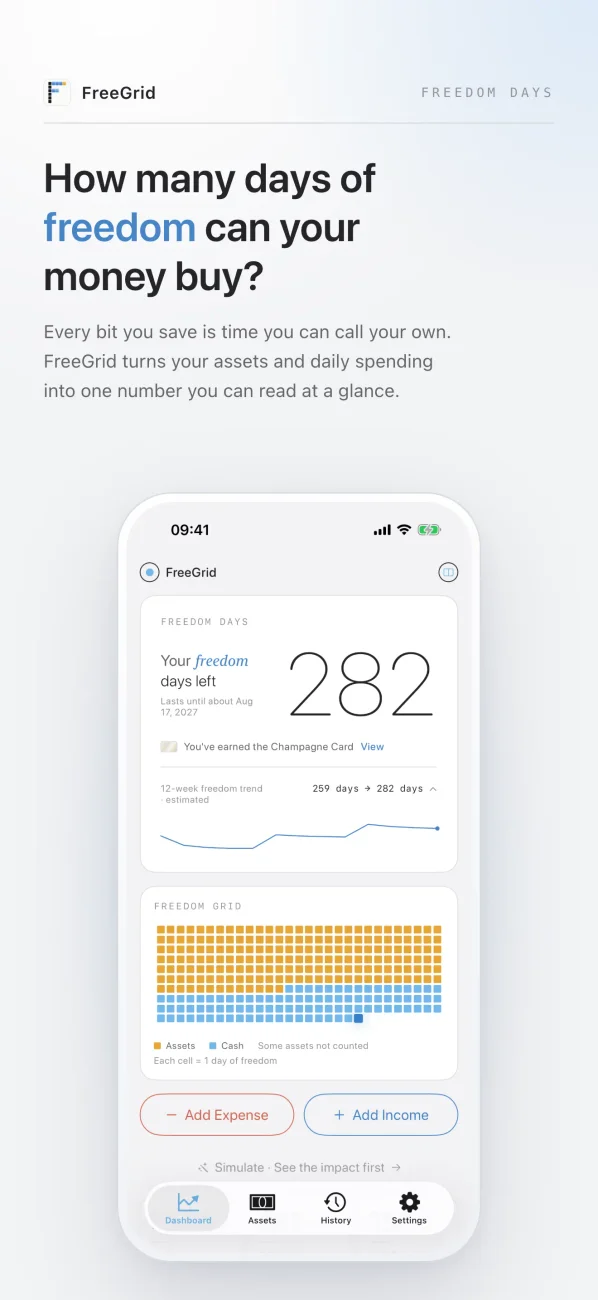
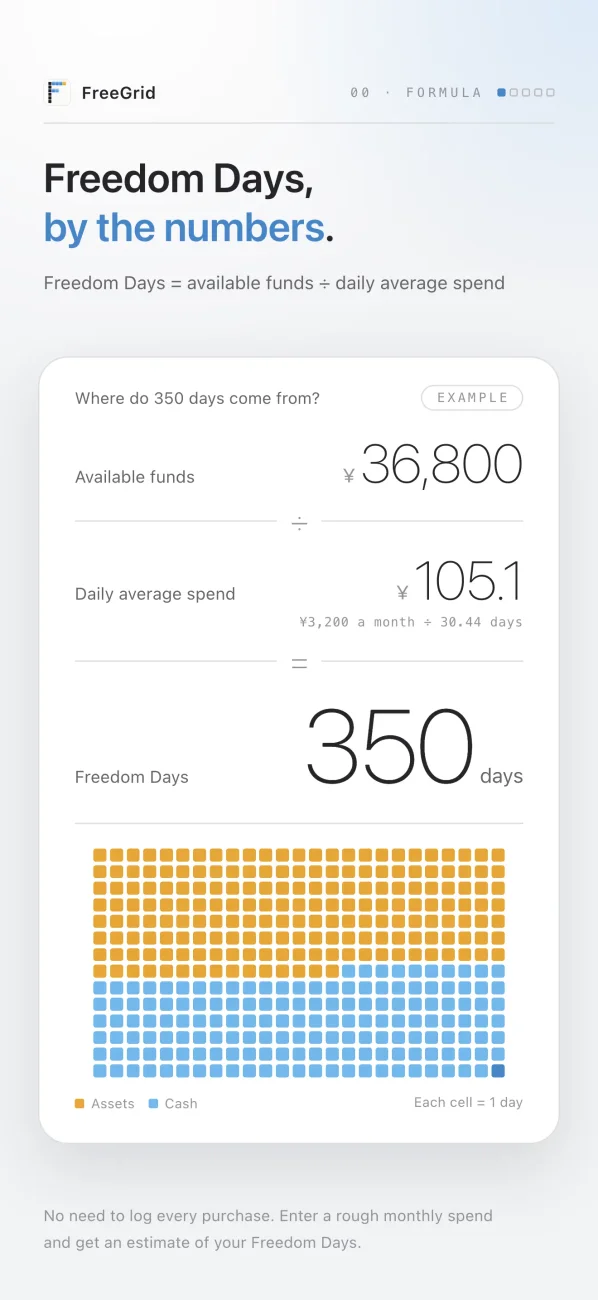
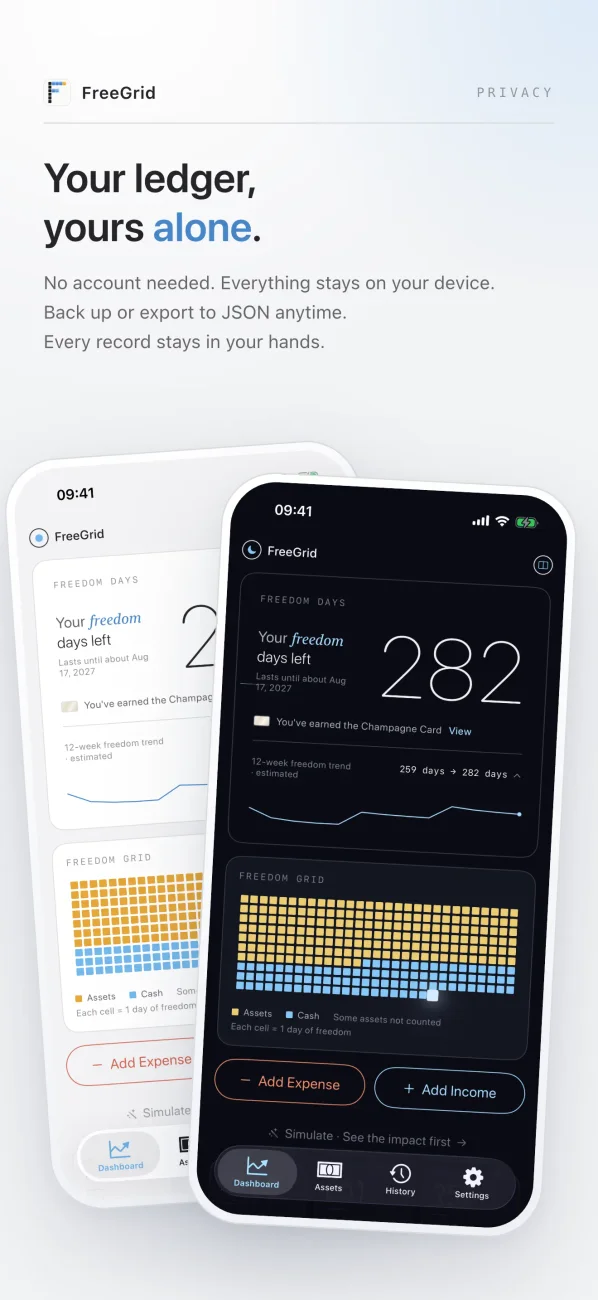
It turns your available funds and how fast you spend into one number you can see every day — Freedom Days: if you stopped earning today, how many days your money would let you live freely.
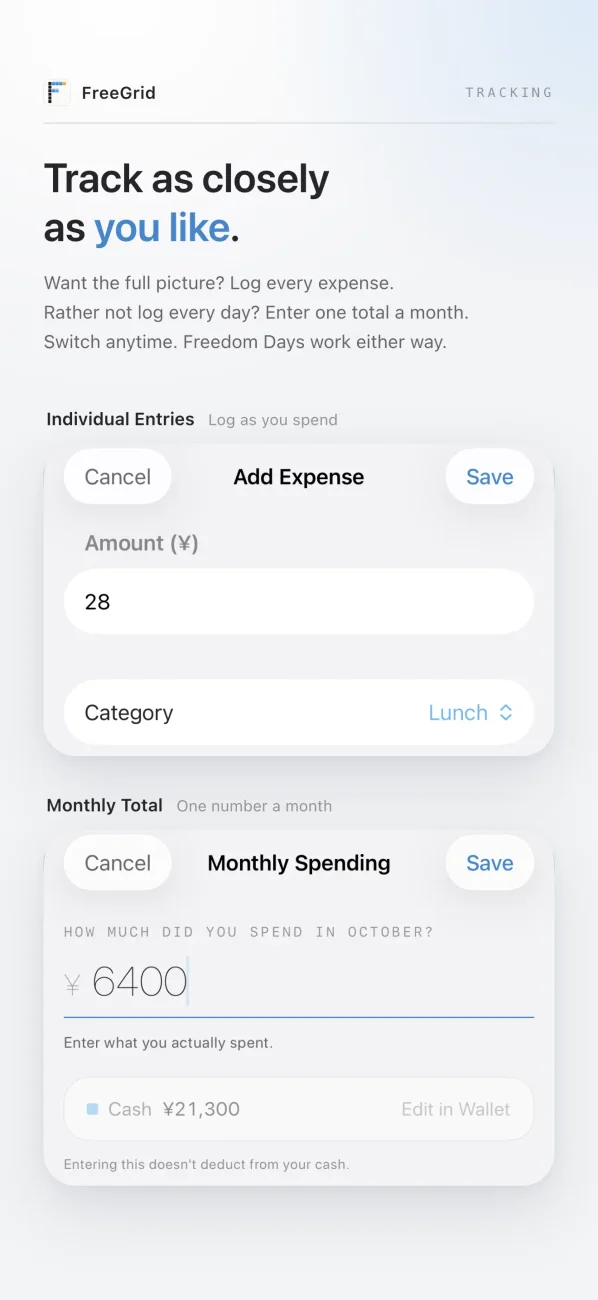
The number comes straight from what you record. The longer you track, the more accurate it gets. No goals to set up front.
Three ideas behind it:
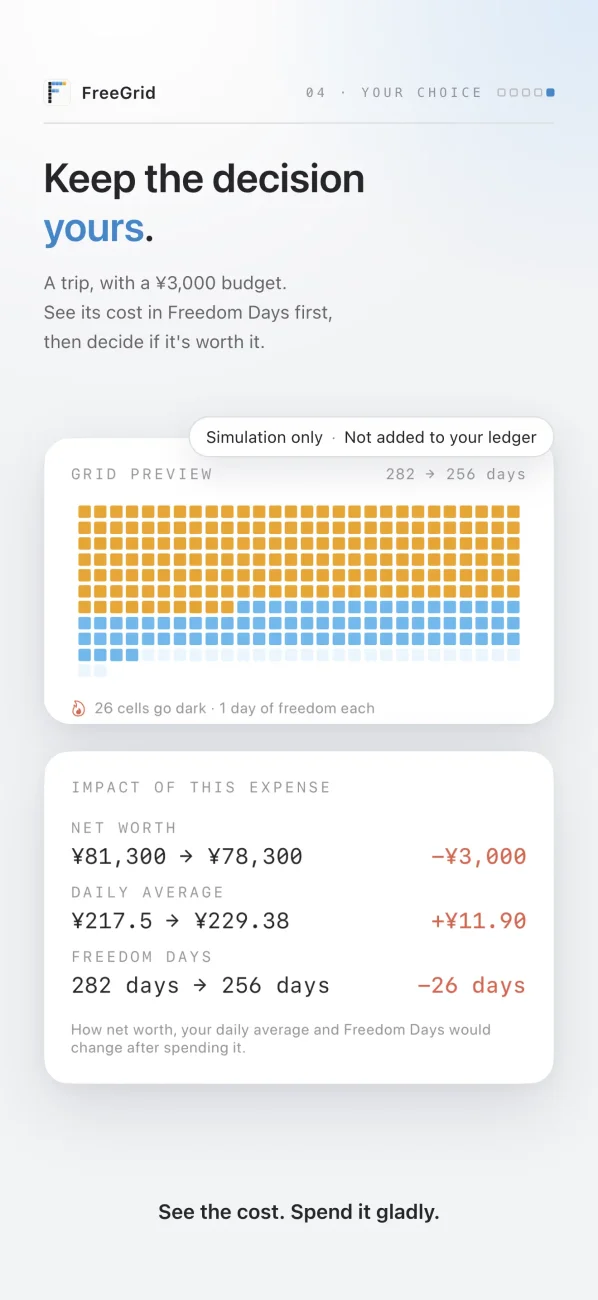
• See the cost: big purchases are spread into your daily average, so every decision shows its real weight.
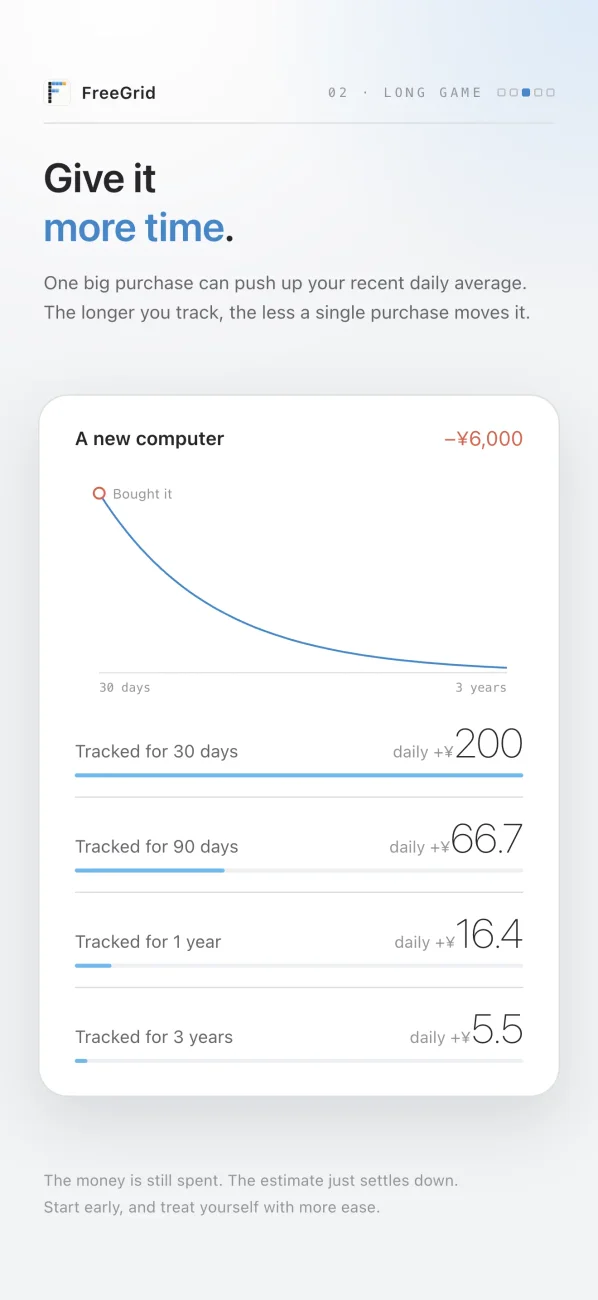
• Think long term: the longer you track, the less any single purchase swings the number. Start early, and big purchases later feel easier.
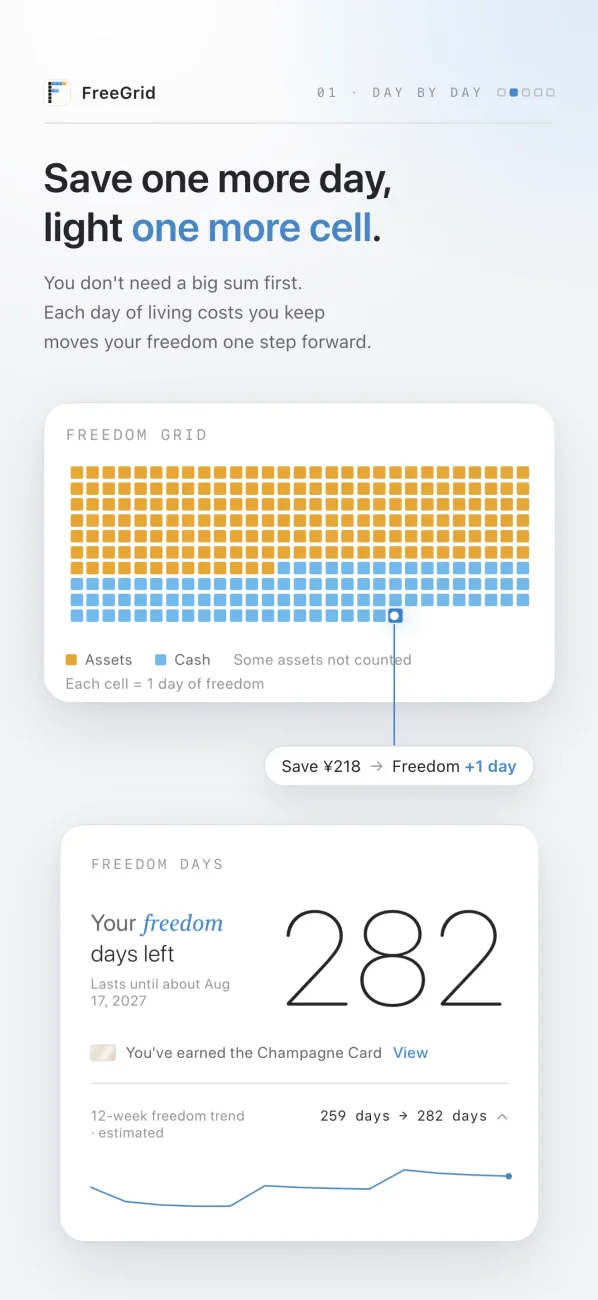
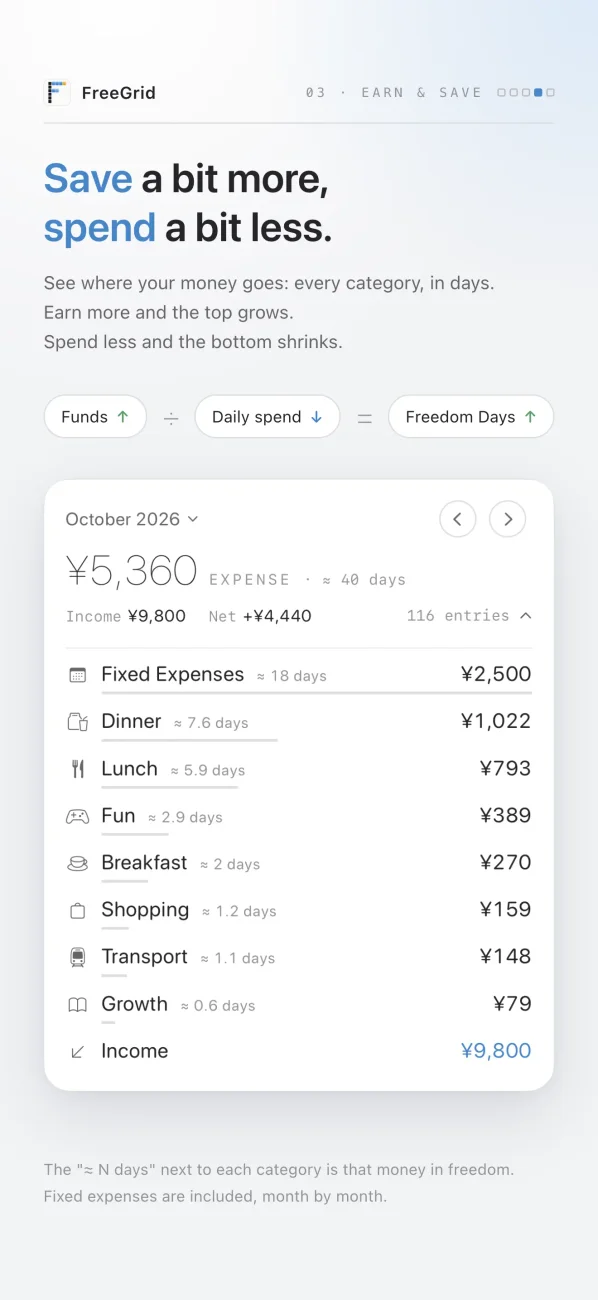
• Earn more, spend wisely: every bit of income and every expense you skip lights up new squares on your grid.
— What a new computer really costs —
After a month of tracking, you spend 30 a day and have 10,000 in available funds: FreeGrid says you have 333 Freedom Days. Now you want a 6,000 computer. Other apps show your balance dropping by 6,000. FreeGrid spreads the cost into your daily average and shows the harder truth:
Daily cost 30 → 96.7
Freedom Days 333 → 41
In your first three months, a large expense is spread over 90 days, so one purchase won't multiply your daily average. You can also run the purchase through Simulate before you buy. FreeGrid isn't telling you not to spend — it helps you spend with your eyes open.
— Bills —
Set rent, utilities and subscriptions as bills. They come out of your cash on their due date, and Freedom Days follow the calendar, so rent day no longer makes the number plunge.
— Widgets —
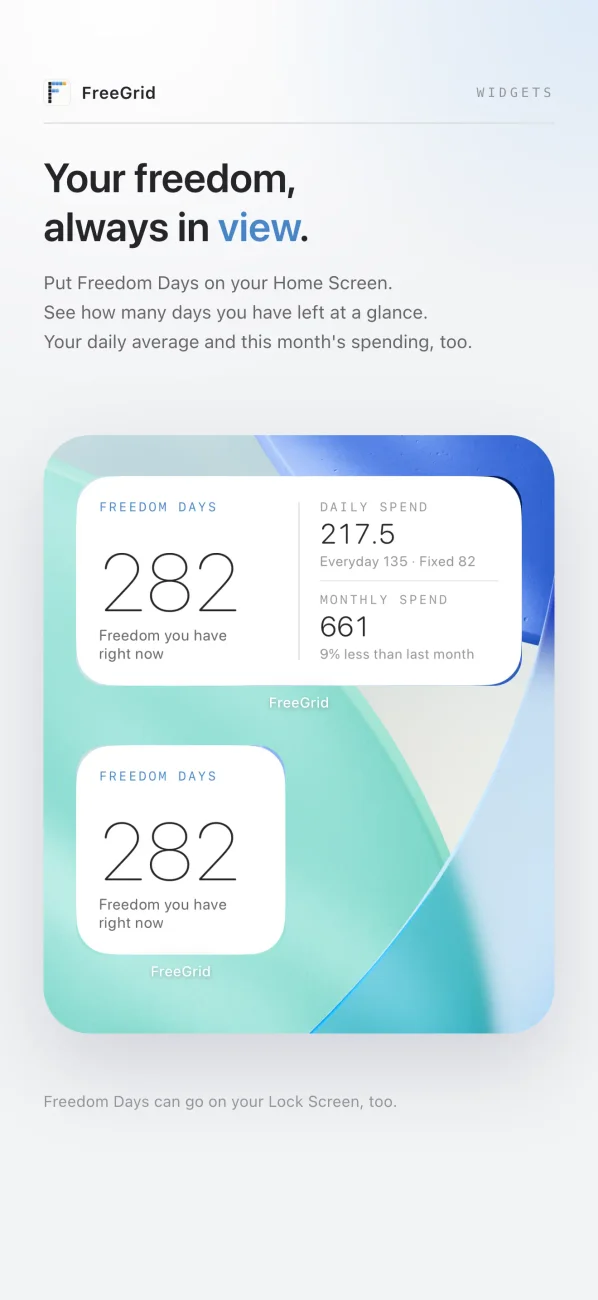
Put your Freedom Days on the Home Screen and Lock Screen, and see them without opening the app.
— FreeGrid Pro (one-time in-app purchase, not a subscription) —
These features need FreeGrid Pro. You can try it free for 7 days:
• Your own expense categories
• Split assets and cash into sub-accounts, and choose which count toward Freedom Days
• The Money & Time view of your assets
• Loans and installments, counted by their repayment schedule
• Export and share your Freedom Card
• Goals of your own: how many Freedom Days you want, compared directly with the days you have
• Freedom Dashboard and My goal widgets
Tracking, bills, Freedom Days, the grid, Simulate, the Freedom Days widget, and backup and restore are all free. Available in English and Chinese. Your records stay on your device by default, backups go only to your own iCloud, and purchases and restores go through Apple.
新機能
バージョン 2.3.0 · 2026/11/7
What's New
1. iPhone Duo support: a layout that fits the device better.
2. Smoother experience: many small interaction details refined.
3. Add past months: you can now add spending for earlier months in History, so every expense has its place.
アプリのプライバシー
このアプリのデータの取り扱いについて、干 张がApp Storeで申告している内容です。
-
データの収集なし
開発元はこのアプリからデータを収集しません。
プライバシーの取り扱いは、ご利用の機能やお客様の年齢などに応じて異なる場合があります。
情報
- 販売元
- 干 张
- カテゴリ
- ファイナンス
- バージョン
- 2.3.0
- 更新日
- 2026/11/7
- リリース
- 2026/6/26
- サイズ
- 7.4 MB
- 必要条件
- iOS 17.6以降
- 対象年齢
- 4+
- 価格
- 無料
- アプリ内課金
- あり
- 言語
- 簡体字中国語, 英語
- 著作権
- © 2026 conilab
こちらもおすすめ
-
 Keel: 家計簿・資産管理・純資産複式簿記で純資産・損益・資金繰りを見える化
-
 Numio: Personal Asset Managerファイナンス
-
 Pace Flow上品に財務管理を行う
-
 Coast: Budget & FIREファイナンス
-
 Asset Packet-Asset Managerファイナンス
-
 SpendNextファイナンス
-
 MoneyTrails: Portfolio Trackerファイナンス
-
 钱衡 - 记账预算资产管理ファイナンス
-
 OneEntry 家計簿 - 出来事ごとに1冊旅行の支出・個別帳簿・好きな時だけ記録
-
 Flower:かんたん家計簿(かけいぼ)支出管理もお小遣い帳も、このアプリで