FuncBud Math Sequencer & Synth
Generative AUv3 MIDI
iPhone, iPad, iPod touch向けに設計
¥1,000
- 対象年齢4+
- カテゴリミュージック
- 開発元Cem Olcay
- 言語英語
- サイズ14.0 MB
App Storeの公式ページにリンクしています
Download.orgはFuncBud Math Sequencer & Synthのファイルを一切ホストしていません。ボタンを押すと、Cem Olcayが公開しているApp Storeのアプリページが開きます。ページの最終確認:2026/11/13。
スクリーンショット
概要
開発元はこのテキストをお使いの言語で提供していません。
FuncBud is an AUv3 MIDI sequencer app that generates sequences using simple math functions. You can create math functions with the function builder, then chain and repeat them to create complex sequences.
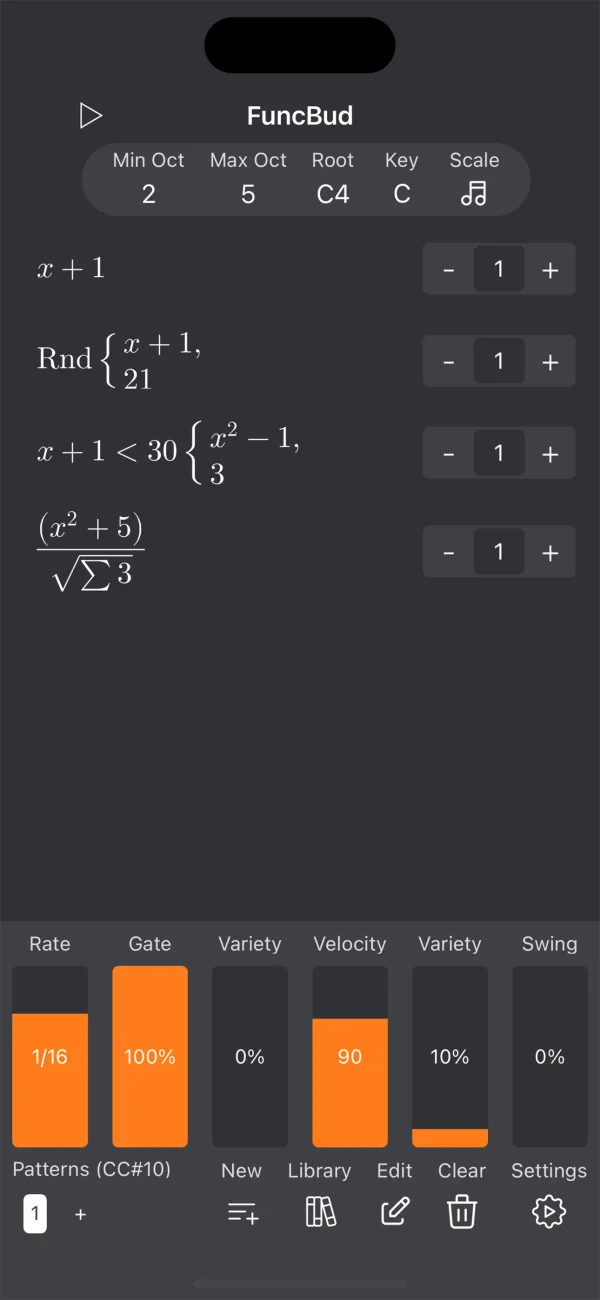
A simple x + 1 function would sequence all the notes in the scale in order. It gets more interesting when you use different formulas and chain them.
The sequencer starts from the root note and evaluates the first formula to calculate the new note. Then, it moves to the next formula. If it's a repeating function, it repeats the specified number of times before moving to the next formula. The formula's result is converted to a note in the working key and scale, within the defined minimum and maximum octaves. This new note is then played. Additionally, the result is stored in a history of up to 64 entries for later sum or product calculations
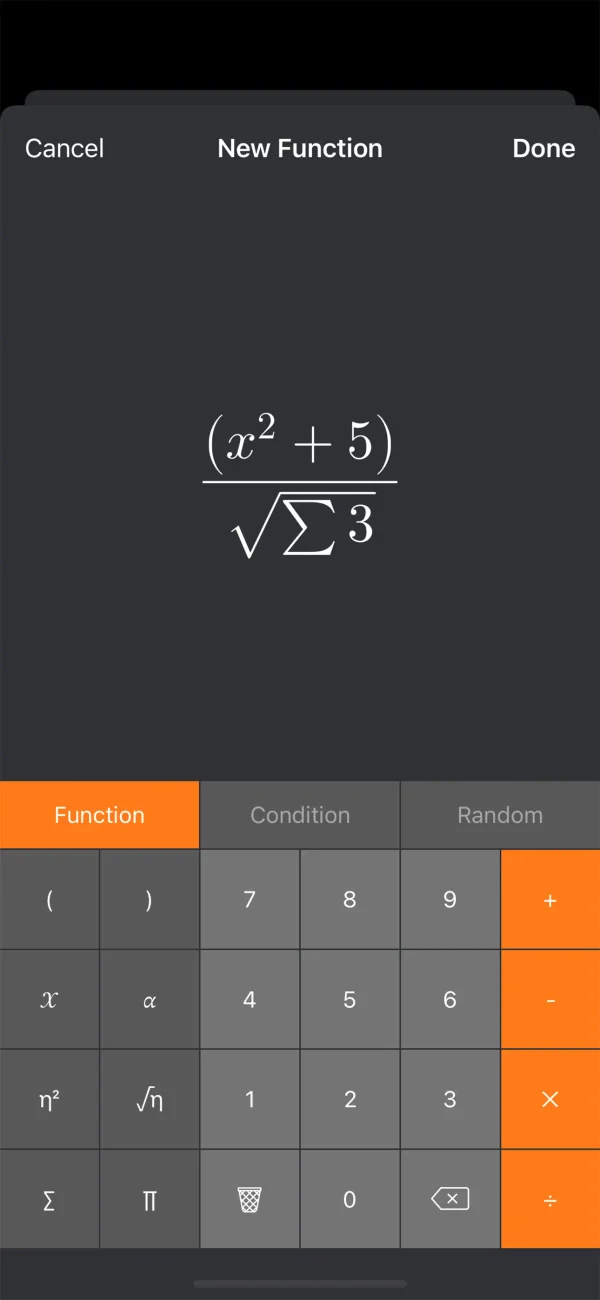
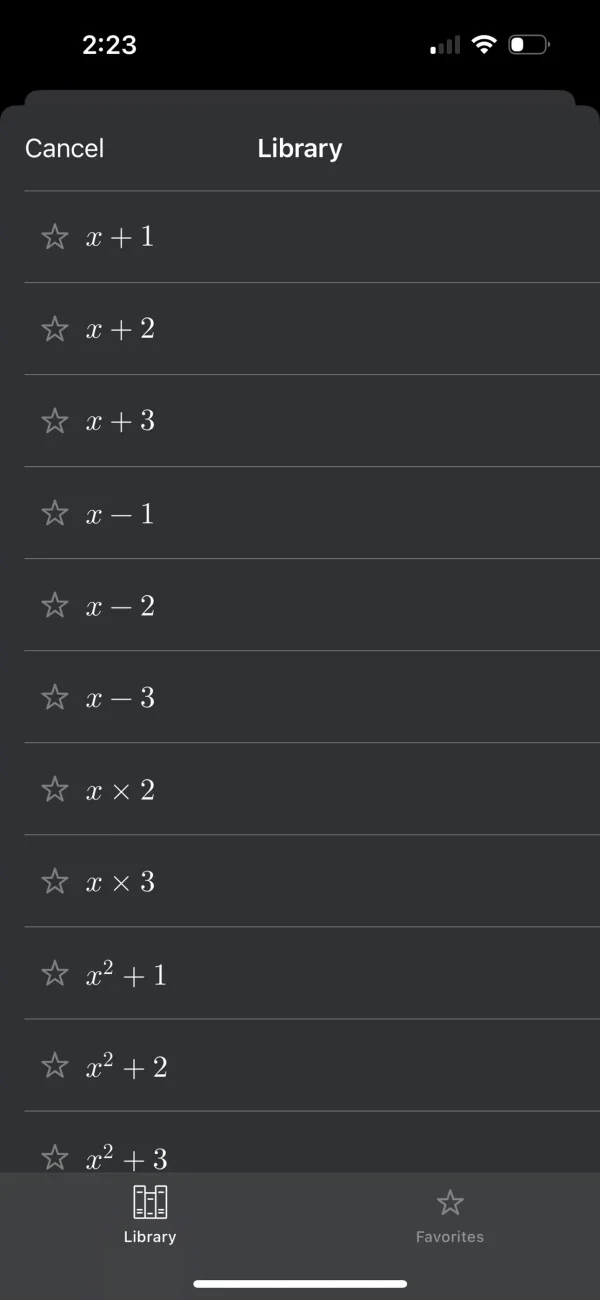
The function builder lets you create functions with simple addition, subtraction, multiplication and division operations as well as square, square root, sum and product operations. You can also use parentheses to prioritize the calculation order. The newly created function will be saved and accessible in the library across both the standalone app and AUv3 instances.
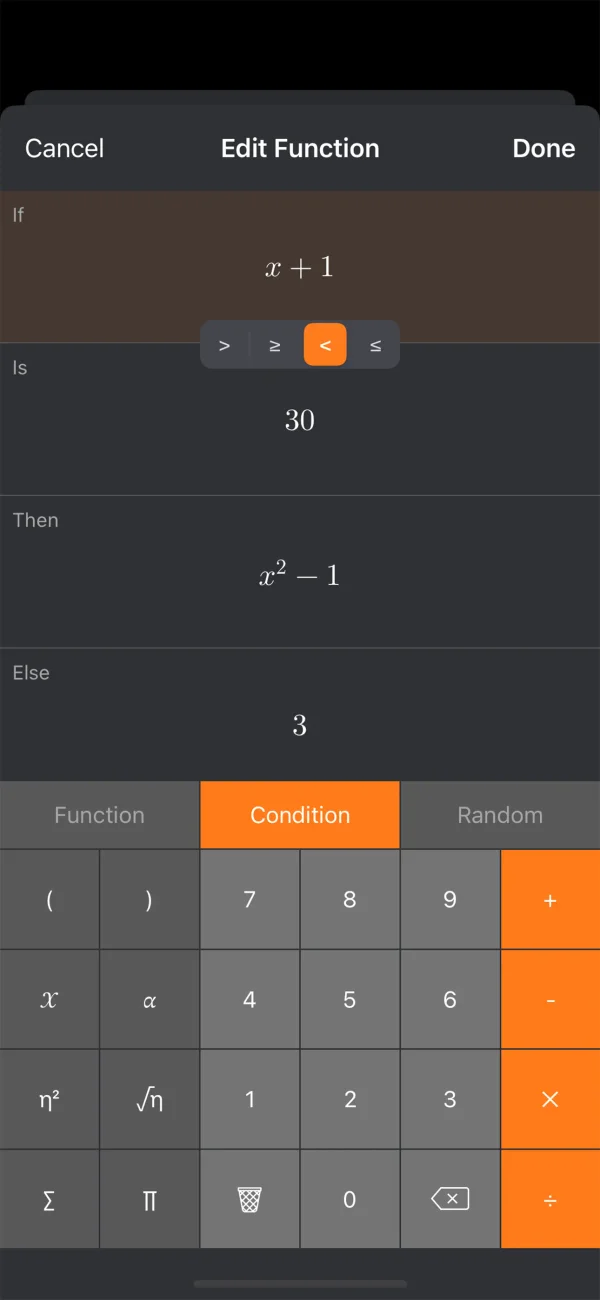
With the conditional functions, you can specify a condition like "if this function is greater than that function, then execute the function A, otherwise execute the function B".
The random function generator will generate a value between two functions, a function for the lower bound and another function for the upper bound.
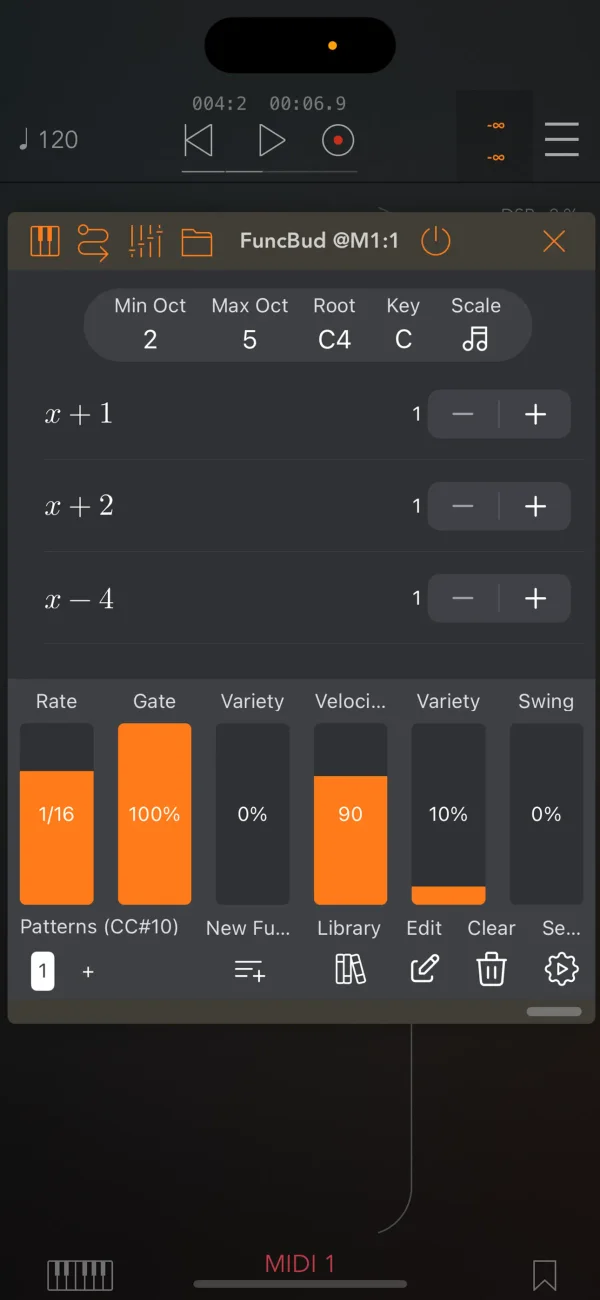
The sequencer picks the notes in the current key and scale, between the minimum and maximum octaves. You also have a root note, the starting note, which are all defined at the top of the UI. You can use BrainBud to change the key and scale as well.
The sequencer speed (rate), gate length, gate length variety, velocity, velocity variety and swing parameters are accessible with the sliders at the bottom of the UI.
In edit mode, you can change the order of the functions. You can also delete a function in edit mode, or simply by swiping it to the left.
Newly created patterns automatically copy the current one, making subtle changes easier. If you prefer a clean slate, you can quickly clear the list with the clear button.
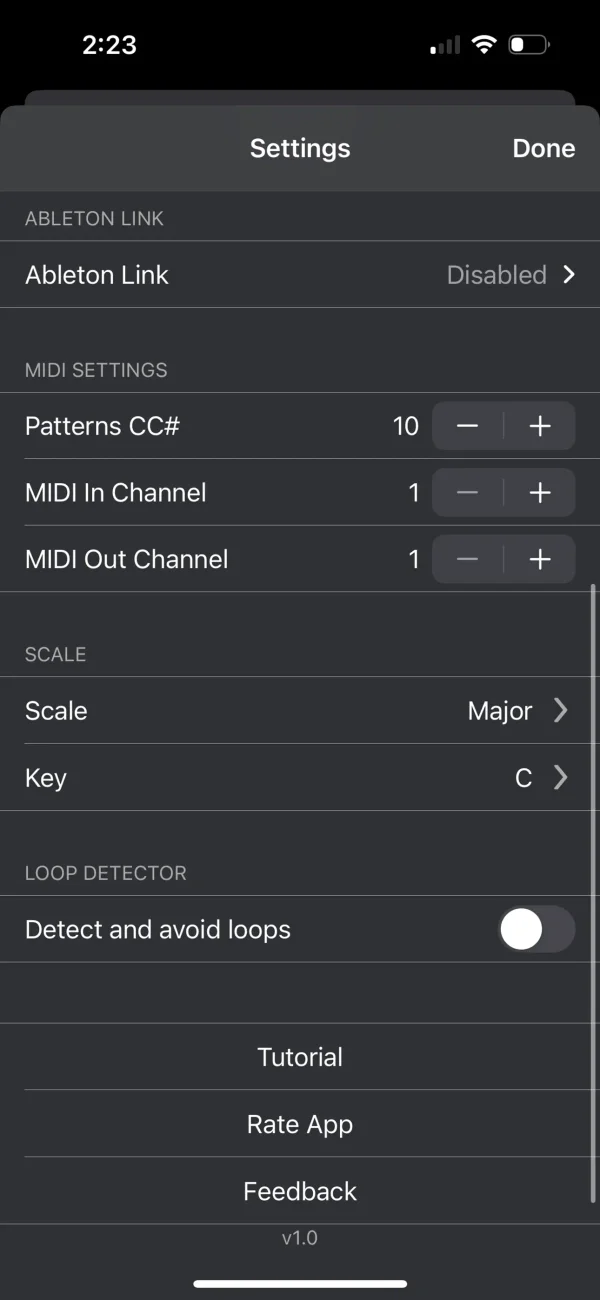
The loop detection function is accessible in the settings menu. When enabled, it would detect the loop and increment the 'x' value by 1 to break the loop.
Please note that FuncBud is a MIDI app. The standalone version has an optional internal synth where you can enable or disable on the settings menu. The AUv3 plugin requires an audio app for output. For the AUv3 functionality, it needs to be hosted within an app such as AUM, Loopy Pro, Cubasis, Logic Pro, Nanostudio, Drambo, or apeMatrix.
新機能
バージョン 3.1 · 2026/9/25
This version fixes the AUv3 state saving issue on iOS 26.7
アプリのプライバシー
このアプリのデータの取り扱いについて、Cem OlcayがApp Storeで申告している内容です。
-
データの収集なし
開発元はこのアプリからデータを収集しません。
プライバシーの取り扱いは、ご利用の機能やお客様の年齢などに応じて異なる場合があります。
情報
- 販売元
- Cem Olcay
- カテゴリ
- ミュージック
- バージョン
- 3.1
- 更新日
- 2026/9/25
- リリース
- 2024/6/6
- サイズ
- 14.0 MB
- 必要条件
- iOS 13.0以降
- 対象年齢
- 4+
- 価格
- ¥1,000
- 言語
- 英語
- 著作権
- © 2026 Cem Olcay