- 対象年齢17+
- カテゴリメディカル
- 開発元David Kramer
- 言語英語
- サイズ1.2 MB
App Storeの公式ページにリンクしています
Download.orgはGlucose Analysisのファイルを一切ホストしていません。ボタンを押すと、David Kramerが公開しているApp Storeのアプリページが開きます。ページの最終確認:2026/11/12。
スクリーンショット

概要
開発元はこのテキストをお使いの言語で提供していません。
Glucose Analysis makes your CGM and glucose finger stick data easy to understand. Built for people who use continuous glucose monitors, and who might supplement that with finger sticks, it pulls your readings from, and writes to, Apple Health and turns them into clear charts, patterns, and insights — all on your device, with no data ever sent to external servers.
With any CGM that syncs to Apple Health, Glucose Analysis works with your existing data without any extra setup.
DASHBOARD
At a glance, see your most recent glucose value colour-coded green (in range), amber (high), or red (low), with a 24-hour sparkline so you can spot trends instantly. Stat tiles show your Time in Range and average glucose from the last 7 days of CGM data. A Dawn Effect card appears automatically when your morning readings are consistently higher than overnight — a common hormonal pattern — so you know to investigate further. You can also log fasting and bedtime finger stick readings directly in the app, export them as a CSV, or delete them with a swipe.
GRAPH EXPLORER
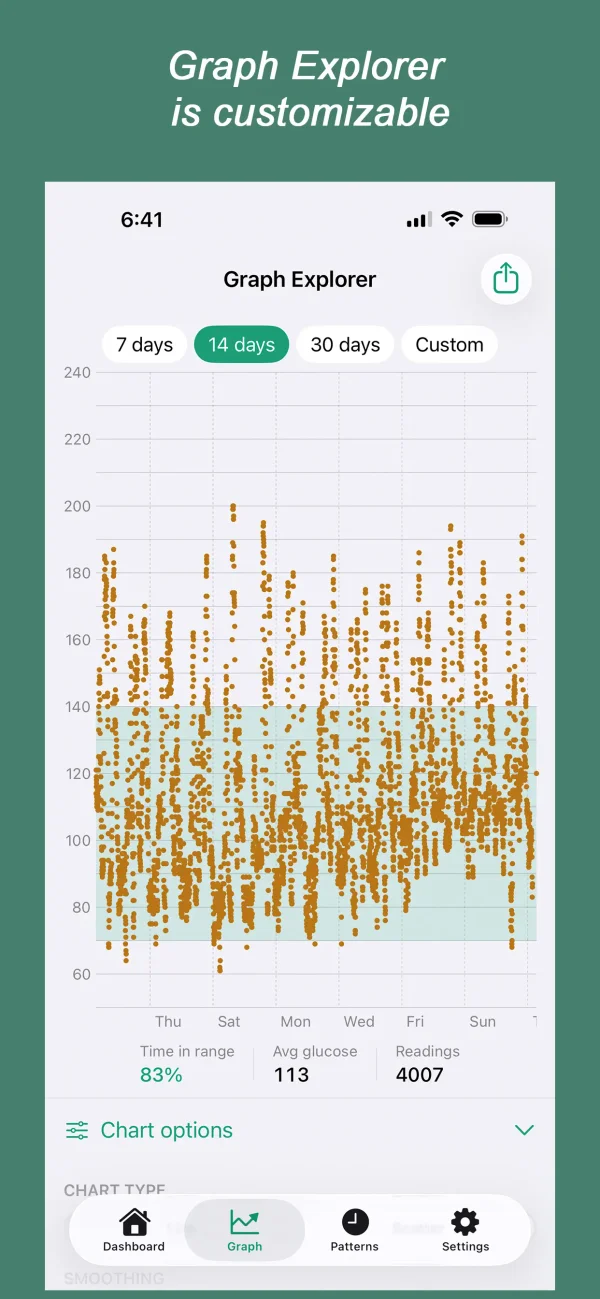
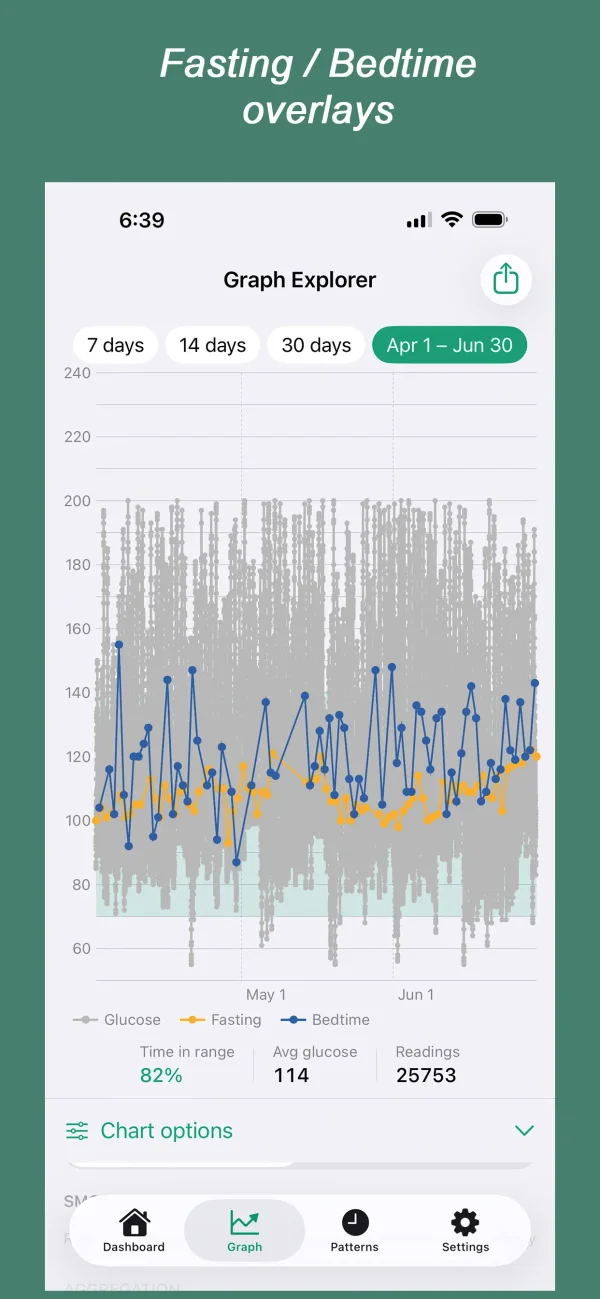
Explore your data across 1-day, 7-day, 30-day presets, or set a custom range. Switch between a line chart (best for spotting trends) and a scatter chart (best for seeing density and outliers). Enable Color by Value to color each data point green, amber, or red based on your target range, or turn on Overlays to show your target range as a green band alongside your logged finger stick readings. Export any chart view as a JPEG, PNG, or PDF — including your Time in Range, average glucose, and reading count — using the export button in the top right.
PATTERNS
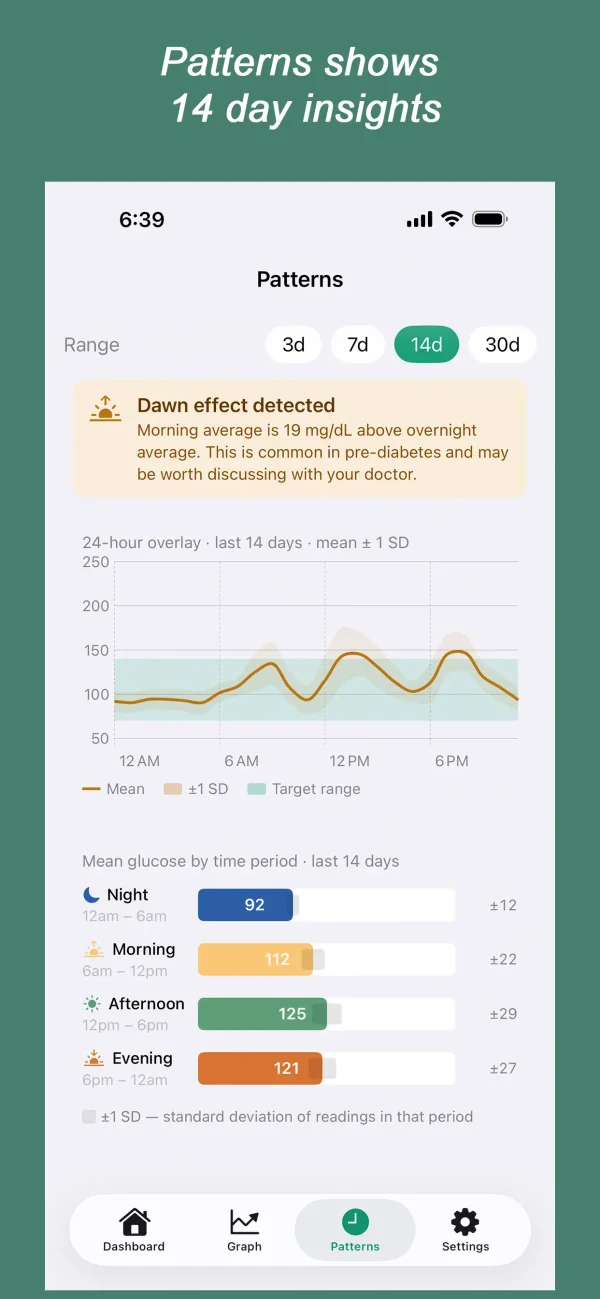
Your day is divided into four customizable time periods: Night, Morning, Afternoon, and Evening. The Patterns view shows your mean glucose and standard deviation for each period — a narrower standard deviation means more consistent readings. The hourly pattern chart plots your average glucose for each hour of the day across your selected date range, with a shaded band showing one standard deviation above and below. A Dawn Effect is flagged when your morning average exceeds your overnight average by 10 mg/dL or more.
UNDERSTANDING YOUR DATA
Time in Range (TIR) — The percentage of readings within your target range. A TIR of 70% or higher is a commonly recommended goal for many people with diabetes, though your personal target should be set with your healthcare provider.
Average glucose — The mean of all readings over the selected period. Average alone doesn't tell the whole story — two people with the same average can have very different patterns of highs and lows.
Standard deviation — A measure of variability. A lower standard deviation means more consistent, predictable readings. High variability can be just as important to address as a high average.
Common patterns to look for:
Dawn effect — A rise in the early morning hours driven by hormones like cortisol and growth hormone, visible as a higher Morning average compared to Night.
Post-meal spikes — Look for peaks 1-2 hours after your typical meal times in the hourly chart. Compare different meal times to see which have the most impact.
Overnight trends — The Night period shows your baseline glucose when food and activity aren't a factor. A gradual rise overnight may indicate the dawn effect; a gradual fall may suggest overnight insulin is too aggressive.
Activity effects — Exercise typically lowers glucose during and after activity, though intense exercise can temporarily raise it. Look for dips in the afternoon or evening hours on active days.
PRIVACY
All data stays on your device. Glucose Analysis reads glucose data from Apple Health and writes finger stick readings back to it. No data is ever sent to external servers.
** IMPORTANT NOTE **
Glucose Analysis is a personal tracking tool and is not a medical device. Always consult your healthcare provider before making any changes to your diabetes management.
新機能
バージョン 1.1 · 2026/10/25
Minor update to remove the collapsable chart options for graphing. All options show all the time now. Minor bug fixes.
アプリのプライバシー
このアプリのデータの取り扱いについて、David KramerがApp Storeで申告している内容です。
-
データの収集なし
開発元はこのアプリからデータを収集しません。
プライバシーの取り扱いは、ご利用の機能やお客様の年齢などに応じて異なる場合があります。
情報
- 販売元
- David Kramer
- カテゴリ
- メディカル
- バージョン
- 1.1
- 更新日
- 2026/10/25
- リリース
- 2026/7/3
- サイズ
- 1.2 MB
- 必要条件
- iOS 26.4以降
- 対象年齢
- 17+
- 価格
- 無料
- 言語
- 英語
- 著作権
- © 2026 David Kramer
こちらもおすすめ
-
 Gluoraメディカル
-
 Glucose View Insightsヘルスケア/フィットネス
-
 GlucoTrendヘルスケア/フィットネス
-
 SuppLab: サプリ管理ビタミン記録・リマインダー
-
 SuppleMate Daily Trackerヘルスケア/フィットネス
-
 Gym Timer: Training Timerヘルスケア/フィットネス
-
 StackLog: Supplement Trackerヘルスケア/フィットネス
-
 TNZ Glucose Converterメディカル
-
 GlucoseTracker Diabetes Logメディカル
-
 GlycoGuardian: Glucose Logメディカル