- 対象年齢4+
- カテゴリスポーツ
- 開発元Adam Ballif
- 言語ドイツ語ほか4言語
- サイズ130.0 MB
App Storeの公式ページにリンクしています
Download.orgはGolfRSSのファイルを一切ホストしていません。ボタンを押すと、Adam Ballifが公開しているApp Storeのアプリページが開きます。ページの最終確認:2026/11/10。
スクリーンショット



概要
開発元はこのテキストをお使いの言語で提供していません。
I created GolfScore because I wanted a fast and simple way to keep score while playing. I have tried many of the golf apps on the App Store and most of them offer more features than GolfScore, including GPS features, but I found all of them to be more complicated than I needed. I wanted a really simple scorecard for my iPhone and Apple Watch. GolfRSS: A Really Simple Scorecard.
# Instructions
## Play Golf
Tap the 'Golf Ball' to start a new round. Set round details, such as 9 versus 18 holes, number of players, and handicap. If you have saved previous played courses, you can choose one of your saved courses.
Use the stepper to advance your score. When you are done entering, click NEXT to go to the next hole. If you have more than one player, toggle to the other players and enter their scores before advancing to the next hole. If you need to edit a score you can tap on the hole or score to edit. The hole will highlight yellow to indicate that you are editing that hole.
You can change the par of the hole by tapping on the number under the flag. It will cycle through possible pars of 3, 4, or 5.
## Save A Golf Course
If you are playing a favorite course, or a course that you play regularly, after playing your first round of golf you can save this course. When you save the course, the specific par is saved for each hole. Other details, such as green fees, course slope, and course rating may also be saved, as well as a photo. Saved courses are accessed on the third page of the app. When you start a new round, you can start a blank round or choose from one of your saved courses.
## Handicap
If you subscribe to GolfScore, through in-app purchase, you can use the Handicap feature. Handicaps may be entered for each player, and their scores will be adjusted accordingly when you toggle the handicap switch. A player's handicap may be changed by long-pressing on the handicap number. The in, out, and total scores are adjusted for handicap.
## Share Your Round
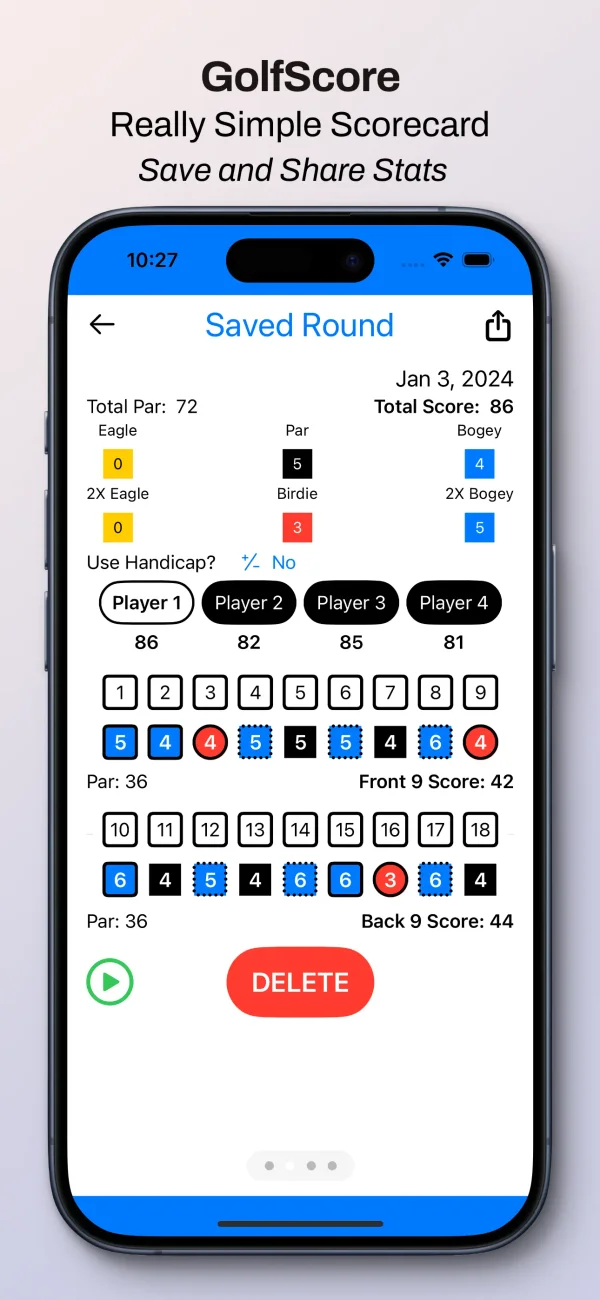
After a good round, you can share your statistics with your friends and family. On the second page of the app, you can see your saved rounds. Tap on a round to see more details and statistics. Tap the share button to send a text or email to brag about your round. If you scored par or below, specific stats about number of pars and birdies will be shared.
## Apple Watch
Access GolfScore on your Apple Watch to quickly enter your score. If you are playing with more than one player, tap the player's name at the top of the screen to enter their scores as well. Apple Watch widgets are available for showing GolfScore data on your watch face. You can choose from singular circular widgets that indicate current hole, score on last hole, and other player's scores. Two rectangular widgets show stats for player one or the scores of each of the players in your group.
## In-App Purchase
Subscribe to GolfScore to remove the banner ads, unlock Handicap support, save more than three favorite golf courses, and help to support further development of GolfScore. Subscriptions may be purchased by month, year, or one lifetime purchase.
# Privacy Policy
The privacy policy may be accessed at the following URL: https://adamballif.com/privacy-policy
新機能
バージョン 2.2 · 2026/10/13
GolfScore 2.2 (2026.10.3)
- Bug fixes for RevenueCat.
- Updates for the UI on various screen sizes.
アプリのプライバシー
このアプリのデータの取り扱いについて、Adam BallifがApp Storeで申告している内容です。
-
データの収集なし
開発元はこのアプリからデータを収集しません。
プライバシーの取り扱いは、ご利用の機能やお客様の年齢などに応じて異なる場合があります。
情報
- 販売元
- Adam Ballif
- カテゴリ
- スポーツ
- バージョン
- 2.2
- 更新日
- 2026/10/13
- リリース
- 2024/1/23
- サイズ
- 130.0 MB
- 必要条件
- iOS 26.0以降
- 対象年齢
- 4+
- 価格
- 無料
- アプリ内課金
- あり
- 言語
- ドイツ語, 英語, フランス語, イタリア語, スペイン語
- 著作権
- © 2026 Adam Ballif