
- 対象年齢17+
- カテゴリ写真/ビデオ
- 開発元Kalpesh Pirojiya
- 言語英語
- サイズ39.4 MB
App Storeの公式ページにリンクしています
Download.orgはGrid Maker - Photo Splitのファイルを一切ホストしていません。ボタンを押すと、Kalpesh Pirojiyaが公開しているApp Storeのアプリページが開きます。ページの最終確認:2026/11/15。
スクリーンショット


概要
開発元はこのテキストをお使いの言語で提供していません。
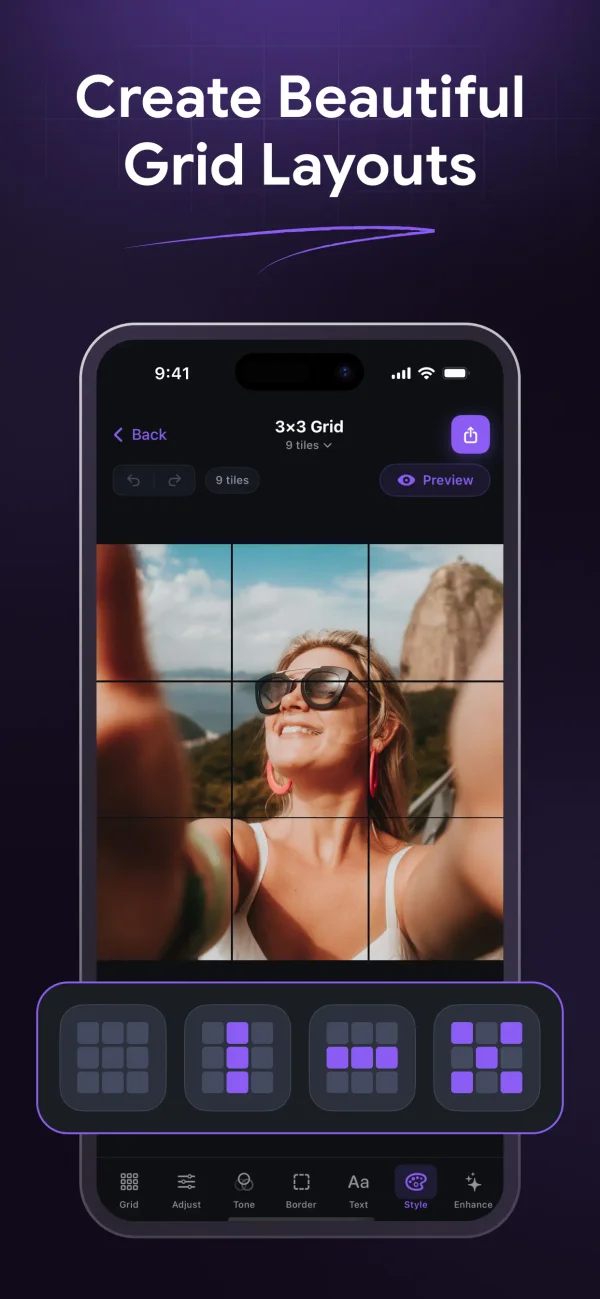
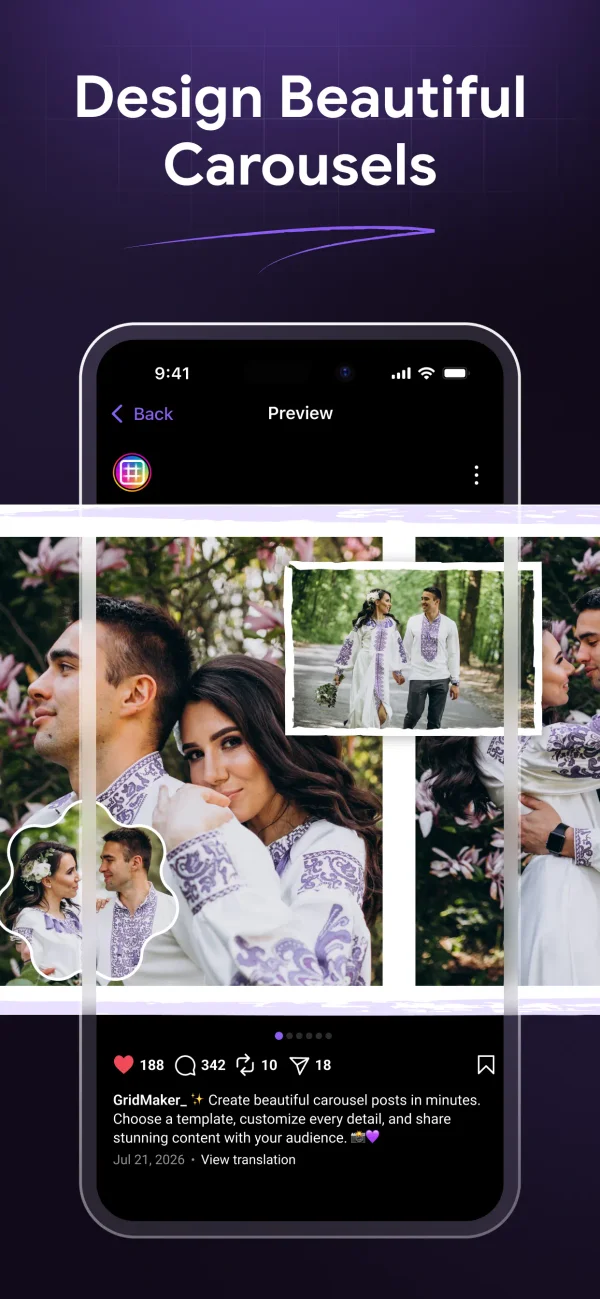
Create stunning photo grids and layouts designed for social media. Grid Maker - Photo Split lets you slice photos into perfect grids, apply stylish overlays, add custom text with beautiful fonts, and export images exactly the way you want.
From simple grids to advanced dynamic layouts, Photo Split offers powerful tools with real-time previews and an easy editing experience.
Key Features:
◦ Select photos directly from your gallery
◦ Capture new photos using the camera
◦ Choose from multiple predefined grid layouts
◦ Slice images automatically with perfect alignment
◦ Apply overlay patterns on grid slices
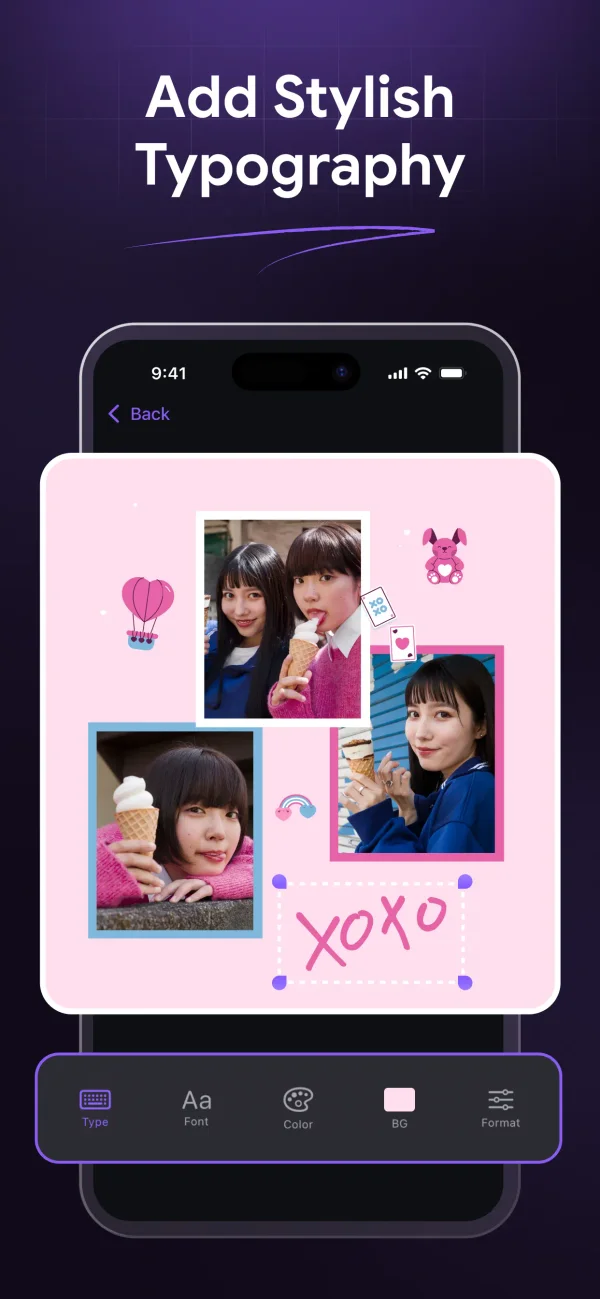
◦ Add text overlays with custom fonts
◦ Multiple font styles to match your design
◦ Use custom images as overlays
◦ Adjust overlay transparency precisely
◦ Live preview while editing
◦ Save grid slices individually in correct order
◦ Share instantly to your favorite social platforms
Grid, Text & Overlay Editor
◦ Popular grids like 1x2, 2x2, 3x3, 3x4 and more
◦ Compatible overlay patterns for each grid
◦ Add text overlays using stylish custom fonts
◦ Change font styles to match your feed aesthetic
◦ Apply image overlays with adjustable transparency
◦ Real-time updates for grids, text, and overlays
◦ Toggle between original image and overlay view
◦ Smooth and intuitive editing controls
History & Management
◦ Open images in view-only preview mode
◦ Delete individual items or clear all history
◦ Quickly access recent creations
Premium Features – Dynamic Grid
Unlock advanced creative controls with Premium:
◦ Create uneven and custom grid layouts
◦ Apply overlays per slice
◦ Add text with different fonts per slice
◦ Customize color and opacity per slice
◦ Apply image overlays with custom transparency
Premium gives you complete freedom to design unique layouts.
Made for Creators
Grid Maker - Photo Split is ideal for:
◦ Grid-style posts
◦ Carousel layouts
◦ Creative text and image overlays
◦ Aesthetic and minimal feeds
◦ Content creators and designers
Privacy First
◦ Your photos stay on your device
◦ We do not collect, store, or upload your personal images
Start Creating Today
◦ Design beautiful grids, add custom fonts, and enhance photos with image overlays in seconds
◦ Download Grid Maker - Photo Split and take control of your visual style
Subscription Details:
- Payment will be charged to iTunes Account at confirmation of purchase.
- Subscription automatically renews unless auto-renew is turned off 24 hours before the end of the current period.
- Account will be charged for renewal within 24 hours prior to the end of the current period.
- No cancellation of the current subscription is allowed during the active subscription period.
- Any unused portion of a free trial, if offered, will be forfeited upon purchase.
Privacy Policy : http://privacypolicycenter.com/new/view/id6757172153
Terms Condition : https://privacypolicycenter.com/new/terms/id6757172153
EULA : https://privacypolicycenter.com/new/eula/id6757172153
新機能
バージョン 2.0.0 · 2026/7/21
- Performance Improvement.
- Bugs Fixing.
アプリのプライバシー
このアプリのデータの取り扱いについて、Kalpesh PirojiyaがApp Storeで申告している内容です。
-
ユーザーのトラッキングに使用されるデータ
他社のアプリやウェブサイトを横断してユーザーをトラッキングする目的で使用される場合があります。
- 使用状況データ
-
ユーザーに関連付けられないデータ
収集される場合がありますが、ユーザーの識別情報には関連付けられません。
- ユーザーコンテンツ
- ID
- 使用状況データ
- 診断
プライバシーの取り扱いは、ご利用の機能やお客様の年齢などに応じて異なる場合があります。
情報
- 販売元
- Kalpesh Pirojiya
- カテゴリ
- 写真/ビデオ
- バージョン
- 2.0.0
- 更新日
- 2026/7/21
- リリース
- 2026/2/23
- サイズ
- 39.4 MB
- 必要条件
- iOS 18.0以降
- 対象年齢
- 17+
- 価格
- 無料
- アプリ内課金
- あり
- 言語
- 英語
- 著作権
- © 2026 Kalpesh
こちらもおすすめ
-
 SlideGrid: Photo Carousel写真/ビデオ
-
 Paintsight: Notan, Value Study写真/ビデオ
-
 Slicer:写真分割でカルーセル投稿パノラマも縦長画像も等分カット
-
 Slices - Image Slicer写真/ビデオ
-
 FrameDump: 写真コラージュ・加工画像合成・グリッド・テンプレート・カルーセル
-
 Black And White Filter - B&W写真/ビデオ
-
 Grid Maker : Square Photo Crop写真/ビデオ
-
 Amateur Photographer Magazine写真/ビデオ
-
 写真を切り抜く - Instagramのグリッド投稿Instagram用の写真レイアウト
-
 写真壁紙:コラージュメーカーロック画面・ポラロイド・スクラップ