
- 対象年齢4+
- カテゴリグラフィック/デザイン
- 開発元Jude Hathway
- 言語英語
- サイズ1,019.0 KB
App Storeの公式ページにリンクしています
Download.orgはGutterlyのファイルを一切ホストしていません。ボタンを押すと、Jude Hathwayが公開しているApp Storeのアプリページが開きます。ページの最終確認:2026/11/16。
スクリーンショット
概要
開発元はこのテキストをお使いの言語で提供していません。
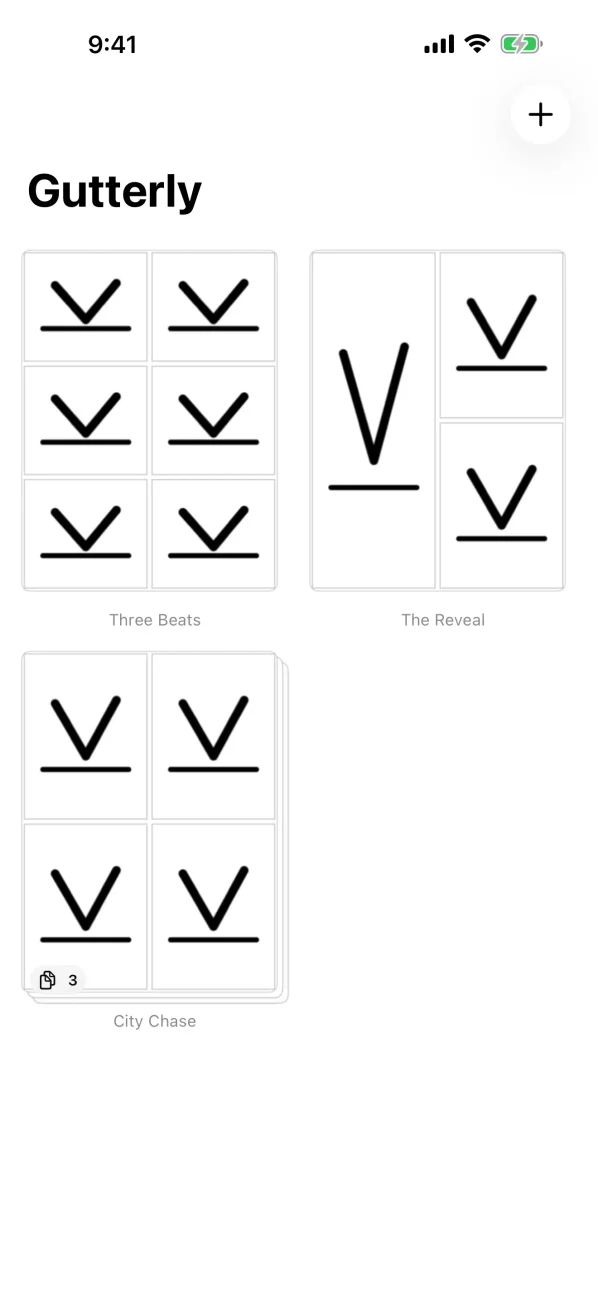
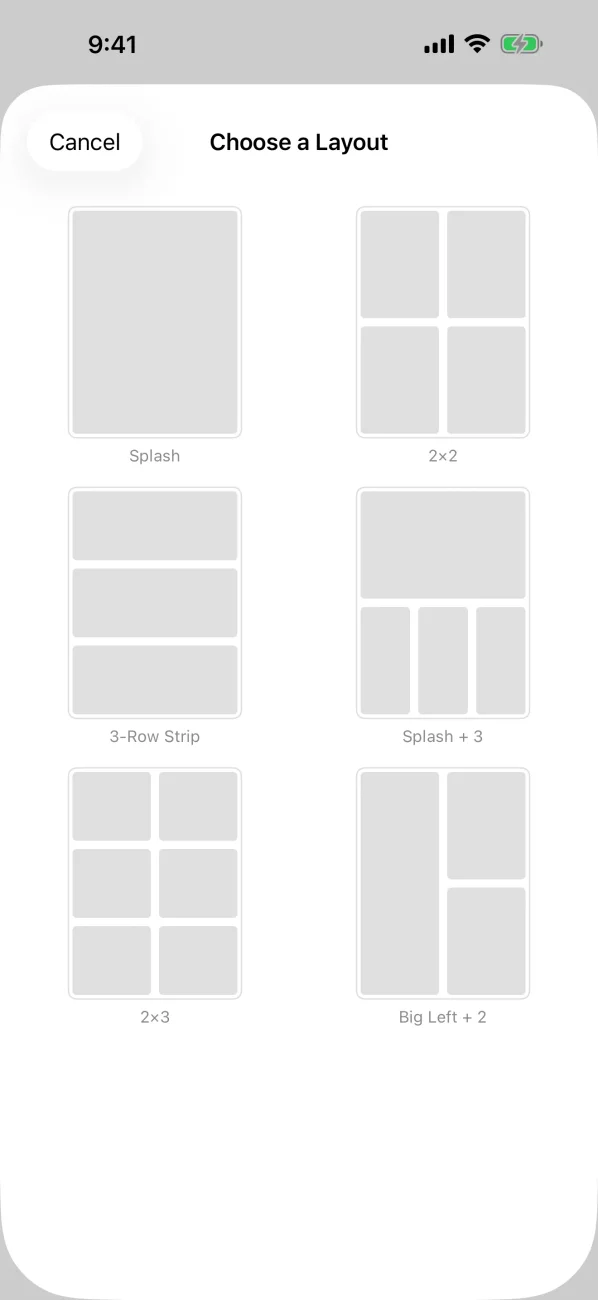
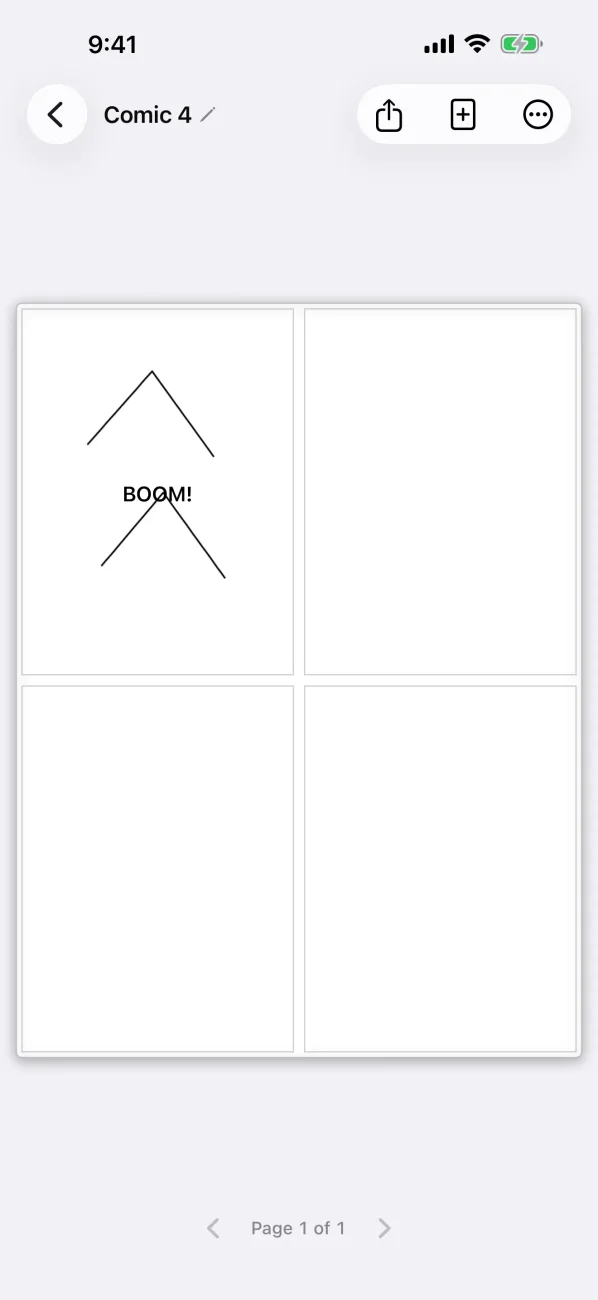
Gutterly is the fast way to make comic pages. Pick a layout, tap a panel, draw. No accounts, no cloud, no clutter — just you and the page.
MAKE PAGES, NOT FILES
• Six classic panel layouts: splash, 2x2, 3-row strip, splash+3, 2x3, big-left
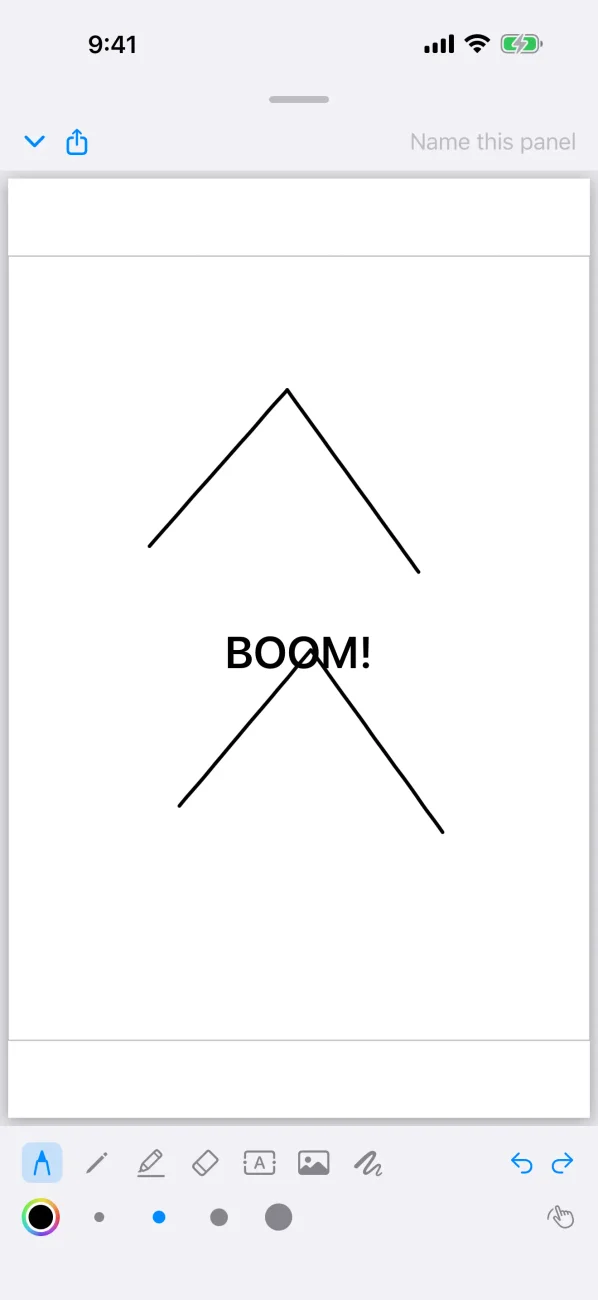
• Tap any panel to zoom it full screen and draw with a monoline, pen, pencil, or marker
• Monoline is the default: one steady line that ignores pressure, so a stroke reads the same from start to finish
• Undo, redo, and autosave on every stroke
• Build multi-page comics — your library shows each book as one stacked cover
LETTER IT LIKE YOU MEAN IT
• Drop captions anywhere — even punching through panel borders for that live, kinetic look
• Drag, resize, and scale text with simple handles
• Name your panels with classic corner captions
• Make any caption the title: one tap and it grows and settles near the top of the panel, like a cover
KEEP YOUR LETTERING CONSISTENT
• Turn on Consistent Text for a comic and every new caption arrives ready-made: a settled width, one shared size, parked top, middle, or bottom of the panel — tap where you want it
• Resize one caption and every linked caption follows, across every page of that comic
• Unlink any box to let a BAM! break the rule, and relink it whenever you like
• Your next comic starts with the style you last settled on
DRAW OVER ANYTHING
• Import a photo into a panel and draw right on top of it — references, backgrounds, collage
• Move, resize, and crop images by reframing them
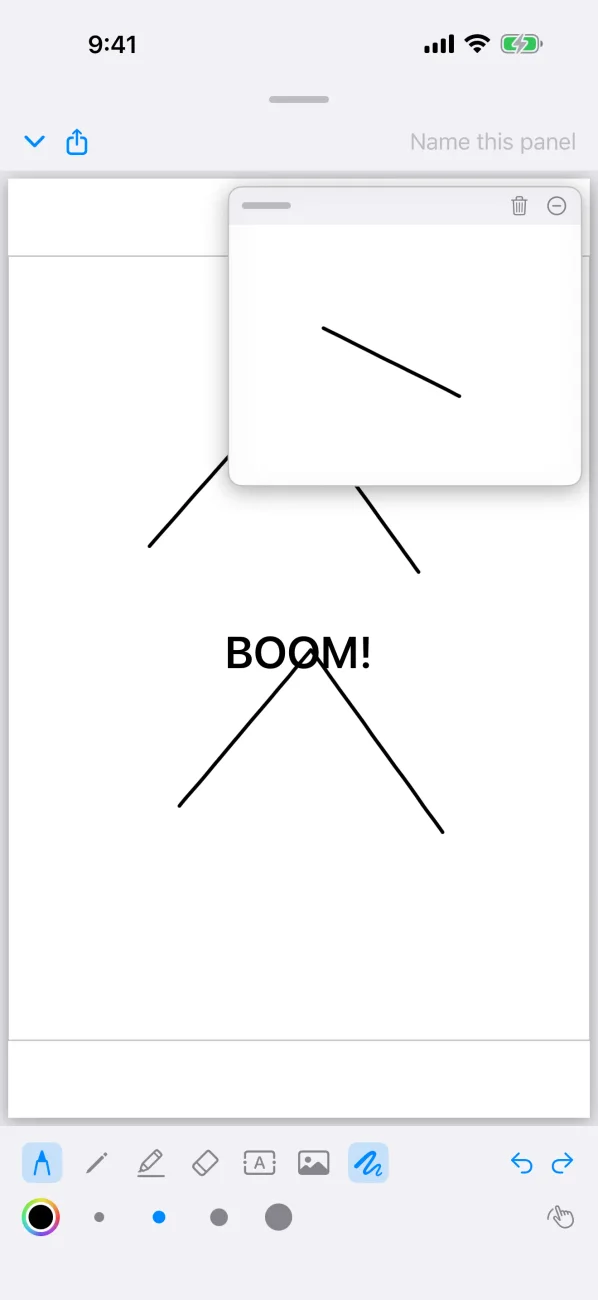
• A floating scratch pad for trying out colors and sketching ideas — never shows up on the page
SHARE THE FINISHED THING
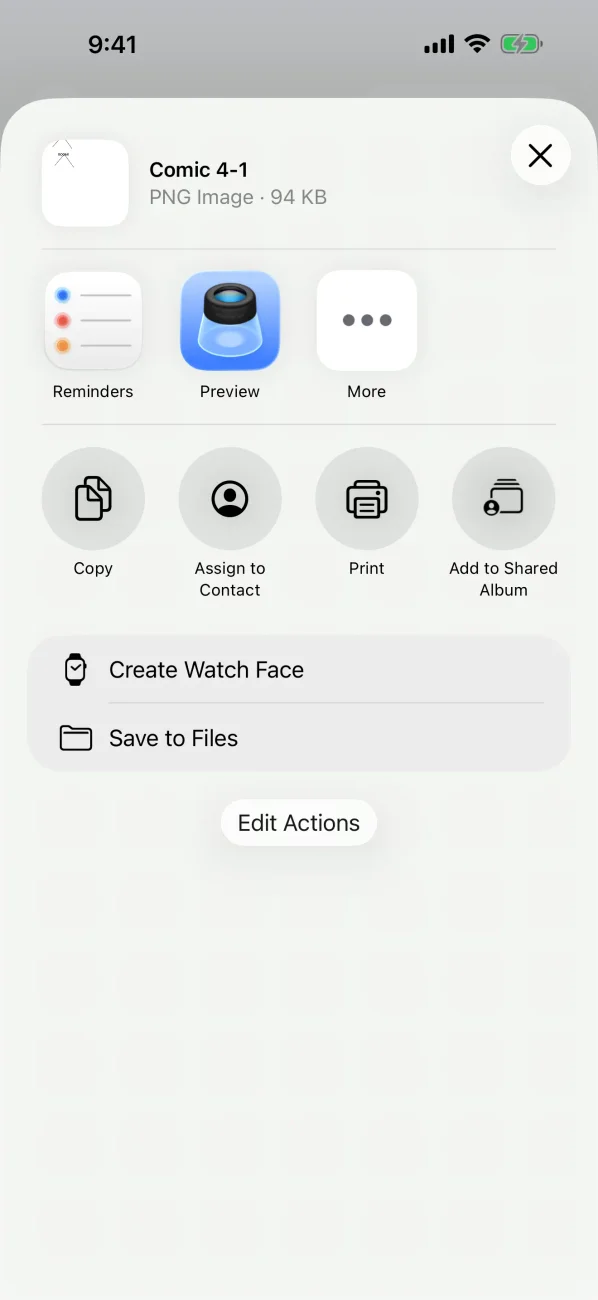
• Export any panel, page, or whole comic as crisp PNGs
• What you see is exactly what exports — same rendering everywhere
PRIVATE BY DESIGN
Everything lives on your device. Gutterly collects nothing, tracks nothing, and never phones home.
Made for getting the idea down while it's still moving.
新機能
バージョン 1.1 · 2026/11/4
Consistent Text — lettering that reads the same across every panel and page of a comic.
• Turn it on from the comic menu. Every new caption arrives ready-made: a settled width, one shared size, parked at the top, middle, or bottom of the panel. Tap where you want it.
• Resize one caption with the green handle and every linked caption in the comic follows, on every page.
• Unlink any box to let a BAM! break the rule, and relink it whenever you like.
• New comics start with the style you last settled on. Your existing text is untouched.
Monoline, the new default drawing tool: one steady line that ignores pressure, tilt, and speed, so a stroke reads the same from start to finish. Pen, pencil, and marker are still there when you want the weight.
Titles: tap the T on any selected caption and it becomes the title — a size up, settled near the top of the panel like a cover. Tap again for ordinary text.
アプリのプライバシー
このアプリのデータの取り扱いについて、Jude HathwayがApp Storeで申告している内容です。
-
データの収集なし
開発元はこのアプリからデータを収集しません。
プライバシーの取り扱いは、ご利用の機能やお客様の年齢などに応じて異なる場合があります。
情報
- 販売元
- Jude Hathway
- カテゴリ
- グラフィック/デザイン
- バージョン
- 1.1
- 更新日
- 2026/11/4
- リリース
- 2026/7/30
- サイズ
- 1,019.0 KB
- 必要条件
- iOS 17.0以降
- 対象年齢
- 4+
- 価格
- 無料
- 言語
- 英語
- 著作権
- © 2026 Jude Hathway
こちらもおすすめ
-
 Frameling: 2D Animation Makerグラフィック/デザイン
-
 CADSketchグラフィック/デザイン
-
 Sketudio: アニメコミック作成描いて、動かして、共有しよう
-
 StitchCraft: Design Clothesグラフィック/デザイン
-
 LOGO TIME: 3D LOGO ANIMATORグラフィック/デザイン
-
 FlipFrame: 2D Animation Makerグラフィック/デザイン
-
 Flipbook: 2D Animation Creatorコマ撮りアニメを作ろう
-
 Fashion Sketch: Designグラフィック/デザイン
-
 Mockwear: 3D Clothing Mockupグラフィック/デザイン
-
 Fashion Sketch Clothing Designグラフィック/デザイン