- 対象年齢12+
- カテゴリエンターテインメント
- 開発元YONGSUB LEE
- 言語英語ほか1言語
- サイズ135.0 MB
App Storeの公式ページにリンクしています
Download.orgはHamzzi Tarotのファイルを一切ホストしていません。ボタンを押すと、YONGSUB LEEが公開しているApp Storeのアプリページが開きます。ページの最終確認:2026/11/14。
スクリーンショット

概要
開発元はこのテキストをお使いの言語で提供していません。
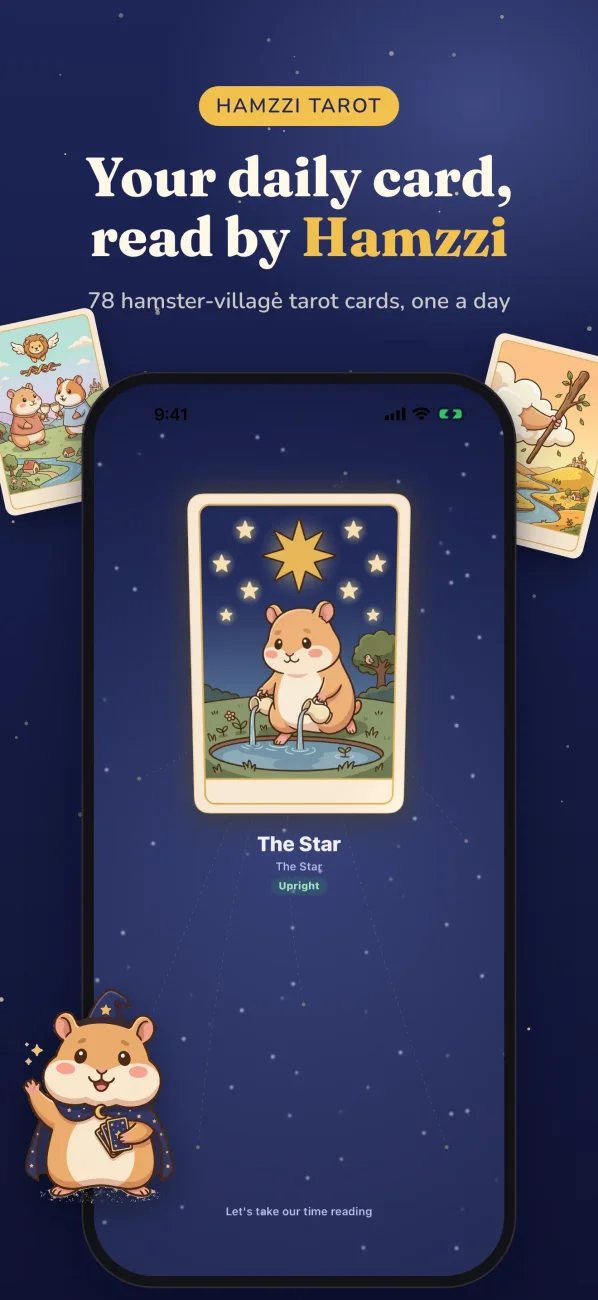
Hamzzi Tarot is an iPhone tarot app where Hamzzi, a hamster tarot master, shuffles and spreads the cards, then reads the card you draw slowly and in detail, like a real session. With a 78-card deck, you can look at your day, week, month, and year, or ask one question that's on your mind.
■ What readings can I get?
• Your Day (1 card): Today's Card, one draw a day. Free, no sign-in needed.
• This Week (7 cards): one card for each day, Monday to Sunday.
• This Month (3 cards): Situation · Action · Outcome.
• This Year (13 cards): a card for each of the twelve months, plus one Theme of the Year.
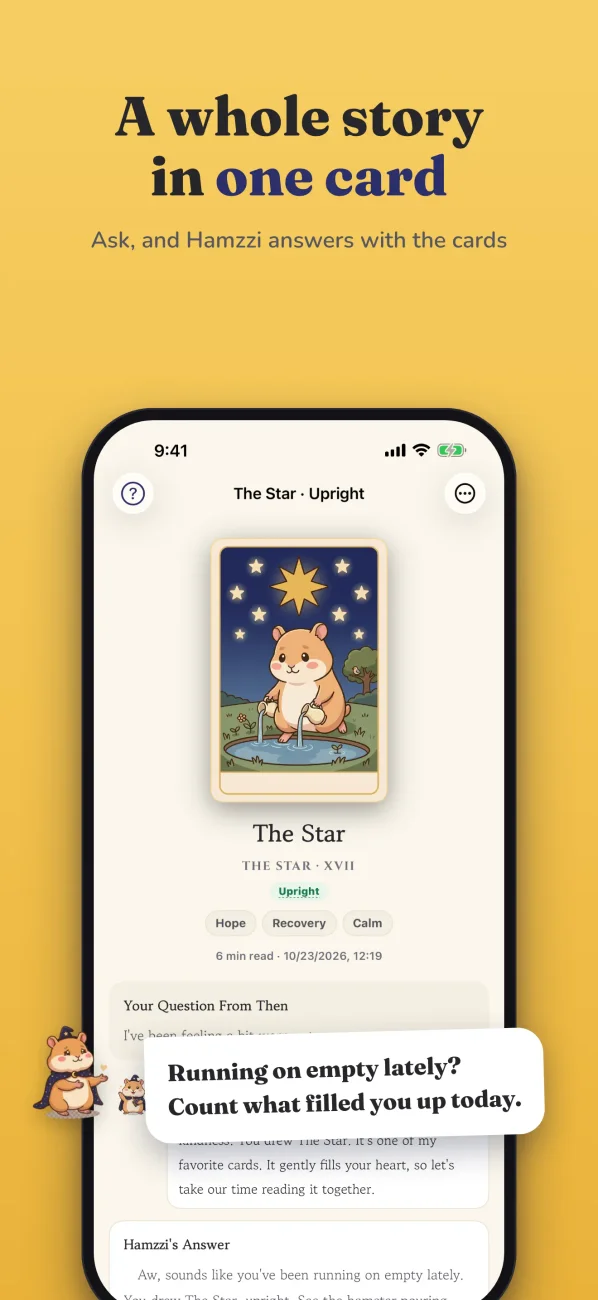
• Ask Hamzzi (1 card): one card answers one question. Your first ask each day is free.
• Untangle a Worry (3–5 cards): Hamzzi picks a spread for your question. Switch between Situation · Obstacle · Advice, One or the Other (5 cards), Do It or Not, and What's Ahead.
■ How do I draw cards?
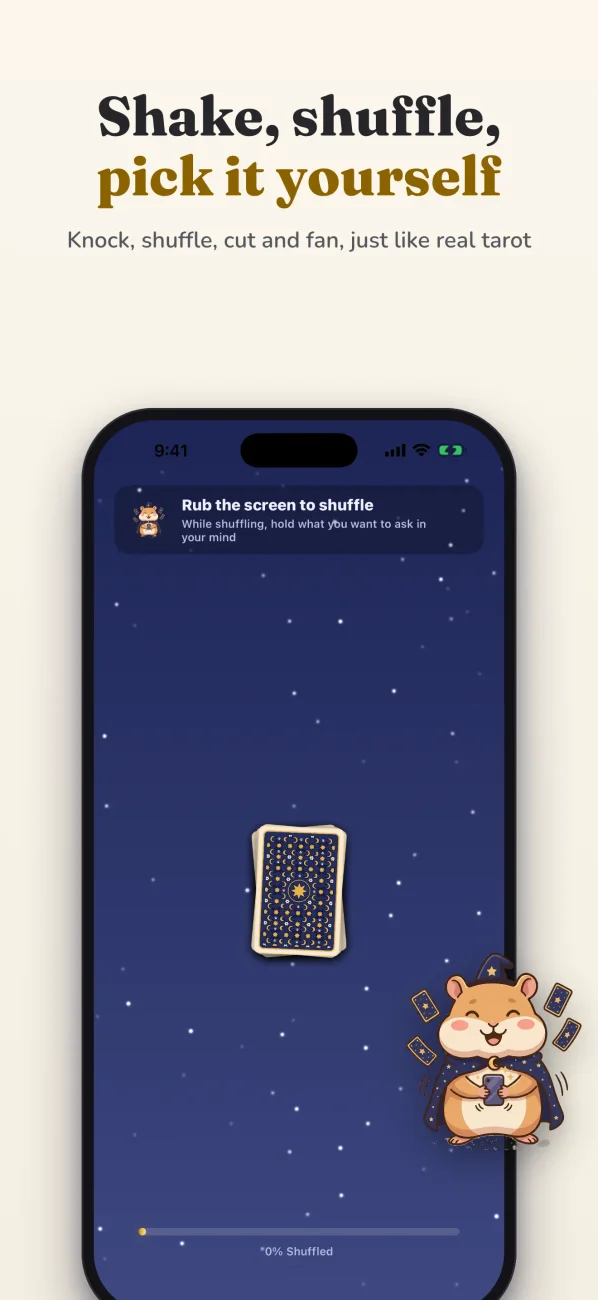
Just like a real tarot table. Knock on the deck, shake your phone to shuffle, swipe left to cut, then pick your card from the fan. You can turn off each of the four steps in Settings; the reading stays the same.
■ Can I use it if I'm new to tarot?
Yes. Hamzzi gives a short guide the first time you open each screen, tapping the ? button shows what each part of the screen does, and tarot terms are underlined so you can tap them for a meaning. Every card also has a Card Story that explains the symbols in its picture.
■ Can I read with friends?
With Draw Together, you and a friend each draw one card to make a single shared reading. Both readings open once your friend draws. Add friends by QR code or invite link.
■ More features
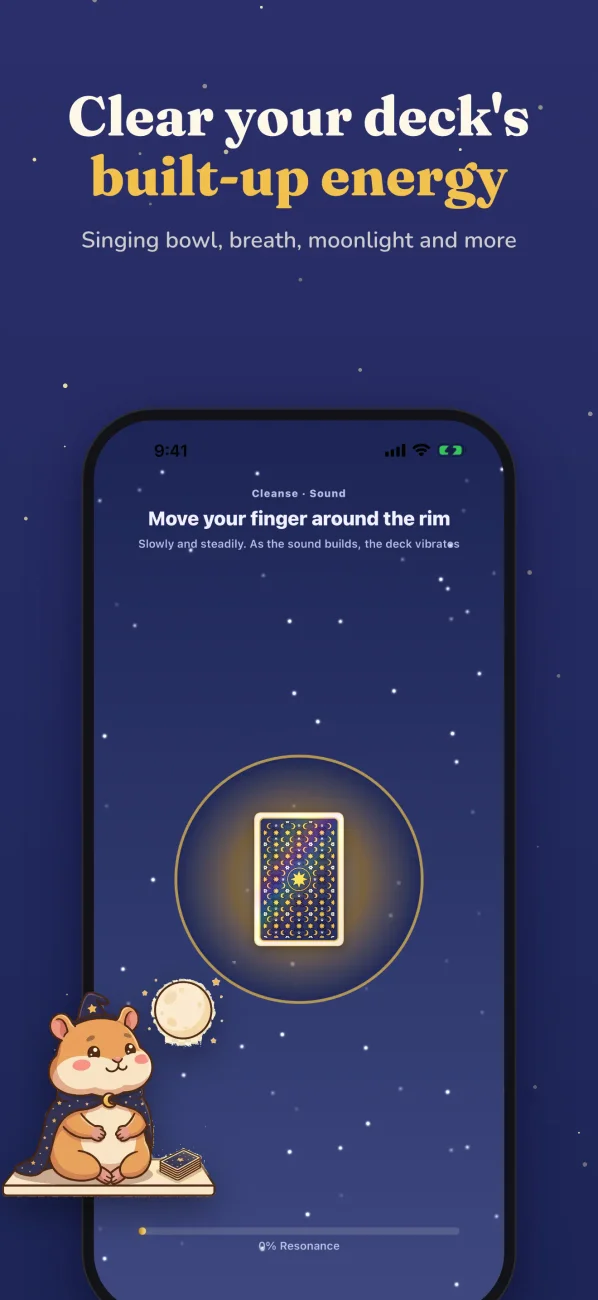
• Deck Cleansing: refresh a well-used deck with six rituals: knock, breath, singing bowl, crystal, moonlight, and reorder.
• Evening Reflection: look back on today's card in the evening and write one line.
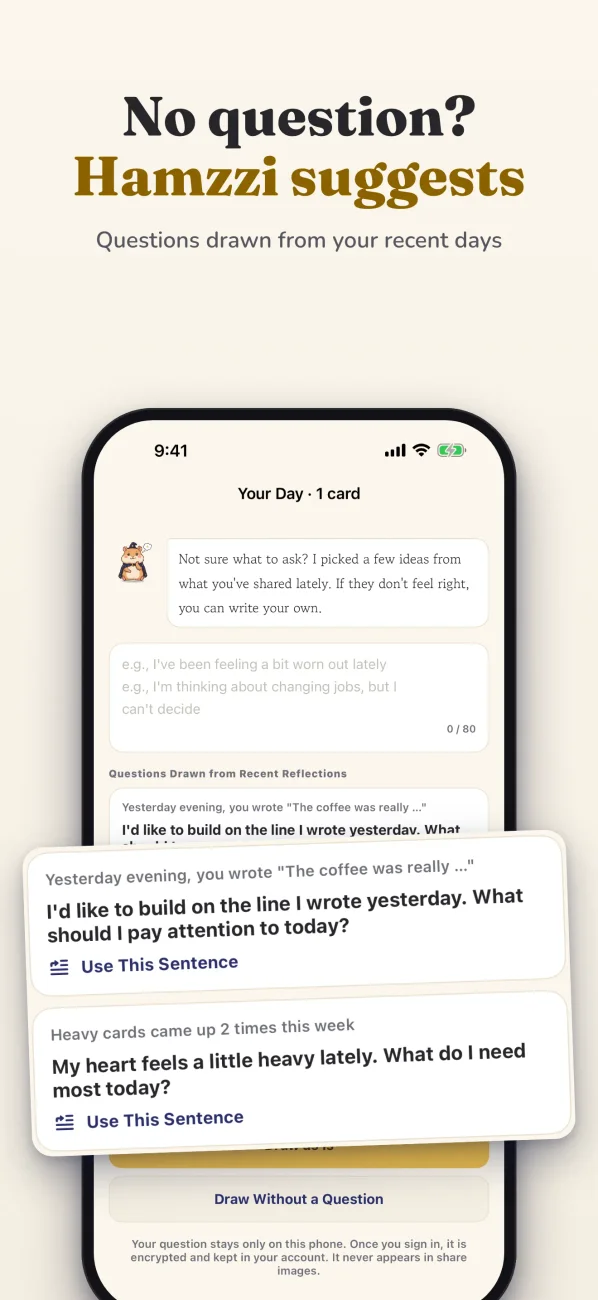
• Follow-up Questions: suggestions for what to ask today, based on your past readings.
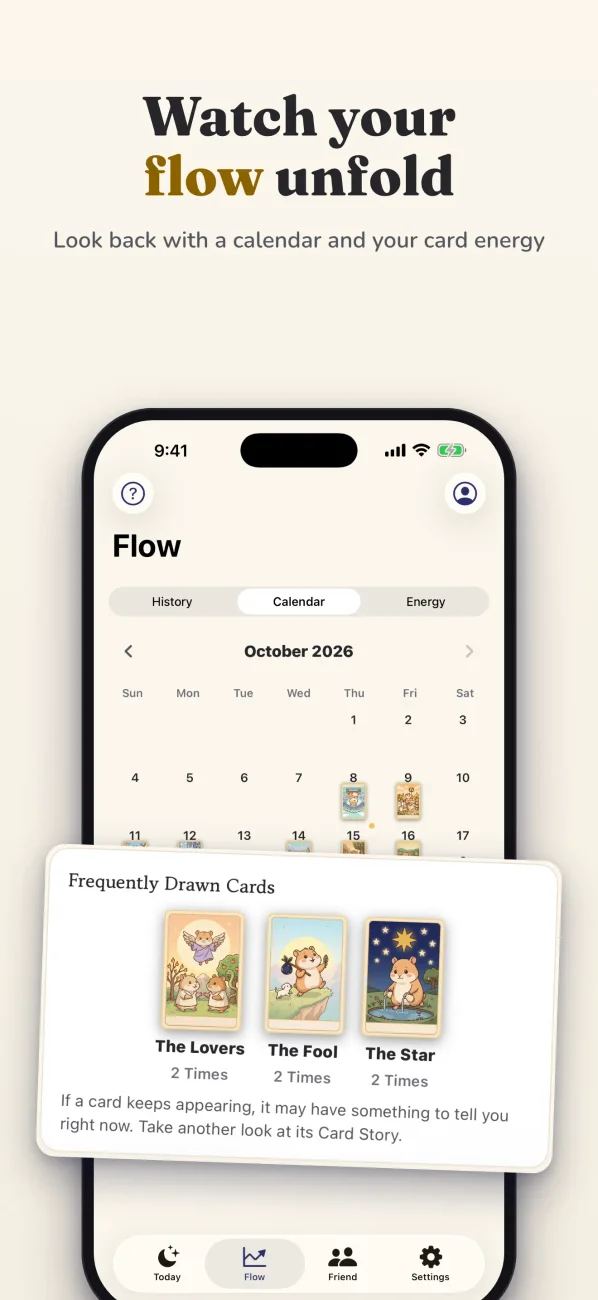
• History: your cards and readings, saved by date.
• Sharing: share a card and its reading as an image or link. Your question stays hidden by default.
• App Lock: protect your readings with Face ID or a passcode.
■ Is it free?
Today's Card, one Ask Hamzzi a day, History, Sharing, and some Deck Cleansing rituals are free. The free version shows ads.
Hamzzi Plus (monthly or yearly, 7-day free trial)
• No ads
• A golden Hamzzi and golden card back
• This Week, This Month, and This Year spreads
• Ask Hamzzi 3 times a day; Untangle a Worry counts toward the same limit
• In-Depth Readings without credits, up to 10 a day
• Singing bowl and reorder cleansing anytime
• 10 credits every month (use them within that month)
Credits are used for Ask Hamzzi and In-Depth Readings. They come in packs of 5, 15, and 40, and purchased credits never expire. You can also earn a few each day by watching ads.
Subscriptions renew automatically unless canceled at least 24 hours before the end of the current period, and payment is charged to your Apple ID account. Cancel at least 24 hours before the free trial ends and you won't be charged. Manage or cancel anytime in Settings › Apple ID › Subscriptions.
■ Sign-in and privacy
Drawing, readings, History, and Sharing work without signing in. Friends, Draw Together, Untangle a Worry, subscriptions, and credit purchases require signing in with Kakao, Apple, or Google. We never ask for your email or name. When you're signed in, your readings are encrypted and kept with your account, so they follow you to a new phone. When you write a question, it is sent once, with your card, to an AI server to write Hamzzi's Answer. You can delete your account anytime in Settings › Account.
■ Good to know
Tarot is for fun and self-reflection. For health, legal, or financial decisions, please talk to a professional.
Terms of Use: https://www.apple.com/legal/internet-services/itunes/dev/stdeula/
Privacy Policy: https://tarotaro.zerolive.co.kr/en/privacy
Support: https://tarotaro.zerolive.co.kr/en/support
新機能
バージョン 1.0.2 · 2026/11/8
Tidy up your History
• In the History tab, swipe a reading to the left to reveal a Delete button. You'll be asked to confirm before it's deleted.
• Delete all your readings at once in Settings › History › Delete All Records. If you're signed in, the copies kept with your account are deleted too.
Interface polish
• The PLUS badge in the History, Friends, and Settings tabs now sits in its own place instead of overlapping other buttons.
• More space between paragraphs makes readings easier to read.
• Developer-only menus are now hidden from Settings.
アプリのプライバシー
このアプリのデータの取り扱いについて、YONGSUB LEEがApp Storeで申告している内容です。
-
ユーザーのトラッキングに使用されるデータ
他社のアプリやウェブサイトを横断してユーザーをトラッキングする目的で使用される場合があります。
- ID
-
ユーザーに関連付けられたデータ
収集され、ユーザーの識別情報に関連付けられる場合があります。
- 購入
- 位置情報
- ユーザーコンテンツ
- ID
- 使用状況データ
-
ユーザーに関連付けられないデータ
収集される場合がありますが、ユーザーの識別情報には関連付けられません。
- 診断
プライバシーの取り扱いは、ご利用の機能やお客様の年齢などに応じて異なる場合があります。
情報
- 販売元
- YONGSUB LEE
- カテゴリ
- エンターテインメント
- バージョン
- 1.0.2
- 更新日
- 2026/11/8
- リリース
- 2026/11/4
- サイズ
- 135.0 MB
- 必要条件
- iOS 17.0以降
- 対象年齢
- 12+
- 価格
- 無料
- アプリ内課金
- あり
- 言語
- 英語, 韓国語
- 著作権
- © 2026 YongSub Lee