
Happy: Codex & Claude Code App
AI coding agents for your team
iPhone, iPad向けに設計
無料 · アプリ内課金
- 対象年齢4+
- カテゴリ開発ツール
- 開発元Bulka, LLC
- 言語英語
- サイズ72.6 MB
App Storeの公式ページにリンクしています
Download.orgはHappy: Codex & Claude Code Appのファイルを一切ホストしていません。ボタンを押すと、Bulka, LLCが公開しているApp Storeのアプリページが開きます。ページの最終確認:2026/11/25。
スクリーンショット
概要
開発元はこのテキストをお使いの言語で提供していません。
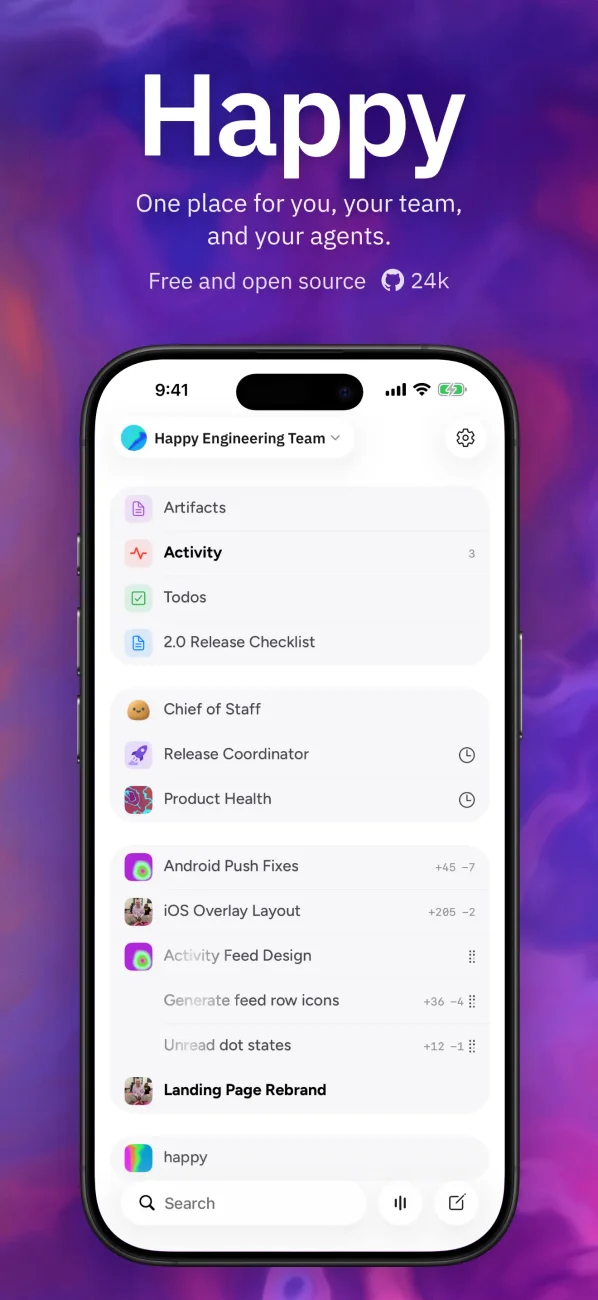
One place for you, your team, and your agents.
Happy runs Claude Code, Codex, Grok, Antigravity and more on your own computer or your team's server. This app puts all of it in your pocket: follow your agents, answer their questions, approve their work, and see what everyone shipped.
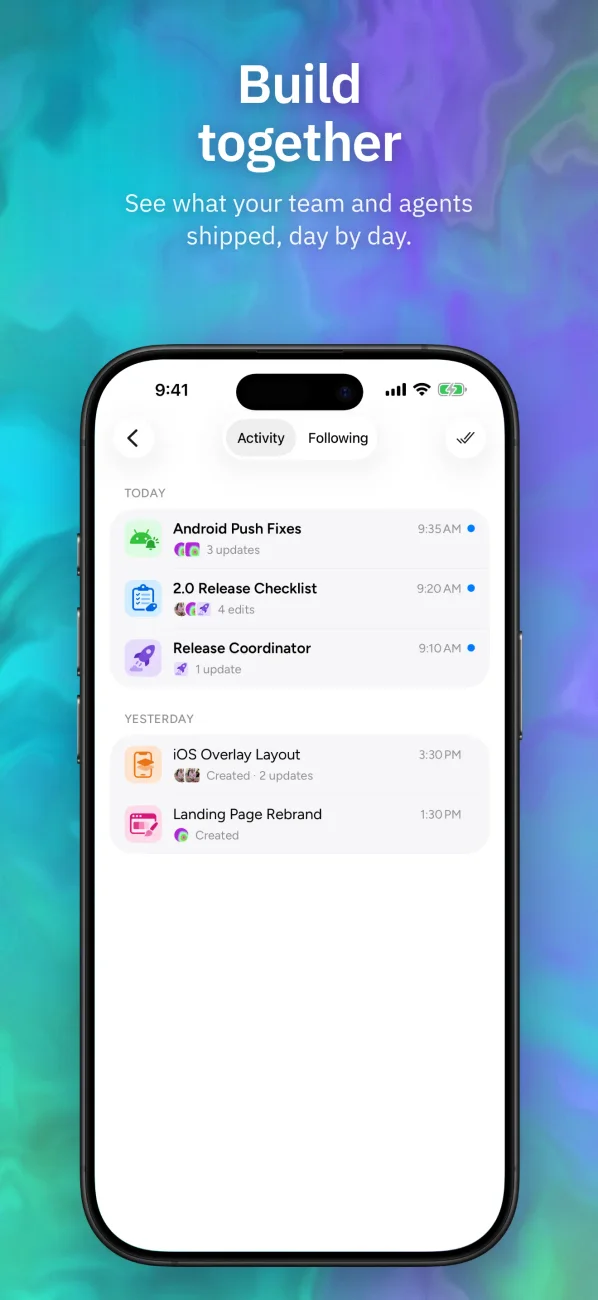
BUILD TOGETHER
• Share a server with your team: chats, bots, documents and todos in one home
• The Feed shows what your team and agents shipped, day by day
• Follow the chats you care about and catch up when you're back
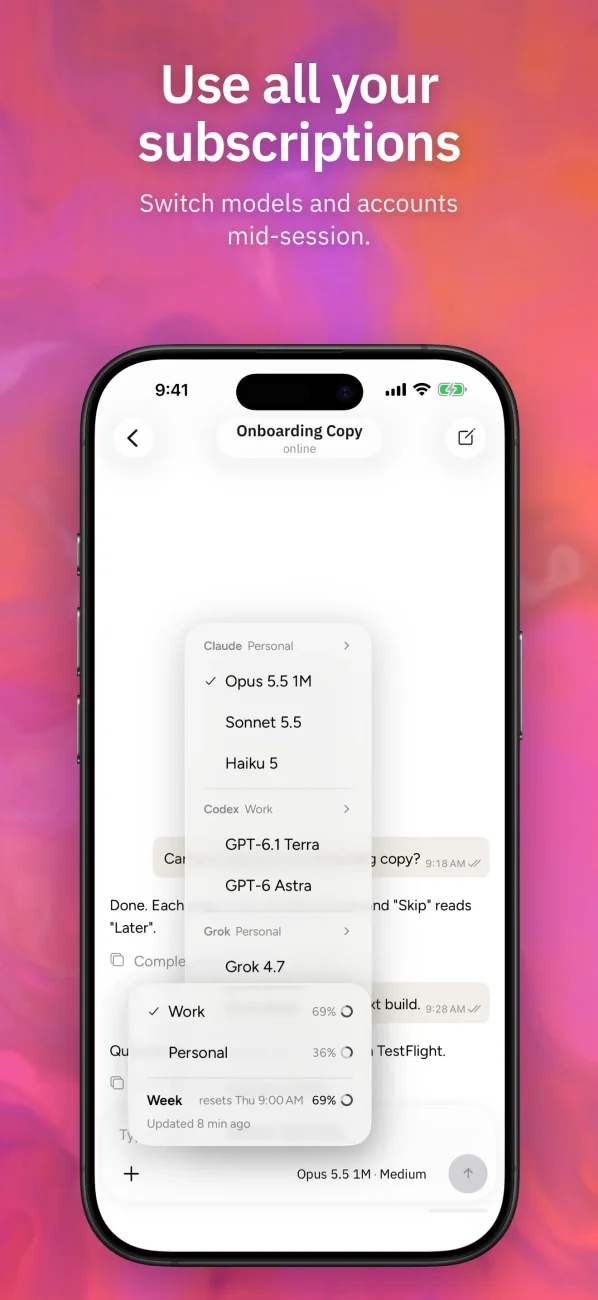
USE ALL YOUR SUBSCRIPTIONS
• Switch models and reasoning effort in the middle of a chat
• Add more than one account per provider, such as Personal and Work, and see how much of each you've used before you pick
• Happy uses the plans and API keys you already pay for
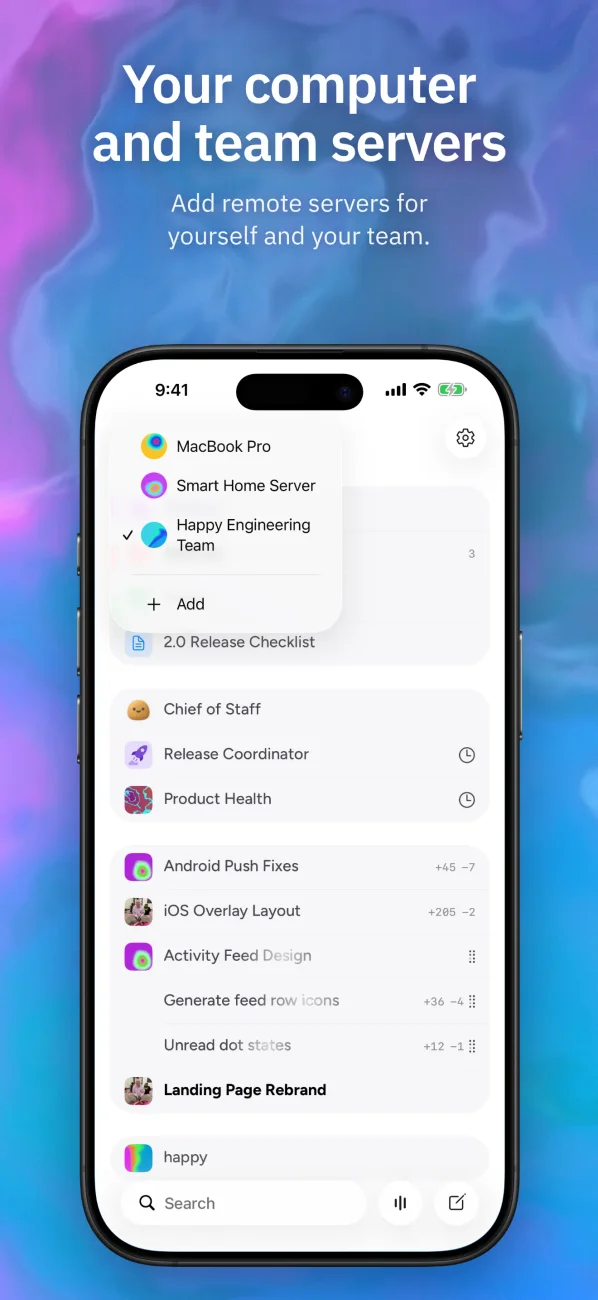
YOUR PERSONAL COMPUTER AND TEAM SERVER
• Pair with Happy Desktop on Mac, Windows or Linux by scanning a QR code
• Add your team's server by scanning its code, and sign in the way your team set it up, including single sign-on
• Switch between your computers and servers from the top of the home screen
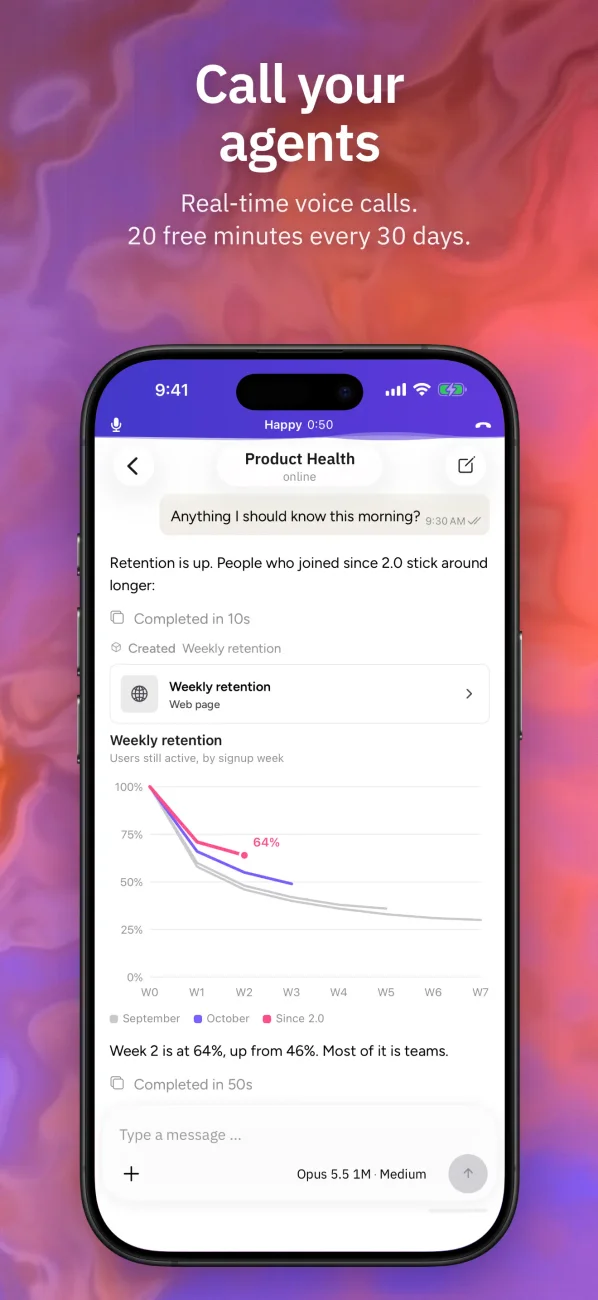
CALL YOUR AGENTS
• Start a real-time voice call and ask how the work is going
• Open chats and send messages by voice
• 20 free minutes of voice every 30 days
WHEREVER YOU ARE
• Get notified when an agent needs you or finishes
• Approve or deny permission requests
• Review changes with colored diffs
• Attach photos and screenshots to your messages
• Drafts follow you between your phone and your computer
• On iPad, a sidebar and full-size chat side by side
GET STARTED
1. Install Happy Desktop from happy.engineering.
2. Open this app and scan the QR code Happy Desktop shows.
3. Start a chat from either device. It's the same live chat on both.
Already using the Happy CLI? It still works with this app.
WHAT IT COSTS
Happy is free to use. You bring your own access to the agents you use, such as a Claude, ChatGPT/Codex or Grok plan, or an API key. Happy doesn't sell model access.
PRIVATE BY DESIGN
Your agents and your code stay on your own computer or your team's server. When you pair with your own computer, everything between your phone and it is end-to-end encrypted. Voice calls go through our voice provider, ElevenLabs, as the privacy policy explains.
OPEN SOURCE
Happy is MIT licensed. Read the code on GitHub, fork it, and ship your own build.
Happy is an independent project. It is not affiliated with or endorsed by Anthropic, OpenAI, xAI or Google. Claude and Claude Code are trademarks of Anthropic. Codex and ChatGPT are trademarks of OpenAI. Grok is a trademark of xAI. Antigravity is a trademark of Google.
Privacy Policy: https://happy.engineering/privacy
Terms of Use (EULA): https://www.apple.com/legal/internet-services/itunes/dev/stdeula/
新機能
バージョン 2026.11.1 · 2026/11/18
Happy 2.0 is rebuilt from the ground up as a native iPhone and iPad app.
• Team servers: add your team's server by scanning its code, and sign in with your team's single sign-on
• Feed: see what your team and agents shipped, day by day
• Switch models, reasoning effort and accounts in the middle of a chat
• Voice calls with your agents, with 20 free minutes every 30 days
• Bots, documents and todos from Happy Desktop, on your phone
• Pair directly with Happy Desktop by scanning a QR code
アプリのプライバシー
このアプリのデータの取り扱いについて、Bulka, LLCがApp Storeで申告している内容です。
-
ユーザーに関連付けられないデータ
収集される場合がありますが、ユーザーの識別情報には関連付けられません。
- 購入
- ID
- 使用状況データ
- 診断
プライバシーの取り扱いは、ご利用の機能やお客様の年齢などに応じて異なる場合があります。
情報
- 販売元
- Bulka, LLC
- カテゴリ
- 開発ツール
- バージョン
- 2026.11.1
- 更新日
- 2026/11/18
- リリース
- 2025/7/21
- サイズ
- 72.6 MB
- 必要条件
- iOS 26.0以降
- 対象年齢
- 4+
- 価格
- 無料
- アプリ内課金
- あり
- 言語
- 英語
- 著作権
- © Slopus
こちらもおすすめ
-
 Node.js Lab開発ツール
-
 Xogot:iPad & iPhone 向け GodotAI搭載の2D・3Dゲームエンジン
-
 Klipper | OctoPrint - Obico開発ツール
-
 IDFA取得 - Get My IDFAIDFAを表示、クリップボードにコピー
-
 Bluetooth Controller BT/LE開発ツール
-
 Python Coding – オフラインIDEプログラミング学習 · データ分析 · Python入門
-
 XVibe AI ホームページ作成サイト作成 ノーコード ウェブサイト
-
 HTML Viewer ++開発ツール
-
 color.or - ARカラー名ファインダーセレクター、識別子、コンバーター
-
 Device Tester: Check & Monitor開発ツール