
- 対象年齢4+
- カテゴリ仕事効率化
- 開発元George Taylor
- 言語英語ほか6言語
- サイズ2.0 MB
App Storeの公式ページにリンクしています
Download.orgはHardstop: App Blocker & Limitsのファイルを一切ホストしていません。ボタンを押すと、George Taylorが公開しているApp Storeのアプリページが開きます。ページの最終確認:2026/11/12。
スクリーンショット


概要
開発元はこのテキストをお使いの言語で提供していません。
Start a hard stop and your apps are shut until the time is up. Not paused. Not
until you change your mind. Until it is up.
Most blockers can be undone in two taps: edit the schedule, or delete it.
Hardstop cannot. While a block runs, the rules that define it are frozen the
schedule cannot be edited to end early, disabled or deleted, and blocked apps
cannot be removed from the list.
Pay once. No subscription, no account, no data collected. Everything runs on
your iPhone.
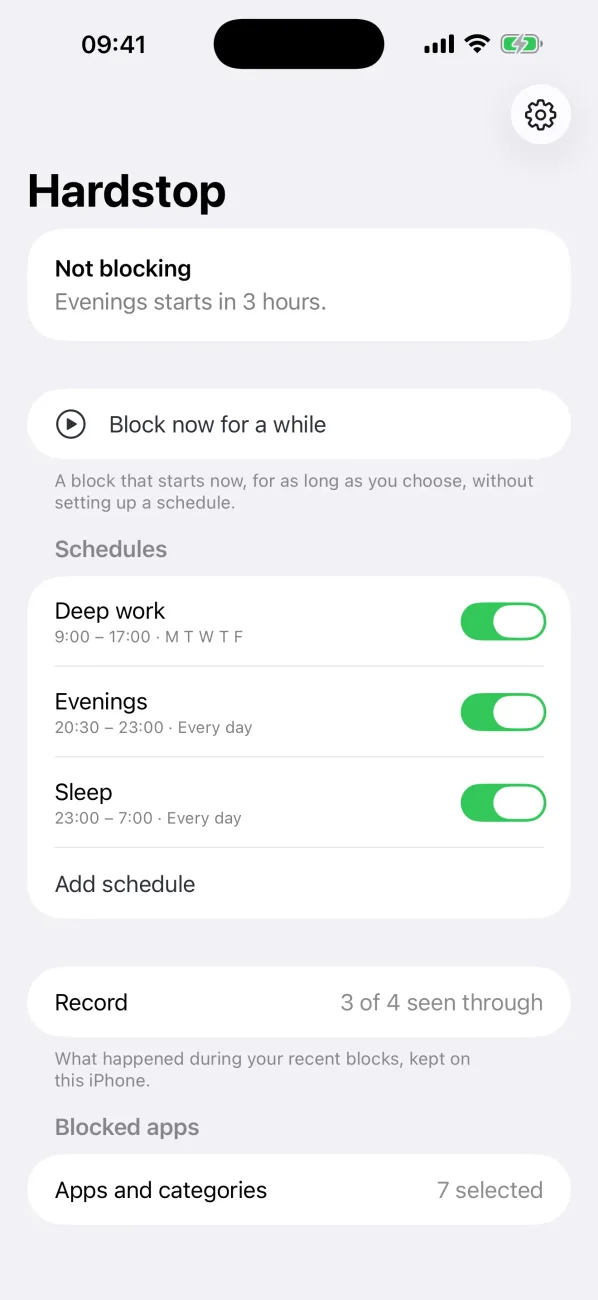
Block now, or set hours that repeat
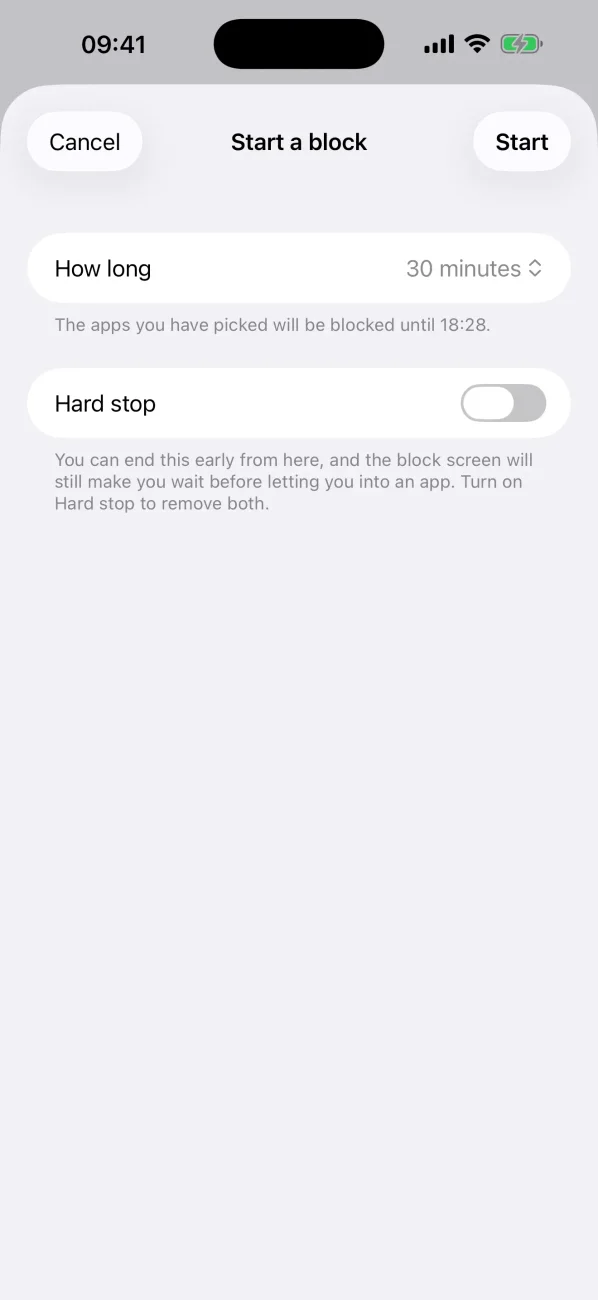
Tap once and pick a length: fifteen minutes, an hour, three hours. The apps you
chose are shut for that long, with no schedule to build first. Make it a hard
stop and there is no way out at all no wait, no pass, no cancel button.
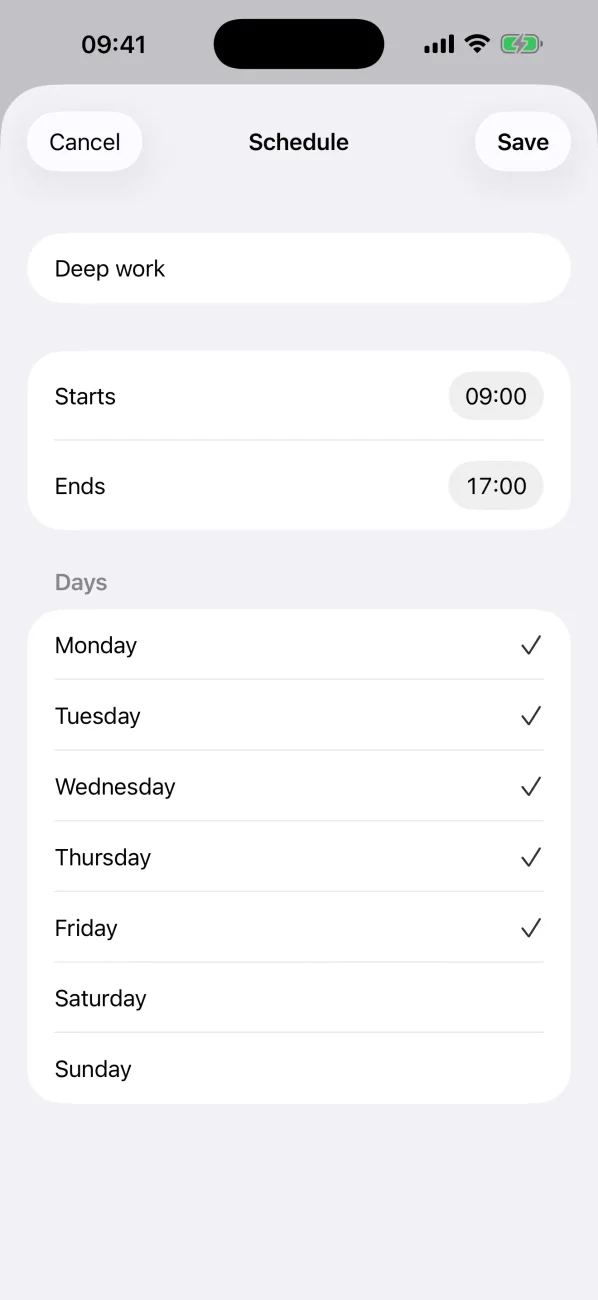
Schedules do the hours you already know about: a start time, an end time, and
the days it repeats. Blocking continues whether or not Hardstop is running, and
survives restarting your iPhone.
Three ways in, and each one costs more
Outside a hard stop you can ask to be let into a blocked app. Asking starts a
wait rather than opening it, and when the wait is over you have to come back and
ask again. That second, deliberate step is the point.
Every pass after the first in the same block costs more: thirty seconds becomes
ninety, then three minutes. And you only get three per block. The first slip of
an afternoon stays cheap. The fourth is not offered.
A pass is temporary too. After sixteen minutes the block returns on its own,
without you having to remember to put it back.
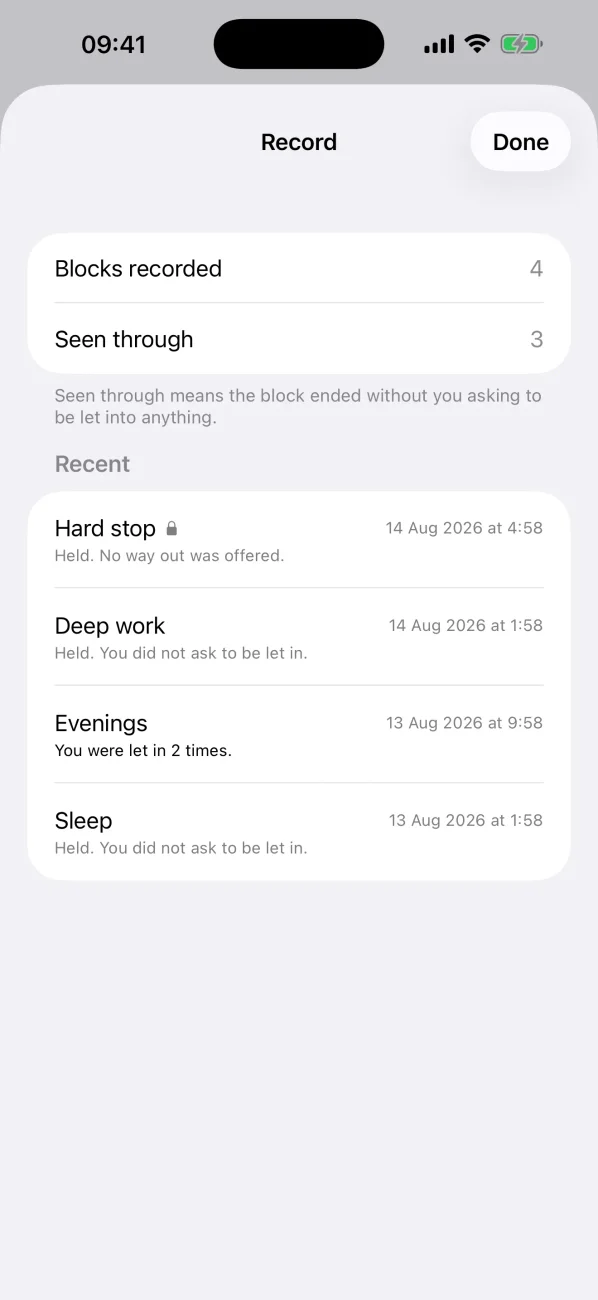
A record of what actually happened
When a block ends, Hardstop writes down whether you saw it through or asked your
way in, and how many times. Not screen time statistics a record of you against
your own rules. It never leaves your iPhone.
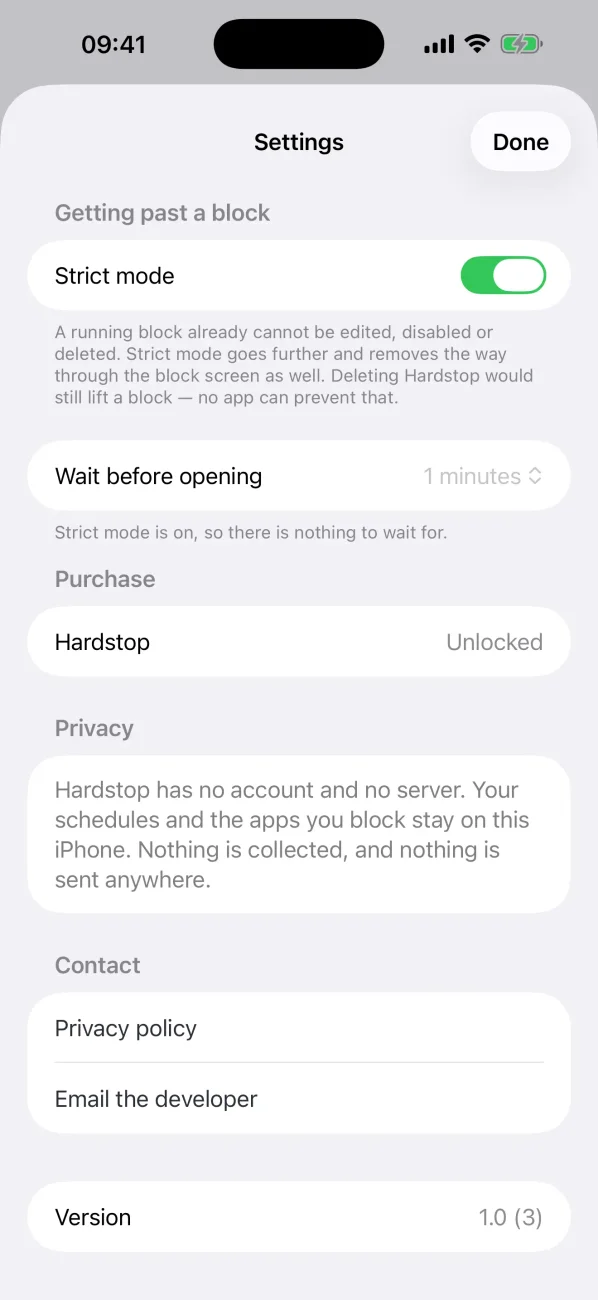
Strict mode
With strict mode on, every block behaves like a hard stop, and strict mode
cannot be switched off while one is running.
Deleting Hardstop would still lift a block. No app on iOS can prevent that, and
this one will not claim otherwise.
What it uses
Hardstop blocks apps through Apple's Screen Time framework, which runs entirely
on your device. It asks for access for you, as an adult managing your own
iPhone. It is not a parental-controls app: it cannot see, manage or report on
another person's device.
Free and unlocked
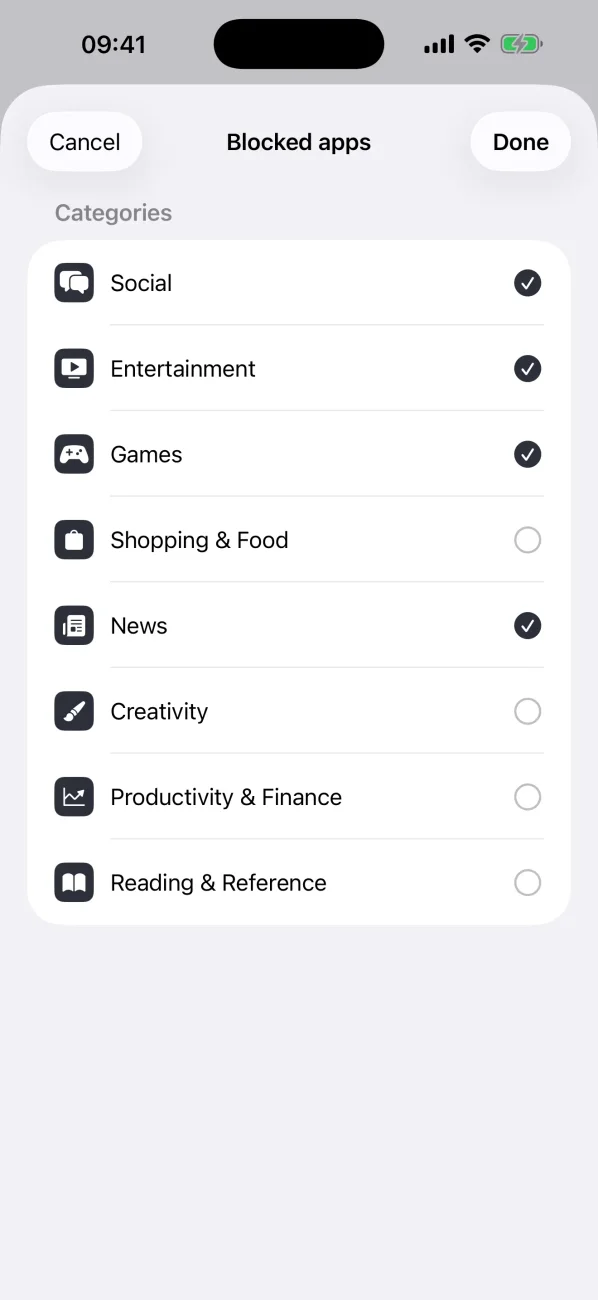
Blocking is never the thing you pay for. The free version blocks as many apps
and categories as you like, on one schedule, with hard stops and the record
included. The unlock is a single purchase adding unlimited schedules, strict
mode, and a wait length of your choosing. It is not a subscription. Nothing
renews.
Privacy
Hardstop has no account, no server and no analytics. Your schedules and the apps
you block never leave your iPhone, because there is nowhere for them to go.
アプリのプライバシー
このアプリのデータの取り扱いについて、George TaylorがApp Storeで申告している内容です。
-
データの収集なし
開発元はこのアプリからデータを収集しません。
プライバシーの取り扱いは、ご利用の機能やお客様の年齢などに応じて異なる場合があります。
情報
- 販売元
- George Taylor
- カテゴリ
- 仕事効率化
- バージョン
- 1.0
- 更新日
- 2026/8/28
- リリース
- 2026/8/28
- サイズ
- 2.0 MB
- 必要条件
- iOS 26.0以降
- 対象年齢
- 4+
- 価格
- 無料
- アプリ内課金
- あり
- 言語
- 英語, オランダ語, フランス語, ドイツ語, 日本語, ポルトガル語, スペイン語
- 著作権
- © 2026 George Taylor
こちらもおすすめ
-
 Stryct: App & Website Blocker仕事効率化
-
 LionBlock: アプリブロックスクリーンタイム制限・スマホ依存対策
-
 Nightlock: アプリブロック・スクリーンタイム就寝前のスマホ制限・睡眠・勉強
-
 BreakOff: Block Apps Together仕事効率化
-
 Roam: App Blocker仕事効率化
-
 Wheel of Consequences仕事効率化
-
 IBlock - App Blocker仕事効率化
-
 ディトッ: ポモドーロと没入記録集中パターンの分析による効率的な記録管理
-
 Nora - Screen Time App仕事効率化
-
 Nexty: ADHD Planner & Focus仕事効率化