
- 対象年齢17+
- カテゴリ開発ツール
- 開発元Long Cheung Ho
- 言語英語ほか13言語
- サイズ111.0 MB
App Storeの公式ページにリンクしています
Download.orgはHermes Conduitのファイルを一切ホストしていません。ボタンを押すと、Long Cheung Hoが公開しているApp Storeのアプリページが開きます。ページの最終確認:2026/11/29。
スクリーンショット



概要
開発元はこのテキストをお使いの言語で提供していません。
Hermes Conduit is an independent client for your own Hermes agent, on iPhone, iPad, Mac and Apple Watch. Your sessions, profiles, bots and tools are the same ones you use on desktop, in an app built for chatting, talking and checking in while you're away from your desk.
YOUR BOTS, ONE TAP AWAY
• Bots Home shows your bots as portraits: tap one for its Bot Chat, drag them into your order, or drop one on another to start a group chat
• Group chats with @mentions, a lead bot or everyone answering, and a status for each bot under the title
• Bots hand bigger jobs to workstreams and report back when they finish or need you
• Set each bot's model, skills and tools, and give it a picture from Image Playground, a GIF or a still brought to life
• Bot Screen: watch a bot's desktop on a Linux host and take over for a sign-in
TALK TO HERMES
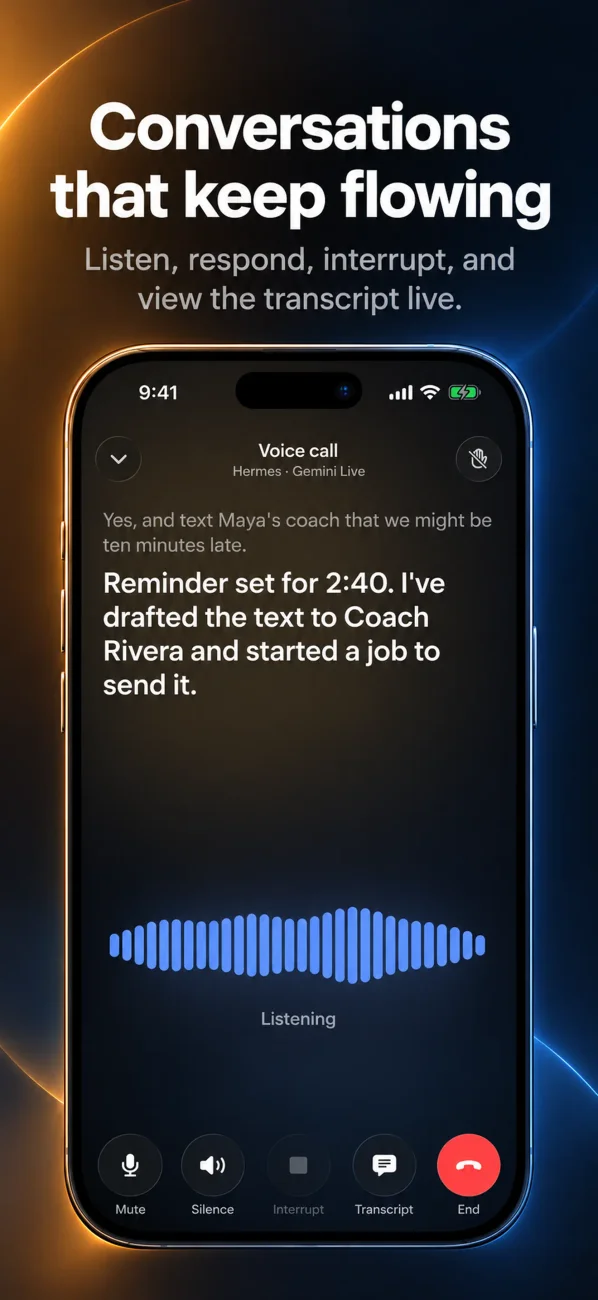
• Real-time voice calls with Gemini Live, Qwen Live, GPT-Live and Grok Live, or Local Live on your own speech server, in your language
• Start, check and cancel Hermes jobs by voice
• Calls keep going with the screen locked and are saved as chats
• Hermes can call you when a job is done or it needs your answer; pick up like a normal call, even on your Watch
• Talk from Apple Watch on its own, from CarPlay, from Siri, or with a wake phrase
CHAT WITHOUT LOSING CONTEXT
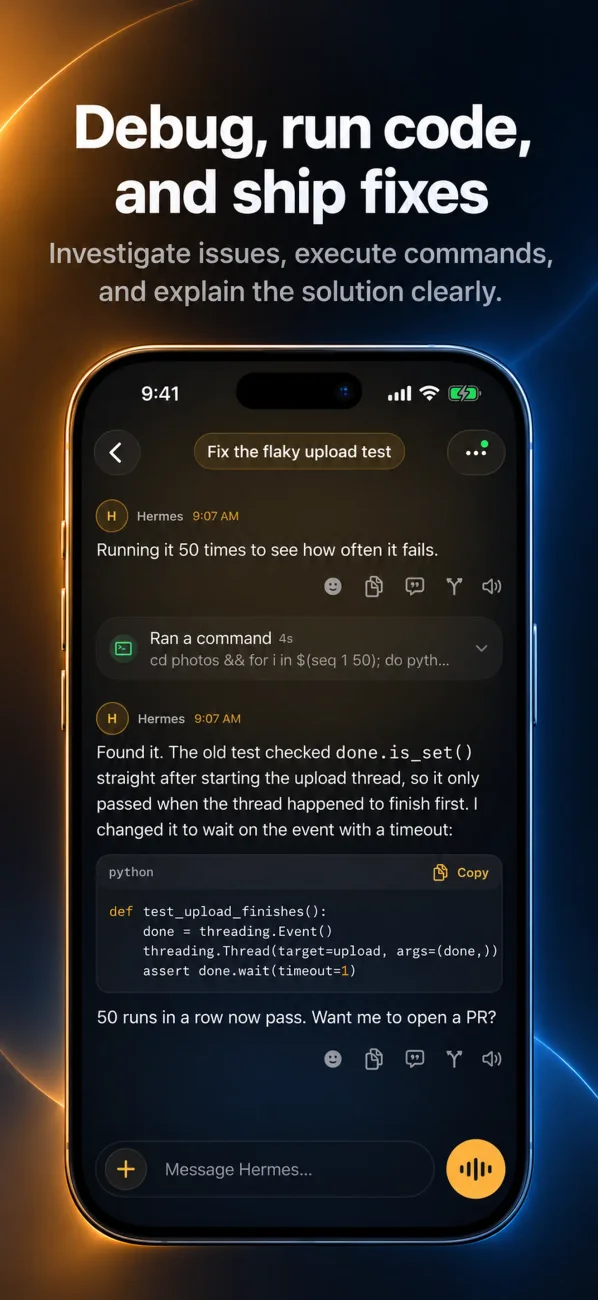
• Pick up desktop sessions and project chats where you left them, with replies streaming in live
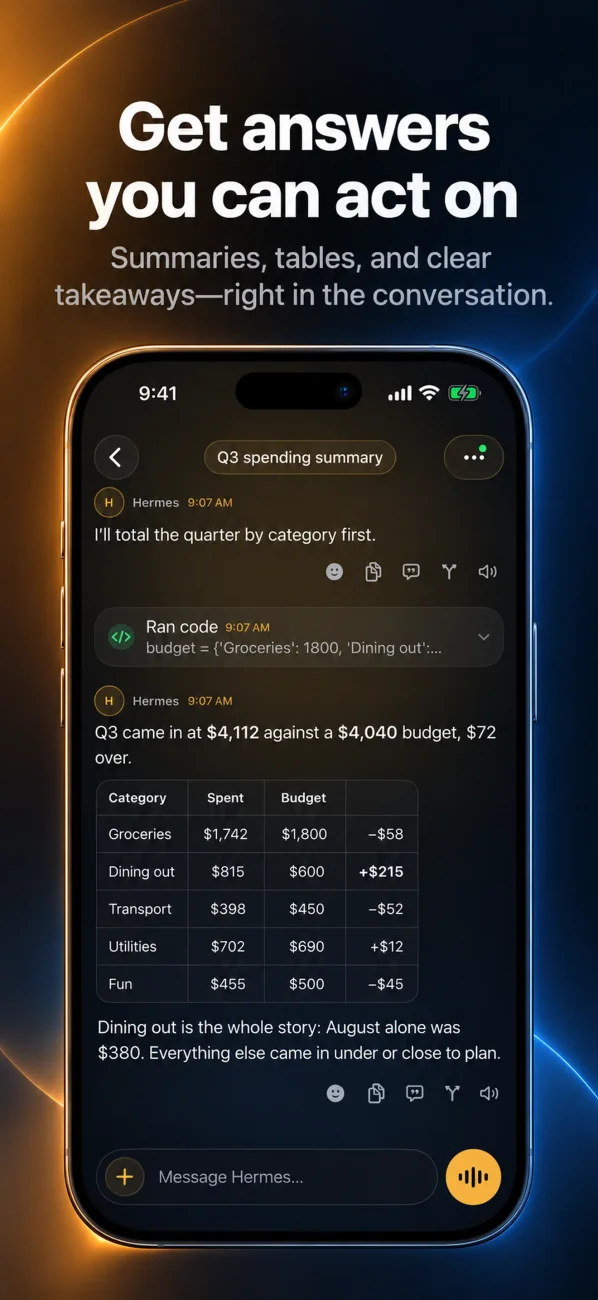
• Markdown, highlighted code, math, Mermaid diagrams and tables
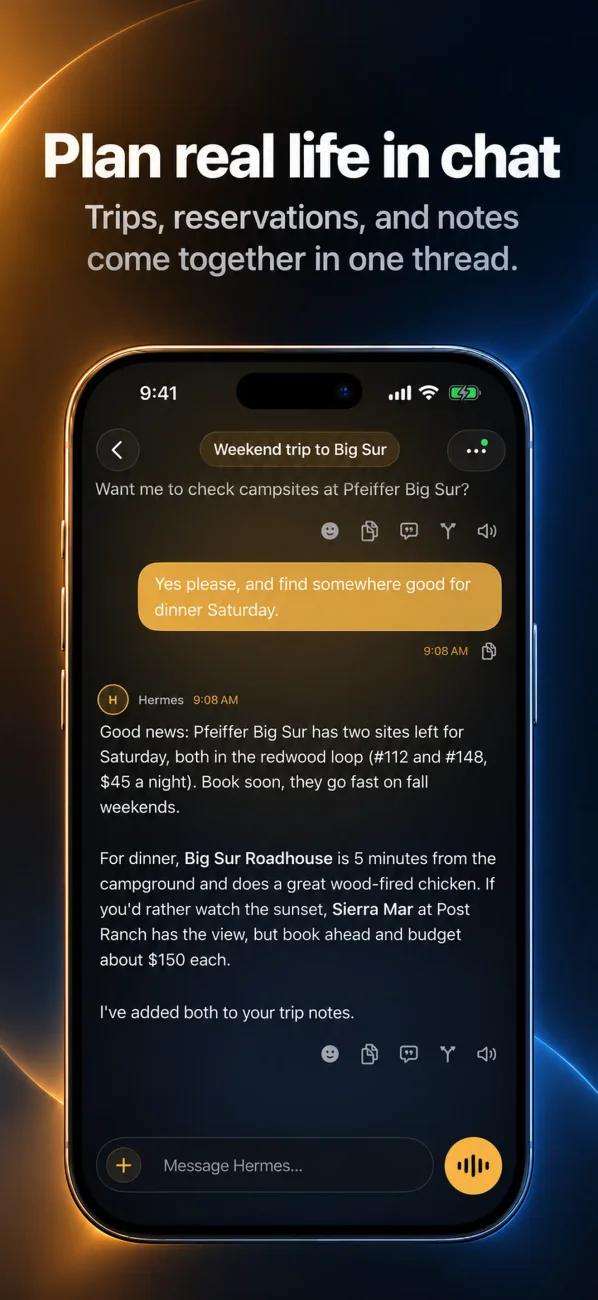
• Cards Hermes draws in the chat: maps, places, travel, diffs of its changes, and boards with sortable tables, plans and checklists
• Follow thinking, tool calls and steps, or fold them away
• Attach photos and any file, or drag them in; quote, edit and resend messages
• Browse every file and artifact Hermes made, and your project folders
• On iPad and Mac, resize the chat list and chat columns; text grows with the window
TASKS AND PULSE
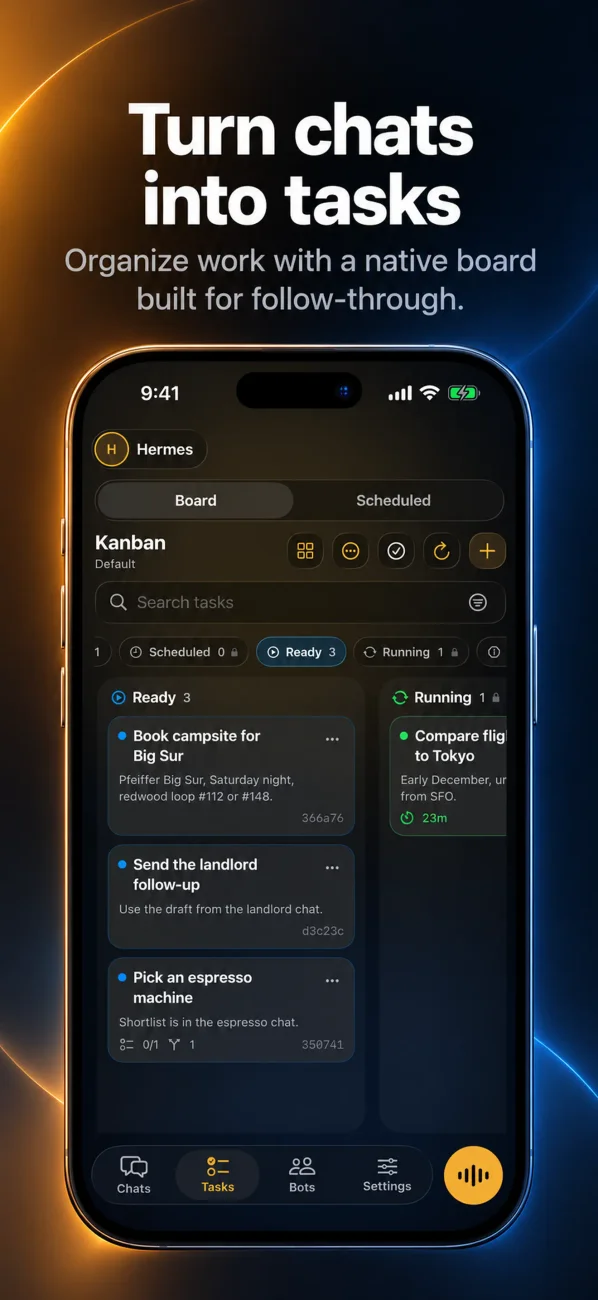
• Tasks board: follow Hermes' Kanban tasks and add new ones
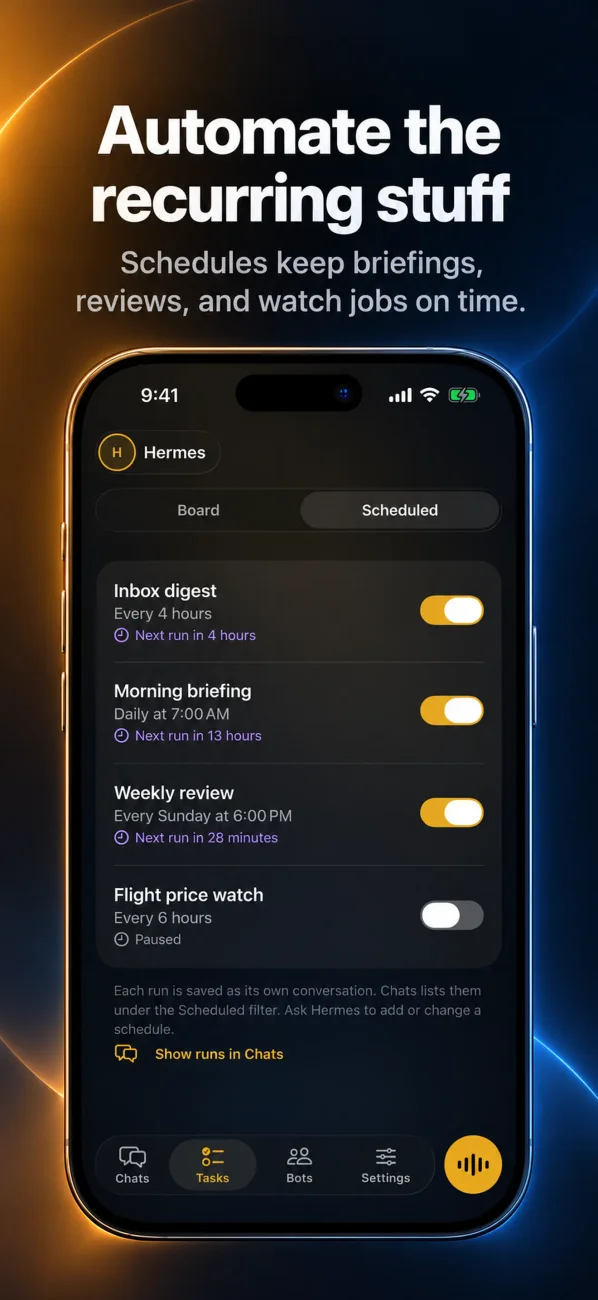
• Review, run and edit scheduled jobs
• Pulse (beta): Hermes brings things up on its own, from a morning brief to follow-ups on your plans
YOUR PHONE, IF YOU ALLOW IT
Every one is off until you turn it on, and goes only to your own Hermes host:
• Location, travel times and directions
• Calendar and reminders, with each change asked first
• Apple Health data, Focus, alarms, timers and contacts you pick
• Ask Hermes about your screen, or send it anything from Shortcuts or the share sheet
STAY IN CONTROL
• Approve tools from a notification, end-to-end encrypted, or from Needs you, which gathers every approval waiting
• Live Activities, and Home Screen widgets to start a chat or talk in one tap
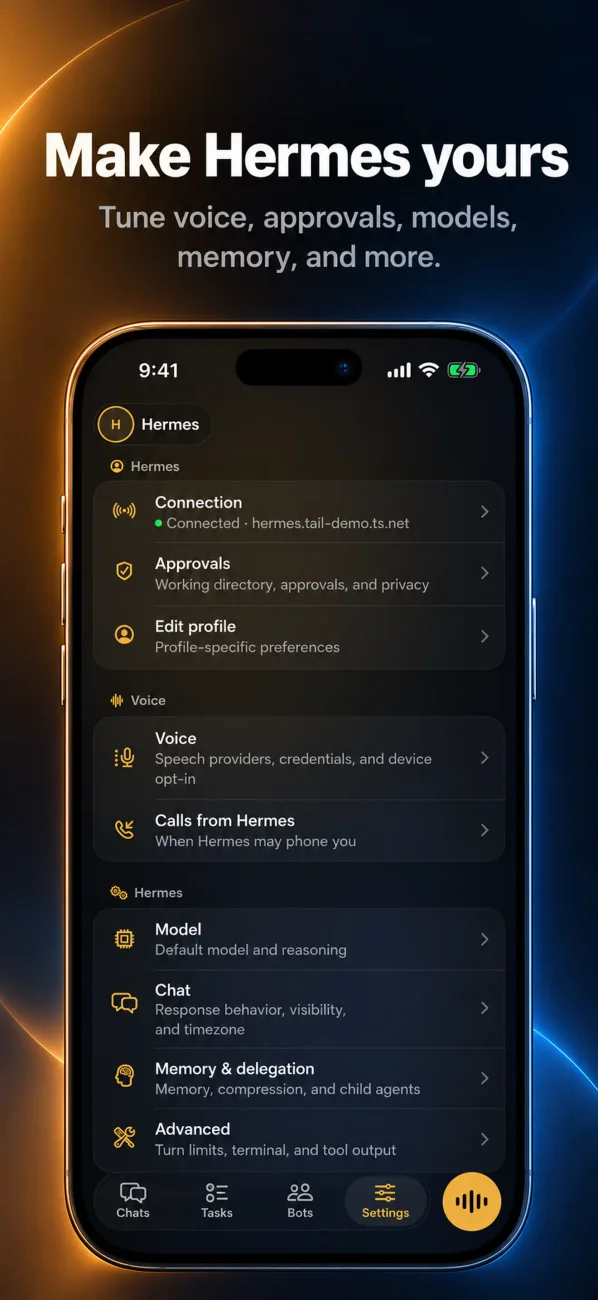
• Connect model providers from the app, with one API key for every profile
• Switch models and reasoning effort mid-conversation; steer, queue or stop a turn
• Turn skills, tools, connectors and plugins on or off; switch profiles and Hermes servers
• Face ID or Touch ID lock, credentials kept in the Keychain
EASY TO SET UP
Sign in with your dashboard address, a QR code or a setup link from your agent. Install the free Hermes Conduit Notifier plugin on your host for notifications, voice calls, cards and phone features.
BUILT FOR SELF-HOSTED HERMES
Conduit connects to the Hermes dashboard you run, and in live voice calls to the voice provider you choose. It is not a hosted AI service, and a working Hermes installation is required.
Free, with no ads, no analytics and no tracking. If Conduit crashes or freezes, it asks once whether to send that report (call stacks, app and iOS version, device model) to its developer, and sends nothing unless you tap Send.
Available in English, Chinese (Simplified and Traditional), French, German, Indonesian, Italian, Japanese, Korean, Polish, Portuguese (Brazil), Russian, Spanish and Turkish.
Hermes Conduit is an independent client and is not affiliated with or endorsed by Nous Research.
新機能
バージョン 2.5.1 · 2026/11/28
What's New in 2.5.1
**New Features**
- Bot Categories — Organize your bots and group chats into collapsible categories with drag-and-drop reordering.
- Remote Computer Control — Allow Hermes to interact with your Mac or Windows PC through Conduit Desktop. Manage permission requests, monitor activity, and stop computer control directly from your phone.
- Reply Speed — Optionally display generation speed in tokens per second alongside replies.
- Image and Video Generation — Select generation models directly from tool settings.
- Richer Responses — Support for HTML page previews, collapsible sections, and additional text formatting.
- Live Bot Status — See what your bots are actually doing instead of a generic replying indicator.
- Preview attachments before sending and copy images directly to your clipboard.
- Open new conversations through Conduit deep links.
**Improvements**
- View Kanban task details without leaving your conversation.
- Improved synchronization of Bot Chats, queued messages, and subagent activity.
- Preserve slash command output, compression summaries, and side-agent responses when reopening conversations.
- Improved Apple Watch Bluetooth headset support.
- More reliable GPT-Live responses, voice delegation, and CarPlay connectivity.
- Improved text selection and swipe-back gestures.
- Option to disable animated backgrounds for better performance.
- Smoother chat navigation and reduced unnecessary UI updates.
- Improved image sharing, attachment handling, and localization.
**Bug Fixes**
- Fixed several potential crashes involving speech services, conversation rendering, and running the iPad app on Mac.
- Fixed conversations becoming stuck while opening.
- Fixed context compression summaries incorrectly appearing as user messages.
- Various multi-host, workstream, notification, voice, and connection reliability improvements.
Thank you for your continued feedback and support!
アプリのプライバシー
このアプリのデータの取り扱いについて、Long Cheung HoがApp Storeで申告している内容です。
-
ユーザーに関連付けられないデータ
収集される場合がありますが、ユーザーの識別情報には関連付けられません。
- 診断
プライバシーの取り扱いは、ご利用の機能やお客様の年齢などに応じて異なる場合があります。
情報
- 販売元
- Long Cheung Ho
- カテゴリ
- 開発ツール
- バージョン
- 2.5.1
- 更新日
- 2026/11/28
- リリース
- 2026/8/6
- サイズ
- 111.0 MB
- 必要条件
- iOS 17.0以降
- 対象年齢
- 17+
- 価格
- 無料
- 言語
- 英語, フランス語, ドイツ語, インドネシア語, イタリア語, 日本語, 韓国語, ポーランド語, ポルトガル語, ロシア語, 簡体字中国語, スペイン語 ほか2言語
- 著作権
- © 2026 Milim
こちらもおすすめ
-
 Hermex開発ツール
-
 ERMIS - Client for Hermes自分専用のAIエージェント・アシスタント
-
 Aight - Manage your AI AgentsHermes Agent mobile client
-
 WhisperCode開発ツール
-
 Moshi: SSH・MOSH で herdr・tmuxCodex CLI 対応エージェント端末
-
 T3 Code - Remote Claude & more開発ツール
-
 Happier - Claude/Codex リモート操作OpenCode, Cursor, Grok もスマホで
-
 Reins: for Ollama & LM Studio開発ツール
-
 Orca IDE開発ツール
-
 ScarfGo開発ツール