
- 対象年齢4+
- カテゴリ仕事効率化
- 開発元evert van den bruel
- 言語英語
- サイズ6.9 MB
App Storeの公式ページにリンクしています
Download.orgはHjarni Notes & Memoryのファイルを一切ホストしていません。ボタンを押すと、evert van den bruelが公開しているApp Storeのアプリページが開きます。ページの最終確認:2026/11/25。
スクリーンショット
概要
開発元はこのテキストをお使いの言語で提供していません。
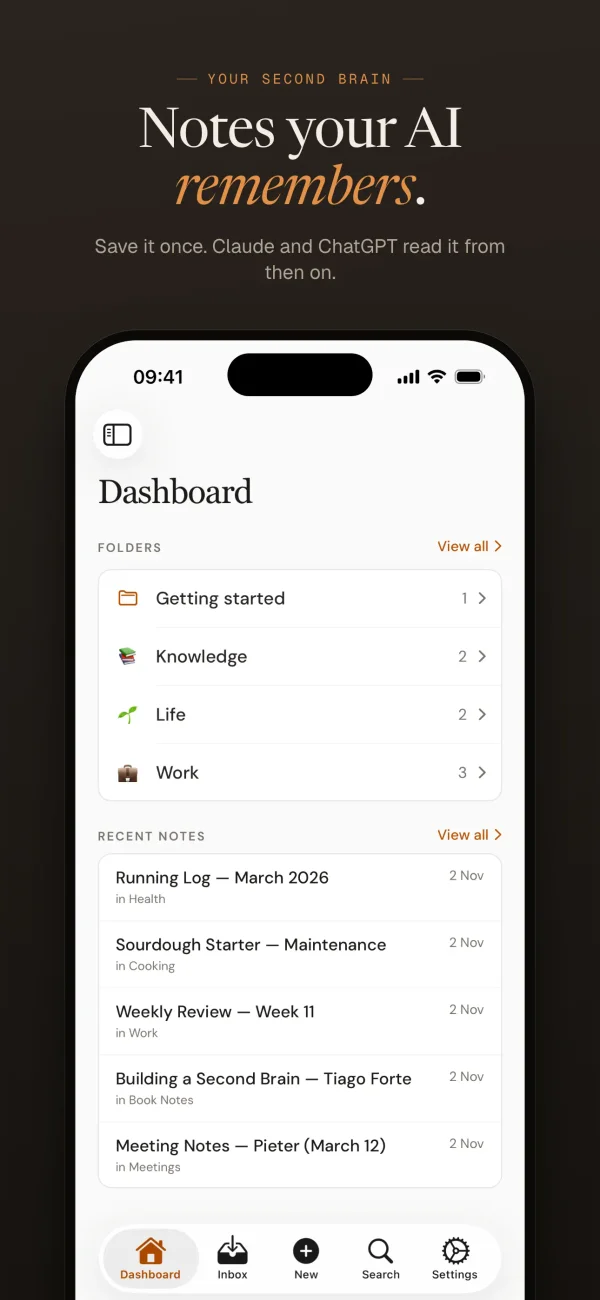
Your AI starts from zero every conversation. Hjarni gives it a memory built from notes you control.
Write a note on your phone. Ask Claude or ChatGPT about it on your laptop, and it already knows.
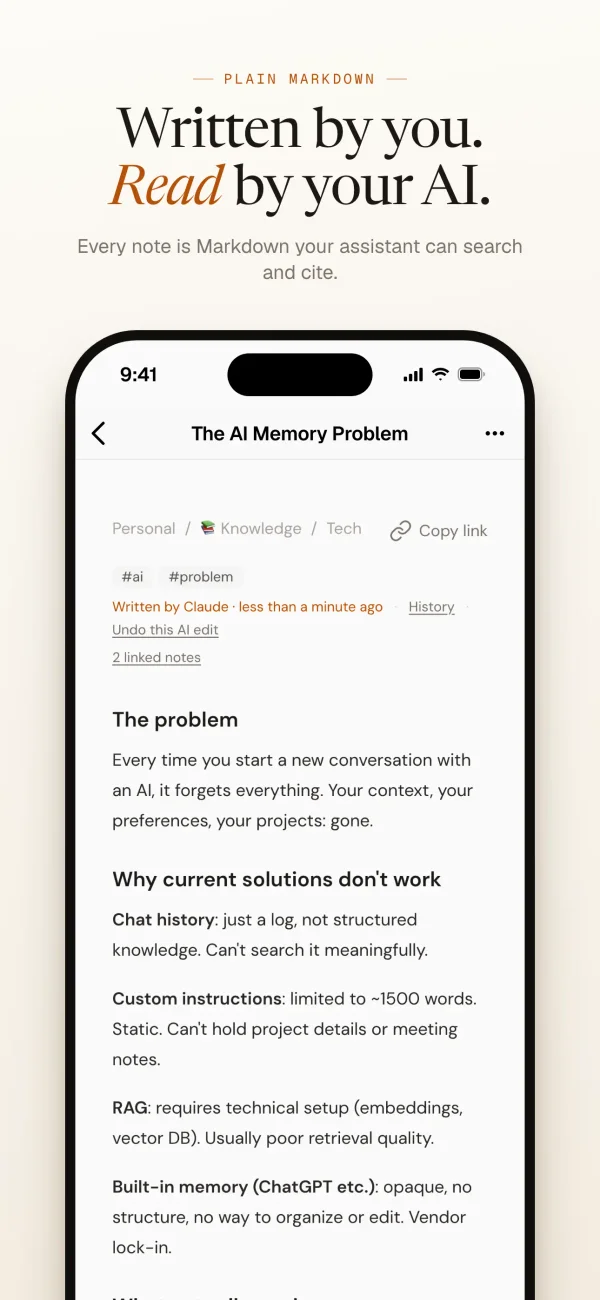
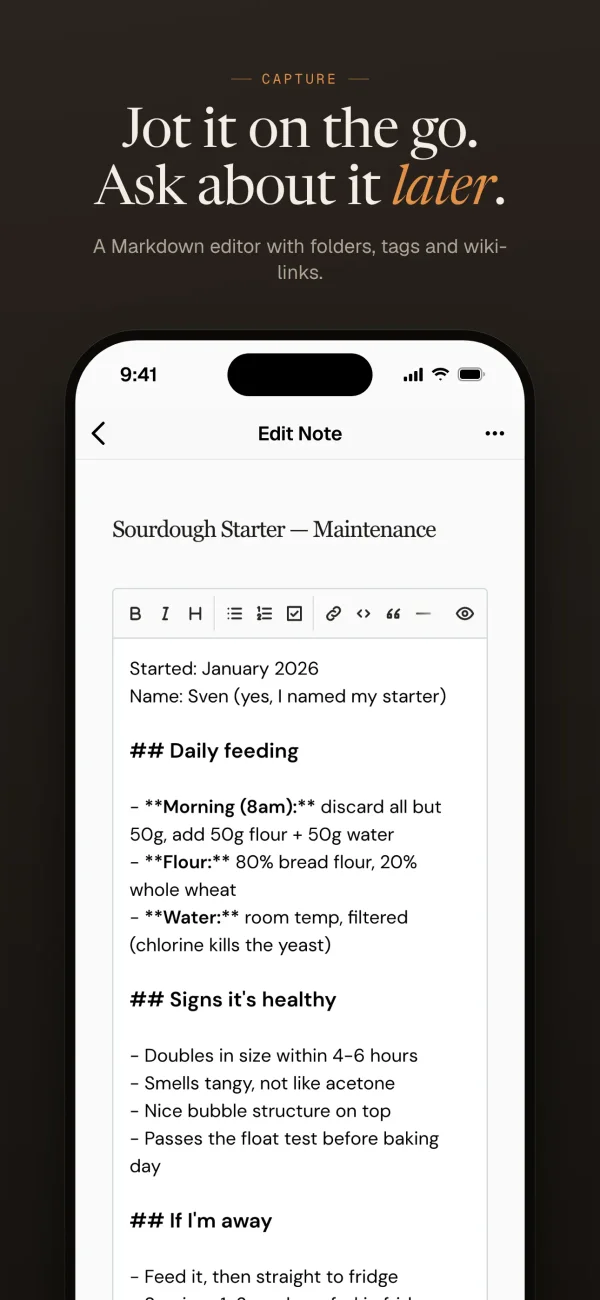
Hjarni is a Markdown knowledge base with a built-in MCP server. Notes, folders, tags. That is the whole product. MCP is not a plugin bolted on afterwards. The app was built around it.
Call it a second brain, a personal wiki, a PKM system or a Zettelkasten. It is one place to keep what you know, in plain Markdown, so both you and your assistant can read it.
HOW IT WORKS
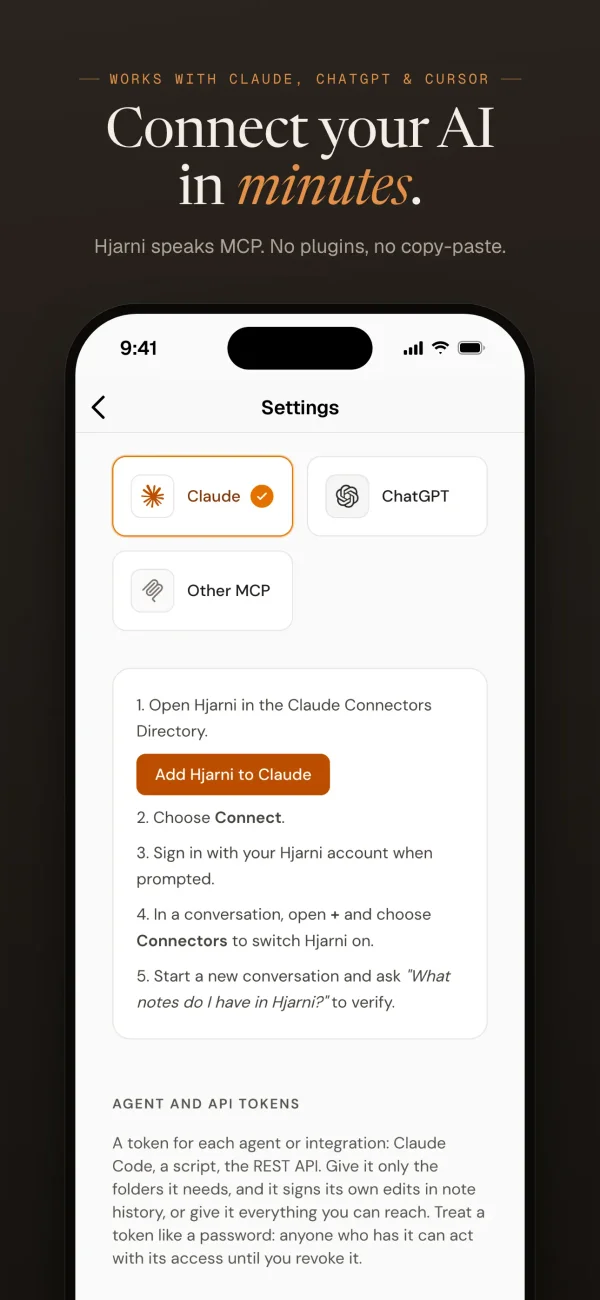
Save a note once. Connect Claude, ChatGPT, or any MCP client. Your AI reads your notes, follows your instructions, and writes new notes that fit your system.
Save project decisions, preferences and research. Ask your assistant to remember something and it writes the note for you. Save a session summary to pick up where you left off, or turn finished work into a guide you can reuse.
Stop re-explaining your stack, your customers, or your style guide at the start of every conversation. Write once. You both remember.
ON YOUR IPHONE
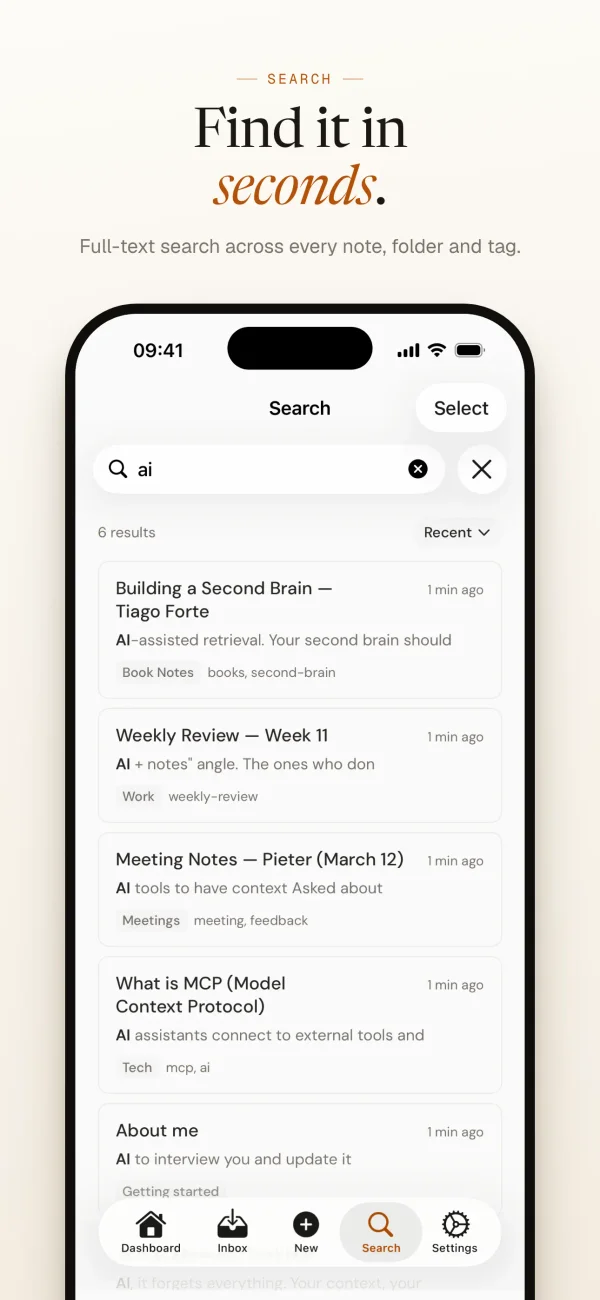
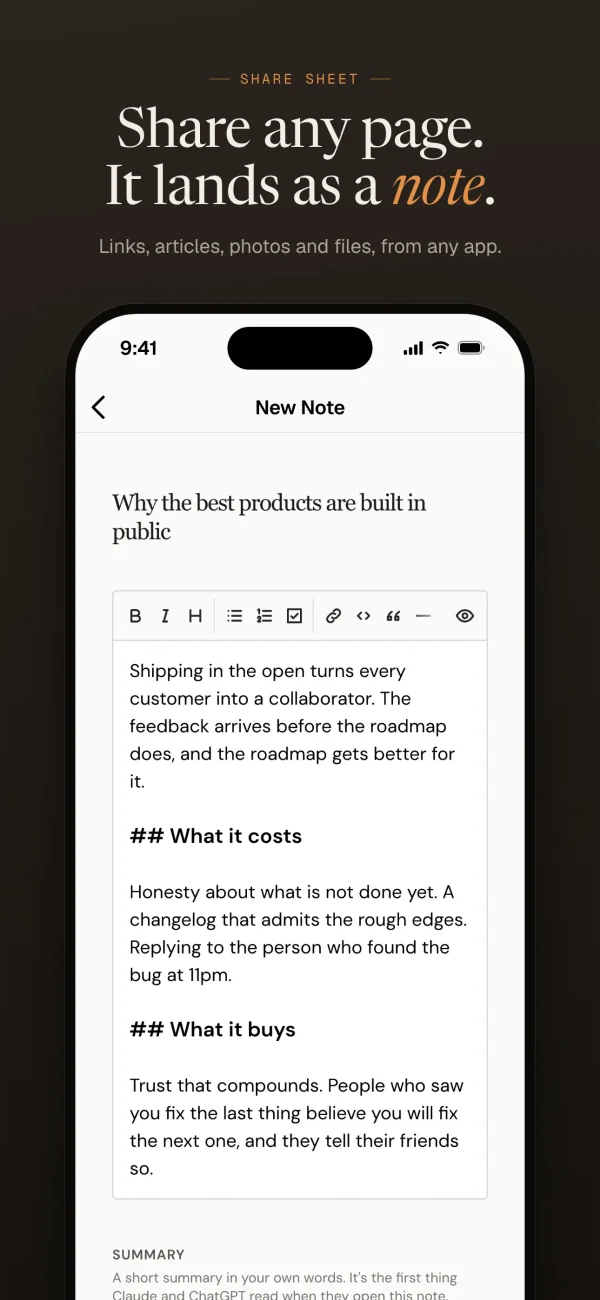
Capture a note in seconds from the New tab. Triage it later from the Inbox. Search everything you have written. Read anywhere.
This is the capture and read-anywhere companion. The long editing sessions happen on the web. That is on purpose.
ONE MEMORY, EVERY ASSISTANT
Claude and ChatGPT each keep their own memory, and neither one shares. Hjarni sits outside both. Switch assistants, keep your context. Works with Claude, ChatGPT, Claude Code, Codex, Cursor, and anything else that speaks MCP.
MEMORY YOU CAN ACTUALLY READ
Assistant memory is a black box. Hjarni is not. Every note is plain Markdown you can open, search, and edit. Every change is versioned, so you can see what your AI wrote, diff it, and revert it. Export everything, any time, in a format that opens anywhere.
SHARED NOTES FOR YOUR TEAM
Team folders give everyone the same context. Your conventions, your decisions, your onboarding docs. Every teammate's AI reads the same thing, so nobody has to be the person who remembers.
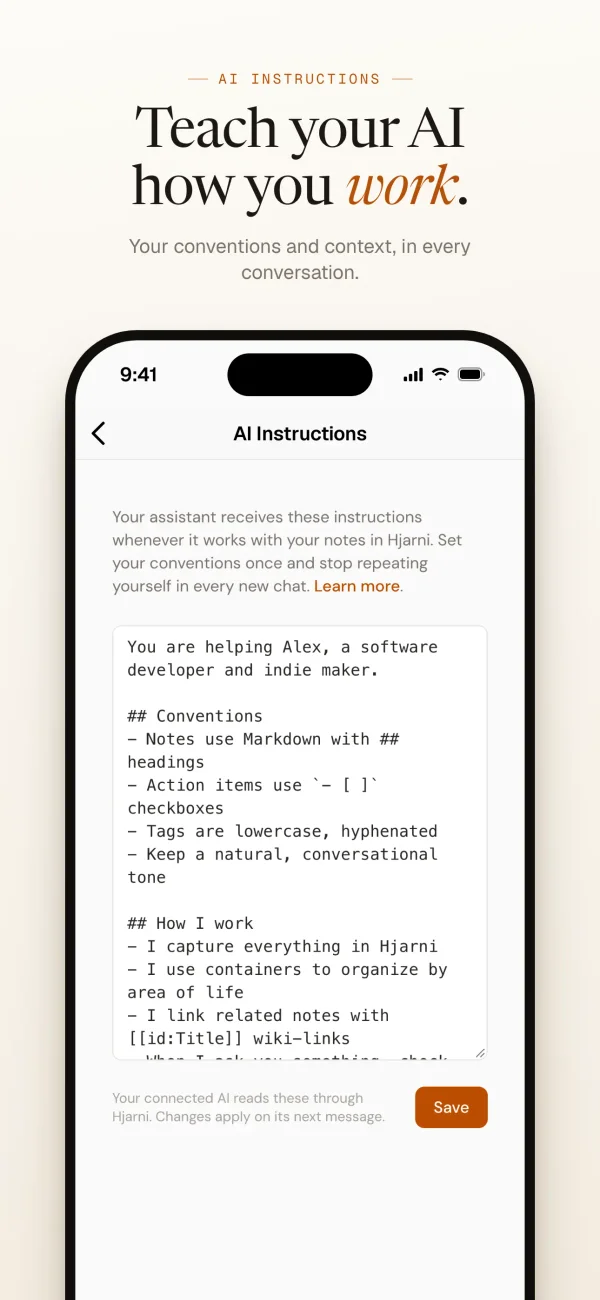
YOU OWN THE INSTRUCTIONS
Set instructions per folder and per team. Tell your AI how to format notes, which tags to use, what tone to write in. Your AI works the way you work.
SIMPLE BY DESIGN
We left features out. No databases. No kanban boards. No page builders. Hjarni is a place to write and organize. The constraint is the feature.
WHO IT IS FOR
Developers, teams, founders, researchers, writers, travelers. Anyone who has typed the same context into a chat window twice.
HJARNI PRO
Hjarni is free to use, with a limit on how many notes you can keep. Pro removes the limit and adds file attachments, imports, email capture, and folder collaborators.
Pro is an auto renewing subscription, monthly or annual. Payment is charged to your Apple Account at confirmation of purchase. It renews unless you turn off auto renew at least 24 hours before the end of the current period, and your account is charged for the renewal within 24 hours before that. Manage the subscription and turn off auto renew in your Apple Account settings.
Terms of Use (EULA): https://hjarni.com/terms
Privacy Policy: https://hjarni.com/privacy
新機能
バージョン 1.19.0 · 2026/11/25
Hjarni now works without a connection. Write a note on a plane or with no signal and it is kept on your device, then saved to your Inbox when you are back online. Your own notes are kept on your device too, so you can read, browse and search them offline. A new Offline notes screen in Browse shows when they were last updated.
アプリのプライバシー
このアプリのデータの取り扱いについて、evert van den bruelがApp Storeで申告している内容です。
-
ユーザーに関連付けられたデータ
収集され、ユーザーの識別情報に関連付けられる場合があります。
- 連絡先情報
- ID
- 使用状況データ
-
ユーザーに関連付けられないデータ
収集される場合がありますが、ユーザーの識別情報には関連付けられません。
- ユーザーコンテンツ
- 診断
プライバシーの取り扱いは、ご利用の機能やお客様の年齢などに応じて異なる場合があります。
情報
- 販売元
- evert van den bruel
- カテゴリ
- 仕事効率化
- バージョン
- 1.19.0
- 更新日
- 2026/11/25
- リリース
- 2026/8/17
- サイズ
- 6.9 MB
- 必要条件
- iOS 16.0以降
- 対象年齢
- 4+
- 価格
- 無料
- アプリ内課金
- あり
- 言語
- 英語
- 著作権
- © 2026 Evert van den Bruel