- 対象年齢4+
- カテゴリ仕事効率化
- 開発元Kwangho Kim
- 言語英語
- サイズ46.7 MB
App Storeの公式ページにリンクしています
Download.orgはHour Markのファイルを一切ホストしていません。ボタンを押すと、Kwangho Kimが公開しているApp Storeのアプリページが開きます。ページの最終確認:2026/11/12。
スクリーンショット


概要
開発元はこのテキストをお使いの言語で提供していません。
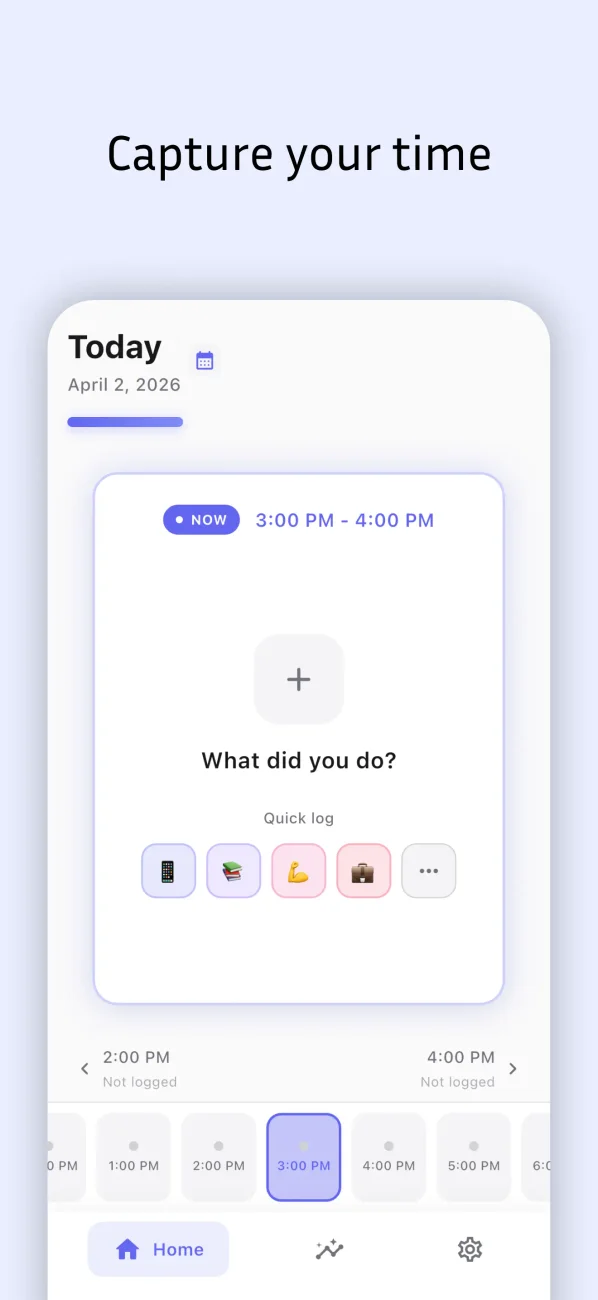
Hour Mark sends you a gentle reminder every hour (or at your chosen interval). You tap, log what you just did, and move on. In seconds.
Hour asks you. You answer. That's it.
HOW IT WORKS
• Get a notification every 30, 60, or 120 minutes
• Tap to log what you were doing — takes under 10 seconds
• See your full day visualized as a color-coded timeline
• Split any time slot to log multiple activities
YOUR TIME, YOUR ACTIVITIES
Start with presets like Work, Study, Gym, and Sleep — or create your own. Each log is a tap on an activity button. Need to split an hour between a meeting and email? Drag the slider to divide it exactly.
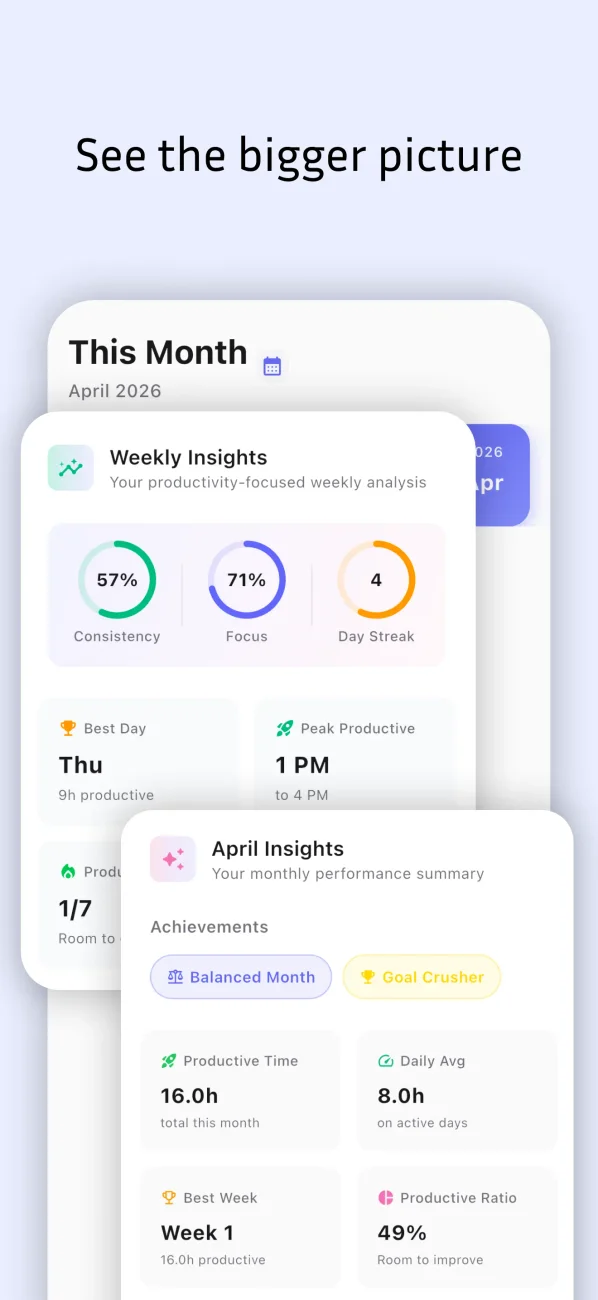
SEE YOUR PATTERNS
Your daily timeline fills in as you go. At a glance, you'll know how much time went to deep work, how many hours you scrolled your phone, and where the day actually went.
PREMIUM
Unlock the full picture with Hour Mark Premium:
• Unlimited history (free tier: 4 days)
• Weekly and monthly analytics views
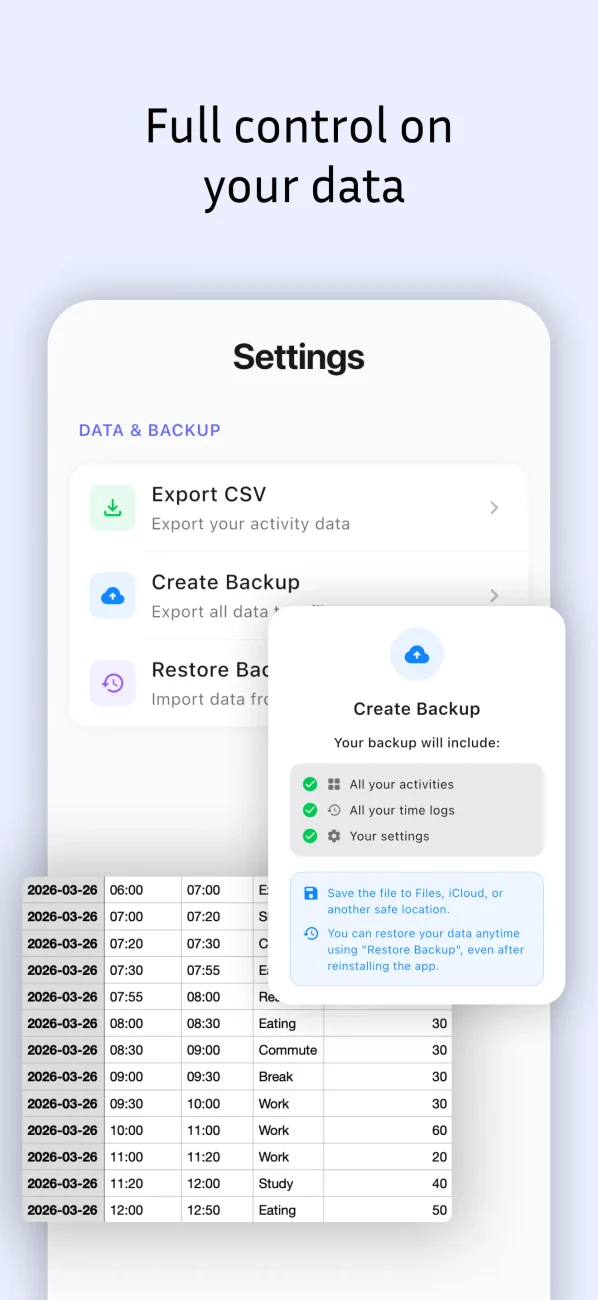
• CSV export for your own analysis
• Unlimited custom activities (free tier: 8)
• Local backup to keep your data safe
DESIGNED TO STAY OUT OF YOUR WAY
No complicated setup. No manual timers. No guilt. Just a quick tap every hour that builds an honest record of how you spend your time.
Privacy first: all data is stored locally on your device. Local backup available for Premium users.
Terms of Use: https://hour-mark-landing.vercel.app/terms
アプリのプライバシー
このアプリのデータの取り扱いについて、Kwangho KimがApp Storeで申告している内容です。
-
ユーザーに関連付けられないデータ
収集される場合がありますが、ユーザーの識別情報には関連付けられません。
- 使用状況データ
- 診断
プライバシーの取り扱いは、ご利用の機能やお客様の年齢などに応じて異なる場合があります。
情報
- 販売元
- Kwangho Kim
- カテゴリ
- 仕事効率化
- バージョン
- 1.0
- 更新日
- 2026/4/8
- リリース
- 2026/4/8
- サイズ
- 46.7 MB
- 必要条件
- iOS 13.0以降
- 対象年齢
- 4+
- 価格
- 無料
- アプリ内課金
- あり
- 言語
- 英語
- 著作権
- © 2026 Jeff Kim Software Studio