- 対象年齢4+
- カテゴリ仕事効率化
- 開発元Easy Chair Apps Lab, LLC
- 言語英語
- サイズ2.2 MB
App Storeの公式ページにリンクしています
Download.orgはHourlyTimeTrackerのファイルを一切ホストしていません。ボタンを押すと、Easy Chair Apps Lab, LLCが公開しているApp Storeのアプリページが開きます。ページの最終確認:2026/11/8。
スクリーンショット



概要
開発元はこのテキストをお使いの言語で提供していません。
Hourly Time Tracker is a no-fuss hours log for anyone paid by the hour. Schedule upcoming shifts, record actual hours as you work them, and let the app split regular and overtime automatically — using your own rules, and telling you exactly why each day is overtime.
WIDGET
A Home Screen or Lock Screen widget shows today's recorded hours at a glance. One tap records your scheduled hours for today instantly — no app launch needed.
SCHEDULE
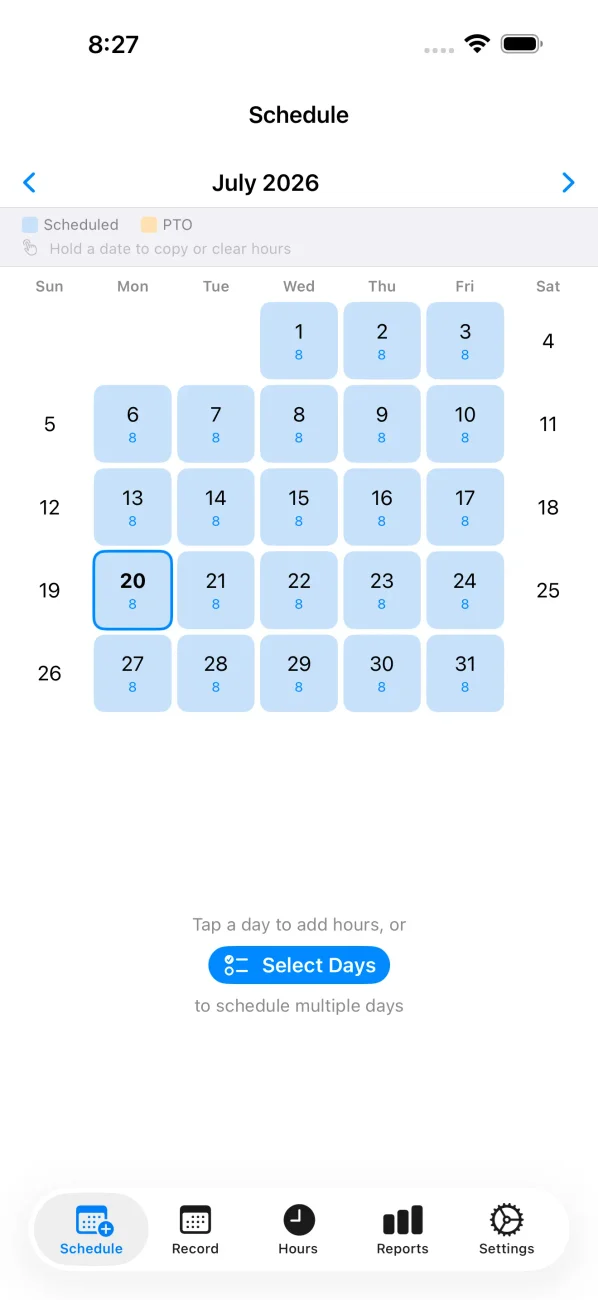
Map out upcoming work days on a monthly calendar. Set hours and start times. Schedule several days at once with the Select Days button — use M-F or Weekend shortcuts, or long-press and drag — and apply one schedule to all of them. Optionally sync scheduled shifts to your iPhone Calendar.
RECORD
Log actual hours with a tap. Mark days as PTO, Sick, or Holiday from a dropdown. Import existing events from your iPhone Calendar as scheduled or recorded days.
HOURS
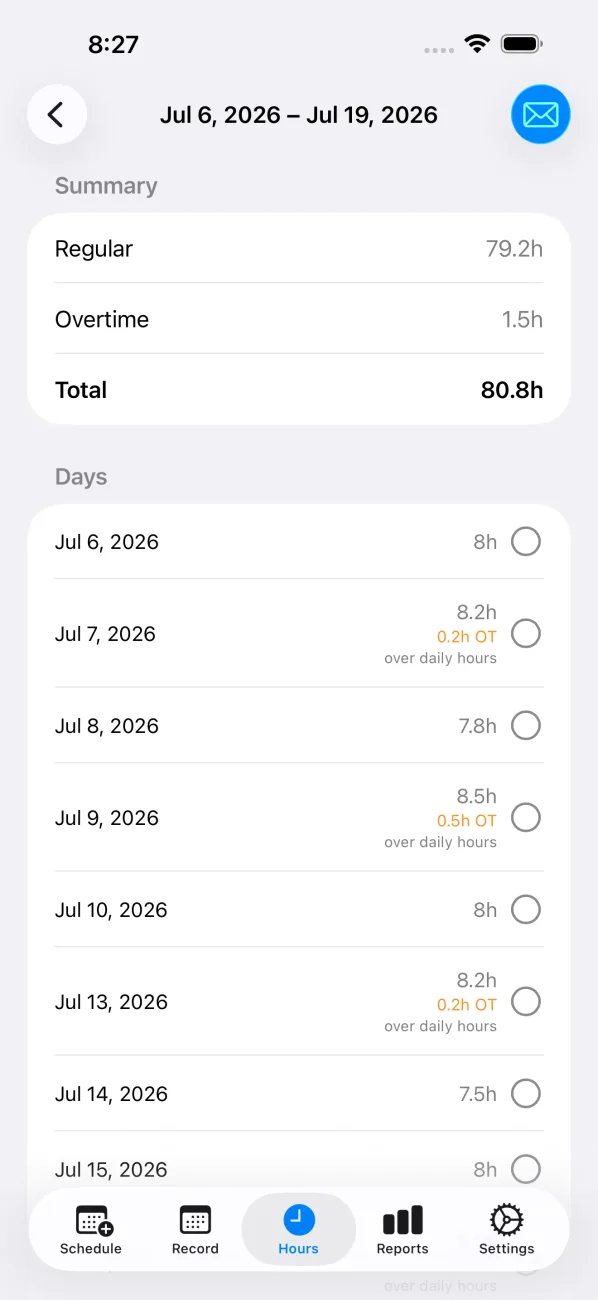
Every pay period is automatically summarised: regular hours, overtime, and paid time off. Each day's overtime shows the reason it counts. Reconcile periods once your payslip confirms them, and send a clean hours report from the app with a fully customisable template.
REPORTS
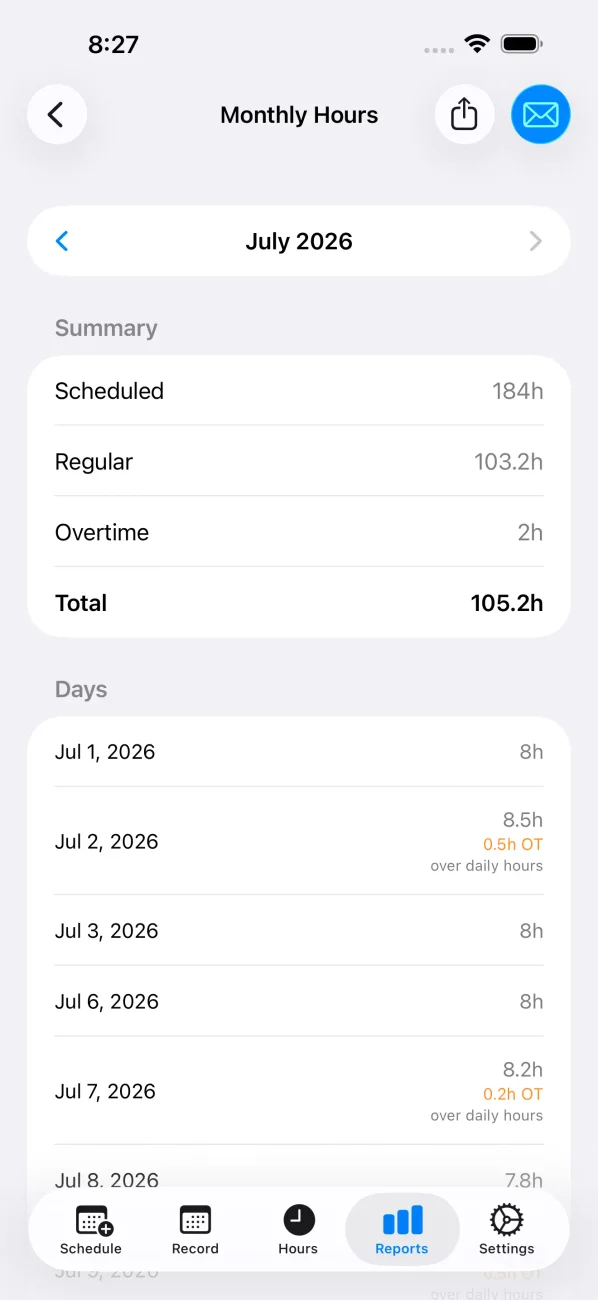
Monthly summaries with day-by-day breakdowns, year-to-date totals, PTO planned vs. taken against a yearly allowance, sick-time totals, your upcoming schedule, and unreconciled periods. Export any report to PDF to print, save to Files, or email.
OVERTIME RULES
Five modes to match how your employer calculates overtime:
- Daily threshold — hours past a set daily limit
- Daily tiered — two overtime tiers with separate start points
- Weekly threshold — hours past a set weekly total
- Schedule (Daily) — hours over each day's scheduled amount
- Monthly Quota — hours over a required monthly total (paid time off counts toward it, and a shortfall is flagged)
Not sure which fits? Every setting has a built-in info button explaining what it does.
ICLOUD SYNC
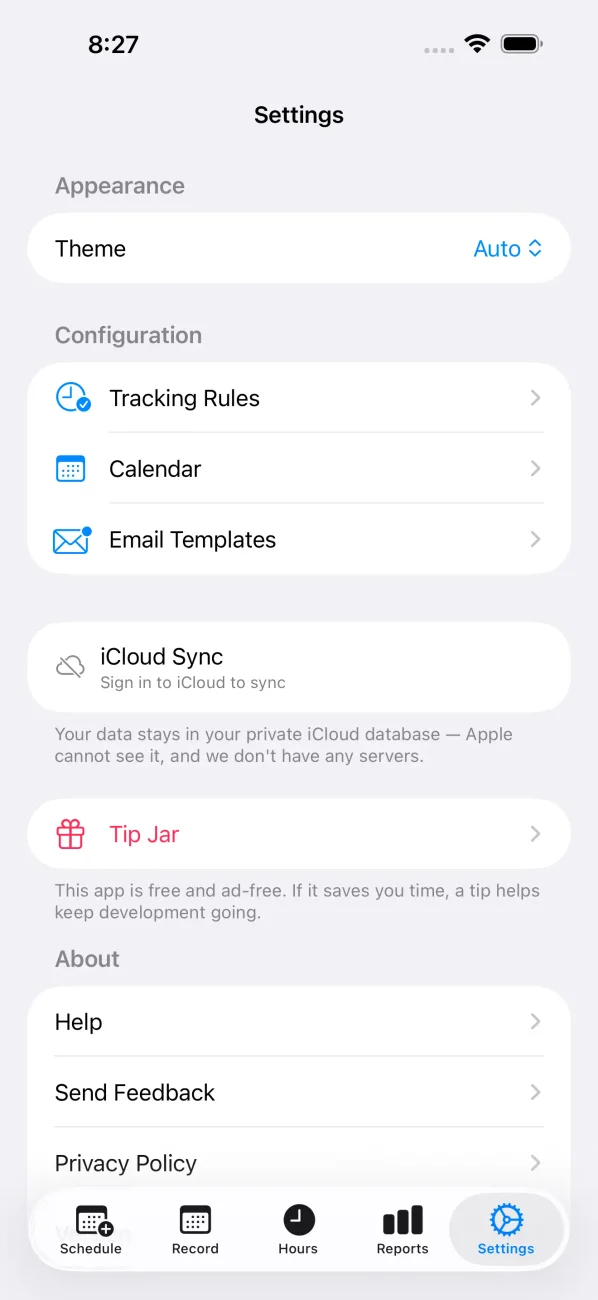
All data is stored in your private iCloud account and syncs automatically across every iPhone signed into the same Apple ID. Nothing to configure.
PRIVACY
Hourly Time Tracker collects no data. Your hours, period records, and settings are stored on your device and in your private iCloud database — they never leave your control and are never accessible to us.
SUPPORT THE APP
Hourly Time Tracker is free with no ads or paywalls. If it saves you time, the Tip Jar in Settings lets you leave an optional tip to support development.
新機能
バージョン 1.0.1 · 2026/7/20
A big update — clearer scheduling, smarter overtime, and reports that do more.
• New reports: PTO planned vs. taken against a yearly allowance, plus a running sick-time total.
• Export any report to PDF — print it, save it to Files, or attach it to an email.
• See WHY it's overtime: every overtime figure now shows the reason (over your daily or weekly hours, over your schedule, or over your monthly quota).
• New "Monthly Quota" rule: set required hours per month — anything over is overtime, paid time off counts toward it, and any shortfall is shown.
• Tap-to-learn help: an info button on every setting explains what it does and what the values mean.
• Clearer names: the Plan and Log tabs are now Schedule and Record.
• Easier multi-day scheduling with a prominent Select Days button right on the calendar.
• A single, consistent way to email your reports.
Still free, no ads, no account — and your data stays private in iCloud.
アプリのプライバシー
このアプリのデータの取り扱いについて、Easy Chair Apps Lab, LLCがApp Storeで申告している内容です。
-
データの収集なし
開発元はこのアプリからデータを収集しません。
プライバシーの取り扱いは、ご利用の機能やお客様の年齢などに応じて異なる場合があります。
情報
- 販売元
- Easy Chair Apps Lab, LLC
- カテゴリ
- 仕事効率化
- バージョン
- 1.0.1
- 更新日
- 2026/7/20
- リリース
- 2026/5/30
- サイズ
- 2.2 MB
- 必要条件
- iOS 18.0以降
- 対象年齢
- 4+
- 価格
- 無料
- アプリ内課金
- あり
- 言語
- 英語
- 著作権
- © 2026 Easy Chair Apps Lab, LLC