House Call: Remote Computer
Your home computers, anywhere
iPhone, iPad, Mac向けに設計
無料 · アプリ内課金
- 対象年齢4+
- カテゴリ仕事効率化
- 開発元Richard Pak
- 言語英語
- サイズ6.9 MB
App Storeの公式ページにリンクしています
Download.orgはHouse Call: Remote Computerのファイルを一切ホストしていません。ボタンを押すと、Richard Pakが公開しているApp Storeのアプリページが開きます。ページの最終確認:2026/11/23。
スクリーンショット
概要
開発元はこのテキストをお使いの言語で提供していません。
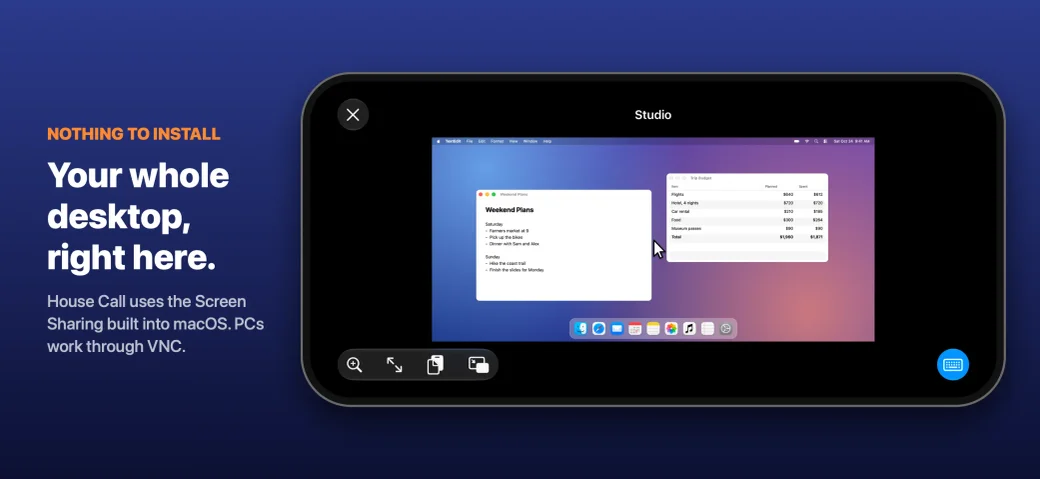
House Call puts your own computer in your hand. See your Mac's or PC's screen on your iPhone, and use your iPhone as its trackpad and keyboard, at home or away. It's simple, it looks and feels like part of iOS, and it's made for iPhone Duo.
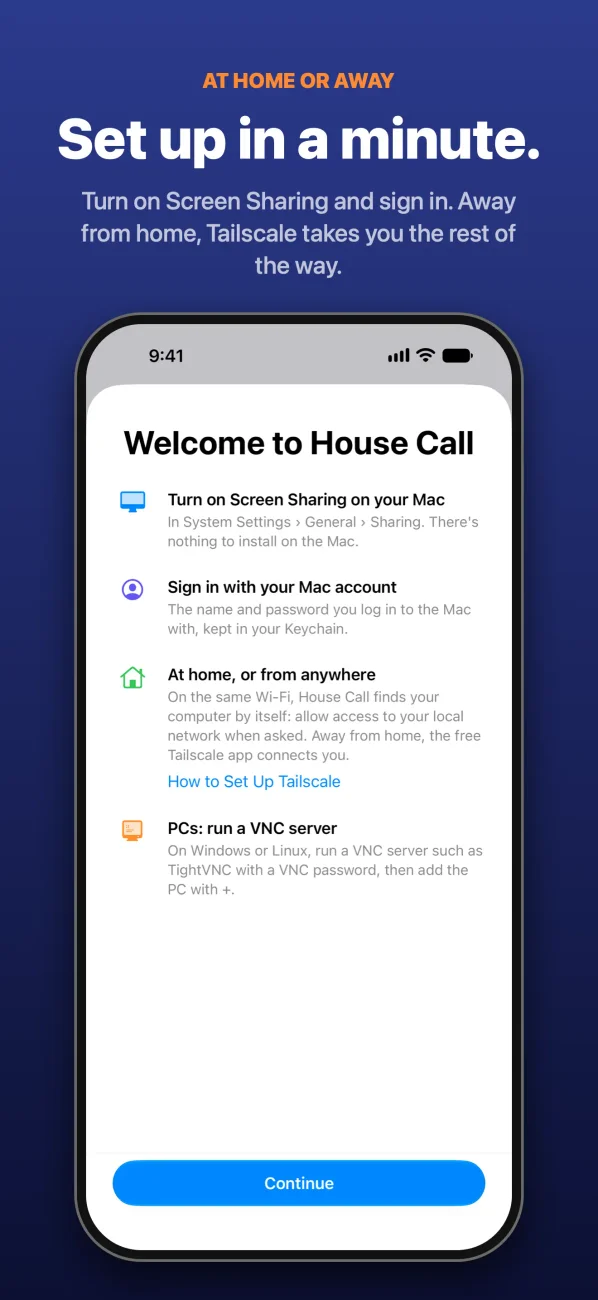
There's nothing to install on a Mac: House Call uses the Screen Sharing built into macOS. Windows and Linux PCs work too, through a standard VNC server.
FINDS YOUR COMPUTERS
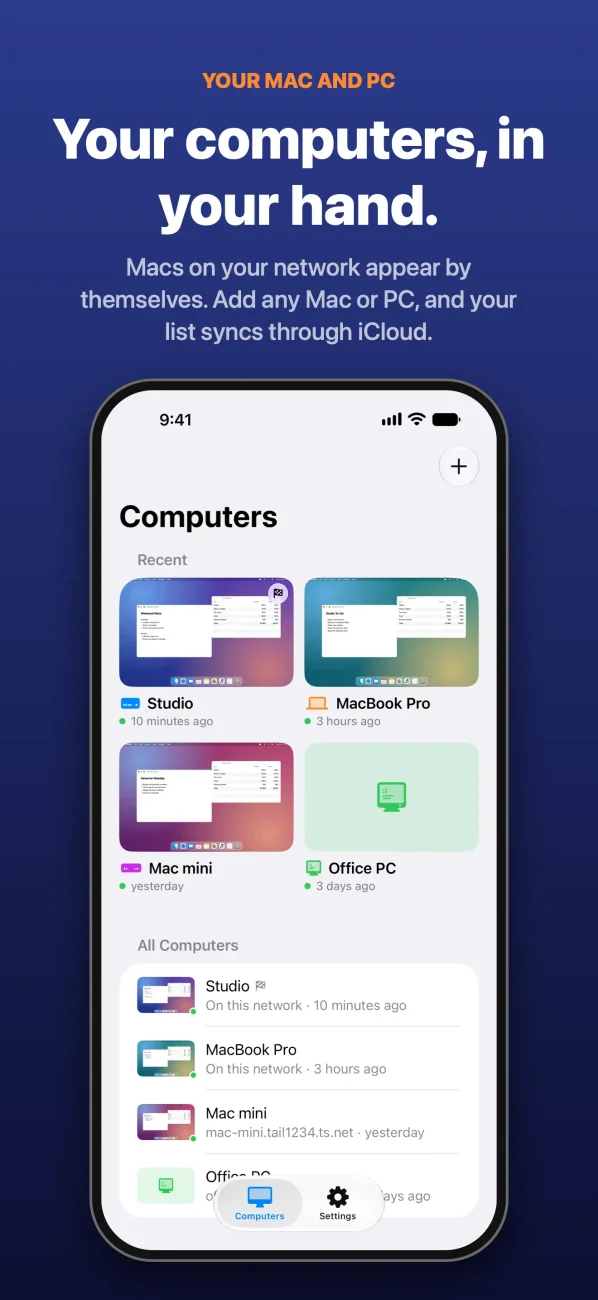
• Macs with Screen Sharing turned on appear by themselves on your home network. Tap one, sign in, and you're there.
• Add any Mac or PC by name or address.
• Give each computer its own icon, color or emoji. The list shows each screen as you left it.
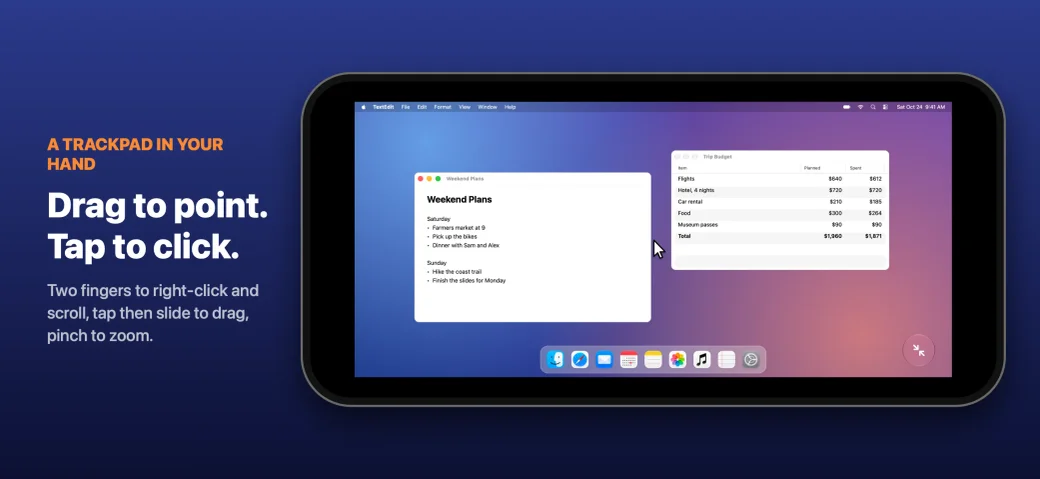
A TRACKPAD IN YOUR HAND
• Drag to move the pointer and tap to click, like a Mac trackpad.
• Tap with two fingers to right-click, drag with two to scroll, and tap then slide to drag.
• Pinch to zoom in; the view follows the pointer.
• Tracking speed, secondary click, natural scrolling and tap to drag work like your Mac's Trackpad settings.
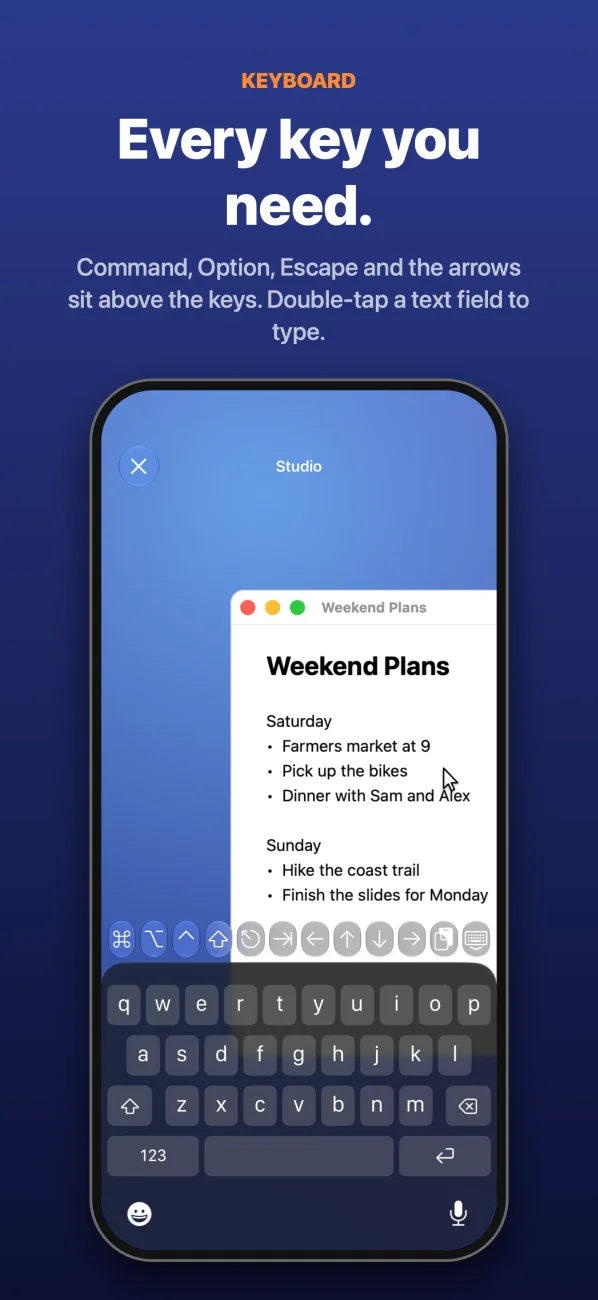
• A full keyboard with a row of Command, Option, Control, Shift, Escape, Tab and arrow keys, and Paste to send text from your iPhone.
MADE FOR IPHONE DUO
Fold it any way you like and House Call follows, without dropping the connection:
• Open flat: the whole desktop fills the inner screen, with the tools along the side.
• Half-open like a laptop: the screen stands on the upright half, with the trackpad and keyboard on the half lying flat.
• Half-open like a book: the screen on one page and the trackpad on the other, or the screen across both.
• Closed: the cover screen zooms in around the pointer.
• Open in portrait: your computer on top, another app below.
• The Computers list and Settings spread across both pages, with nothing in the crease.
SIMPLE BY DESIGN
• Built with the system's own controls and Liquid Glass, so it looks and works like the rest of your iPhone.
• Nothing to configure: House Call finds your Macs, picks the best way to reach each one, and reconnects by itself.
• A short guide shows what your computer needs, and a demo computer lets you try it first.
• Free, with optional tips. No ads and no account.
HIGH PERFORMANCE ON APPLE SILICON
Turn on High Performance for a Mac with Apple silicon and it makes a display shaped to your iPhone, streamed at up to 60 frames per second in full color. Other Macs use standard Screen Sharing.
AT HOME OR AWAY
• On your home network, House Call connects directly.
• Away from home, it connects through Tailscale if you use it, and keeps going as your iPhone moves between Wi-Fi and cellular.
• Picture in Picture keeps your computer's screen in view while you use other apps.
• Copy on your computer and paste on your iPhone, and the other way around.
PRIVATE AND SECURE
• Mac sessions are encrypted, with the same sign-in and encryption as Apple's Screen Sharing. House Call remembers each Mac's key, so it knows it's talking to the same Mac.
• Standard VNC isn't encrypted, so House Call connects to PCs only over your local network or Tailscale.
• Passwords are kept in your iPhone's Keychain.
• No tracking and no analytics. Screen thumbnails stay on your iPhone.
REQUIREMENTS
• Your own Mac with Screen Sharing turned on (System Settings › General › Sharing). High Performance needs a Mac with Apple silicon and macOS 14 or later.
• Or a Windows or Linux PC running a VNC server with a VNC password, such as TightVNC or UltraVNC.
• To connect away from home: Tailscale on your iPhone and your computer.
Mac and macOS are trademarks of Apple Inc. VNC is a trademark of RealVNC Ltd. Tailscale is a trademark of Tailscale Inc. House Call is not affiliated with RealVNC or Tailscale.
新機能
バージョン 1.3.3 · 2026/11/19
Fixes: a session left on a locked iPhone now closes on your Mac, after a long time away House Call returns to your computers instead of reconnecting, and the picture no longer stays black when your Mac's display wakes.
アプリのプライバシー
このアプリのデータの取り扱いについて、Richard PakがApp Storeで申告している内容です。
-
データの収集なし
開発元はこのアプリからデータを収集しません。
プライバシーの取り扱いは、ご利用の機能やお客様の年齢などに応じて異なる場合があります。
情報
- 販売元
- Richard Pak
- カテゴリ
- 仕事効率化
- バージョン
- 1.3.3
- 更新日
- 2026/11/19
- リリース
- 2026/11/5
- サイズ
- 6.9 MB
- 必要条件
- iOS 26.0以降
- 対象年齢
- 4+
- 価格
- 無料
- アプリ内課金
- あり
- 言語
- 英語
- 著作権
- © Richard Pak