
- 対象年齢4+
- カテゴリ開発ツール
- 開発元Tue Nguyen Minh
- 言語英語
- サイズ8.5 MB
App Storeの公式ページにリンクしています
Download.orgはHTML Editor®のファイルを一切ホストしていません。ボタンを押すと、Tue Nguyen Minhが公開しているApp Storeのアプリページが開きます。ページの最終確認:2026/11/19。
スクリーンショット
概要
開発元はこのテキストをお使いの言語で提供していません。
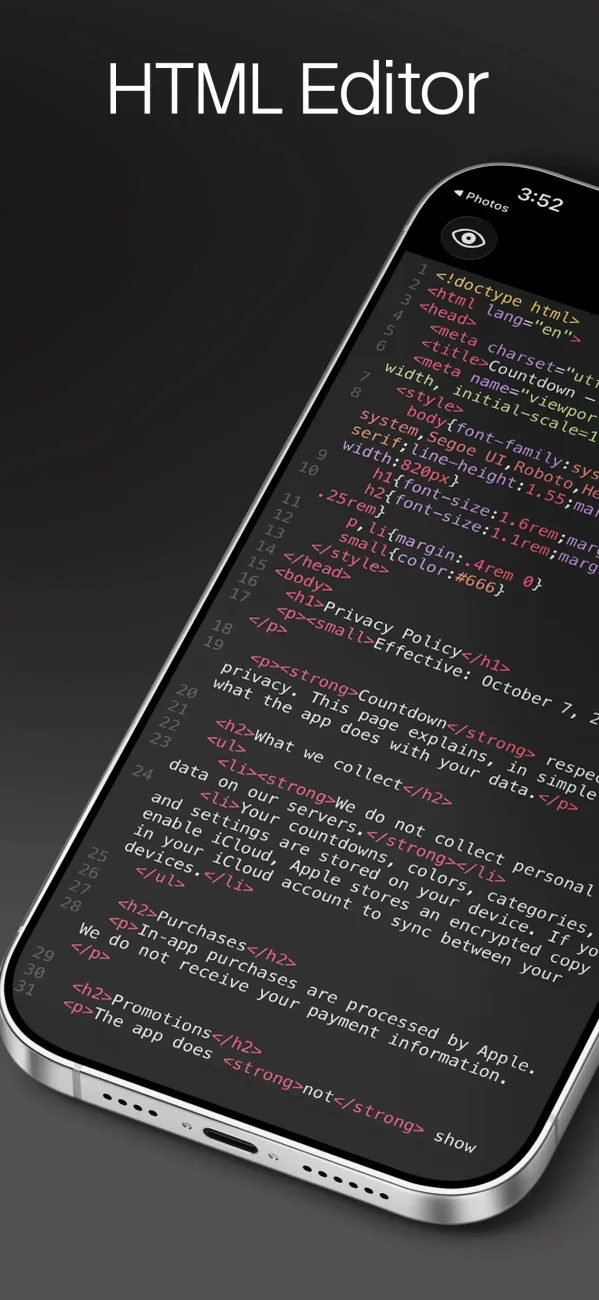
HTML Editor — build web pages anywhere, right on your iPhone and iPad.
Write HTML, CSS and JavaScript with a real code editor, then see your page come to life with one tap. No ads, no account, and no internet connection required.
A CODE EDITOR MADE FOR TOUCH
• Syntax highlighting for HTML, CSS and JavaScript
• Suggestions as you type: tags, attributes, CSS properties and values, plus your project's own files and class names
• Auto-closing tags, quotes and brackets
• Matching tag and bracket highlighting, so you always know where an element ends
• A symbol bar above the keyboard puts the characters you need for code one tap away
• Find & Replace, one-tap code formatting, undo and redo
• 11 color themes, light and dark, that can follow your system appearance
• Adjustable font size, line numbers, line wrapping and indentation
INSTANT PREVIEW
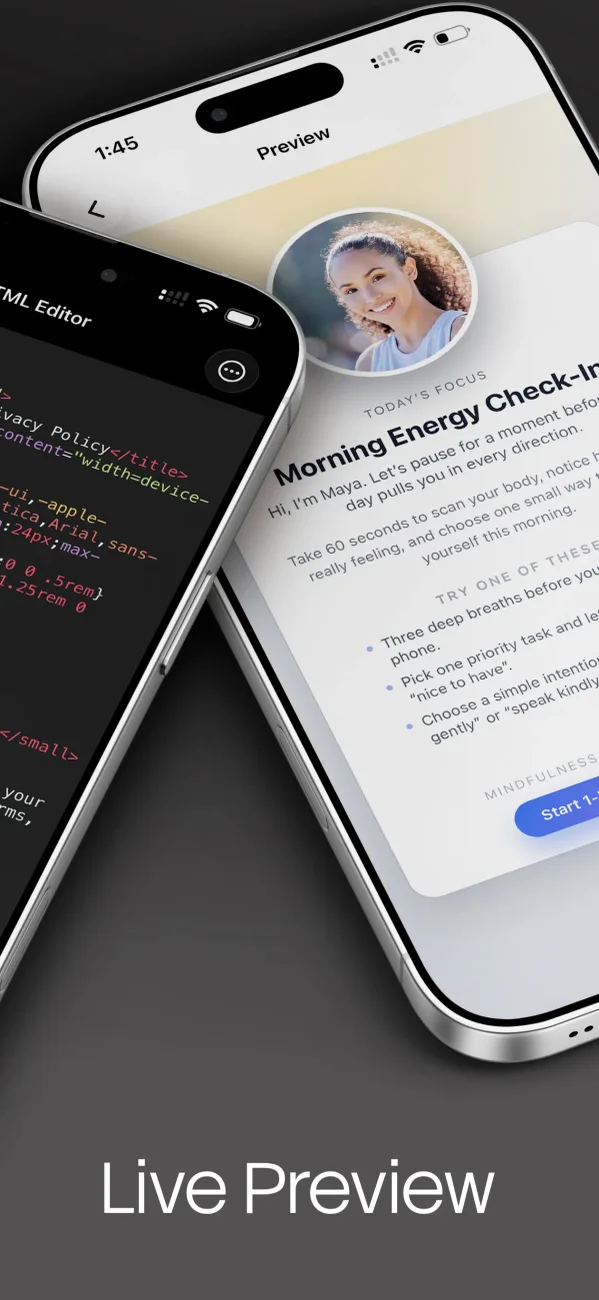
• Tap Preview to see your page exactly as Safari renders it
• Preview opens right at the part you're editing, so there's no scrolling to find your change
• Links between pages work, so you can click through your whole site
• Preview includes unsaved changes and never touches your original files
LIVE PREVIEW ON iPAD
Put your code and your page side by side. As you type, the preview updates smoothly without flashing, keeps your scroll position, and moves to the element you're editing, even when it's on a different page of your site.
FULL WEBSITE PROJECTS
• Open any folder from Files or iCloud Drive as a project
• Edit HTML, CSS and JavaScript files in tabs. Each tab keeps its own cursor, edits and undo history
• Create, rename, duplicate and delete files and folders without leaving the app
• Import images and other assets straight into your project
• Save one file or Save All at once
SAFE WITH YOUR WORK
Your files change only when you save. Unsaved changes are clearly marked, and the app asks before you close or leave anything you haven't saved.
LEARN BY EXAMPLE
Three sample projects are included to explore and remix:
• Linked Pages: a multi-page site with navigation
• HTML Form: a booking form with validation
• CSS Gallery: modern CSS with filters, a lightbox, scroll-snap and dark mode
AND MORE
• Recent files and projects on the home screen
• Share your code or send it with AirDrop
• Works fully offline
Whether you're learning to code, fixing a site on the go, or prototyping your next idea, HTML Editor keeps your web projects in your pocket.
新機能
バージョン 1.0.2 · 2026/10/26
• Code suggestions for HTML and CSS as you type
• Create, rename, duplicate, delete and import project files
• Preview opens right where you're editing
• Smoother Live Preview on iPad
• New sample projects and bug fixes
アプリのプライバシー
このアプリのデータの取り扱いについて、Tue Nguyen MinhがApp Storeで申告している内容です。
-
データの収集なし
開発元はこのアプリからデータを収集しません。
プライバシーの取り扱いは、ご利用の機能やお客様の年齢などに応じて異なる場合があります。
情報
- 販売元
- Tue Nguyen Minh
- カテゴリ
- 開発ツール
- バージョン
- 1.0.2
- 更新日
- 2026/10/26
- リリース
- 2025/12/23
- サイズ
- 8.5 MB
- 必要条件
- iOS 15.6以降
- 対象年齢
- 4+
- 価格
- 無料
- 言語
- 英語
- 著作権
- © 2025 Phoenix Solutions
こちらもおすすめ
-
 HTML Editor +開発ツール
-
 Html editor: html viewer開発ツール
-
 HTML editor App開発ツール
-
 HTML クリエイター : 編集者と閲覧者最速のHTMLファイルマネージャー
-
 コードエディタ: HTML, Python, JSWebサイトもスクリプトもどこでも
-
 Text Editor - HTML Code Editor開発ツール
-
 Web IDE - AI Code Editor開発ツール
-
 View Source: HTML ViewerDev Tools to Inspect Element
-
 A1 HTML Editor開発ツール
-
 HTMLビューア: HTML Viewer SimpleWebコードエディタ&AIバグ修正