
- 対象年齢17+
- カテゴリライフスタイル
- 開発元12th House Media, Inc
- 言語英語
- サイズ59.8 MB
App Storeの公式ページにリンクしています
Download.orgはHypergate AIのファイルを一切ホストしていません。ボタンを押すと、12th House Media, Incが公開しているApp Storeのアプリページが開きます。ページの最終確認:2026/11/20。
スクリーンショット


概要
開発元はこのテキストをお使いの言語で提供していません。
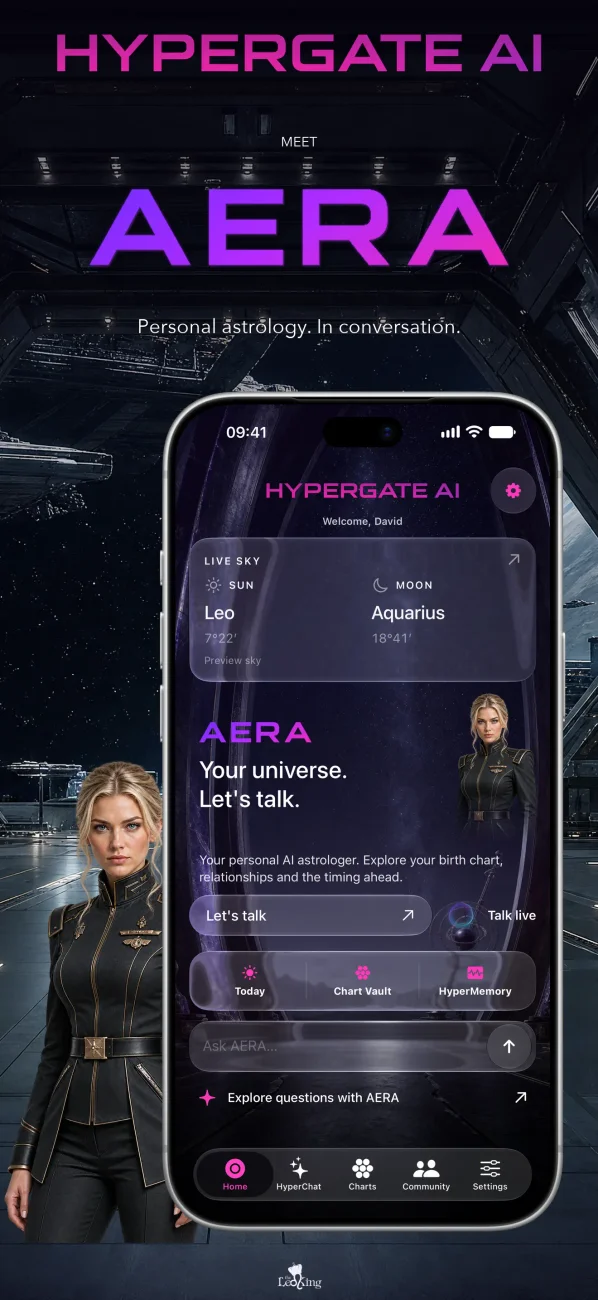
Personal astrology. In conversation.
Meet AERA, your personal AI astrologer inside Hypergate AI, created by David Palmer, The Leo King. Bring your birth chart, relationships, and real questions into a conversation built around you.
ASK AERA WITH SIRI
Say, "Hey Siri, ask AERA where Venus is right now." Hear a current planetary sign and degree calculated with the Swiss Ephemeris. Ask about another planet, check which planets are retrograde, or use Shortcuts to ask about your birth chart. Personal readings use your signed-in account and your Siri permission.
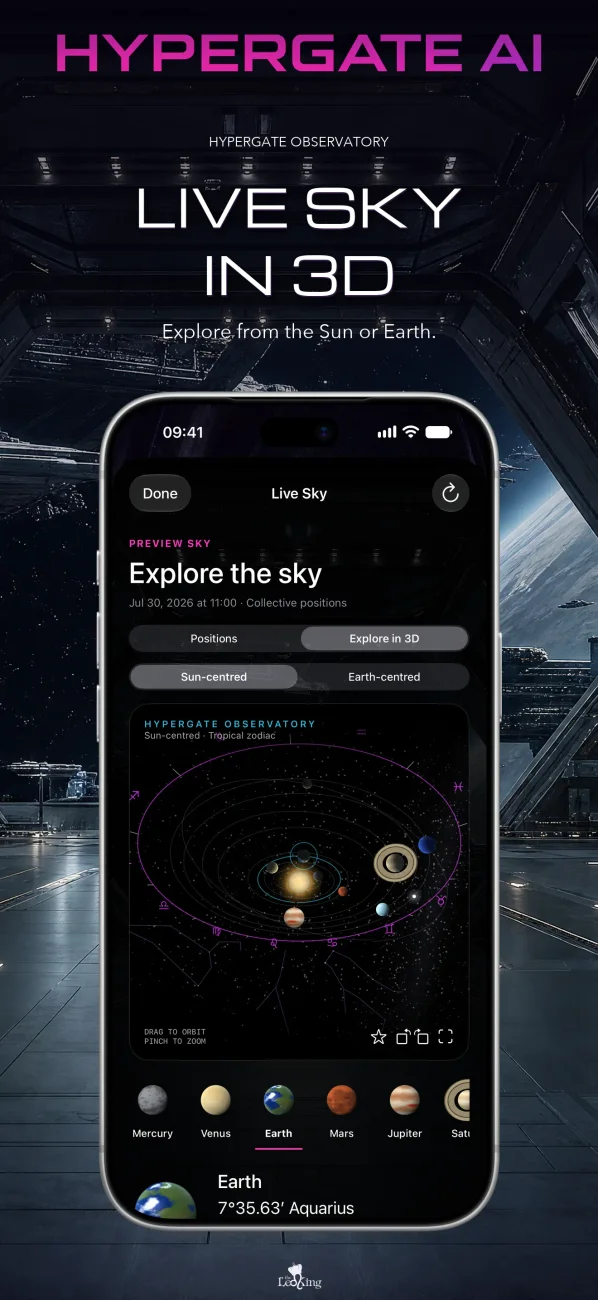
EXPLORE THE SKY IN 3D
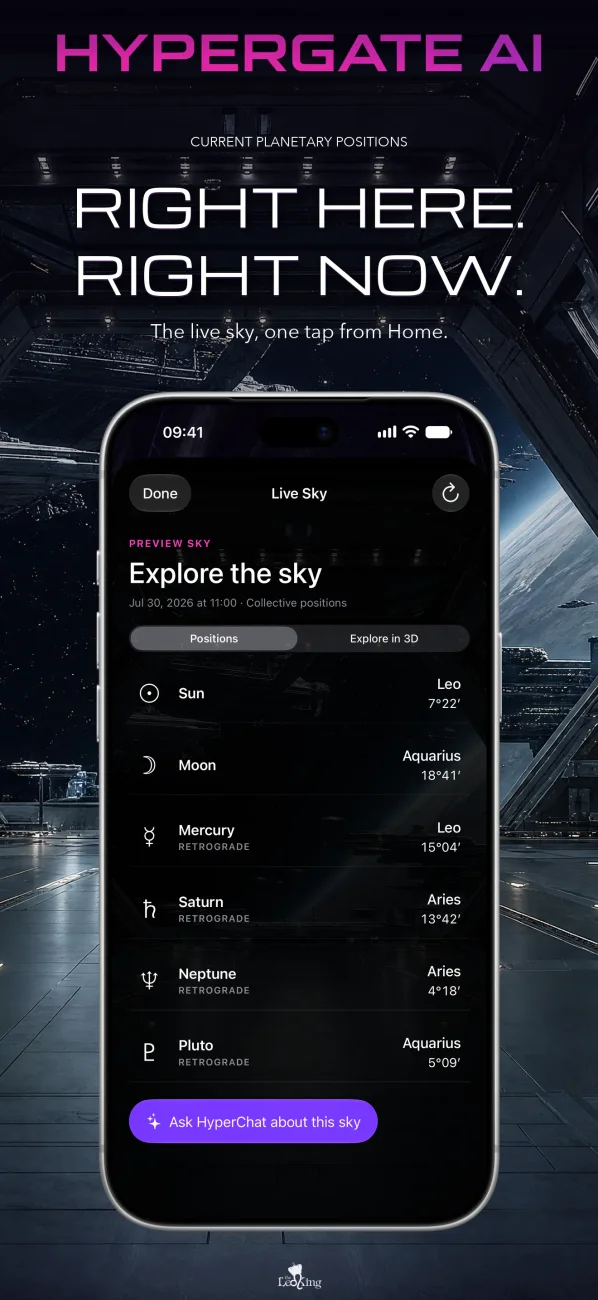
Open Live Sky directly from Home. Explore current planetary positions and retrogrades. Open the 3D observatory full screen, switch between Sun-centered and Earth-centered views, and orbit above or below the planets. Take a question about the moment into HyperChat.
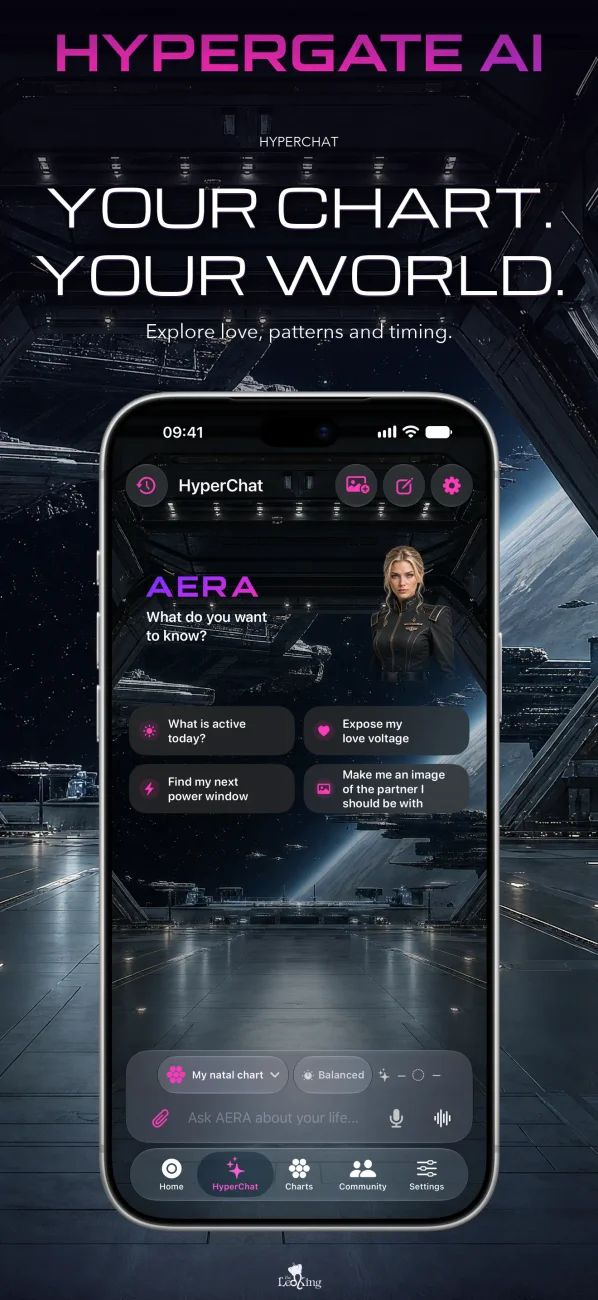
TALK OR TYPE WITH AERA
Ask naturally in HyperChat or start a voice conversation. In a transit reading, AERA can name the planets and aspect, explain whether it is applying or separating, and tell you when a planet is retrograde. Explore love, work, personal patterns, and timing with your selected chart in context. Return to saved conversations and pick up the thread. Ask about a particular date or range of days in the past, present, or future.
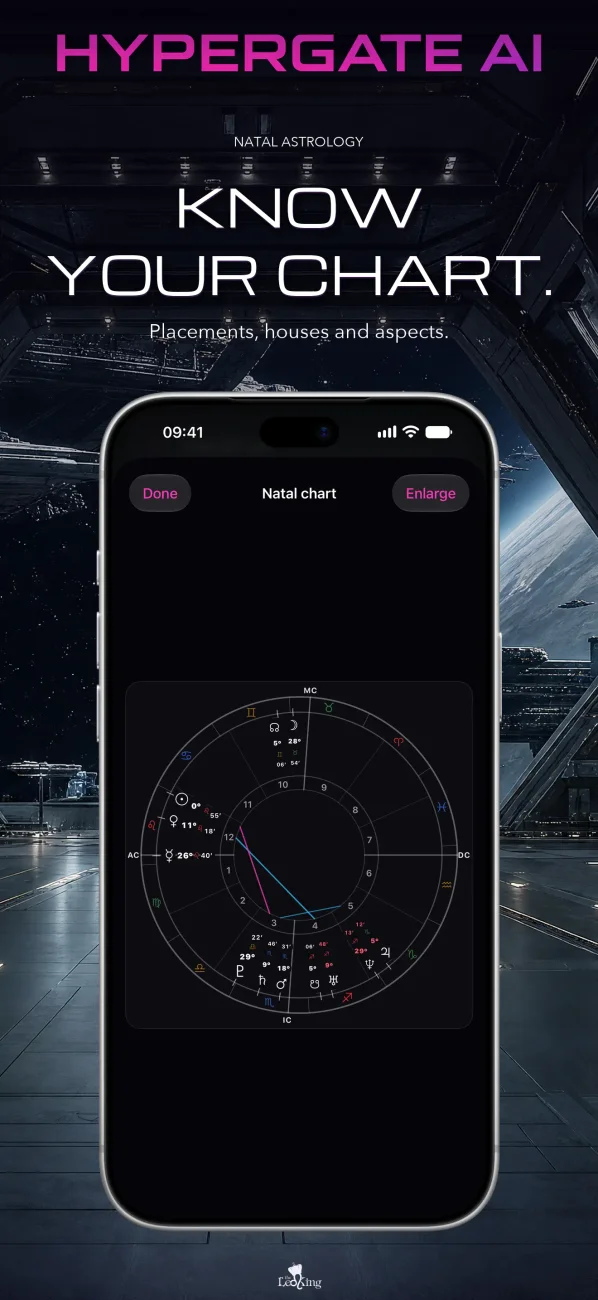
YOUR CHARTS, IN DEPTH
Create and save charts for yourself and the people or moments you are authorized to explore. See natal placements, houses, aspects, angles, and Human Design. Enlarge your chart wheel, explore a placement, and bring your question to AERA.
AT HOME ACROSS YOUR DEVICES
Enjoy native layouts on iPhone, iPhone Duo, and iPad. Unfold iPhone Duo while keeping your draft in progress. Check the current sky on Apple Watch, prepare a question to continue on iPhone, and keep planetary information close with widgets. Share a compact Sun and Moon card in Messages. Choose a day and time for a weekly sky reminder in Settings.
CREATE AND CONNECT
Describe an image in HyperChat, choose a canvas, and create it. Save the finished image to Photos or use the system share sheet. Join astrology-centered Community conversations through profiles, posts, comments, reactions, and following.
MAKE IT PERSONAL
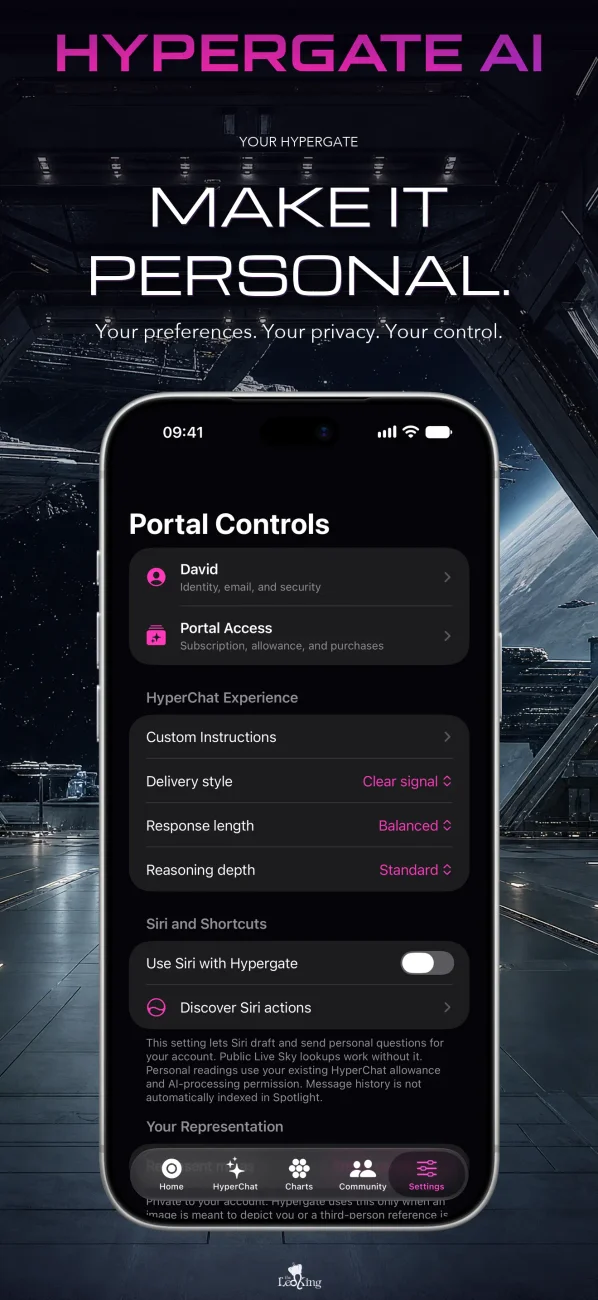
Choose reading depth, response length, appearance, chart preferences, and notifications. Control optional memory, Siri access, and AI processing. Find account, membership, chart, and technical help in Customer Service. Export or delete your data from account controls.
Hypergate clearly identifies its AI experience. Astrology readings are for personal reflection and entertainment and are not medical, mental-health, financial, legal, or emergency advice.
Some features require an auto-renewing Hypergate membership. Plans, billing periods, prices, and included allowances are shown before purchase. Payment is charged to your Apple Account after confirmation. Subscriptions renew automatically unless canceled at least 24 hours before the end of the current period. Manage or cancel subscriptions in your App Store account settings. If you already subscribed through Apple, use Recover Apple Membership in Portal Access. Use the same Hypergate account on the website to access your recognized Apple membership.
Terms of Use (Apple Standard EULA): https://www.apple.com/legal/internet-services/itunes/dev/stdeula/
Hypergate Terms: https://legal.hypergate.ai/terms
Privacy Policy: https://legal.hypergate.ai/privacy
Support: https://hypergate.ai/support
新機能
バージョン 2.0.3 · 2026/11/8
Your sky is closer than ever.
- Say “Hey Siri, ask AERA where Venus is right now” to hear its sign and degree. In Shortcuts, check retrogrades, ask about a planet in your birth chart, or start a personal AERA reading.
- Open Live Sky at the top of Home. Go full screen in the 3D observatory, switch between Sun-centered and Earth-centered views, and turn the sky to see it from any angle.
- Talk through your transits with AERA. Hear which planets form an aspect, whether it is applying or separating, and when a planet is retrograde.
- Keep your HyperChat draft as you unfold iPhone Duo. The portal and chat are easier to read in light mode, with more room for charts on iPad.
- Check planetary placements and retrogrades on Apple Watch, or prepare a question to continue on iPhone. In Messages, share a compact Sun and Moon card.
- Add a sky widget or choose a weekly sky reminder in Settings. You choose the day and time.
- Recover an Apple membership in Portal Access and use it on the website with the same Hypergate login.
アプリのプライバシー
このアプリのデータの取り扱いについて、12th House Media, IncがApp Storeで申告している内容です。
-
ユーザーに関連付けられたデータ
収集され、ユーザーの識別情報に関連付けられる場合があります。
- 購入
- 位置情報
- 連絡先情報
- ユーザーコンテンツ
- ID
- 使用状況データ
- 診断
- その他のデータ
プライバシーの取り扱いは、ご利用の機能やお客様の年齢などに応じて異なる場合があります。
情報
- 販売元
- 12th House Media, Inc.
- カテゴリ
- ライフスタイル
- バージョン
- 2.0.3
- 更新日
- 2026/11/8
- リリース
- 2026/4/16
- サイズ
- 59.8 MB
- 必要条件
- iOS 18.0以降
- 対象年齢
- 17+
- 価格
- 無料
- アプリ内課金
- あり
- 言語
- 英語
- 著作権
- © 2026 12th House Media, Inc.
こちらもおすすめ
-
 Startek: Pro Astrology Chartsライフスタイル
-
 AstroYou Astrology Birth Chartライフスタイル
-
 AI Astrology Chat: Natal Chartライフスタイル
-
 Moon Shine: AI星座占いとホロスコープあなた専属の占星術アシスタント
-
 Celestium: Cosmic Compassライフスタイル
-
 Palmina: Love & Fate Insightsライフスタイル
-
 CAZIMI: Astrology, Birth Chartライフスタイル
-
 Atrium Astrologyライフスタイル
-
 Delaluna Answersライフスタイル
-
 VisualAstro: Astrologyライフスタイル