- 対象年齢4+
- カテゴリ仕事効率化
- 開発元Liangyou Chen
- 言語英語
- サイズ6.4 MB
App Storeの公式ページにリンクしています
Download.orgはIA Voice Notesのファイルを一切ホストしていません。ボタンを押すと、Liangyou Chenが公開しているApp Storeのアプリページが開きます。ページの最終確認:2026/11/14。
スクリーンショット


概要
開発元はこのテキストをお使いの言語で提供していません。
Capture every word, hands-free. IA Voice Notes transcribes your meetings, lectures, and conversations in real time with Apple's speech engine, on your device whenever your language supports it. On iOS 26 and later it uses Apple's newer speech model, which keeps up with fast speakers and voices across the room. Recording, transcription, the calendar, and AI features are free to use, with no key or account required.
A FOLDER FOR EVERY COURSE
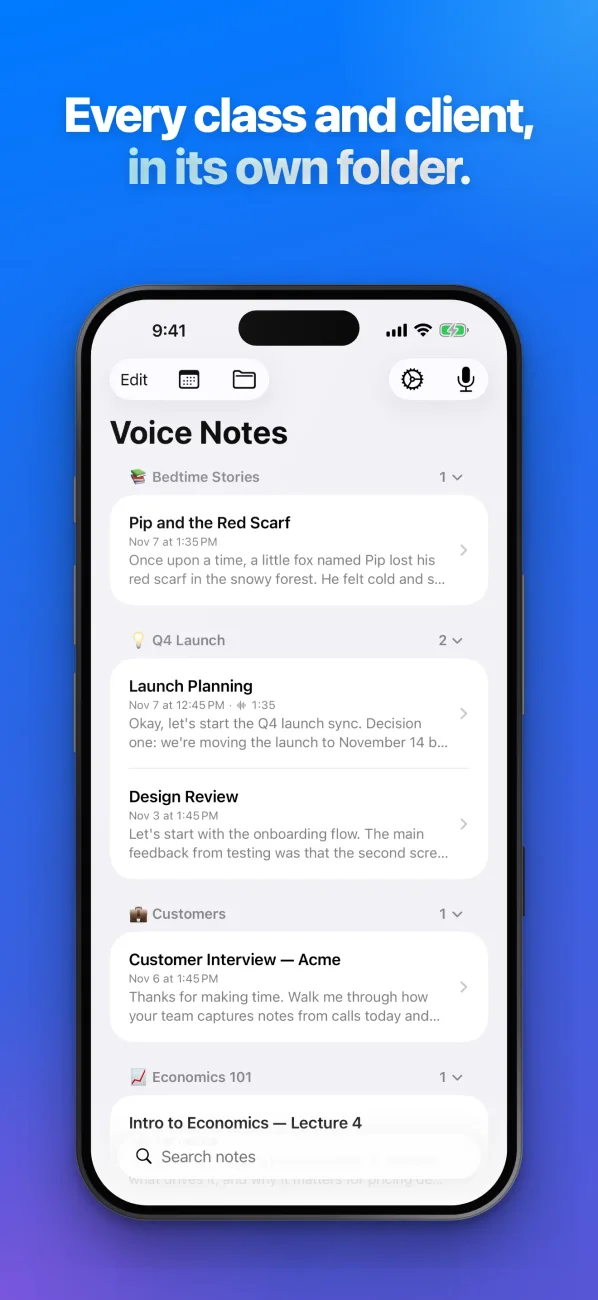
Keep each class, client, or project in its own folder. A weekly class's calendar event files every recording into its folder, and a folder can start recordings in the mode that suits it, like Lecture.
BRING IN ANY RECORDING
Import a recording from Voice Memos, Files, or another app and it's transcribed on your device in a fraction of its length. A note that came out patchy can be re-transcribed with the newer model, too.
ON IPHONE, IPAD, AND MAC
Record on your iPhone, read the summary on your iPad or Mac. With iCloud Sync (Pro), your notes, recordings, folders, and events stay in step across your devices, in your own private iCloud.
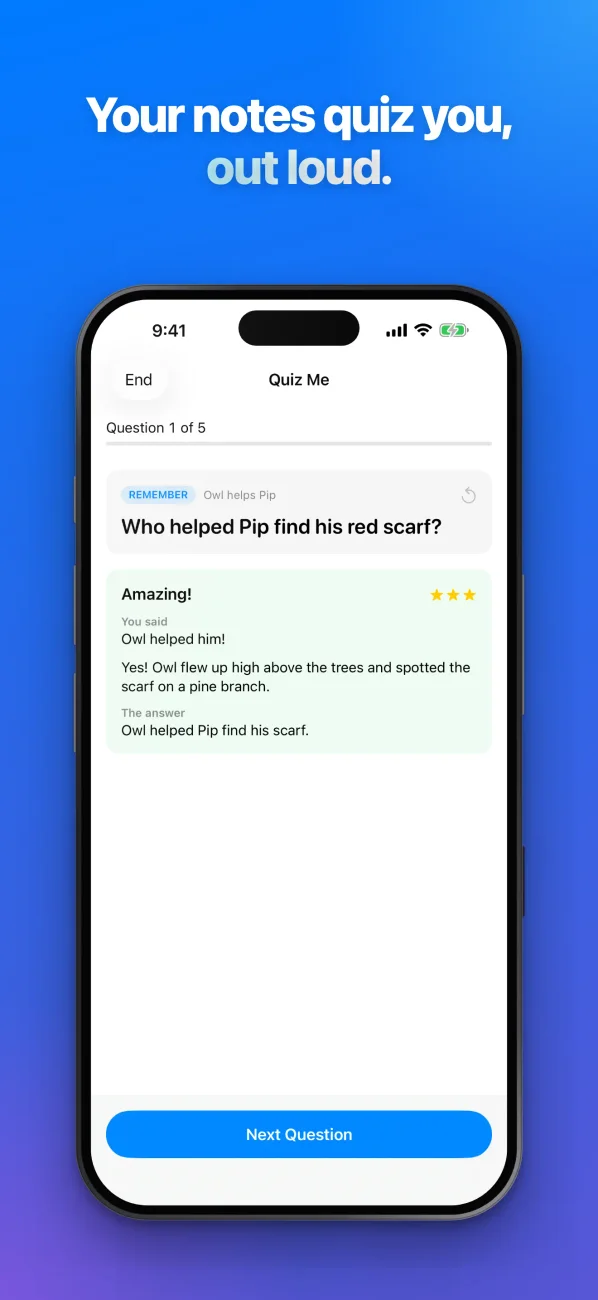
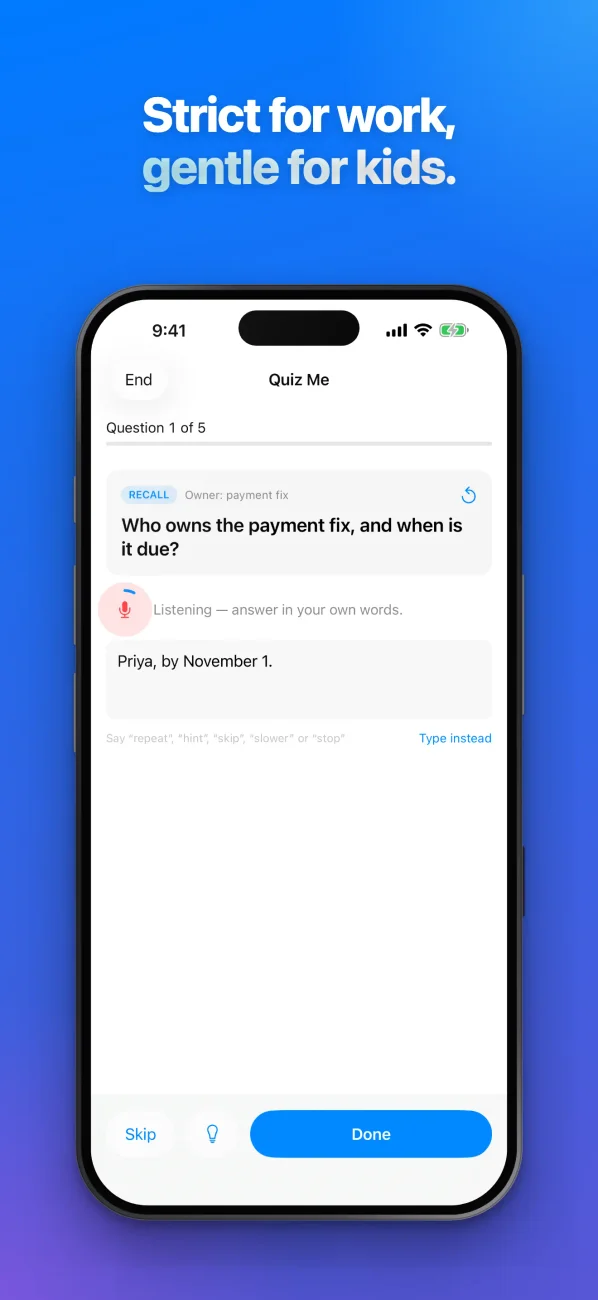
QUIZ YOURSELF, OUT LOUD
Turn any lecture, meeting, or story into a spoken quiz. IA Voice Notes asks the questions, you answer by voice, and each answer is graded with feedback and a link to the moment in the recording that covers it. Quizzes adapt as you go, offer hints and practice rounds, and build on what you missed last time. Kid, Student, and Professional modes set the tone.
TALK TO YOUR NOTES
Ask a note anything, out loud, and hear the answer, with a link to the part of the recording it came from. Or type, even while you're still recording. Quiz Me and Talk also read the notes you typed.
A CALENDAR THAT STARTS RECORDING FOR YOU
See your events by day and time, or as a list. Set one up and IA Voice Notes starts recording on its own when the time comes, in the mode and folder you picked for it. Arm a recurring meeting once and it's covered every week.
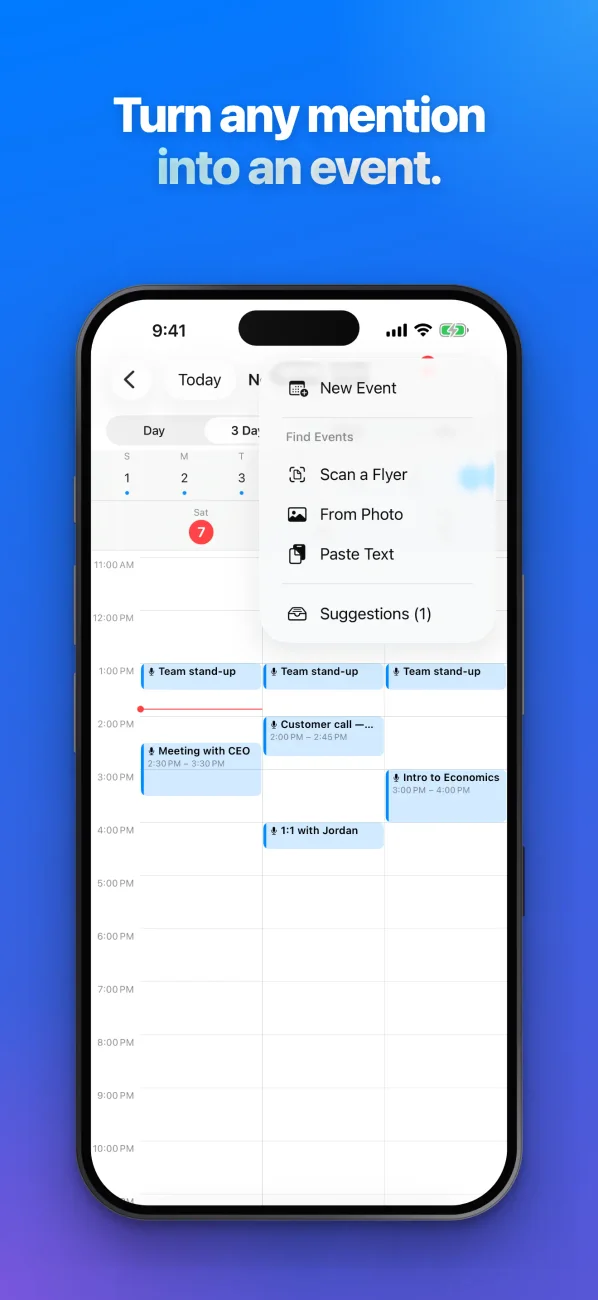
TURN ANY MENTION INTO AN EVENT
Scan a flyer, paste an invitation, or just mention a meeting while recording. The AI picks out the date, time, place, and who's coming, and drops it into a review tray for you to approve.
AI THAT WORKS WHILE YOU RECORD
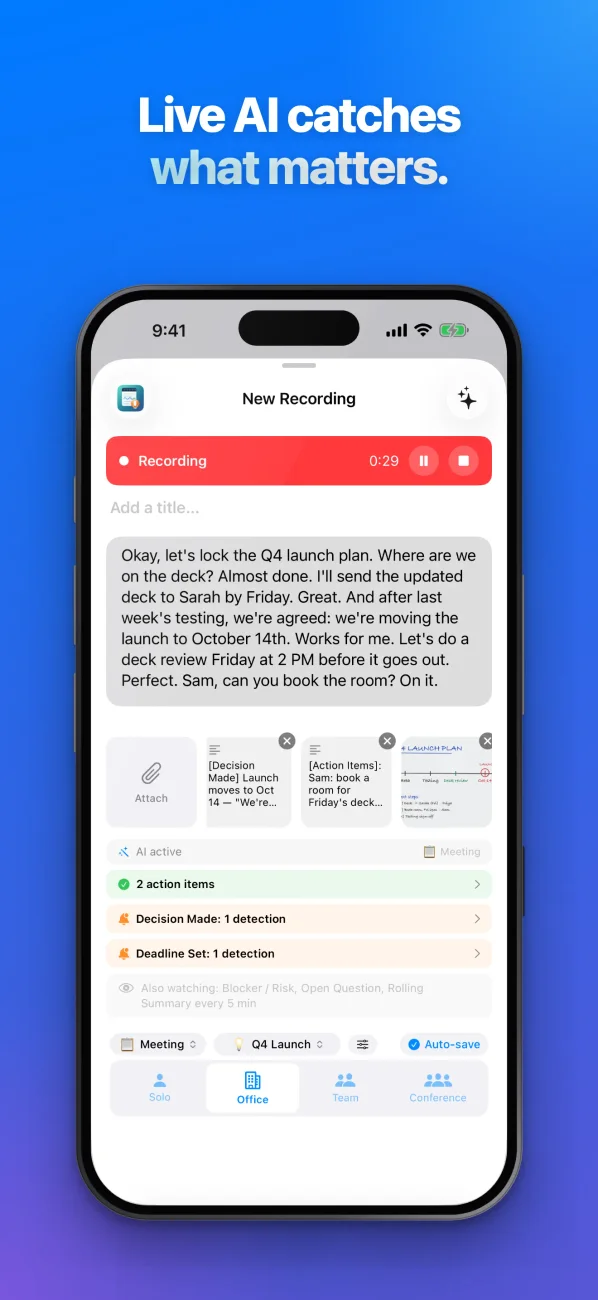
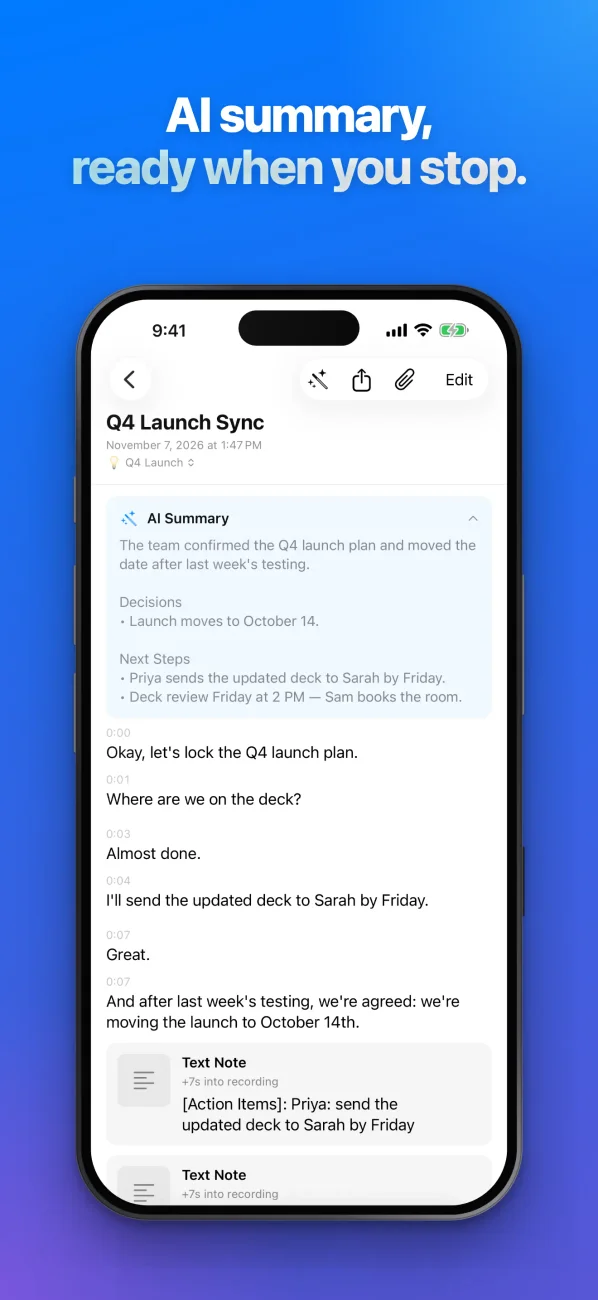
Pick one of 11 built-in recording modes (Meeting, 1:1, Lecture, Interview, Job Interview, Sales Call, Podcast, and more) or build your own, and the built-in AI detects action items, flags key terms, and keeps a rolling summary as you speak. A full summary is ready the moment you stop.
ATTACH AS YOU GO
Photograph a whiteboard, scan a document, sketch with Apple Pencil or your finger, or jot a text note, each placed at the moment you captured it. Studying later? Add one at any moment of the playback.
A TIMELINE OF EVERY MOMENT
Your transcript, photos, scans, sketches, and AI results sit in order on a timeline, with timestamps that jump to any moment in the recording. Listen back at anything from half to double speed.
SEND, SHARE, AND EXPORT
With Pro, send a whole note, recording and all, as one file anyone with IA Voice Notes opens for free. Or export it as Markdown or self-contained HTML with the audio.
PRIVACY FIRST
Your recordings stay on your devices, and iCloud Sync, if you turn it on, keeps them in your own private iCloud. AI features send only the text they need, never your audio. Every install includes free AI calls. AI Plan adds a monthly allowance (AI Plan Plus for more), or use your own Anthropic Claude or OpenAI key at your own cost.
Requires iOS 17 or iPadOS 17, or a Mac with Apple silicon. Transcription quality depends on Apple's speech recognition for your language. Importing and re-transcribing need iOS 26 or later.
AI Plan and AI Plan Plus are auto-renewing monthly subscriptions billed through your Apple ID; manage or cancel anytime in Settings → [your name] → Subscriptions. Terms of Use (EULA): https://www.apple.com/legal/internet-services/itunes/dev/stdeula/ — Privacy Policy: https://ianotes.net/privacy.html
新機能
バージョン 1.7 · 2026/11/8
Folders, sharper transcripts, and more ways to study your notes.
• Folders: keep each course, client, or project in its own folder. All Notes shows them folder by folder, a calendar event can file its recordings into one, and a folder can start recordings in its own mode.
• Sharper transcription on iOS 26 and later: Apple's newer speech model keeps up with fast speakers and voices across the room. Re-transcribe an older note with it in under a minute.
• Import a recording from Voice Memos, Files, or another app, and it's transcribed on your device (iOS 26 or later).
• For studying: play back at 0.5× to 2×, add a photo or note at any moment of a saved recording, and Quiz Me and Talk now use the notes you typed.
• Smarter live AI: every mode watches for more and keeps a rolling summary, interview questions are fewer and sharper, and Job Interview is now its own mode beside Interview.
• Fixed: on iPhone, Settings and the Calendar didn't open before your first note.
アプリのプライバシー
このアプリのデータの取り扱いについて、Liangyou ChenがApp Storeで申告している内容です。
-
ユーザーに関連付けられないデータ
収集される場合がありますが、ユーザーの識別情報には関連付けられません。
- ユーザーコンテンツ
プライバシーの取り扱いは、ご利用の機能やお客様の年齢などに応じて異なる場合があります。
情報
- 販売元
- Liangyou Chen
- カテゴリ
- 仕事効率化
- バージョン
- 1.7
- 更新日
- 2026/11/8
- リリース
- 2026/5/31
- サイズ
- 6.4 MB
- 必要条件
- iOS 17.0以降
- 対象年齢
- 4+
- 価格
- 無料
- アプリ内課金
- あり
- 言語
- 英語
- 著作権
- © 2026 IA Voice Notes
こちらもおすすめ
-
 Nia: AIアシスタント声で動く毎日のAIアシスタント
-
 Amazing Notes: Lecture & PDF仕事効率化
-
 Readerr: Speed Reading & RSVP仕事効率化
-
 Study Timer - Simple Tracker仕事効率化
-
 BisonNotes AI – Voice Notes仕事効率化
-
 Study timer : Study Monkey仕事効率化
-
 Speechly - Text to Speech PDF仕事効率化
-
 PNG to PDF: Image Converter仕事効率化
-
 DSC Event App仕事効率化
-
 There : Notes, Photos, AI仕事効率化