- 対象年齢4+
- カテゴリスポーツ
- 開発元Heiko Goes
- 言語英語ほか12言語
- サイズ3.7 MB
App Storeの公式ページにリンクしています
Download.orgはiArcheryScoresのファイルを一切ホストしていません。ボタンを押すと、Heiko Goesが公開しているApp Storeのアプリページが開きます。ページの最終確認:2026/11/7。
スクリーンショット



概要
開発元はこのテキストをお使いの言語で提供していません。
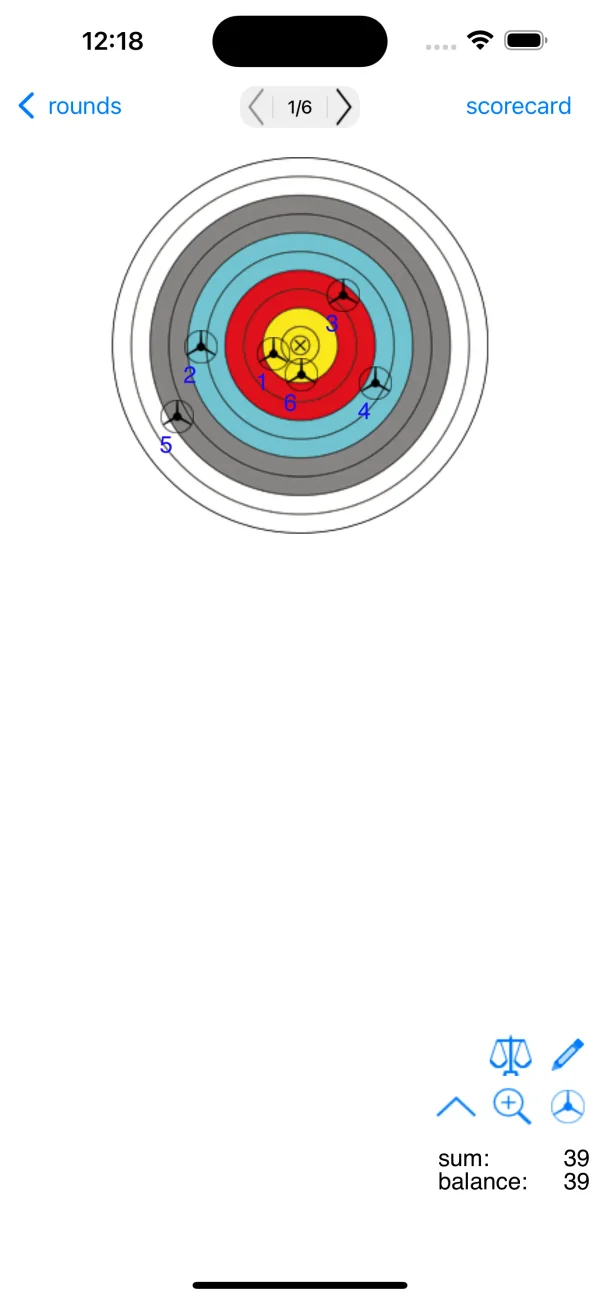
iArcheryScores keeps track of your archery scores. It is designed with special attention to easy and exact usage. You enter a score just by dragging your arrow onto the target. Afterwards you automatically get a scorecard including the target-face showing all your arrows. You can send these results to any computer via e-mail, Twitter and Facebook. In contrast to other archery apps the arrow gets an an arrowhead when touched. That allows for a very exact placement, because your finger doesn´t obscure the target.
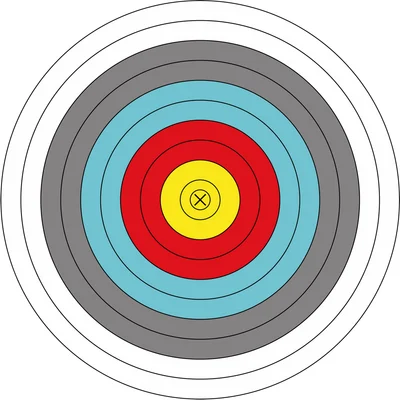
iArcheryScore supports FITA recurve, compound,field, IFFA indoor, Beursault and stylized 3D faces.
You can reach me via:
archery@gaebler-goes.de
Details:
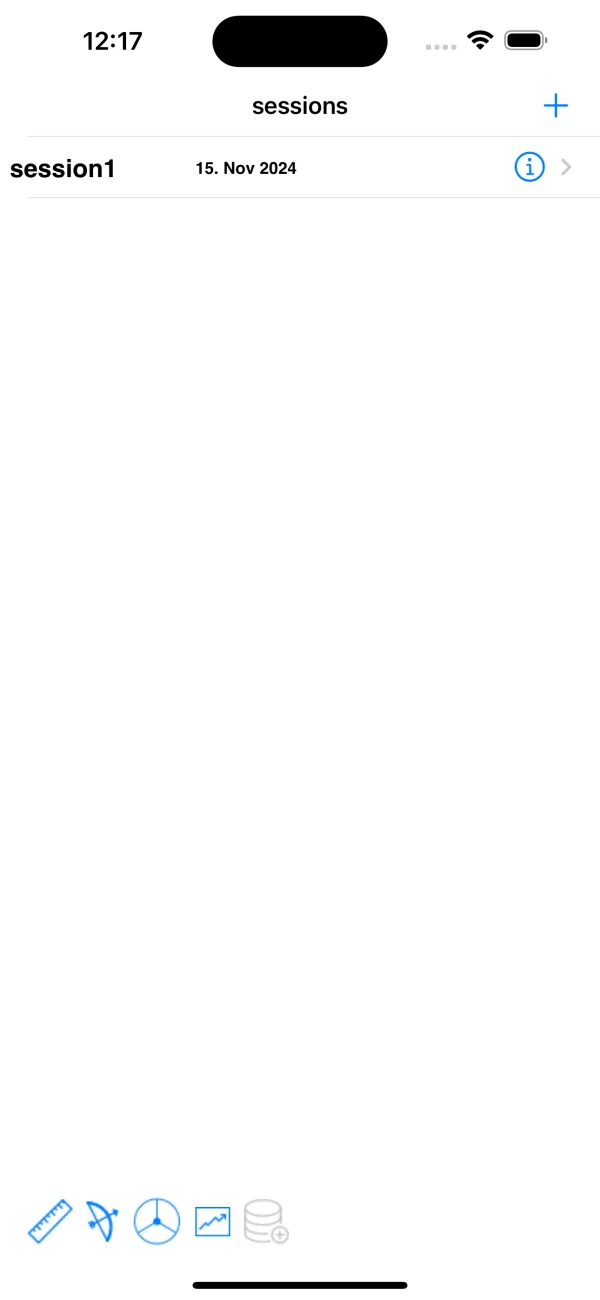
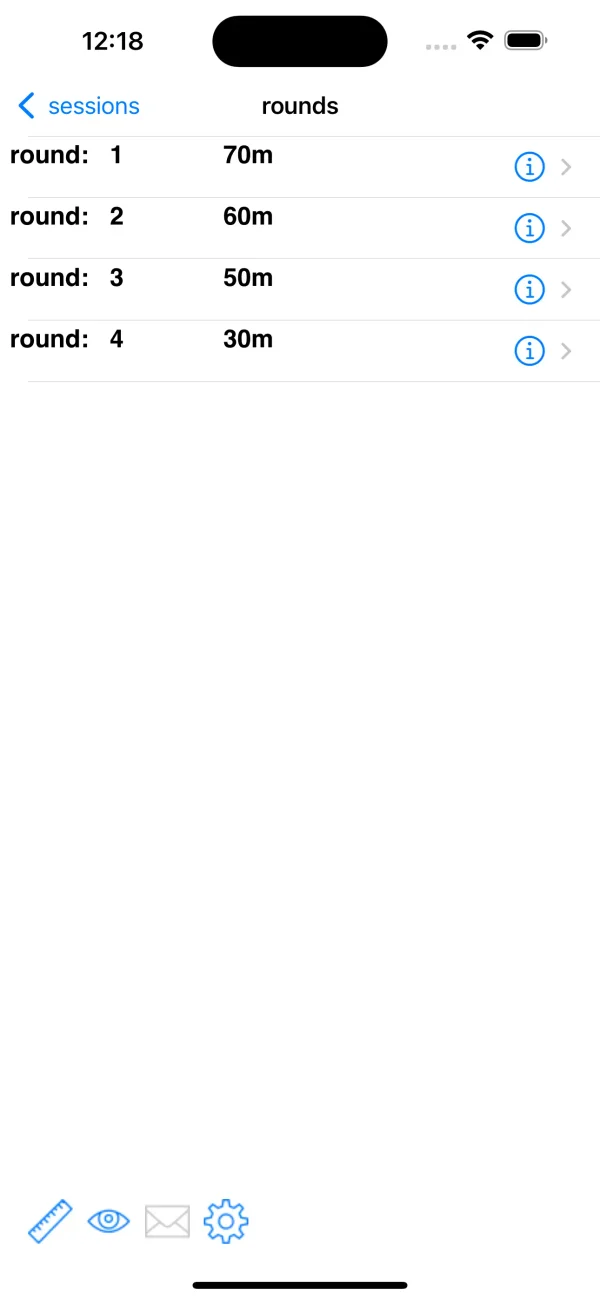
You create a new session, by entering a name, date and optionally a comment. You select a predefined session-type that automatically creates the rounds or you select a custom session and create the rounds by yourself. When using arrow-numbers you are able to access you quiver, add arrows to it and your results will automatically include arrow-statistics.
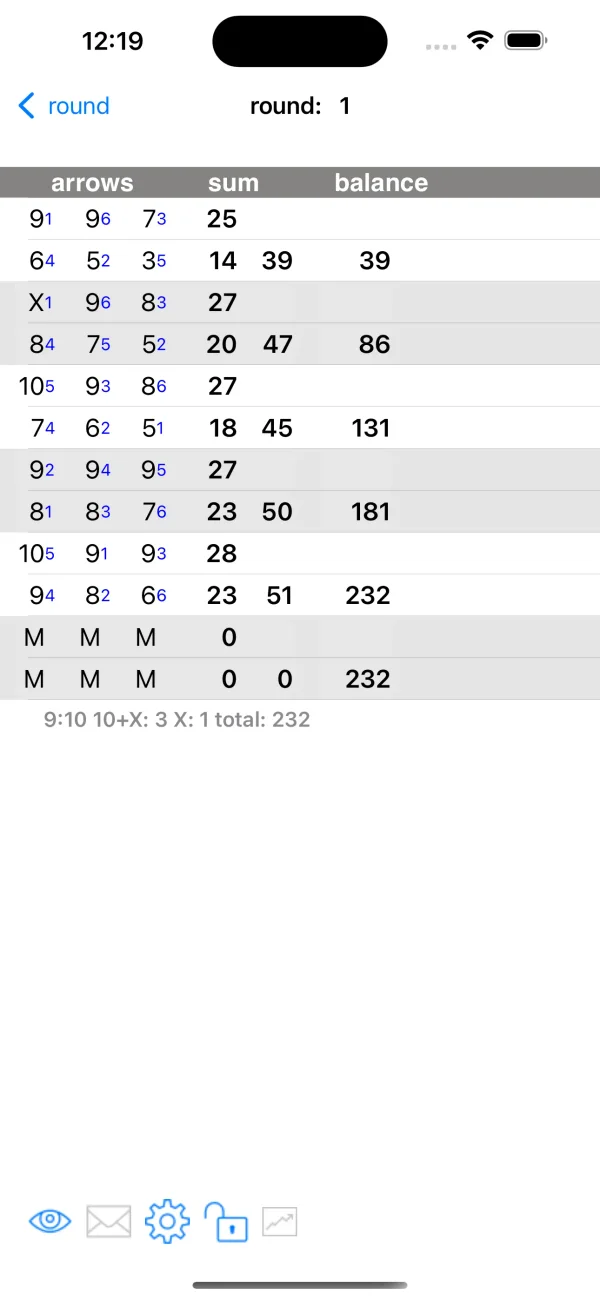
After selecting a round, you see the empty target-face for the first end. You enter your results by dragging your arrows onto the right spot. When touching an arrow, it transforms into an arrow with an arrowhead. That allows for a very exact placement. Additionally you see the current score beside your arrow while moving it. (You can use a "magnifying glass" for a even more exact placement of your arrows, especially when using the full FITA-target.) After entering the first end you switch to the next one by using the swipe-gesture or by pressing the next/previous-button.
After finishing one round, you are able to sign/lock it.That makes it impossible to accidentally change the round and will show the resulting score, when beginning the next round.
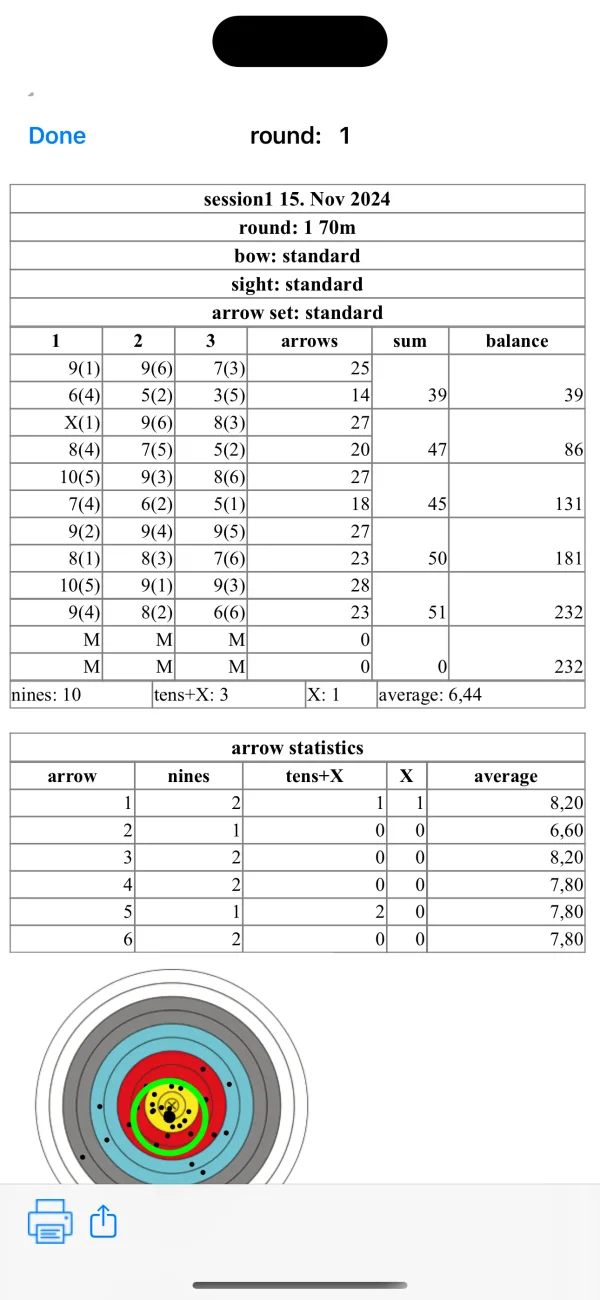
You are able to look at your scorecard all the time.
After finishing your round, you can send it via e-mail.
The e-mail contains your scorecard and the face including all arrow-hits.
- Open-Ended rounds:
You are able to shoot "open-ended" rounds. Select "1+" ends when creating a new round. iArcheryScores creates one end and you are able to add new ends just by pressing the button to goto the next round. The button show a additional +-Symbol to clarify this possibility.
- Custom distances: you can enter and select custom distances (m, yd, ft).
- Sight settings: you can now sight settings per distance and per round. When creating a new round, the sight setting is taken from the corresponding distance. The distance setting is not affected by changes of the round setting.
Auto-Shoot:
Some archers experienced a slight movement of the arrow, after they released it.
It seems, that they are not taking off their finger directly, but unintentionally let their finger slide before taking it off.
These archers can use "auto-shoot".
You can turn it on, by pressing the grayed-arrow-button near the zoom-button. There you can also set the delay for it to work.
When "auto-shoot" is enabled and you place the arrow at the target without moving your finger, the arrow is shot automatically, without you lifting your finger.
The delay-time tells how long you have to keep you finger down without moving it.
For additionally screenshots please visit my website.
If you are missing your language, please do contact me.
Translations:
- German translation by Heiko Goes
- Spanish Translation by Mr. Stefan Böther
- Korean Translation by Mr. Hyung Tak Kim
- Dutch Translation by Mr. Herrn Eric Wijdeman
- Russisan Translation by Mrs. Natalia Valeeva
- Italian Translation by Mr. Marco Pedrazzi
- French Translation by Mr. Pascal Colmaire
- Polish translation by Mr. Marcin Golygowski
- Chinese translation by Ting-Ni Chen
新機能
バージョン 8.2 · 2026/8/6
Version 8.2:
Added Age Restriction info.
Version 8.1:
During tournaments, when there is no time to keep track of your arrows,
you can now take a photo of the target using the camera-button for every end.
The photo is shown in the left lower region.
At home you can pinch and pan the photos to get a detailed view of your arrows and place them.
You could use differently colored nocks to identify each arrow.
Pressing the remove-image-button removes the photo.
Bug-Fix:
The restore of a data backup works again.
Version 6.6:
FITA 50 50 Barrow instead 40 40
Version 6.5.1:
Sending a complete Session via eMail works again.
Version 6.5:
New Sessions: IFFA Indoor and IFFA Indoor Spot
Version 6.4:
IOS 15
Version 6.3:
Targetface for 3D Tierbildrunde.
Version 6.1:
When rotating the device, all views except target and scorecard will rotate too.
Version 6.0
The Target is now centered.
Version 5.9:
The Display of the Round (1/6) is black now, to make reading easier.
Version 5.8:
Dark-Mode support.
Bug-Fix: The database-restore works again. Thanks to Alberto Vanossi for pointing out this bug.
Version 5.7:
You are now able to enter informations about your "Button, "Clicker" und "Arrow Rest".
The Twitter-Integration has been removed.
Version 5.6:
Fita 25 25 Spot Compound Session new.
Fita 18 18 25 25 Spot Compound Session new.
Fita Spot 60cm Target Face new.
Many thanks to Alberto Vanossi for this idea and his testing.
Version 5.5:
iPhone X... - Support
Many thanks to Ulf Hauf for pointing this out.
Version 5.4:
You can send a complete session via e-mail or print it.
You can optionally show the groupings when sending via e-mail or printing. (eMail Config).
The former printing-view is now able to export your results via PDF to IOS-Apps on your device.
You can reach the former printing view by pressing on the new "eye"-symbol.
Many thanks to Mirko Linders for his brilliant ideas.
Version 5.2:
Norwegian 3D-Round.
Norwegian Translation. Thanks to Per Johnny Teigen
Version 5.1:
The arrowSet-icon on the sessions-page is visible again.
Version 5.0:
You can now start ArcheryScores in Landscape-Mode.
Now the Chart-Selection ist confirmed by "Done".
There are new sessions:
FITA 60 60
FITA 40 40 Barebow
FITA 15 in/outdoor
Backup/Restore your data:
This feature compensates for the planned sync.
Now you can backup your data and send it via email.
You can then restore this data on the same or another device.
Backup: Click at the database-icon on the sessions-page and send the data via email.
Restore: Click on the sessions.zip in the email. Then click on the share-button and select the ArcheryScores-Icon. Your data will be restored.
I hope, you like it.
Version 4 9:
This Version allows multiple Scopes and multiple bows.
Version 4.8:
Arrow-Distribution-Analysis:
You can now analyze the arrow distribution of every end (Press the scales).
¡ArcheryScores will show you the center of your shots as a thick point. Additional it shows you a green circle around this center. The radius is the
Version 4.7:
You are now able to use different arrow-sets.
You can save and restore your sessions (Sessions.sqlite) via iTunes-shared files.
Version 4.6:
lOS 9
Large FITA rounds: 12 * 3 arrows for the last 2 rounds
Version 4.4 Chart for Rounds of the same type.
ATTENTION: You have to lock the rounds via lock to have them displayed via chart.
Version 4.3:
Chart showing the results of a standard-session.
You have to lock the rounds of the sessions. The sessions will then show the resulting scores.
アプリのプライバシー
このアプリのデータの取り扱いについて、Heiko GoesがApp Storeで申告している内容です。
-
データの収集なし
開発元はこのアプリからデータを収集しません。
プライバシーの取り扱いは、ご利用の機能やお客様の年齢などに応じて異なる場合があります。
情報
- 販売元
- Heiko Goes
- カテゴリ
- スポーツ
- バージョン
- 8.2
- 更新日
- 2026/8/6
- リリース
- 2009/12/15
- サイズ
- 3.7 MB
- 必要条件
- iOS 12.0以降
- 対象年齢
- 4+
- 価格
- ¥1,100
- 言語
- 英語, オランダ語, フランス語, ドイツ語, イタリア語, カヌリ語, ノルウェー語 (ブークモール), ポーランド語, ルーマニア語, ロシア語, 簡体字中国語, スペイン語 ほか1言語
- 著作権
- © Heiko Goes