- 対象年齢4+
- カテゴリ教育
- 開発元Krueger Systems, Inc.
- 言語英語ほか9言語
- サイズ178.7 MB
App Storeの公式ページにリンクしています
Download.orgはiCircuitのファイルを一切ホストしていません。ボタンを押すと、Krueger Systems, Inc.が公開しているApp Storeのアプリページが開きます。ページの最終確認:2026/11/22。
スクリーンショット
概要
開発元はこのテキストをお使いの言語で提供していません。
iCircuit is the premier iPhone and iPad app for designing, simulating, and learning analog and digital electronics. Its advanced simulation engine provides real-time, always-on analysis so your circuits stay powered and live, just like working with real components.
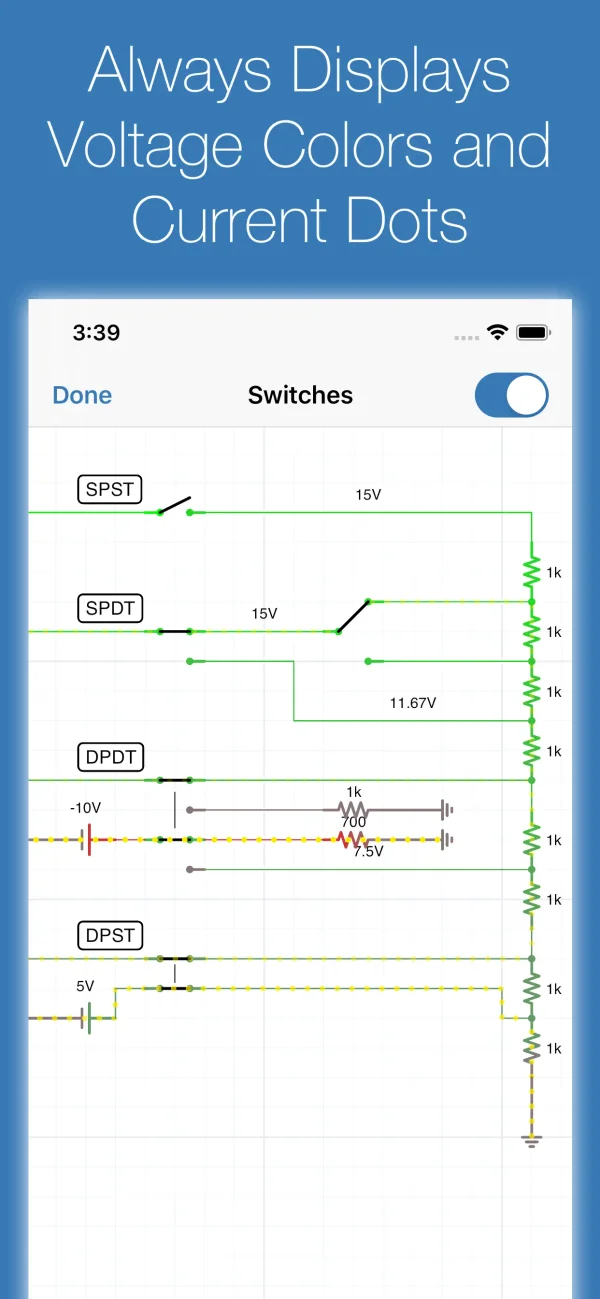
Use it like a CAD tool: add components, wire them up, and set their properties. But iCircuit is unlike typical CAD apps because it is always simulating. You do not stop to take a measurement or spend time configuring reports. Instead, you just play with the circuit as you normally would, with the power on.
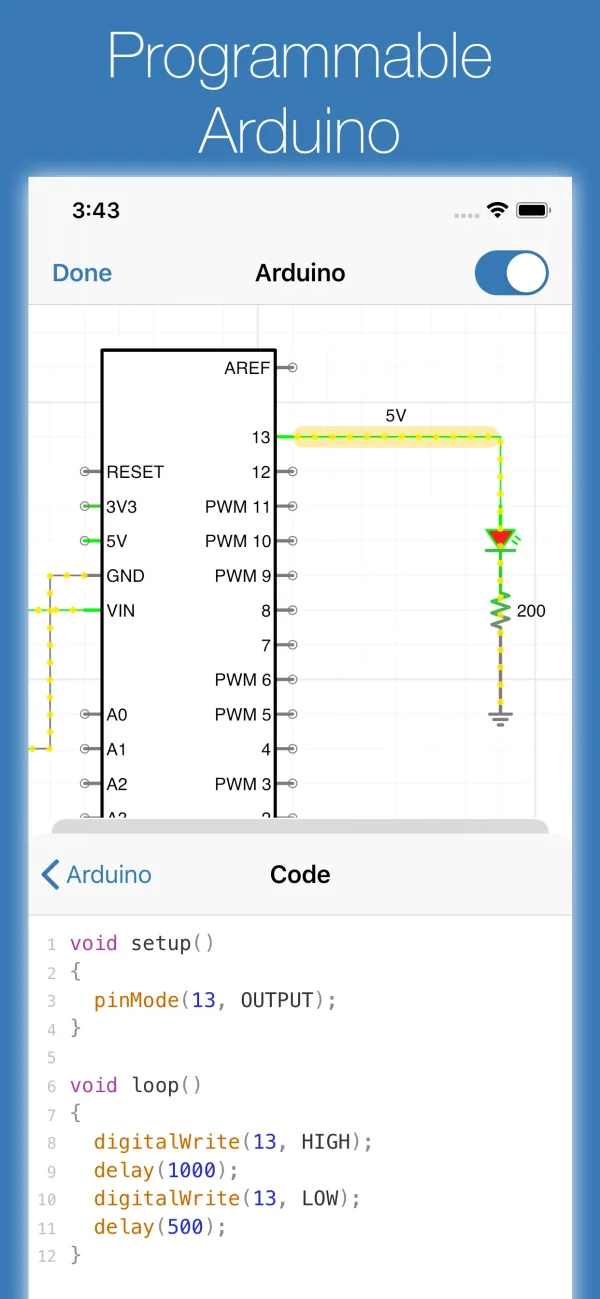
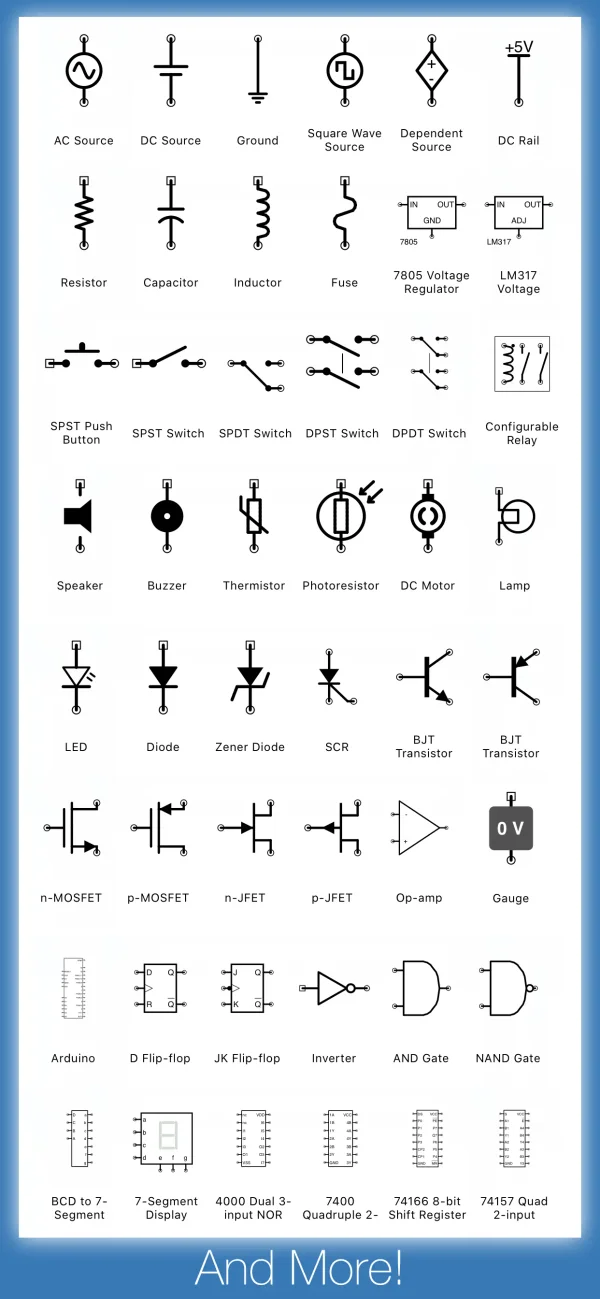
Build circuits with over 300 components, from simple resistors and LEDs to programmable Arduinos (Uno, Nano, Mega, ESP8266, ESP32), Raspberry Pi Pico boards running real MicroPython and CircuitPython, PIC microcontrollers, and 60 4000/7400-series digital ICs (more available with Pro). Connect elements, adjust values, and instantly see the results.
BUILT-IN TEST EQUIPMENT
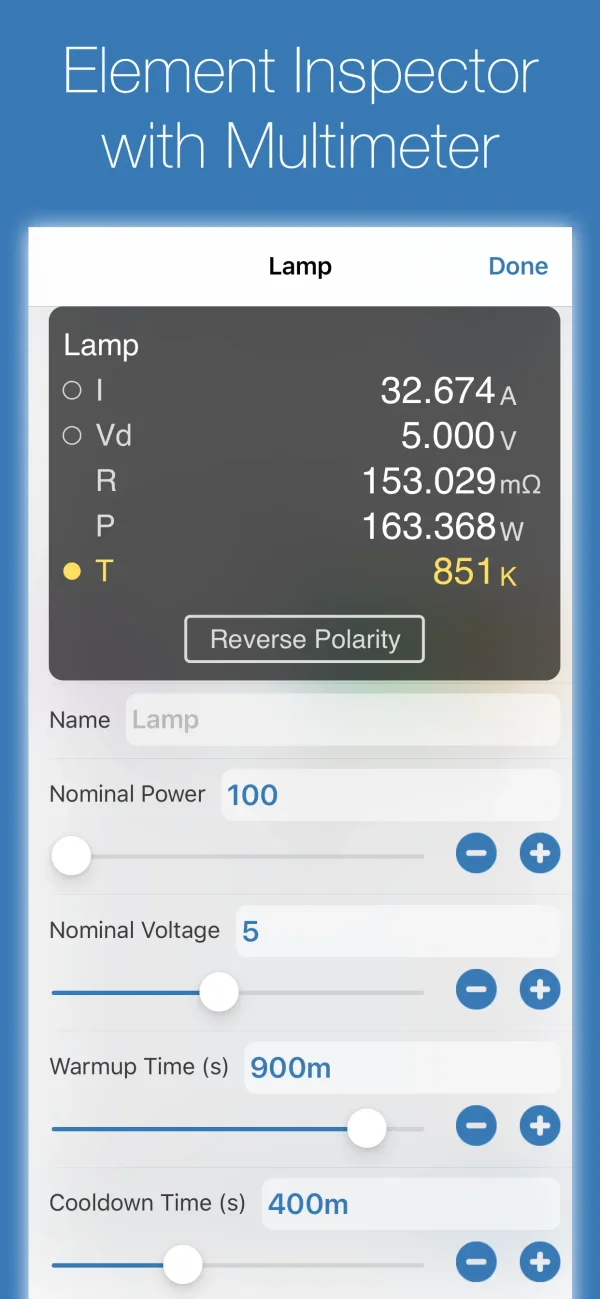
• Multimeter: Probe any point to read voltage, current, and power
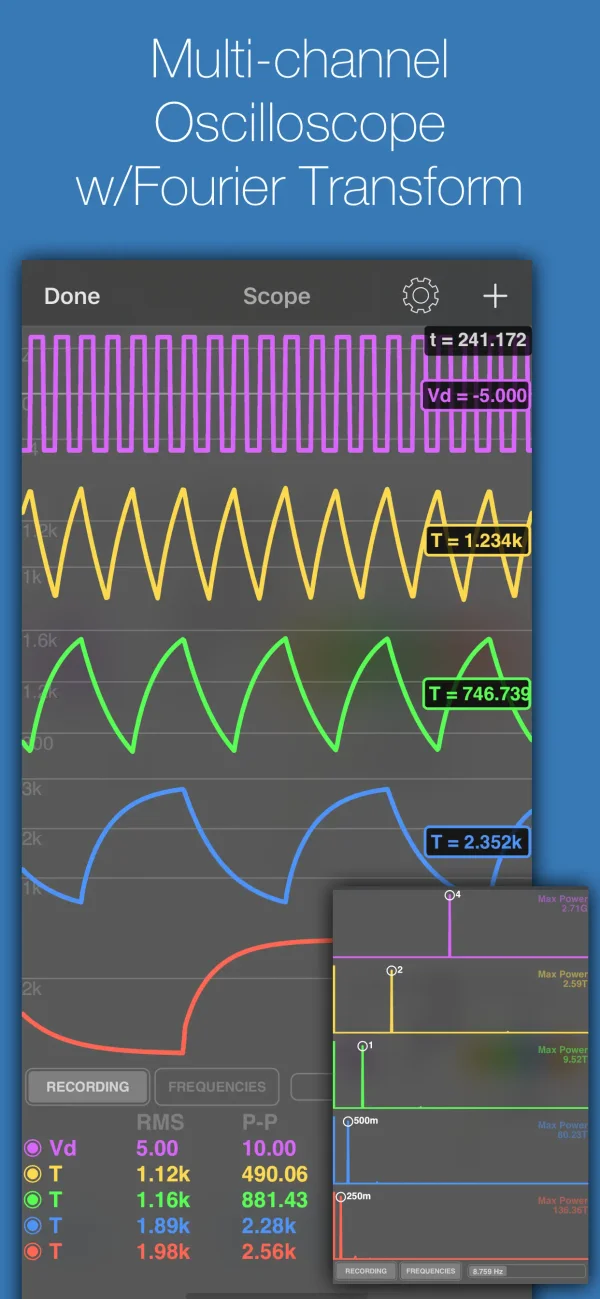
• Oscilloscope: Track multiple signals with touch-controlled time scale, stacked/unstacked views, FFT analysis, and Bode plots
• Gauges: Visualize voltages, currents, and frequencies directly in your circuit
• Signal generators and configurable sources
EXTENSIVE COMPONENT LIBRARY
• Raspberry Pi Pico and Pico 2 running genuine MicroPython and CircuitPython firmware
• Programmable Arduinos (Uno, Nano, Mega, ESP8266, ESP32)
• Programmable PIC microcontrollers (assembly and HEX files, more available with Pro)
• Power: Voltage regulators (78xx, LM317), sources, dependent sources, power jacks, and simulated antennas
• Analog: Resistors, capacitors, inductors, diodes, BJTs, MOSFETs, thermistors, triodes, and tetrodes
• Digital: Logic gates (AND, OR, NAND, NOR, XOR), JK and D flip-flops, and 60 4000/7400-series ICs (180+ available with Pro)
• ADCs and DACs
• Sensors and displays: LEDs, 7-segment, NeoPixels, matrix displays, thermistors
• Electromechanical: Motors, servos, SPST/SPDT and DPST/DPDT switches, push buttons, relays, and speakers
SPICE, VERILOG, AND VHDL
Import vendor SPICE models and subcircuits and use them as components. Write Verilog or VHDL in the HDL element and wire it to the rest of your circuit.
CREATE CUSTOM ELEMENTS
Build sub-circuits and custom elements to componentize your designs and create reusable modules. Share your custom elements with others via the iCircuit Gallery.
AUDIO SIMULATION
Hear your circuits. Speakers, buzzers, and microphones produce real audio output.
Perfect for students learning electronics, hobbyists prototyping projects, and engineers validating designs, all without burning out a single component.
ABOUT ICIRCUIT PRO (OPTIONAL)
iCircuit is a complete app with a one-time purchase. iCircuit Pro is optional and adds extra components (including more PICs and a larger 4000/7400 IC library) and helps fund ongoing development. Pro is not required for core simulation or everyday circuit design.
Terms of Use: https://www.apple.com/legal/internet-services/itunes/dev/stdeula/
新機能
バージョン 1.16 · 2026/10/12
iCircuit 1.16 is the biggest update in years: real SPICE subcircuits, Verilog and VHDL simulation, and fully emulated Raspberry Pi Pico boards running genuine MicroPython and CircuitPython, all in the same real-time simulator you already know.
RASPBERRY PI PICO & PICO 2, FULLY EMULATED
Drop a Raspberry Pi Pico or Pico 2 into your circuit and write Python! iCircuit boots real MicroPython 1.28 and CircuitPython 10.2 firmware on machine-level emulations of the RP2040 and RP2350 processors, your choice of firmware per board.
• Write Python right in the app: syntax-highlighted editor with edit-time error checking and multi-file projects
• Interactive serial console with a Serial Plotter running alongside
• Real tracebacks with actual file and line numbers, just like on hardware
• GPIO, PWM, ADC, and I2C/SPI/UART buses interact with the rest of your circuit in real time
• Labeled pin roles, on-board LED, and effective emulated clock speed in the info panel
SPICE SUBCIRCUITS
Import industry-standard SPICE models and use them as first-class circuit elements:
• Transistors and diodes with .MODEL cards: BJTs, MOSFETs, and multi-emitter BJTs
• All dependent sources (E, F, G, H) and independent V/I sources with standard waveforms
• Nested subcircuits with parameters
• Coupled inductors (K mutual inductance)
• .INCLUDE, .IC, and .TEMP directives, with graceful handling of analysis commands
• Robust, case-insensitive parsing with clear error messages
Grab a vendor's SPICE model off the web and simulate it right in iCircuit.
VERILOG AND VHDL
The new HDL element compiles and simulates synthesizable Verilog and VHDL in real time. Design a counter, a state machine, or glue logic in the language you use at work or school, wire it to LEDs, switches, and the rest of your analog circuit, and watch it run.
NEW ELEMENTS
• I2C sensors: HDC1080 humidity, MLX90614 IR thermometer, DS1307/DS3231 real-time clocks, ADS1115 16-bit ADC, readable straight from Python
• AC Current Source, On-Off-On Switch, multiple-emitter BJTs, and OB2512RN offline PSR power switch
• 74138, 74139, 7483, 74107, and 74245 added to the Standard set
• Better power jacks and TRS jacks
ARDUINO
• Drive SSD1306 OLED displays with the Adafruit_SSD1306 and Adafruit_GFX libraries
• Keep sketches in external script files and share them between circuits
• Export sketches to use on real hardware
• Configurable console size and plotting from your sketch
EDITOR AND ANALYSIS (iPhone, iPad, and Mac)
• Rectangular selection
• Disconnect an element without deleting wires by hand
• The canvas grows automatically when you drop elements near the edge
• Color-code wires and elements
• Help text for every property in the Inspector
• Assign keys to momentary switches and play your circuit like an instrument
• XY scope mode for Lissajous figures and I/V curves
• FFT export
• Parts List (BOM) export as CSV, compatible with EasyEDA/JLCPCB part search
BUG FIXES
• Fixed inverter values when exporting, a crash in net labeling, and custom IC drawing clipping
• More accurate component power warnings
• More realistic I2C and SPI bus behavior
• Many SPICE, HDL, and simulation correctness fixes, validated by 775 automated circuit tests
SMOOTHER EDITING
• Redo is one long-press away: just hold the Undo button
• Apple Pencil now works everywhere your finger does
Thank you for your continued support! Whether you're learning electronics, teaching a class, prototyping a product, or just having fun, we hope v1.16 makes iCircuit more useful than ever.
アプリのプライバシー
このアプリのデータの取り扱いについて、Krueger Systems, Inc.がApp Storeで申告している内容です。
-
ユーザーに関連付けられないデータ
収集される場合がありますが、ユーザーの識別情報には関連付けられません。
- 診断
プライバシーの取り扱いは、ご利用の機能やお客様の年齢などに応じて異なる場合があります。
情報
- 販売元
- Krueger Systems, Inc.
- カテゴリ
- 教育
- バージョン
- 1.16
- 更新日
- 2026/10/12
- リリース
- 2010/7/29
- サイズ
- 178.7 MB
- 必要条件
- iOS 13.0以降
- 対象年齢
- 4+
- 価格
- ¥2,000
- アプリ内課金
- あり
- 言語
- 英語, フランス語, ドイツ語, イタリア語, 日本語, ポルトガル語, ロシア語, 簡体字中国語, スペイン語, 繁体字中国語
- 著作権
- © 2010-2026 Krueger Systems, Inc.