- 対象年齢4+
- カテゴリ教育
- 開発元Sheldon College
- 言語英語
- サイズ28.9 MB
App Storeの公式ページにリンクしています
Download.orgはiLINQのファイルを一切ホストしていません。ボタンを押すと、Sheldon Collegeが公開しているApp Storeのアプリページが開きます。ページの最終確認:2026/11/16。
スクリーンショット

概要
開発元はこのテキストをお使いの言語で提供していません。
The iLINQ App is designed to give parents, students and teachers a seamless environment with ready access to information about events and activities at the College, as well as key contact details and maps. The App provides an easy way to access personalised content and communication from the College’s online environment, iLINQ.
NOW FEATURING ‘REMEMBER ME’ FUNCTIONALITY FOR EVEN QUICKER ACCESS.
Key Features:
‘Remember Me’ Functionality (New):
Selecting the ‘Remember Me’ option on the log-in screen will save your details and allow you to remain signed into the iLINQ app on your personal device*.
*For security reasons, we strongly recommend that you only select ‘Remember Me’ on a personal device which already implements other forms of security control such as a password log-in or fingerprint access controls. For further information regarding device security and the iLINQ App, please refer to the designated help section in iLINQ.
My Groups (New):
This new feature allows quick access to your iLINQ groups from the app menu including Parent and Student Communication pages and other individual groups of which you are a member.
The Dashboard:
The App dashboard provides an overview of the latest College News, timetables for staff and students and a timeline view of the day’s events.
Messages and Push Notifications:
The messages section provides a list of notifications of activity within iLINQ. As content is created in groups of which you are a member, you will receive a notification that will allow you to click through to the relevant page. Notifications are configurable and users can choose to customise the notifications that are sent from within iLINQ.
College News:
The News section contains daily communication from the College. By configuring the notification settings, you can receive the information at a time that is convenient to you.
Calendar:
The Calendar contains details on events and key dates at the College. Click on the event to see further details and information or search for an event. The calendar can also be used as an eDiary with staff and students having the ability to add additional events and reminders.
Due Work:
Parents, students and staff will see a reminder in the iLINQ App of any due work and its relevant date within iLINQ. By clicking on the due work, students and staff will be able to access additional due work information within iLINQ.
Timetable:
Parents, students and staff can see an easy to read view of the current day’s timetable. By clicking on the class, students and staff will be able to access the class’ iLINQ Page.
Contacts:
Call and email important College contacts directly from the iLINQ App. You can easily ‘click to call’ or email directly from the iLINQ App.
Newsletters:
Receive the latest College Newsletter directly through the iLINQ App. You can also view archived newsletters.
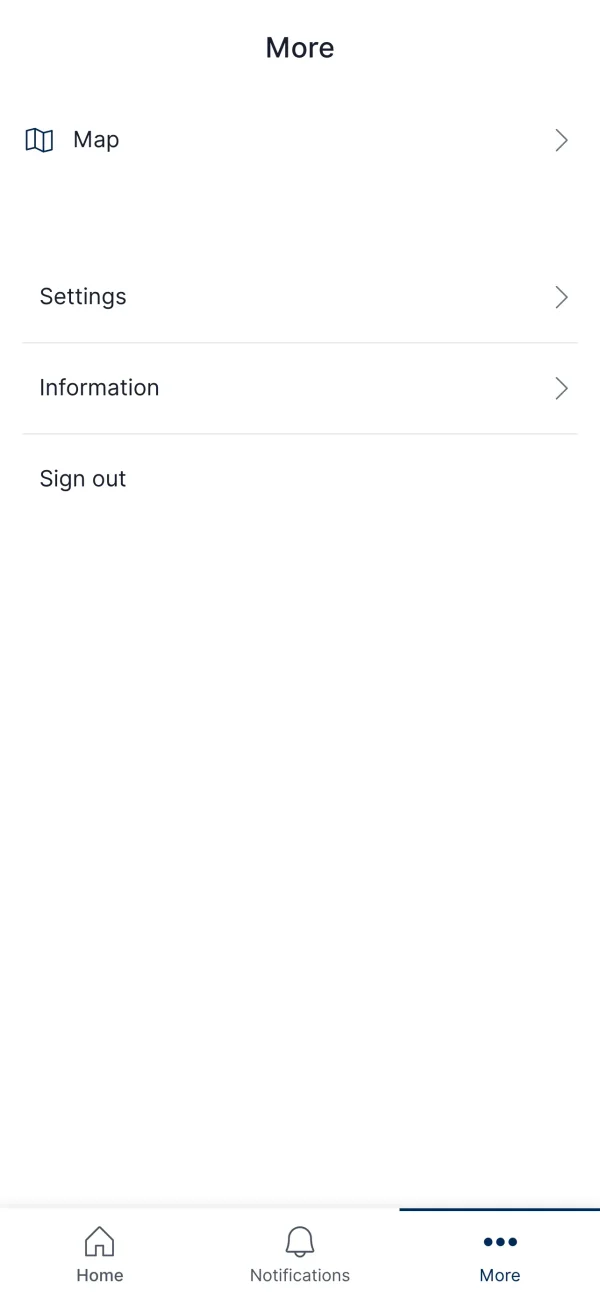
Map:
Never get lost on campus again, the Sheldon College Map allows you to quickly and easily find locations throughout the College.
新機能
バージョン 4.0.0 · 2024/12/15
Digistorm is constantly working to improve your app. This update includes a number of general improvements to functionality including bug fixes and performance improvements.
アプリのプライバシー
このアプリのデータの取り扱いについて、Sheldon CollegeがApp Storeで申告している内容です。
-
ユーザーに関連付けられないデータ
収集される場合がありますが、ユーザーの識別情報には関連付けられません。
- ID
- 使用状況データ
- 診断
プライバシーの取り扱いは、ご利用の機能やお客様の年齢などに応じて異なる場合があります。
情報
- 販売元
- Sheldon College
- カテゴリ
- 教育
- バージョン
- 4.0.0
- 更新日
- 2024/12/15
- リリース
- 2016/10/25
- サイズ
- 28.9 MB
- 必要条件
- iOS 13.0以降
- 対象年齢
- 4+
- 価格
- 無料
- 言語
- 英語
- 著作権
- © 2024 Digistorm