- 対象年齢4+
- カテゴリ写真/ビデオ
- 開発元栋 张
- 言語英語ほか2言語
- サイズ157.7 MB
App Storeの公式ページにリンクしています
Download.orgはImaging Consoleのファイルを一切ホストしていません。ボタンを押すと、栋 张が公開しているApp Storeのアプリページが開きます。ページの最終確認:2026/11/20。
スクリーンショット

概要
開発元はこのテキストをお使いの言語で提供していません。
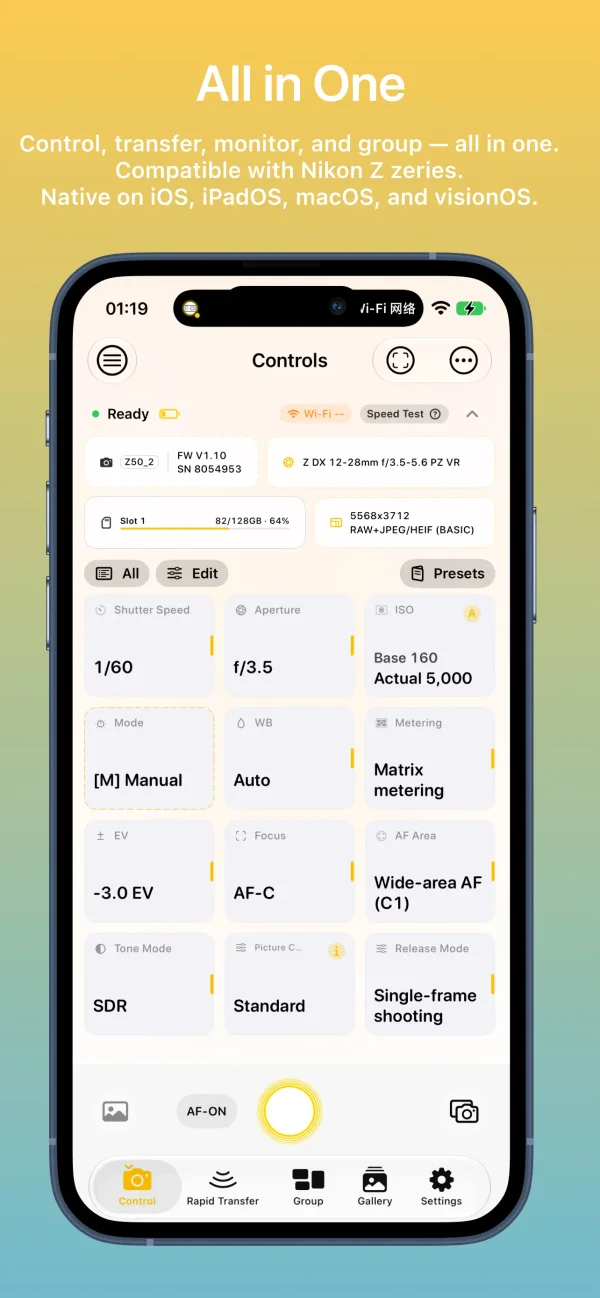
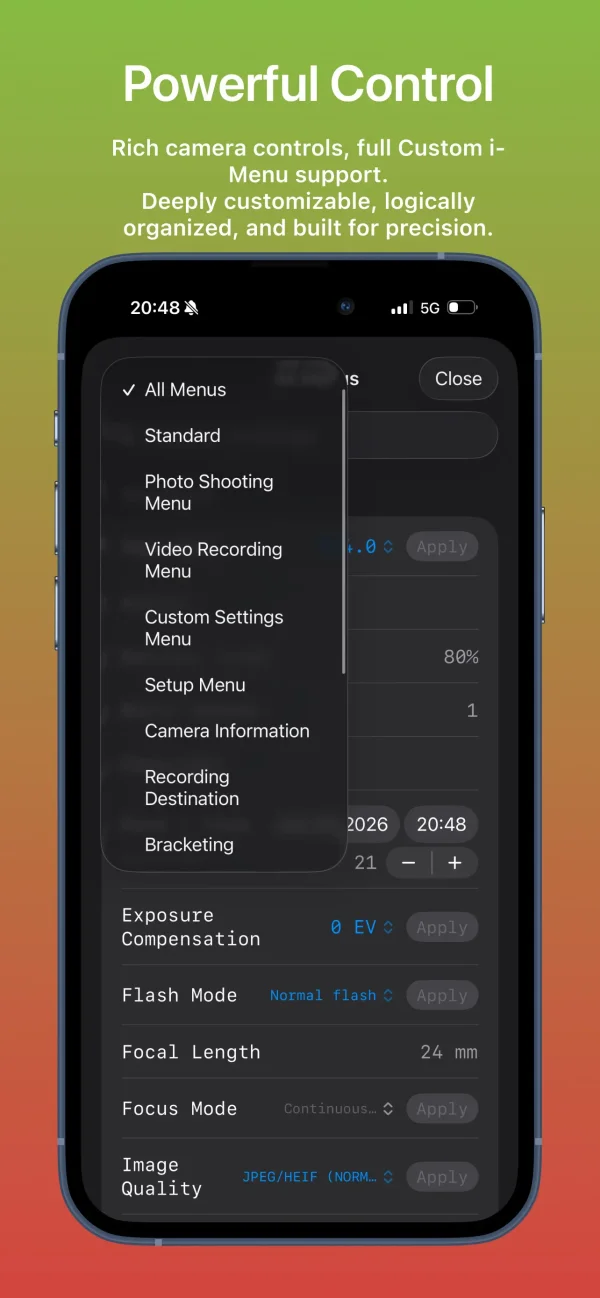
Imaging Console is a professional third-party camera control, monitoring, and file transfer application compatible with Nikon Z series mirrorless cameras, cinema cameras and the Nikon D810 DSLR via USB.
**Compatibility**
Nikon D810: USB connection for camera control, Live View and camera file access.
Expeed 7 models (Z9, Z8, ZR, Z6III, Z5II, Zf, Z50II) are fully compatible and support all app features.
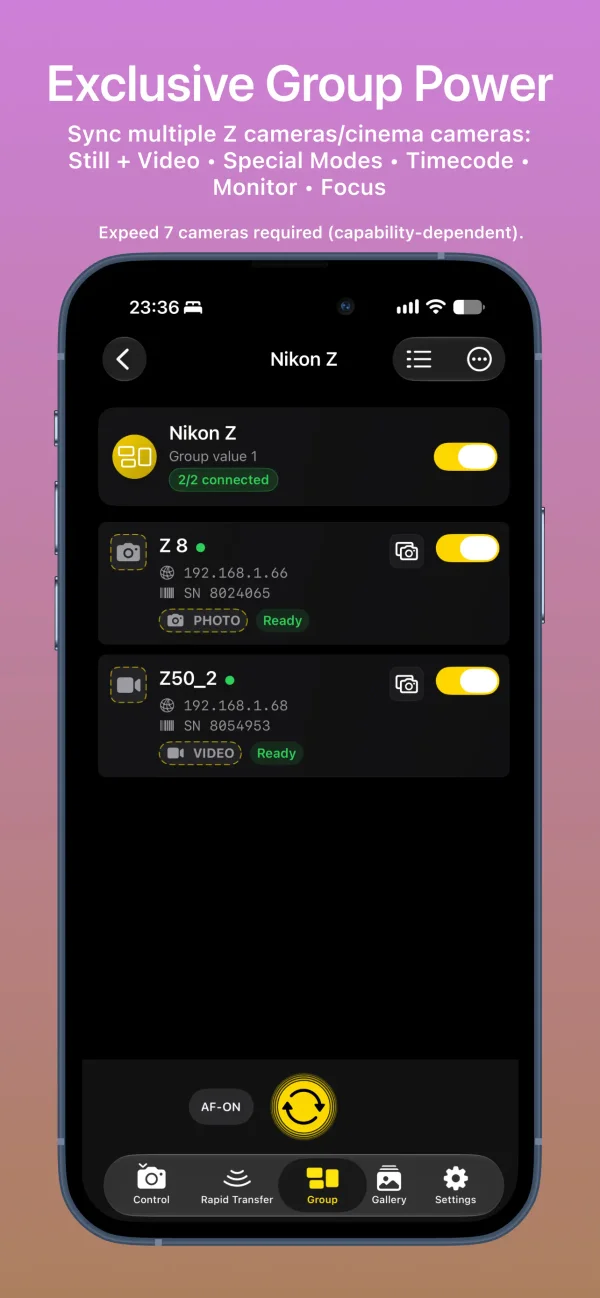
Expeed 6 models (Z5, Z6, Z7, Z6II, Z7II, Z50, Z30, Zfc) do not support group functions. For wireless connections: use "Connect to Smart Device" for control, monitoring, and in‑camera file access; use "Connect to Computer" for control and monitoring only.
Important Notice
Imaging Console is independently developed and is not affiliated with, endorsed by, authorized by, or associated with Nikon Corporation, RED Digital Cinema, or their affiliated companies. References to Nikon, RED, and related product names are used solely to identify compatible devices.
Key Features
Hybrid Connectivity
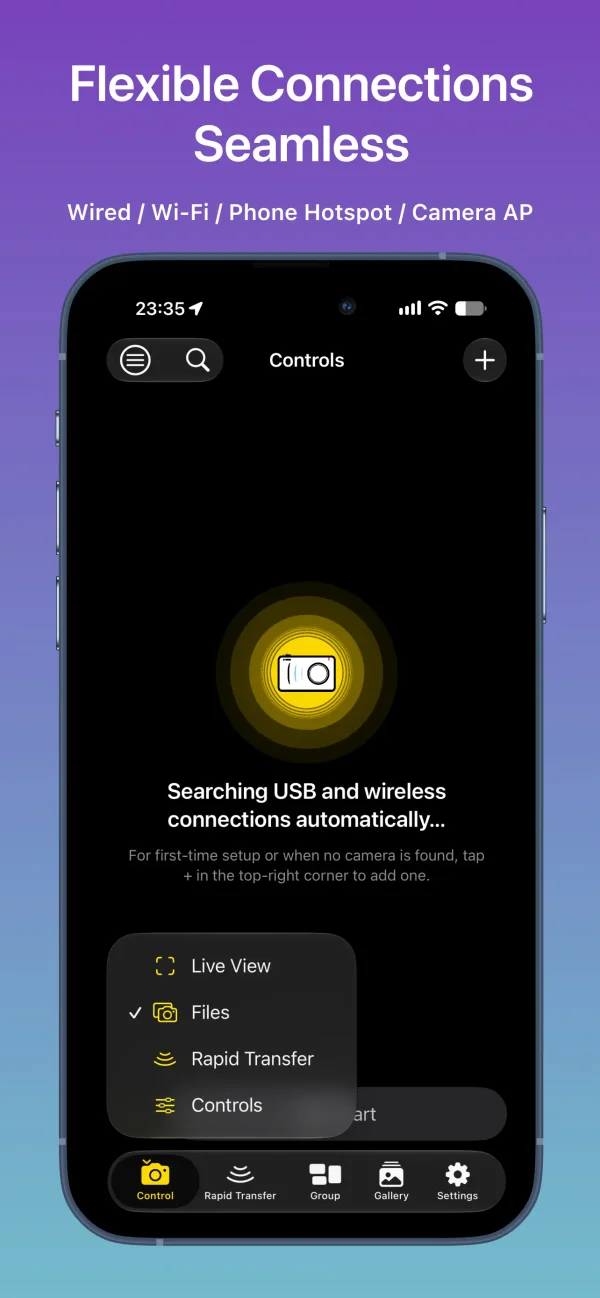
Supports USB (MTP/PTP) and wireless (PTP/IP) connections, including camera hotspot, Wi-Fi, and mobile hotspot. Supports both single-camera and multi-camera workflows.
Multi-Camera Control
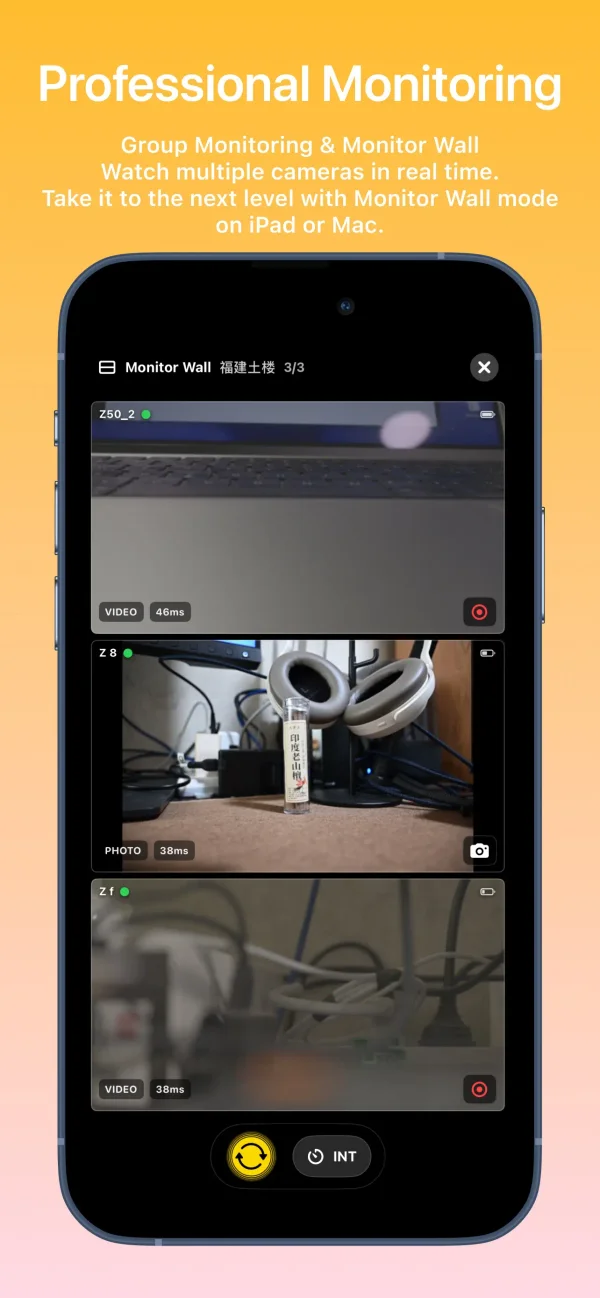
Manage and control multiple cameras wirelessly with synchronized photo capture, video recording, mixed capture modes, live monitoring, and synchronized operation for supported shooting modes.
Professional Live View
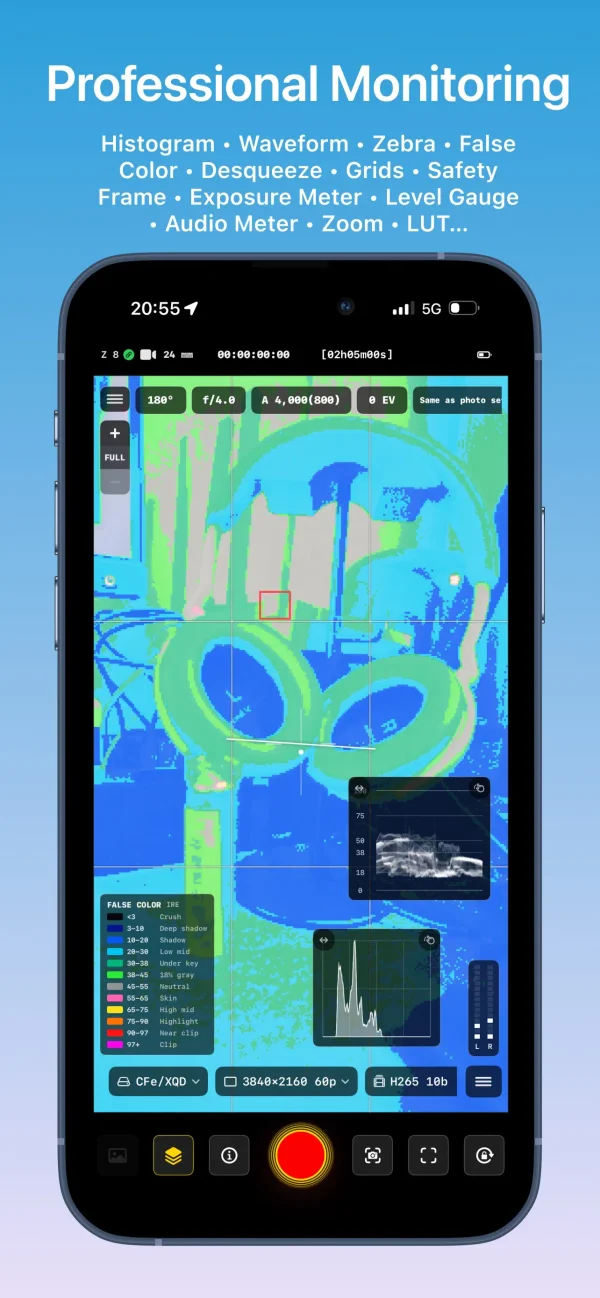
Monitor live video with touch focus and convenient camera parameter control. Includes professional monitoring tools such as LUT preview, false color, zebra, histogram, waveform, safe area, level indicator, and composition grids.
In-Camera File Management
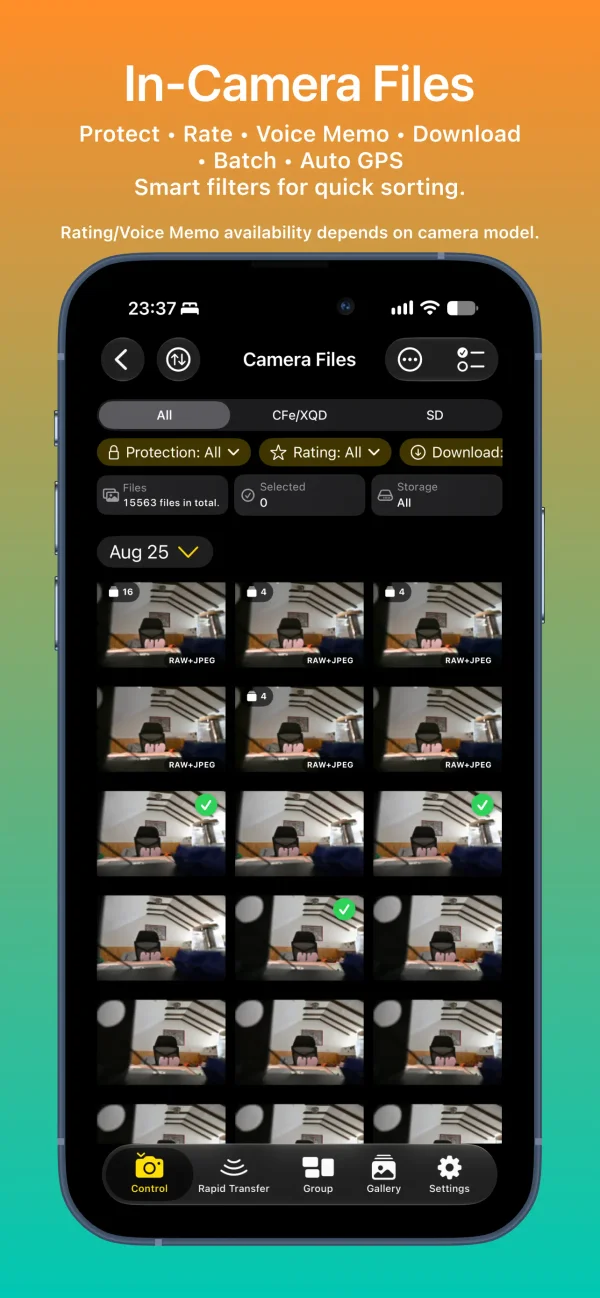
Browse, review, download, protect, rate, and preview files with LUT support. Batch download and advanced filtering are supported. Voice memo management is available on supported flagship cameras.
Rapid Transfer Workflow
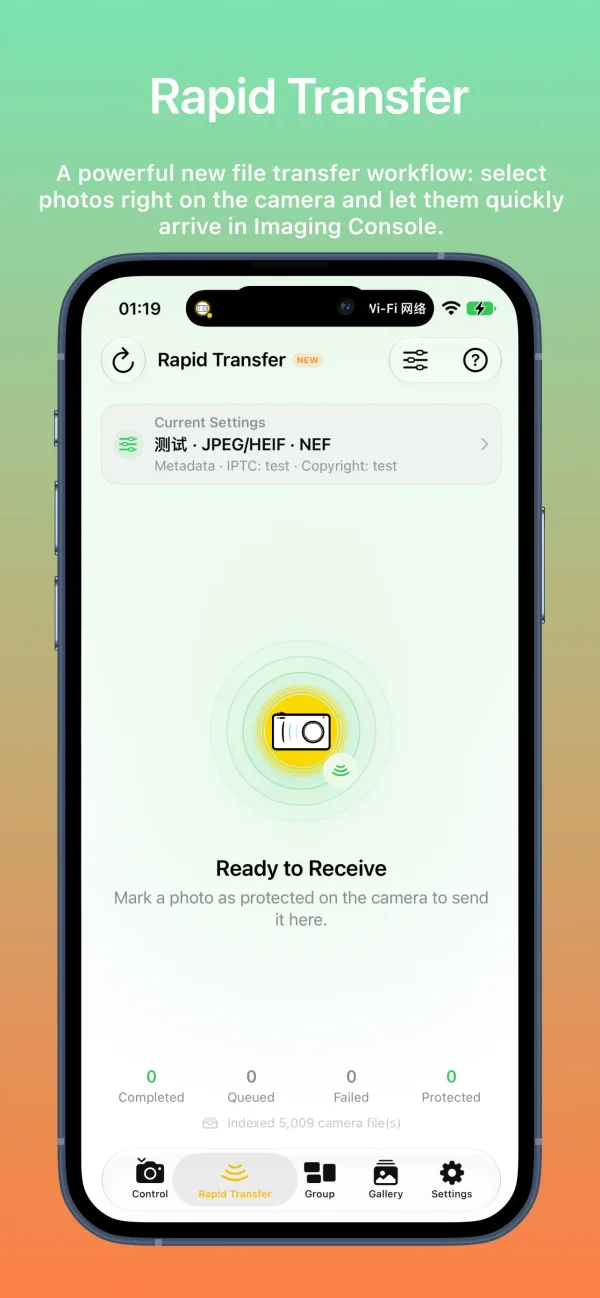
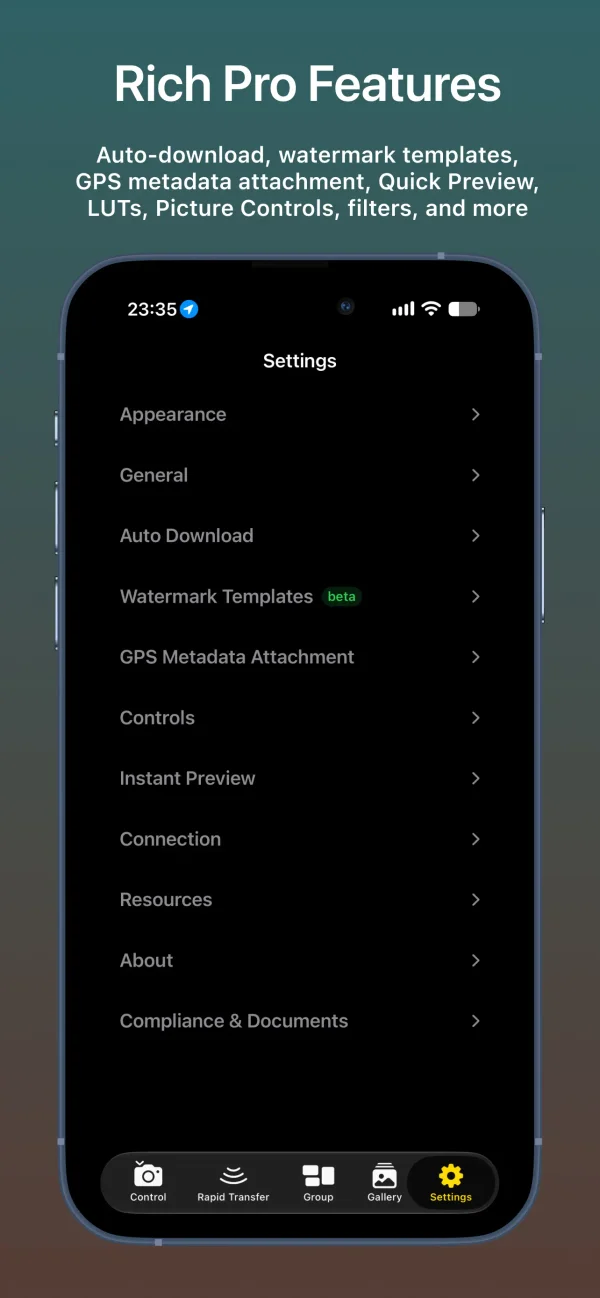
Automatically download newly captured files—or mark selected files as protected on the camera to send them directly to Imaging Console. Choose Gallery, Photos, or Files as the destination, automatically attach GPS, IPTC, and copyright metadata, and support cardless shooting workflows. Review, edit, and deliver selected content faster without interrupting camera operation.
LUT & Image Optimization
Import custom LUTs and optimization profiles for live preview, in-camera file browsing, post-capture preview, and library viewing.
LivePhoto generation and export
Supports flexible export from in‑camera video files or imported gallery videos, with HDR preservation and automatic GPS location tagging.
Imaging Console is designed to provide photographers, filmmakers, and professional creators with a reliable and efficient camera control workflow.
新機能
バージョン 2.9.1 · 2026/11/14
• Added support for Nikon D850/D810 and other DSLR models, with improved camera controls, Live View and camera file access.
• Improved name recognition for Nikon F-mount lenses and many third-party lenses.
• Fixed known issues.
アプリのプライバシー
このアプリのデータの取り扱いについて、栋 张がApp Storeで申告している内容です。
-
ユーザーに関連付けられたデータ
収集され、ユーザーの識別情報に関連付けられる場合があります。
- 購入
- 連絡先情報
- ユーザーコンテンツ
- ID
- 使用状況データ
- 診断
- その他のデータ
プライバシーの取り扱いは、ご利用の機能やお客様の年齢などに応じて異なる場合があります。
情報
- 販売元
- 栋 张
- カテゴリ
- 写真/ビデオ
- バージョン
- 2.9.1
- 更新日
- 2026/11/14
- リリース
- 2026/7/2
- サイズ
- 157.7 MB
- 必要条件
- iOS 17.0以降
- 対象年齢
- 4+
- 価格
- ¥3,000
- アプリ内課金
- あり
- 言語
- 英語, 簡体字中国語, 繁体字中国語
- 著作権
- ©️2026 Dong Zhang
こちらもおすすめ
-
 Zenso: カメラリモコンリモート撮影・ライブビュー・写真転送
-
 NX MobileAir写真/ビデオ
-
 Gloam Camフィルムシミュレーション、レトロカメラ
-
 边框水印大师-一键添加相框水印写真/ビデオ
-
 StormCam - Cinematic Log Video写真/ビデオ
-
 FotorGear - ポケットの中のプロ用カメラCCDレトロフィルム /枠とHDRプロ級の自然な写り
-
 SnapBridge写真/ビデオ
-
 Affinity Photo 2 iPad版作成, 編集, レタッチ & 共有
-
 500px-Photo Sharing Community写真/ビデオ
-
 DJI Ronin写真/ビデオ