
- 対象年齢4+
- カテゴリファイナンス
- 開発元Kamlesh Saini
- 言語英語
- サイズ82.1 MB
App Storeの公式ページにリンクしています
Download.orgはInkapify: Expense Trackerのファイルを一切ホストしていません。ボタンを押すと、Kamlesh Sainiが公開しているApp Storeのアプリページが開きます。ページの最終確認:2026/11/21。
スクリーンショット
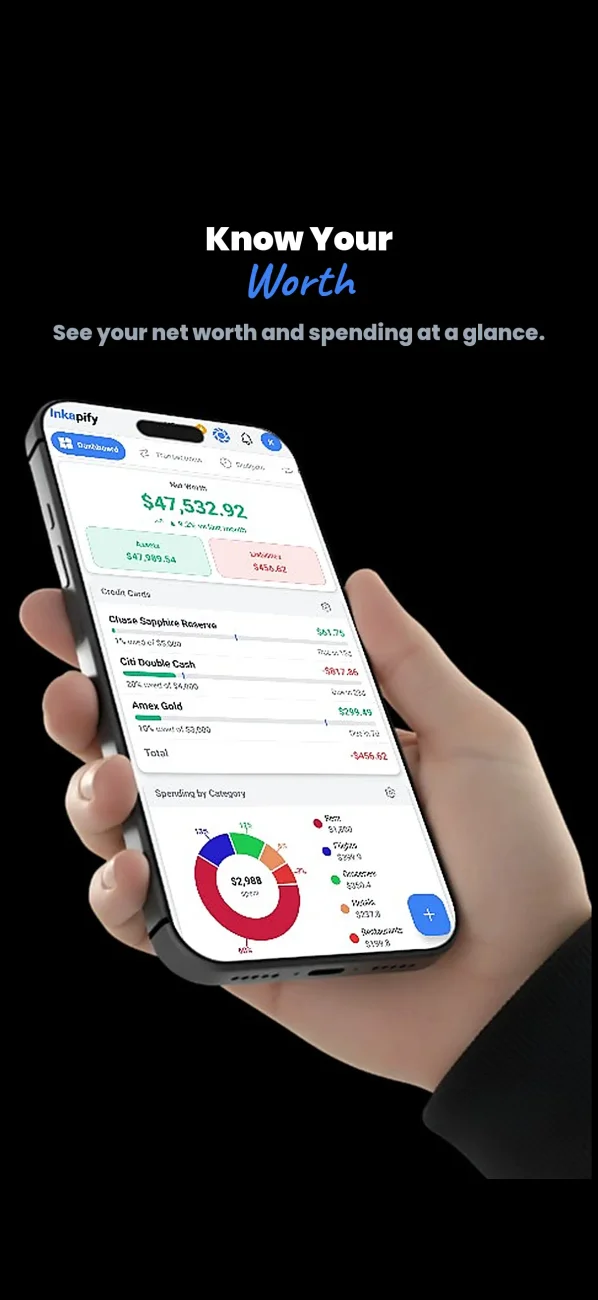
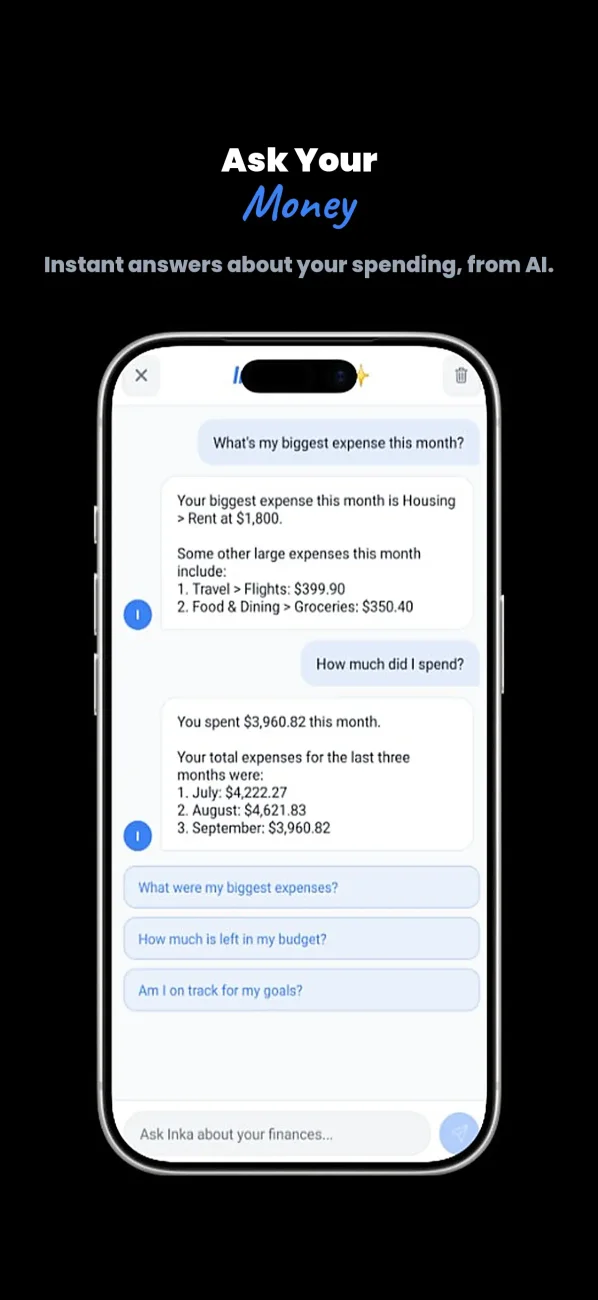
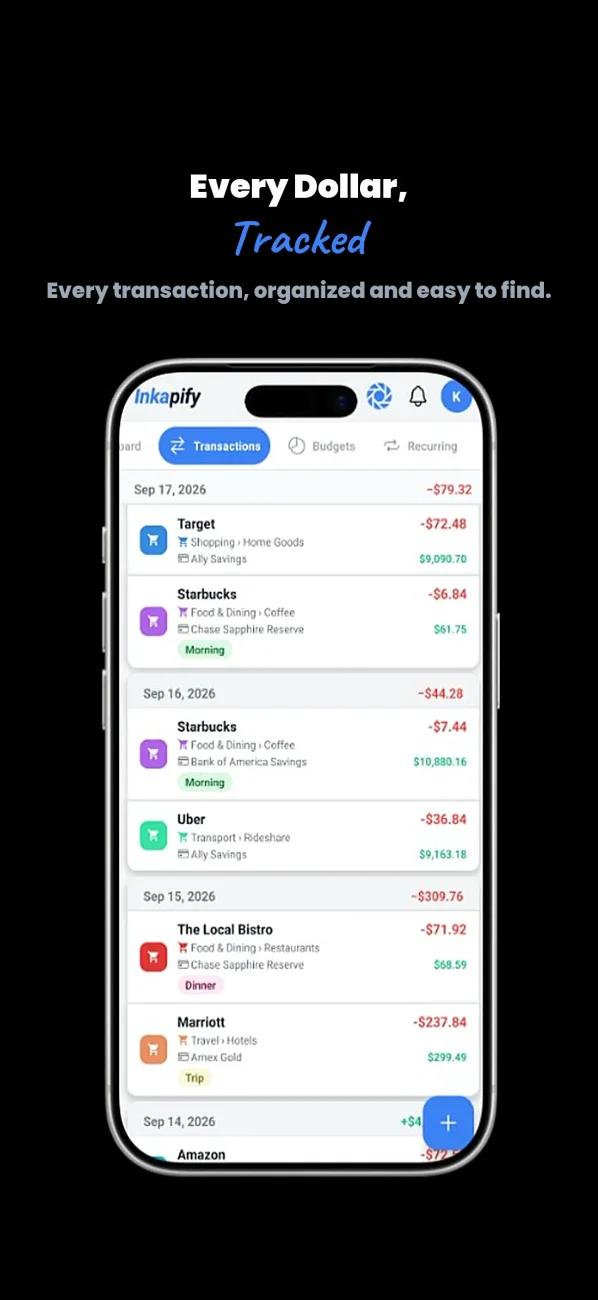

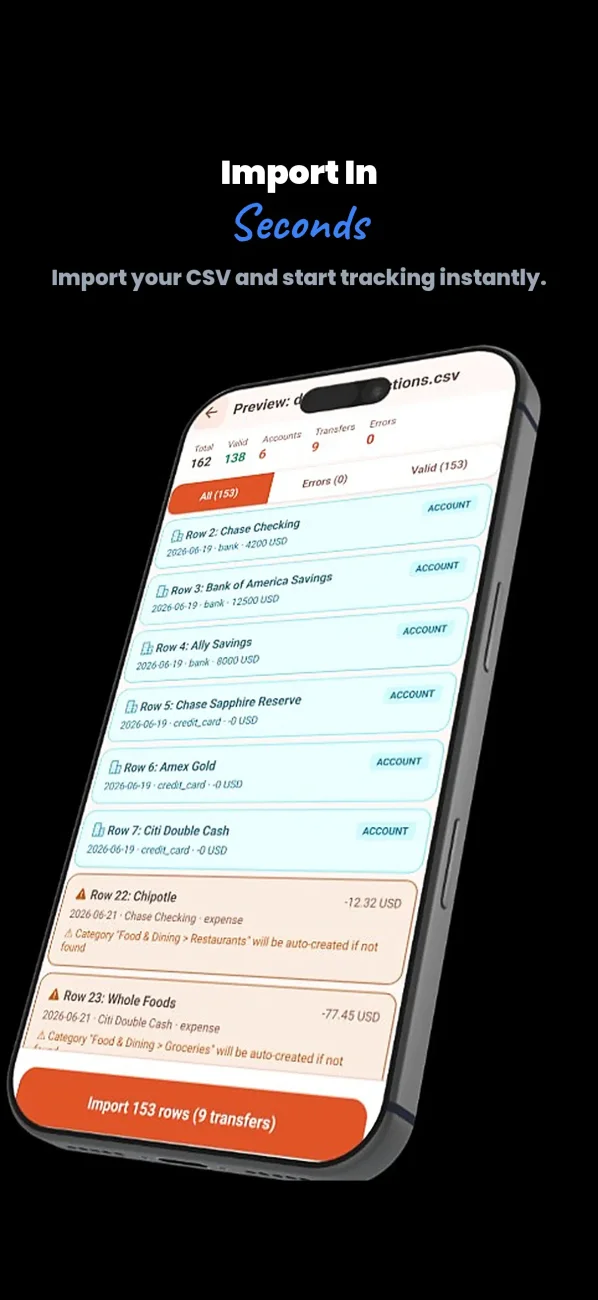

概要
開発元はこのテキストをお使いの言語で提供していません。
Take control of your money with Inkapify — The personal finance app built around Inka, your AI-powered finance assistant. Try Pro free for 7
days.
FREE TRIAL:
Eligible new subscribers get 7 days of Pro free. Monthly or annual plans, billed to your Apple ID. Auto-renews unless cancelled at least 24
hours before the trial or period ends. Manage in App Store settings.
Track expenses, manage budgets, monitor net worth, and plan for goals — all in one place. Works completely offline, so your finances are always
available even without a connection.
INKA AI:
Ask Inka anything about your finances in plain language:
• "What's my biggest expense this month?"
• "Am I on track with my grocery budget?"
• "How much did I spend on dining last quarter?"
Inka reads your real data and gives personalized answers — not generic advice.
• Free: 15 questions/month
• Pro: 200 questions/month
TRACK EVERY TRANSACTION:
• Add expenses, income, and transfers in seconds
• Split transactions across multiple categories
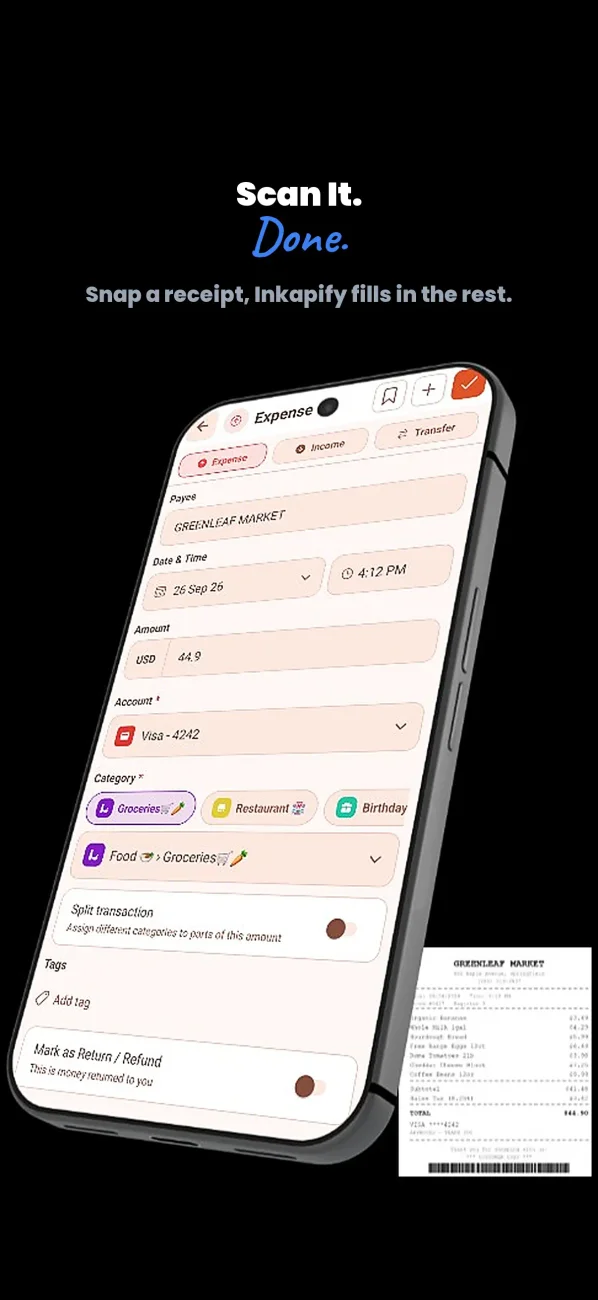
• Attach receipts to any transaction
• Import via CSV or PDF bank statement (AI-powered)
• Scan receipts with your camera — AI fills in the details
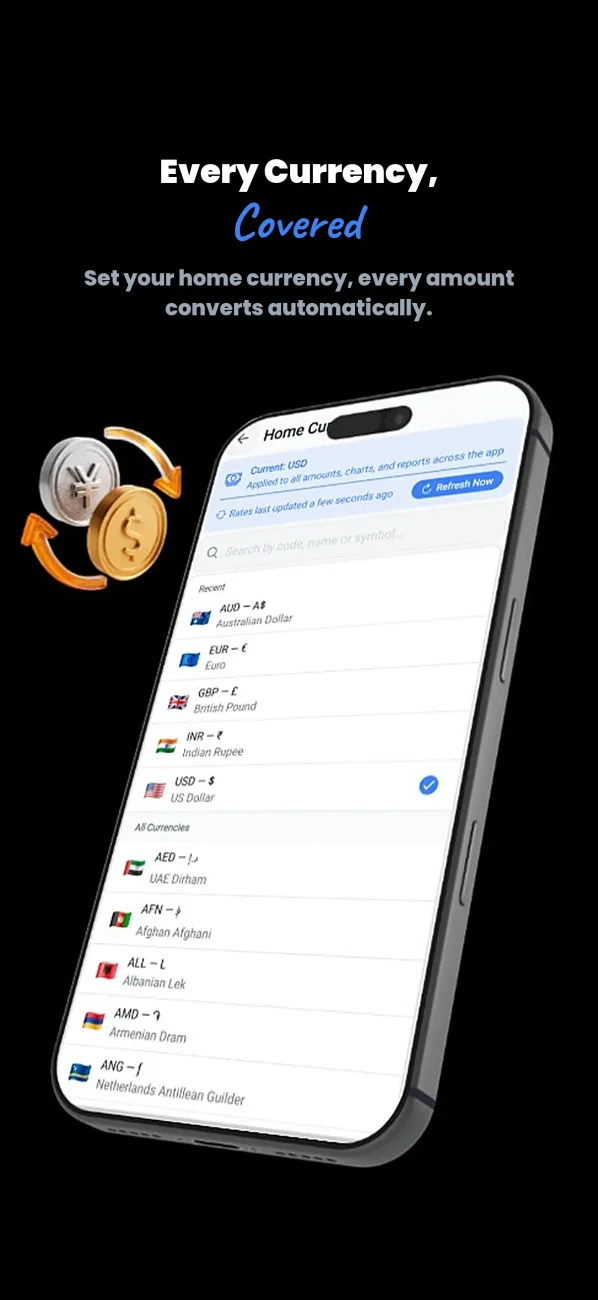
• Multi-currency support with live exchange rates
• Soft delete with Trash — restore anything in one tap
BUDGETS THAT WORK:
• Set budgets by category, subcategory, or group
• Monthly, quarterly, or yearly budget periods
• Rollover unused budget to next month
• Visual progress bars with today marker
• Available-to-spend shown prominently
• Instant alerts when you're close to your limit
20+ REPORTS & INSIGHTS:
• Spending by Category — pie, bar, donut, or line chart
• Income vs Expense — monthly net trend
• Net Worth — track your financial growth over time
• Monthly Summary — income, expense, savings by month
• By Tag — spending across custom tags (Pro)
• By Payee — where your money goes per merchant (Pro)
• Budget Performance — actuals vs targets
• Credit Card Rewards — cashback and points earned (Pro)
• Subscription Tracker — all recurring charges in one view (Pro)
• Year Over Year — compare any report across years side by side (Pro)
• Spending Pace — where this month is heading
• Monthly Recap — last month at a glance
• Unusual Spending, Fixed vs Flexible, Money Flow (Pro)
• Drill down from any chart to its transactions (Pro)
RECURRING RULES:
• Set up any recurring transaction (salary, rent, EMI, subscriptions)
• Daily, weekly, biweekly, monthly, quarterly, yearly
• Auto-enter transactions on their due date
• Upcoming tab shows all future entries for the next 12 months
• Confirm or skip individual upcoming entries
ACCOUNTS FOR EVERYTHING:
• Banking, Cash, Credit Card, Investment, Fixed Deposit
• Loans and Mortgages with full amortization schedule (Pro)
• Property accounts with value tracking
• Automatic loan EMI breakdown — interest, principal, escrow
GOALS & DEBTS:
• Set savings goals with target amounts and dates
• Track progress with contribution history
• Log money lent or borrowed with partial payment tracking
• Automatic reminders before debt due dates
WORKS OFFLINE — BUILT FOR PRIVACY:
• No account required — no sign-up, no login, ever
• Your financial data lives only on your device — never uploaded to any server
• AI features only send content you explicitly share, and only when you trigger them
• Encrypted backup — export and restore as a secure backup file or to iCloud Drive
• App Lock with Face ID, Touch ID, and PIN fallback
• Hide all amounts with one tap
• Export your data anytime as CSV
PERSONALISE EVERYTHING:
• 10 themes free, 23 with Pro — light, dark, and coloured
• Adjustable font size
• Configurable dashboard — choose and arrange 20 tile types
• Multi-currency with 170+ currencies supported
PLANS:
Free: track transactions, accounts, and basic reports forever.
Pro: unlock PDF import, receipt scanning, advanced Inka AI, advanced reports, and more.
Questions? support@inkapify.com
Privacy Policy: https://inkapify.com/privacy/
Terms of Use: https://inkapify.com/terms/
新機能
バージョン 1.0.27 · 2026/11/15
What's new in Inkapify:
New to Pro? Eligible new subscribers can try it free for 7 days. Cancel anytime.
• Monthly Snapshot: how your month is going, compared with the same days of past months
• Redesigned Transactions tab: clearer rows, this month's spending at the top, quick filter chips and smarter search with suggestions
• Paste a bank text or email to fill in a transaction — any currency
• More accurate receipt scanning
• Faster lists and smoother scrolling
• Hide old accounts in one tap; reorder and hide tabs (Pro)
• 12/24-hour time, quicker first-time setup, Undo in more places
• Bug fixes and improvements
アプリのプライバシー
このアプリのデータの取り扱いについて、Kamlesh SainiがApp Storeで申告している内容です。
-
ユーザーに関連付けられないデータ
収集される場合がありますが、ユーザーの識別情報には関連付けられません。
- 購入
- ID
- 診断
プライバシーの取り扱いは、ご利用の機能やお客様の年齢などに応じて異なる場合があります。
情報
- 販売元
- Kamlesh Saini
- カテゴリ
- ファイナンス
- バージョン
- 1.0.27
- 更新日
- 2026/11/15
- リリース
- 2026/5/11
- サイズ
- 82.1 MB
- 必要条件
- iOS 16.4以降
- 対象年齢
- 4+
- 価格
- 無料
- アプリ内課金
- あり
- 言語
- 英語
- 著作権
- © 2026 Kamlesh Saini
こちらもおすすめ
-
 Money Insight: Expense Trackerファイナンス
-
 Lumo: AI Money Trackerファイナンス
-
 Parasify - Expense Trackerファイナンス
-
 Lunor Expense & Budget Trackerファイナンス
-
 FinTrackr – Expense Trackerファイナンス
-
 Finloq - Money Managerファイナンス
-
 Onus: True Costファイナンス
-
 FinanceToolkittファイナンス
-
 Nema : Budget & Money TrackerAI負債計画、請求・貯蓄
-
 Expense Tracker: Bill Plannerファイナンス