- 対象年齢4+
- カテゴリヘルスケア/フィットネス
- 開発元Stephen Dawson
- 言語英語
- サイズ13.5 MB
App Storeの公式ページにリンクしています
Download.orgはIntervale: Interval Timerのファイルを一切ホストしていません。ボタンを押すと、Stephen Dawsonが公開しているApp Storeのアプリページが開きます。ページの最終確認:2026/11/22。
スクリーンショット

概要
開発元はこのテキストをお使いの言語で提供していません。
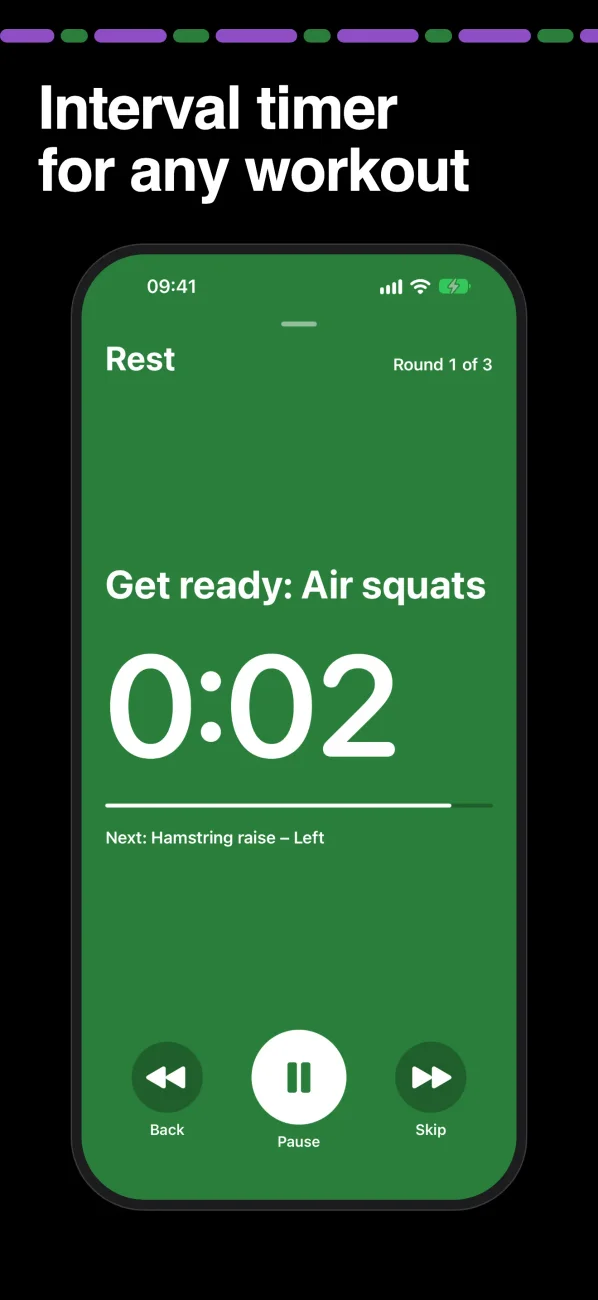
Intervale is an interval timer for HIIT, Tabata, circuits, physio and rehab exercises, and stretching. Build a routine from your own named steps, give each a time or a number of reps, and run it with spoken cues and haptics on iPhone or Apple Watch.
- Build routines from your own named steps, each with its own work and rest time.
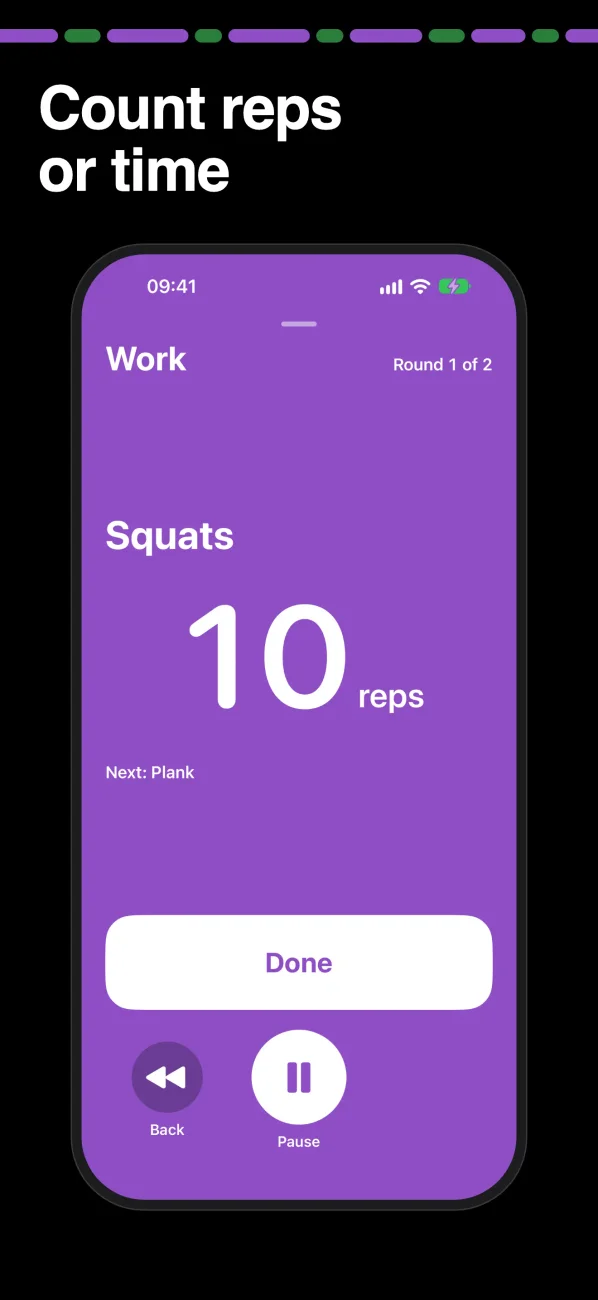
- Set a step to a number of reps instead of a time. It waits until you tap Done; rest still counts down.
- Add both sides of an exercise in one go, and keep the left and right times in step if you like.
- Repeat for as many rounds as you like, with an optional rest between rounds.
- Big, glanceable countdown with colour-coded work and rest, and what comes next always on screen.
- Sounds, spoken cues and haptics mark every change, so you never need to look at your phone. They play over your music without turning it down.
- Keeps running in the background and with the screen locked.
- Favourite routines and stacks start from the Home Screen icon's quick actions.
STACKS
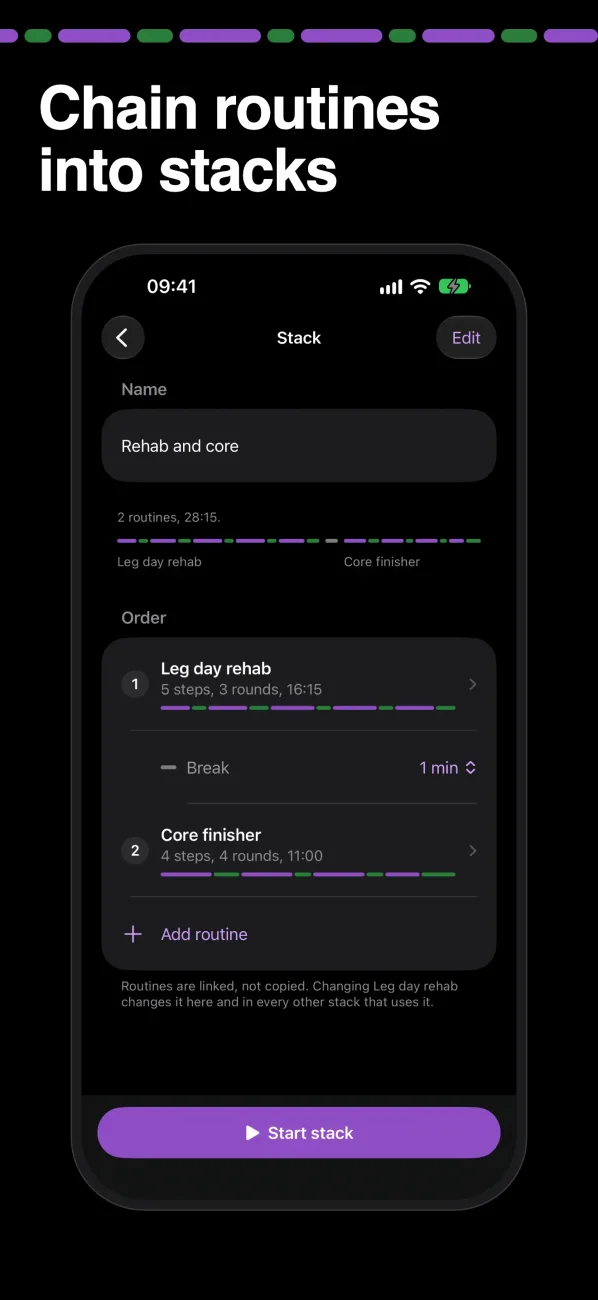
- Chain routines into a stack, in the order you want, with a break between each one.
- A break can be a set time, or wait until you tap Start now.
- Routines are linked, not copied, so changing a routine changes it in every stack that uses it.
SCHEDULE
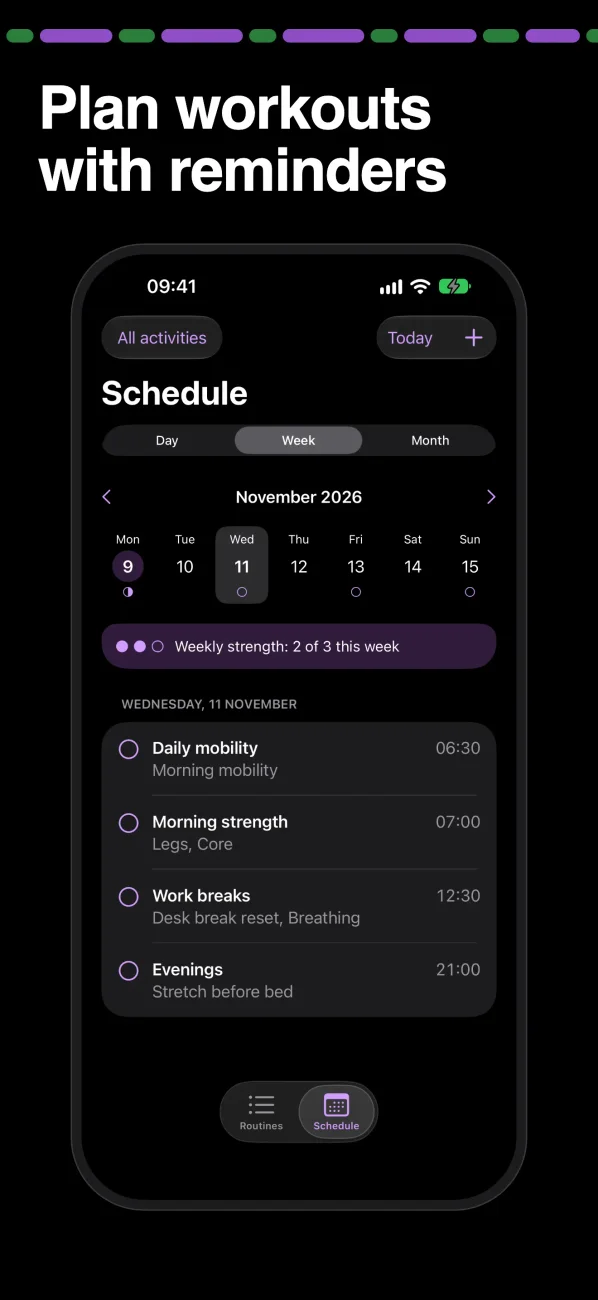
- Choose which routine or stack you do on which days, or set a weekly goal such as three times a week.
- Get a reminder when it's time, on iPhone and Apple Watch. Turn reminders off in Settings at any time.
- Move one workout to another day or time, or change it from then on.
- Choose the day your week starts.
APPLE HEALTH
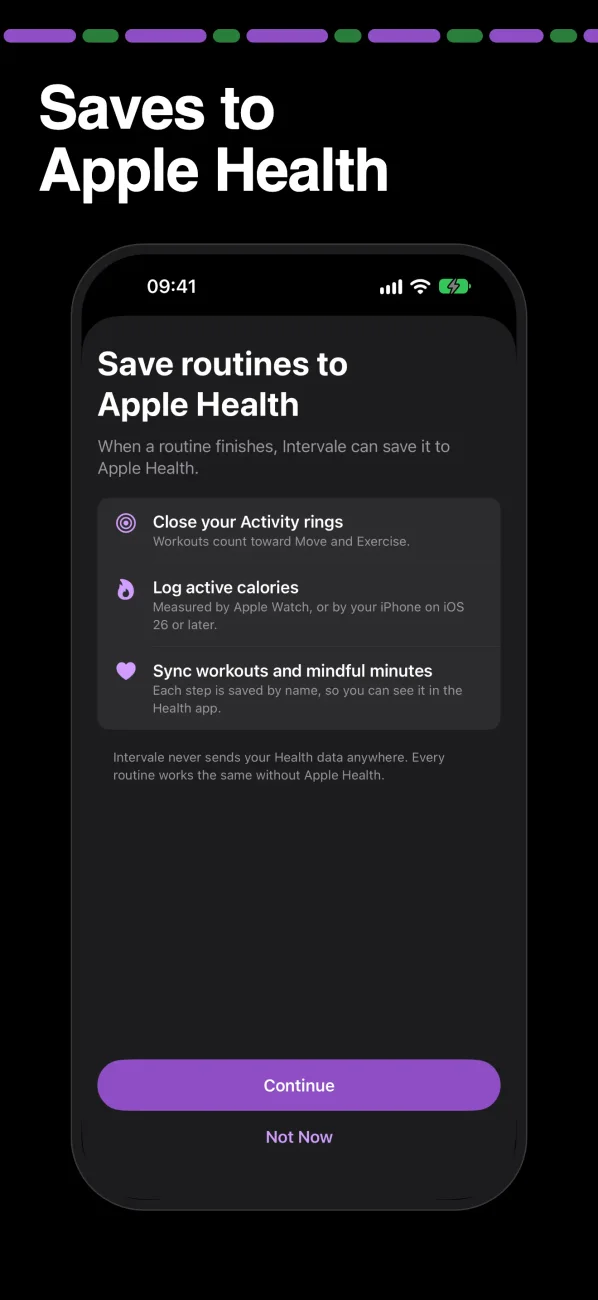
- Save finished workouts to Apple Health as a workout (HIIT, strength, core, cross training, mixed cardio, yoga, Pilates and more) or as mindful minutes. Pick the type for each routine.
- On Apple Watch, workouts record your heart rate and active calories and count towards your Activity rings.
- On iPhone with iOS 26 or later, the workout is recorded live and Apple measures your active calories. Intervale never estimates calories itself.
- It is optional. Every routine works the same without Apple Health, and you can switch it off at any time.
- Your Health data stays on your device and is never sent anywhere.
SIRI AND SHORTCUTS
- Say "Start Leg day rehab in Intervale" on iPhone or Apple Watch to run one of your routines.
- Ask "What routines do I have in Intervale" to hear your list.
- Both are available in the Shortcuts app too, so you can add a routine to an automation or your Home Screen.
SHARE AND DISCOVER
- Share a finished workout as a card with your time, and add a photo if you like.
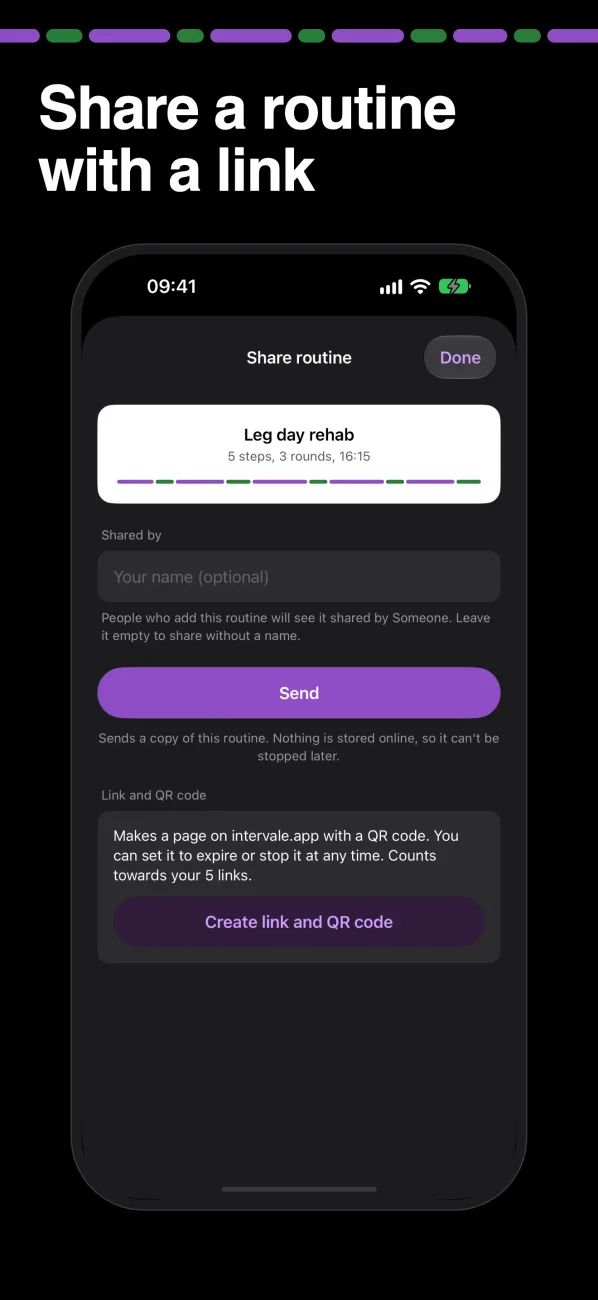
- Send a routine as a link in one tap, with no upload, or make a page with a QR code that you can set to expire or stop.
- Add routines other people share with you, and see how often your own links were viewed and added.
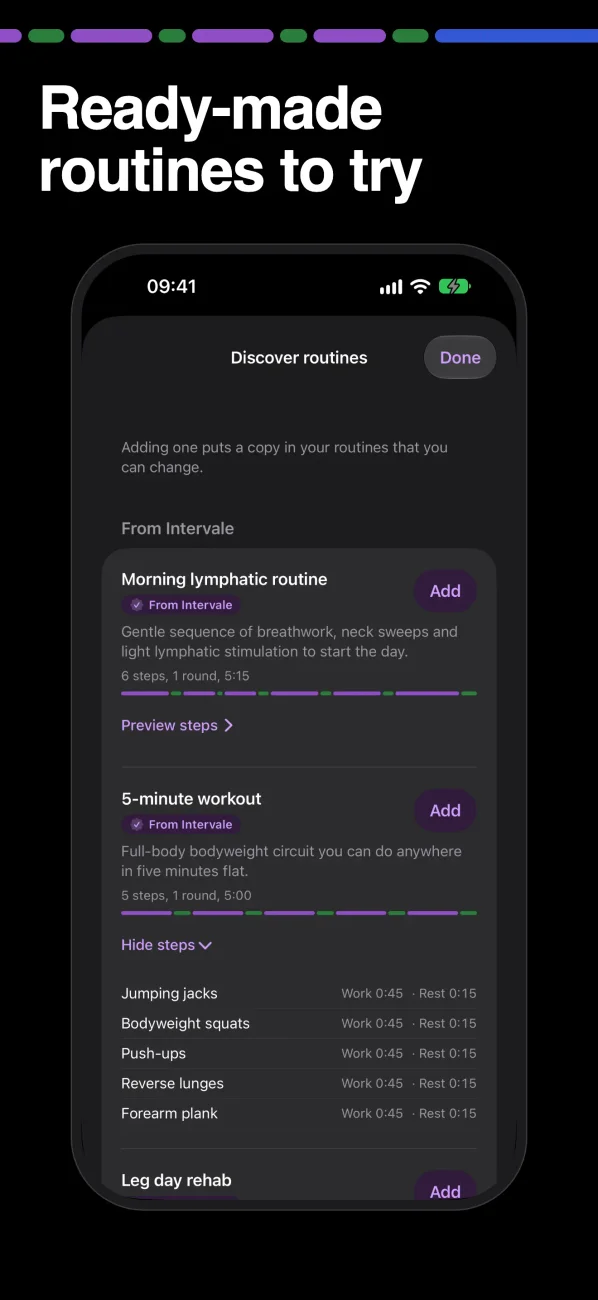
- Discover ready-made routines, and change them once they are yours.
APPLE WATCH
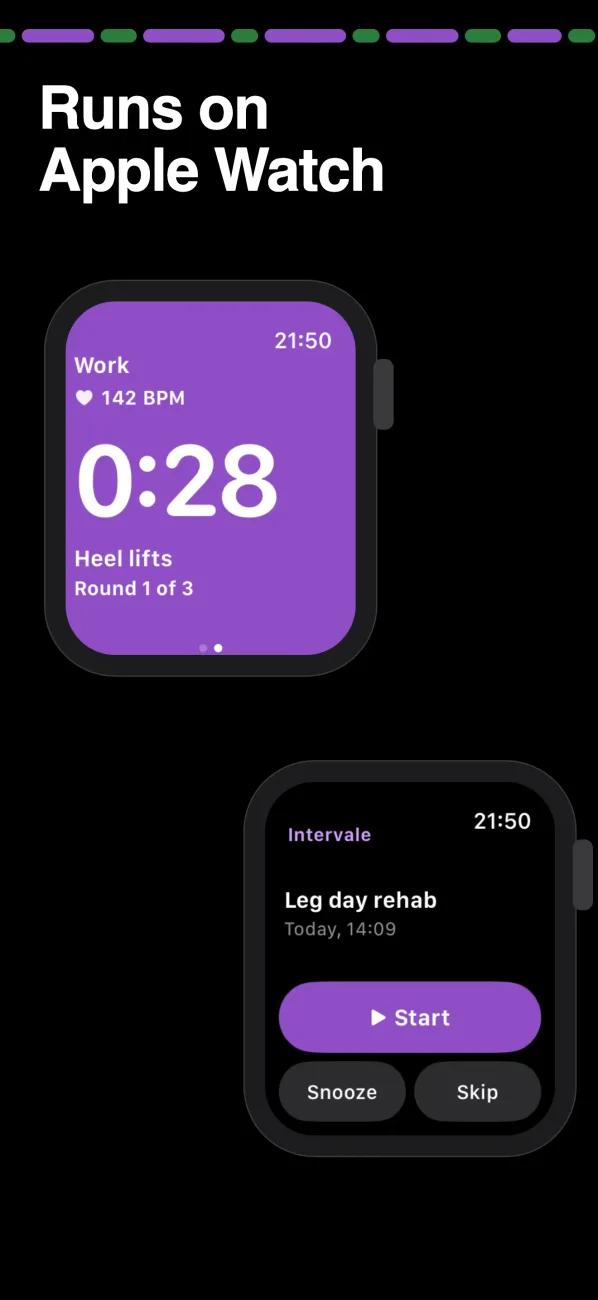
- Run your routines from the wrist with taps for every change, even with your wrist down.
- Count reps on the Watch, and see your reminders there.
- Sessions file into History on your iPhone.
ACCOUNTS (OPTIONAL)
- Sign in with Apple, Google or an email code. You never have to: every routine works without an account.
- Your routines appear on every device you sign in on.
- Delete your account in the app at any time.
HISTORY
- History shows the workouts you have finished, with calories where they were saved.
No ads, no tracking, no analytics. Without an account, everything stays on your device.
新機能
バージョン 1.5.0 · 2026/11/17
- Schedule: choose which routine or stack you do on which days, and get a reminder when it's time, on iPhone and Apple Watch.
- New names: timers are now called routines, and routines are now stacks. Nothing inside them has changed, and a screen in the app shows what moved where.
- Count reps or time: set any step to a number of reps. It waits until you tap Done; rest still counts down. Works on Apple Watch too.
- Share a finished workout as a card with your time, from the done screen. Add a photo if you like.
- Two new Apple Health workout types: Cross Training and Mixed Cardio.
- Sort your routines by recently used, A to Z, newest or your own order.
- Set a weekly goal instead of fixed times, such as Leg day three times a week, and see how far you are.
- A new tab bar with Routines and Schedule; stacks sit next to your routines.
- Choose the day your week starts in Settings.
- Layouts hold together better at larger text sizes.
アプリのプライバシー
このアプリのデータの取り扱いについて、Stephen DawsonがApp Storeで申告している内容です。
-
ユーザーに関連付けられたデータ
収集され、ユーザーの識別情報に関連付けられる場合があります。
- 連絡先情報
- ユーザーコンテンツ
- ID
-
ユーザーに関連付けられないデータ
収集される場合がありますが、ユーザーの識別情報には関連付けられません。
- ヘルスケアとフィットネス
- 連絡先情報
- 使用状況データ
プライバシーの取り扱いは、ご利用の機能やお客様の年齢などに応じて異なる場合があります。
情報
- 販売元
- Stephen Dawson
- カテゴリ
- ヘルスケア/フィットネス
- バージョン
- 1.5.0
- 更新日
- 2026/11/17
- リリース
- 2026/10/16
- サイズ
- 13.5 MB
- 必要条件
- iOS 17.0以降
- 対象年齢
- 4+
- 価格
- 無料
- 言語
- 英語
- 著作権
- © 2026 Stephen Dawson
こちらもおすすめ
-
 Ares - インターバルタイマーHIIT・タバタ・ヨガ・ストレッチ
-
 Interval Timer: Run Walk, HIITRunning Workouts & Training
-
 Shift:HIIT インターバルタイマータバタ、筋トレ、ボクシング
-
 Kronos Studio筋トレ。使っているAIと連携
-
 インターバルタイマー:サーキット&HIITワークアウト、ボクシング、タバタ
-
 インターバルタイマー | CeroHIIT タバタ 筋トレ ジム ヨガ
-
 インターバルタイマー: BeepWatchポモドーロ・タバタ・ボクシング・HIIT
-
 Workout Timer Interval & HIITヘルスケア/フィットネス
-
 Interval Timer: Workout HIITヘルスケア/フィットネス
-
 RUN interval - Running Timerヘルスケア/フィットネス