- 対象年齢4+
- カテゴリミュージック
- 開発元Jnoc Production LLC
- 言語英語
- サイズ10.8 MB
App Storeの公式ページにリンクしています
Download.orgはJnoc Audioのファイルを一切ホストしていません。ボタンを押すと、Jnoc Production LLCが公開しているApp Storeのアプリページが開きます。ページの最終確認:2026/11/12。
スクリーンショット

概要
開発元はこのテキストをお使いの言語で提供していません。
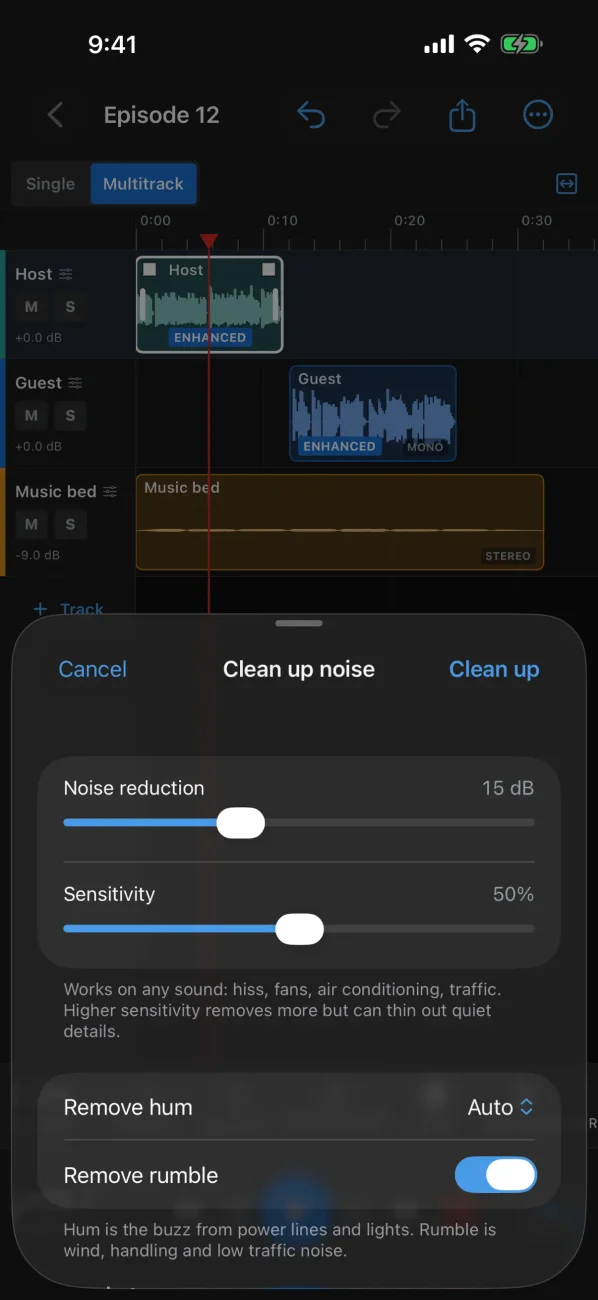
JNOC Audio is a multitrack audio editor for iPhone and iPad. Record, edit, make voices sound clear and professional, and save your work in the format you need. Everything happens on your device.
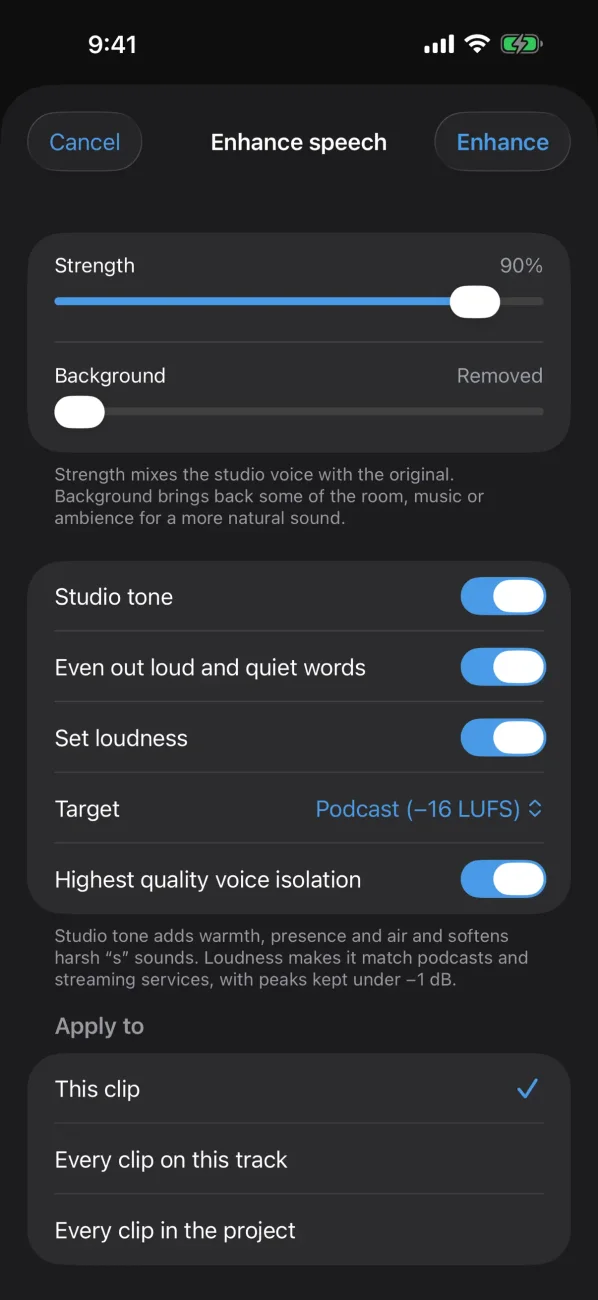
ENHANCE SPEECH Removes background noise and echo, then gives the voice a warm, clear studio sound, evens out loud and quiet words, and sets the loudness podcasts and streaming services expect. Choose how strong it is, and bring back some of the room if you want it to sound natural. Compare with the original at any time, or restore it.
CLEAN UP ANY SOUND Removes hiss, fans, traffic and air conditioning, finds and removes mains hum, and cuts low rumble, on any recording, not just voices.
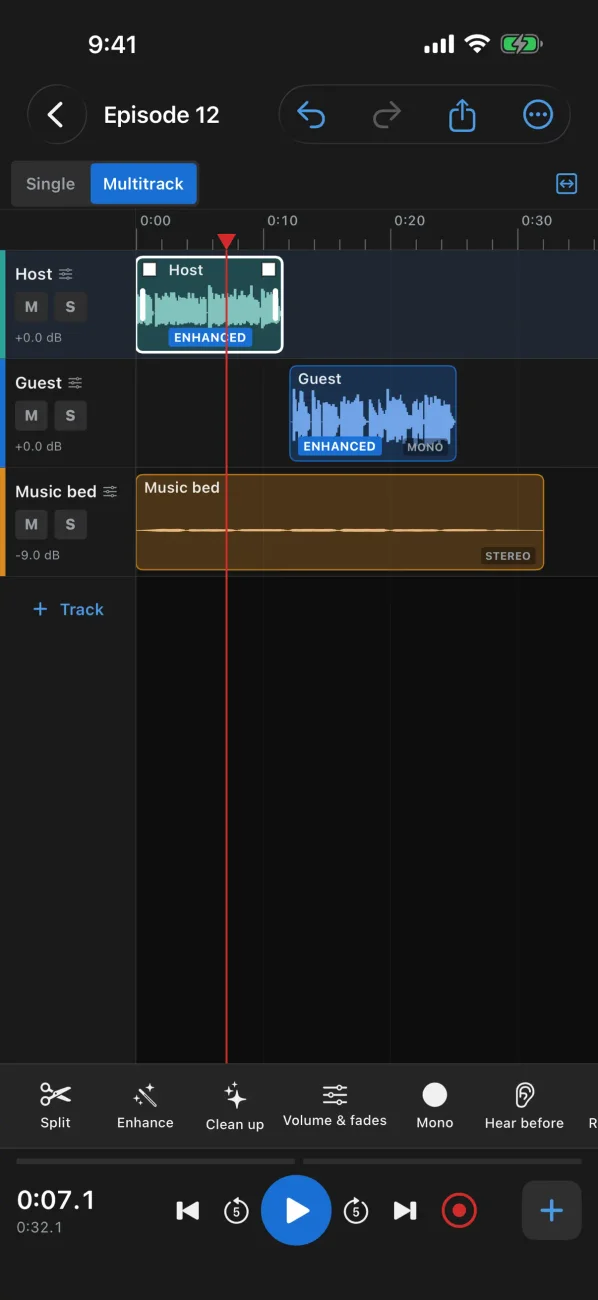
MULTITRACK EDITING • Record while your project plays, in mono or stereo, pause and carry on in the same take, and watch the sound as you record • Cut, trim, set the volume of each piece, reverse it, or change its speed with or without changing the pitch • Fade in and out by dragging: sideways for the length, up or down for the shape of the fade • Tap and hold a piece to slide it earlier or later, select several pieces by dragging across them or tapping them, then move or change them together, or select a stretch of time across tracks to cut it out, silence it or work on just that part, leave gaps, or move it to another track • See all your tracks, or one track filling the screen, and drag tracks up or down to reorder them • Undo and redo everything
TRACKS AND EFFECTS Volume, pan, mute and solo on every track, shown right under the track's name. Effects on every track: noise gate, EQ, compressor, character (phone, radio, lo-fi, bit crush, overdrive and more), chorus, flanger, phaser, tremolo, auto-pan, stereo width, pitch, echo and reverb. Muted tracks, and the others when one is soloed, are greyed out so you always know what you'll hear.
LEVEL POINTS AND DUCKING Draw a track's volume over time with level points. Auto-ducking lowers your music while people talk and brings it back up in the pauses, with the amount and fades you choose.
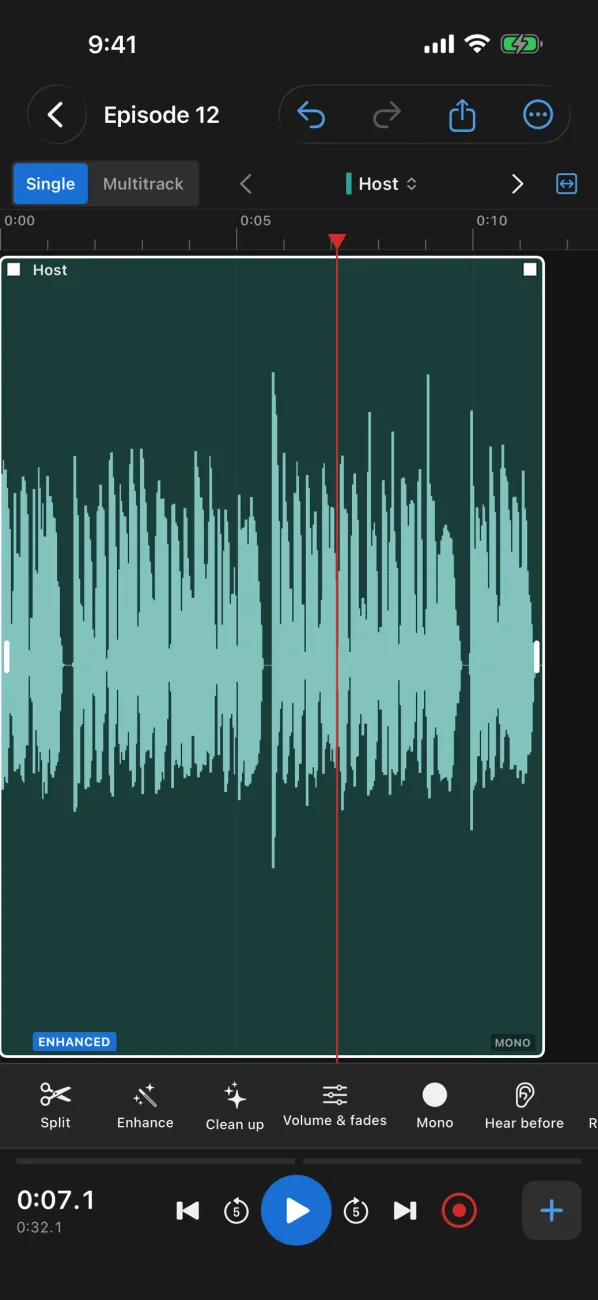
MONO AND STEREO Every piece shows whether it is mono or stereo, and stereo pieces show both sides. Make a piece mono or stereo, keep only its left or right side, swap the sides, or split a stereo recording into two tracks, ideal when two microphones were recorded into one file.
OPENS ALMOST ANYTHING WAV, AIFF, MP3, M4A, Apple Lossless, FLAC, OGG, Opus, WMA, AC3 and many more, plus the sound from your videos in Photos or Files.
SAVES IN ANY FORMAT WAV, MP3, M4A (AAC), FLAC, AIFF, Apple Lossless, OGG Vorbis, Opus, WMA, AC3, MP2 and CAF. Choose bit depth, bit rate, sample rate, mono or stereo, set the loudness, add a title and artist, or save every track as its own file. Exports are kept in the Files app and can be shared anywhere.
PRIVATE BY DESIGN.
By Jnoc Production.
新機能
バージョン 1.0.1 · 2026/11/11
Select several pieces at once: drag across them or tap them, then move them together or enhance, clean up, add effects, duplicate or delete them in one go. Select a stretch of time across tracks to play it, cut it out, silence it, keep only it, or enhance just that part. One Undo now takes back a whole Enhance, Clean up or Effects job. The editor also fits better on narrow screens.
アプリのプライバシー
このアプリのデータの取り扱いについて、Jnoc Production LLCがApp Storeで申告している内容です。
-
データの収集なし
開発元はこのアプリからデータを収集しません。
プライバシーの取り扱いは、ご利用の機能やお客様の年齢などに応じて異なる場合があります。
情報
- 販売元
- Jnoc Production LLC
- カテゴリ
- ミュージック
- バージョン
- 1.0.1
- 更新日
- 2026/11/11
- リリース
- 2026/11/10
- サイズ
- 10.8 MB
- 必要条件
- iOS 26.0以降
- 対象年齢
- 4+
- 価格
- 無料
- 言語
- 英語
- 著作権
- © Copyright: 2026 Jnoc Production LLC
こちらもおすすめ
-
 Audio Cutter: MP3 Editorミュージック
-
 ANILOGミュージック
-
 Norah Studio: Stems, FX, Remixミュージック
-
 kesera.Editミュージック
-
 音声トリマー・カッター無音・間を削除、フェード&ループ
-
 TapeDesk: 4-Track Tape Studioシンセ、サンプラー、シーケンサー
-
 Stem Splitter - OffgridStemボーカルや楽器を分離して伴奏を作成
-
 MidiWrist Unleashedミュージック
-
 TrackPeel - AI ステム分割器ステム分離&コード検出
-
 Audio Layrs - AI Vocal Removerミュージック